

Accounting firm CRM solution
Organize all your client information in one place. Work, emails, communication, notes, documents, passwords, contact information and more.
 4.8 stars





Breanna Barnes
Accountant, BCE Accounting & Tax
All your client information in one simple view
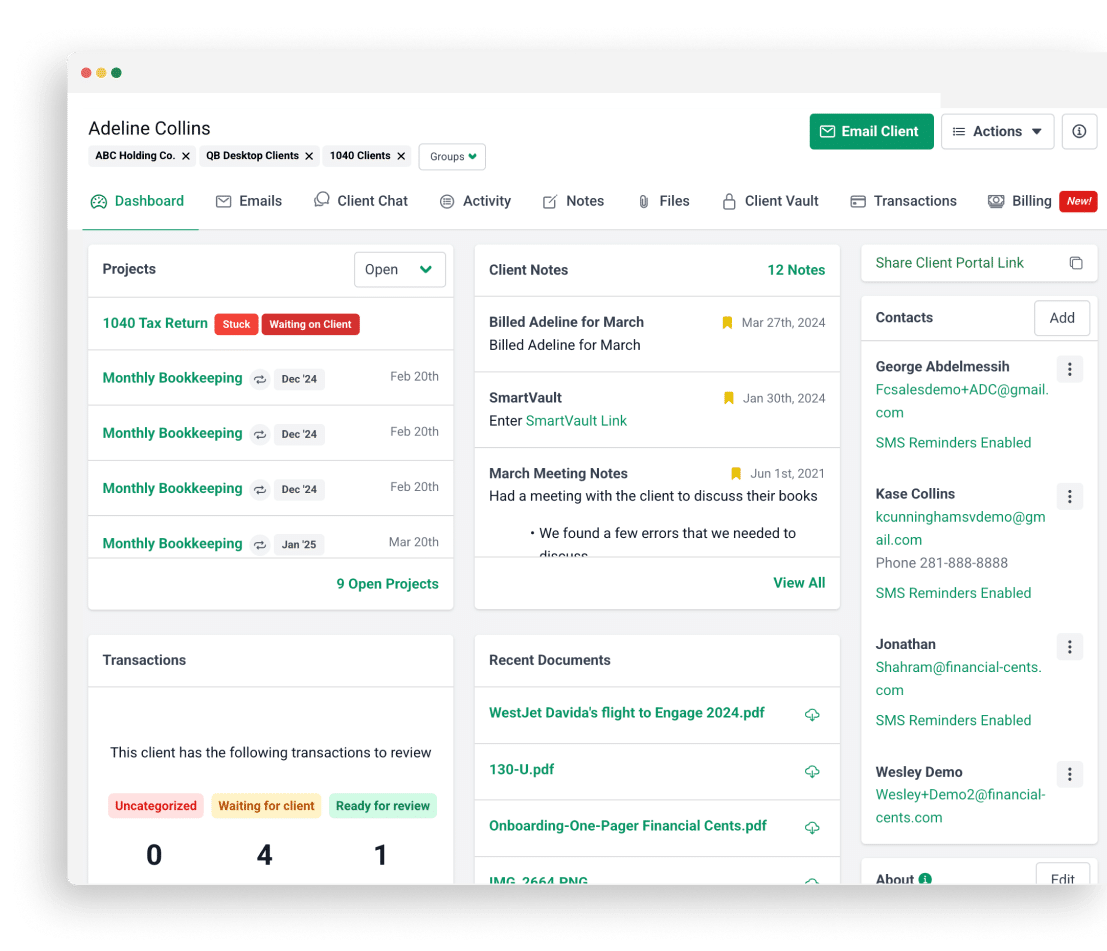
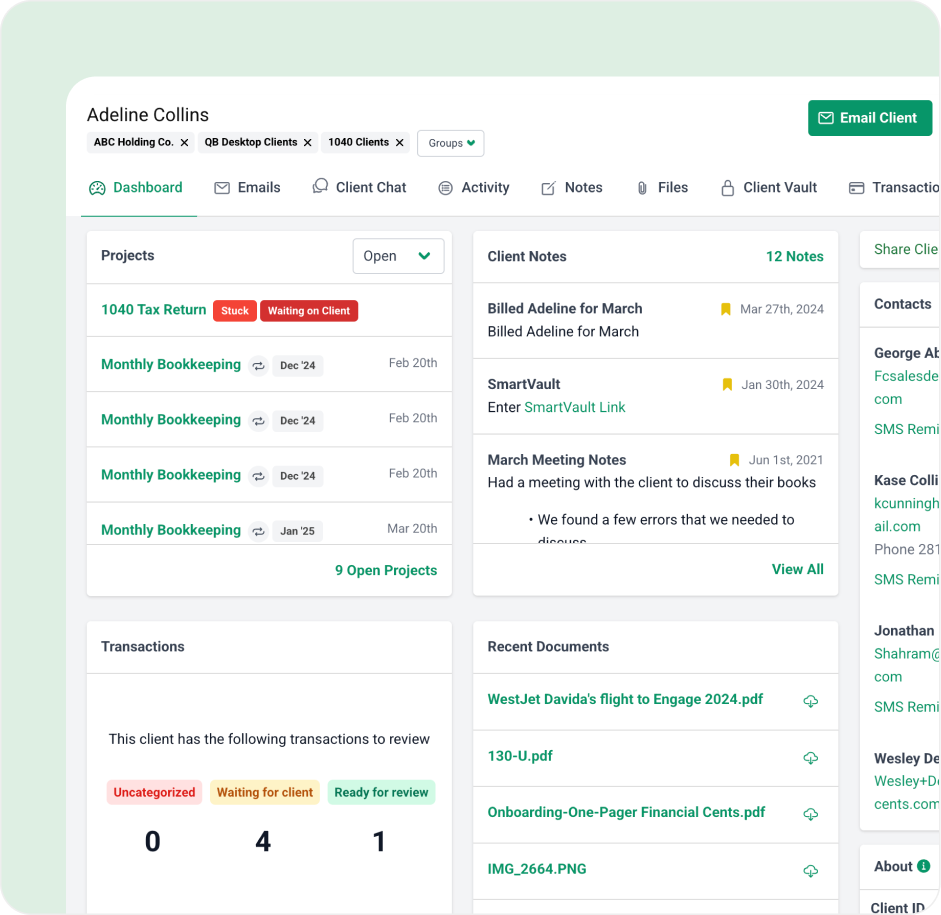
Instead of using multiple apps, spreadsheets, and email communication to keep track of client information, Financial Cents accounting CRM software provides access to client documents, contact information, passwords, notes, and more in one view for when your staff needs it.
An audit trail of interactions between your team and clients
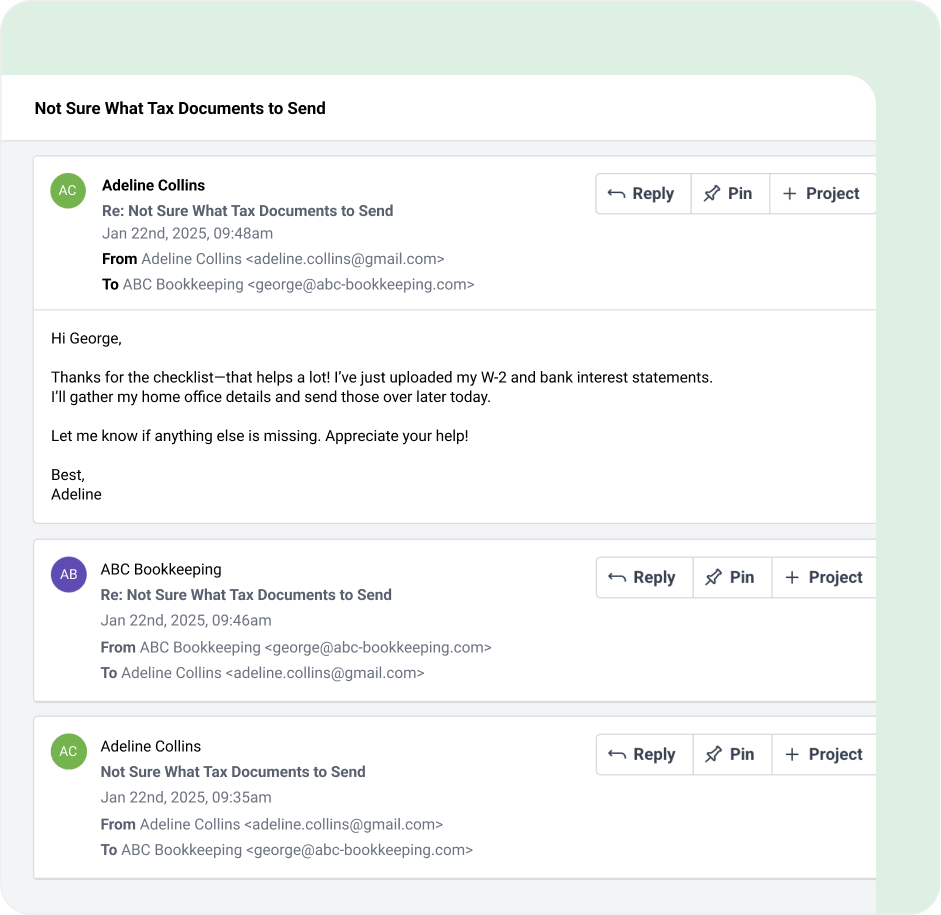
Always know who last contacted a client, when, and about what so that you always have current updates of all activities within your firm. This way, when a client calls, you’ll know exactly where you stand and can provide the most up-to-date information.
Securely store client passwords for your team
Most firms store client login credentials in spreadsheets, sticky notes, or personal password managers that only one person can access. Securely store all your client passwords and other sensitive information for your team to easily access and get their work done.
Start free trial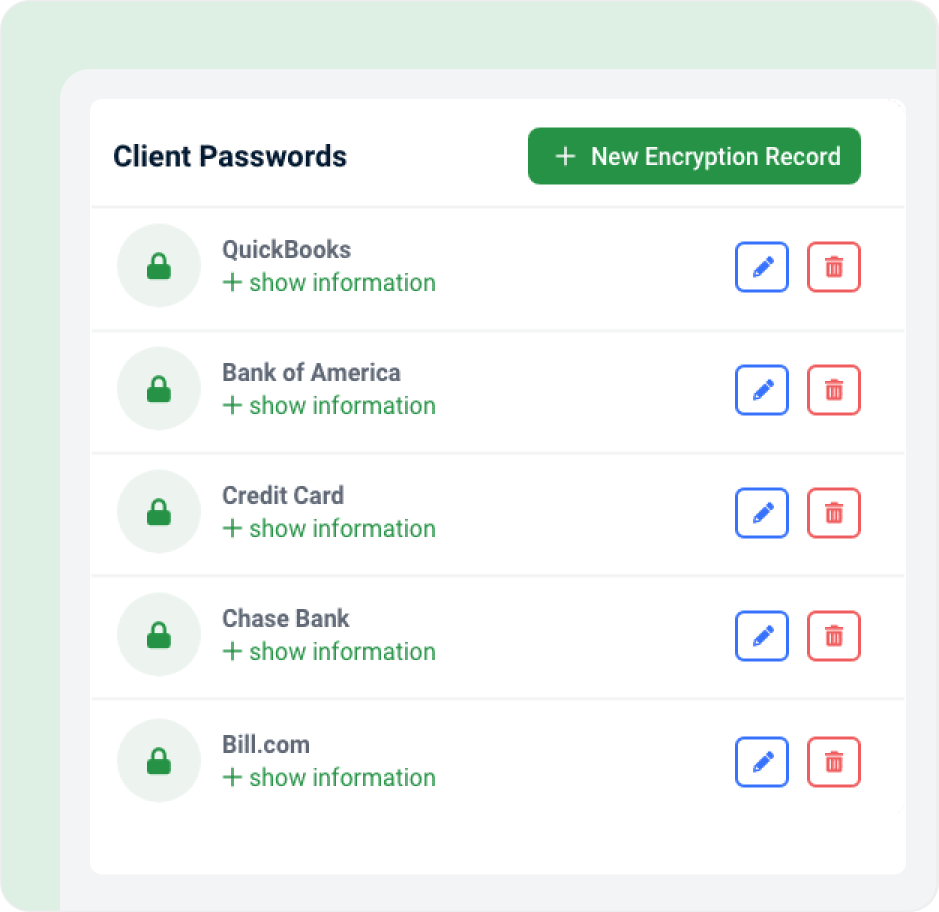
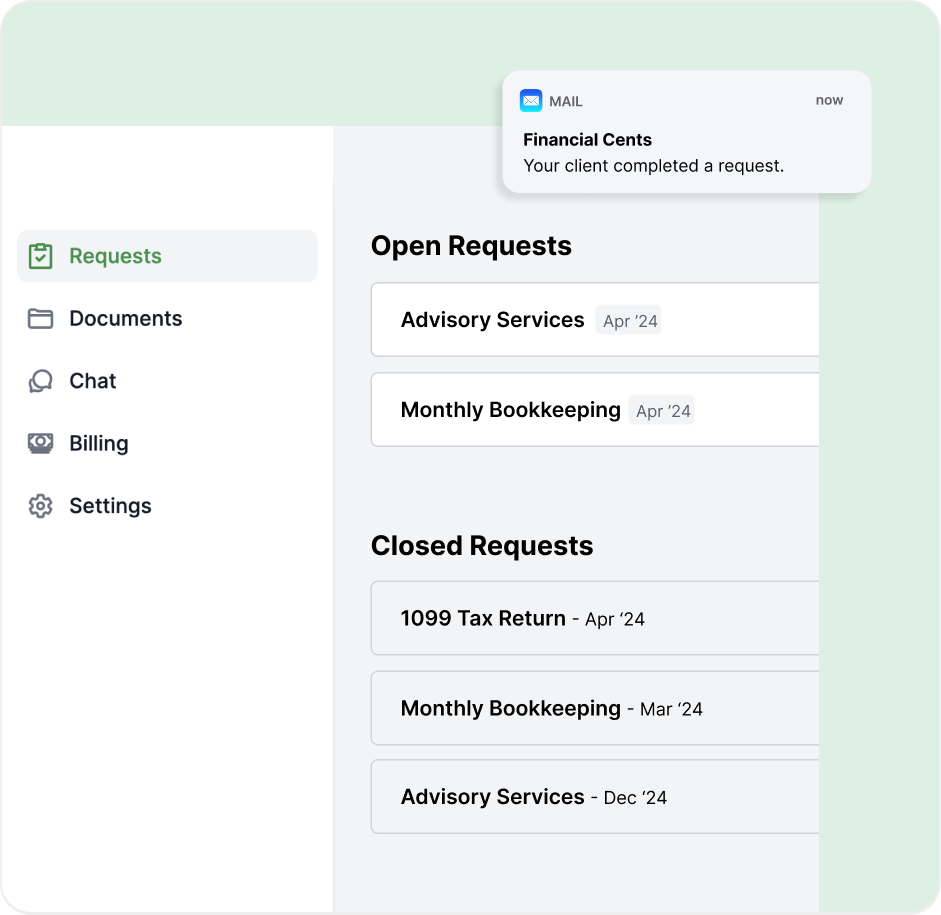
Automate client-data Collection
Securely request documents and have our accounting crm tool automatically follow up with your clients so you don’t have to chase them down. Clients can then upload documents, share information, and communicate with your firm through a secure, passwordless portal. You get everything you need without the back-and-forth.
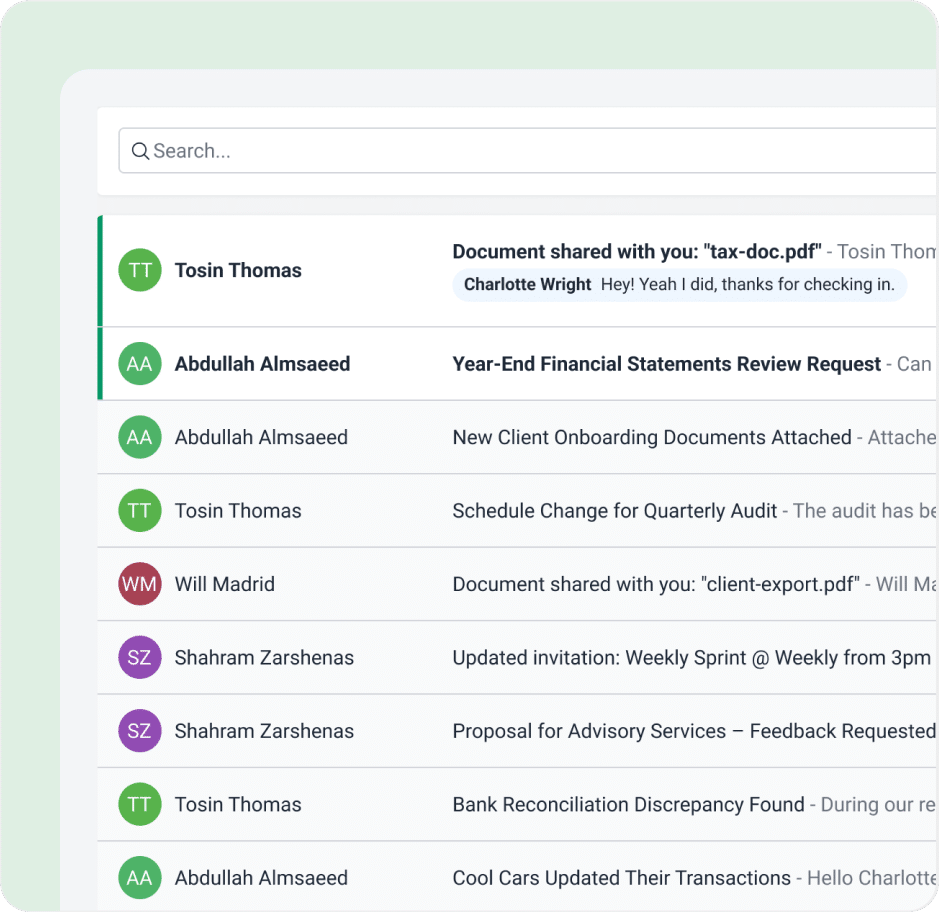
Take control of your inbox and work smarter
Using the email integration in our CRM software, you’ll be able to declutter your inbox with a focused folder for client-only emails. Adhoc emails requests and important email updates from clients will never get lost in your inbox again. See something that needs action? Turn it into a task and delegate it your team. All of this will happen within Financial Cents CRM so you don’t have to keep changing tabs and getting distracted.
Got 5 minutes?
Step inside the Client Management System to see how Financial Cents keeps your client data, conversations, and tasks organized in one place.
Take a Tour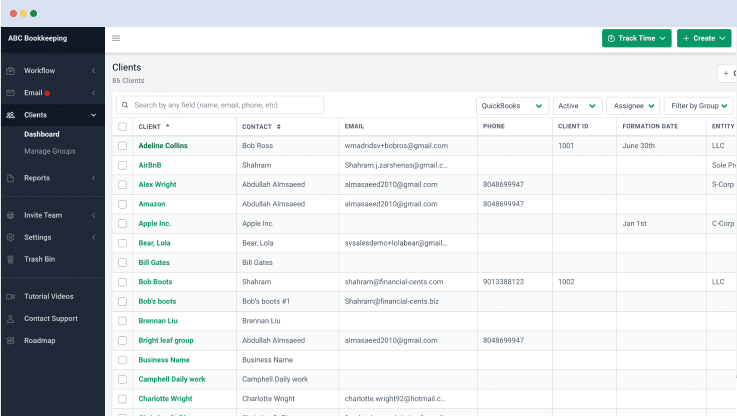
Accounting CRM & database features
Client audit trail
Track who spoke to the client, when and about what in one simple view.
Custom fields
Create custom client properties and filter your client base by them.
Secure password storage
Securely store client passwords in our encrypted vault for your team to access.
Folder management
Organize client documents into folders.
Client groups
Organize your clients into groups to get more visibility.
Client database
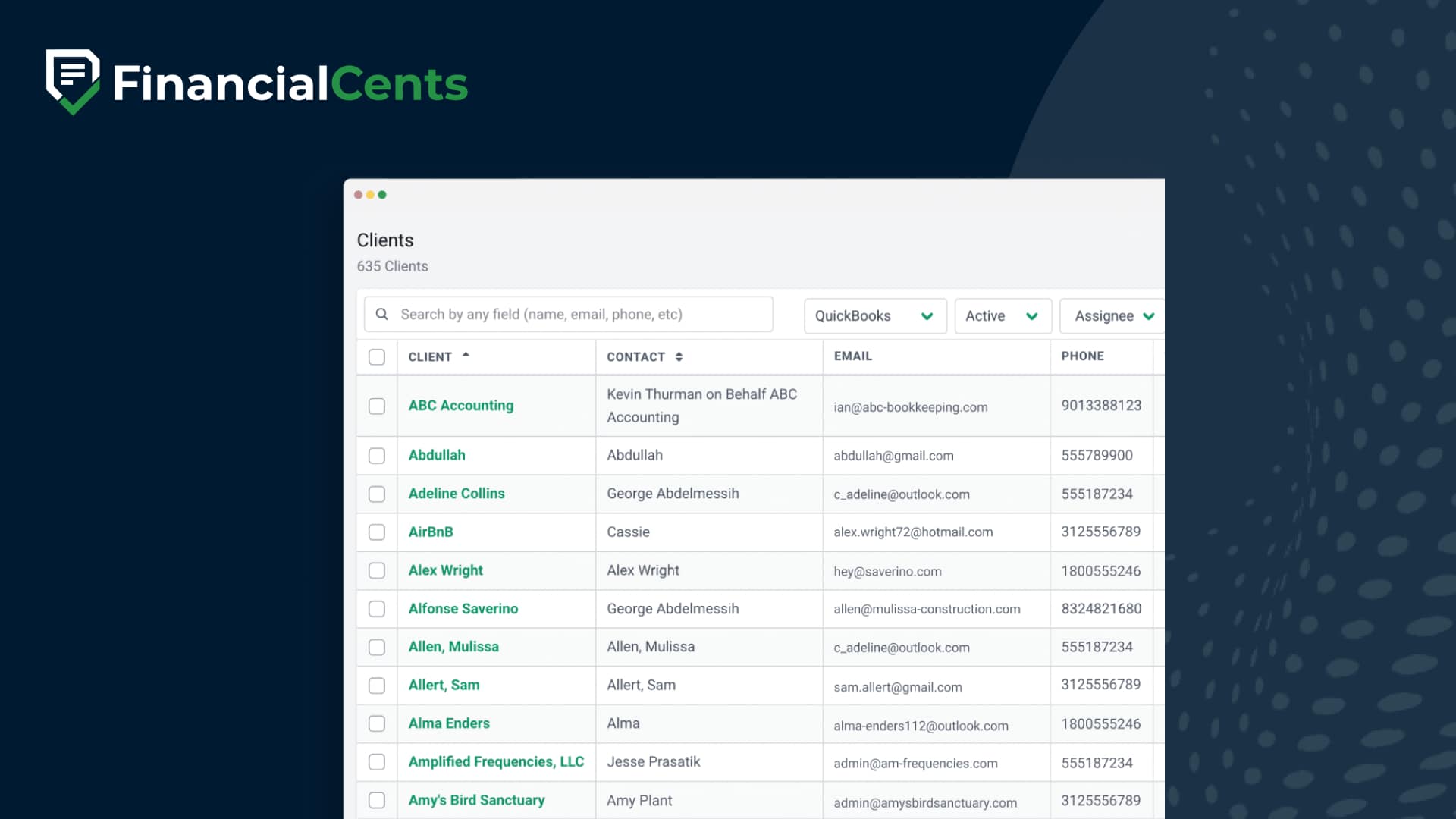
Store all your clients and their information in one place.
Client profile
View all of a client’s important information in one simple view.
App integration
Integrate with 3rd party client apps, such as QuickBooks, to access them from within Financial Cents.
Loved by over 10,000 accountants, bookkeepers and CPAs
FAQs about Accounting CRM System
A CRM accounting software is is client relationship management system built for accounting, bookkeeping, and tax firms. It keeps each client’s contact details, documents, notes, passwords, emails, and active work in one record, so the whole team can see where a client stands without digging through spreadsheets and inboxes.
It is built around delivering recurring client work, not just tracking sales. It ties client records to deadlines, document requests, communications, and service-specific details like tax, payroll, or bookkeeping. General CRMs such as HubSpot or Salesforce focus on leads and sales pipelines and need significant customization to handle recurring engagements.
Accounting firms need a client management system to keep client data in one place, track who spoke to each client, automate follow-ups for missing documents, and give every team member the same view of a client. This replaces scattered spreadsheets, sticky notes, and personal inboxes.
Financial Cents plans start at $19 per month billed annually for the Solo plan (single-user firms). The Team plan is $49 per user per month and the Scale plan is $69 per user per month, both billed annually. Every plan includes a 14-day free trial with no credit card required.
Financial Cents gives you a single client view that brings together contacts, emails, tasks/work, notes, documents, passwords, and recent activity, eliminating the need to juggle spreadsheets, inboxes, and shared drives.
Yes. Financial Cents provides a complete audit trail of client interactions, so you know who contacted a client, when, and about what, keeping your team informed and improving client service.
Yes. Financial Cents stores client passwords in an encrypted vault and collects documents through a secure, passwordless client portal. Details on Financial Cents’ security practices and SOC 2 report are on the Security page.
Yes. You can securely request documents and information from clients and have the system automatically follow up via email, so you don’t waste time chasing files. Client uploads attach right to the client record.
Yes. You can create custom fields to store unique client data and filter your client list for better organization and reporting.
Yes, you can use client groups to segment by service type, entity type, industry, or tier, then filter, report, or trigger actions (like reminders) across that segment.
Yes. Because Financial Cents ties client records to active work, you can quickly see open tasks, deadlines, and recent updates, so you know exactly where each client stands before you pick up the phone.
Many of the other tools are poor at managing updates and bugs. Some use subcontracted developers, providing real client data samples. Others have suffered breaches without proper notifications.
Of the pre-built systems out there, I do think Financial Cents has a solid offering.
One of my top goals is to make the process easier for clients. Glad I made the switch!
Many of the other tools are poor at managing updates and bugs. Some use subcontracted developers, providing real client data samples. Others have suffered breaches without proper notifications.
Of the pre-built systems out there, I do think Financial Cents has a solid offering.
One of my top goals is to make the process easier for clients. Glad I made the switch!
If you’re not using this feature, I highly recommend it! Remembering to follow up with clients can be a serious bottleneck and I love how this solved that problem!
If you’re not using this feature, I highly recommend it! Remembering to follow up with clients can be a serious bottleneck and I love how this solved that problem!