


reporting and insights for Accounting firms
Scale your firm with insights
Financial Cents budget and reporting shows you exactly how your firm is performing. See which clients are profitable with the Realization report, how much of your team’s time is billable with Utilization, and where your revenue comes from with Revenue Insights and more.
 4.8 stars


Angela Main Roberts
CEO of Main Accounting Services
Get insights into work capacity and efficiency
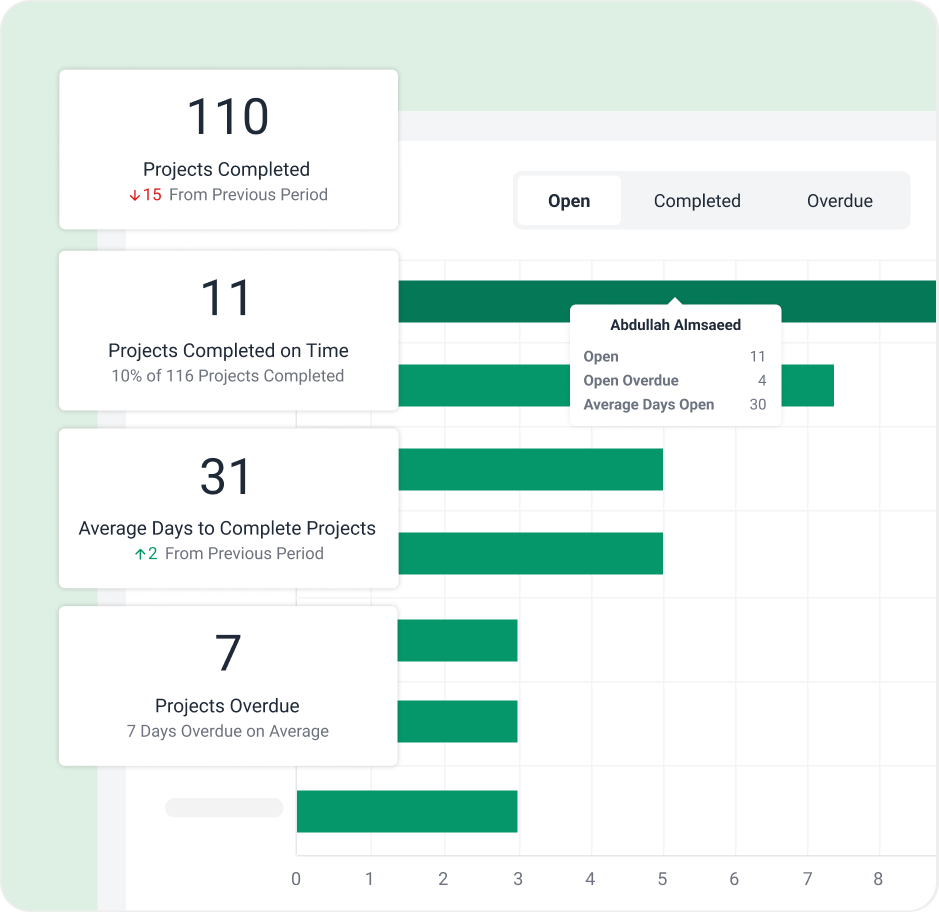
Use intuitive reports to easily track how efficient your firm is at getting their work done and identify opportunities to improve overall efficiency.
Get insights into revenue and profitability
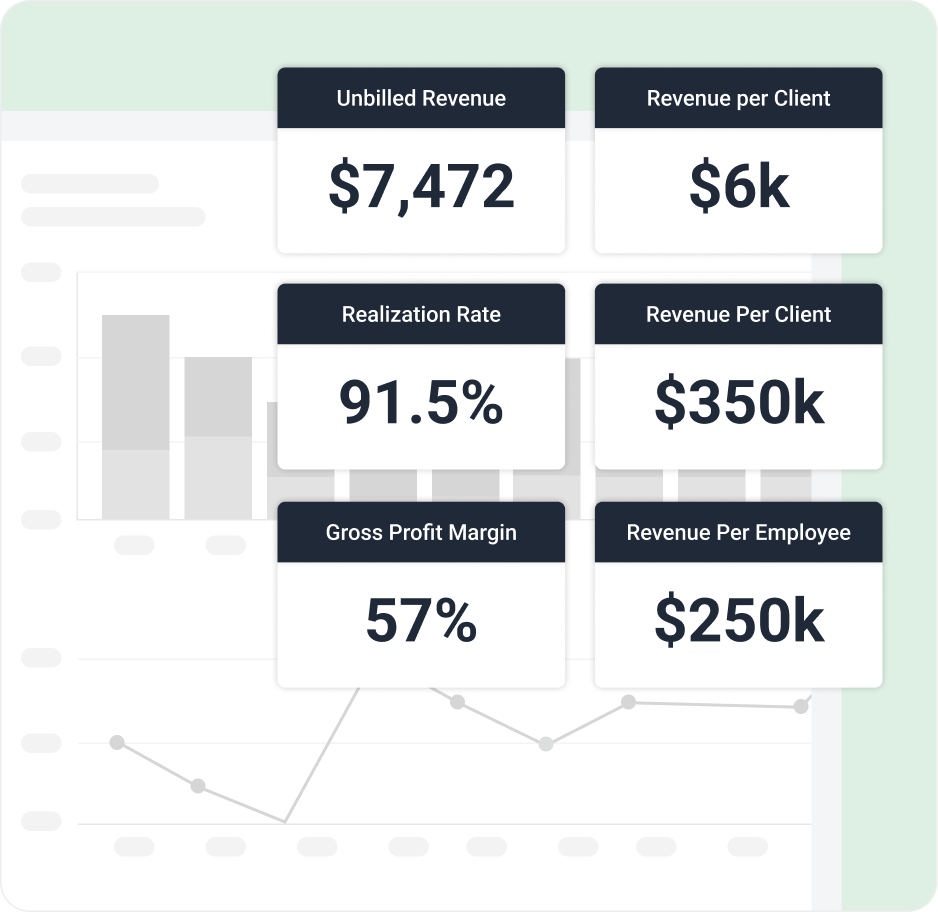
Track key revenue metrics and identify which clients, work items and team members drive firm profitability.
Start free trialIdentify over budget work and clients
Set budgets on work and easily identify which clients are over budget and out of scope to boost firm profitability.

Got 5 minutes?
Step inside Budget & Reporting to see how Financial Cents gives you clear insight into revenue, costs, and profitability.
Take a Tour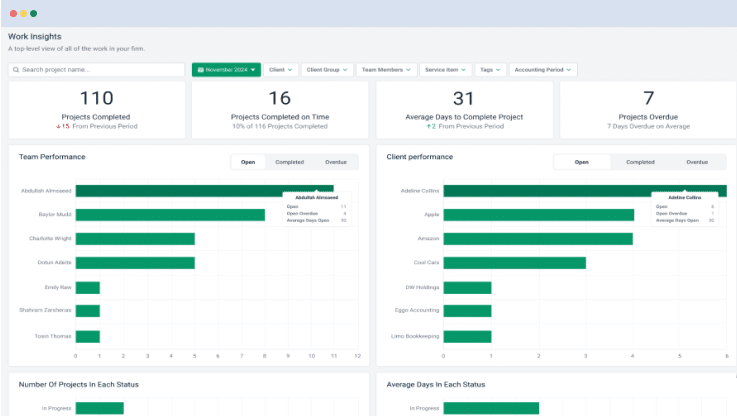
Budget & reporting features
Realization reports
Identify your most profitable clients, work items, and team members.
Budget reports
Identify which clients are over and under budget.
Time tracking reports
Identify where your team is spending their time.
Client uploads report
Track all client uploads across the firm in one simple view.
Work Insights report
Track work efficiency and identify bottlenecks slowing your firm down.
Revenue Insights
Identify which services are driving the most revenue and track key firm revenue metrics.
Capacity management
Identify firm capacity and easily schedule work to team members with available capacity.
Utilization reports
Track team and client utilization to ensure you are maximizing your firm’s time.
Loved by over 10,000 accountants, bookkeepers and CPAs
Budgeting and Reporting FAQs
Budget and reporting software for accounting firms shows you how your firm is performing: which clients are profitable, which work runs over budget, how your team spends its time, and where revenue comes from. It turns the time, billing, and workflow data you already have into decisions about pricing, staffing, and growth.
Financial Cents includes Realization, Utilization, Revenue Insights, Work Insights, budget, time tracking, effective hourly rate, capacity management, work in progress, client uploads, client tasks, team activity, and accounts receivable aging reports, all built into the platform you already use to run client work.
The Realization Report shows profitability by client, team member, project, and service item by comparing the value of your billable work with what you actually invoiced. The Effective Hourly Rate report divides what you billed each client by the time your team tracked on them, so you can spot clients who are out of scope or underpriced. Both work best when you invoice clients through Financial Cents.
Realization measures how much of your billable work you actually invoice, so it shows where you’re writing work down and losing money on clients or services. Utilization measures how much of your team’s available time goes to billable versus non-billable work, so it shows how productively your team’s hours are being used.
Yes. On the Scale plan, you can set a labor cost for each team member, and the Realization and Effective Hourly Rate reports show labor cost, gross profit, and margin by client, team member, project, or service item.
Revenue Insights shows your total revenue, average revenue per client and per employee, recurring versus one-time revenue by month, revenue by service item, and accepted proposals, compared with previous periods. You can filter it by client, client group, or service item. It requires invoicing through Financial Cents.
Work Insights shows how many projects your team completes, average days to completion, how often work is overdue, and how performance compares across team members and clients, so you can spot bottlenecks slowing your firm down.
Yes. You can set time budgets on projects and tasks, and dollar budgets on projects, so you can compare the hours and fees you expected with what actually happened. Over-budget work shows on your workflow dashboard and in your time tracking reports, and dollar budgets feed each project’s realization metrics.
Yes. Every time entry is marked billable or non-billable, so you can see how much of your team’s time goes to internal tasks and client communication you can’t invoice.
Yes. The work in progress (WIP) report shows the time you’ve tracked that hasn’t been billed yet, so nothing slips through before you invoice.
Yes. The capacity management report shows each team member’s scheduled hours against their available hours, so you can spot overloads and rebalance work before deadlines slip.
Yes. By default, only Owners can view the Revenue Insights report and effective hourly rate values, and Owners can change which roles (such as Admin, Member, or Contractor) can access them in user permissions.
Yes. You can export your reports to share performance insights with partners, clients, or stakeholders in internal meetings and client reviews.
Get Started Today
Many of the other tools are poor at managing updates and bugs. Some use subcontracted developers, providing real client data samples. Others have suffered breaches without proper notifications.
Of the pre-built systems out there, I do think Financial Cents has a solid offering.
One of my top goals is to make the process easier for clients. Glad I made the switch!
Many of the other tools are poor at managing updates and bugs. Some use subcontracted developers, providing real client data samples. Others have suffered breaches without proper notifications.
Of the pre-built systems out there, I do think Financial Cents has a solid offering.
One of my top goals is to make the process easier for clients. Glad I made the switch!
If you’re not using this feature, I highly recommend it! Remembering to follow up with clients can be a serious bottleneck and I love how this solved that problem!
If you’re not using this feature, I highly recommend it! Remembering to follow up with clients can be a serious bottleneck and I love how this solved that problem!