

Accounting Team Collaboration Software
Centralize team collaboration on the actual work
Conversations, emails, files, notes and more on the work so everyone has what they need to get their work done.
Proudly built for small firms — and designed to grow with you.
 4.8 stars





Michael McMullin
Managing Partner, Jack Trent & Co
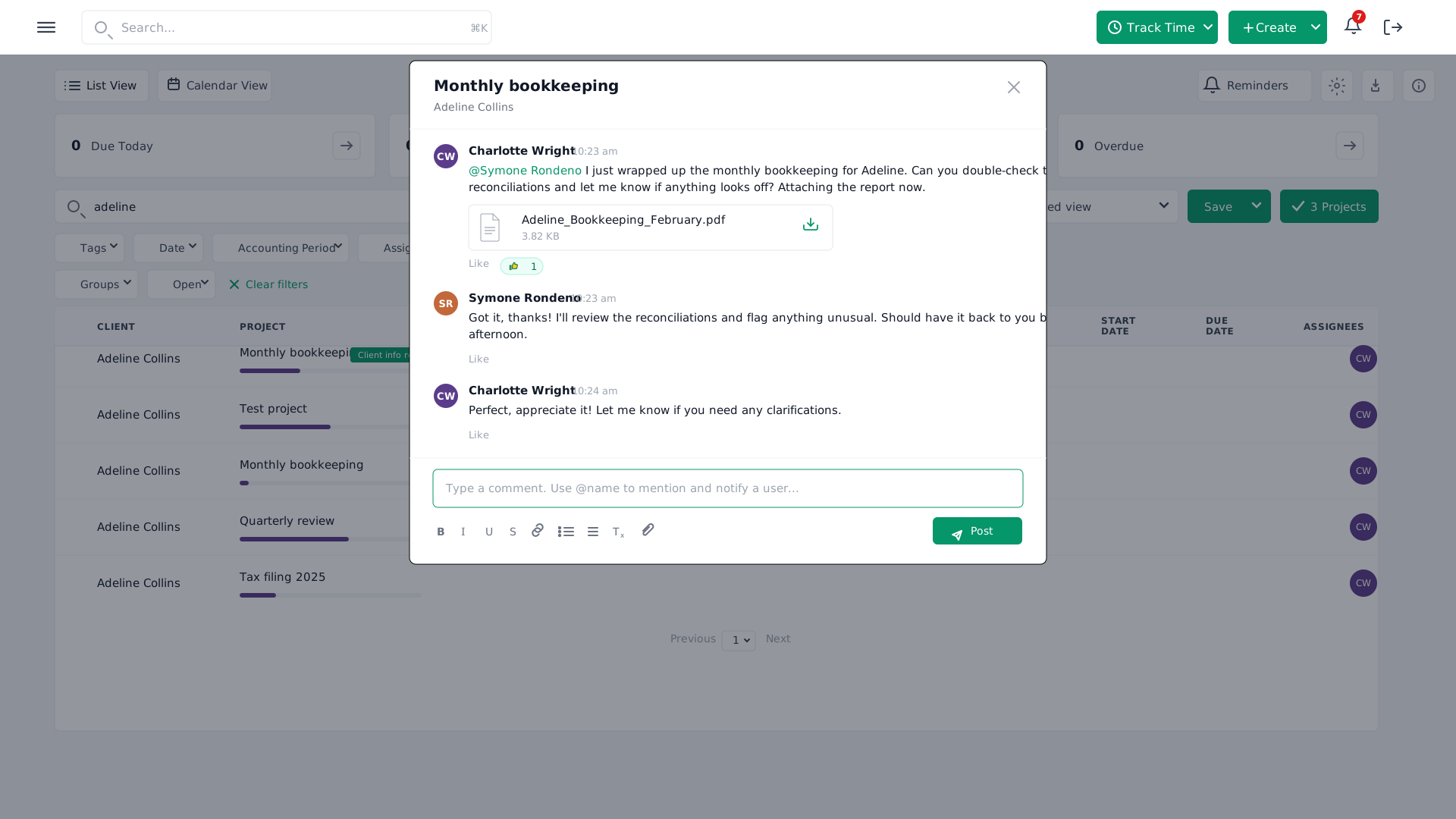
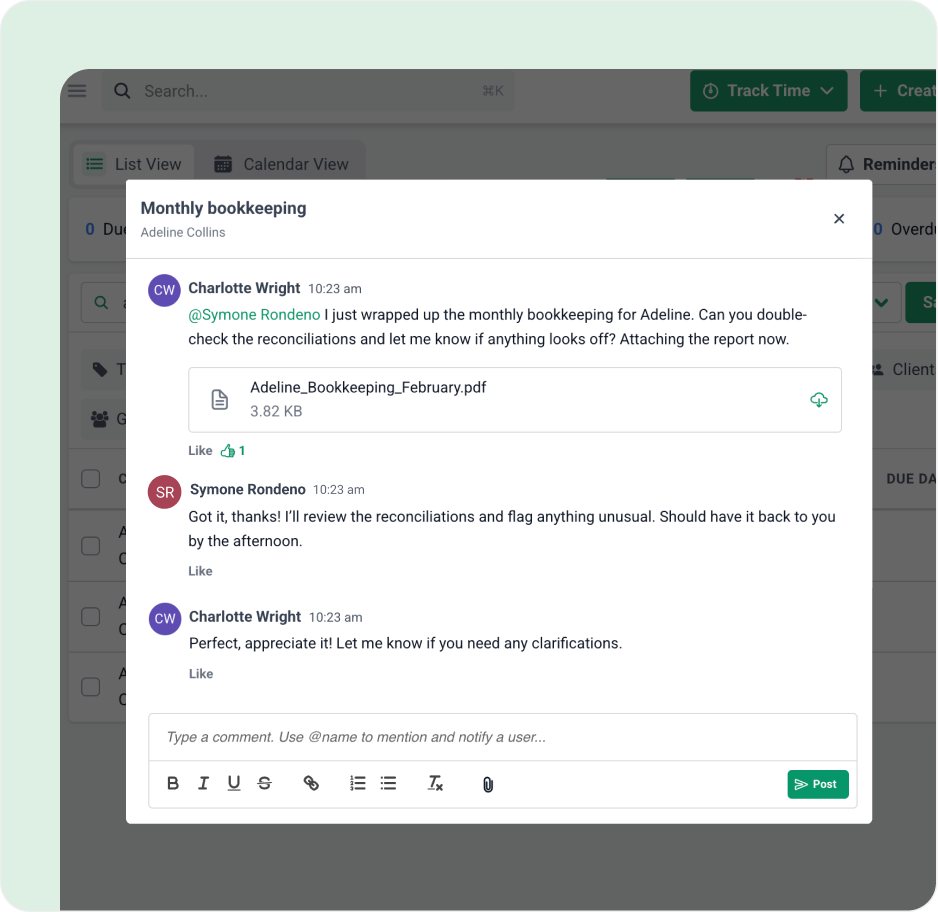
Collaborate on the actual work
Have team discussions on the actual work so assigned the work is in the loop. @mention team members and even share files.
Collaborate on emails
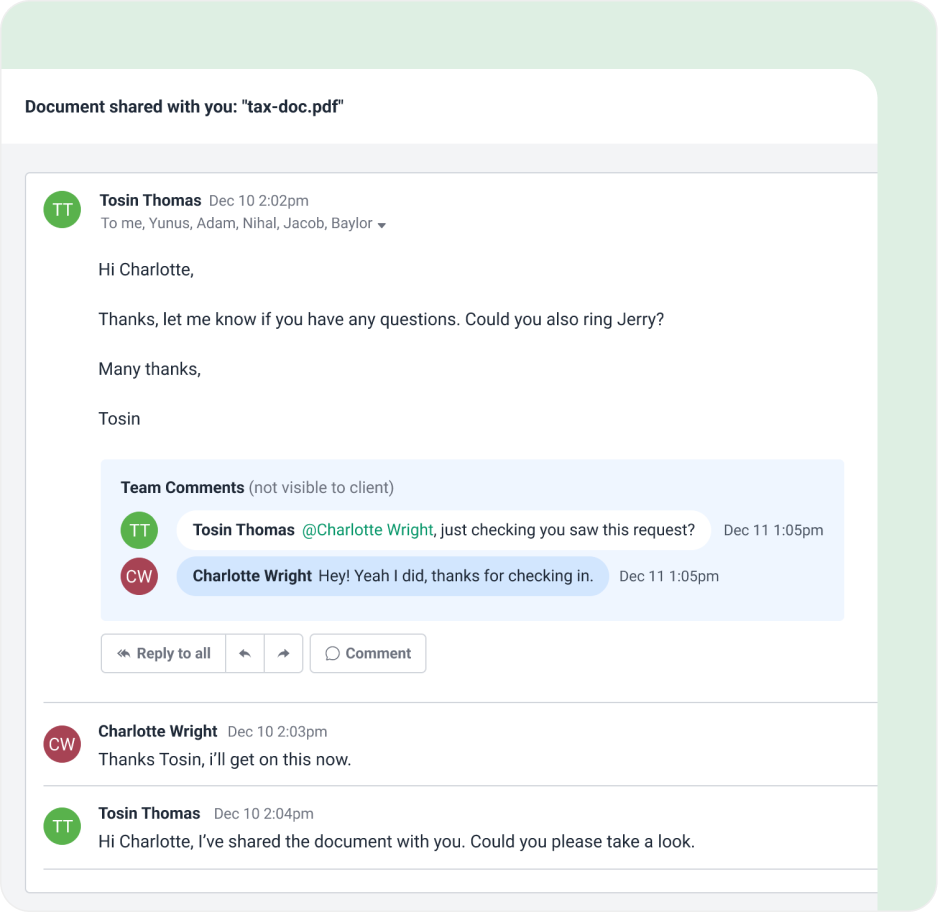
Delegate emails as tasks to team members, pin emails to related work items for team members to see, and even internally tag team members on emails to keep everyone in the loop.
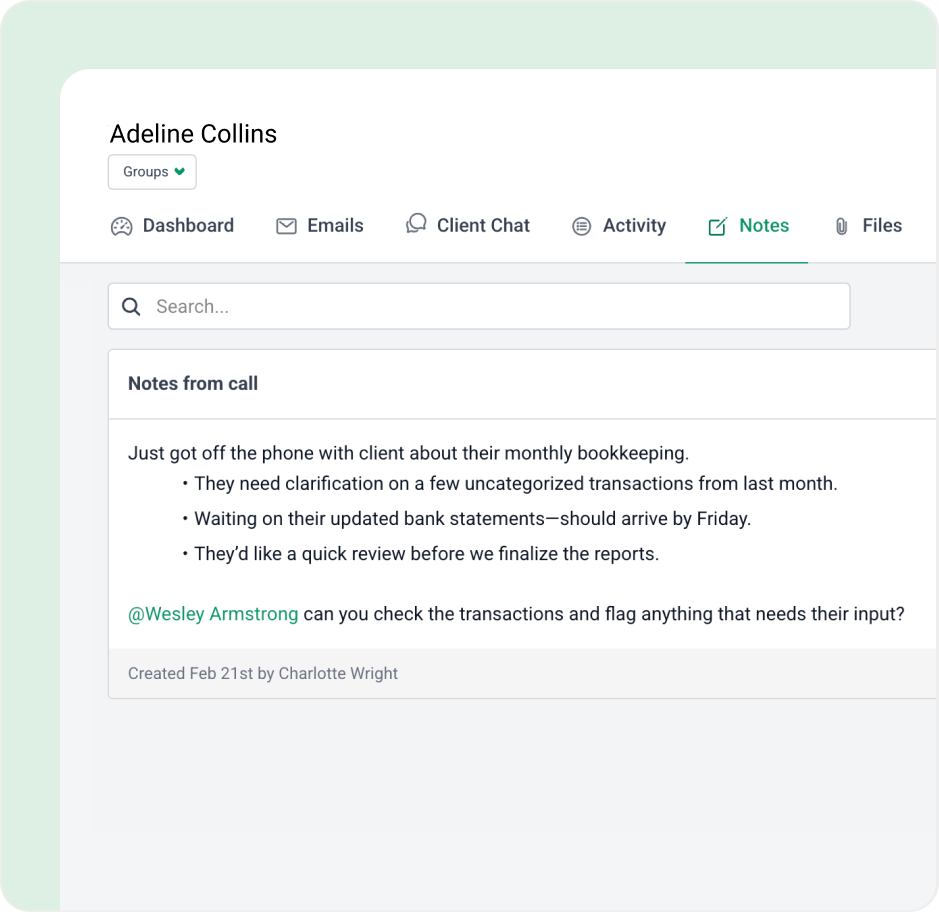
Collaborate on client notes
@mention team members on important client notes so they don’t miss any important client information added to the client’s profile.
Got 5 minutes?
Step inside Team Collaboration to see how Financial Cents keeps everyone on the same page across tasks, deadlines, and clients.
Take a Tour
Team collaboration features for accounting teams
@mentions
Tag team members on work, email, and client information to easily keep them in the loop
File sharing
Share important documents and images with team members when collaborating
Shared inbox
Have a shared team inbox to collaborate on client emails and ensure nothing slips through the cracks
Auto-updates
Automatically notify team members when work is ready to being with automations
Loved by over 10,000 accountants, bookkeepers and CPAs
Accounting Team Collaboration Software FAQs
Accounting team collaboration software is a tool where staff discuss client work, share files, and coordinate on emails and client information in one place. Good accounting collaboration software keeps those conversations attached to the client and the work they’re about, so nobody has to dig through chat threads or inboxes to find context.
Chat tools like Slack or Microsoft Teams keep conversations in channels, separate from the work itself. In Financial Cents, comments, @mentions, files, and emails sit on the task or client they relate to, so the context stays with the work and anyone picking it up can see the full history.
Financial Cents puts team discussions, file sharing, client emails, and client notes on the actual work. Your team can @mention each other, share files, delegate emails as tasks, and stay aligned on client work without switching between tools.
Yes. You can @mention team members on tasks, emails, and client notes to notify them of an update or bring them into a discussion, so communication stays focused on the work it’s about.
Yes. Your team can work on client emails together in a shared inbox: delegate an email as a task, pin it to the related work item, and tag teammates internally without forwarding anything.
Yes. You can add notes to a client’s profile and @mention team members so they see important client information, which keeps details from getting lost during handoffs.
Yes. You can share documents and images with team members directly on the work you’re collaborating on, so everyone has the files they need in the same place as the discussion.
Yes. You can assign work, track progress, and see who is responsible for each step of every workflow in one view, so handoffs are clear and work keeps moving.
Yes. Team collaboration covers your internal discussions, and the client portal and client tasks handle the client side. Clients can upload documents and send messages there, and everything they send lands on the related work.
Yes. Financial Cents is cloud-based, so remote, hybrid, and in-office team members can access files, discuss work, and see progress in the same place from anywhere.
Yes. You can set up separate workflows or folders for each department and still collaborate across them with shared visibility, file access, and @mentions, so tax, bookkeeping, and payroll teams stay coordinated on the same clients.
Yes. Financial Cents protects client data and internal communication with encryption and access controls. See the Security page for details, including its SOC 2 report.
Get Started Today
Many of the other tools are poor at managing updates and bugs. Some use subcontracted developers, providing real client data samples. Others have suffered breaches without proper notifications.
Of the pre-built systems out there, I do think Financial Cents has a solid offering.
One of my top goals is to make the process easier for clients. Glad I made the switch!
Many of the other tools are poor at managing updates and bugs. Some use subcontracted developers, providing real client data samples. Others have suffered breaches without proper notifications.
Of the pre-built systems out there, I do think Financial Cents has a solid offering.
One of my top goals is to make the process easier for clients. Glad I made the switch!
If you’re not using this feature, I highly recommend it! Remembering to follow up with clients can be a serious bottleneck and I love how this solved that problem!
If you’re not using this feature, I highly recommend it! Remembering to follow up with clients can be a serious bottleneck and I love how this solved that problem!