

Make This the Year You Fix Your Workflows
Don’t carry last year’s frustrations of missed follow-ups, scattered tasks, and manual coordination into a new year. Financial Cents helps your firm stay organized, on track, and in control — even during your busiest season. Make the switch today.
Financial Cents
The all-in-one practice management platform that helps accounting firms stay organized, hit every deadline, and deliver a 5-star client experience.
“Financial Cents enabled us to see the status of tasks and track deadlines at a glance… we needed to stay on top of things; get reminders, and look at the calendar to see what’s due this week, next week, this month.”
Sarabjeet Ghai, CPA, CGA, Managing Director
“The task automation available is great! It keeps everyone on task, and we know exactly where we are with each client at a quick glance.”
Tonya Weinzettle, Owner, Teal Business Solutions
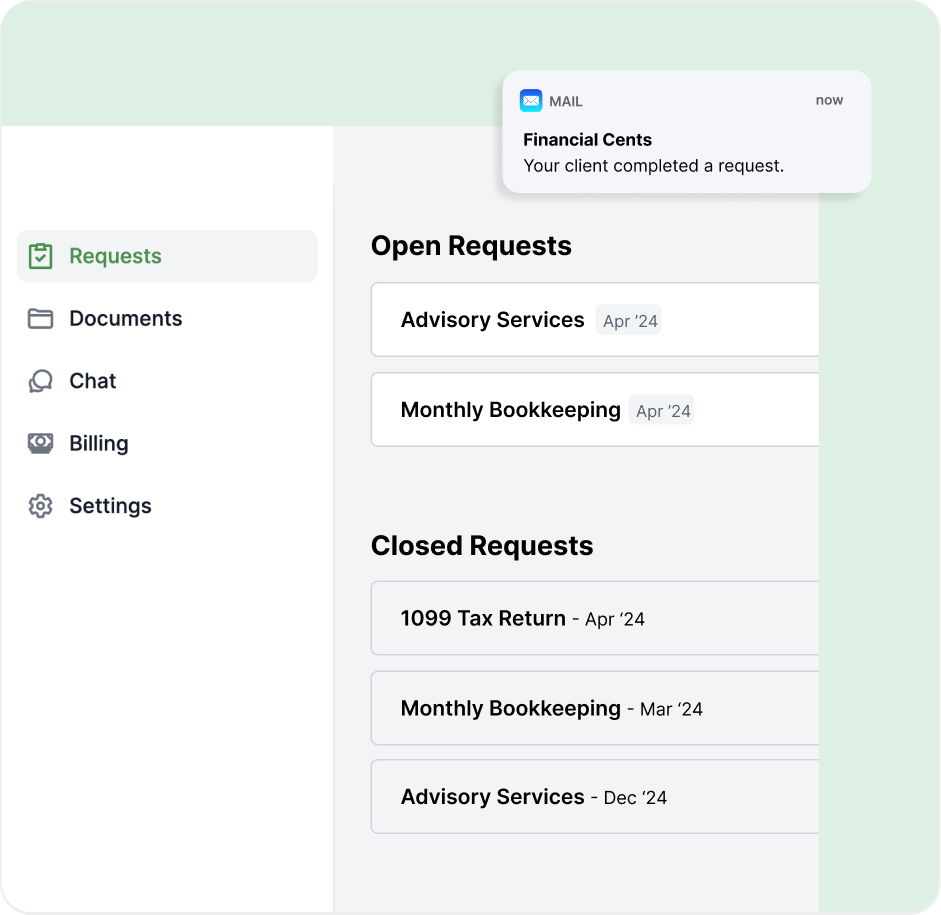
“Thanks to the passwordless client portal and auto-reminders, our clients respond much faster and everything gets done on time.”
Stelle Anderson, Owner of Infinite Accounting Solutions
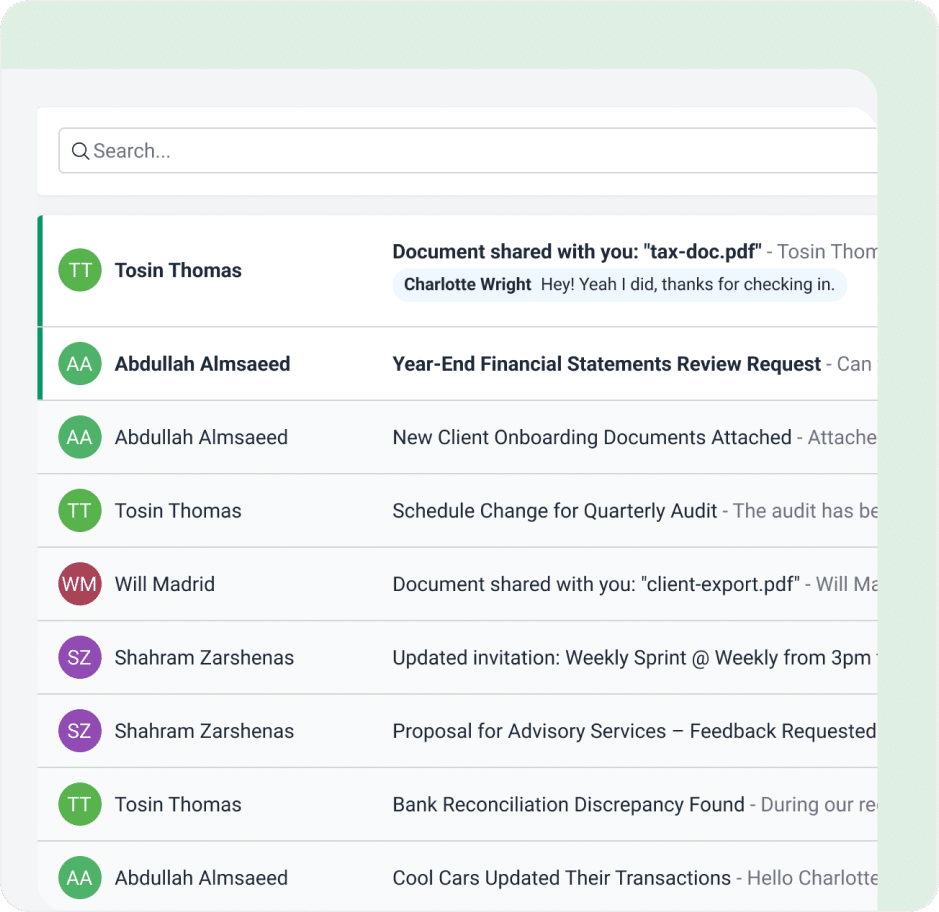
“Now, when a client emails us, it gets recorded. If it’s not handled right away, it can be assigned to the right person so everyone knows who’s working on it and nothing gets missed.”
Jim, JNW Group
What Customers Are Saying

“Financial Cents give us clear-headedness. Everyone’s in a better mood when everything is very clear. The full benefit translates to a more pleasant day where you sit down and know what you are supposed to be doing.”

Customer Support has been phenomenal. As Taya has mentioned previously, we can send an email, jump on Facebook and ask a question or report a bug or whatever it is. And we get heard and it’s either fixed or explained why it can’t be fixed.”

Everybody can easily see what they need to do because they can create a view that shows all the projects they’re assigned to. They can see what they’re doing, when they’re the next assignee on a project, and we can get an overall view of who’s working on what.”
Loved by over 10,000 accountants, bookkeepers, and CPAs
Why Financial Cents?
Save time
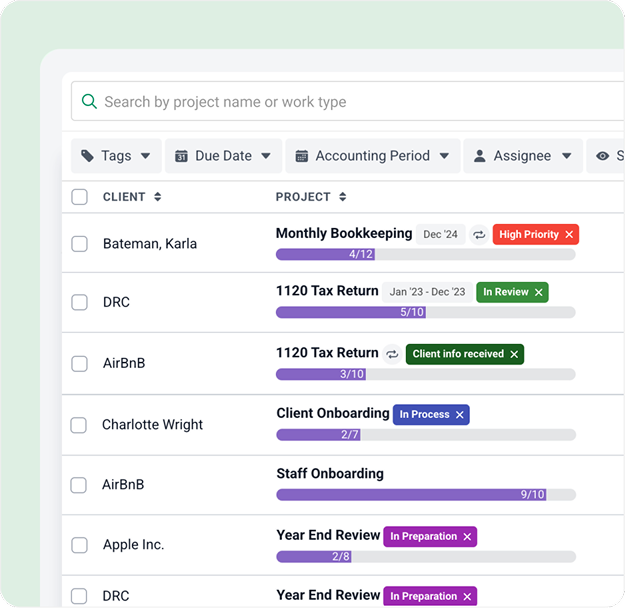
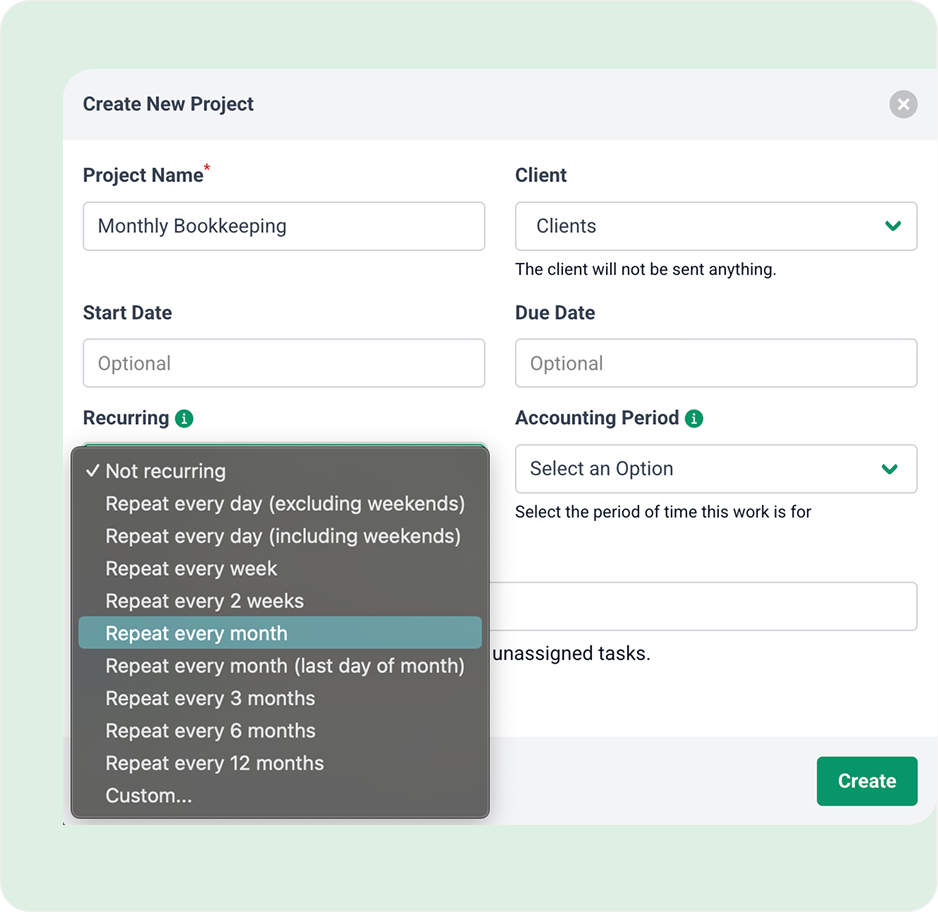
Automate recurring work and reduce manual follow-ups so your team can focus on client delivery instead of busywork.
Personalized approach
Configure workflows, tasks, and automations to match how your firm actually operates.
Seamless transition
Onboarding, setup, and migrations are designed to keep your firm running smoothly during the switch.
Built for accounting firms
Purpose-built for accounting and bookkeeping workflows, not generic project management.
300+ templates available
Get instant access to 300+ proven workflow templates in our template library, ready to use or customize.
Full firm visibility
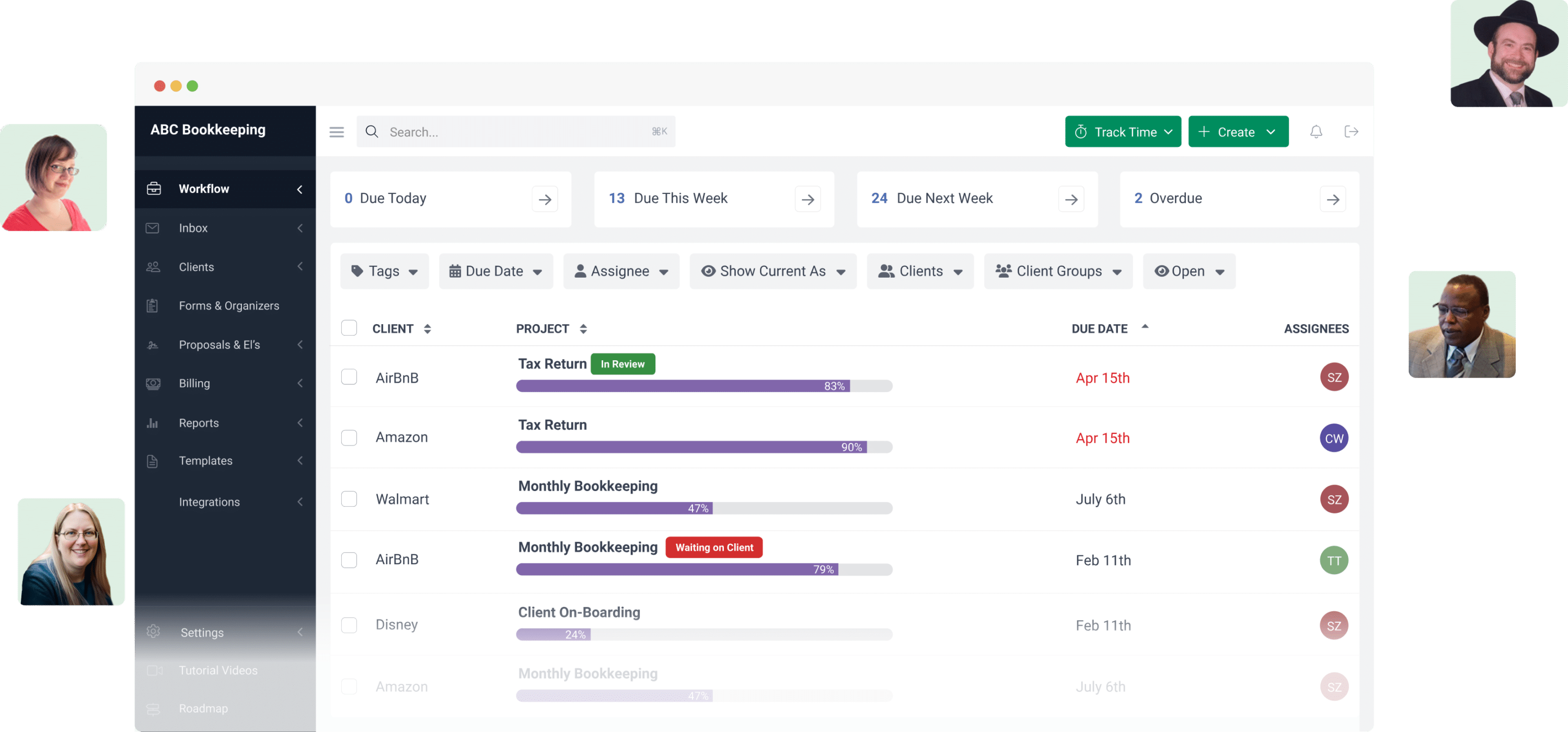
Track work status, deadlines, and ownership across your entire firm in one place.
Automation that scales
Set up recurring tasks, reminders, and workflows that scale as your firm grows.
Long-term success
Create repeatable systems that support consistent growth and operational clarity.
Resources to Make the Switch
Get these comprehensive guides to learn why firm owners made the switch and how you can too.
Download now

Download now

Download now
What to Expect From Your Demo Consultation
Step 1 – Quick Workflow Review (5 min)
We’ll learn how your firm currently manages tasks, deadlines, and clients.
Step 2 – Personalized Walkthrough (20 min)
Our specialist will map Financial Cents to your real workflows and show you how to automate recurring work.
Step 3 – Q&A + Next Steps (5 min)
Ask questions, explore pricing, and see if Financial Cents is the right fit for your firm.
Switch Without the Stress, With Real Experts Who Get Your Firm
Meet the specialists who will walk you through Financial Cents, map it to your workflows, and help you simplify your operations from day one.

Senior Account Executive Helps accounting firms save time, scale their operations, and run their business with clarity and peace of mind.
“Hi Kasey, We are truly impressed by not only your turnaround on our issue, but specially that you are clearly taking interest in our business needs. If this could be the basis of our relationship going forward, we would like to be partners!”
Caroline Moreau, CPA Auditor

Senior Account Executive Helps firms streamline recurring work, improve visibility, and stay on top of deadlines.
“Will from Financial Cents can help you with a demo and any questions you may have. As you know, FC changed my life more than any other technology item we have ever added. Life changing in all ways!”
Sam S., CPA

Head of Sales Leads sales strategy and helps firms find the right solutions to support their growth.
“Hi George, Brianna here and I just wanted to reiterate how impressed I am with the development of the Financial Cents software, and the ease of your demo. It wasn’t too complicated or confusing, every feature and functionality flowed smoothly into the next area, and I love the use of colors, space and animation in the software.”
Brianna Goodman

Account Executive Builds relationships with firms and guides them to the right solutions for their needs.
“You don’t understand how mind-blowing this is. It blows me away in such the best way, like it makes my soul happy. This makes my life easier.”
Bri Smith, CPA
Book a personalized demo with one of our workflow specialists.
Financial Cents Software FAQs







Financial Cents is an all-in-one accounting practice management platform built specifically for accounting, bookkeeping, and tax firms. It helps you organize client work, track deadlines in real time, automate recurring tasks, and give your entire team clear visibility into what needs to be done, without relying on spreadsheets or generic project management tools.
Yes. Financial Cents is designed for recurring and deadline-driven work. You can auto-run recurring tasks, set up reminders, and manage seasonal workloads (like tax season) without manually recreating tasks or chasing follow-ups.
Absolutely. Financial Cents gives you a real-time, firm-wide view of work status, ownership, and upcoming deadlines. Team members can see their assigned work, managers can monitor progress, and firm owners always know where things stand, at a glance.
Most firms are onboarded in about 8 days, including setup and migration. You’ll also receive 2.5 hours of 1:1 training to ensure your workflows are configured correctly and your team is confident using the platform.
Yes. Our onboarding specialists guide you through setup, workflow configuration, and migrations to make the transition as smooth as possible, without disrupting your day-to-day operations.
Yes. Financial Cents is highly configurable. You can customize workflows, workflow templates, automations, views, and permissions so the system reflects how your firm actually operates, not the other way around.
By removing internal chaos. When your team knows exactly what’s due, who owns it, and when it’s happening, clients get faster responses, fewer missed follow-ups, and more consistent service, without friction.
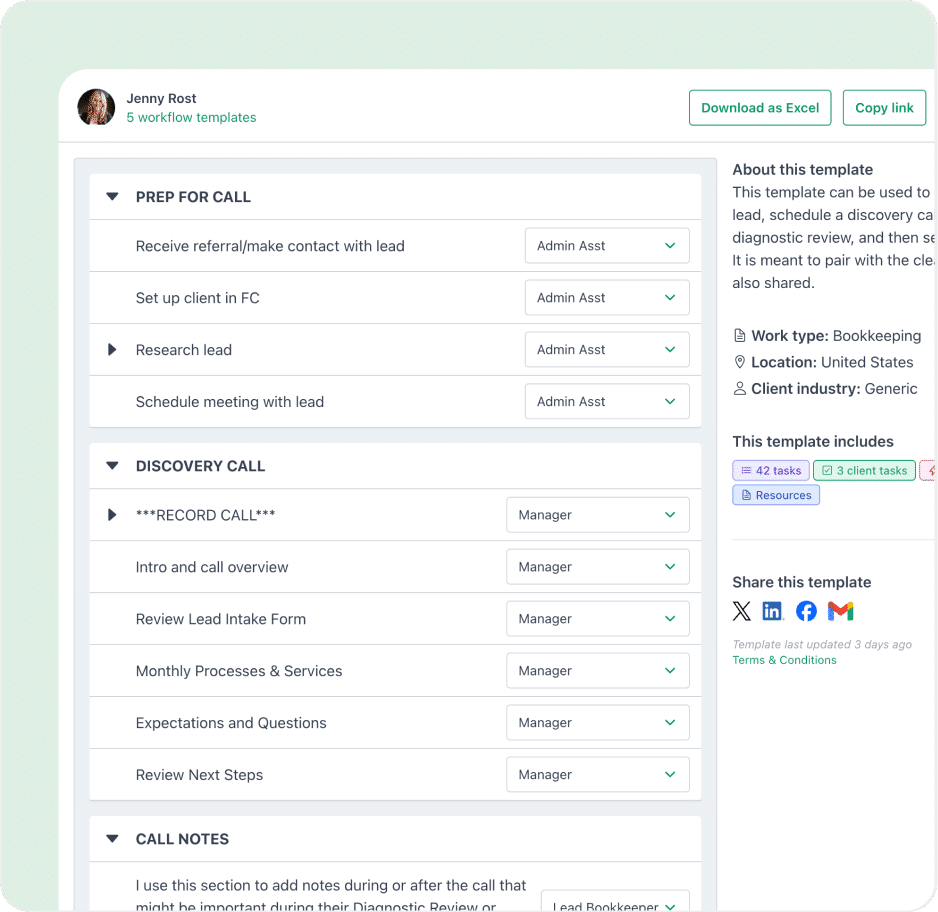
Yes. You get access to 300+ workflow templates covering bookkeeping, tax preparation, payroll, CAS, and more. You can use them as-is or customize them to fit your firm.
Your demo is personalized to your firm:
- Quick workflow review of how you currently manage work
- Live walkthrough mapped to your real processes
- Q&A and next steps, including pricing and fit
Yes. Firms consistently mention clarity and ease of use as major benefits. Team members can create views that show exactly what they’re responsible for, reducing confusion and improving accountability from day one.
Many firms switch specifically because they’re overwhelmed. With guided onboarding, templates, and automation, Financial Cents helps reduce chaos, not add to it, even during your busiest time of year.