
Save time with accounting workflow automation
Automate time consuming admin tasks to improve firm efficiency and focus on what really matters.

Tonya Weinzettle
Owner, Teal Business Solutions
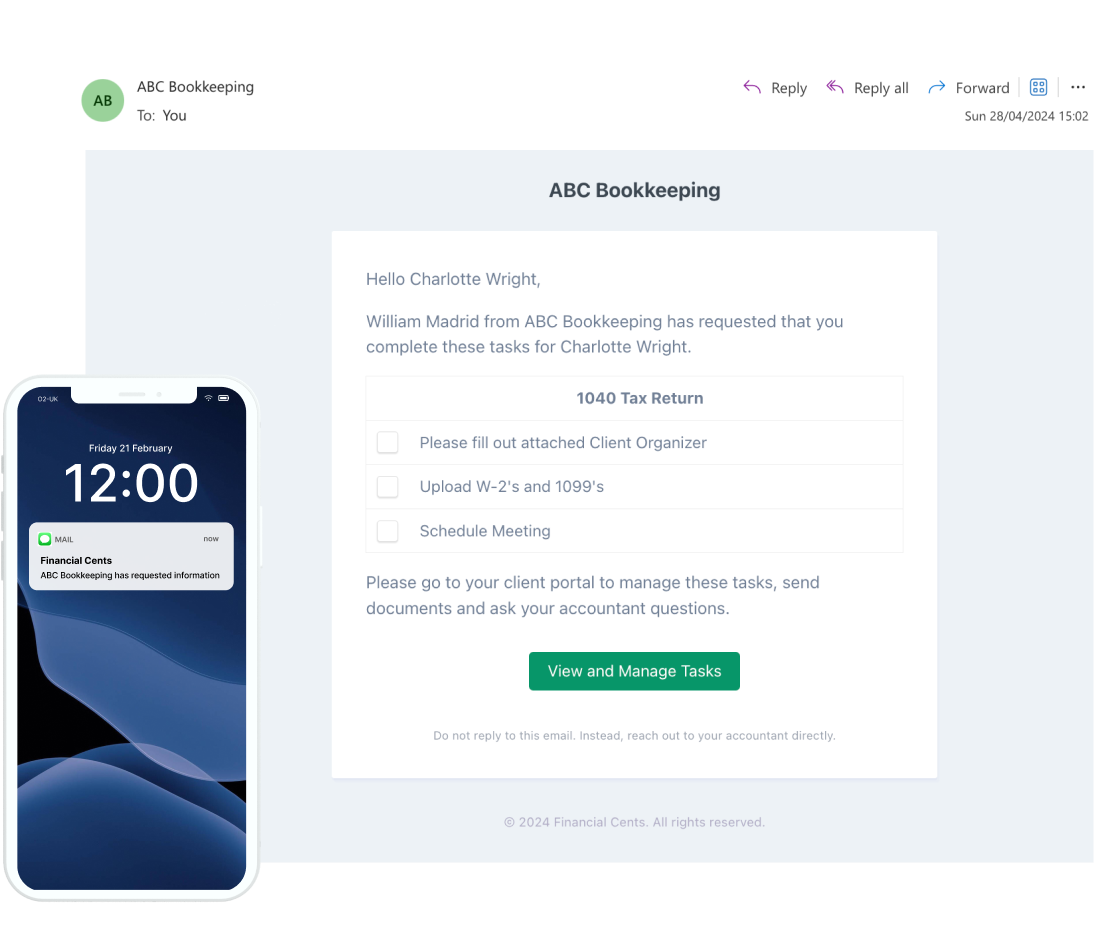
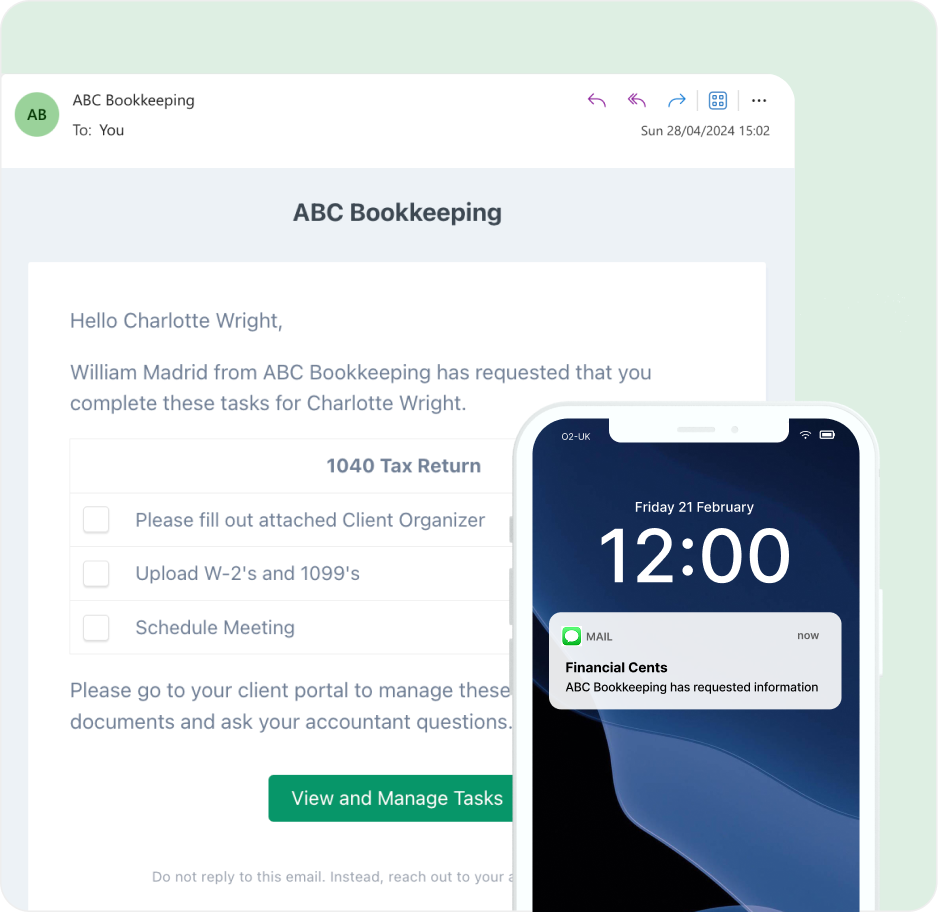
Automate client data collection
Never chase your clients for information again with automated SMS & email reminders. Client uploads are automatically stored on the related work so they never get lost.
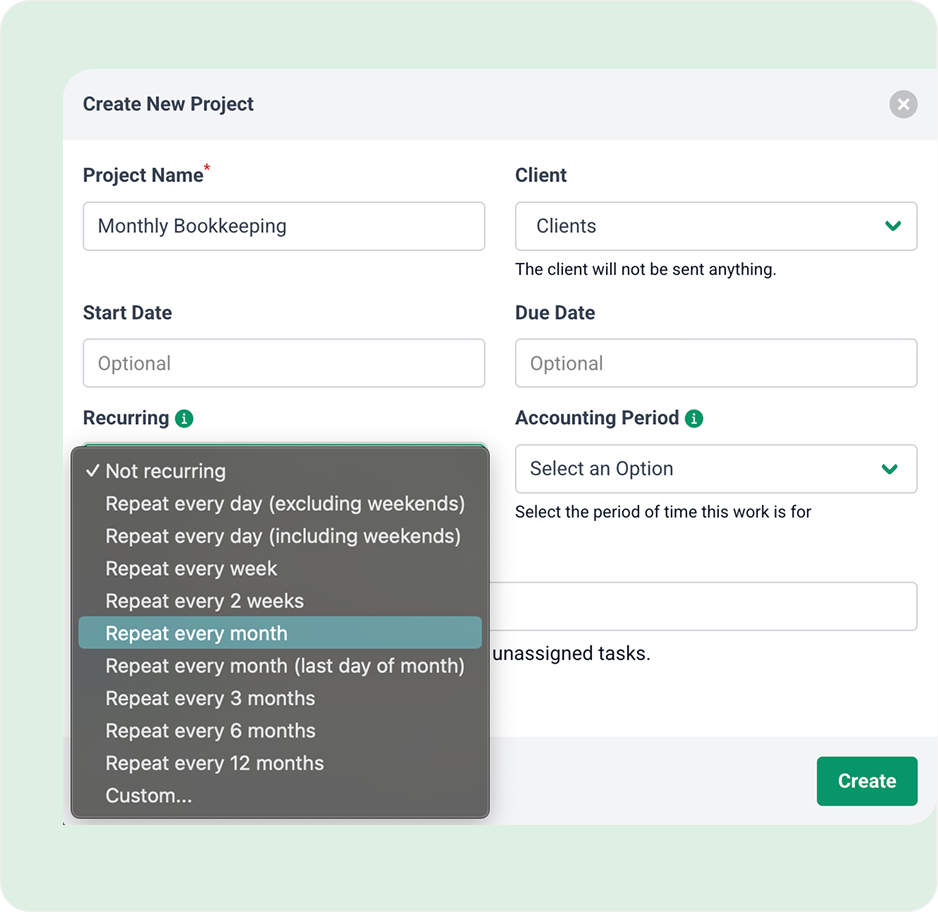
Automate recurring work
Schedule work to automatically recur so you don’t have to spend time manually recreating them over and over again in spreadsheets.
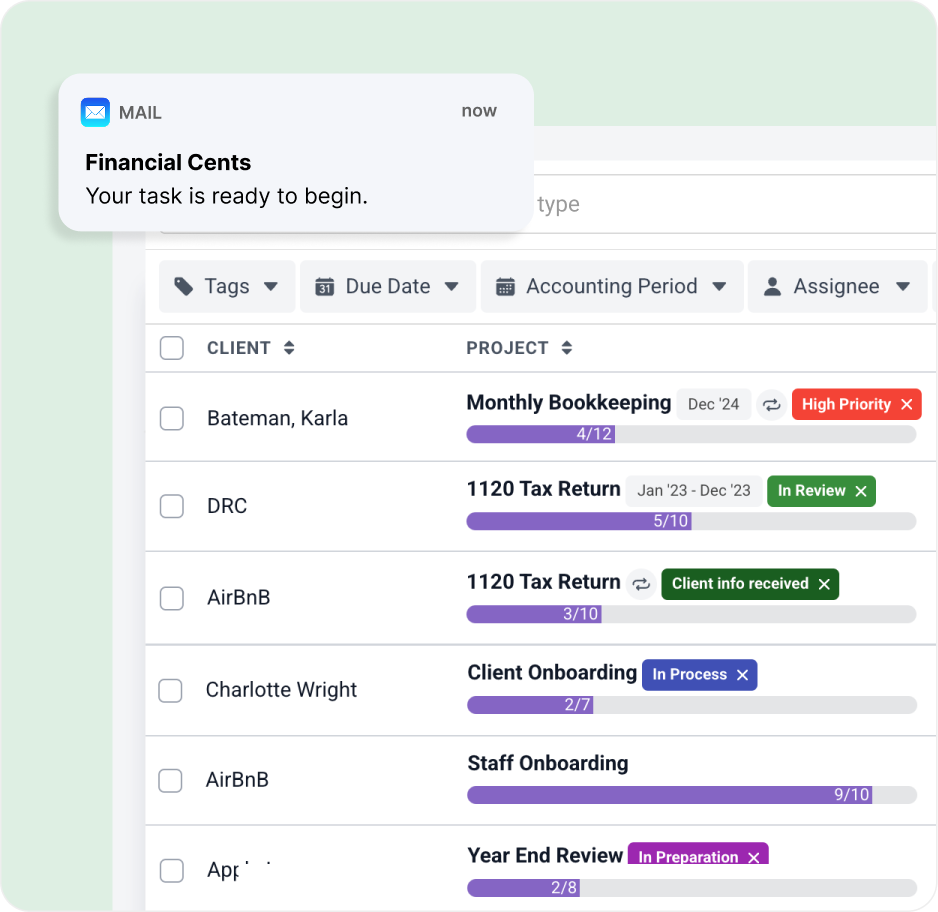
Automate client & team updates
Automatically trigger both clients and team members to receive updates as work is ready to begin, reaches certain milestones, or is completed to make sure everyone is in the loop.
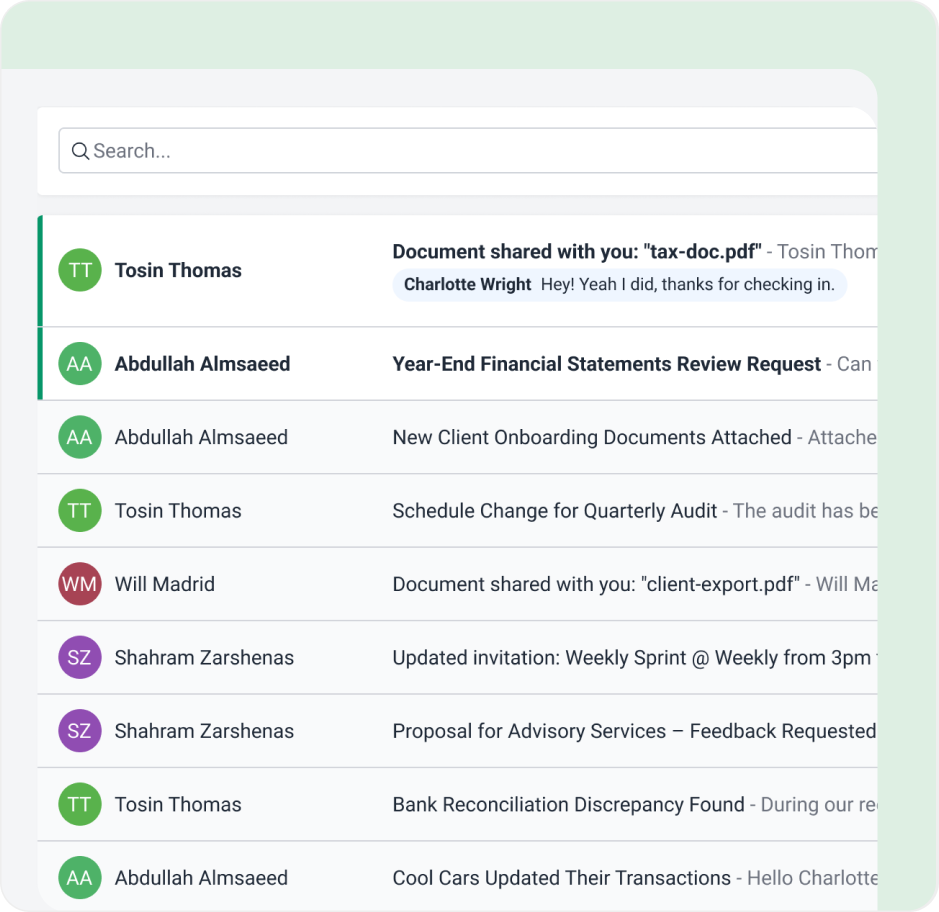
Take control of your inbox with email integrated into your workflow
Use the built-in email integration to declutter your inbox with a focused folder for client-only emails. Never lose another adhoc email request or important email updates from clients. Simply turn them into tasks and delegate. Everything stays in Financial Cents so you can stay on task and focus.
Scale your firm with documented processes
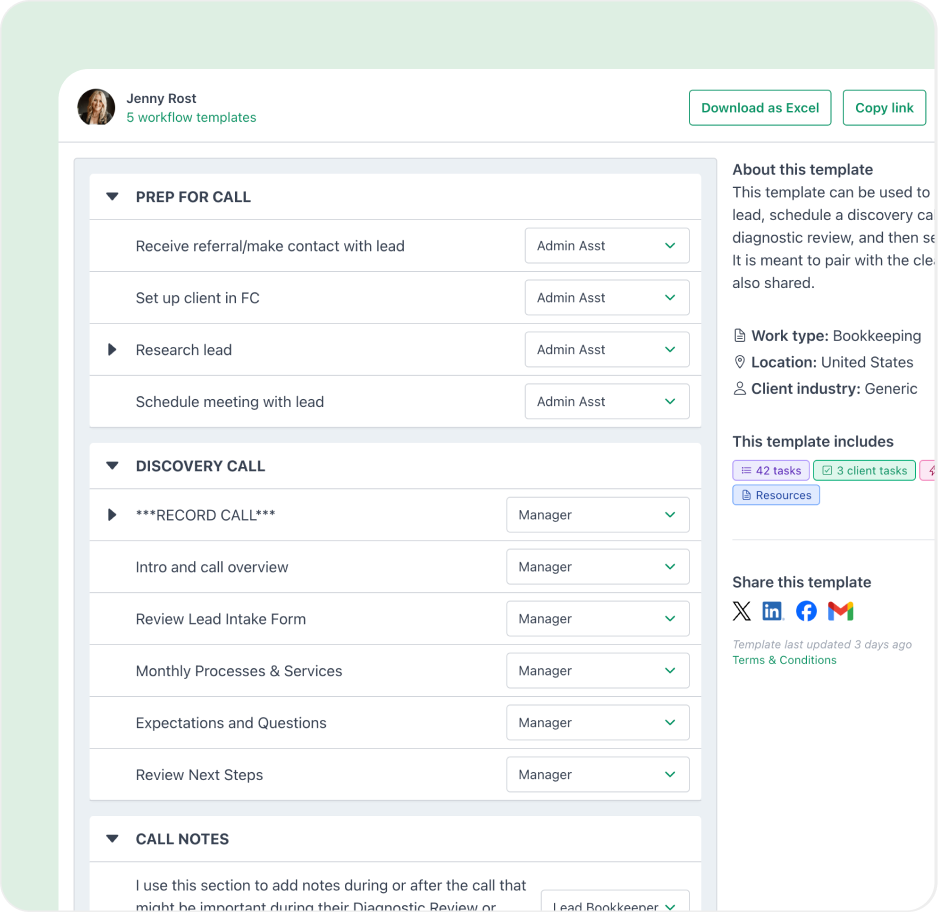
Use workflow templates to streamline your accounting processes and maintain work quality as your team grows. Whatever your workflow processes are, you have multiple options to get them up and running within minutes. Use any templates in our library, upload yours, or use AI to generate workflow checklist templates in seconds.
Workflow automation features for accounting firms
Recurring work
Schedule recurring work to automatically recreate future copies so you don’t have to
Client reminders
Send automated reminders to clients so you never have to chase them for information
Team updates
Automatically notify team members when their work is ready to begin
Work statuses
Automatically update clients on the status of their work
Email updates
Automatically trigger email updates to clients as certain actions are taken
Automated invoicing
Automatically invoice clients when a proposal is signed or on a recurring frequency
Automatic payments
Automatically charge client payment methods to reduce accounts receivables
All-in-one accounting practice management software
Consolidate apps. Drive productivity.

 Work Management

 Client Portal

 Email Integration

 Proposals & ELs

 Billing & Payments

 Client CRM
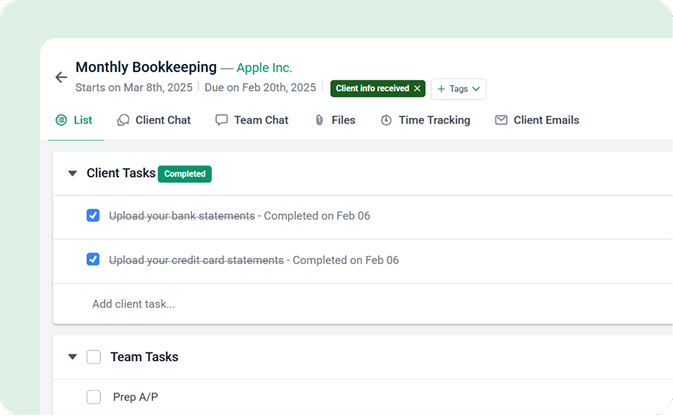
Track work & hit deadlines
- Always know the status of work
- Document & automate processes
- Centralize information on the actual work
- Collaborate with team & clients in one place
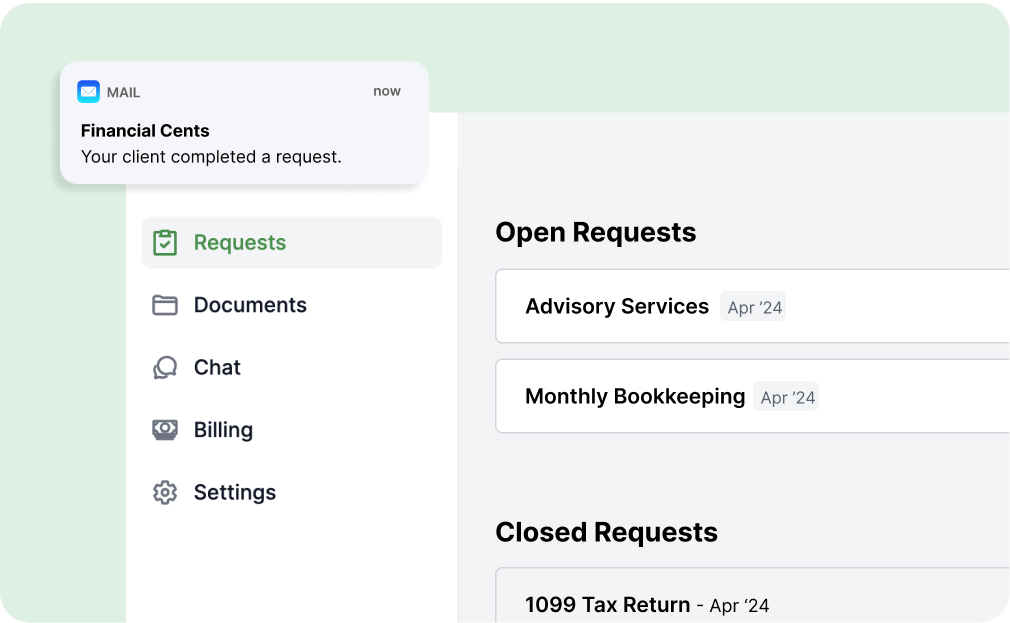
WOW your clients with a modern portal
- Provide one portal for all your clients’ needs
- Seamless access with a secure, password-less portal
- Impress clients with a simple & modern design
- Get client responses faster to complete their work on time
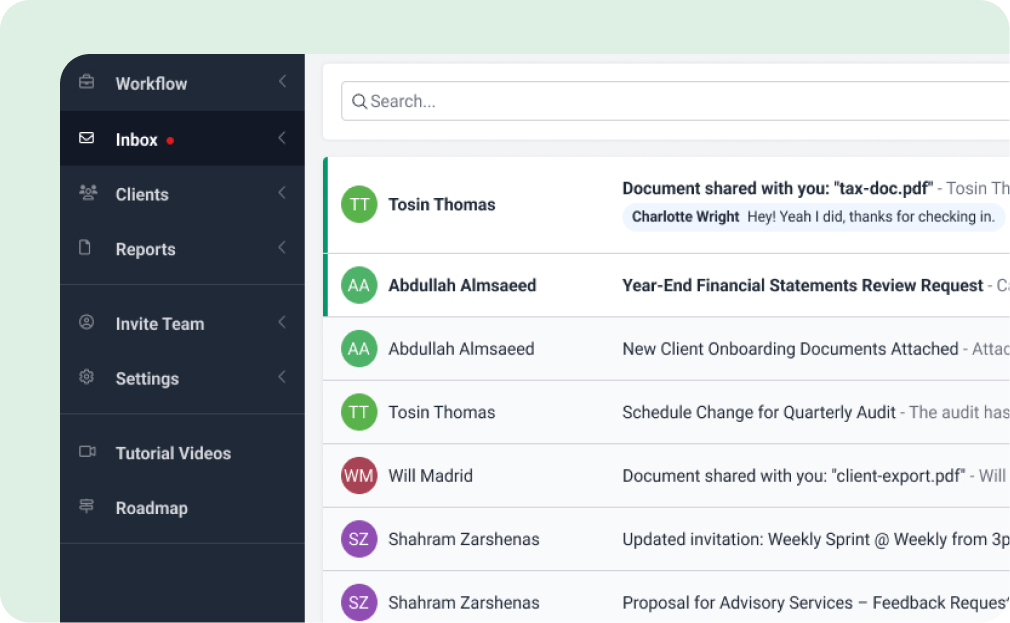
Overcome inbox overwhelm
- Declutter your emails with a client-focused inbox
- Manage client requests by creating work from emails
- Ensure no email slips through the cracks by pinning it to work
- Track all conversations between your team and clients with an audit trail
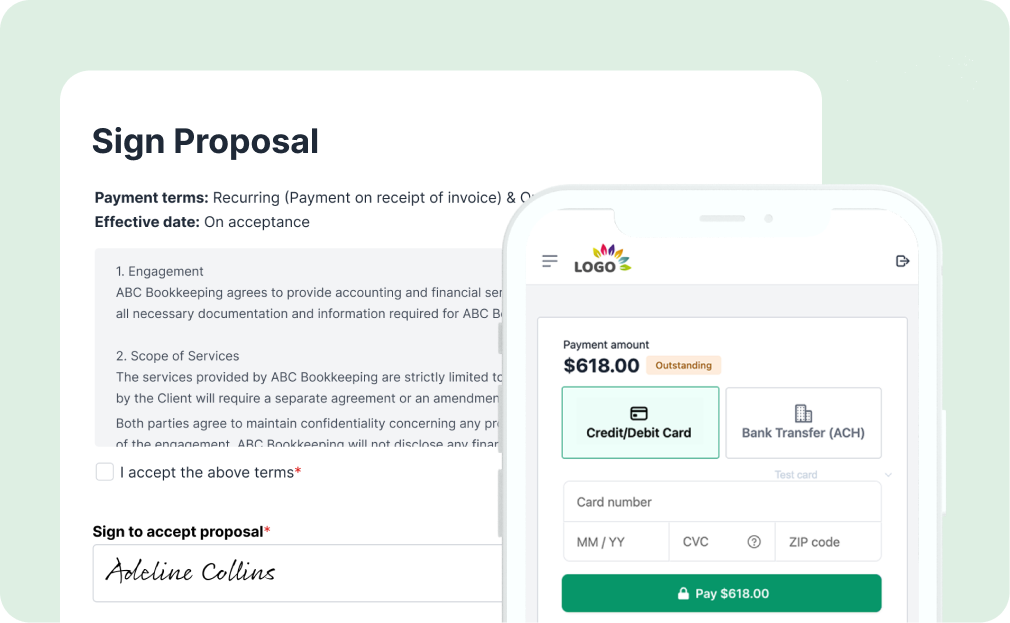
Simplify & automate client onboarding
- Impress clients with branded, modern proposals
- Eliminate AR by collecting payment information upfront
- Convert prospects faster with legally binding e-signatures
- Auto-invoice clients once a proposal is signed
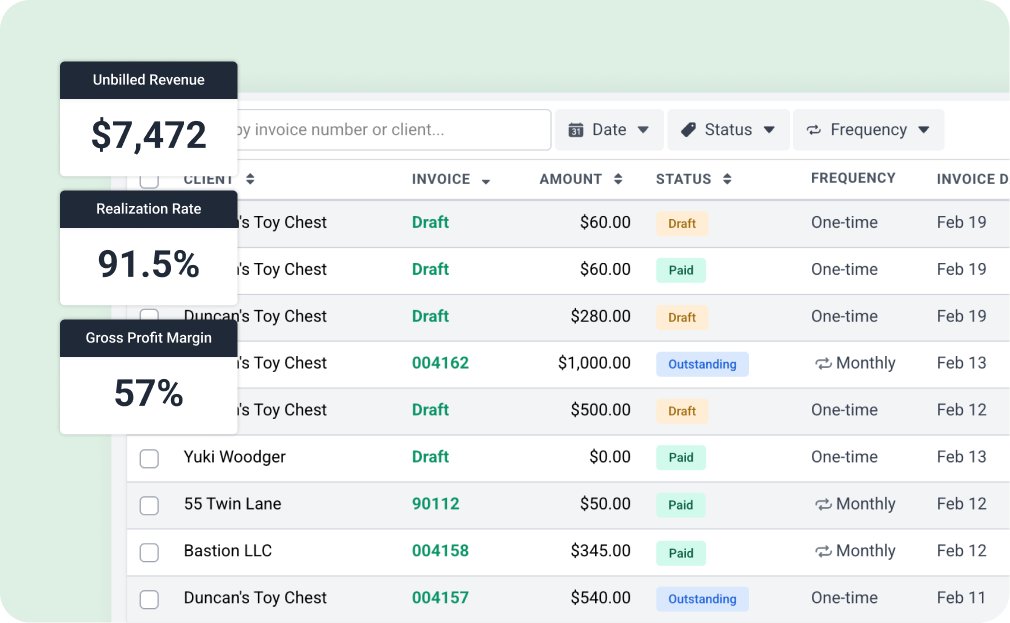
Improve cash flow while saving time and money
- Streamline operations with automated billing
- Get paid faster with seamless online payments
- Identify your most profitable services, clients & team members
- Sync invoices seamlessly with QuickBooks Online
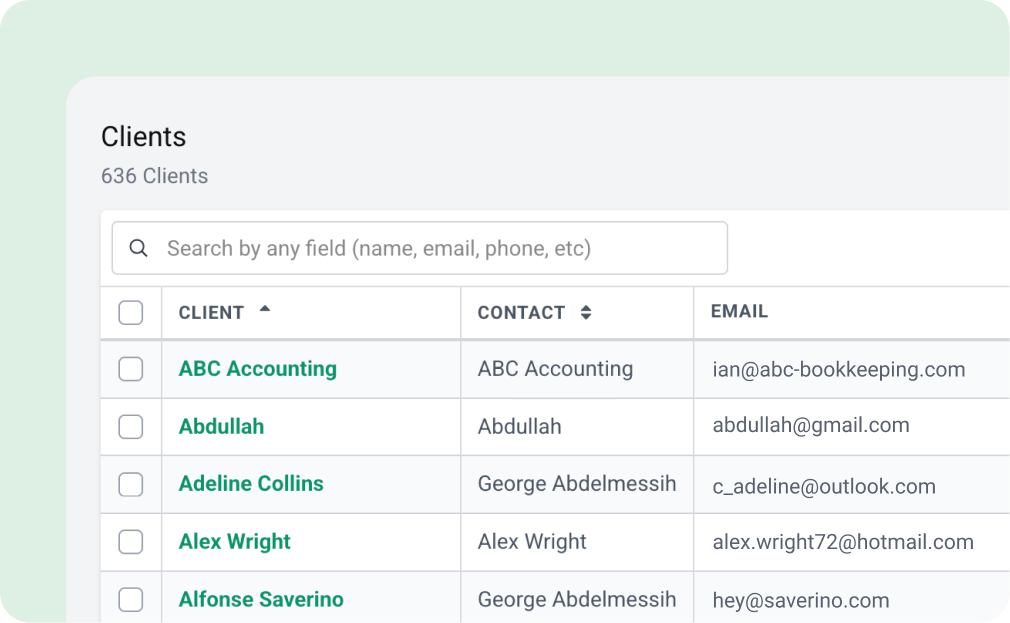
Securely centralize client information
- Keep your firm organized as you grow
- Help your team easily find everything they need
- Keep an audit trail of all client activity and communication
- Keep client information stored in one secure location
Meet the specialists who will walk you through Financial Cents, map it to your workflows, and help you simplify your operations from day one.

Hi Kasey, We are truly impressed by not only your turnaround on our issue, but specially that you are clearly taking interest in our business needs. If this could be the basis of our relationship going forward, we would like to be partners!”
Caroline Moreau, CPA Auditor

“Will from Financial Cents can help you with a demo and any questions you may have. As you know, FC changed my life more than any other technology item we have ever added. Life changing in all ways!”
Sam S., CPA

“Hi George, Brianna here and I just wanted to reiterate how impressed I am with the development of the Financial Cents software, and the ease of your demo. It wasn’t too complicated or confusing, every feature and functionality flowed smoothly into the next area, and I love the use of colors, space and animation in the software.”
Brianna Goodman

“You don’t understand how mind-blowing this is. It blows me away in such the best way, like it makes my soul happy. This makes my life easier.”
Bri Smith, CPA
Fill the form below to book a personalized demo with one of our specialists.
On average, firms save 56 hours month & 19,200 every year with Financial Cents

The only app you need to run your solo firm at one affordable price.
Get started for freeOnly for single user firms
- Workflow and to-do lists
- Workflow automations
- Client tasks & requests
- Client portal
- Secure file sharing
- Document management
- Client CRM & database
- Time tracking
- Invoicing & billing
- Proposals & engagement letters
- QuickBooks Online Integration
- Budgeting & reporting
- E-signature
Hit deadlines with more visibility, collaboration, and organization.
Get started for freeIncludes
- Workflow and to-do lists
- Workflow automations
- Client tasks & requests
- Client portal
- Secure file sharing
- Document management
- Client CRM & database
- Time tracking
- Invoicing & billing
- Proposals & engagement letters
- QuickBooks Online Integration
- Budgeting & reporting
- Integrated email
- E-signature
- Unlimited tags, client groups, and custom fields
Increase firm productivity with more automations & integrations.
Get started for freeEverything in Team Plan, plus
- Auto-follow ups for client tasks
- Customize client task emails
- Task dependencies
- Auto-send email updates
- Auto-create work
- Optional upsell services in proposals
- SmartVault Integration
- OneDrive & Google Drive Integration
- Zapier (5,000+ Integrations)
- Open API
- Branded client portal
- Shared email Inbox
- Multiple email integrations per user
- Profitability reports
Advance support, security & customization for large accounting firms.
Contact salesEverything in Scale Plan, plus
- IP Fencing/IP Whitelisting
- Mandatory 2FA Option
- Custom user permissions
- Webhooks
- Priority support
- Premium training & onboarding
- Dedicated customer success manager
Hit deadlines with more visibility, collaboration, and organization.
Includes
Increase firm productivity with more automations & integrations.
Everything in Team Plan, plus
Advance support, security & customization for large accounting firms.
Get started for freeEverything in Scale Plan, plus
Loved by over 10,000 accountants, bookkeepers and CPAs
Accounting Workflow Automation Software FAQs
Accounting workflow automation uses technology to streamline repetitive tasks like recurring work creation, client reminders, and status updates. It helps firms save time, reduce manual work, and stay organized.
Financial Cents automates recurring work, client and team notifications, task status updates, document requests, email workflows, and even invoicing, so your team spends less time on admin and more on client work.
Yes. You can schedule tasks to recur automatically, daily, weekly, monthly, or custom intervals, so you never have to recreate routine work manually again.
With Financial Cents, you can set automated email or SMS reminders to collect documents or information from clients. Client uploads are then stored directly in the related task or project.
Yes. Financial Cents automatically notifies assigned team members when work is ready to begin, reaches a milestone, or is completed, keeping everyone aligned and accountable.
Absolutely. Clients can automatically receive updates when their work hits certain milestones, improving transparency and reducing back-and-forth emails.
Yes. With email integration, you can convert client emails into tasks and assign them to your team, ensuring no request slips through the cracks.
Yes. You can automatically invoice clients after a proposal is signed or on a recurring basis. Financial Cents can also charge client payment methods automatically to reduce overdue payments.
Definitely. You can upload your own workflow templates, use pre-built ones from Financial Cents’ library, or generate templates using AI to get started quickly.
Workflow automation reduces bottlenecks and ensures consistent processes across your team. As you grow, automated systems help you onboard more clients without adding operational overhead.
Many of the other tools are poor at managing updates and bugs. Some use subcontracted developers, providing real client data samples. Others have suffered breaches without proper notifications.
Of the pre-built systems out there, I do think Financial Cents has a solid offering.
One of my top goals is to make the process easier for clients. Glad I made the switch!
Many of the other tools are poor at managing updates and bugs. Some use subcontracted developers, providing real client data samples. Others have suffered breaches without proper notifications.
Of the pre-built systems out there, I do think Financial Cents has a solid offering.
One of my top goals is to make the process easier for clients. Glad I made the switch!
If you’re not using this feature, I highly recommend it! Remembering to follow up with clients can be a serious bottleneck and I love how this solved that problem!
If you’re not using this feature, I highly recommend it! Remembering to follow up with clients can be a serious bottleneck and I love how this solved that problem!