
![blog cover image for The 8 Best Jetpack Workflow Alternatives for Modern Firms [2026]](https://financial-cents.com/wp-content/uploads/2026/01/The-6-Best-Jetpack-Workflow-Alternatives-2026.jpg)
Firms moving from manual workflow systems (spreadsheets, emails, sticky notes, etc.) often find Jetpack Workflow immediately helpful: deadlines become visible, recurring jobs automated, and task ownership clearly defined.
The challenge is when you expect it to do what practice management software is supposed to do. Jetpack was designed to track tasks and manage internal workflows, and attempting to use it for anything beyond that will be a struggle.
As your firm grows and the need to coordinate client interactions, documents, billing, and capacity increases, you will either add more standalone tools to handle these aspects or move to another tool that handles them end-to-end.
Jetpack Workflow is limited to a specific wheelhouse. We quickly outgrew the product and needed more features. We sought more of a CRM that could help us manage emails as a team."
Megan Sells, Operations Manager, A&L BookkeepingIn this article, we present the top Jetpack Workflow alternatives in 2026. Most of these tools combine workflow, client, and team management features into a more scalable solution for growing firms.
TL;DR
- Jetpack Workflow is great for simple checklist-based task tracking, but firms outgrow it once they need client portals, document management, billing, payments, deeper automation, or CRM, features Jetpack doesn’t include.
- The 8 best alternatives for Jetpack Workflow in 2026 are Financial Cents, Pixie, Canopy, Aero Workflow, Karbon, Senta, TaxDome, and TidyFlow. Each strongest for a different firm size, region, and service mix.
- Financial Cents ($19–$69/user/mo) is the most common upgrade for firms that want one all-in-one platform, workflow, client portal, CRM, billing, time tracking, e-signatures, month-end close, and reporting in a single tool.
- For tax-heavy firms, use Canopy or TaxDome; for larger firms with email-driven workflows, use Karbon; for UK firms, Pixie or Senta; for simple modern workflow upgrades, TidyFlow or Aero Workflow.
- Why most firms switch: Jetpack’s lack of native billing/payments, no client portal, minimal CRM, no document management, and the need to bolt on multiple separate tools that create costs and information silos.
- How to choose: weigh workflow automation depth, client portal usability, billing and time tracking, CRM, capacity management, integrations, reporting, and ease of implementation, then pilot 2-3 tools before committing.
An overview of Jetpack Workflow
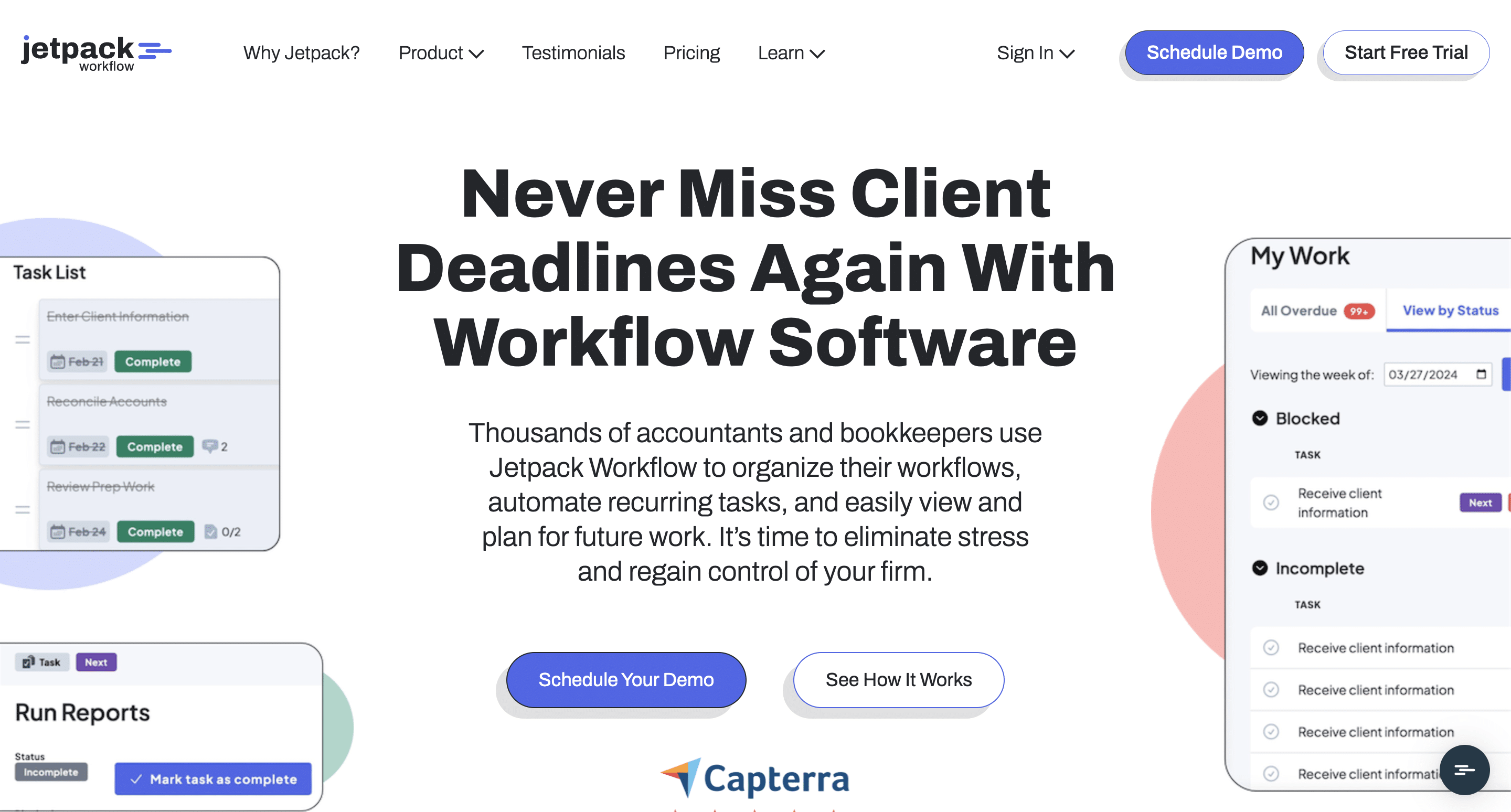
Jetpack Workflow is an accounting workflow management software built to help accounting firms organize recurring work and track deadlines.
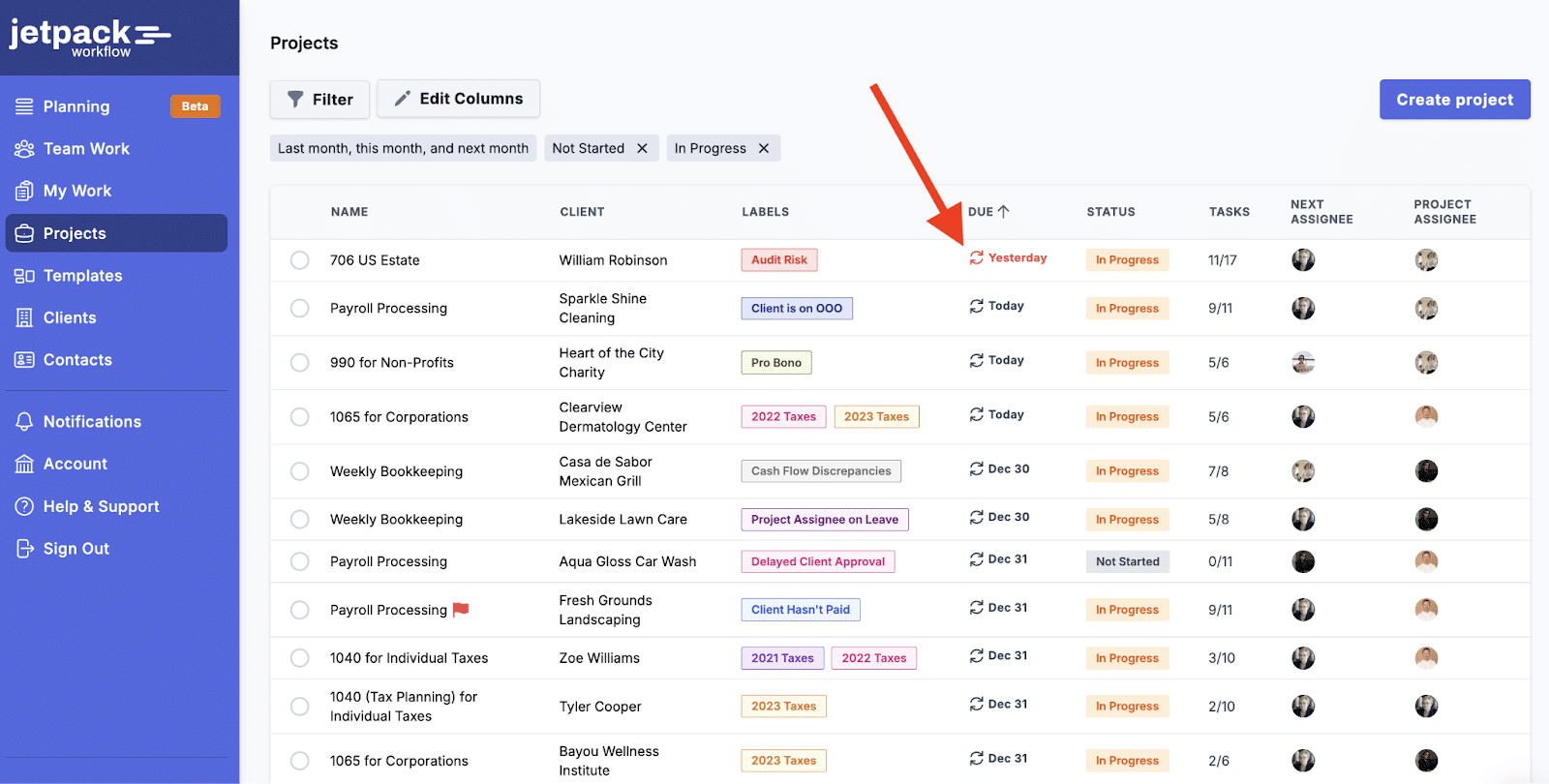
It uses a checklist-based approach to managing work, which enables firms to document their processes as templates they can reuse across clients.
Key Features of Jetpack:
- Customizable Templates: Up to 32+ free checklist templates that help firms standardize processes.
- Recurring Task Automation: Automatically schedule and assign tasks for repetitive client work.
- Deadline Tracking & Alerts: Notifications that enable you to prioritize tasks and monitor progress using labels.
- Task Management: Assign tasks, track status, and manage workloads across team members.
- Capacity Planning: View team availability, compare workloads, and reassign tasks where necessary.
- Contact and Document Management: Unlimited contacts and document attachments that speed up workflows.
Pricing
- Starter: $40/month per user (annual billing) or $49/month per user (monthly billing).
- Premium: $50/month per user (annual billing) or $59/month per user (monthly billing).
Reviews
Users rate Jetpack Workflow:
Why Firms Consider Jetpack Workflow Alternatives
a. Basic Features
Simplicity is what makes Jetpack appealing in the early stages. But as services expand and work begins to pass through multiple hands, that same simplicity becomes a problem.
While the work still gets done, the team exerts more effort and risk than necessary. That’s the point when many firms realize they’ve outgrown Jetpack Workflow.
b. Limited Workflow Automation
While Jetpack’s recurring tasks automation helps to maintain consistency, firms only have a few other options, like triggering actions based on client behavior, task completion, or workflow milestones.
As firms grow, this limitation becomes more apparent. What should be handled automatically turns into an ongoing administrative effort. This prompts many firms to look for workflow platforms with more dynamic automation.
c. Lack of Billing and Payments
This disconnects completed work from invoices sent and payments collected. Over time, this separation creates information silos and increases manual coordination between teams.
The resulting administrative effort of tracking, reconciling, and following up on revenue processes pushes firms to more integrated solutions.
d. No Document Management capabilities
Teams can attach files to individual jobs in Jetpack Workflow, but there’s no centralized system for organizing, storing, and managing client documents.
Most users end up relying on external document management tools to handle workpapers, client files, and supporting documents. Apart from the information silo, this complicates document retrieval and retention, and makes work more unproductive.
e. Minimal client management features
Jetpack’s version of client management stops at the ability to store basic client details and view project history.
But the key features for managing relationships (such as activity tracking, custom fields, and structured client requests) are missing, so client communication is done outside of Jetpack Workflow, which can reduce context and slow response time.
f. No Client Portal
Jetpack Workflow also doesn’t have a built-in portal. Firms must rely on email and third-party tools to request documents, collect information, and communicate task updates.
This fragmented approach frustrates both the firms and clients and makes it difficult to provide a seamless, modern client experience.
g. Limited Integrations
Outside a few core accounting platforms, like QuickBooks Online, Jetpack Workflow lacks native connections to the other tools that growing firms rely on.
Without these integrations, firms manually move data between systems, which slows processes, reduces automation, and fragments information flow.
h. Requires the use of multiple tools
Since Jetpack Workflow focuses on internal workflows, managing your firm depends on your team’s ability to combine it with separate software for client management, document storage, billing, and reporting.
This creates added costs, increases training requirements, and introduces more inefficiencies that ultimately drive growing firms to look for more all-in-one practice management solutions.
8 Best Jetpack Workflow Alternatives for Modern Accounting Firms in 2026
1. Financial Cents
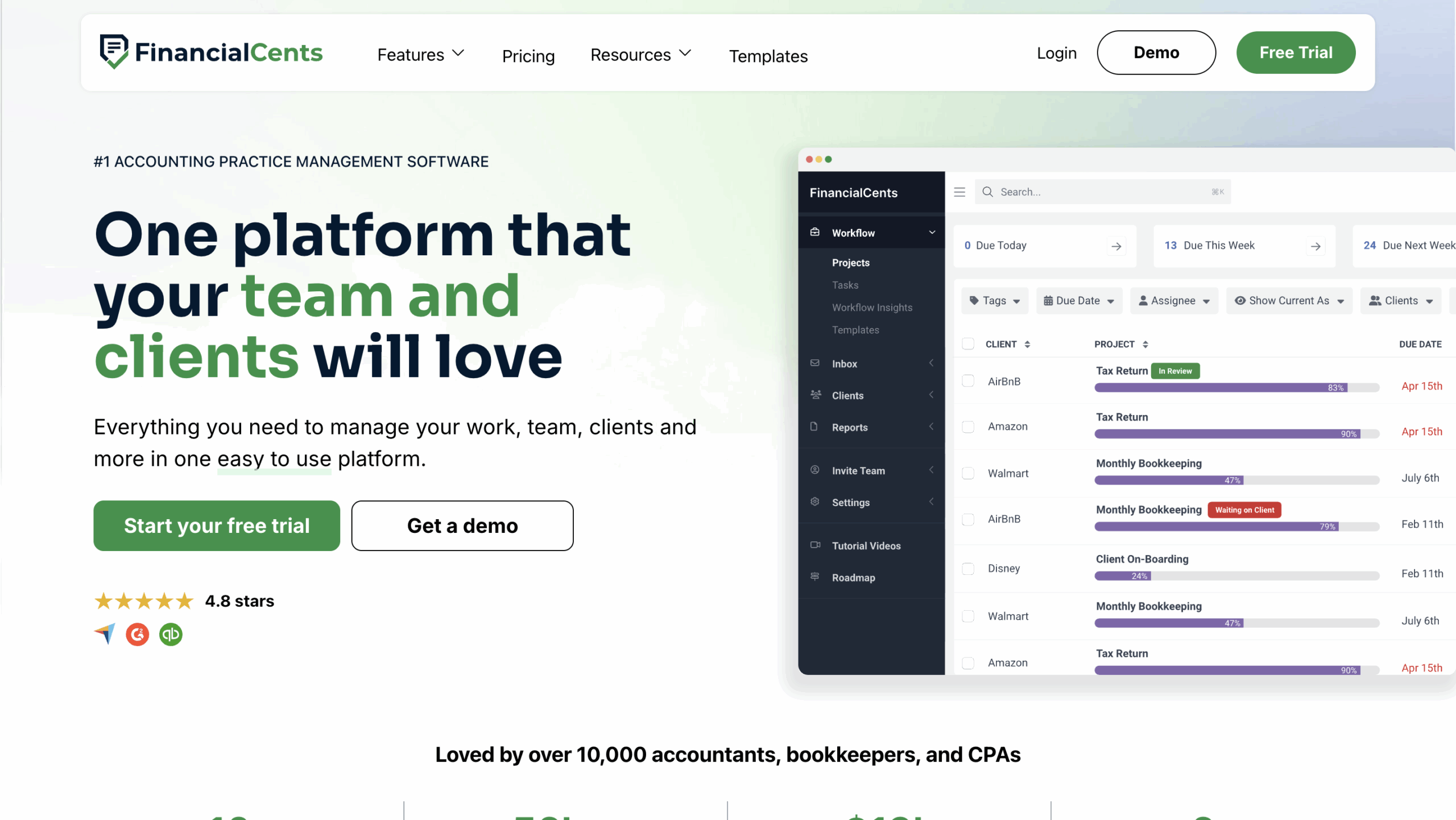
Financial Cents’ all-in-one accounting practice management solution helps firms that have outgrown workflow tools to manage the entire lifecycle of client engagement from client intake to payment processing and reporting.
This provides firm owners, managers, and team members with the visibility to complete tasks faster, refine processes, and make client relationships more profitable.
Financial Cents’ features include:
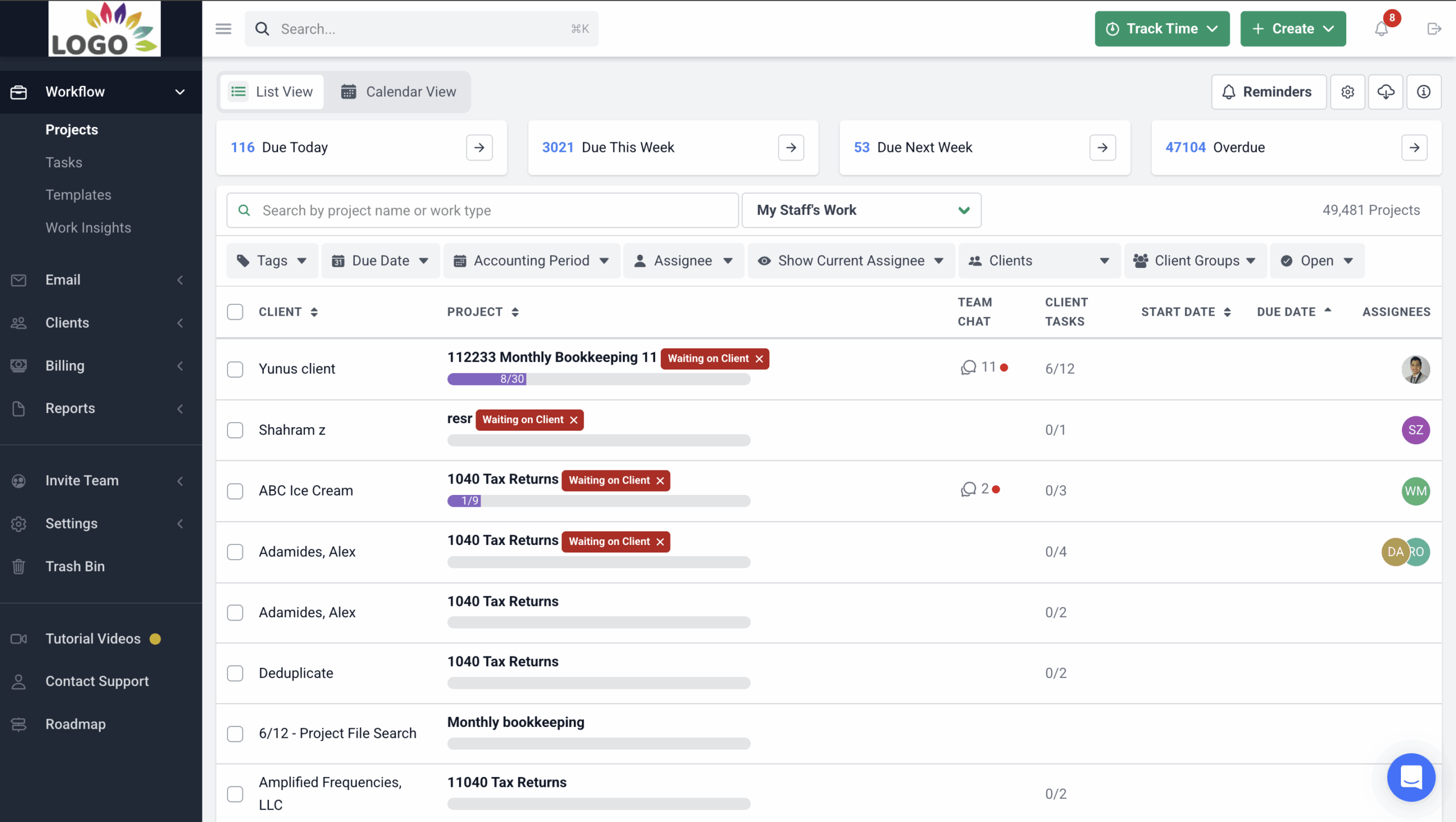
Workflow Management
- Workflow templates: Prebuilt workflow checklists that standardize how work gets done in your firm.
- Workflow filters: Allows you to find specific information on your dashboard by entering or selecting a keyword.
- Turn emails to projects: Converts ad hoc client emails into tracked projects so requests never get lost.
- Team collaboration: Enables file and information sharing using comments, @mentions, and in-app notifications that keep everyone aligned.
Workflow Automation
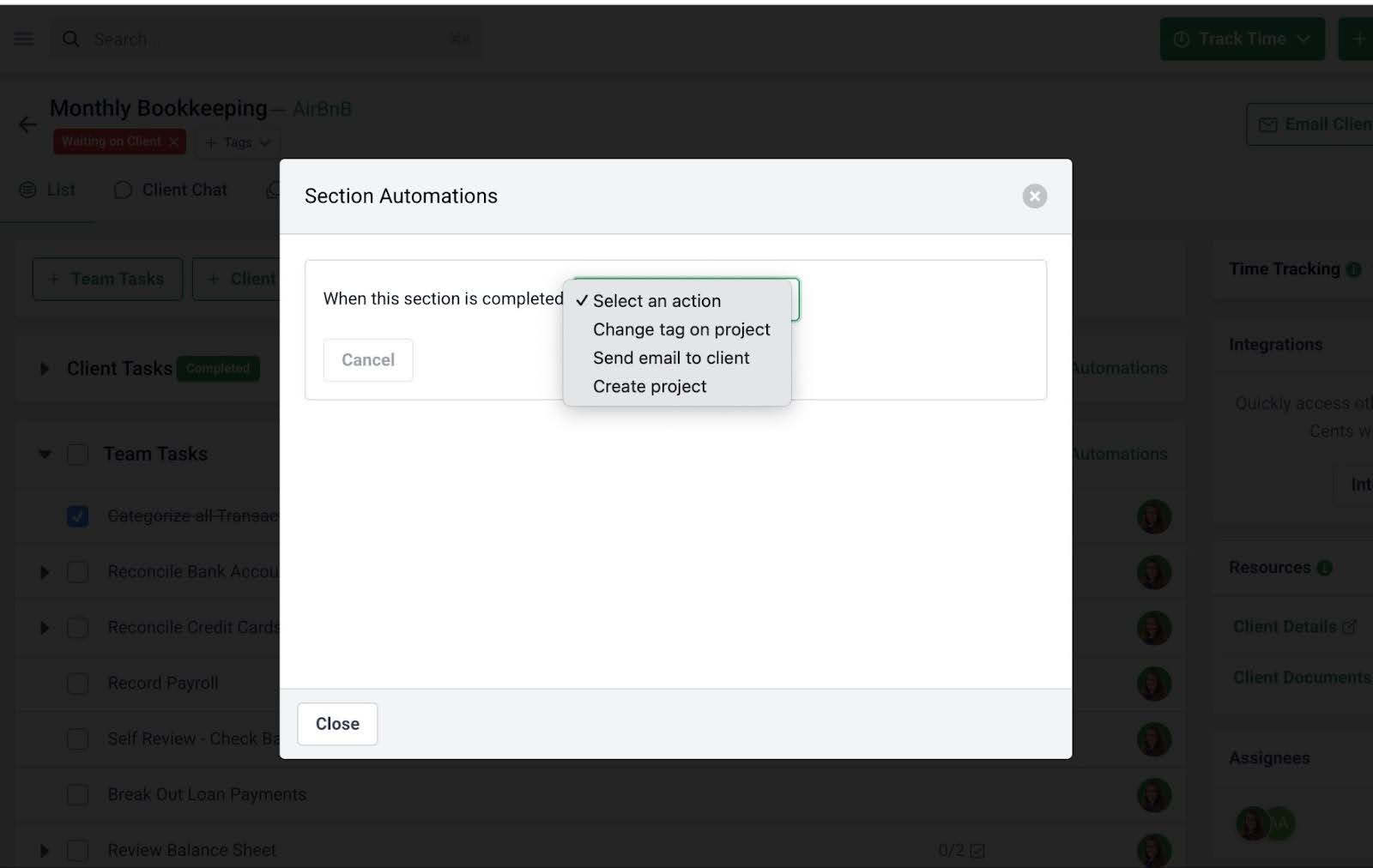
- Recurring work: Automatically recreates repeat work so ongoing services can run without manual setup.
- Client reminders: Notifies clients at pre-set time and frequency to save your team the stress of chasing clients.
- Dependencies: Automatically alert team members to start their work when the previous steps are completed.
- Work statuses: Informs clients about the progress made on their work.
Client Portal
- Passwordless portal: Let clients access their portal securely without managing passwords.
- Folder sharing: Keep shared client files organized and accessible in one place.
- Client Chat: Organize all conversations with clients into topics to promote alignment in your firm and with clients.
CRM & Database
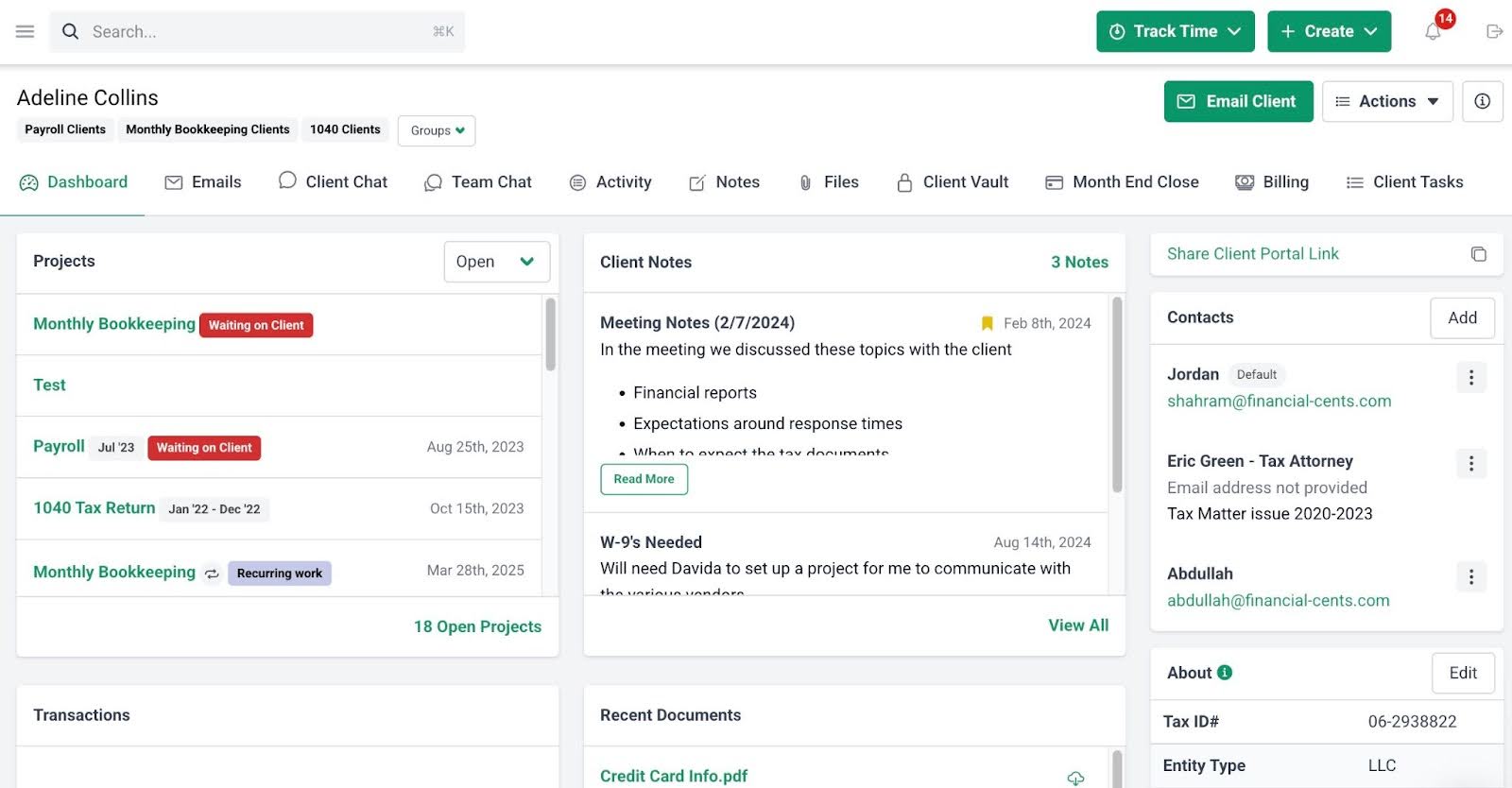
- Client Activity: See every interaction with a client, including who contacted them, when, and why.
- Custom fields: Create custom data and filter clients based on what matters to your firm.
- Client Vault: Store client credentials securely in an encrypted vault.
- Client groups: Segment clients into groups for better organization and visibility.
- Client database: Maintain a single source of truth for all client information.
Email Integration
- Focused client inbox: Centralizes emails your clients send to your firm to improve visibility and response time.
- Turn emails into tasks: Financial Cents can convert incoming emails into actionable projects.
- Pin emails to work: Attaches important email threads directly to projects for easy reference.
- Email audit trail: Keeps a complete and searchable record of all client communication.
Capacity Management
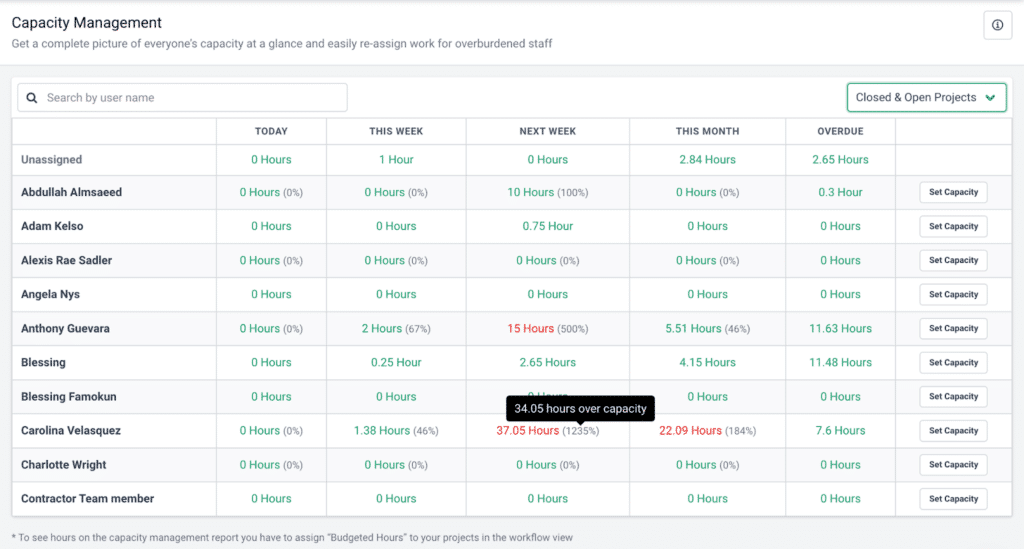
- Capacity dashboard: View your entire team’s workload at a glance to spot over- or underutilization instantly.
- Workload forecasting: Use historical data to anticipate busy periods and plan staffing ahead of time.
- Task reassignment: Reassign work when someone is overloaded or unavailable to complete their tasks.
- Automated task assignments: Distribute work to team members based on their capacity.
- Custom workload views: Customize views by team, project, or deadline for clearer workload insights.
Time Tracking
- Start/stop timer: Track time in the background while your team works.
- Manual entries: Log time manually when a timer isn’t the right fit.
- Billable vs Non-billable: Separate billable and non-billable time to improve profit margins.
- Time budgets: Set expectations for work and identify when the time is exceeded.
- Billable rates: Apply client-specific rates to accurately calculate revenue and generate invoices for them.
Document Management
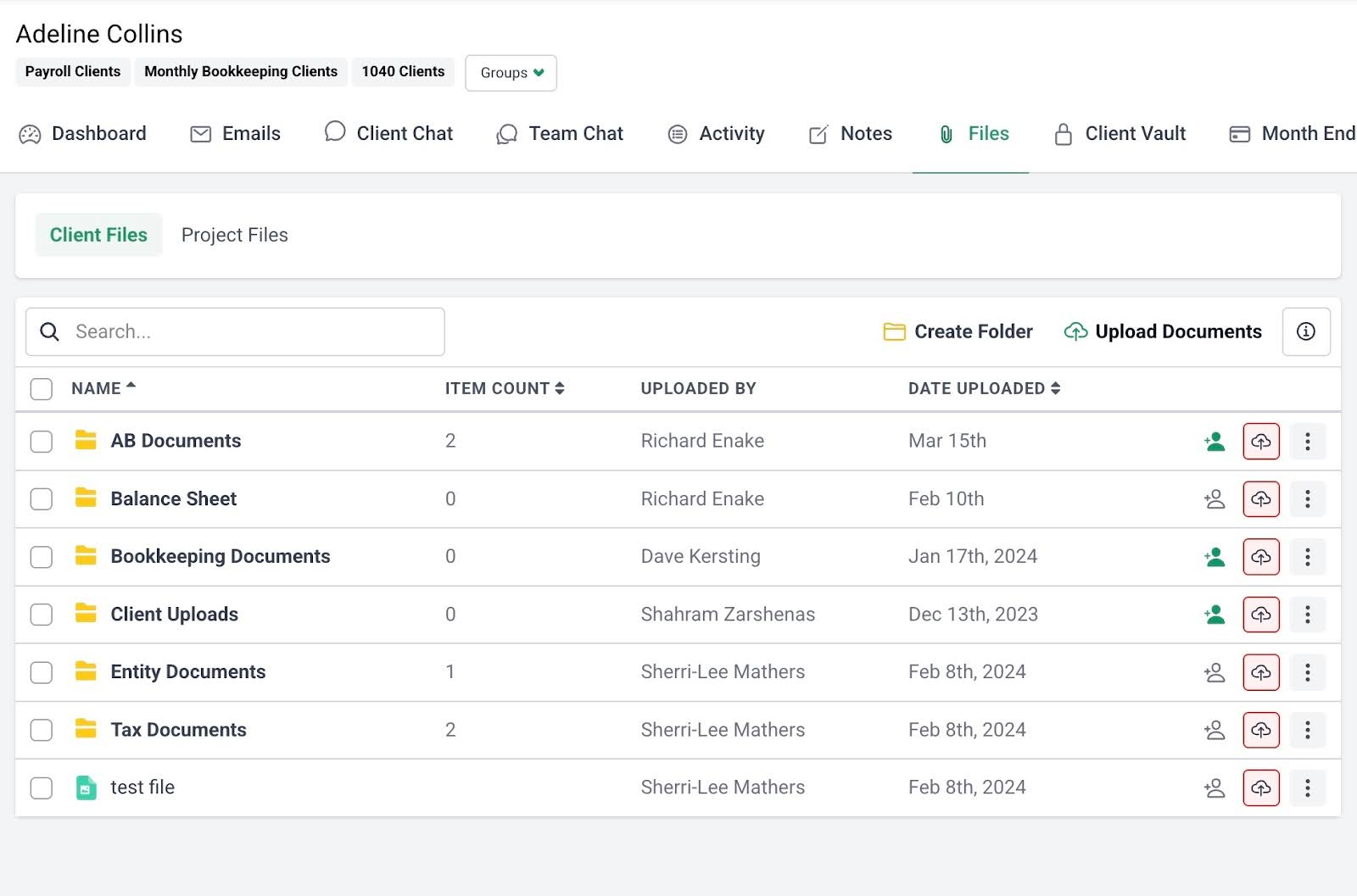
- Folder sharing: Give clients secure access to shared folders for historical and active documents.
- Document organization: Keep files structured using custom folders and subfolders.
- DMS integrations: Sync with your existing document system to reroute the documents sent to Financial Cents to your permanent storage.
- Search functionality: Find documents using keyword search instead of digging through folders.
- Multi-Country data storage: Financial Cents securely stores your firm’s data across multiple geographic regions. This allows firms to choose where they want their client data stored to meet data residency, security, and compliance requirements.
E-signature
- Request signatures: Send documents for signature quickly and eliminate manual signing steps.
- Automatic notifications: Get instant alerts when documents are signed.
- Centralized document storage: Automatically store signed documents where your team can easily find them.
Billing & Payments
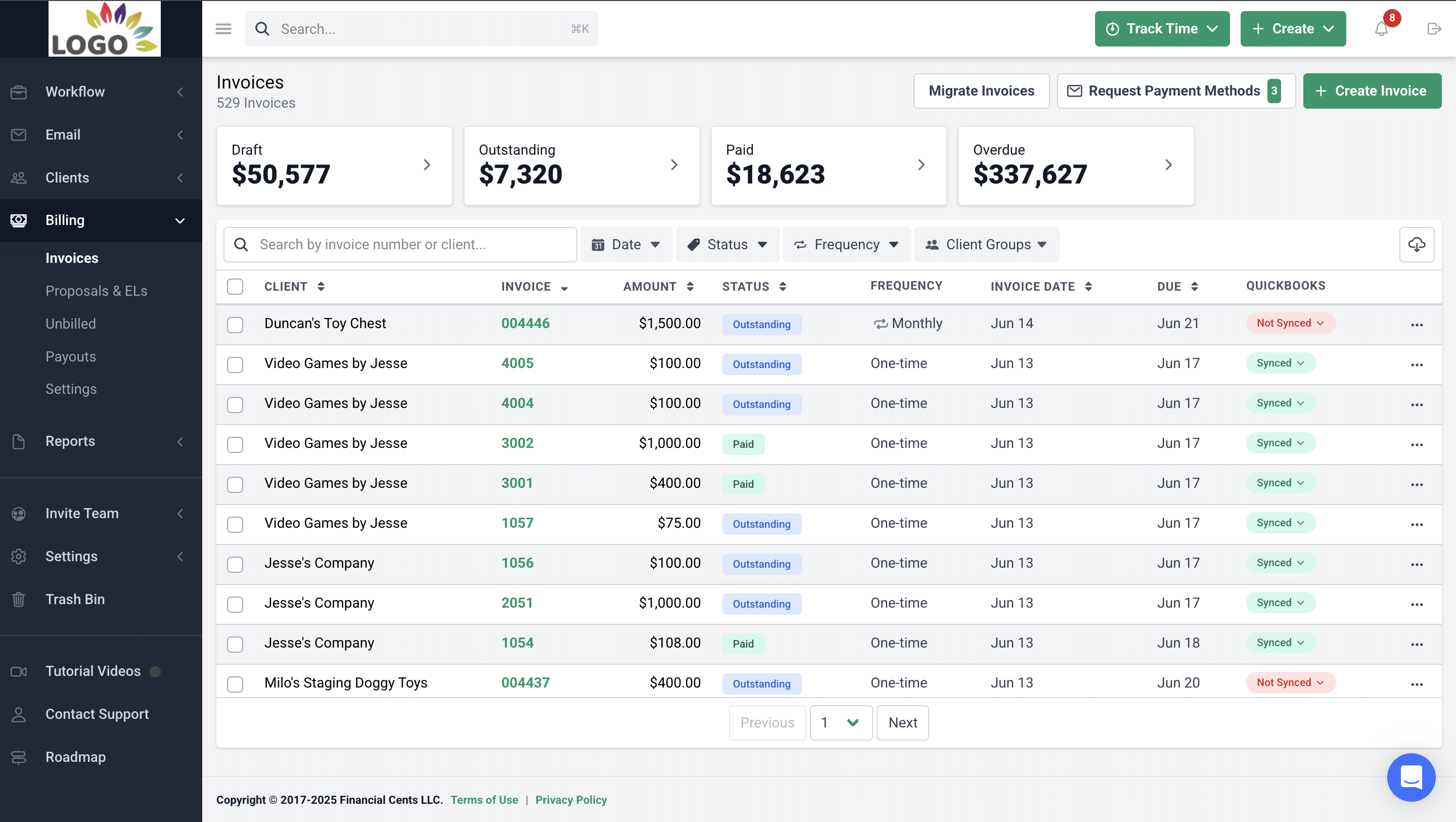
- Recurring & one-time invoices: Create one-time or repeating invoices to reduce administrative effort.
- QuickBooks Online sync: Keep invoices and payments automatically synced with QuickBooks Online.
- Pass card fees to clients: Offset processing costs by passing card fees through to clients.
- Automated payments: Collect payments automatically to improve cash flow.
- Automated client reminders: Send automatic payment reminders so staff don’t have to follow up.
Proposals
- Professional Proposals: Presents your services in a polished format that’s easy to review and accept.
- Engagement letters: Clearly define scope and terms with legally binding engagement letters.
- Billing: Automatically trigger invoices once proposals are approved.
- Auto reminders: Nudge clients automatically to sign proposals faster.
- Packages: Bundle services into packages to increase deal size.
- Optional upsells: Add optional services to grow revenue per client.
Month-end Close
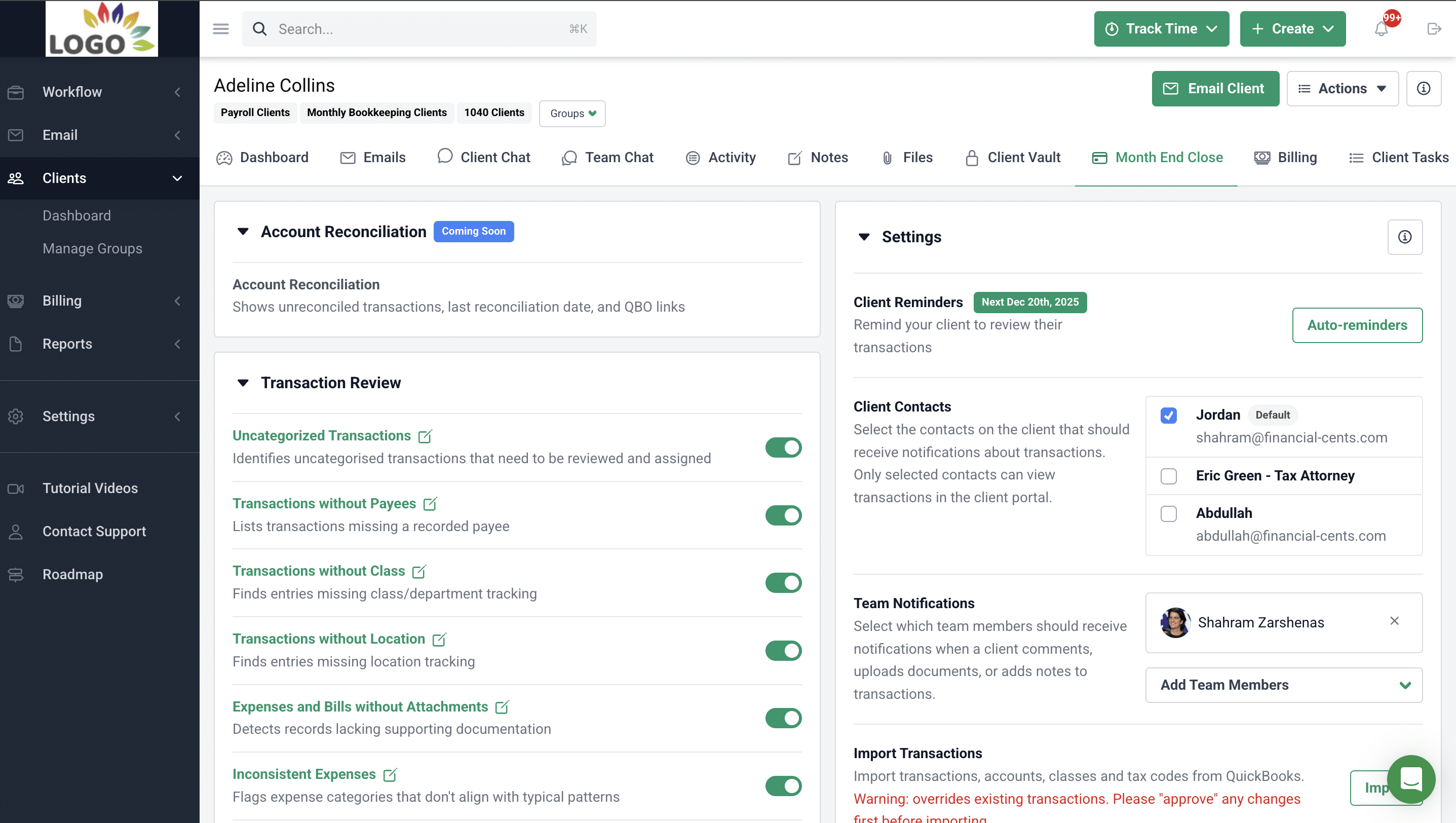
- Transaction review: Automatically identifies transactions that need attention, lets your team collaborate with clients to resolve questions, and syncs approved updates directly back to QuickBooks Online.
- 1099 and W-9 preparation reports: Automatically pulls vendor data from QuickBooks Online to surface 1099-eligible vendors, manage W-9 collection, and keep vendor records up to date in QBO.
Budget & Reporting
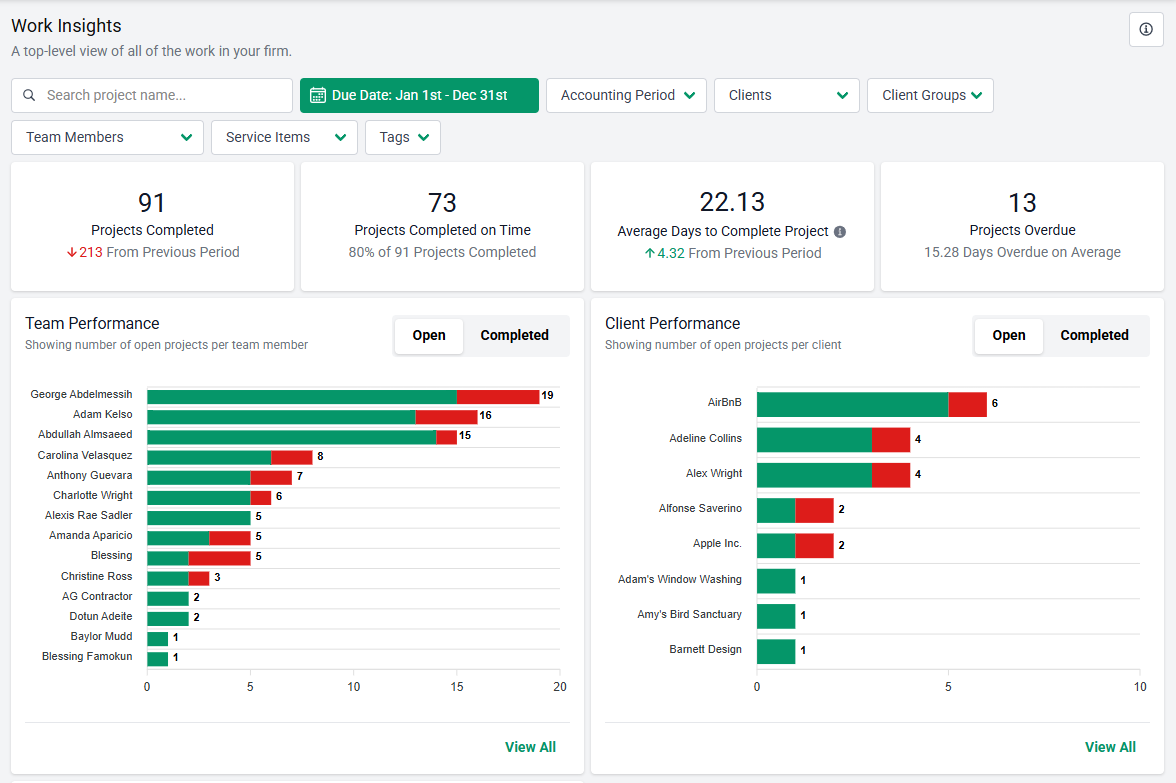
- Realization reports: Shows how much profit your firm generates from clients, services, and team members.
- Budget reports: Identify work that’s running over or under budget.
- Work Insights report: highlights the inefficiencies and bottlenecks slowing work down.
- Revenue Insights: Track revenue performance by service to uncover growth opportunities.
- Utilization reports: Measure how effectively your team is using time across clients and staff.
Pros
|
Cons
|
Why you should consider Financial Cents
Financial Cents is well-suited for firms offering bookkeeping, CAS, and advisory services where workflow is continuous and client interaction is frequent. It is the tool of choice for firm owners who want to reduce the number of tools they need to run their practice.
Reviews
Users rate Financial Cents:
Pricing
- Solo: $19/month
- Team: $49/month per user
- Scale: $69/month per user
- Enterprise: Custom pricing
Should you use Jetpack Workflow or Financial Cents?
Generally, Financial Cents’ consolidation of the full practice management suite (workflow automation, client collaboration, billing, and reporting) into one place makes it more scalable and efficient for any and every accounting firm. You should choose Financial Cents if your firm needs more than task tracking to run efficiently.
You can choose Jetpack Workflow if your firm only needs simple checklists and deadline tracking, and you’re sure it’ll remain that way for the foreseeable future.
Comparison: Financial Cents vs Jetpack Workflow
2. Pixie
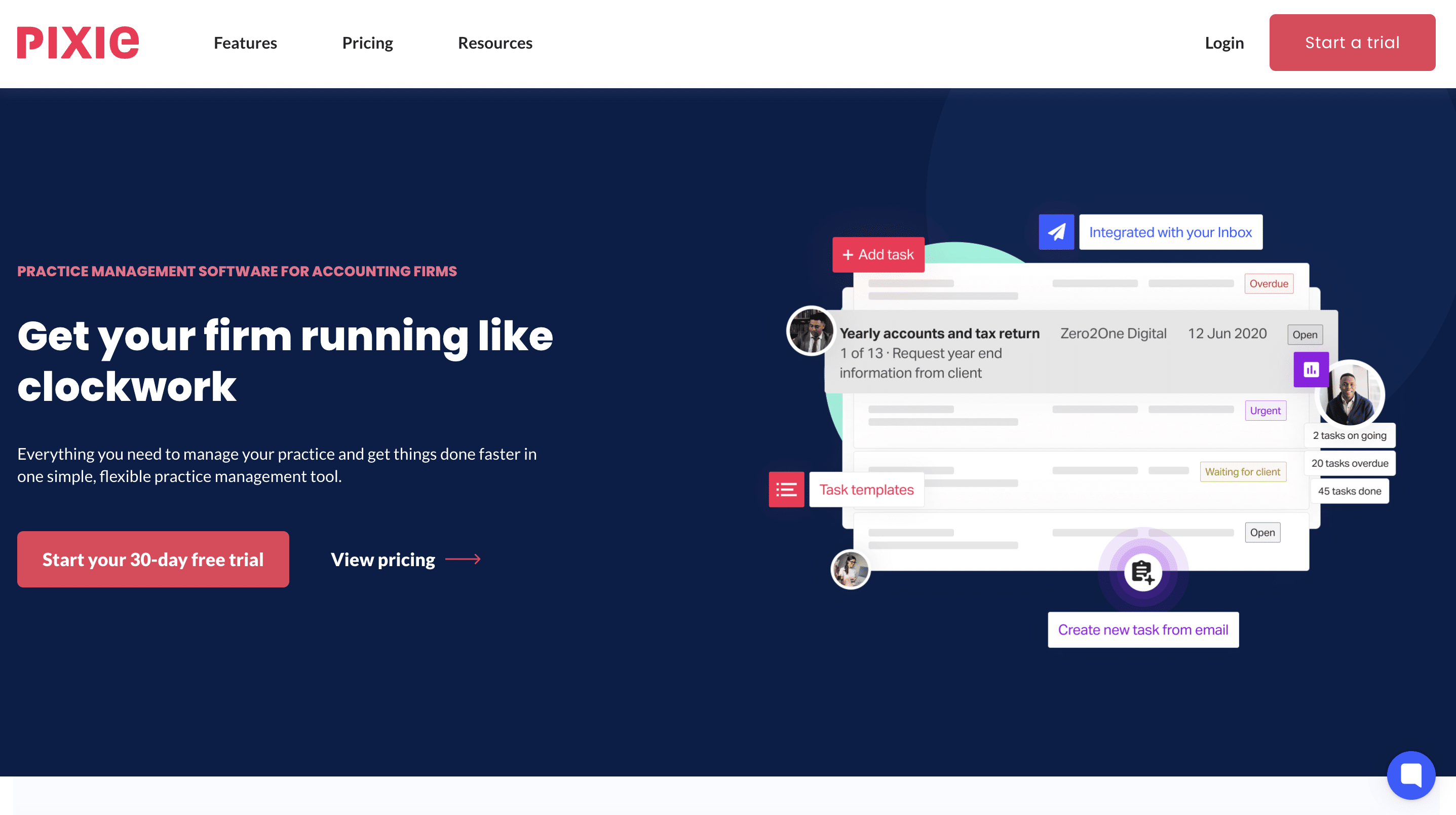
Pixie is a UK-based practice management software for accounting and bookkeeping firms, with a strong focus on tax workflow, client collaboration, and process standardization.
Compared to Jetpack Workflow, Pixie offers deeper workflow configuration and more built-in client communication tools.
Pixie’s features include:
- SOPs: Documents processes as step-by-step checklists for greater consistency.
- Internal Deadlines: Assign deadlines for your team’s tasks to keep client projects on track.
- Task Internal Notifications: Automatic alerts when tasks are completed or when emails are replied to.
- Recurring To-Dos: Automatically create recurring tasks to maintain consistency without manual effort.
- Automated Emails: Send updates, reminders, or feedback to the client automatically.
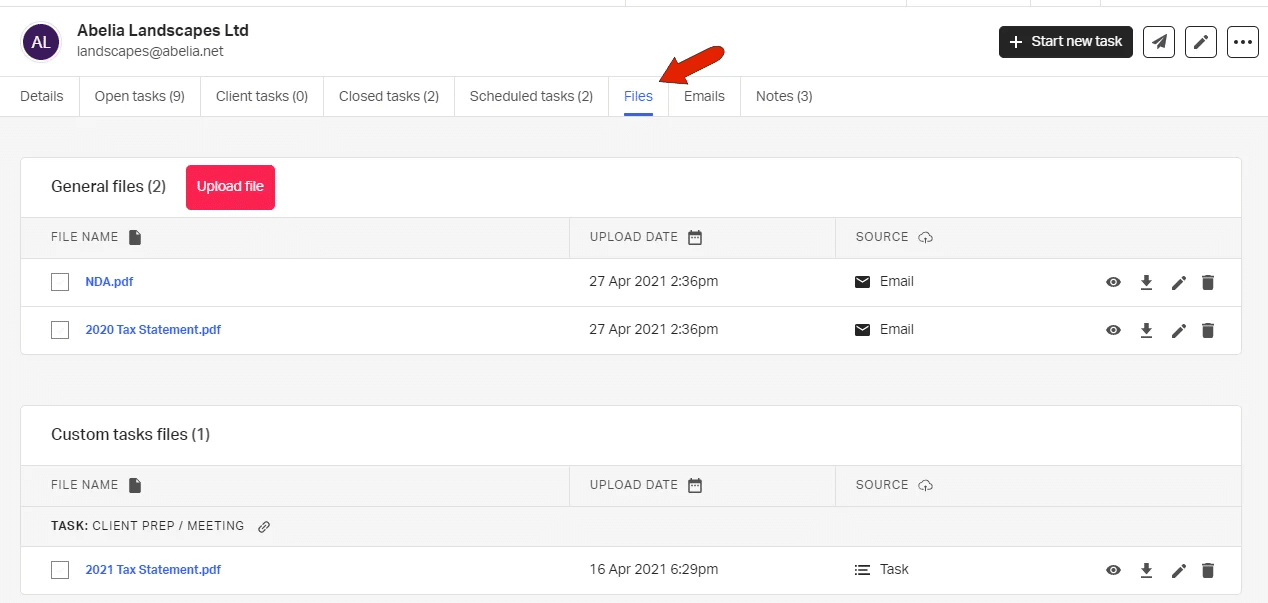
- Auto-Update Client Records: Automatically upload emails and files to client records.
- Companies House Integration: Enables UK firms to auto-pull client business information.
- Centralized Dashboard: A central location that makes your client’s information more accessible for your team.
- Custom Fields: Modify client records to capture and track the details that matter most to your firm.
- Bulk Actions: Send emails or edit client info for multiple clients at once.
- Client Task: Create checklists for clients with automated reminders.
Pros
|
Cons
|
Why you should consider Pixie
Firms that operate primarily in the U.K and need frequent client follow-ups often find Pixie to be a meaningful upgrade from checklist-based tools.
Reviews
Users rate Pixie 4.8/5 on both Capterra and G2
Pricing
- 1 to 250 clients: $129/month.
- 251–500 clients: $199/month.
- 501–1,000 clients: $329/month.
- Over 1,000 clients: Custom pricing.
Should you use Jetpack Workflow or Pixie?
Choose Jetpack Workflow if your firm needs simple checklist-based workflow tracking and has other tools for client collaboration and document collection.
Pixie is a better option than Jetpack Workflow for tax-focused firms that want more control over the engagements and client collaboration.
3. Canopy
Canopy is a comprehensive practice management platform designed for accounting firms with a strong emphasis on client management, document handling, and tax resolution.
While Jetpack Workflow focuses on task checklists, Canopy positions itself as a broader operating system for managing client relationships, compliance work, and billing in one tool.
Canopy’s features include
- Client Engagement: Keeps client information and communication organized to build stronger client relationships.
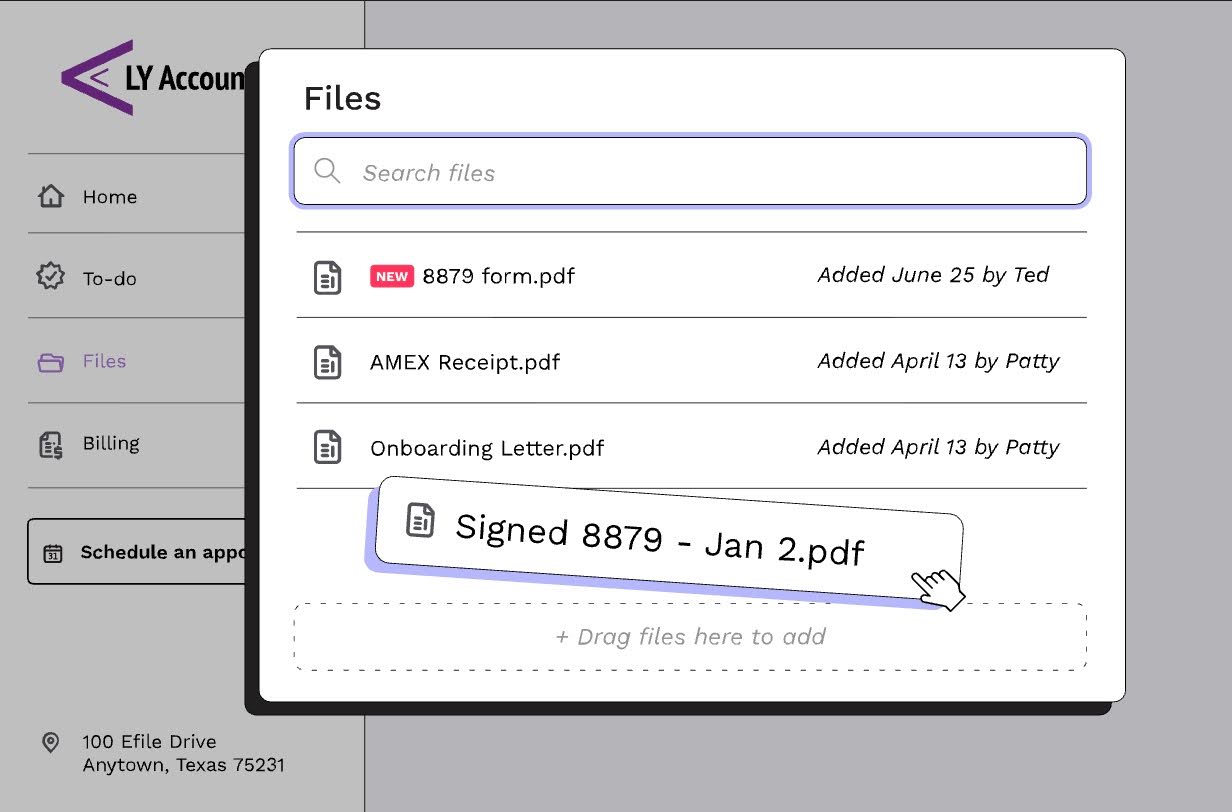
- Document Management: Organizes client documents in one location to eliminate clutter and reduce manual handling.
- Workflow: Structure and coordinate client engagements so that your team can focus on high-impact tasks.
- Time & Billing: Canopy tracks time in real-time and manages billing to improve cash flow.
- Transcripts & Notices: Grants access to IRS transcripts and notices without manual back-and-forth.
- Smart Prep: Use built-in AI tools to support tax preparation directly within your existing workflows.
- Client Portal: Give clients a single place to share documents and communicate with your team.
- Payments: Simplify collections with integrated payment tools that make it easier to get paid on time.
- Capacity Planning: Shows team workload and availability to assign and allocate work effectively.
- Smart Intake: Collects client information upfront with automated requests and reminders.
- Insights: Monitors firm performance with real-time visibility into workload and operational efficiency.
Pros
|
Cons
|
Why you should consider Canopy
Apart from consolidating workflow, CRM, and billing, Canopy has features that handle tax resolution or IRS representation work.
Reviews
Users rate Canopy:
Pricing
- Standard: $74/month per user (billed annually) or $93/month per user (billed monthly)
- Plus: $109/month per user (billed annually) or $136/month per user (billed monthly)
- Premium: $149/month per user (billed annually) or $186/month per user (billed monthly)
Should you use Jetpack Workflow or Canopy?
Where Jetpack Workflow focuses on workflows, Canopy focuses primarily on client management.
Firms looking for simple task management and deadline tracking tools should choose Jetpack Workflow, while those looking for a broader tool with emphasis on IRS notices and tax resolutions should choose Canopy.
4. Aero Workflow

Aero Workflow is another accounting workflow management software built for firms that want more structure than spreadsheets or email can offer.
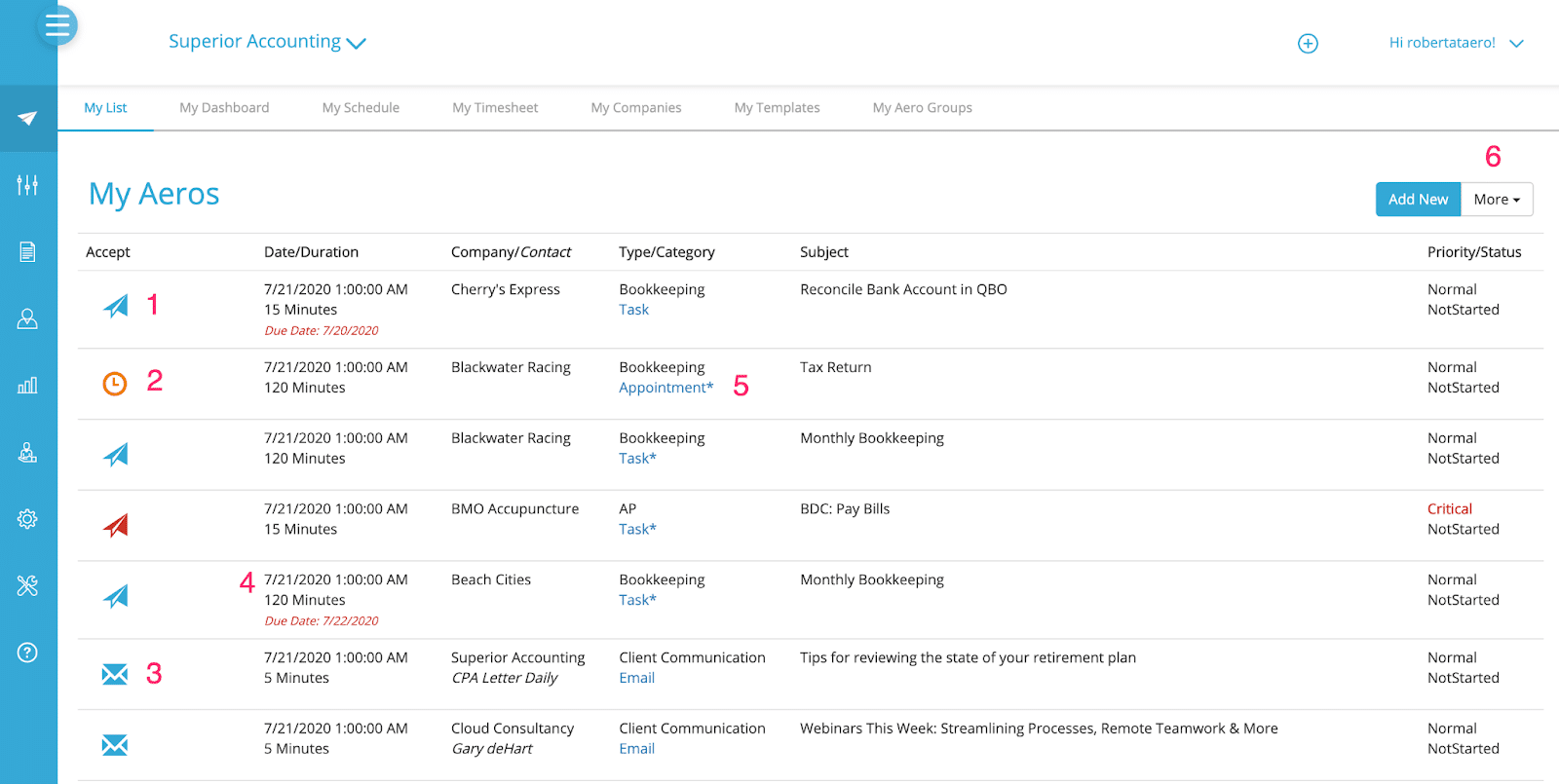
It integrates step-by-step checklists, recurring tasks, templates, and built-in time tracking in a way that is well-suited to small and mid-sized firms wanting a straightforward tool.
Aero Workflow’s features include:
- Checklists: Standardize recurring firm processes with structured checklists that ensure work is completed accurately.
- Scheduled tasks: Automatically create and assign tasks on a recurring schedule so nothing is missed.
- Practice management: Manage client work, deadlines, and firm operations in one centralized system.
- Client advisory: Support advisory services with workflows that help track deliverables and maintain consistency across client engagements.
- Workflow templates: Prebuilt workflow templates or customize your own to streamline common accounting processes.
Pros
|
Cons
|
Why you should consider Aero Workflow
Aero Workflow is a good fit if your firm wants a highly simple and structured workflow system, like Jetpack.
Reviews
Users rate Aero Workflow:
Pricing
- Startup: $135/month for up to 5 users
- Growth: $250/month for 6-25 users
- Scale: $365/month for 26-50 users
Should you use Jetpack Workflow or Aero Workflow
Choose Jetpack Workflow if your firm needs flexible workflows across multiple service lines. Aero provides more focused workflows for advisory services.
5. Karbon
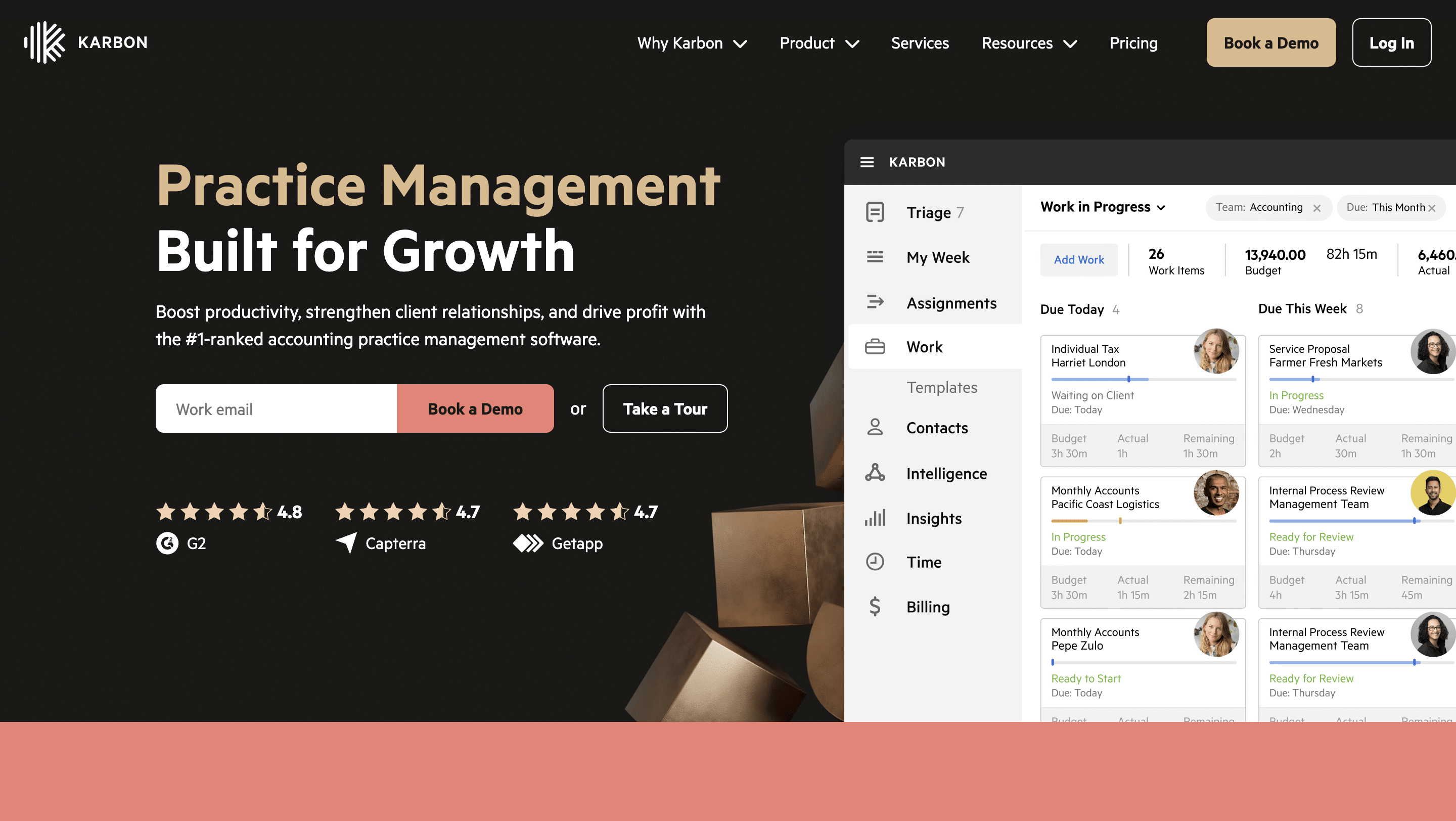
Karbon is an enterprise-grade accounting practice management platform built around the idea that accounting work happens through conversations, emails, and collaboration.
That is why its features emphasize centralized collaboration, email integration, and visibility into work.
Karbon’s features include:
- Workflow Automation: Reduce manual effort by automating repeatable processes to free your team for advisory work.
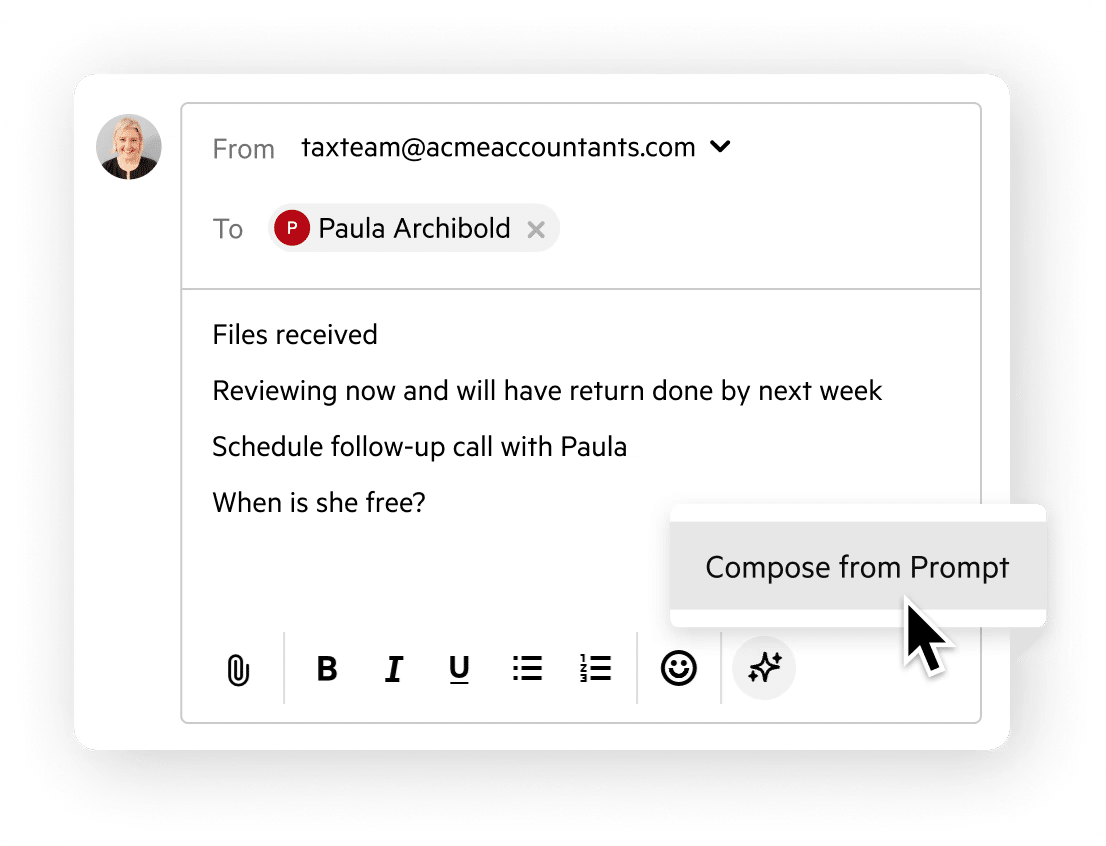
- Email Management: Sync email directly with workflows so conversations, tasks, and deadlines stay connected and visible.
- Team Collaboration: Bring conversations, tasks, and workflows into one shared workspace to enable teams to work without context switching.
- Client Management: Keep client data structured and up to date to support smoother workflows.
- Client Portal: A secure portal designed for seamless client collaboration and communication.
- Time Tracking & Budgets: Estimate, track, and manage time within the same system your team uses to complete work.
- eSignatures & Approvals: Accelerate client approvals with built-in e-signatures that keep documents moving without delays.
Pros
|
Cons
|
Why you should consider Karbon
Karbon’s collaboration features are suitable for large firms with distributed teams or a high volume of clients.
Reviews
Users rate Karbon:
- Team: $59/month per user
- Business: $89/month per user.
- Enterprise: Custom pricing
Should you use Jetpack Workflow or Karbon?
Jetpack Workflow and Karbon both offer workflow automation and collaboration, but Karbon’s features are more advanced because they are built for larger accounting teams.
6. Senta

Senta is another UK-based software that focuses on workflow automation, client communication, and task management.
Some users describe it as a modern alternative to checklist-based tools like Jetpack Workflow because of its CRM, client portal, and email features.
Senta’s features include:
- CRM: Manage client relationships from first contact through long-term engagement
- Workflow & tasks: Centralize and manage all client work with a structured workflow system that keeps every job moving forward.
- Document management: Securely manage and exchange documents with clients.
- Client Portal: Give clients a secure, self-serve space to upload documents, respond to requests, and complete sign-offs.
- Insights: Senta tells you what you need to know, when you need to know it, so teams can maintain focus.

Pros
|
Cons
|
Why you should consider Senta
Senta is a good choice for firms looking to modernize their workflows without migrating to a full practice management platform.
Reviews
Users rate Senta:
Pricing
- Monthly: $28/month per user
- Annual: $22.40/month per user
Should you use Jetpack Workflow or Senta?
Jetpack Workflow is suited for firms that simply want to move from checklists and manual tracking, while Senta is better for firms that want automation and client communication in one workflow tool.
7. TaxDome

TaxDome is an extensive practice management platform that combines workflow management, client communication, document storage, billing, and CRM in one tool.
It serves as a comprehensive operating system that streamlines firm operations, client relationships, and revenue collection with a strong focus on tax and bookkeeping services.
TaxDome’s features include:
- Workflow automation: Automate routine firm processes so work moves forward consistently without manual follow-ups.
- Team collaboration: TaxDome coordinates tasks, conversations, and responsibilities in one shared workspace.
- Client portal: Provide clients with a single, secure place to communicate, share documents, and track work progress.
- Desktop app: Access TaxDome directly from your desktop for faster workflows and fewer browser dependencies.
- Wiki pages: Document internal processes and firm knowledge so teams follow consistent best practices.
- PDF editor: Edit, annotate, and prepare PDFs directly within the platform without third-party tools.
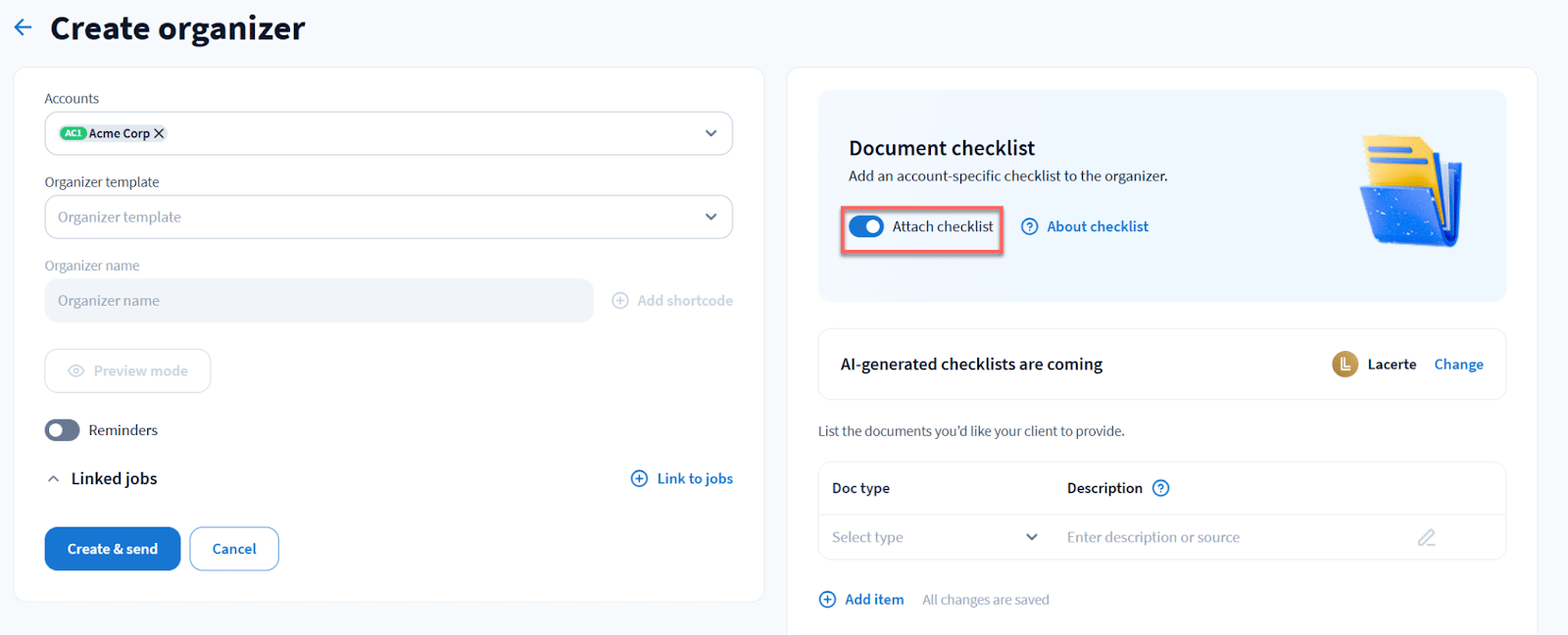
- Tax organizers: Collect structured client tax information digitally to reduce back-and-forth during tax season.
- E-signatures: Send, track, and collect legally binding signatures without leaving the platform.
- Time and billing: Track time, manage billing, and connect work completed to invoices and payments.
Pros
|
Cons
|
Why you should consider TaxDome
TaxDome is a strong choice for firms that rely heavily on secure client portals and tax organizer features.
Reviews
Users rate TaxDome:
Pricing
- Essentials: $800/year/user
- Pro: $1,000/year/user
- Business: $1,200/year/user
Should you use Jetpack Workflow or TaxDome?
Choose Jetpack Workflow if you’re fine with your workflows being in one tool and your billing, documents, or client communication in others.
TaxDome offers advanced workflows, superior client portals, unlimited e-signatures, billing, and automations in the same platform, which makes it more appealing to firms looking for a consolidated system.
8. TidyFlow
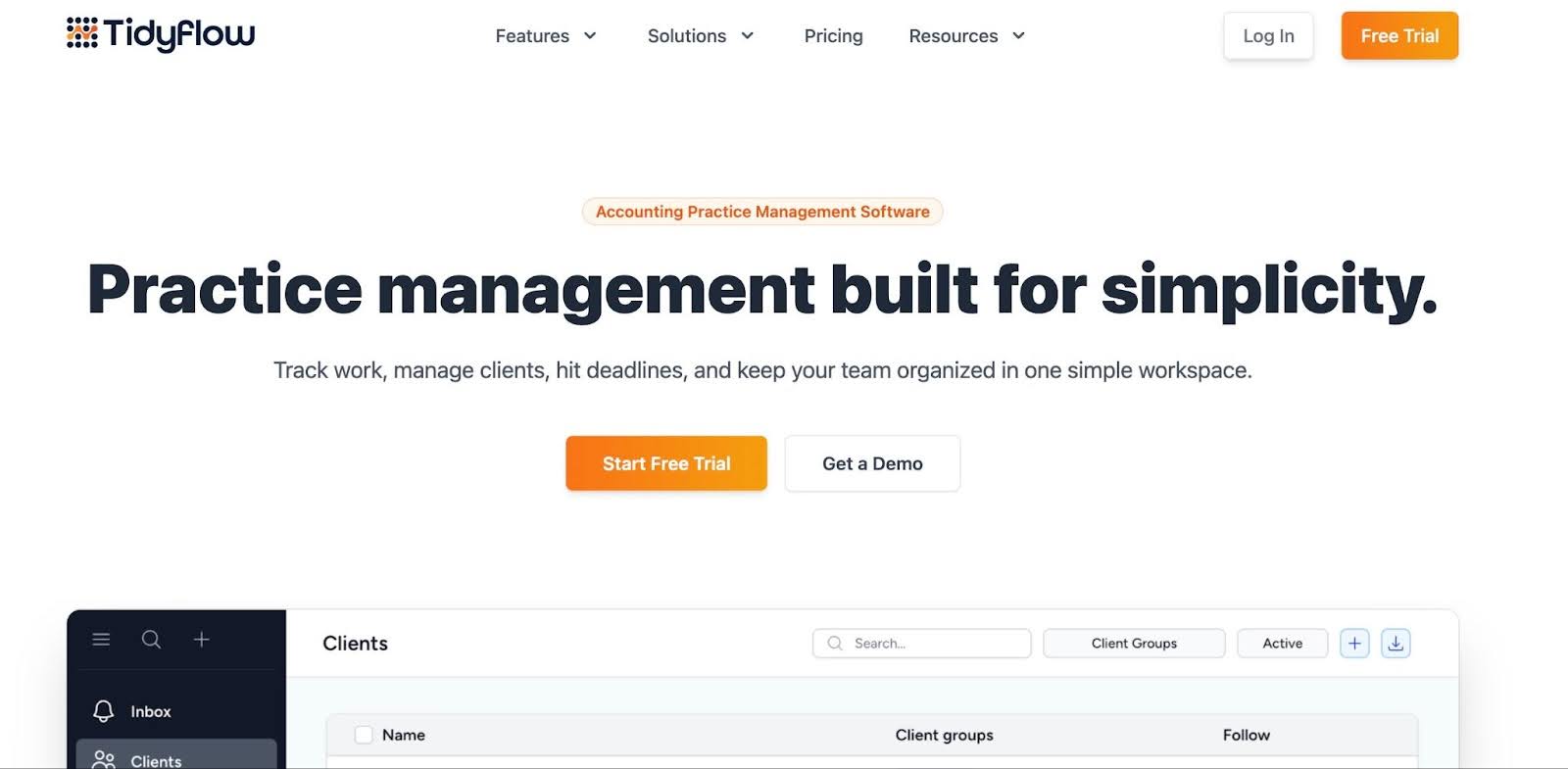
TidyFlow is a workflow management platform for standardizing processes, managing recurring engagements, and maintaining visibility into client deadlines.
TidyFlow is a relatively new tool compared to Jetpack, but it offers a more visually appealing interface and a broader range of workflow management features.
TidyFlow’s features include:
- Workflow Management: Automate and organize workflows so work is visible and deadlines are clear.
- Client Management: Centralize client details, conversations, and notes to give your team full context.
- Collaboration: Keep teams aligned with comments, @mentions, and a shared inbox.
- Document Management: TidyFlow stores and shares important files with staff and clients.
- Time Tracking: Track time by client or task to identify additional billable opportunities.
- Billing: Generate invoices from tracked time or fixed fees while monitoring WIP, billing progress, and outstanding balances.
- Client Portal & Requests: Provide clients with a simple, secure portal to upload documents and respond to requests.
Pros
|
Cons
|
Why you should consider TidyFlow
Firms that want a simple but more visual workflow system will find TidyFlow to be an effective step up from Jetpack.
Reviews
Users rate TidyFlow 4.7/5 on Capterra
Pricing
- Monthly: $19/month per user.
- Yearly: $16/month per user
Should you use Jetpack Workflow or TidyFlow?
Tidyflow is the better choice for most growing accounting firms looking for a clean, all-in-one upgrade from basic tools like Jetpack Workflow. Its features are more comprehensive and are compressed in a simple pricing package.
Key Features to Evaluate in a Jetpack Workflow Alternative
i. Workflow management & automation
Beyond recurring checklists, modern workflow tools should have automations that can trigger tasks, reminders, approvals, and follow-ups based on rules or events.
When this is done well, it reduces manual handoffs and ensures work progresses automatically when conditions are met, instead of waiting until someone remembers to do something.
ii. Task assignments & dependencies
With interdependent tasks, one step automatically waits for the previous one to complete, and responsibilities can shift dynamically without disrupting the project.
For growing firms handling complex engagements, this means no more bottlenecks, fewer missed deadlines, and a clear picture of who is responsible for what.
iii. Secure document management
With built-in version control, audit trails, secure sharing, and AI-powered tagging, your team can quickly locate the documents they need while staying compliant with all regulatory requirements.
Everything is stored in one central place, and that protects your firm and makes collaboration effortless.
iv. Client CRM & Portal
The CRM feature organizes every piece of client information (contacts, project history, custom fields) so nothing falls through the cracks.
The client portal empowers clients to upload documents, securely sign forms, track project progress, and communicate directly with your team.
This self-service access helps firms to reduce back-and-forth emails, speed up responses, and deliver a modern experience that strengthens relationships.
v. Team capacity & workload visibility
Capacity dashboards make it easy to see which team member is overloaded or underutilized, so you can reassign tasks before deadlines are missed.
When the team is at full capacity, these insights also show when hiring more staff is needed to ensure work flows smoothly and no one is burning out.
vi. Integrations
The right integrations ensure that tasks, client data, and documents move automatically across accounting software, CRM systems, billing platforms, document storage, and communication tools without disrupting the workflow.
It helps you maintain smooth, end-to-end workflows, reduce errors, and maximize your firm’s tech stack.
vii. Reporting
Modern accounting workflow software provides firm owners and managers with actionable insights into overdue work, bottlenecks, and turnaround times.
With this level of visibility, you can identify inefficiencies, make data-driven decisions, and ensure every hour spent on client work delivers its full value.
viii. Time tracking and billing
Built-in billing, automated invoicing, and payment processing give your firm complete visibility into work completed and revenue realized.
These features show exactly how much effort each project requires and allow you to connect tasks directly to invoices to reduce manual follow-ups and minimize errors.
ix. Ease of use and onboarding
A workflow or practice management software is only effective if it’s intuitive and accessible to everyone on your team.
When you prioritize user-friendly interfaces and streamlined onboarding, you empower your staff to quickly understand and use all necessary features in a workflow software solution.
Why More Growing Firms are Moving from Jetpack Workflow to Financial Cents
Another firm that had to move from Jetpack Workflow because of its narrow focus on workflow is Accounting Therapy, Inc.
Before Financial Cents, we were using Jetpack Workflow. It wasn't as user-friendly (as Financial Cents is), and importing time into QuickBooks (for invoicing) failed every single time. That was our trigger to look for something else."
Alexis Sadler, CEO of Accounting Therapy, Inc.Making this switch is never without financial and administrative costs, which is why we advise firms transitioning from manual to automated workflow systems to choose a tool that will grow with them.
The Full Send Accounting Team used this approach and grew by 150% in one year.
If you already use Jetpack Workflow and want to move to a more comprehensive solution, Financial Cents is the step that won’t take so much time or disrupt your workflows.
Getting all of our clients imported and creating our new templates didn’t take much time. We just copied and pasted the templates and imported our clients into Financial Cents. I don’t think we spent more than a day or two on the initial setup."
Shannon Ballman Theis, Founder of Payroll RestorationUnlike Jetpack Workflow, Financial Cents combines advanced workflow automation, client collaboration, billing, and firm-wide visibility into one unified system to enable firms manage work and clients from onboarding to payment and reporting in one system.
If you’re ready to adopt a platform built for modern, growing firms, Financial Cents gives you the structure to scale with confidence.
You don’t have to take our word for it. You can use all Financial Cents for free today to see how they work in your firm. Start Your 14-day Free Trial Now or Book a Free Demo.
Frequently Asked Questions
Jetpack Workflow is a task and deadline management tool built specifically for accounting and bookkeeping firms. It helps teams organize recurring client work using checklist-based templates, assign tasks, and track deadlines in one place. It works well for firms in earlier stages of growth that need basic workflow structure without the complexity of a full practice management platform.
Workflow software focuses on organizing internal tasks, assigning work, and tracking deadlines. It’s the operational backbone for getting recurring engagements done consistently. Practice management software covers all of that plus client relationship management, document storage, billing, time tracking, client portals, and reporting. Firms that only need structure around task completion often start with workflow tools, then move to practice management software as their client base and service mix grows.
The most frequent triggers are the need for built-in billing and invoicing, a client portal for document collection and communication, and deeper workflow automation beyond recurring checklists. Firms also commonly outgrow Jetpack when they need centralized document management, team capacity visibility, or the ability to connect completed work directly to revenue, none of which Jetpack Workflow handles natively.
Jetpack Workflow runs $40–$49/user/month. Most competitive alternatives are similar or slightly higher per user but include far more features. Financial Cents starts at $19/user/mo (Solo) and goes up to $69/user/mo (Scale). Karbon is $59–$89/user/mo, Canopy is $79-$149/user/mo, and Pixie is priced by client count ($129–$329/mo). The right comparison isn’t sticker price, it’s the total cost of Jetpack plus the standalone tools you’d otherwise need.
The most important criteria are whether the platform covers your full operational needs in one place, workflow automation, client portal, document management, billing, and reporting, and how quickly your team can get up and running.
Financial Cents is the top alternative because it includes everything Jetpack does (recurring workflows, deadline tracking, templates) plus client portal, CRM, billing, time tracking, e-signatures, month-end close, and reporting. An all in one platform at $19–$69/user/month.



