
Gathering tax information from clients can be stressful. You chase missing documents, deal with last-minute uploads, and spend hours sending follow-up emails. Even well-organized clients forget key details, which slows down your work and creates unnecessary back-and-forth.
That is why a Client Tax Organizer Template is paramount. It gives clients a clear client tax checklist of everything they need to submit so that you can start the engagement with complete and accurate information. In this article, you can download a free Excel and Google sheet version to use in your tax firm or share directly with your clients. You’ll also learn how to customize it and use it to streamline your tax preparation process. Let’s get started.
What Is a Client Tax Organizer Template?
A Client Tax Organizer Template is a structured document that helps clients gather and submit all the information you need to prepare their taxes. It outlines the forms, financial details, and documents required for an accurate return. Its purpose is to give clients clear guidance while helping you avoid missing information. Using a standardized organizer saves time, reduces follow-up, prevents errors, and makes tax preparation smoother for both you and your clients.
Why You Need a Client Tax Organizer
Reduces back-and-forth communication
A client tax organizer tells your clients exactly what you need from them, so they know what to gather before sending anything over. This cuts down on follow-up emails, reminders, and long message threads asking for missing documents. It also helps clients feel more confident about what they are submitting.
Improves the accuracy of tax filings
When clients provide complete and organized information, you reduce the risk of errors, omissions, or discrepancies. An organizer ensures you receive essential forms like W-2s, 1099s, receipts, and financial statements upfront. This makes it easier to prepare accurate returns and avoid last-minute corrections.
Saves time during peak season
Tax season gets chaotic fast, and every minute counts. A standardized organizer helps you process returns faster because everything you need arrives in one place. Instead of sorting through mixed folders or vague uploads, you can begin your work immediately with clean, structured information.
Enhances the client experience through clear guidance
Clients appreciate clarity. An organizer removes confusion and gives them a simple, step-by-step guide to follow. It reduces stress, builds trust, and helps them feel supported throughout the process.
Keeps records consistent across clients
Using the same organizer for all clients helps you maintain uniform records and standardized workflows. This makes it easier to review past filings, delegate work to your team, and maintain quality across your entire tax process.
Key Sections to Include in Your Client Tax Organizer Template
For Individual Clients
Client Information
This section captures the client’s essential personal details, including full legal name, Social Security Number, current address, phone number, email, and preferred method of communication. It also includes filing status options such as single, married filing jointly, married filing separately, head of household, or qualifying surviving spouse. Collecting this information upfront ensures you classify the client correctly, avoid delays, and set the foundation for accurate tax preparation.
Spouse Information (if applicable)
If the client is filing jointly or separately, you need to complete the spouse information. This includes full name, Social Security Number, date of birth, occupation, and income details such as W-2s, 1099s, or self-employment records. You may also gather information on shared or individual deductions, credits, and previous tax payments. Accurate spouse data ensures correct filing status, proper income reporting, and allows you to maximize eligible credits for the household.
Dependents Information
This section collects each dependent’s full name, relationship to the taxpayer, and date of birth. You should also note whether the dependent lived with the taxpayer and for how many months during the year. Include any childcare, medical, or education expenses tied to each dependent. This information is essential because dependents affect eligibility for credits such as the Child Tax Credit, Earned Income Credit, and various education-related deductions.
Income Details
Here, you outline every source of taxable and nontaxable income the client received during the year. This includes W-2 wages, 1099 income, business or freelance earnings, rental income, interest, dividends, capital gains, and other miscellaneous earnings. Requesting these items in advance ensures you capture the complete financial picture. It also prevents omissions that could trigger IRS notices or force you to amend the return later in the season.
Deductions and Credits
This section outlines the deductible expenses and credit-eligible payments your client made during the year. Common items include mortgage interest, medical expenses, charitable donations, and state or local tax payments. You can also gather information on education credits, childcare expenses, and dependent-related costs. Collecting these details early helps you determine whether the client should itemize or take the standard deduction, while ensuring they receive every credit they qualify for.
Business or Self-Employment Information
For clients who operate a business or work as independent contractors, this section captures income, expenses, and key financial records. Request mileage logs, receipts, depreciation schedules, and profit-and-loss details. You may also include home office deductions, asset purchases, and inventory information. Having this organized upfront simplifies Schedule C preparation and ensures accuracy in reporting income and expenses.
Investments and Retirement
This section gathers information related to the client’s investment and retirement accounts. Include 401(k) and IRA contributions, brokerage statements, capital gains or losses, dividend income, interest earnings, and retirement distributions such as 1099-R forms. These details help you calculate taxable income correctly and identify potential tax benefits. Having complete investment records also ensures compliance with reporting requirements and prevents errors related to cost basis, rollovers, or retirement withdrawals.
Tax Payments
This section captures all tax-related payments the client made throughout the year. Include quarterly estimated tax payments, prior-year refunds applied to the current tax year, and any required payments such as child support or alimony when relevant. Collecting this information ensures accurate calculations, prevents overpayment or underpayment, and helps you confirm that all tax credits and liabilities are applied correctly when preparing the return.
Required Supporting Documents
This section works as a clear checklist of all documents clients must provide. Include W-2s, 1099 forms, K-1s, receipts, charitable donation records, mortgage statements, investment summaries, and prior-year tax returns. You can also request business receipts, mileage logs, and medical expense documentation if applicable. Providing a structured list ensures clients understand exactly what to upload, which speeds up your tax preparation workflow.
Additional Notes or Questions
This section gives clients space to share anything that may not fit into the standard categories. They can note unusual income sources, large one-time transactions, special deductions, life changes, or concerns about their return. This open-ended area often reveals important details clients forget to mention elsewhere. It also helps you clarify potential issues early, reducing the need for follow-up conversations during preparation.
For Business Clients
Business clients need a more detailed and structured organizer because their filings involve a wider range of financial data, compliance requirements, and documentation. A well-designed business tax organizer helps you capture everything you need upfront so you can prepare accurate returns, avoid missing deductions, and streamline your workflow during the busy season.
Business Information
Start with the company’s legal name, Employer Identification Number (EIN), entity type, and ownership structure. This section should also include percentage ownership, partner or shareholder details, and the business address. These details determine the correct tax forms and filing requirements for the business.
Income Details
Collect all income sources, including gross receipts, sales reports, 1099 forms received, rental income, investment income, and any other earnings.
Expense Categories
This section should outline major business expenses such as cost of goods sold (COGS), rent, utilities, payroll, software subscriptions, professional fees, insurance, marketing, travel, and other operating costs. Organized expense records help maximize deductions and reflect the true financial health of the business.
Payroll and Contractors
Request payroll summaries, W-2s issued to employees, and 1099s issued to contractors. Accurate payroll data is essential for reporting wage expenses and verifying contractor payments.
Business Assets
Include details of newly purchased equipment, disposed of or sold assets, and updated depreciation schedules. These records impact depreciation deductions and capital gains calculations.
Liabilities and Loans
Gather information on business loans, credit card balances, lines of credit, and other debts. Include the total interest and principal paid during the year to ensure accurate reporting.
Estimated Tax Payments
List quarterly tax payments and any prior-year overpayments applied to the current year.
Supporting Documents
Request prior-year tax returns, bank statements, credit card statements, and financial reports such as the profit and loss statement and balance sheet.
Download: Your Free Client Tax Organizer Templates (Individual & Business)
To help you simplify your tax preparation process, we’ve created two complete tax organizer templates you can download for free. Each template is available in Excel and Google Sheets so you can use them in whichever format works best for your firm or clients.
Individual Client Tax Organizer Template
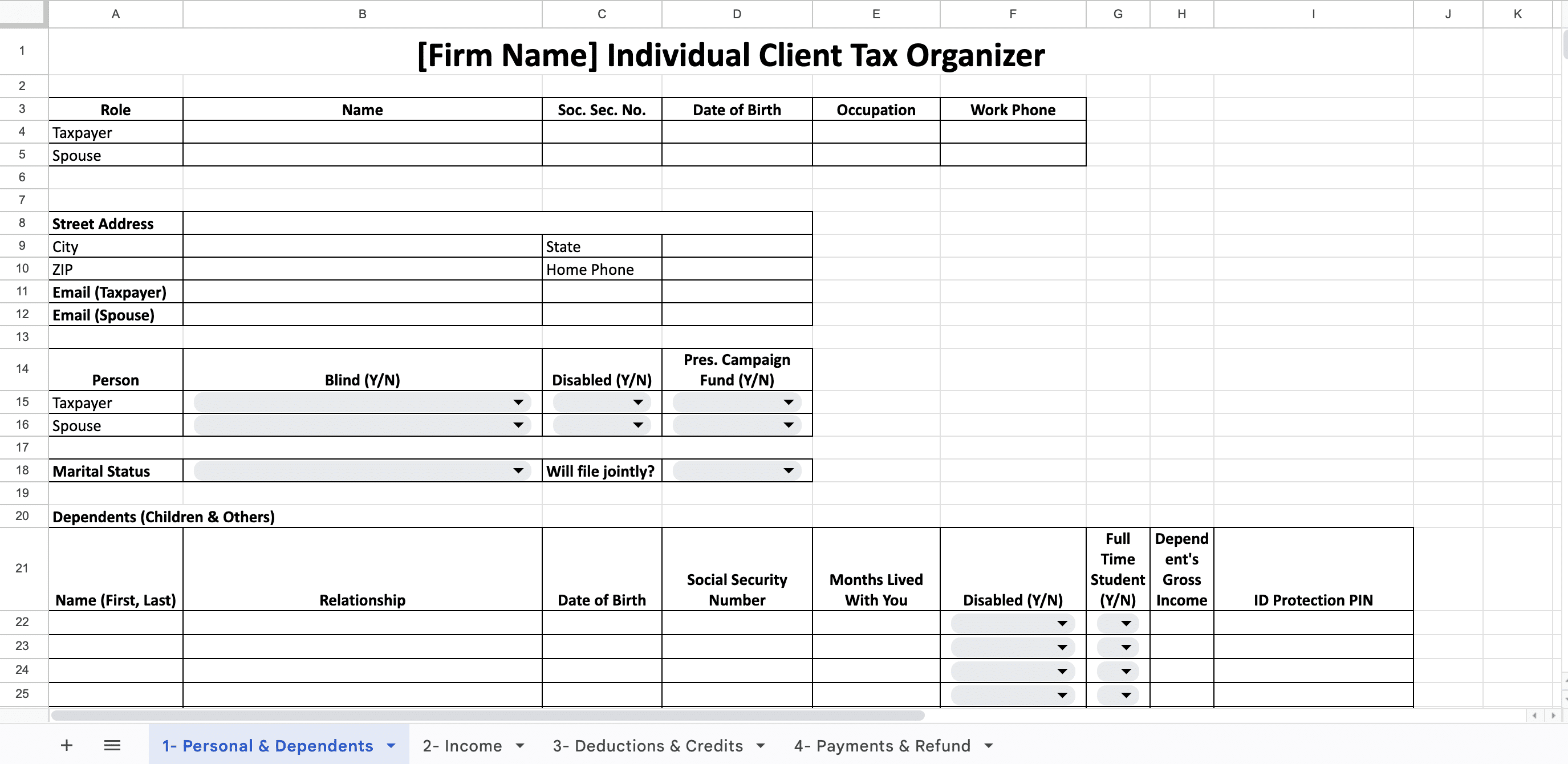
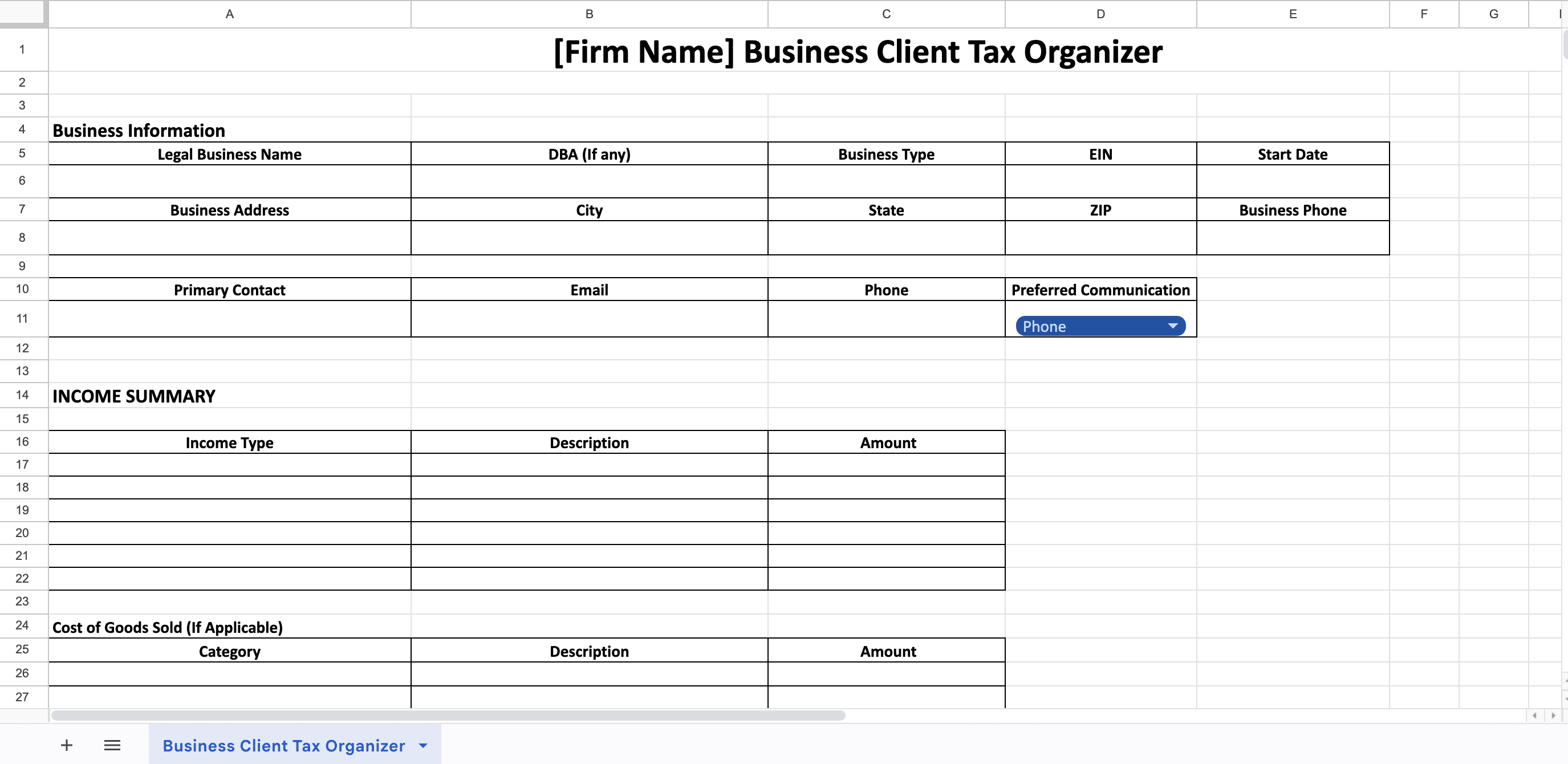
Both templates are structured to save you time, improve accuracy, and give your clients a clear checklist to follow as they prepare their documents for tax season.
Make Your Tax Preparation Process Smoother with Financial Cents
Tax preparation goes far beyond collecting documents. When you’re working with dozens or even hundreds of clients, it becomes difficult to track who has submitted what, which filings are due, and which clients still need reminders. Clients can be unpredictable, and without a system in place, it’s easy for work to fall through the cracks. That’s why using a tax practice management software like Financial Cents makes the entire process much easier.
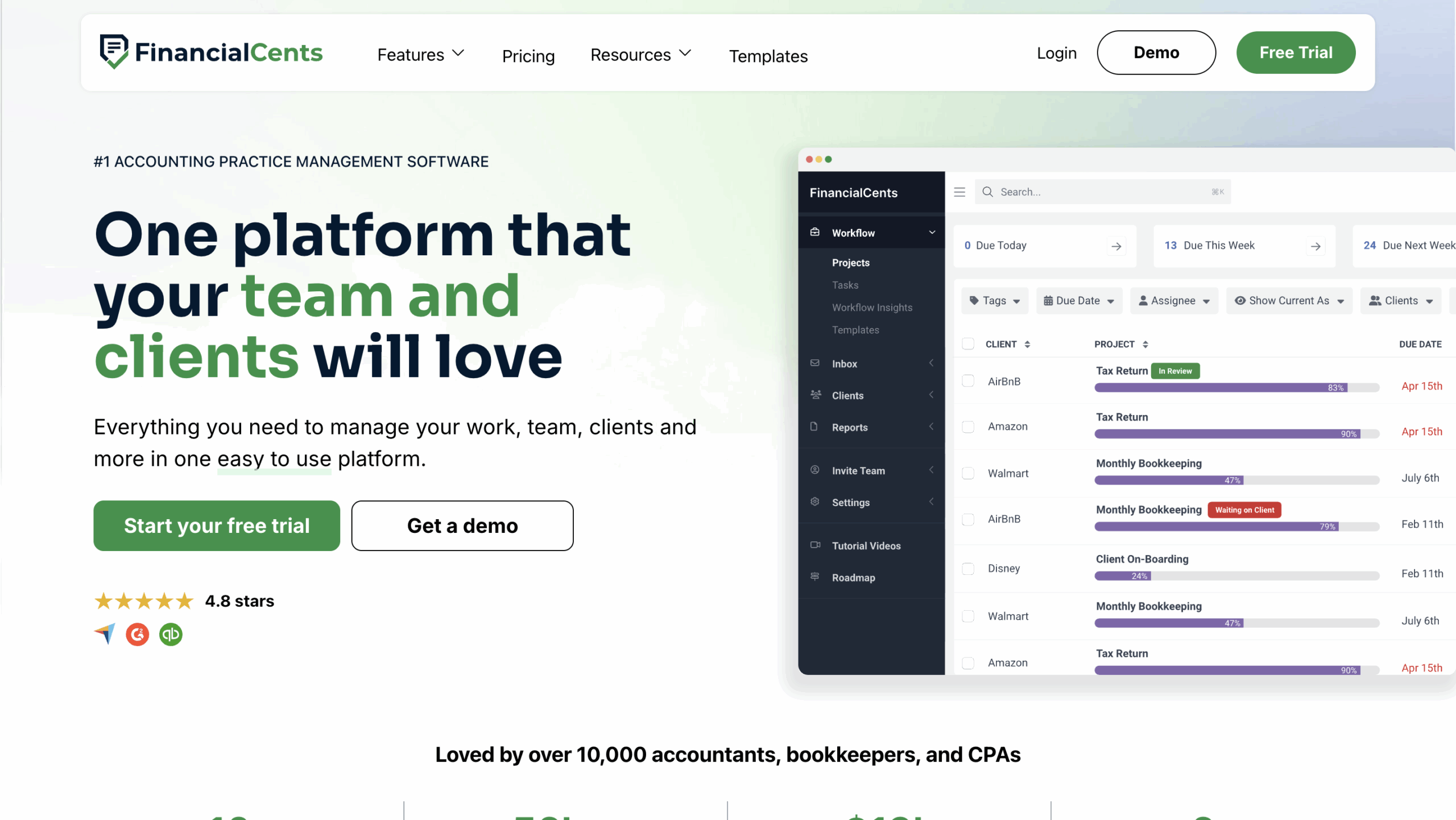
Financial Cents is built specifically for accounting and tax firms. It helps you automate repetitive tasks, stay organized during busy season, and ensure nothing gets missed.
Automate client information requests and follow-ups
You can send automated client tasks and reminders so clients submit their documents on time without constant manual follow-up. The system automatically reminds clients until each item is submitted. For example, if a client forgets their 1099-INT, Financial Cents will continue to nudge them, saving you hours of follow-up.
Use secure client portals for document sharing
Clients upload W-2s, 1099s, receipts, or financial statements through an encrypted client portal instead of sending sensitive documents by email. Everything stays organized under each client’s profile, making it easy to begin the return.
Track client tax document submissions
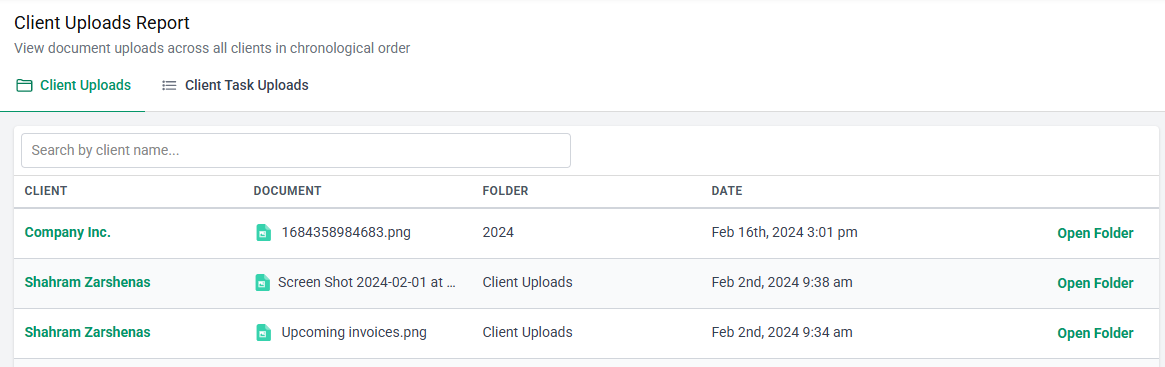
The Client Uploads Report shows exactly who has submitted their documents and what’s still outstanding. If you’re managing 150 returns, you can instantly see which clients are “ready to file” and which still need attention.
Assign and monitor team tasks
You can assign tasks like preparing the return, reviewing documents, or sending the engagement letter. Each task has an owner, due date, and status, so your entire team knows what’s happening.
Track and meet deadlines
Financial Cents tracks filing deadlines, extension dates, and internal review deadlines. You get alerts when work is due soon, helping you stay ahead during peak season.
Communicate with clients
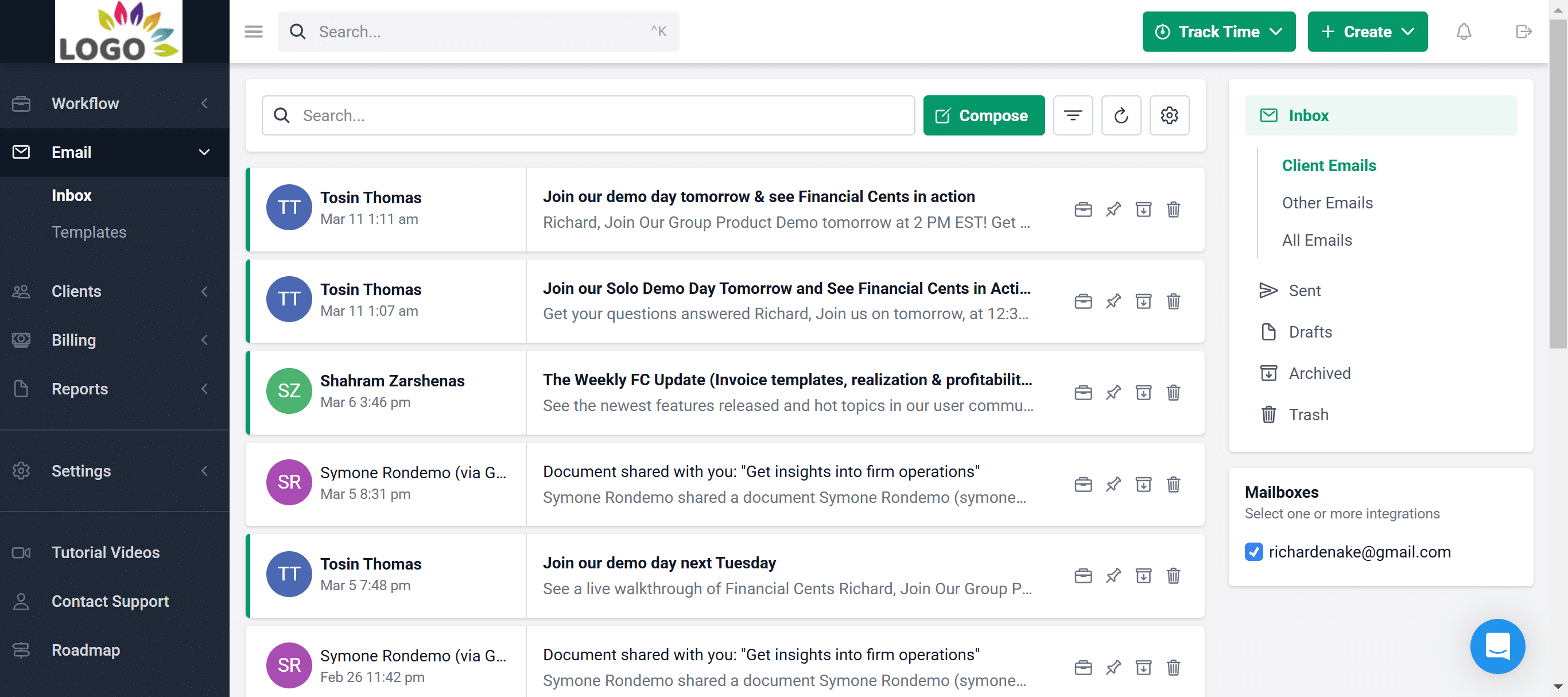
Built-in client chat keeps messages in one place instead of scattered across Gmail, WhatsApp, or texts. You can see all communication history at a glance, making follow-ups faster and more organized.
Collaborate with your team
Team members can comment on tasks, tag each other, and share updates in real time. If someone notices a missing document, they can flag it directly in the workflow instead of sending separate messages.
Track time, bill, and receive payments
Track the time spent preparing each return, generate invoices, and collect payments directly inside Financial Cents. This helps you identify underpriced engagements and improve billing accuracy.
Simplify tax engagements
If you’re onboarding new tax clients, you can send tax engagement letters and proposals directly through Financial Cents. Clients sign electronically, and you can begin the work immediately with clear expectations.
Conclusion
A well-structured tax organizer makes it easier for clients to submit the right information and faster for you to prepare accurate returns. By using both the individual and business templates, you can reduce back-and-forth communication, prevent missing documents, and stay organized during busy season. To make your entire tax preparation workflow even smoother, explore how Financial Cents can help you automate requests, track documents, and manage every client in one place. Start a free trial or book a demo to see how it works for your firm.
Share this article:



