
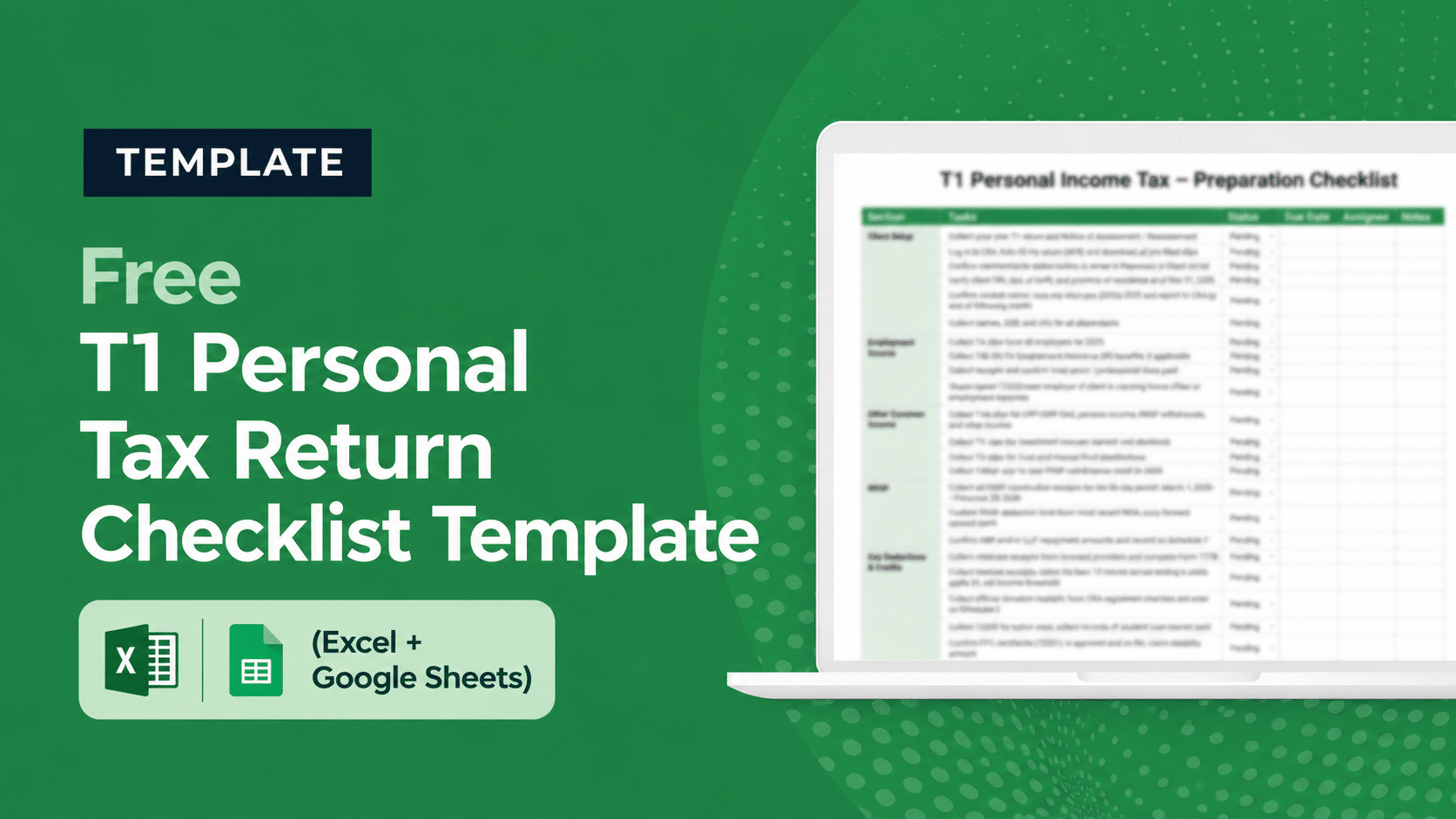
The Canadian T1 personal income tax return is short on paper but long on details, one missed slip, an unclaimed credit, or a wrong marital-status update can mean a reassessment notice months after filing. A standardized T1 personal tax return checklist is what keeps every return your firm files consistent and complete, no matter who on your team prepared it.
This free T1 return checklist template gives Canadian accounting firms, bookkeping, and tax preparation firms a single document that covers the entire engagement, from pulling prior-year files and Auto-fill My Return data, to gathering slips and credits, to EFILE transmission and preparer sign-off.
It’s built specifically for firms preparing T1 returns for multiple clients during tax season, where consistency, speed, and reviewability matter more than any individual preparer’s memory of which forms apply.
What’s Inside the T1 Personal Tax Return Checklist Template
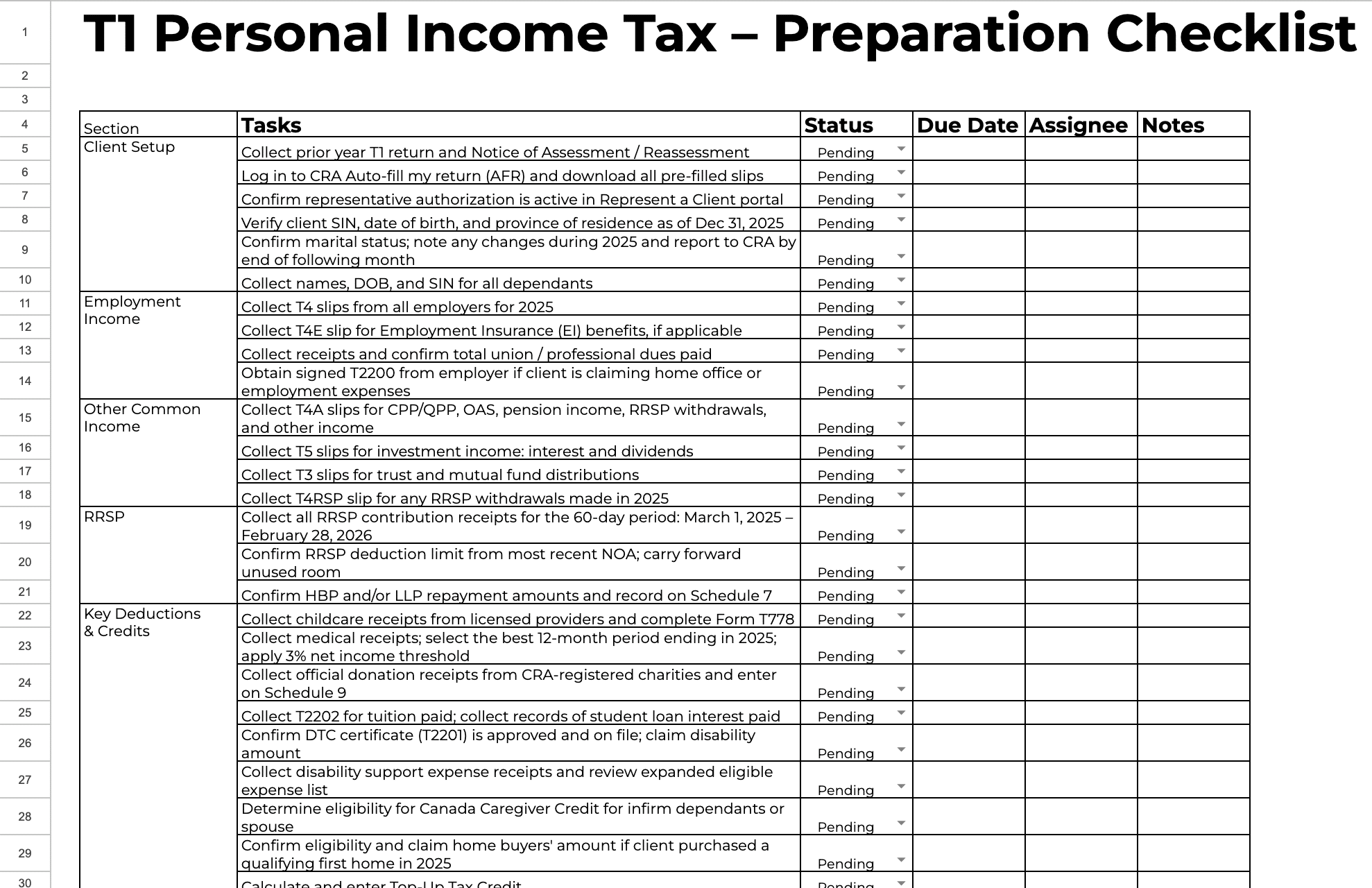
The template is a fully editable Google Sheets / Excel file organized into seven sections that mirror the natural flow of a Canadian personal tax engagement:
- Client Setup: Prior year T1 and Notice of Assessment, CRA Auto-fill My Return (AFR), Represent a Client authorization, SIN and province verification, marital-status changes, dependants’ details.
- Employment Income: T4 slips, T4E for Employment Insurance, union and professional dues, signed T2200 if claiming employment expenses.
- Other Common Income: T4A (CPP/QPP, OAS, pension), T5 (investment income), T3 (trust and mutual fund distributions), T4RSP for RRSP withdrawals.
- RRSP: Contribution receipts covering the 60-day window, deduction limit from latest NOA, Home Buyers’ Plan and Lifelong Learning Plan repayments on Schedule 7.
- Key Deductions & Credits: Childcare (Form T778), medical expenses with the 12-month period optimization, donations (Schedule 9), tuition (T2202) and student loan interest, Disability Tax Credit (T2201), Canada Caregiver Credit, Home Buyers’ Amount.
- Government Benefits: GST/HST credit registration, Canada Child Benefit, Canada Workers Benefit (Schedule 6), Canada Disability Benefit eligibility.
- Filing Completion: Filing deadline confirmation (April 30 / June 15 for self-employed), EFILE/NETFILE transmission, balance owing or direct deposit, secure copy delivery to client, carry-forward schedule updates, preparer and manager sign-off.
Every row includes columns for status, due date, assignee, and notes, so you can run it as a working file inside the engagement or roll it into your practice management system as a project template.
Why You Need a T1 Checklist Template
Canadian personal tax is high-volume and unforgiving. A typical firm pushes through hundreds of T1 returns between March and the April 30 deadline, often with seasonal staff or junior preparers carrying the front-end work. Without a standardized checklist, three things go wrong, every year, in the same predictable way.
First, slips get missed. A client’s T4 from a side-gig employer, a forgotten T5 from a brokerage, or a T3 that arrives late from a mutual fund, the firm files, the CRA reassesses, and the client is back in your inbox asking why. Pulling AFR data into the engagement up-front, and pairing it with a checklist that names every common slip type, is the cheapest control against this.
Second, credits get under-claimed. Childcare receipts that didn’t make it into the client’s portal upload, medical expenses where the 12-month window wasn’t optimized, a Disability Tax Credit that’s been approved on file but didn’t flow into this year’s return, each one is a refund the client doesn’t get, and each one shows up in their next-year complaint. The checklist forces a check on every common credit, even when the client didn’t mention it.
Third, reviews get skipped. Under deadline pressure, the second pair of eyes that’s supposed to look at a return before it’s transmitted is often the same preparer who built it. A checklist with an explicit preparer sign-off and an independent manager sign-off is the simplest way to make review a hard gate, not a polite suggestion.
Who This T1 Tax Return Checklist Is For
This template is built for Canadian accounting and tax firms that prepare T1 returns at scale. It’s most useful for:
- Tax-focused firms running high-volume personal tax season (200+ T1 returns per preparer)
- CPA firms with mixed engagements where T1s are one of several service lines and consistency across preparers matters
- Bookkeeping firms expanding into seasonal personal tax
- Solo practitioners who want a defensible, repeatable process documented in case the CRA reviews the file
- Firm owners onboarding new junior preparers or seasonal staff who need a guided workflow
If you also handle corporate tax engagements, our free T2 Corporation tax return checklist covers the equivalent process on the corporate side. For US firms, the free 1040 individual tax return checklist is the personal tax version.
How to Use the T1 Personal Tax Return Checklist Template
- Make a copy per client per tax year. Open the template in Google Sheets, “File → Make a copy,” and rename to include the client name and tax year. Keep the original as your firm’s master template.
- Pre-populate from CRA Auto-fill My Return. Run AFR first and confirm representative authorization is active in Represent a Client before you start chasing the client for slips — AFR alone often covers 70–80% of the slip collection in the Client Setup and Other Common Income sections.
- Assign sections to team members. Junior preparers can own Client Setup, Employment Income, and Other Common Income; a senior preparer takes Deductions & Credits and Filing Completion. Use the Assignee column to make ownership explicit.
- Mark status as you go. Pending → In Progress → Done. Reviewers can scan the status column to see exactly where a return is stuck without opening the engagement file.
- Don’t close the engagement without both sign-offs. The preparer sign-off row and the manager / partner sign-off row at the bottom are the gate, both must be checked before EFILE.
For firms running this across many clients, pasting the checklist into a shared spreadsheet quickly hits its limits. A tax practice management system lets you turn the checklist into a recurring project template, assign sections to team members automatically, and see every active T1 across the firm on one dashboard.
Common Tax Season Mistakes This Checklist Helps You Avoid
The mistakes that cost Canadian tax firms reassessments, client complaints, and lost time tend to repeat. The checklist is structured to surface each one before the return is transmitted:
- Skipping AFR. Going straight to the client for slips when CRA already has most of them is the single biggest time-sink in personal tax. The Client Setup section forces AFR first.
- Missed Notice of Assessment review. The prior-year NOA carries the RRSP deduction room, capital loss carry-forwards, and HBP/LLP repayment status — numbers that don’t flow from AFR. The checklist captures these as separate line items.
- Marital status not updated with CRA. Clients often forget to tell the CRA — and you. This affects spousal credits, GST/HST credit, and CCB. The Client Setup row catches it.
- Wrong medical-expense period. Medical expenses can be claimed for any 12-month period ending in the tax year. Defaulting to a calendar year leaves credits on the table.
- Forgetting Disability Tax Credit on file. If T2201 is approved, the credit can be claimed every year — but only if your team checks. The checklist forces this verification.
- Missing the self-employed deadline nuance. Self-employed clients file by June 15, but the balance is still due April 30. The Filing Completion row captures both.
- Single-preparer return without independent review. The two sign-off rows enforce a second set of eyes before transmission.
From T1 Checklist to a Full Tax Season Workflow
A checklist standardizes one return. A practice management system standardizes a tax season. The firms that move through April 30 without burning out their team are the ones that have turned the checklist into a recurring project template, attached to every T1 client, with deadlines, document requests, and review steps automated.
Financial Cents is the practice management platform Canadian accounting and tax firms use to run their entire T1 season from one dashboard. The checklist below can be imported as a project template and applied to every personal tax client; document requests for missing slips run on auto-reminders so your team isn’t chasing clients manually; preparer and reviewer assignments are explicit; and partner-level review reporting shows you exactly which returns are stuck and where. Firm files stay in Canadian file storage for compliance with client expectations on data residency.
Download the free T1 personal tax return checklist template above, and start a free trial of Financial Cents
Related Resources
- Free Compilation Engagement Letter Template
- T2 Corporation Tax Return Preparation Checklist Template
- The Comprehensive Tax Preparation Checklists For Tax And Accounting Firms
- Complete Client Tax Organizer Templates (Individual & Business)
- Free Individual Client Tax Organizer Template (Excel & Google Sheets)
Frequently Asked Questions
Yes, the template is completely free to download. Fill out the form on this page and you’ll get instant access to the editable file.
Yes. Every section references Canadian slips (T4, T4A, T5, T3, T4RSP, T4E, T2202), CRA-specific forms (T2200, T2201, T778), Canadian schedules (Schedule 6, 7, 9), and Canadian benefits (CCB, CWB, GST/HST credit, Canada Disability Benefit). For US 1040 returns, use our 1040 tax return checklist instead.
The Filing Completion section calls out the June 15 self-employed filing deadline (with balance still due April 30). For T2125 business-statement preparation and the additional working papers self-employed returns need, customize the template by adding rows under a new “Self-Employment Income” section.
Yes, the template is built for team use. Each row has an Assignee column so sections can be split across preparers, and a Status column so reviewers can see exactly where a return is in the engagement. For multi-client visibility, import the checklist into Financial Cents as a project template and run every T1 client off the same workflow.
Open the Google Sheet, make a copy, and edit freely, rename tasks, add rows for firm-specific steps (engagement letter, payment intake, e-signature), remove anything that doesn’t apply. The template is a starting point, not a fixed process.
No, the template works as a standalone spreadsheet for any tax engagement. But running T1 season for more than a handful of clients in spreadsheets gets unmanageable quickly. A practice management system lets you assign the checklist as a recurring project, see every return at a glance, and chase missing client documents on automation.



