
More bookkeeping firms should let the unique operational demands of their services guide their software choices.
Many still assume that any accounting practice management software will serve just fine, but it doesn’t take long to realize the lack of alignment:
- Some tools work well initially (even spreadsheets), but as the volume of work grows, you might need to recreate or adjust recurring projects more often than expected.
- Your team could be chasing clients across multiple platforms (email, chat, etc.) to resolve uncategorized transactions.
- Month-end close becomes reactive instead of predictable.
This misalignment makes applying bookkeeping expertise more difficult and meeting client deadlines more demanding than they need to be.
That is why 89% of accounting professionals using the right software and automation are seeing higher profits and efficiency.
Bookkeeping is recurring and deadline-driven, so bookkeeping practice management software must provide a different operational structure than tools built for seasonal tax or project-based accounting work.
In this guide, we discuss how the top bookkeeping practice management software solutions in 2026 support bookkeeping workflows, where they fall short, and the types of firms they’re best suited for.
What Is Bookkeeping Practice Management Software?
Bookkeeping practice management software is a platform that helps bookkeeping firms manage day-to-day operations. It automates recurring client work, tracks deadlines, standardizes processes, and centralizes client communication and team capacity.
While both accounting and bookkeeping practice management software seem interchangeable (because they both serve financial services firms), they are designed for slightly different service providers.
Many accounting practice management systems were built to handle seasonal, deadline-driven engagements. That explains why they tend to emphasize engagement tracking, time and billing, and annual workflows.
Bookkeeping practice management software, on the other hand, is designed for continuous, recurring service delivery. These tools emphasize visibility into work status, weekly and monthly recurring workflows, process consistency for routine tasks, and client collaboration during transaction reviews and close cycles.
What Bookkeepers Should Look for in a Practice Management Software
A. Workflow templates & automation
The workflow templates and automation feature enable bookkeeping tasks to be completed consistently and without human input.
Templates show the steps needed to complete each bookkeeping project or engagement regularly, while automation uses rules and conditions that move tasks forward or flag inconsistencies automatically.
These features save bookkeepers the time and energy of relying on memory and manual intervention.
B. Client portal and secure document exchange
Experienced bookkeepers prefer software that provides a secure and centralized space for client communication and document sharing beyond email for better security and access.
For example, many businesses have been subjects of cyberattacks through phishing and other email scams.
Plus, when a team member goes on leave, the client documents and requests in their inboxes are inaccessible to their team members, which can delay client deliverables.
Apart from centralizing client collaboration, client portals provide notifications that prevent delays and improve delivery timelines.
C. Month-end close
Your bookkeeping practice management tool should integrate with your general ledger software to help firms identify transactions that need clarification to be accurately categorized from the platform using the month-end close feature.
By centralizing client collaboration, the software also provides clear visibility into clients’ communication, which improves the speed and accuracy of transaction review and recategorization.
D. Task and deadline management
The right practice management system uses Calendar or list views (or both) to show all tasks, deadlines, and bottlenecks in your firm (including what’s due today, this week, and this month).
When these features are missing, growing firms rely on constant check-ins and Slack reminders to stay up to date, which is a waste of everyone’s time.
The due date reminder feature in some of the tools also helps to track upcoming deadlines, which helps the team to prioritize tasks and prevent last-minute rushes.
E. Time tracking & billing
It ties time tracking directly to tasks, which helps them to understand their capacity, identify inefficiencies, and adjust their rates to be more profitable.
When this feature is available, bookkeepers won’t have to resort to burdensome timesheet workflows.
The billing aspect ensures a seamless flow of time tracking data for accurate invoicing. This accuracy minimizes invoice disputes and encourages early payment (i.e, a healthy cash flow).
F. Integrations
When your practice management software connects with the apps your team uses to get work done every day, it reduces duplicate data entry and keeps your client information aligned across the board.
For example, QuickBooks integration allows you to auto-pull client lists and transactions into your practice management software, which makes transaction review and financial reporting much easier.
G. Reporting & analytics
The reporting and analytics feature provides real-time operational data (rather than intuition) to guide your decision-making.
This tells you when, for example, your team is running out of capacity, taking too long on tasks, or spending more resources on a client (to warrant a price raise).
These insights are necessary to prevent your firm from getting busier, less productive, and less profitable.
H. Scalability & ease of use
This one is not a feature per se. It’s a quality that determines how much a bookkeeping practice management software can grow with your firm.
Most bookkeeping firms provide standard services, so volume is a huge consideration, which is why you need to know how many clients a tool can serve, how many team members it allows, and how many projects it can manage without performance lag or hidden costs.
Other considerations include the speed of onboarding, the availability of training resources, and the responsiveness of customer support.
The 7 Best Practice Management Software for Bookkeeping Firms
1. Financial Cents
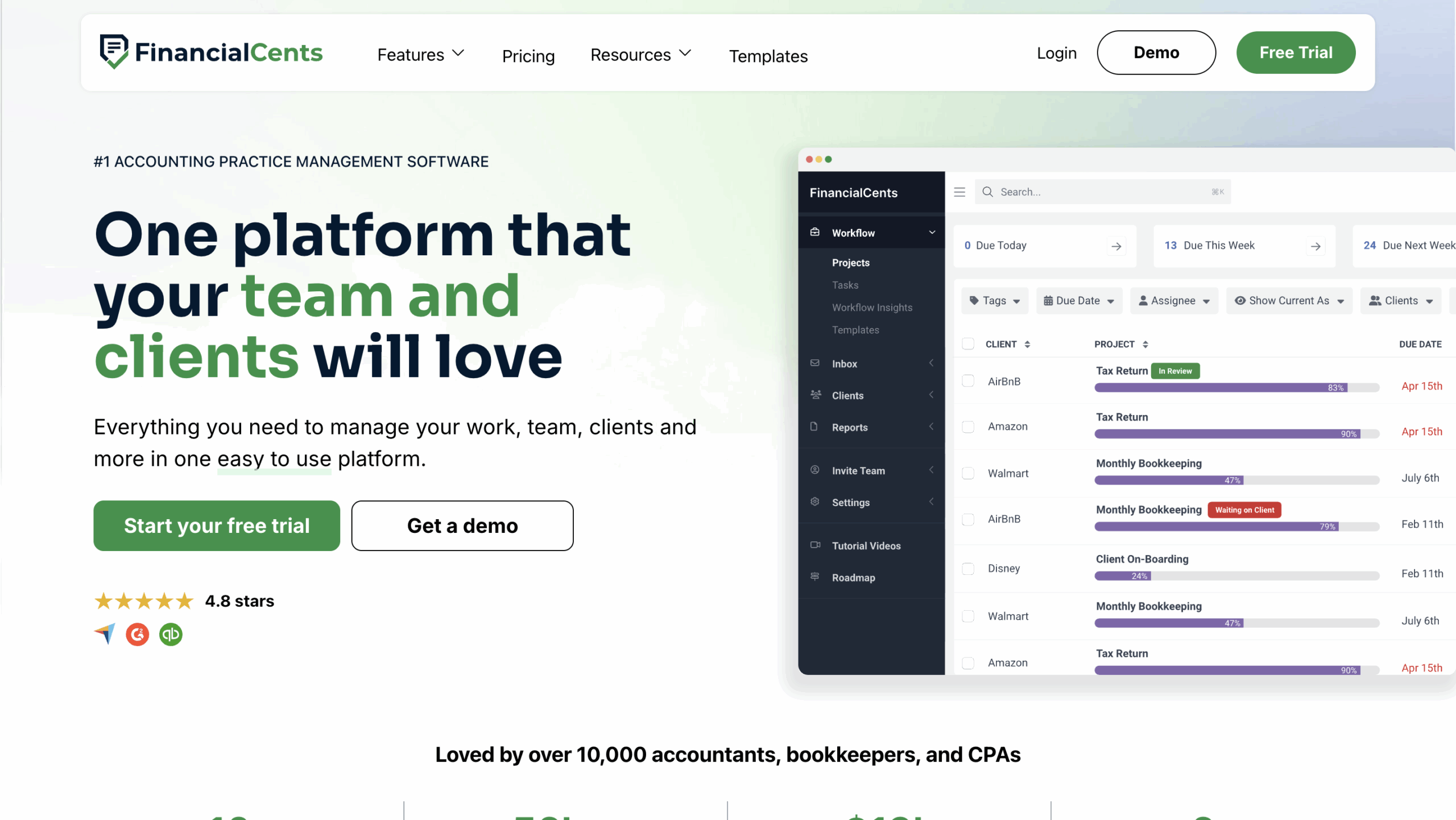
Financial Cents is an all-in-one practice management tool for bookkeeping and accounting firms that emphasizes ease of use, workflow automation, and accountability.
Its month-end close, transaction review, recurring work, and client portal features make it a critical part of the tech stack of small and mid-sized bookkeeping teams.
Some of Financial Cents’ features and what they do/how they work:
Workflow Management and Automation
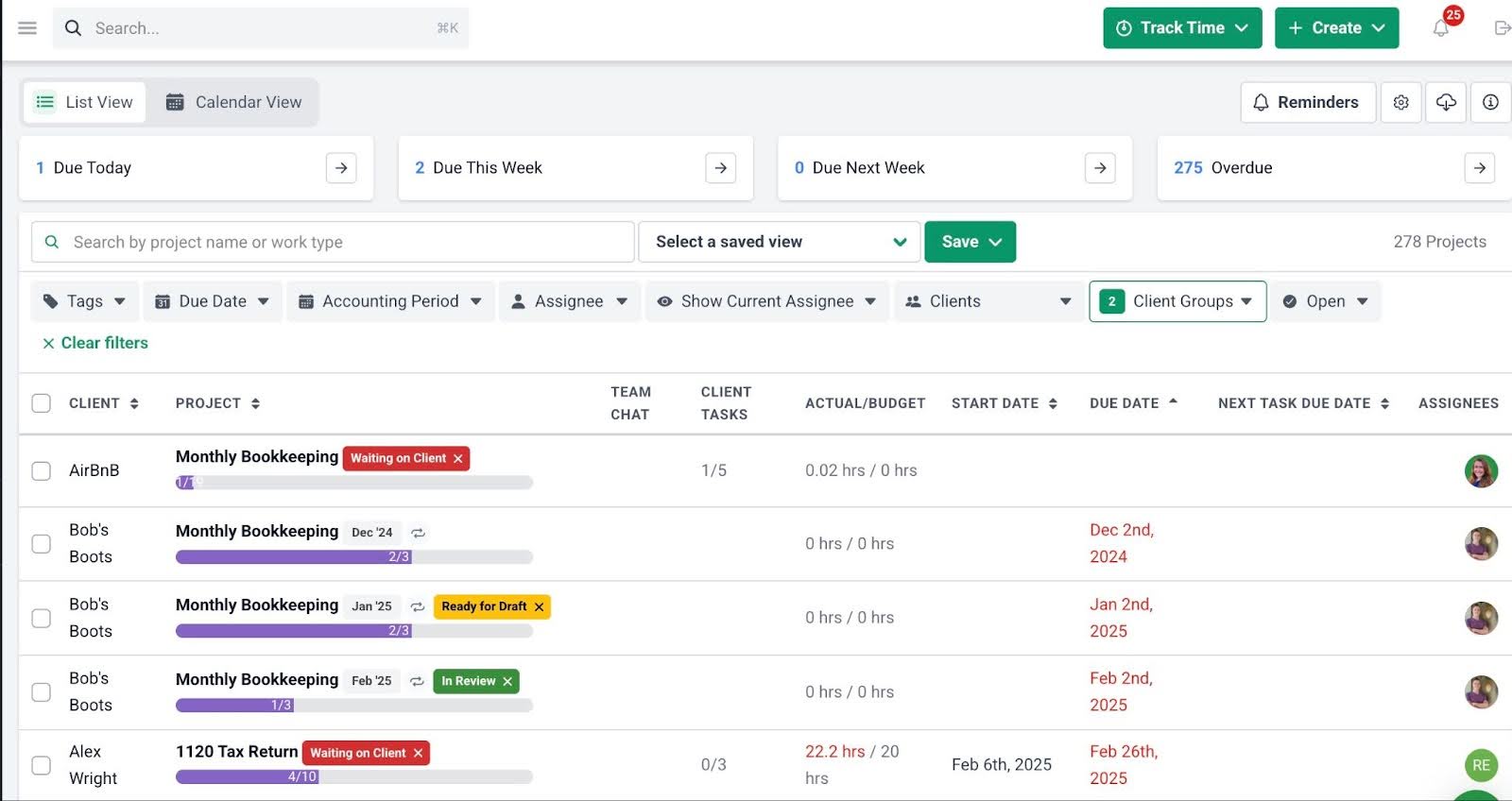
- Workflow filters: Displays work by client, employee, or tag, so you can instantly see exactly what matters in your dashboard.
- Workflow templates: Best practice templates standardize your processes to ensure consistency.
- Recurring work: Automatically recreate recurring tasks so monthly bookkeeping runs without manual setup.
- Client requests and reminders: send client requests and automated reminders to keep projects moving without manual follow-ups.
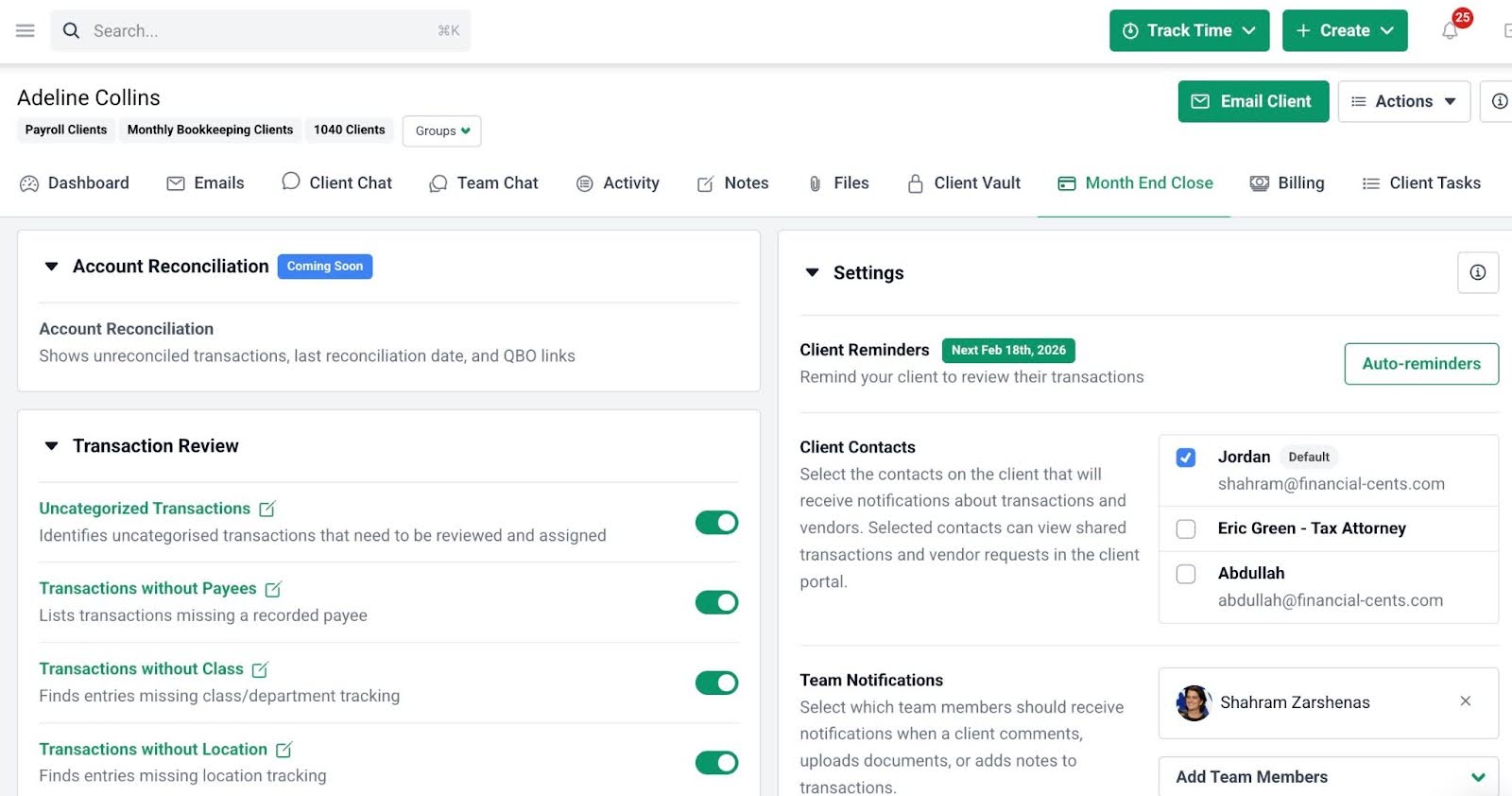
Month-End Close
- Transaction review: Identify questionable transactions, uncategorized transactions, collaborate with clients to resolve them, and sync approved changes directly back to QuickBooks Online.
- 1099 and W-9 preparation reports: Automatically pull vendor data from QuickBooks Online to identify reportable vendors, manage W-9 requests, and keep vendor records.
Team Collaboration
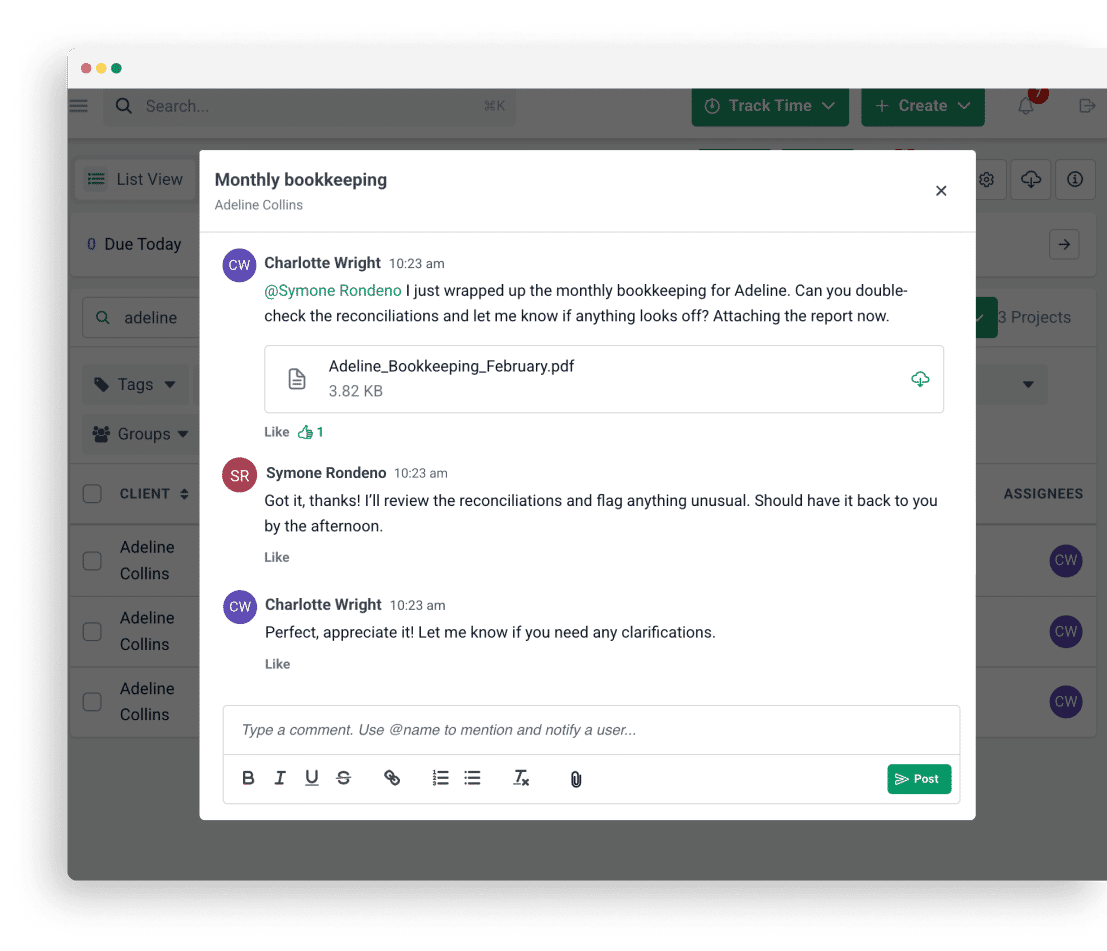
- @mentions: Tag team members directly within work or emails to keep conversations organized.
- File sharing: Share documents instantly during collaboration so everyone uses the latest file version.
- Shared inbox: Centralize client emails in a shared inbox, so nothing gets overlooked.
CRM and Client Portal
- Custom fields: Create custom client data fields for deeper segmentation.
- Client Vault: Store sensitive client credentials in an encrypted vault.
- Client profile: provides a snapshot of each client with their contact and other detailed information.
- Passwordless portal: Provide secure client access without the stress of managing passwords.
- Client requests: Request client information in a structured list to speed up responses.
- Auto-reminders: Automatically remind clients about pending requests to eliminate manual follow-ups.
- Folder sharing: Securely share files with clients in one convenient location.
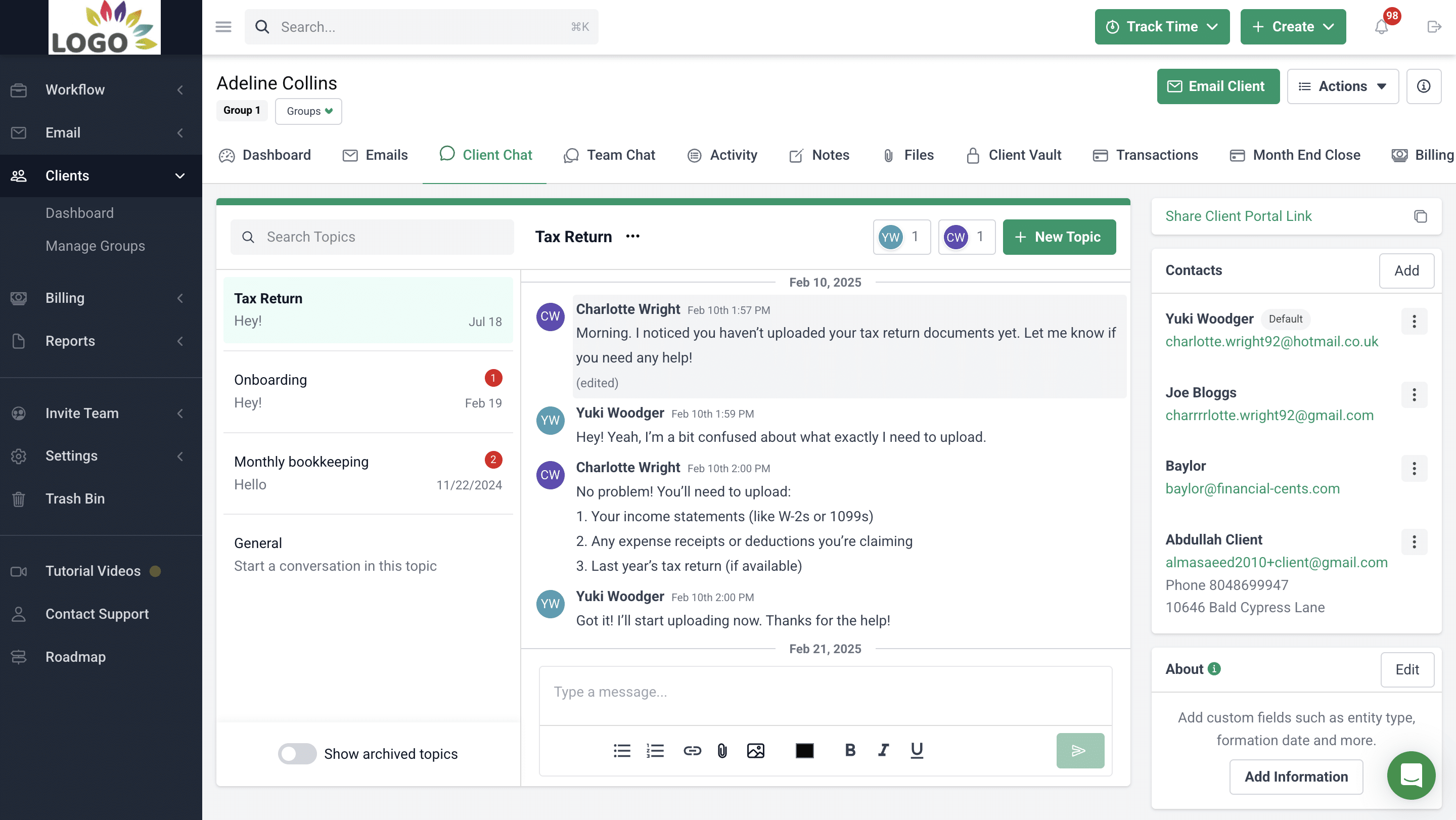
- Client Chat: Keep all client conversations centralized and organized into topics.
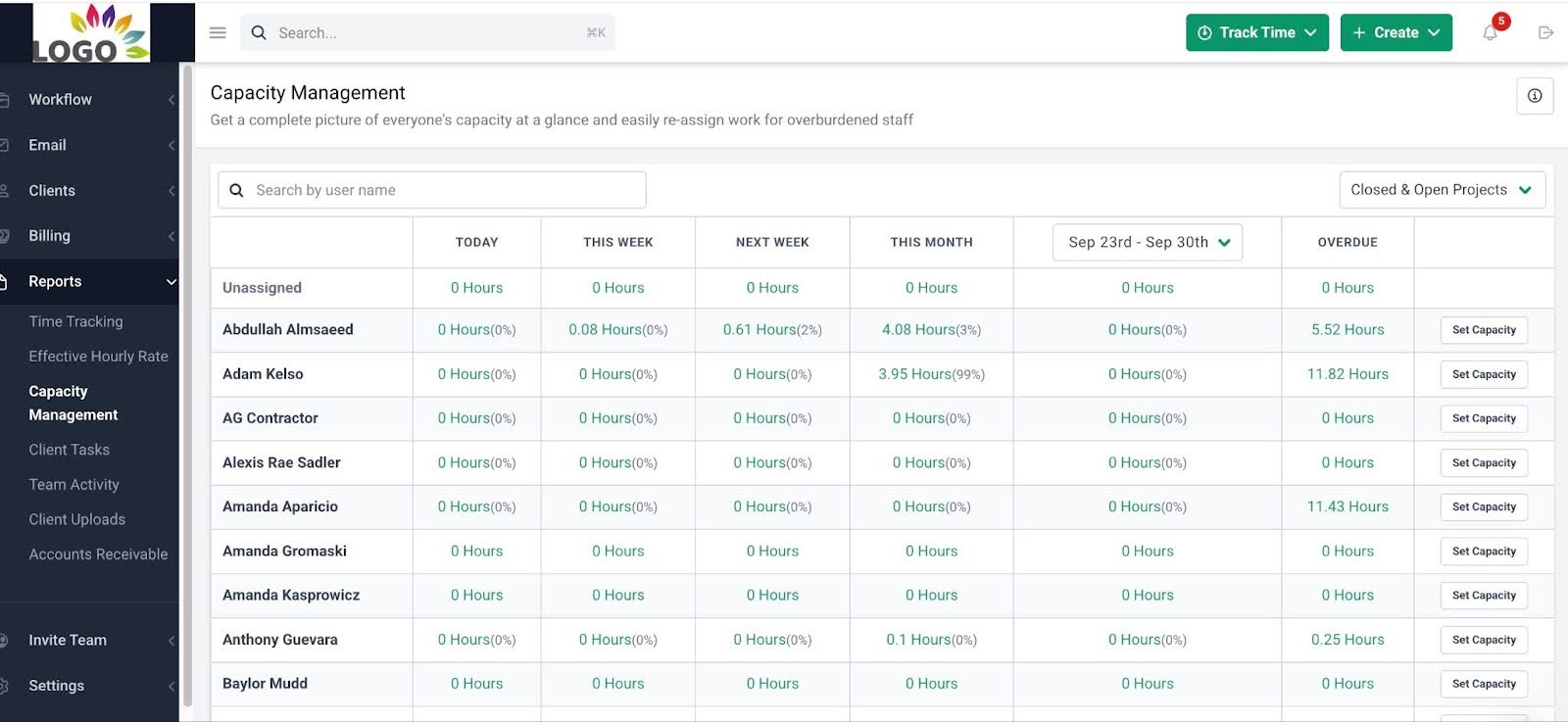
Capacity Management
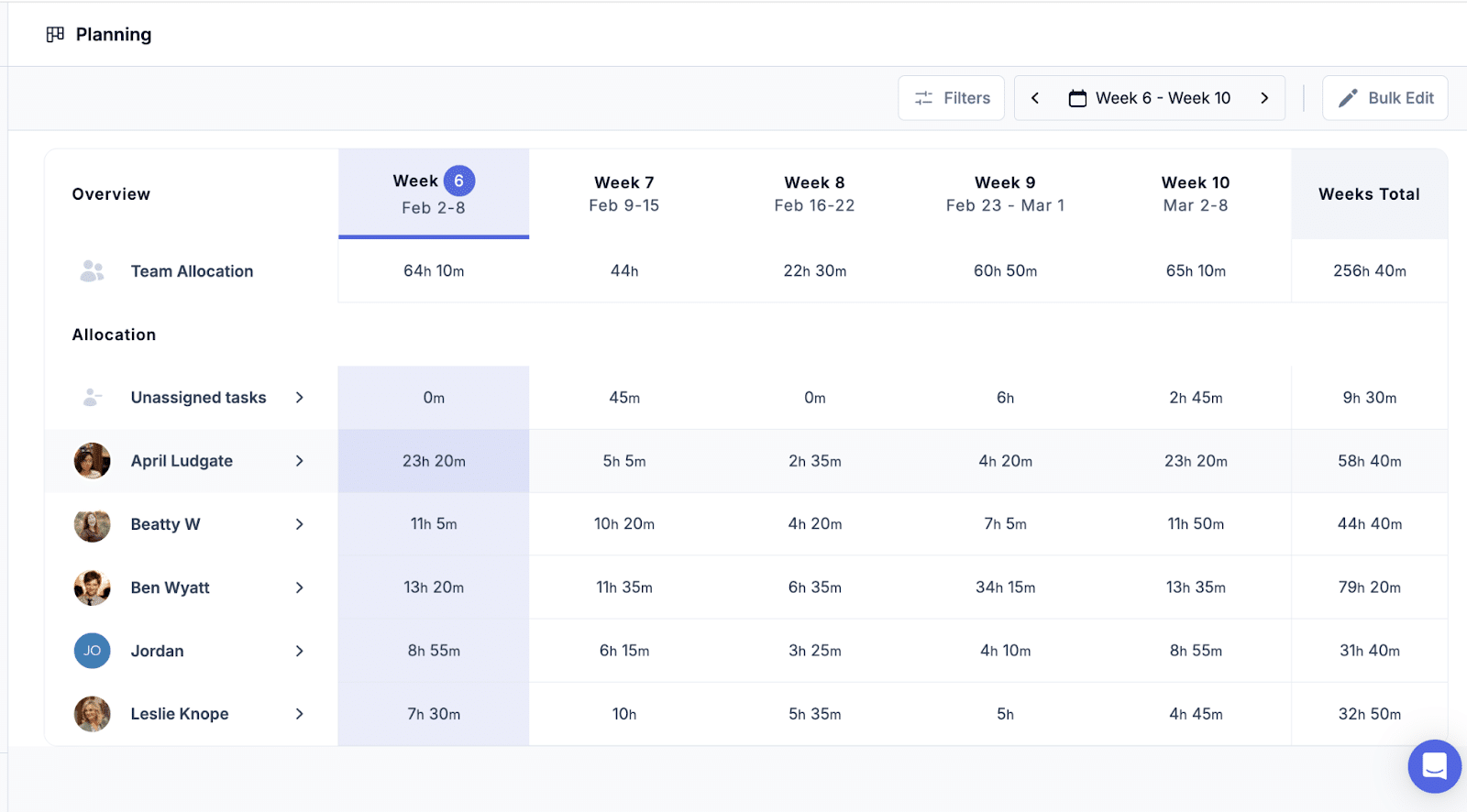
- Capacity dashboard: See your team’s workload at a glance to identify who is overloaded and who has room for more work.
- Workload forecasting: Use historical data to predict future workload trends and make timely hiring decisions.
- Task reassignment: Quickly rebalance workloads by moving tasks from one team member to another.
- Automated task assignments: Automatically distribute tasks to team members based on capacity.
- Custom workload views: Filter workloads by team member, project, or deadline to get a clear operational snapshot.
Document Management
- DMS integrations: Integrate with your existing document management system to auto-create folders.
- Document organization: Organize files into structured folders and subfolders for accessibility.
- Document Search: Find documents instantly with a keyword search to save time.
- Real-time notifications: Receive instant alerts when clients or team members take document-related actions.
Email Integration
- Focused client inbox: a dedicated client inbox that separates work-related emails from the others.
- Pin emails to work: Attach important email conversations to projects to maintain context.
- Email audit trail: Maintain a complete record of firm-client communication for accountability and clarity.
- 2-way sync: Send, read, and archive Gmail and Outlook emails from inside Financial Cents.
Time Tracking
- Start/stop timer: Track time effortlessly in the background so your team stays focused on getting work done.
- Manual entries: Log time manually when needed.
- Time budgets: Set time expectations for client work to identify when projects exceed scope.
Budget & Reporting Features
- Realization reports: Identify your most profitable clients and services to optimize pricing.
- Time tracking reports: Understand where your team’s time goes.
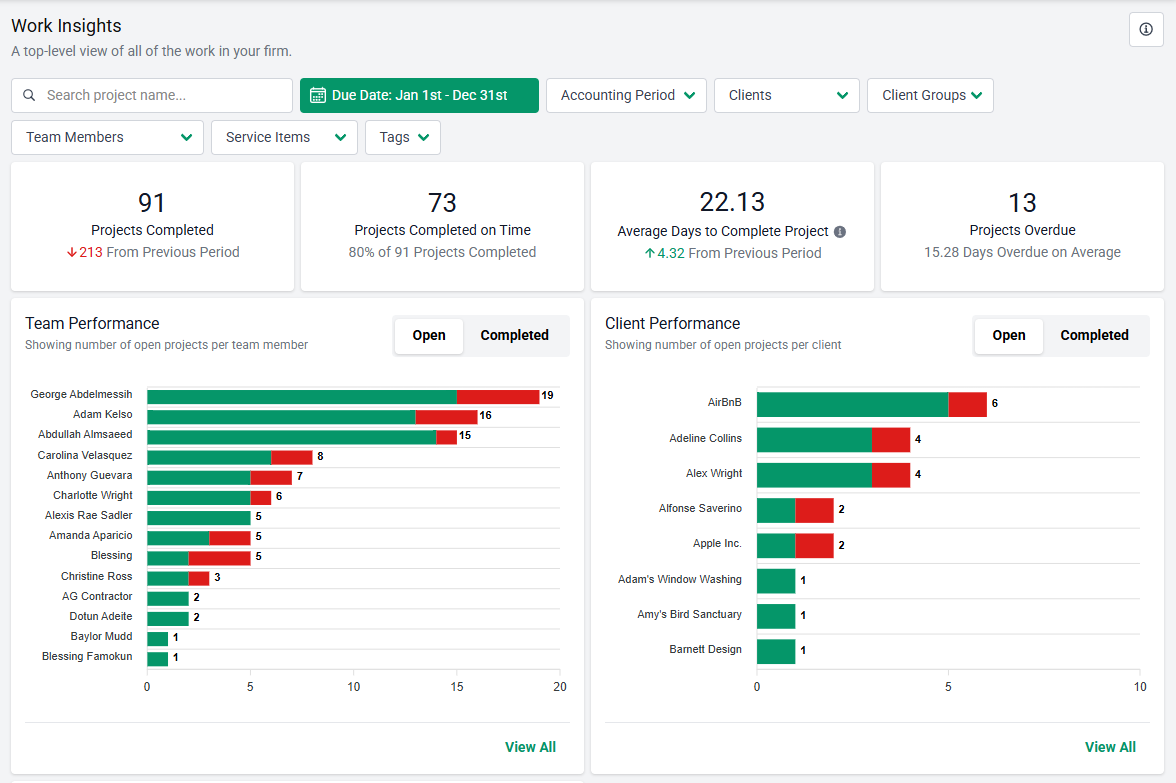
- Work Insights report: Identify workflow bottlenecks to improve efficiency.
- Revenue Insights: Tracks revenue metrics to show you which services are generating the most income.
- Utilization reports: Ensure your team’s time is used effectively across clients and services.
Billing & Payments Features
- Recurring & one-time invoices: Automate recurring and one-time invoices to reduce admin time.
- QuickBooks Online sync: Automatically sync invoices and payments with QuickBooks Online for accurate reporting.
- Pass card fees to clients: Offset processing fees to protect margins instantly.
- Automated payments: Collect payments automatically to improve cash flow.
Proposals & Engagement Letters
- Proposals: Modern proposals that make closing deals easier.
- Engagement letters: Legally binding engagement letters that protect your firm.
- Auto reminders: Nudge clients to sign proposals without manual efforts.
- Packages: Bundle complementary services into attractive packages to increase revenue.
- Optional upsells: Add upsell options directly within proposals.
Best Suited For:
Small to mid-sized bookkeeping firms and client accounting service teams that need an all-in-one tool to ensure operational consistency and visibility.
Pricing
Financial Cents uses a tiered per-user pricing model:
- Solo: $19/month (Billed annually)
- Team: $49/month per user (Billed annually)
- Scale: $69/month per user (Billed annually)
- Enterprise: Custom pricing
Pros
|
Cons
|
Reviews
Users rate Financial Cents:
Book a demo or start a free trial with Financial Cents to see how structured workflows can transform your bookkeeping operations.
2. Double
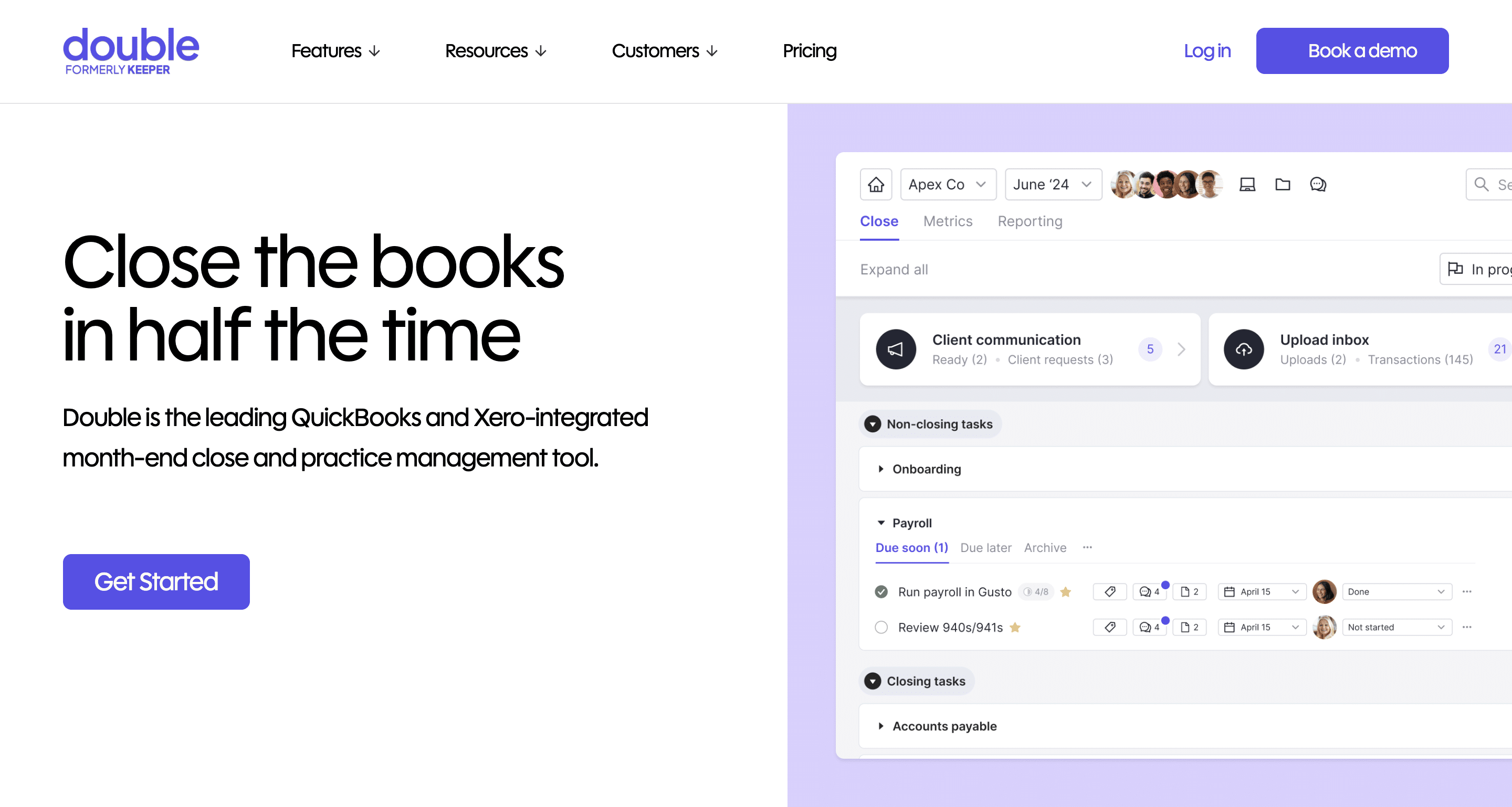
Double is primarily a bookkeeping practice management tool for tracking month-end tasks and automating manual processes.
Its bookkeeping features centralize recurring workflows and client communication, and enhance month-end closes while integrating seamlessly with the tools related to bookkeeping work (such as QuickBooks Online and Xero).
Some of Double’s features and what they do/how they work:
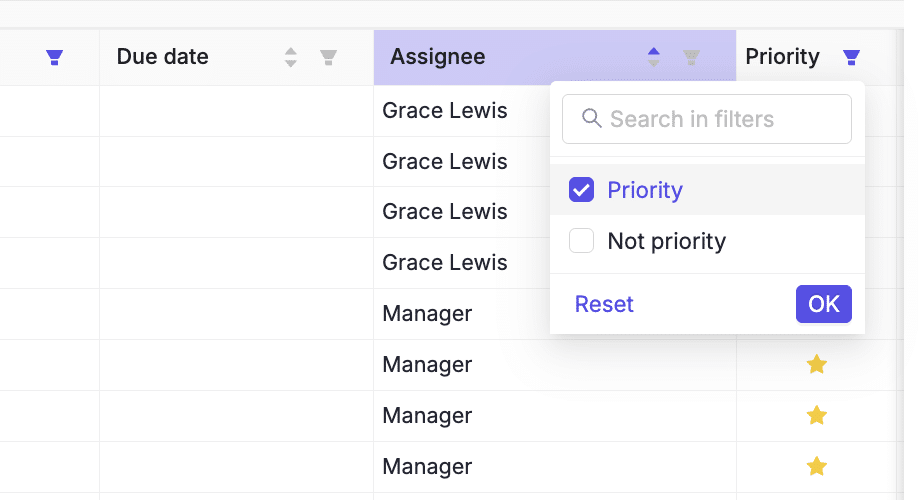
- File review and closing: Flags miscoded transactions to speed up month-end close (with real-time two-way sync to QuickBooks Online and Xero).
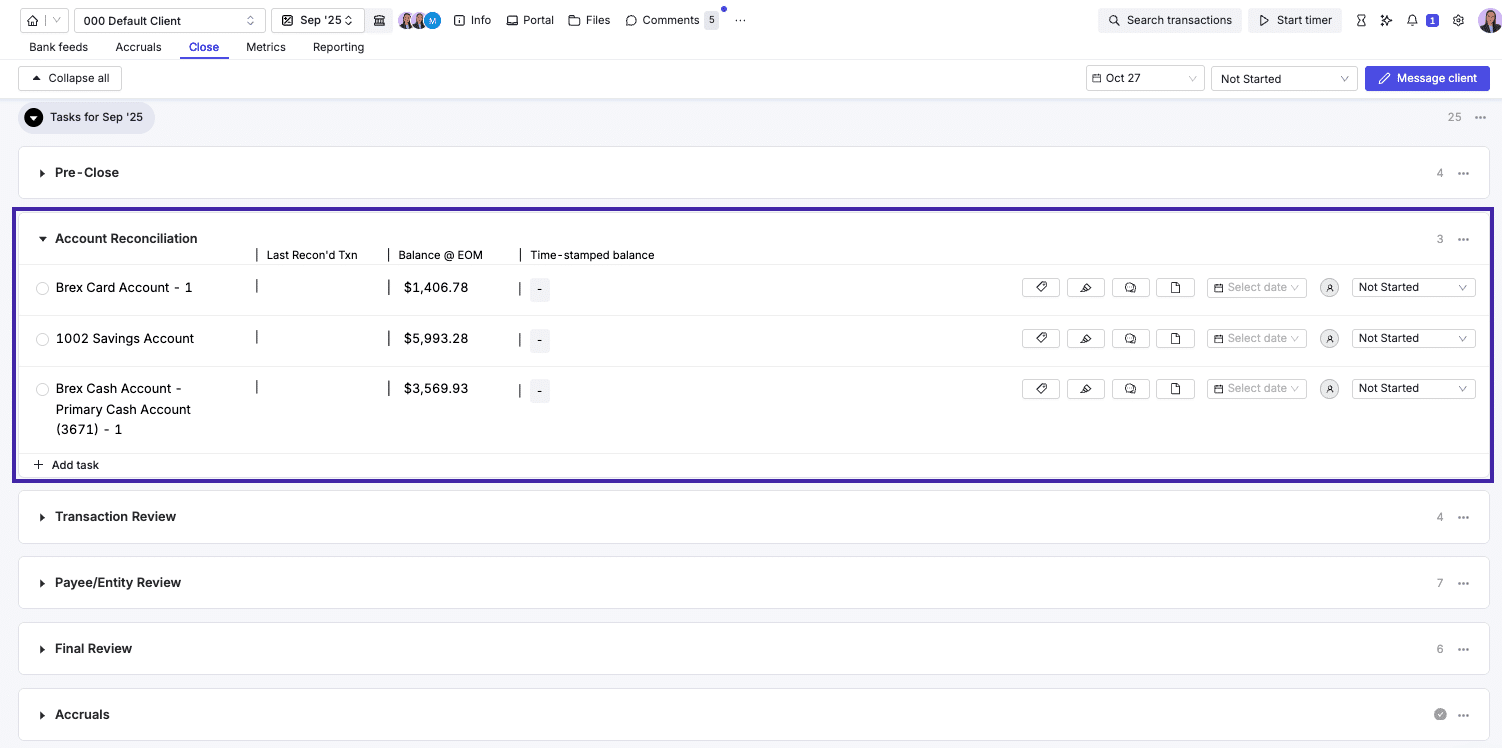
- Management reporting: Creates client-ready financial reports and KPI summaries in just a few clicks.
- Client communication: Centralizes client chats, transaction comments, and automated reminders in one secure platform.
- Workflow management: Provides task management and automated workflow templates to organize and track teamwork.
- Client relationship management (CRM): Stores all client information in one dashboard with visibility into close status, open items, and assigned staff.
- Document management: Uses AI-assisted data extraction to request, store, and process client documents.
Best Suited For:
Bookkeeping and CAS firms that need faster reconciliations and client collaboration directly tied to the books.
Pricing
Double uses a per-client pricing model:
- Core: $10/month per client
- Plus: $25/month per client
- Scale: $50/month per client
Pros
|
Cons
|
Reviews
Users rate Double:
3. Xenett
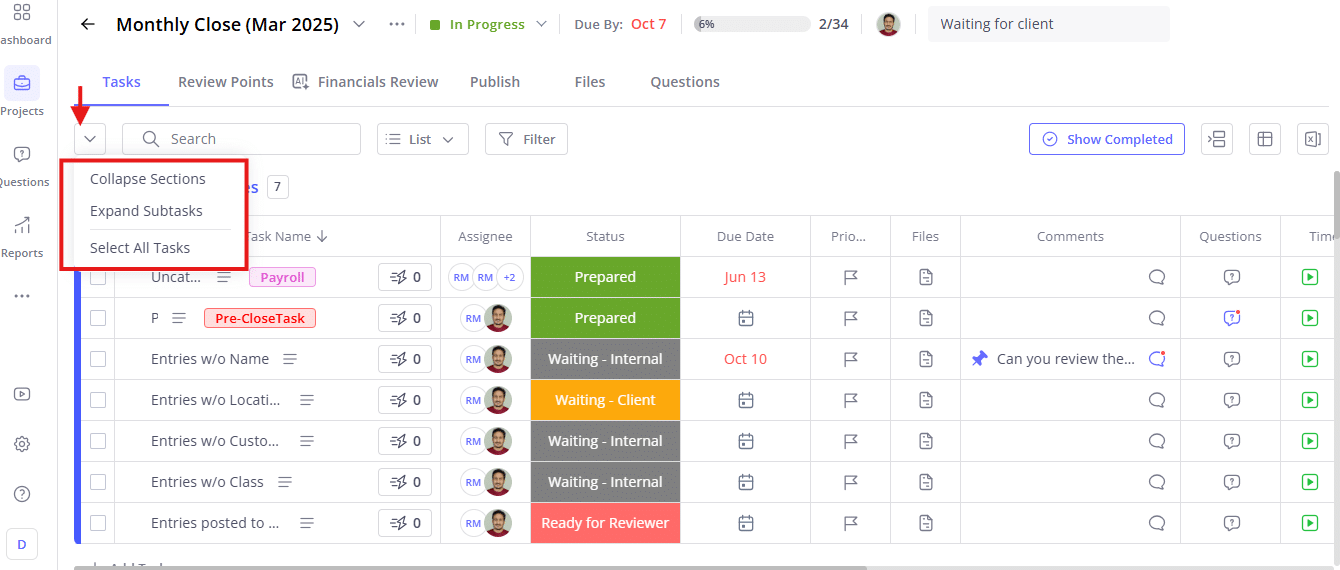
Xenett is a financial close management platform with an emphasis on automated reviews and error detection that ensures clean books faster.
Its automations help bookkeeping teams to identify inconsistencies and prevent issues from becoming problems.
Some of Xenett’s features and what they do/how they work:
- AI-powered task + month-end automation: Streamlines close workflows with automated task creation and intelligent review prompts.
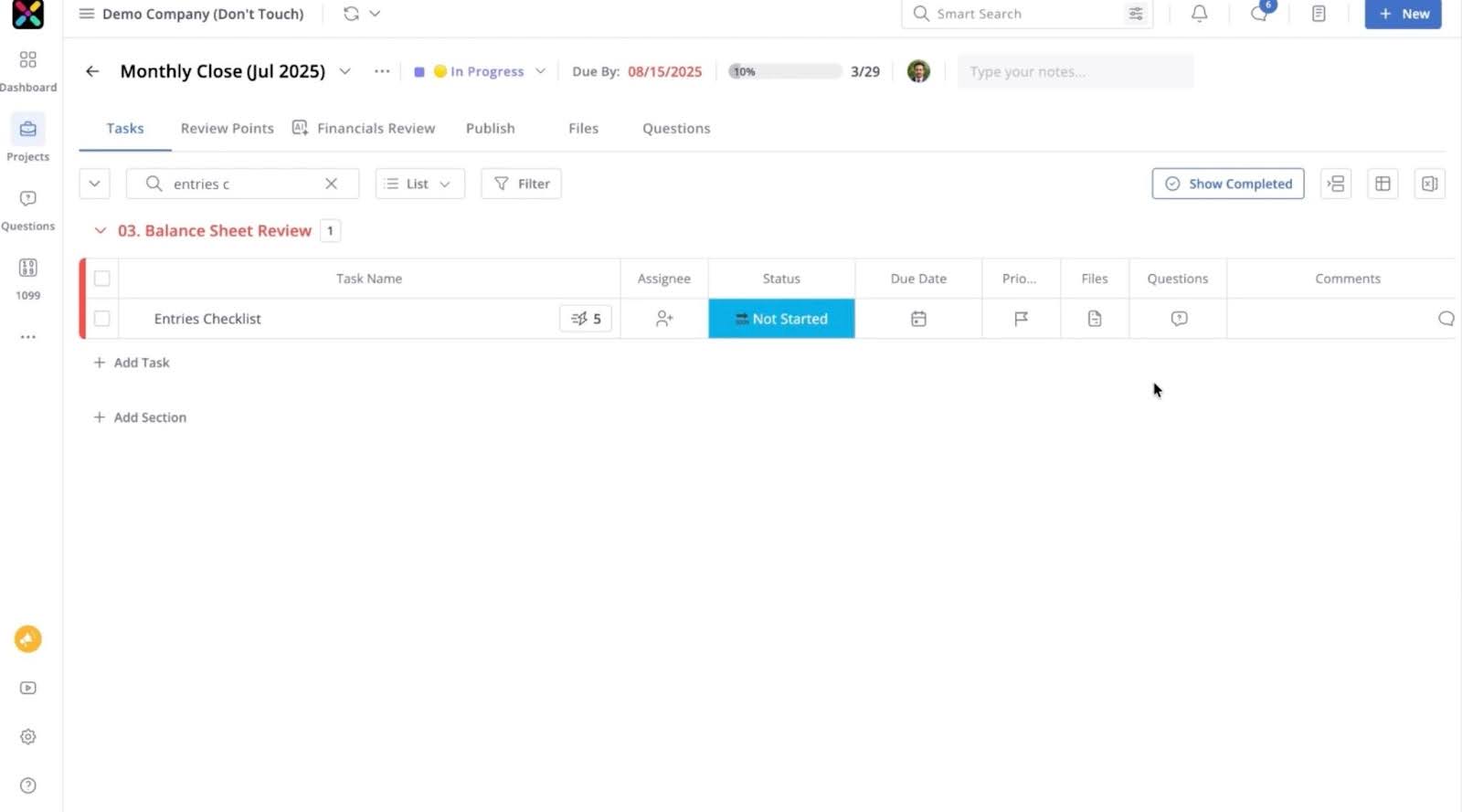
- Client & team collaboration built in: Enables shared visibility and communication around flagged issues and review items.
- 50+ AI-powered data checks: Automatically detect misclassifications, duplicates, and data inconsistencies.
- Prepaid expense automation: Automates amortization schedules for prepaid expenses.
- Real-time transaction review & cleanup: Continuously monitors and flags transaction issues to keep books clean.
- Seamless integration with QuickBooks and Xero: Syncs directly with QBO and Xero to ensure data stays aligned across systems.
Best Suited For:
Accounting and bookkeeping teams that prioritize accuracy and quality controls. Its AI features ensure transaction data is accurate before it shows up in reports.
Pricing
Xenett uses a feature-based pricing model:
- AI Financials Review: $7.5/month per client
- Workflow Plan: $10/month per client
- Enterprise: Custom pricing
Pros
|
Cons
|
Reviews
Xenett doesn’t have sufficient reviews on Capterra or G2 to be displayed here.
4. Client Hub
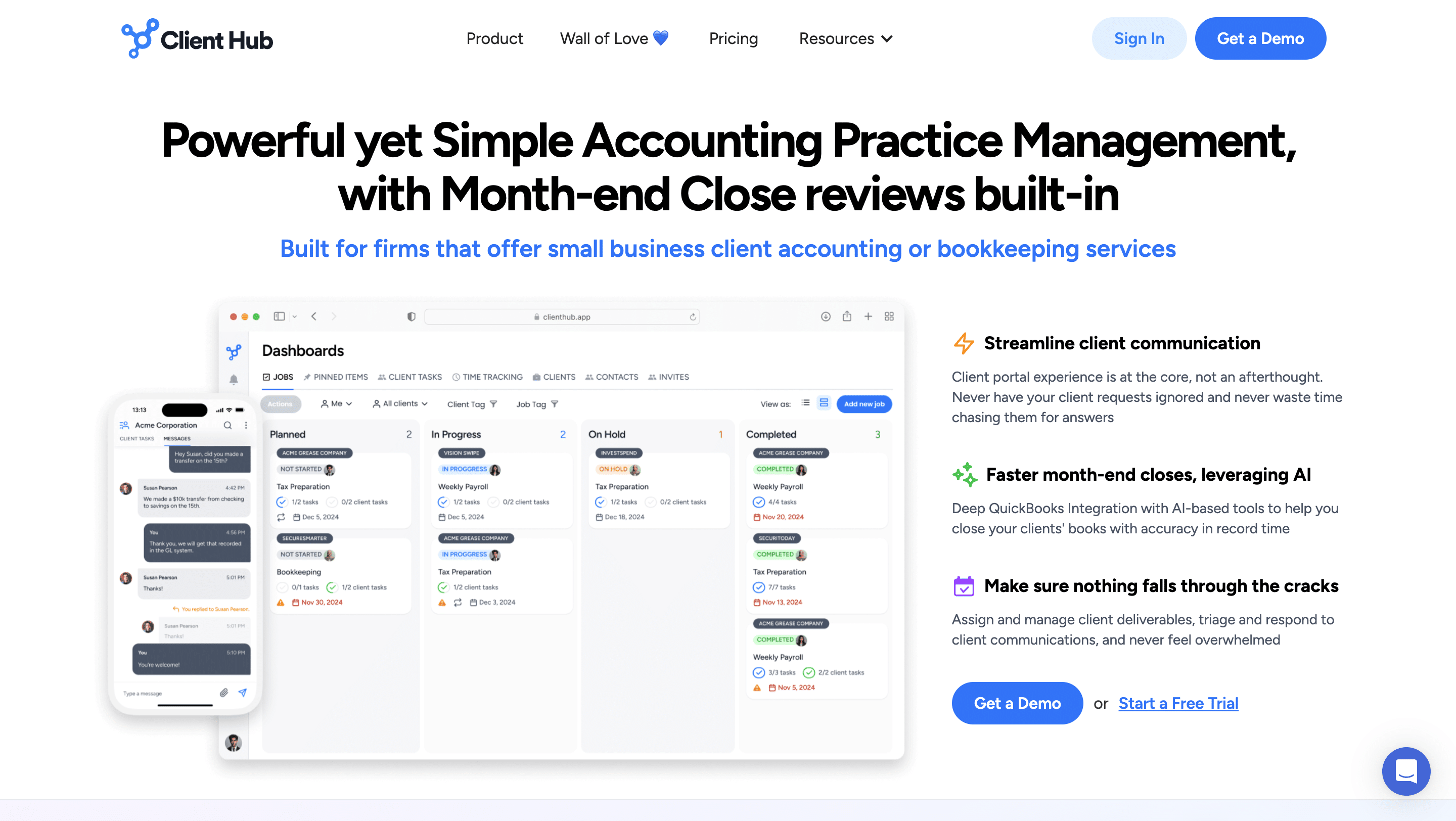
Client Hub is an AI-enhanced practice management platform combining client portals with deep bookkeeping workflows for bookkeeping firms.
Its combination of client portal, workflow tracking, and document management, along with bookkeeping workflows, enhances key bookkeeping processes like month-end close.
Some of Client Hub’s features and what they do/how they work:
- Jobs Panel: Get a centralized view of all active client jobs.
- Task Checklist: Break jobs into actionable steps for consistent delivery.
- Recurring Jobs: Automate repeat work so monthly services stay on schedule.
- Client Tasks: Send structured requests that make it easy for clients to respond.
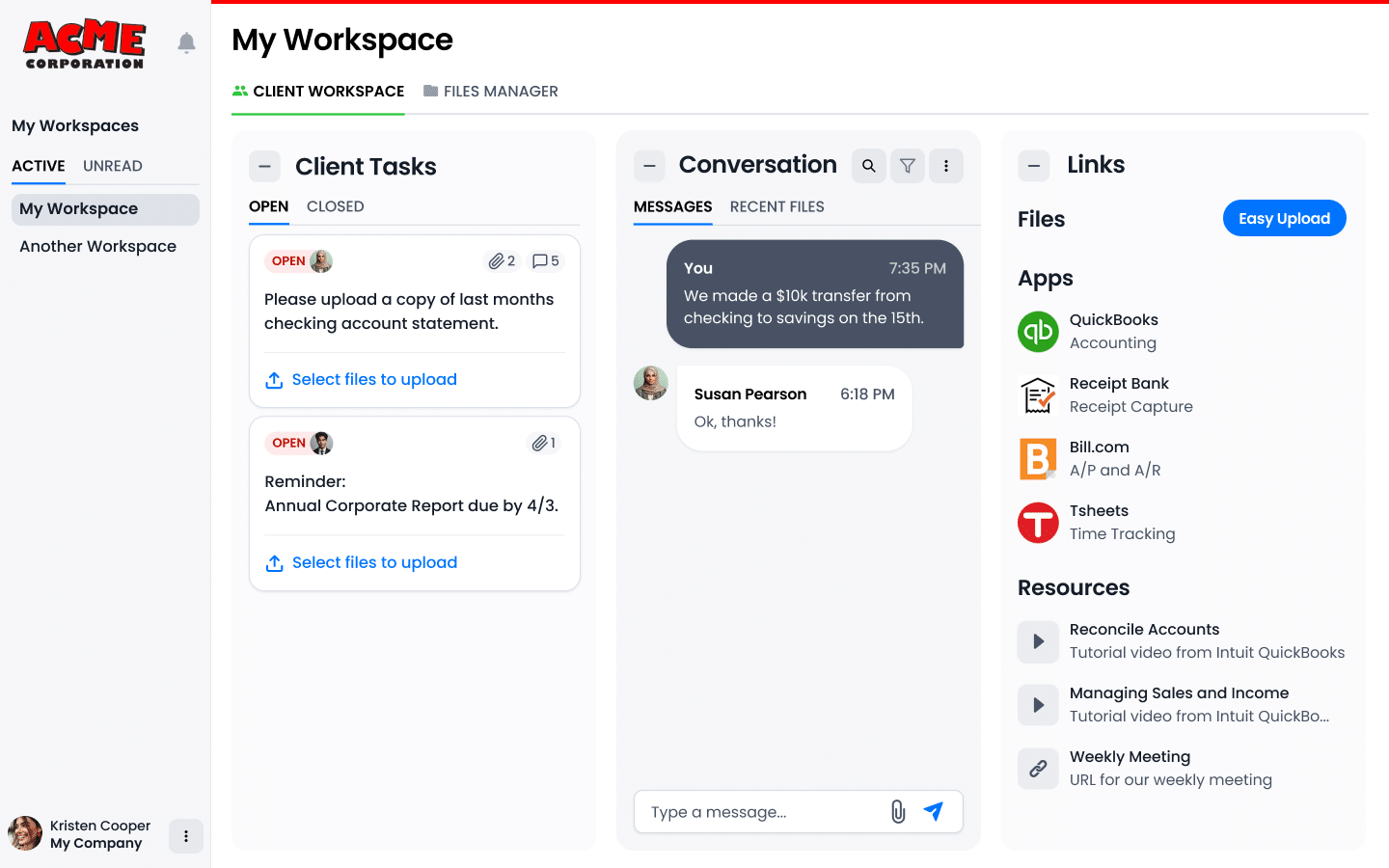
- Messages: Communicate with clients in a centralized, chat-style format.
- Email Inbox: Manage client emails without switching platforms.
- Magic Replies: Use smart reply suggestions to respond faster.
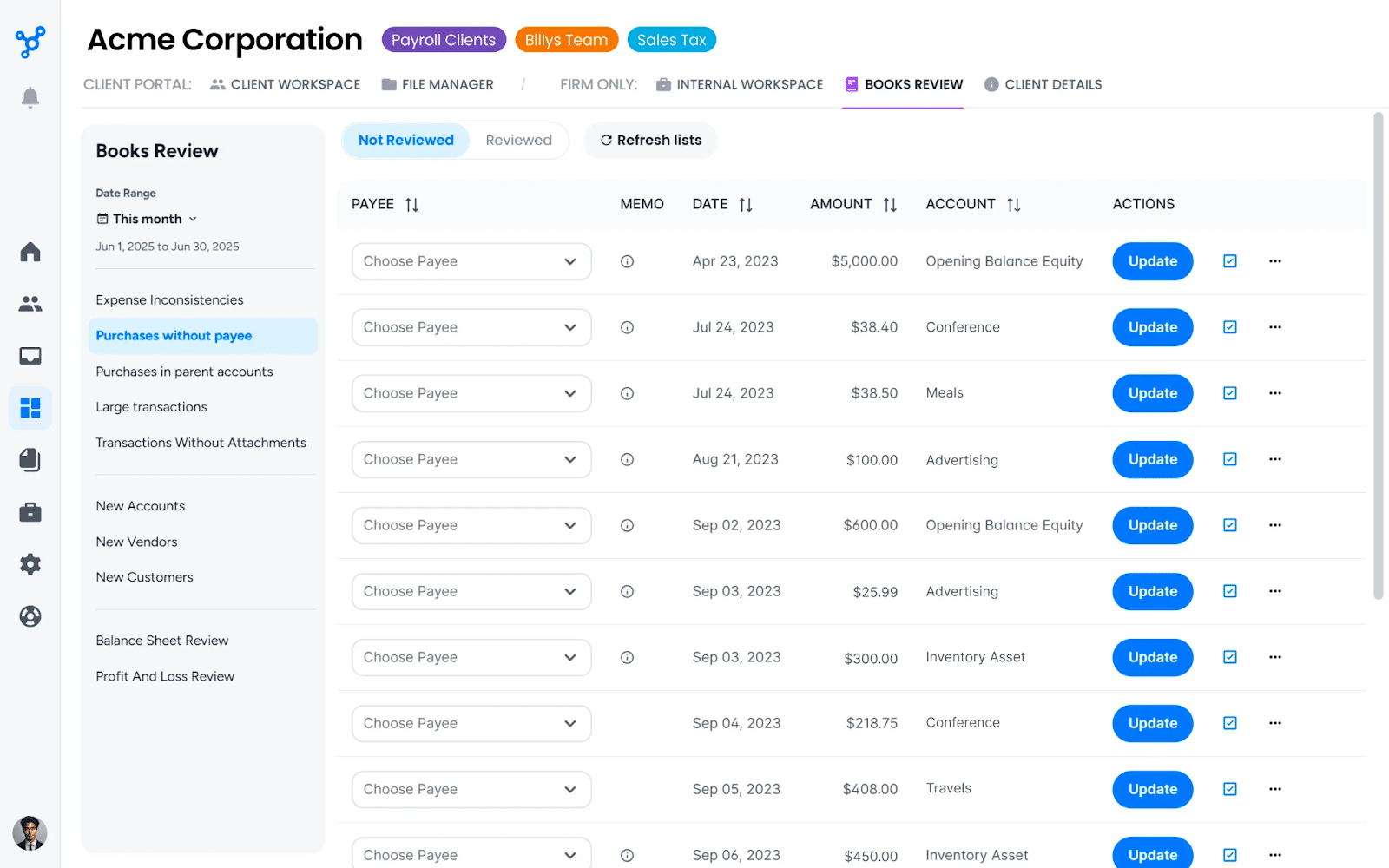
- Book Review: Review client books collaboratively within the platform.
- Uncategorized Expenses: Help clients quickly resolve unclassified transactions.
- QuickBooks Integration: Allow clients to resolve uncategorized expenses directly from QBO.
Best Suited For:
Bookkeeping and client accounting firms that prioritize client collaboration and automated month-end support. Its features are built around connecting clients, teams, and recurring workflows in one place.
Pricing
Client Hub uses a per-user pricing model:
- Solopreneur: $49 per month
- Practice Manager: $59/month per firm user
- Practice Manager: $79/month per firm user
Pros
|
Cons
|
Reviews
Users rate Client Hub:
4.7/7 on Capterra
5/5 on G2
5. Karbon
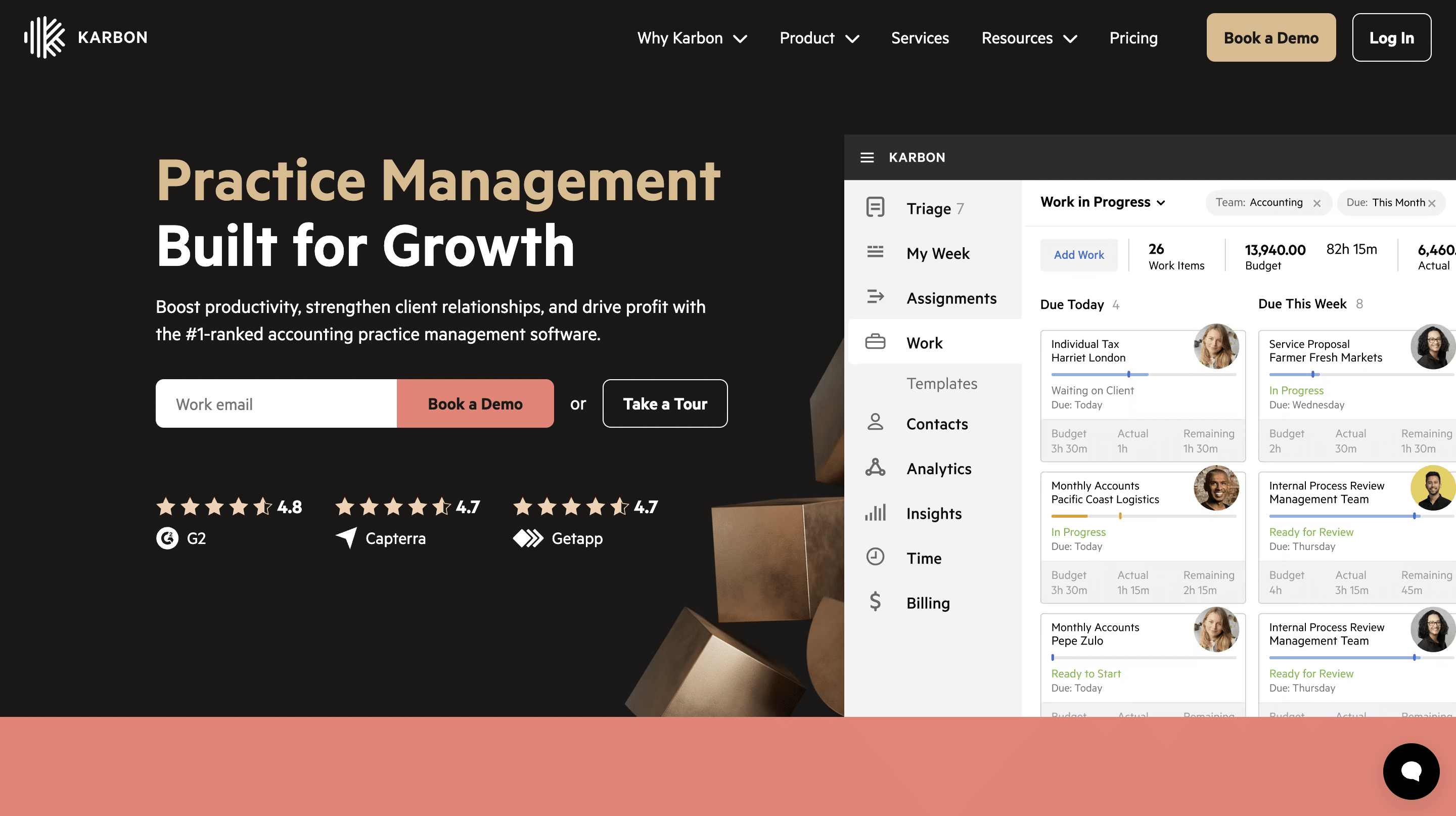
Karbon is apractice management platform built for accounting and tax firms, but some of its features make it adaptable for bookkeeping.
It enhances collaboration and streamlines workflows to help accounting and bookkeeping firms meet their client deadlines more efficiently.
Some of Karbon’s features and what they do/how they work:
- Work Templates: Standardize recurring processes with customizable templates.
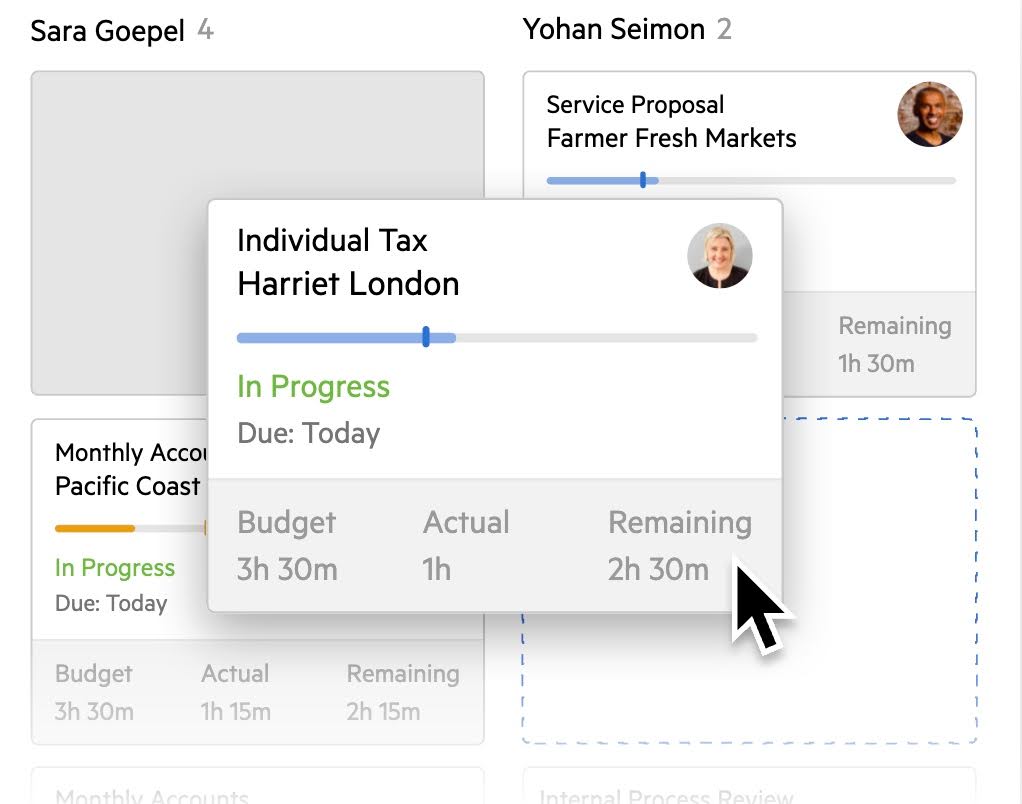
- My Week: Organize tasks, emails, and priorities into a focused weekly action plan.
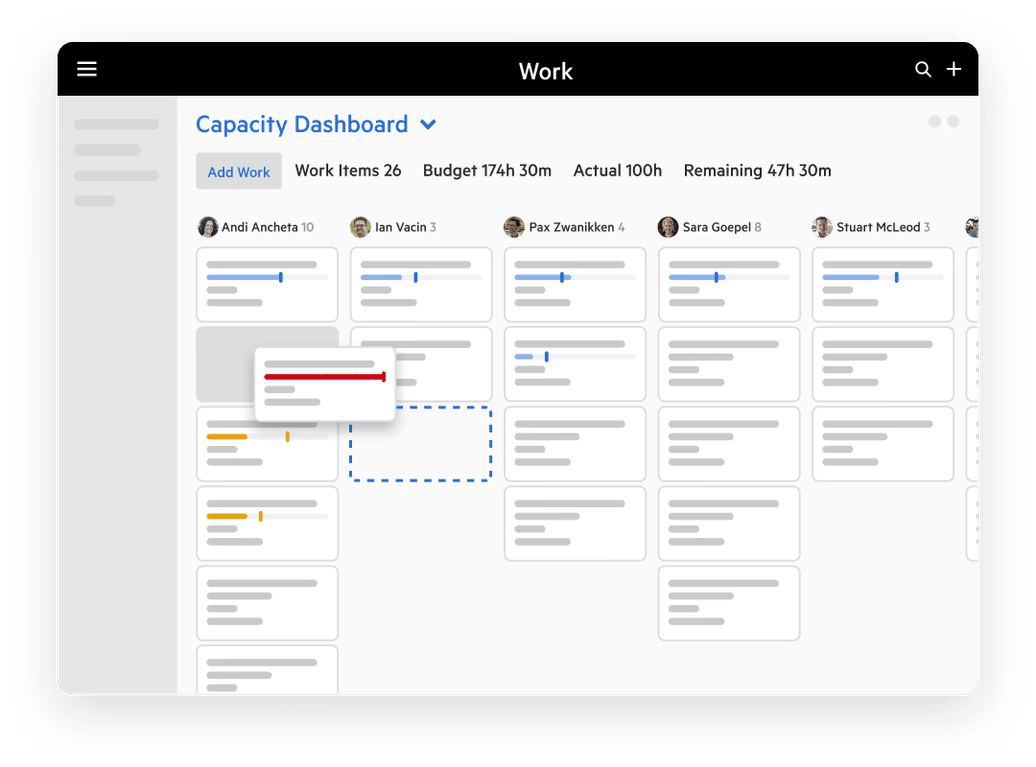
- Work Scheduler: Automate recurring work so projects repeat on schedule without manual setup.
- Automators: Create task dependencies and logical workflows to streamline complex processes.
- Integrated Email: Centralize all client emails within Karbon to eliminate inbox silos.
- Client Portal: Collaborate with clients through shared tasks, document exchange, and streamlined communication.
- Custom Fields: Track additional client data tailored to your firm’s needs.
- Auto-Reminders: Automatically follow up with clients on outstanding tasks to reduce manual chasing.
- Integrated AI & Smart Suggestions: Leverage AI-powered summaries, suggestions, and smart assignments to work faster and reduce manual effort.
- Third-Party Integrations: Sync Karbon with external systems to keep data consistent across your tech stack.
Best Suited For
Mid-sized to larger firms offering both tax and bookkeeping, and needing operational complexity, cross-service coordination, and team scalability, rather than just recurring bookkeeping tasks.
Pricing
Karbon uses a per-user pricing model:
- Team: $59/month, per user
- Business: $89/month, per user
- Enterprise: Custom Pricing
Pros
|
Cons
|
Reviews
Users rate Karbon:
5. UnCat
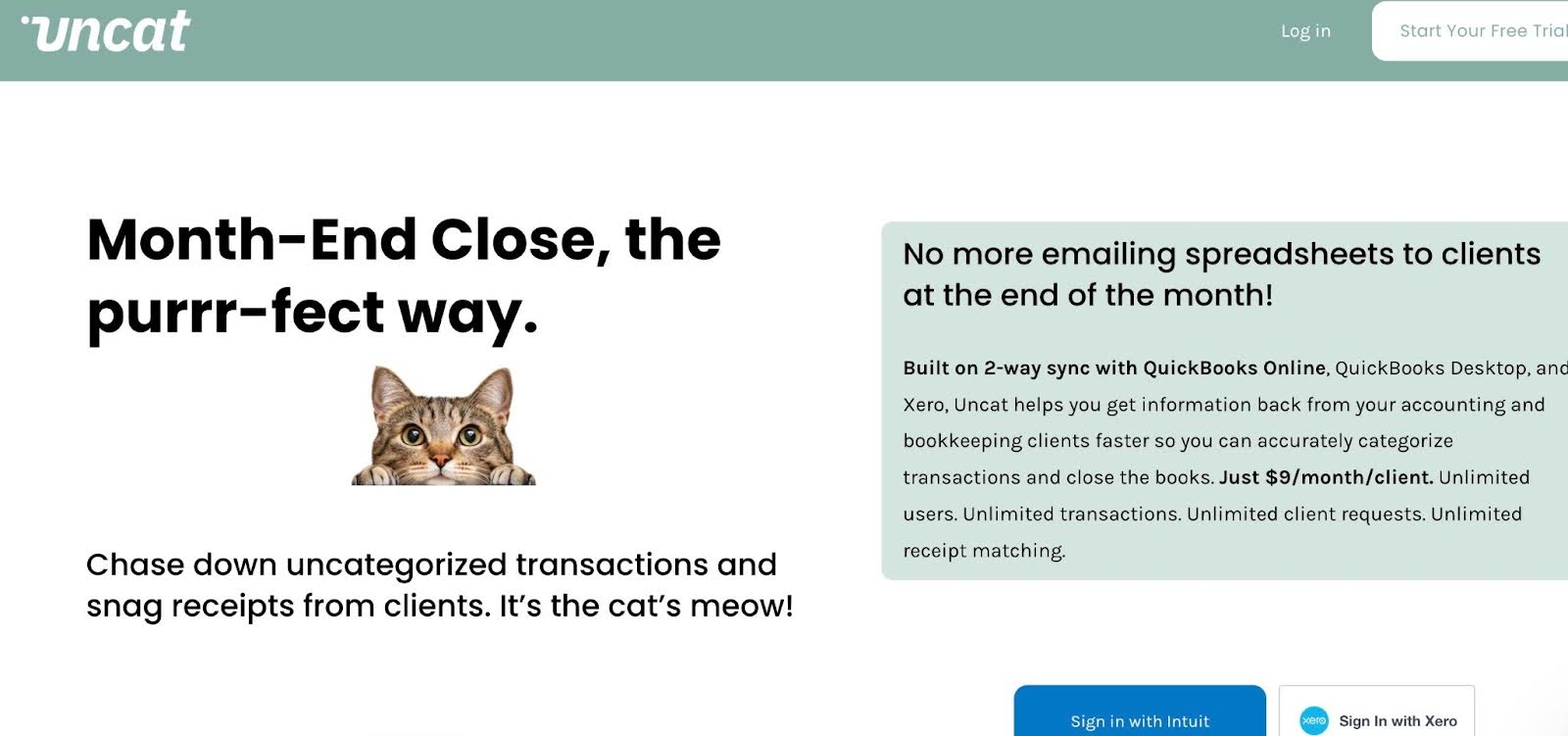
Uncat is a transaction categorization and cleanup tool that supports bookkeeping efficiency.
It is designed to help bookkeeping firms pull uncategorized or unclear transactions from a client’s books and send questions to the client for clarification.
Some of Uncat’s features and what they do/how they work:
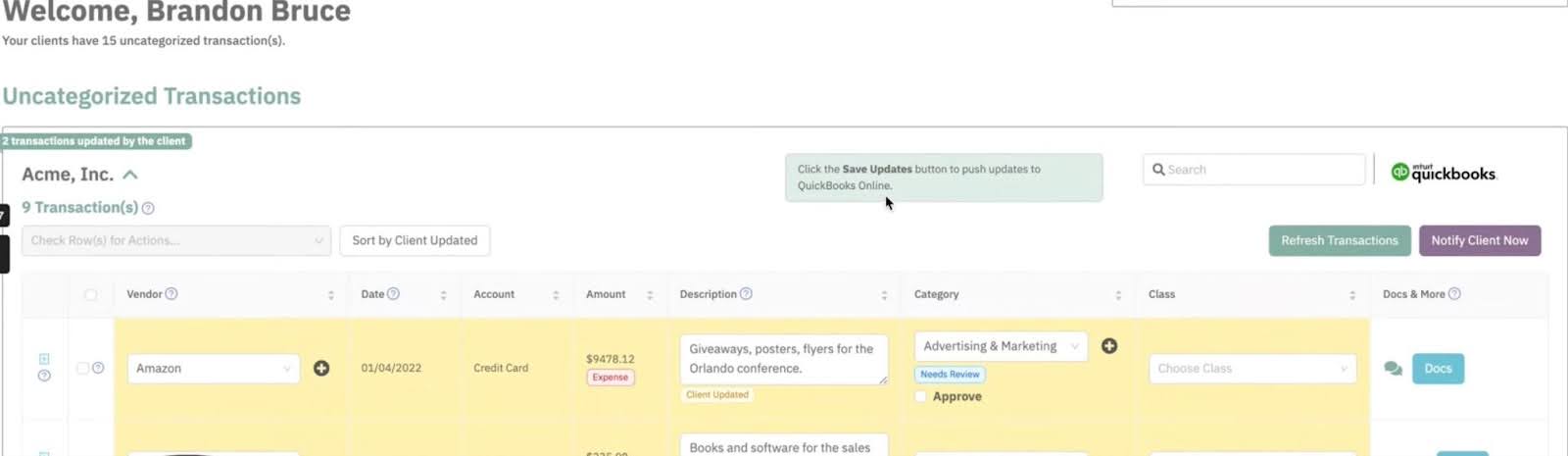
- Transaction Clarification Requests: Automatically identify uncategorized or questionable transactions and send structured clarification requests to clients.
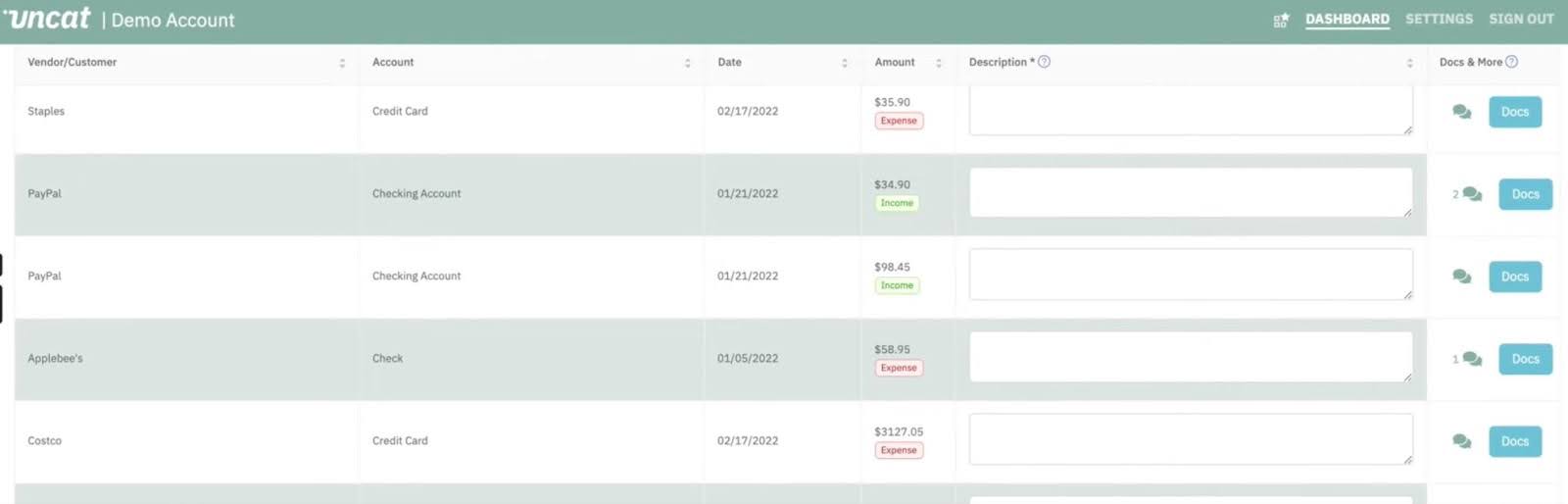
- Client-Friendly Questionnaires: Allow clients to answer transaction questions in a guided format without logging into complex accounting systems.
- Audit Trail: Maintain a documented history of client responses and categorization decisions for compliance and future reference.
- Automated Follow-Ups: Send reminders to clients for unanswered questions to reduce back-and-forth.
- Bulk Categorization: Apply client-approved categorizations across similar transactions to save time during cleanup.
- Team Collaboration: Assign and track transaction questions internally to ensure accountability and timely resolution.
Best Suited For
Bookkeeping firms are doing high-volume cleanup or catch-up work and need help with uncategorized transactions and client follow-ups.
Pricing
Uncat uses a per-client pricing model:
- $9/month per client
Pros
|
Cons
|
Reviews
Users rate Uncat 4.7/5 on Capterra on G2
7. Jetpack Workflow
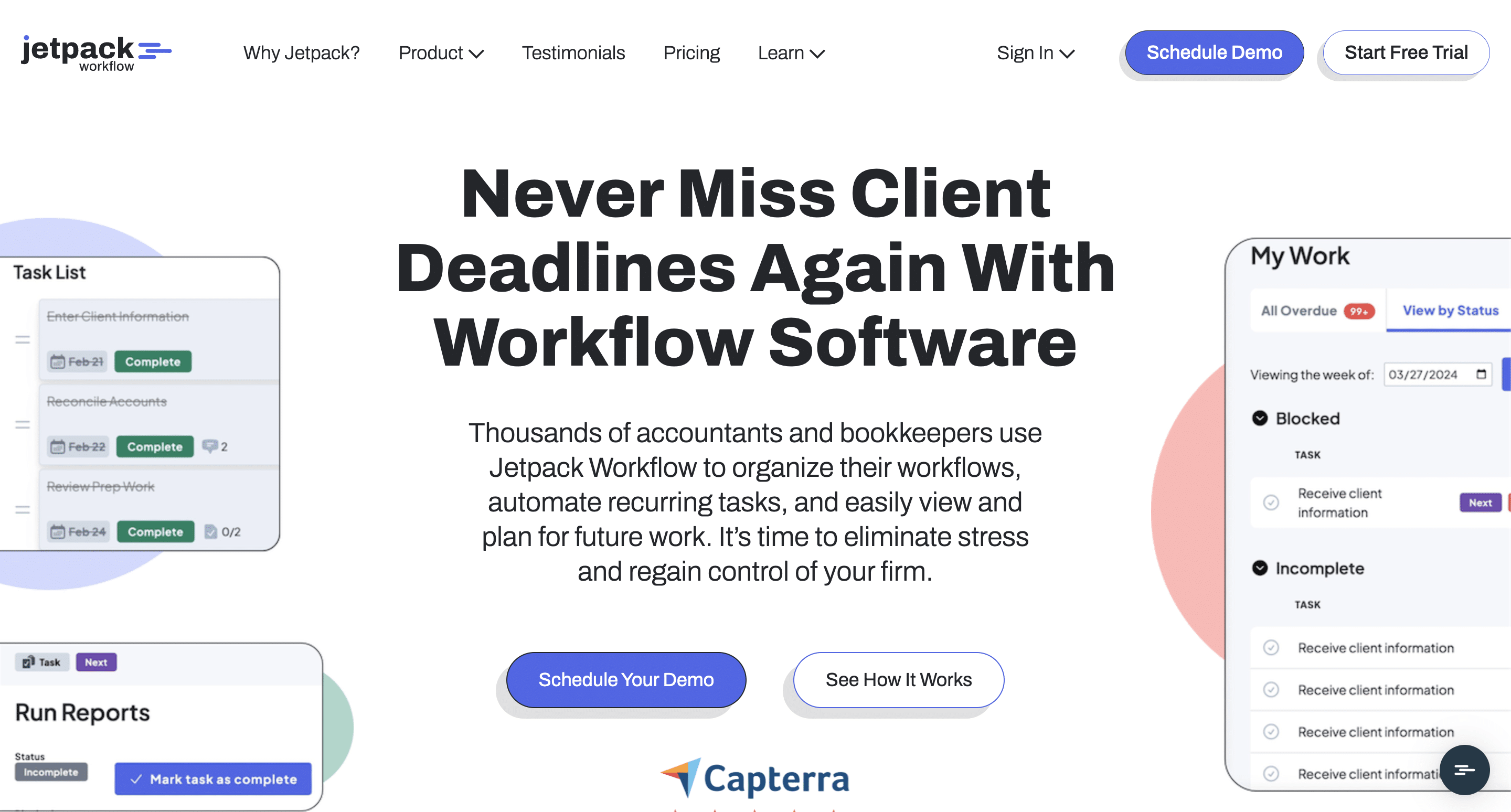
Jetpack Workflow is a workflow tracking tool that allows bookkeeping teams to standardize their processes and meet deadlines.
It is primarily an internal workflow tool and does not operate directly inside accounting files like QuickBooks or Xero for transaction review.
Some of Jetpack Workflow’s features and what they do/how they work:
- Job Templates: Create repeatable workflow templates for monthly bookkeeping, payroll, and compliance tasks to ensure consistency.
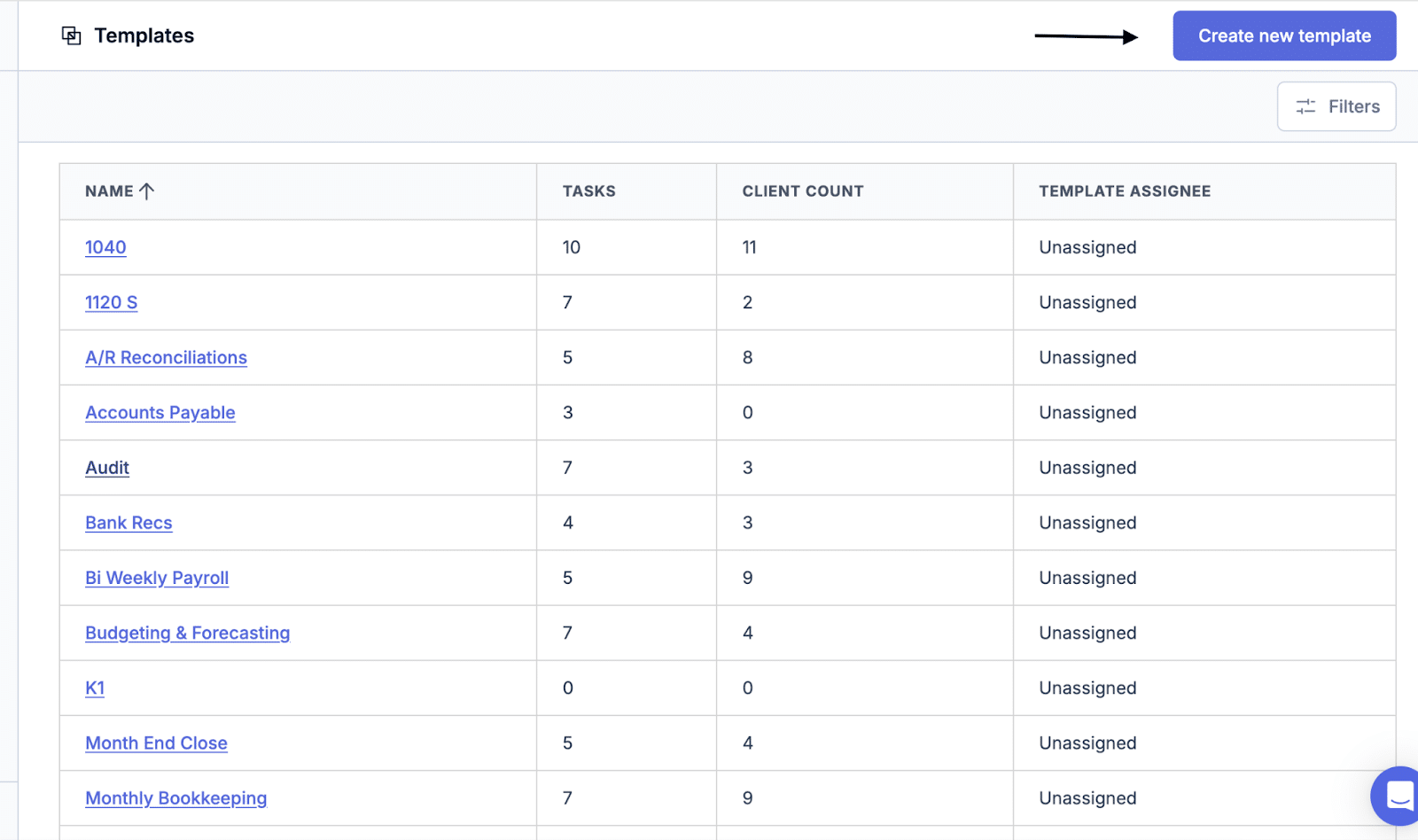
- Automated Recurring Work: Schedule recurring jobs so tasks automatically regenerate each month without manual setup.
- Task Tracking: Track due dates and monitor overdue work to reduce missed deadlines.
- Workflow Dashboard: View all active jobs and upcoming deadlines in one centralized dashboard.
- Job Assignments: Assign work to specific team members to improve accountability and ownership.
- Time Tracking: Log time against jobs to monitor productivity and support billing.
- Reporting: Generate simple reports on workload, deadlines, and team performance.
Suitable For
Small bookkeeping firms, especially those transitioning from spreadsheets, want more efficient workflows.
Pricing
Jetpack Workflow uses a per-user pricing model:
- Starter Yearly: $40/month per user
- Starter Monthly: $49/month per use
Pros
|
Cons
|
Reviews
Users rate Jetpack Workflow:
How to Choose the Right Tool for Your Bookkeeping Firm
I. Firm size and growth stage
While your practice management software has to meet your current needs, it should also be comprehensive enough to serve your firm in the long term.
If a tool’s features are too few or basic for your growing needs, you’ll have to move to a new tool sooner rather than later, which will constitute an unnecessary distraction for your team and clients.
II. Volume of recurring work and number of clients
The right practice management tool should enable your team to automate recurring workflows, understand the status of work being done (at a glance), and identify bottlenecks on the go, especially during peak periods (like month-end close).
This will free your team members to focus on core bookkeeping tasks to ensure all client deliverables across the board.
III. Team structure and collaboration needs
Some bookkeeping teams collaborate by defining tasks between bookkeepers, reviewers, and managers. Others use a fluid system, where team members share tasks and responsibilities.
If the practice management software doesn’t have handoff, shared inboxes, and internal commenting features, your practice management software will create gaps in clarity, communication, and task ownership between your team members.
IV. Priority features
If you don’t understand the features that matter most to your team, you can choose a tool that excels at everything except the work you do often.
Before evaluating options, identify the capabilities that directly support your core workflows. Then request a demo to confirm the software truly delivers in those aspects of your operation, whether that is recurring work automation, month-end close visibility, transaction review, etc.
V. Budget and pricing models
Bookkeeping firms should not be carried away by the advertised price of a product. The pricing model (per user, per client, or modular) plays a huge role in how much you end up paying each month or year.
For example, a team with a large client base may find per-client pricing too expensive as they add clients.
VI. Ease of onboarding and change management
An intuitive interface, strong onboarding resources, the ability to import existing workflows, and responsive customer support often translate to minimal training time and quick time to value for bookkeeping firms.
The availability of workflow templates, walkthrough videos, live support, and an active user group is an indication that moving to a tool will be more guided and seamless.
Why Practice Management Software Matters for Bookkeeping Firms
- Drives consistency and efficiency
Practice management features like workflow templates standardize the way work is done and encourage consistency across clients and team members.
This ensures every team member knows what to do at all times, which increases workflow speed and eliminates second-guessing.
- Improves client communication and document collection
The client portal solution in bookkeeping practice management software facilitates secure client communication and document collection.
For example, the document request feature in Financial Cents is tied to bookkeeping projects, so your team receives requested documents inside the relevant project, which makes files more accessible.
- Reduces missed deadlines and rework
Internally, my team is ecstatic because we are no longer forgetting stuff. With the due dates, we know when every task is to be done. We're getting ahead of what we need to do because we can easily see the future and how much work is coming"
Dave Kersting, Founder & CEO of CapovarioBookkeepers miss deadlines when they lose track of due dates, are buried in manual work, or are spread too thin for their workload.
Bookkeeping practice management software provides the visibility and automation that keep teams ahead of deadlines.
- Improves client experience
We’ve had two brand spanking new clients who have been beyond impressed with how we run our business compared to their previous accounting firm. The client task feature has made us look far more professional.
We've had two brand spanking new clients who have been beyond impressed with how we run our business compared to their previous accounting firm. The client task feature has made us look far more professional."
Peter Piluk, Owner of PathwayPractice management software organizes your internal systems and leads to better client services.
When work is delivered on time, and requests are promptly responded to, your firm feels reliable and professional, which your clients will come to appreciate.
- Supports scalability without adding headcount
When firms grow without structured systems, senior team members will spend more time checking work status, answering questions, and recreating recurring projects.
Practice management software reduces that load by making work visible, predictable, and repeatable, which allows firms to take on more clients without a proportional increase in headcount.
- Easier onboarding and capacity planning
Financial Cents helps us figure out capacity planning and when we need to hire another person.
If everybody is hitting 32 or more hours of scheduled projects every week, then we know that we're late in hiring.
"
With documented processes and standardized workflows, new team members can get up to speed much faster and contribute to the firm sooner.
Plus, centralized work and client information also give managers real-time insight into team capacity to understand who’s overworking, who has room, and when it’s time to hire.
The Best Practice Management Software for Bookkeeping Firms Makes Growth Feel Natural
While a bookkeeping firm can pick up any tool, and it will serve them for some time, only a tool designed for their unique workflows will make growth feel natural.
The right bookkeeping practice management software standardizes workflows, makes deadlines visible, and centralizes communication to help firms save time, reduce errors, and spend less energy on follow-ups.
This organization helps your team reclaim time to focus on higher-value work, like advisory, process improvement, and strategy growth.
As you evaluate your options, it’s important to look beyond price alone. The cheapest tool becomes much more expensive when it slows your team down or needs to be replaced as you grow.
Focus on how well the software can support recurring bookkeeping workflows, month-end close, team collaboration, and client communication now and in the future.
This scalability is why bookkeeping firms that want clarity, consistency, and scalability choose Financial Cents.
Financial Cents is built for how bookkeeping teams get work done. From recurring workflows and month-end close to client collaboration, capacity management, and firm-wide visibility, the platform helps bookkeeping firms to reduce chaos, meet deadlines efficiently, and operate more predictably every month.
See how much smoother your workflows can become. Start your Financial Cents free trial (without a credit card).