
All notable accounting software solutions became popular because they solved one problem better than others. For Double (formerly Keeper.app), that problem was transaction review and month-end close.
By integrating directly with QuickBooks and Xero, Double helped bookkeeping teams identify miscoded transactions, resolve questions, and reduce reliance on email and spreadsheets, which enabled firms close their books faster.
But transaction review and month-end close are only a small part of accounting operations. As firms grow their client volume, services, and team members, their primary needs often shift from reviewing transactions to coordinating people, deadlines, and revenue across dozens, if not hundreds, of clients.
At that point, relying on separate tools for bookkeeping workflow, communication, billing, reporting, tax preparation, and the other services a firm offers begins to create new bottlenecks.
That’s when specialized tools like Double begin to feel restrictive. If you’re currently at that stage with Double, it is time to evaluate alternatives.
In this guide, we’ll analyze the top Double (formerly Keeper app) alternatives and explain where each one excels, to help you determine which option best supports your firm’s next stage of growth.
An overview of Double (formerly Keeper app)
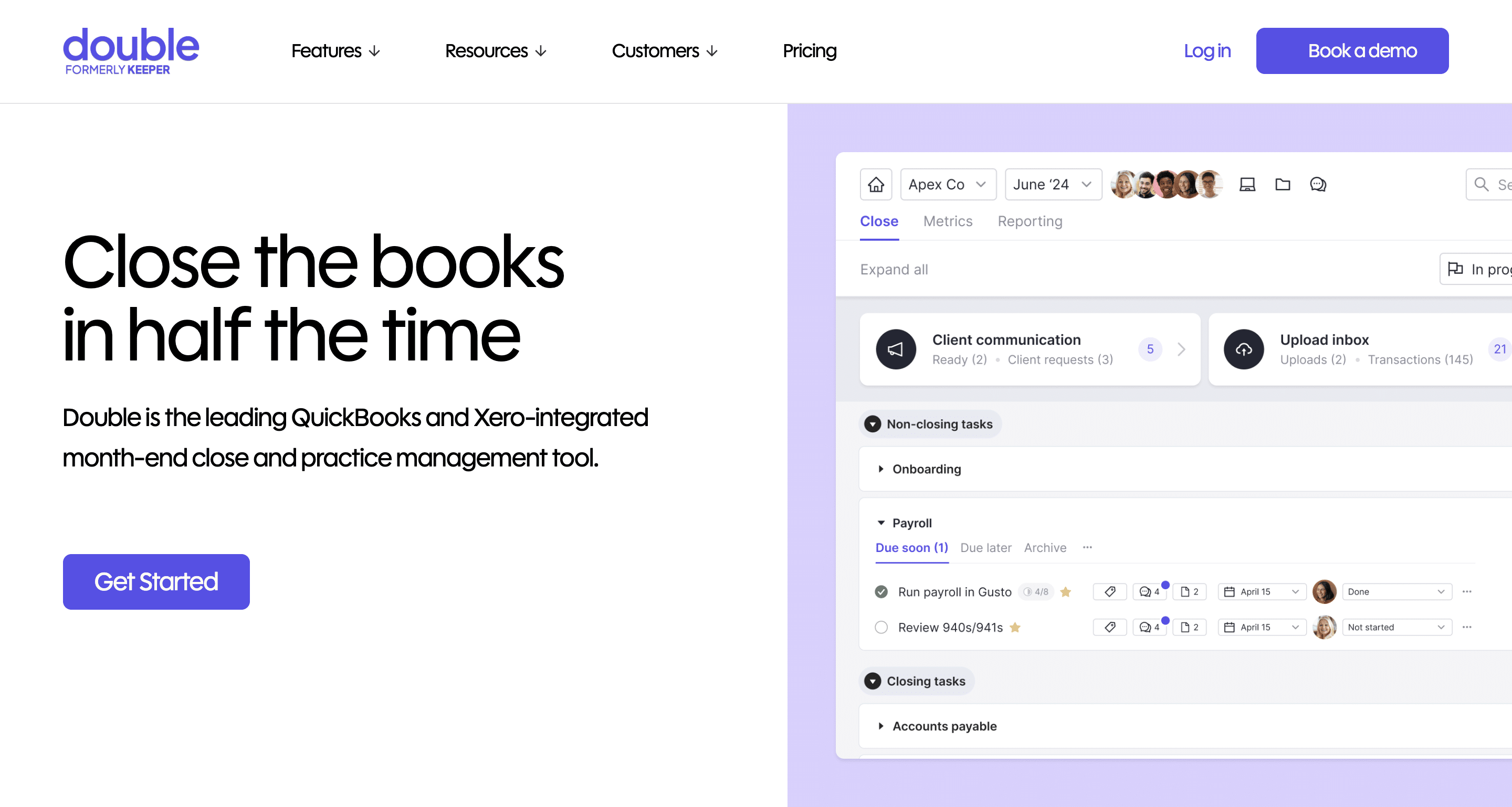
Double is a bookkeeping practice management tool designed to simplify transaction review and month-end bookkeeping.
It pulls live client ledger data into one interface, helping bookkeeping teams reduce errors, ask clients questions, and track resolution without juggling spreadsheets or switching between tabs.
Double’s features include:
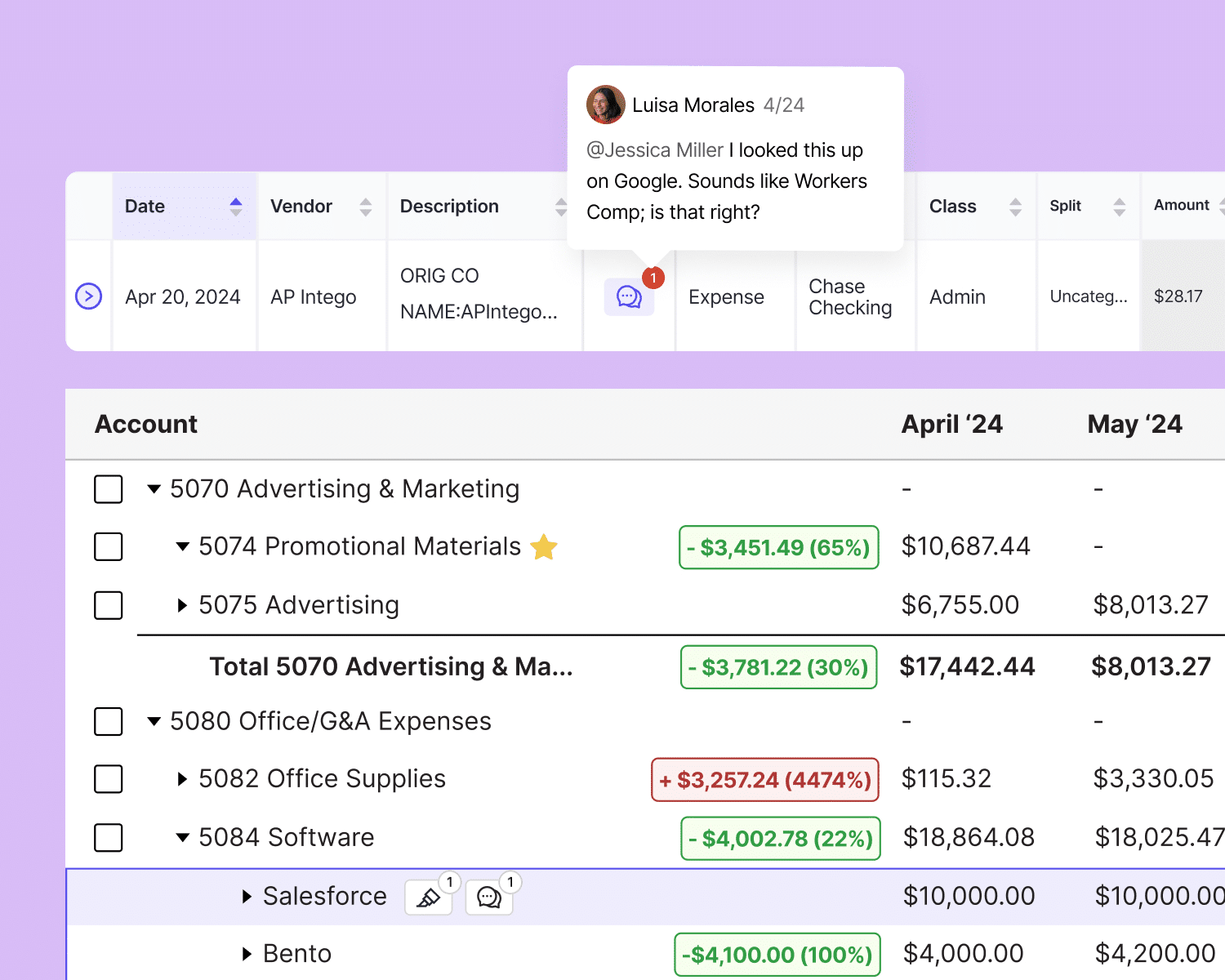
- File review: Scans clients’ books (using QBO and Xero integration) to identify errors for timely correction.
- Client portal: A branded space where clients can upload receipts/documents and answer questions about uncategorized transactions.
- Receipts: Enables bookkeepers to receive and organize work documents in one place, where they are automatically matched with transactions.
- Task Management: Provides a clear view of your team’s work and timeline for easy execution.
- CRM: Dashboard that organizes and displays all client information.
- 1099 preparation: Pulls ledger data to identify reportable vendors and tracks W-9 requests.
Pricing
Double uses a per-client pricing system:
- Core: $10/month per client
- Plus: $25/month per client
- Scale: $50/month per client
Reviews
Double is rated:
Why It Makes Sense to Consider a Double Alternative
Most accounting firms switch from Double because of:
a. Limited Practice Management Scope
Double was built for transaction review, not full accounting practice management. That means essential firm operations, like proposals, recurring workflows, team capacity tracking, and billing, still require separate tools.
As a result, client work and information can feel fragmented, which makes it harder to see where each work stands, manage deadlines confidently, and keep teams aligned.
b. Scalability (Growing client volume)
Double uses per-client pricing, which can increase costs more quickly as firms grow and add more clients.
Meanwhile, growing teams need robust reporting on capacity, workflow bottlenecks, and resource allocation to make hiring decisions and manage efficiency. Double does not provide these capabilities, and that makes scaling more challenging.
c. Need for Deeper Workflow Management & Automation
Double’s automation focuses on transaction categorization, anomaly detection, and client reminders, but it doesn’t handle full workflow automation.
Growing firms that need task dependencies, recurring projects, subtasks, or automated team notifications will be forced to combine multiple tools to access these features.
Apart from the costs, managing accounting workflows becomes a separate job, which reduces firm-wide visibility and efficiency.
d. Different Team or Firm Structure Needs
Double was designed primarily for bookkeeping and CAS-focused firms, which is why transaction review is at the core of its features.
While it now offers a tax suite, this module comes at an additional $200/month. This makes it costly to extend the platform for tax workflows.
Growing firms often find themselves juggling multiple tools to manage tax prep, compliance, and advisory work across teams, roles, and timelines.
e. Limited integrations
Double offers two-way integrations with QuickBooks Online and Xero, but little beyond that.
Firms that rely on CRM, proposal, billing, or document management systems have to create workarounds or manually transfer data between apps. This wastes time and increases the risk of errors.
f. Email Integration Comes at an Additional Cost
Even with secure client portals, much client communication still happens via email, but unlike platforms like Financial Cents, Double does not include email in its base price.
You’ll need to pay $10 (per connected email) to tie messages to client work. This adds cost and increases information silos, as conversations remain disconnected from workflows.
g. Lack of a billing and payment feature
Double doesn’t include native billing or payment capabilities, so firms have to manage invoices and payments in separate tools.
This extra layer of admin work can cause invoice delays, disputes, and slower payments, which directly impacts cash flow negatively.
Sam S., CPA
Brianna Goodman
Angela Brewer
The Best 7 Double (Formerly Keeper.app) Alternatives
1. Financial Cents
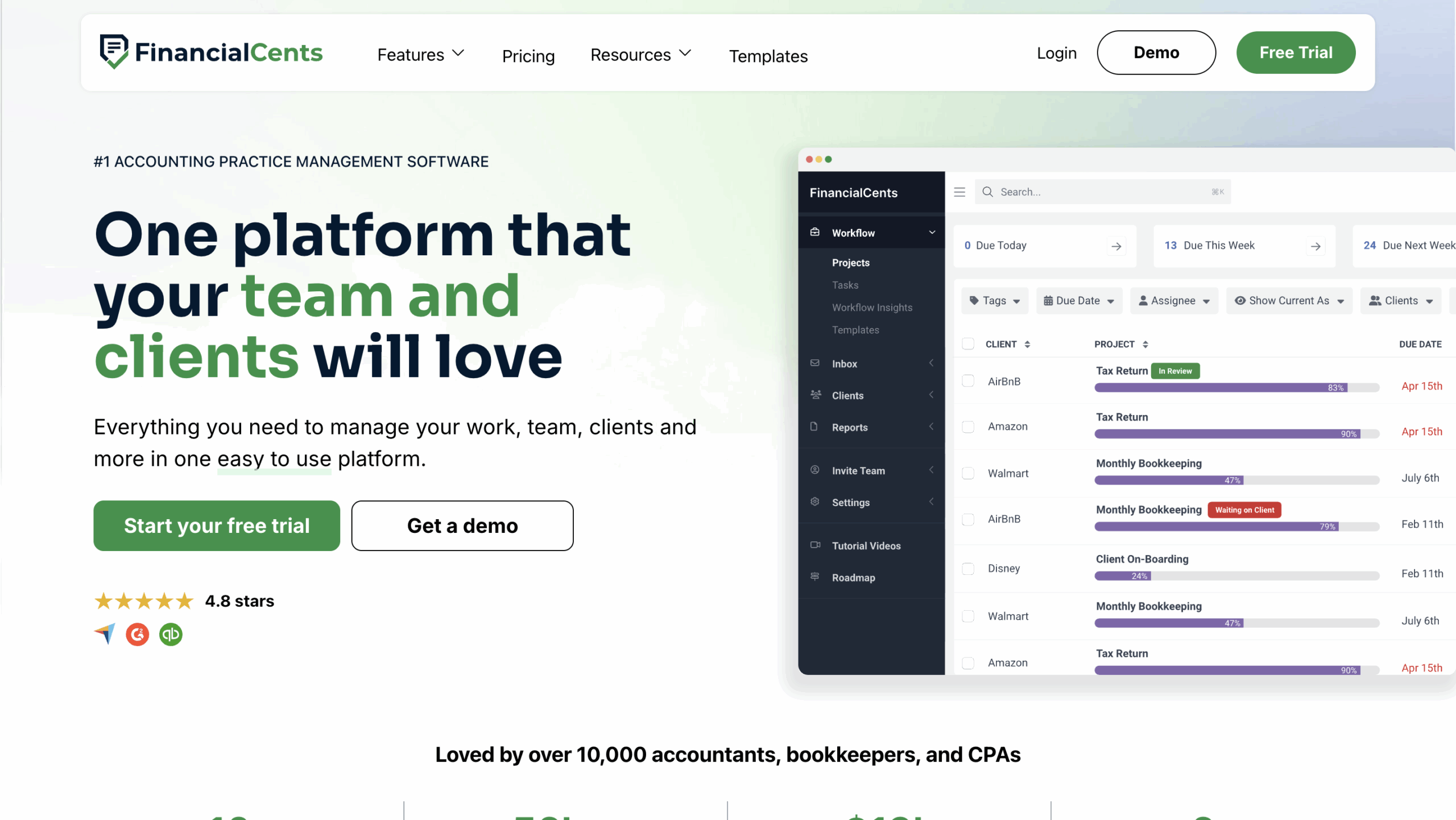
Financial Cents is an all-in-one practice management platform built for accounting, bookkeeping, and tax firms that need visibility across clients, work, and teams.
It centralizes client information, manages recurring workflows, and automates follow-ups so work moves forward without constant manual oversight.
Unlike transaction-focused tools, Financial Cents clearly defines who is responsible for each task and when it’s due. This firm-wide visibility makes it easier to manage deadlines, capacity, and accountability as your firm grows.
Financial Cents Features Include:
Month-end Close
- Transaction review: Flags transactions that require review, enables client collaboration to resolve issues, and syncs approved changes back to QuickBooks Online.
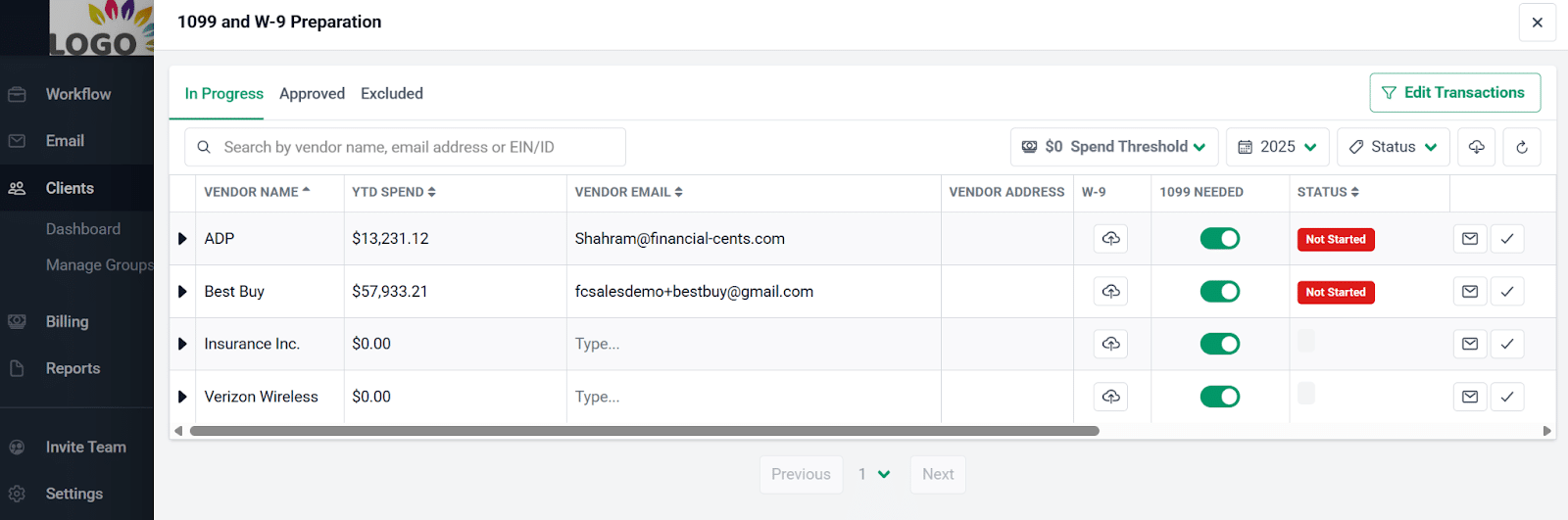
- 1099 and W-9 preparation reports: Pulls vendor data from QuickBooks Online to identify reportable vendors, manage W-9 requests, and update vendor details in QBO.
Billing & Payments
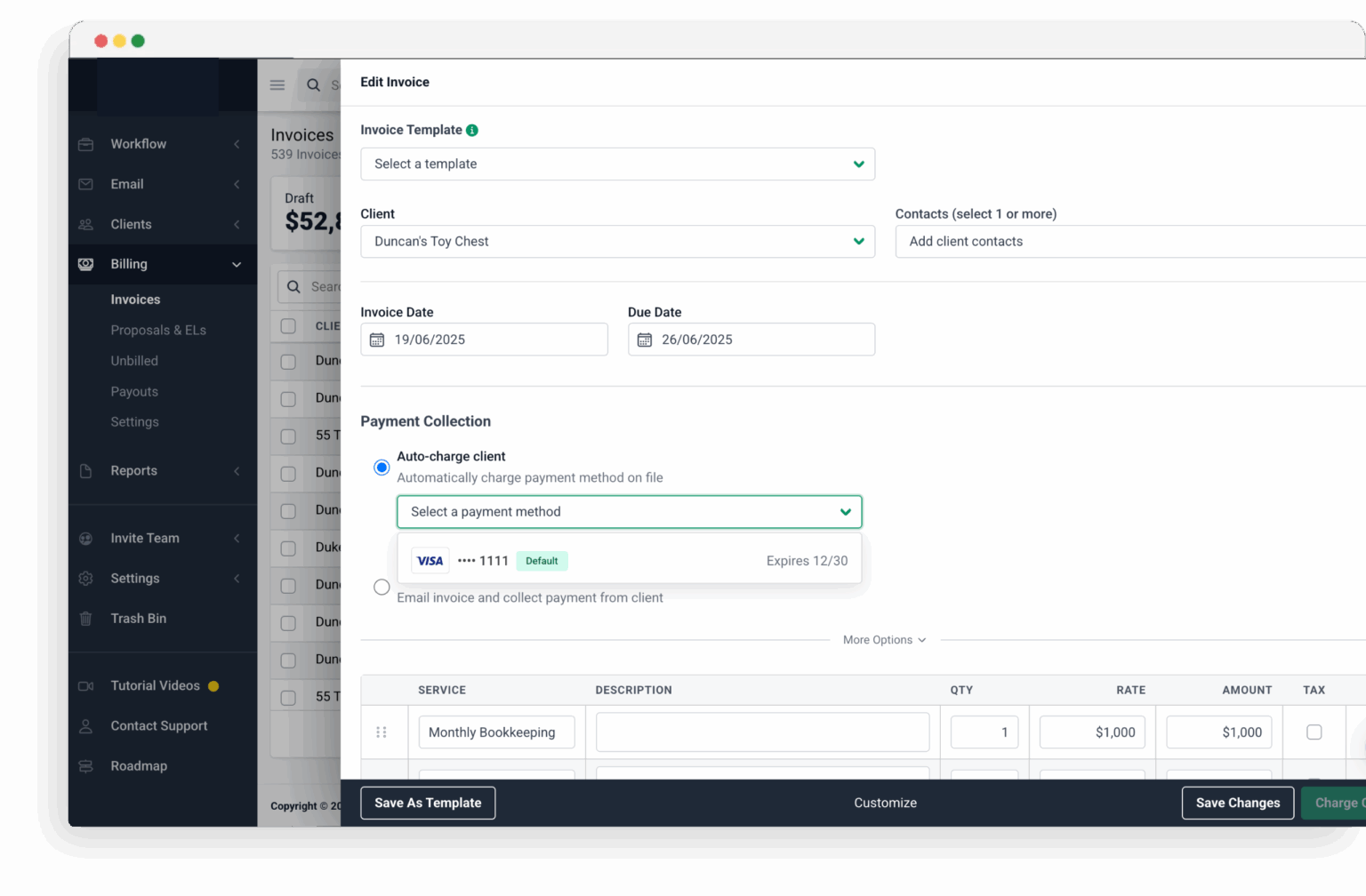
- Recurring & one-time invoices: Create invoices once or regularly to save time.
- QuickBooks Online sync: Automatically sync invoices and payments with QBO.
- Automated payments: Charge client payment methods automatically to get paid faster.
Proposals
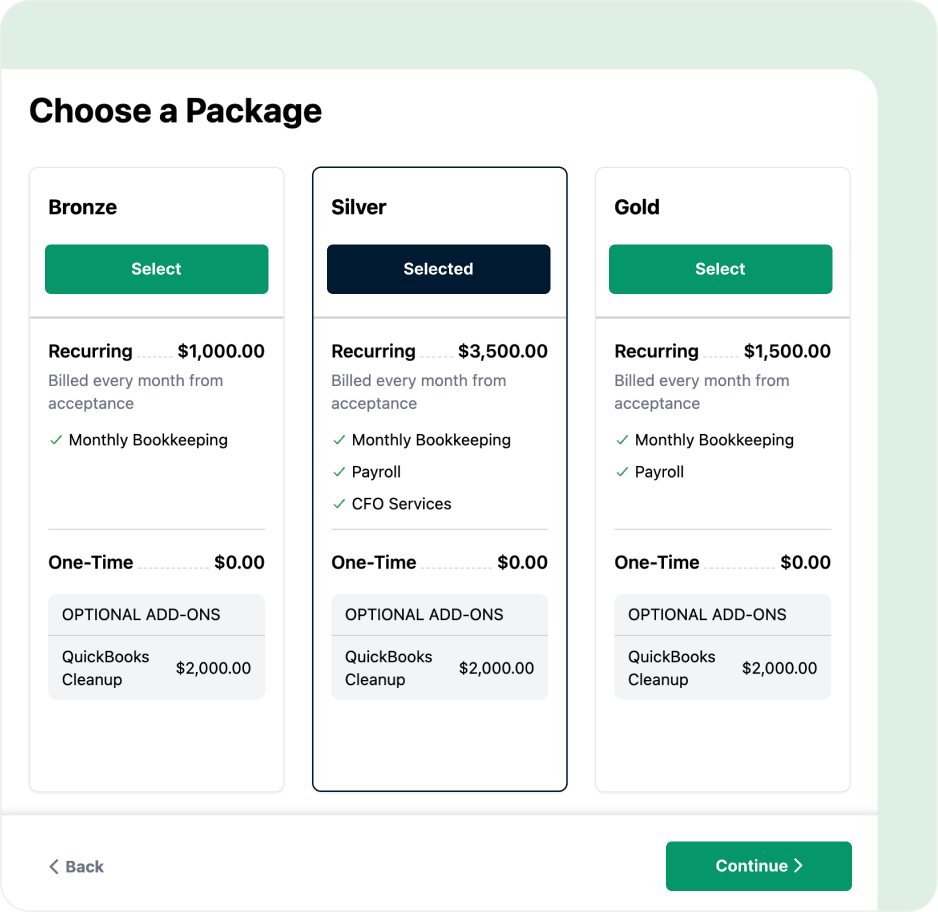
- Professional proposals: Modern proposals designed to increase acceptance rates.
- Engagement letters: Clearly define scope and terms in legally binding agreements.
- Billing: Automatically invoice clients once proposals are accepted.
- Auto reminders: Automatically remind clients to sign pending proposals.
- Packages: Bundle services into packages to increase revenue.
Workflow and Automation
- Workflow templates: Use best-practice templates or build your own to standardize how work gets done.
- Workflow filters: Quickly narrow your view to see work by client, team member, or tag, making it easier to focus on priorities.
- Recurring work: Set recurring work once and have future copies created automatically, eliminating repetitive setup.
- Dependencies: Automatically notify the next team member the moment their work is ready, so handoffs happen without manual follow-ups.
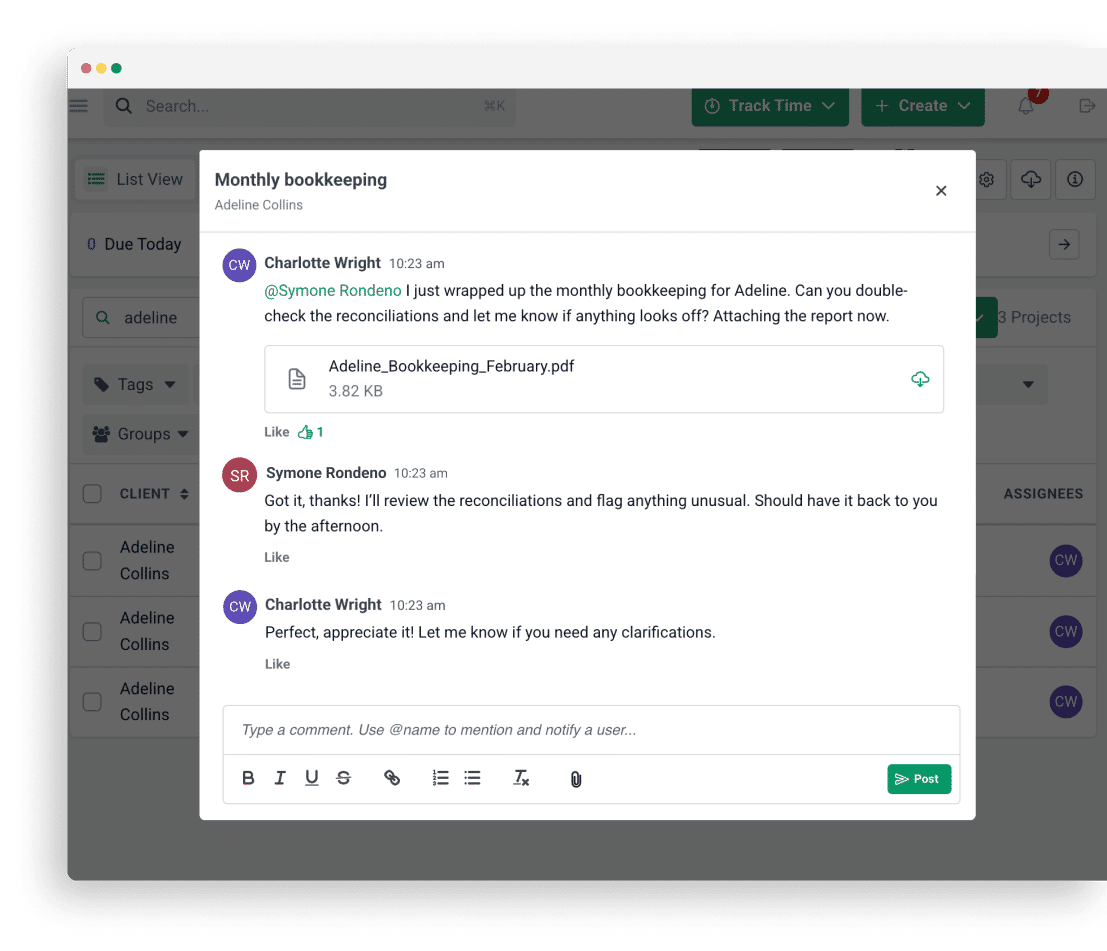
- Team collaboration: Your team can work together on tasks with comments and real-time notifications that keep everyone aligned.
Email Integration
- Focused client inbox: Keep client emails separate from everything else with a dedicated inbox view.
- Turn emails into tasks: Convert client emails into tasks or projects to ensure every request is tracked.
- Pin emails to work: Attach important emails to projects so conversations stay organized and visible.
Capacity Management
- Capacity dashboard: View your entire team’s workload in one place to quickly see who is overloaded or available.
- Workload forecasting: Uses historical data to anticipate future workload and plan staffing needs.
- Task reassignment: Redistribute work easily when someone is unavailable or over capacity.
Time Tracking
- Start/stop timer: Track time effortlessly in the background while you work.
- Manual entries: Log time manually for flexibility when a timer isn’t practical.
- Billable vs non-billable: Differentiate between billable and non-billable time to uncover inefficiencies.
- Time budgets: Set expected time limits for work and identify overruns early.

Document Management
- Folder sharing: Securely share folders and files with clients for easy access to past documents.
- Document organization: Organize files into folders and sub-folders to keep everything structured.
- Search functionality: Find documents quickly using keyword search instead of browsing folders.
- DMS integrations: Connect Financial Cents to your existing document management system and auto-create folders.
Budget & Reporting
- Realization reports: See which clients, services, and team members generate the most profit.
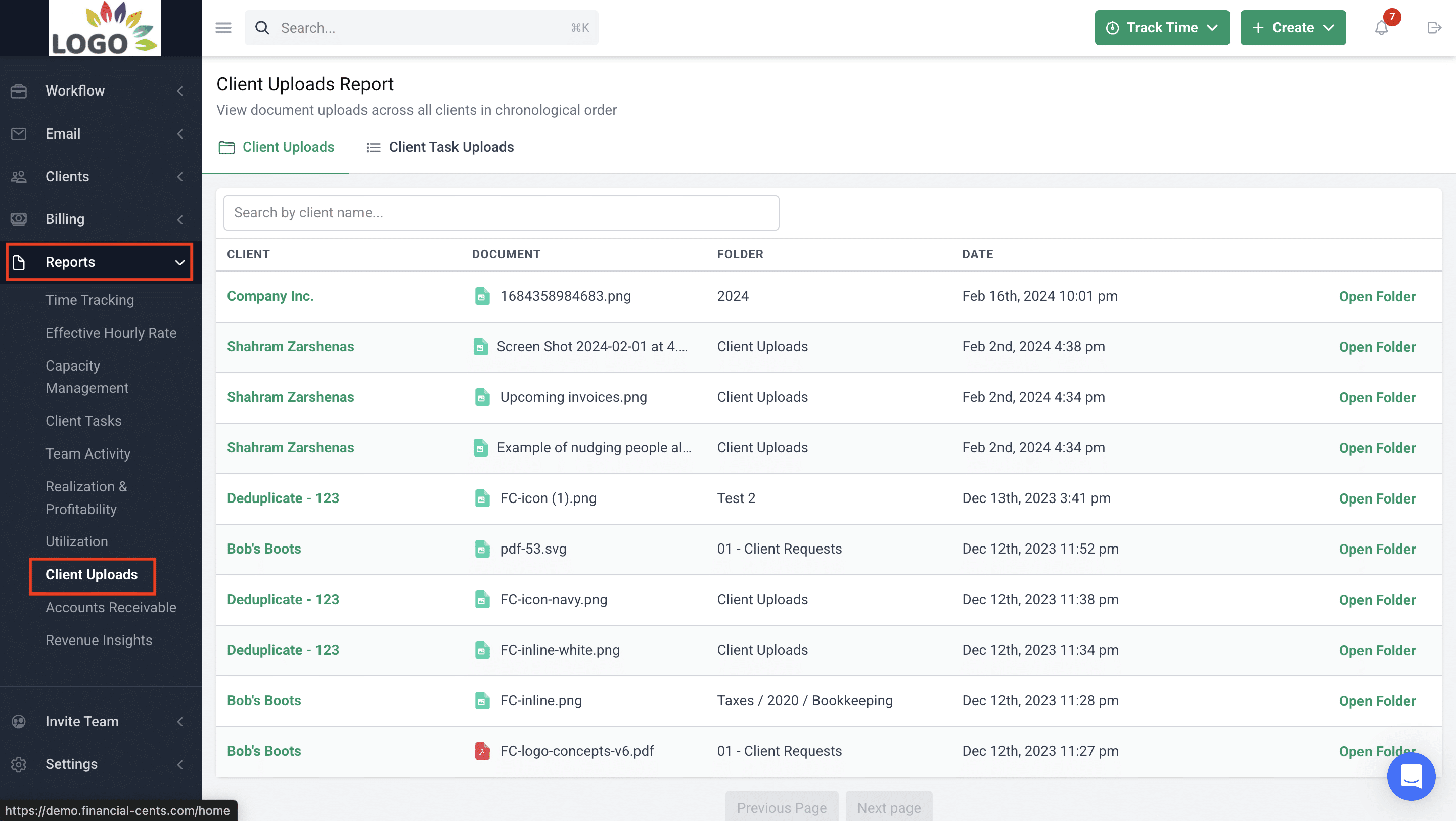
- Client uploads report: View all client uploads across the firm in one consolidated report.
- Revenue Insights: Track revenue trends and understand which services drive growth.
- Utilization reports: Monitor how effectively your team’s time is being used.
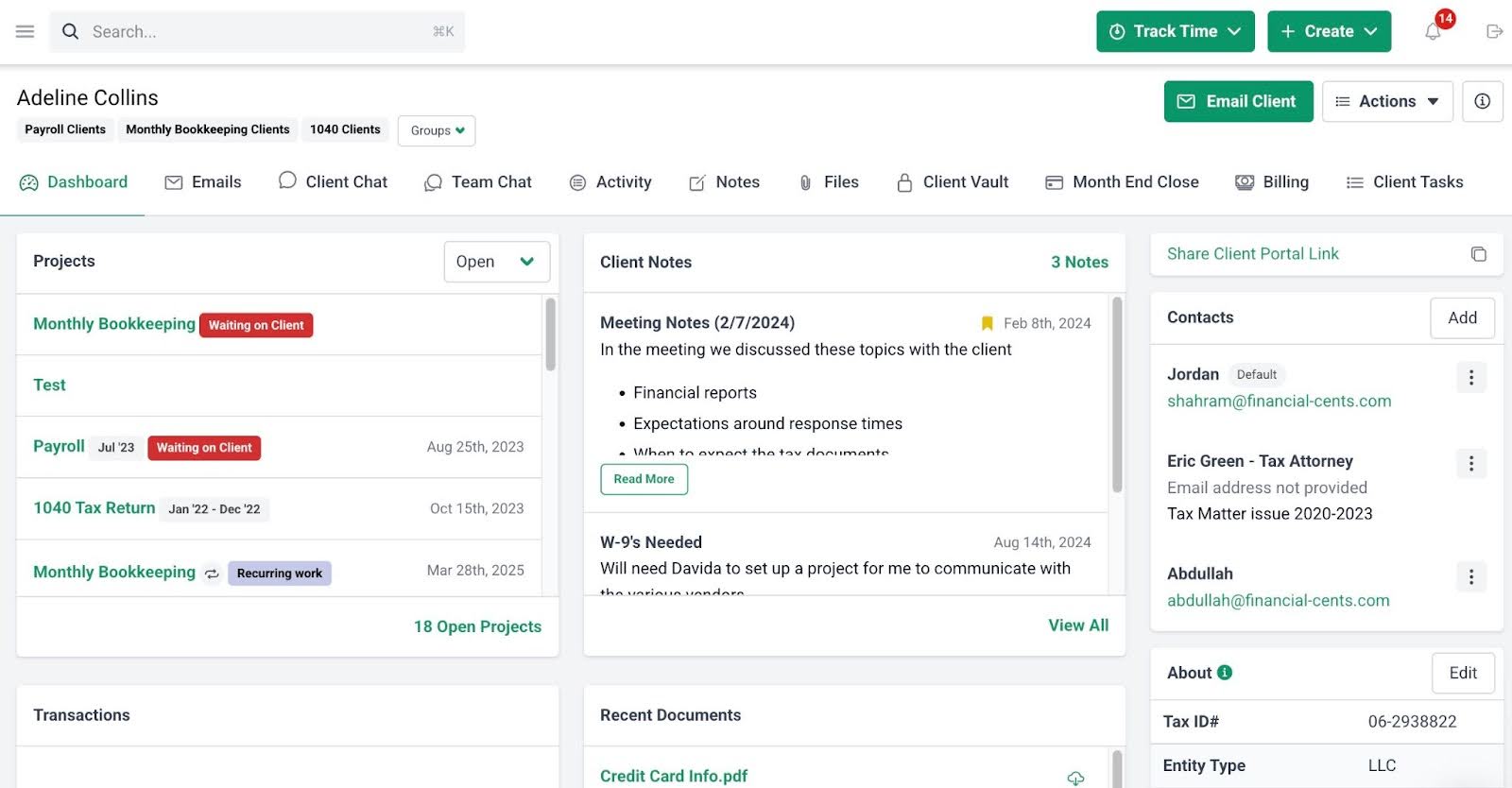
Accounting CRM and Client Portal
- Client audit trail: View a complete history of client interactions in one timeline.
- Custom fields: Create custom client properties and filter clients by them.
- Passwordless portal: Give clients secure access without requiring passwords.
- Client requests: Request information from clients in a structured, trackable way.
- Auto-reminders: Automatically remind clients about outstanding requests.
- Client communication: Centralize client communication in one secure location.
- Secure password storage: Store client credentials securely in an encrypted vault.
E-Signature
- Request signatures: Send documents for signature quickly and easily.
- Security & compliance: Ensure secure, compliant signatures backed by Adobe certification.
- Automatic notifications: Get notified instantly when documents are signed.
- Centralized document storage: Automatically store signed documents in Financial Cents.
Pros
- Full practice management coverage (not just transaction review).
- Built-in Month-End Close tool with transaction review.
- Strong visibility across clients, deadlines, and team workload.
Cons
- Firms only looking for transaction review may find more than they need.
Why you should consider Financial Cents
You should consider Financial Cents if you’re tired of managing work in silo and want to connect the simplicity and automation of transaction review with the other features you need to manage your entire firm.
Financial Cents is also better for full-service accounting firms that manage tax and other accounting services with as few tools as possible.
Reviews
Financial Cents is rated
Pricing
- Solo: $19/month (Billed annually)
- Team: $49/month per user (Billed annually)
- Scale: $69/month per user (Billed annually)
- Enterprise: Custom
Should you use Double or Financial Cents?
Use Double if you run a bookkeeping-focused firm and your firm is small enough for specialized tools (versus an all-in-one system).
Use Financial Cents if you lead an accounting, CAS, or CPA firm; want to connect work execution to billing and revenue; and prefer one system that scales with your firm, not just your client list.
If you feel like your firm is already demanding a consolidated, fully automated, and more scalable system, click here to see how Financial Cents will position your firm for your dream future.
Related: Financial Cents vs Double (formerly keeper)
2. Xennett
Xenett is a financial close and accounting review platform designed to help accounting firms maintain control over the month-end close process.
It uses bookkeeping checklists to enforce predefined checks to ensure the accuracy, auditability, and consistency of the close process across clients.
Xenett’s Features Include:
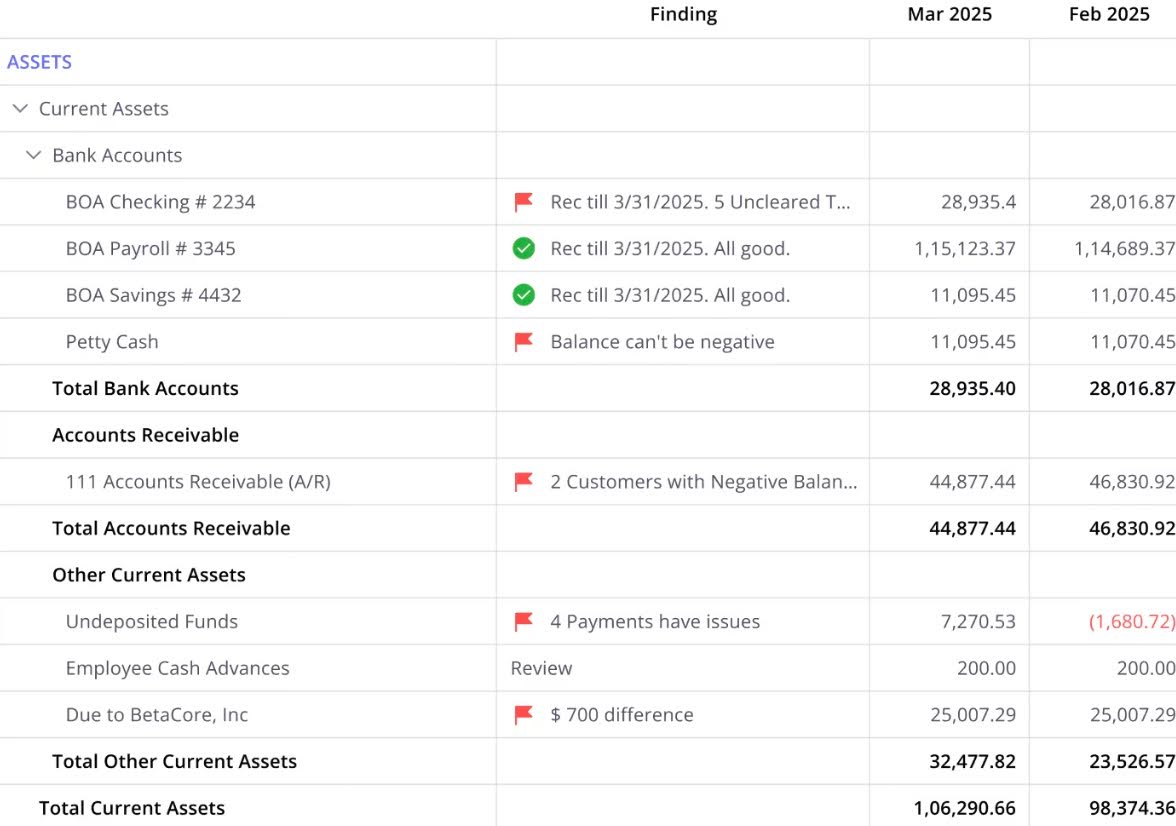
- AI Financial Review: Runs dozens of automated accounting checks directly inside QBO or Xero to catch errors and inconsistencies.
- Close: Provides a structured, role-based close workflow with checklists, sign-offs, and instant alerts.
- Reporting: Generates customizable reports with drill-downs, variance analysis, and visual insights.
- Internal Communication: Keeps all internal questions, notes, and discussions tied directly to transactions and work items.
- Client Portal: Gives clients a branded portal to answer questions, upload documents, and review reports.
- 1099: Centralizes 1099 vendor tracking, W-9 collection, filtering, and exports to reduce last-minute errors.
Pros
- Strong month-end close controls.
- Emphasis on accuracy, documentation, and review discipline.
Cons
- Less flexible than transaction-level review tools.
- Not built for bookkeeping-heavy workflows.
Why you should consider Xenett
Xenett is ideal for firms that prioritize accuracy over flexibility and firms offering higher-risk services where errors are costly.
Reviews
Not Available
Pricing
- AI Financials Review: $7.5/month per client
- Workflow Plan: $10/month per client
- Enterprise: Custom pricing
Should you use Double or Xenett?
You should use Double if you run a bookkeeping firm and transaction-level review is at the heart of your workflow.
You should use Xenett if your firm emphasizes accuracy, controls, and standardized review, which require a strong quality assurance layer before closing books.
3. Client Hub
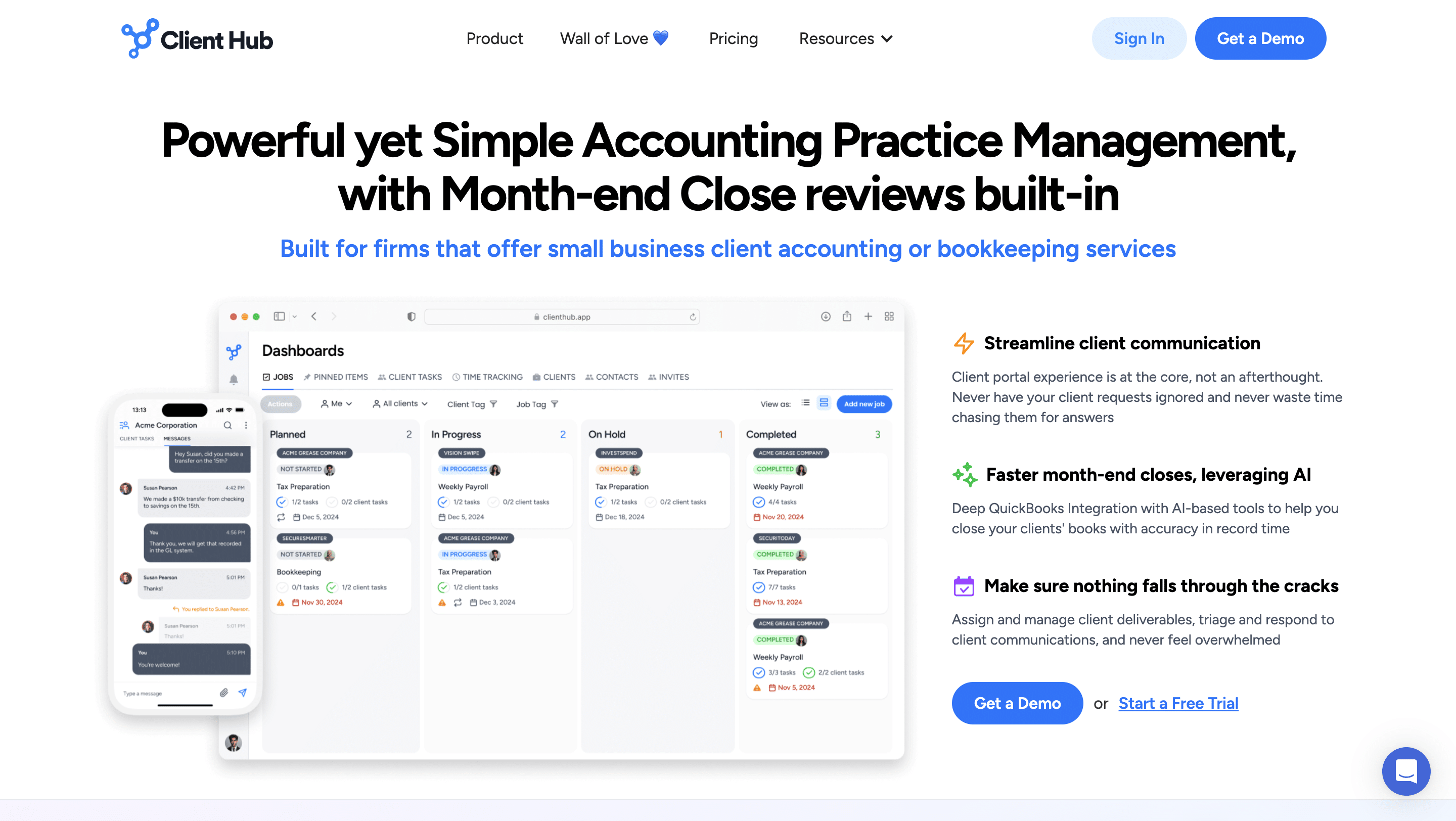
Client Hub is an accounting client communication and workflow coordination platform that replaces scattered email threads with a centralized hub where firms can request information, share documents, track client responses, and keep conversations tied to specific tasks.
It is valuable for firms that need effective client follow-ups to manage transaction Q&A and month-end workflow.
Client Hub’s Features Include:
- Jobs Panel: Displays all active client jobs/projects in one centralized view, allowing you to monitor status, due dates, and progress across your entire firm.
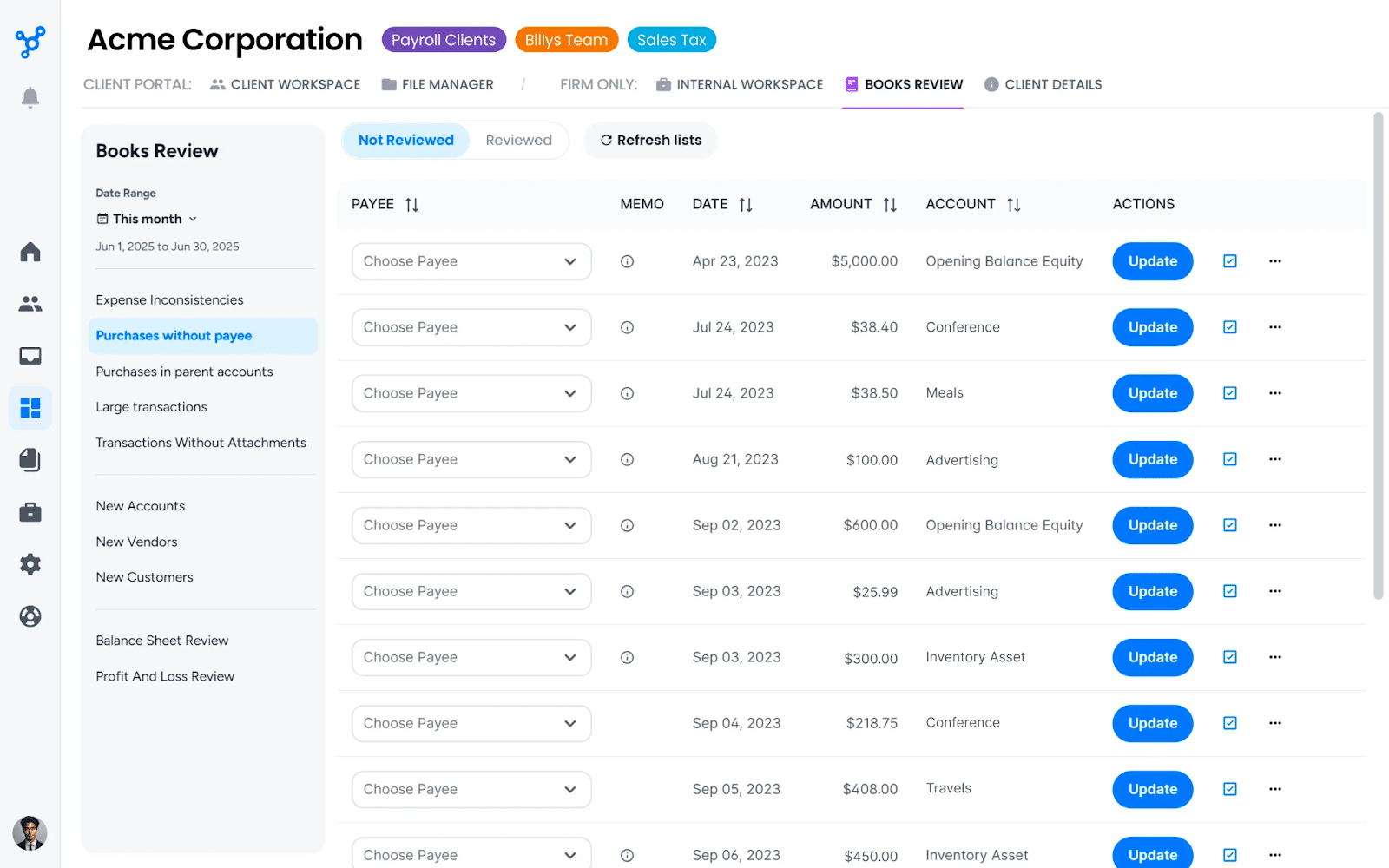
- Book Review: A dedicated module for reviewing QuickBooks Online and Xero books to flag issues and manage the month-end close process.
- Uncategorized Expenses: Automatically pulls and highlights uncategorized or uncoded expenses from connected accounting software.
- Recurring Jobs: Automatically creates and schedules repeating client work on a set frequency.
- Magic Workflow: Uses AI to generate or suggest customized workflow steps and templates.
- Client Tasks: Allows you to assign specific action items directly to clients in their portal.
Pros
- Strong client communication and request management.
- Strong AI automation for emails, workflows, and transaction resolution saves significant time.
Cons
- No transaction review or month-end close workflows.
- Newer features require occasional tweaks.
Why you should consider Client Hub
Client Hub is valuable for firms that are tired of wasting billable time on inefficient client follow-ups. It is also ideal for firms that want to move communication out of email without overwhelming clients.
Reviews
Client Hub is rated:
Pricing
- Solopreneur: $49/month single user
- Practice Manager: $59/month per user
- Practice Manager Plus: 79/month per user
Should you use Double or Client Hub?
Use Double if transaction review and month-end close are your primary challenges.
Use Client Hub if client communication, structured requests, and document collection are your biggest headaches.
4. Canopy
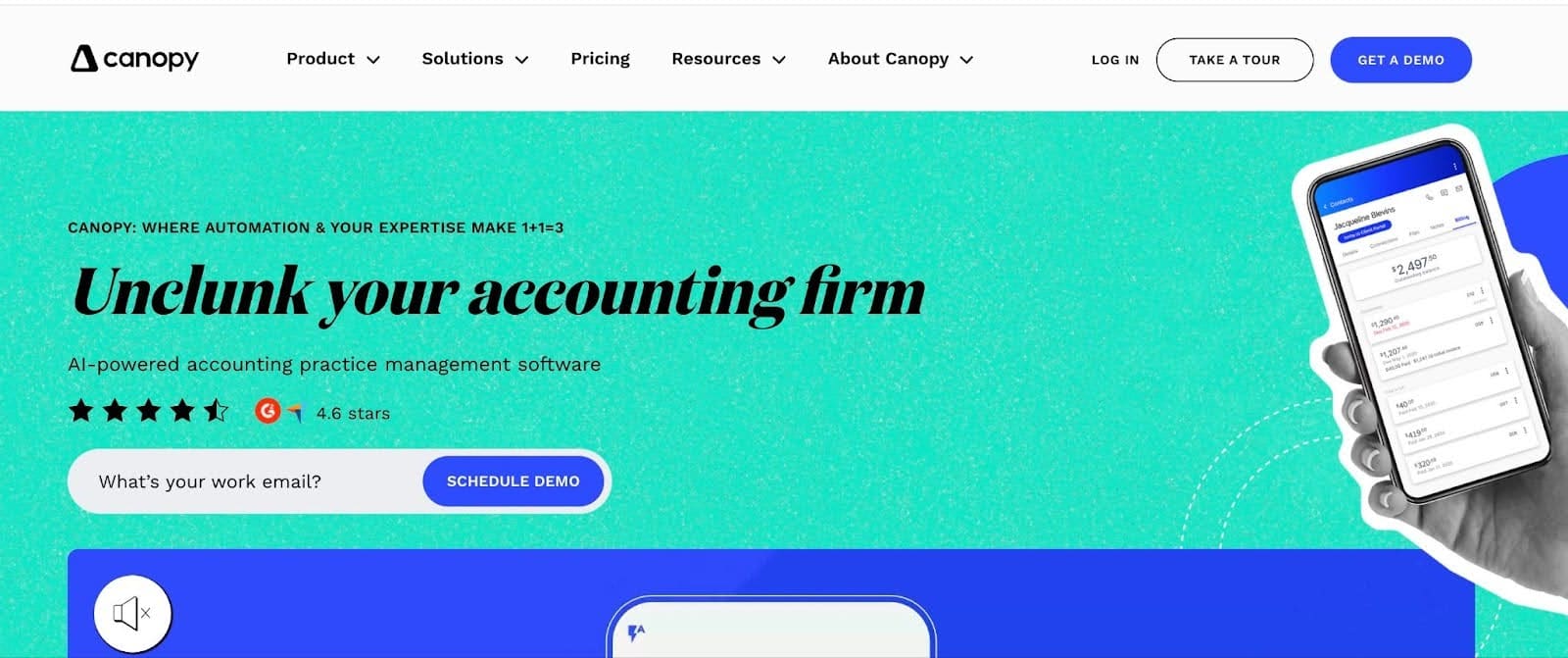
Canopy is a practice management platform for accounting and CPA firms with a strong operational emphasis on tax.
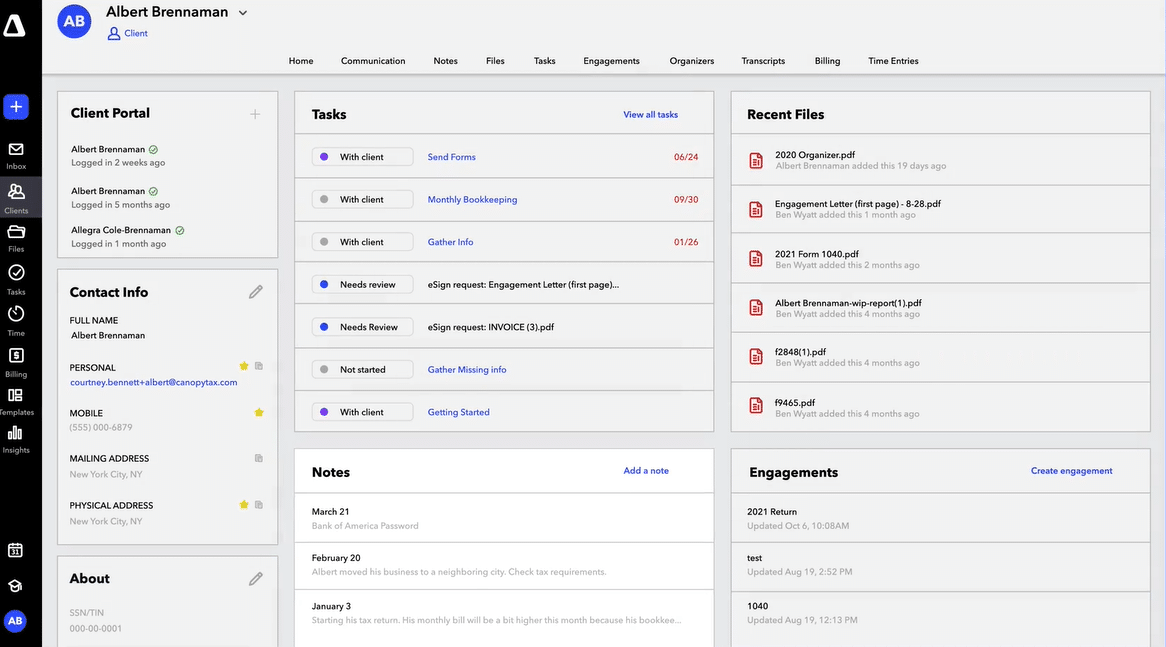
It combines CRM, document management, workflow tracking, time and billing, payments, and client communication into a single system.
Canopy’s Features Include:
- Client Engagement: Centralizes all client interactions, communications, and relationship history in one place to strengthen client relationships.
- Document Management: Provides secure storage, advanced organization, and sharing tools to eliminate scattered files.
- Workflow: Offers customizable templates, status tracking, and dashboards to enable teams to focus on high-value work.
- Transcripts & Notices: Automatically pulls IRS transcripts and handles resolution workflows directly in the platform.
- Client Portal: A branded portal where clients can upload documents, e-sign, and communicate securely.
- Payments: Enables ACH, credit card payment processing with automated invoicing, and syncs direct deposit to your accounting software.
- CRM: Manages clients’ relationships with accounting-specific fields and segmentation for targeted communication.
Pros
- Built-in billing, payments, and client portal.
- Strong tax resolution features.
Cons
- Less suitable for bookkeeping-first firms.
- Modular pricing can be complex to understand.
Why you should consider Canopy
You should consider Canopy if your firm is tax-centric or you care more about engagement and deadline management than transaction-level review.
Reviews
Canopy is rated:
Pricing
- Client Engagement Platform: $150/month
- Document Management: $36/month per user
- Workflow: $32/month per use
Should you use Double or Canopy?
Use Double if transaction review and bookkeeping workflows are more important to your firm.
Use Canopy if you have a tax or CPA firm and want an all-in-one system for workflows, billing, documents, and payments.
5. Karbon
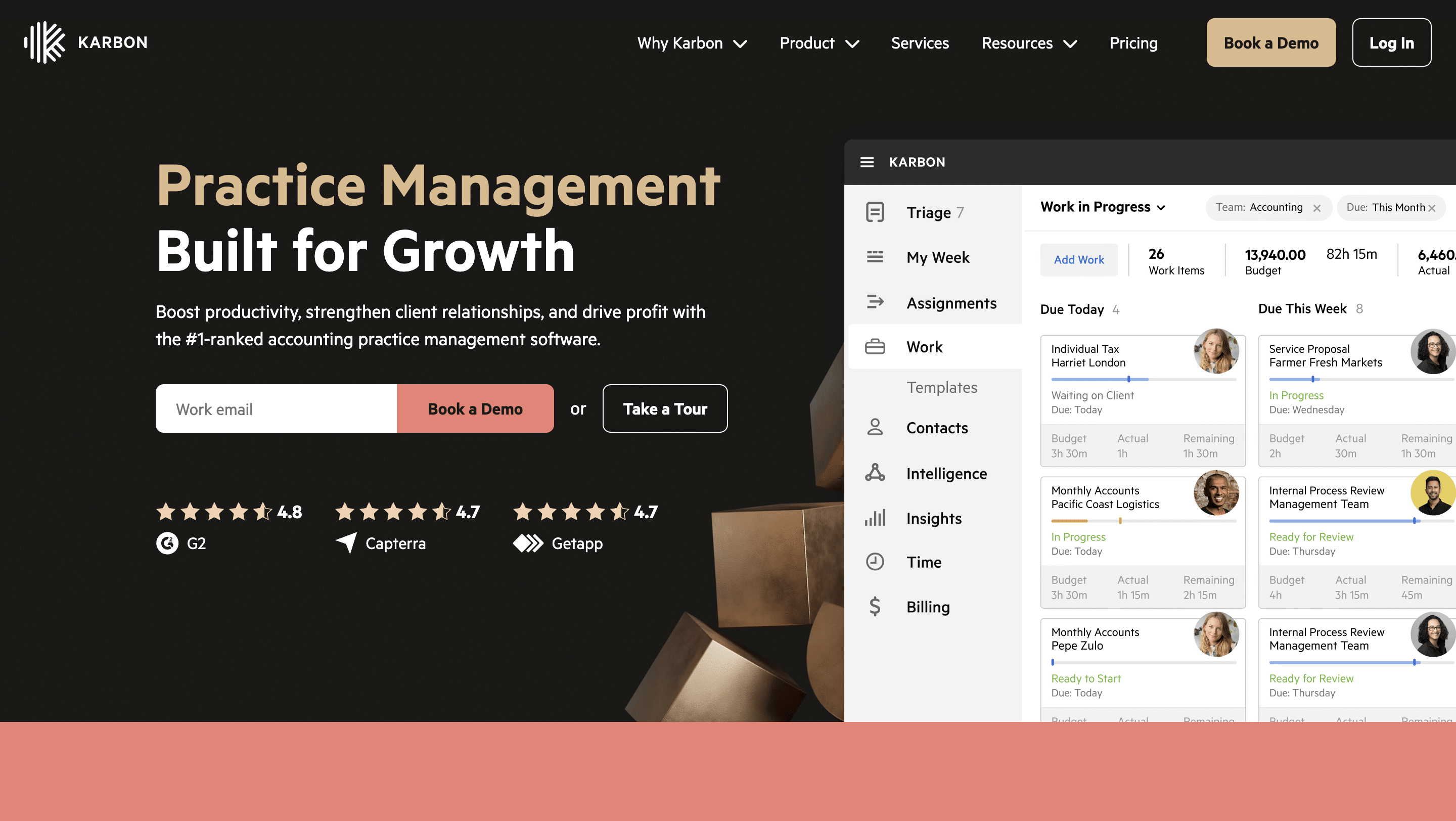
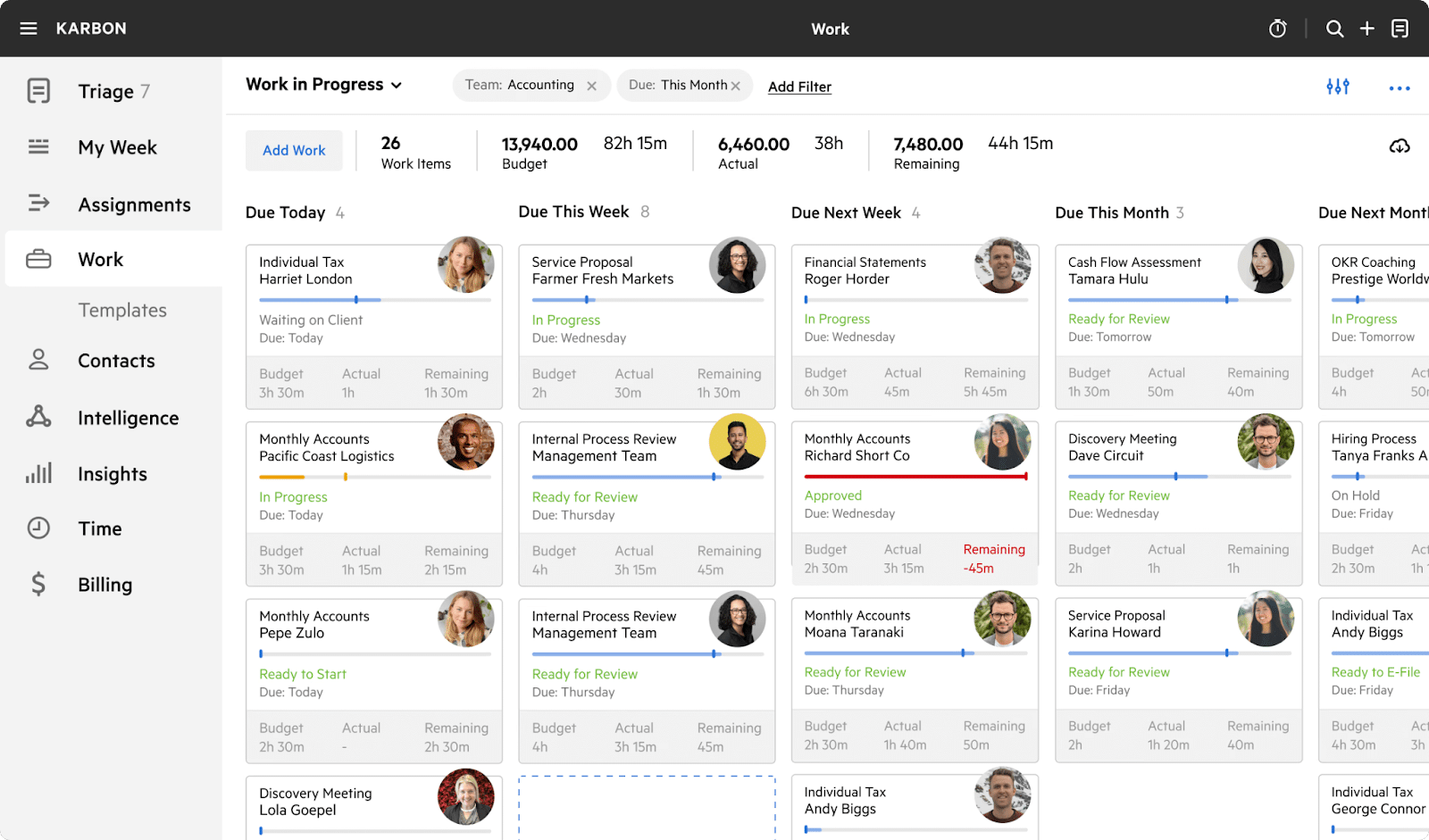
Karbon’s practice management software solution provides accounting and CPA firms with firm-wide visibility into work, deadlines, and communication.
It treats email, tasks, and client work as one connected system and tracks workflow activity, instead of requiring staff to update status manually.
Karbon’s Features Include:
- Workflow Automation: Automates repetitive processes with customizable templates and conditional logic.
- Project Management: Organizes client work into structured projects with tasks, due dates, assignees, and progress tracking.
- Email: Centralizes incoming emails from integrated Gmail or Microsoft 365 into a triage inbox.
- Team Collaboration: Enables real-time comments, @mentions, shared notes, internal discussions, and activity feeds within tasks and projects.
- Client Management: Maintains a comprehensive CRM with client profiles, multiple contacts, history, notes, custom fields, and relationship tracking.
- Client Portal: Provides a branded portal where clients can view project status, upload documents, communicate, e-sign, and access shared files.
Pros
- Strong firm-wide workflow visibility.
- Excellent email integration.
Cons
- An email-centric approach doesn’t appeal to every firm.
- It can feel complex for small or bookkeeping-only teams.
- No month-end close or transaction review feature
Why you should consider Karbon
Karbon emphasizes coordination and visibility, which helps accounting firms manage complex and deadline-driven projects across many clients.
Reviews
Karbon is rated:
Pricing
- Team: $59/month, per user
- Business: $89/month, per user
- Enterprise: Custom Pricing
Should you use Double or Karbon?
Use Double if you want a specialized tool for managing bookkeeping workflows and month-end closes effectively.
Use Karbon if your accounting or CPA firm needs firm-wide visibility into work and communication.
6. TaxDome

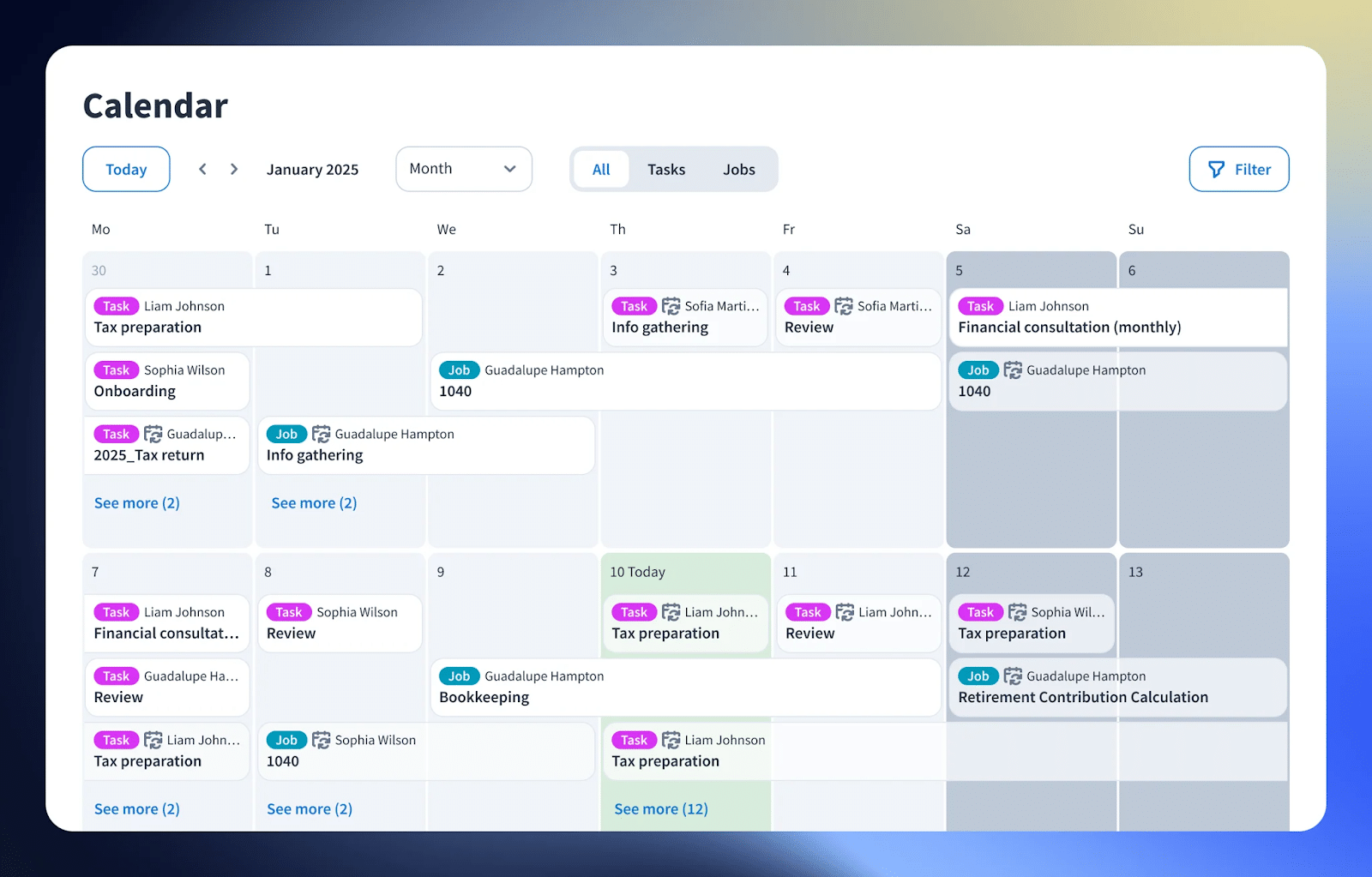
TaxDome is a tax practice management platform that combines CRM, workflow, document, and client management in one integrated platform.
Its deep integrations with QuickBooks Online (QBO) and Xero allow for direct ledger connections and enable transaction management without leaving the app.
TaxDome’s Features Include:
- Workflow automation: Automates repetitive processes with customizable visual pipelines, recurring jobs, and status updates.
- Team collaboration: Enables real-time internal communication, @mentions, and comments within jobs and documents.
- Inbox+: Advanced email management that centralizes incoming client emails, auto-links them to jobs, and turns messages into tasks.
- CRM: Manages clients’ information (entities, notes, history, etc.) to nurture quality relationships.
- Tax organizers: Creates customizable digital tax organizers and questionnaires that clients complete online, with auto-population from prior years and secure submission.
- Email: Integrates firm and client emails into the platform, with auto-association to records, templates, and conversion to tasks or client requests.
Pros
- Highly consolidated platform.
- Well-suited for tax and CPA firms
Cons
- Requires a significant upfront payment.
- Heavier setup and adoption curve.
- Less suitable for bookkeeping firms
Why you should consider TaxDome
TaxDome centralizes clients, work, documents, and payments to help firms standardize their operations. It is valued by firms that are tired of stitching together multiple tools and are willing to adapt their processes to a unified platform.
Reviews
TaxDome is rated 4.7/5 on both Capterra and G2.
Pricing
- Essentials: $700/year, per seat (with a 3-year commitment)
- Pro: $900/year, per seat (with a 3-year commitment)
- Business: $1100/year, per seat (with a 3-year commitment)
Should you use Double or TaxDome?
Use Double if you want a tool that focuses on the month-end review.
Use TaxDome if yours is a tax or CPA firm. Its tax organizer feature makes it easier to get information from tax clients.
7. Jetpack Workflow
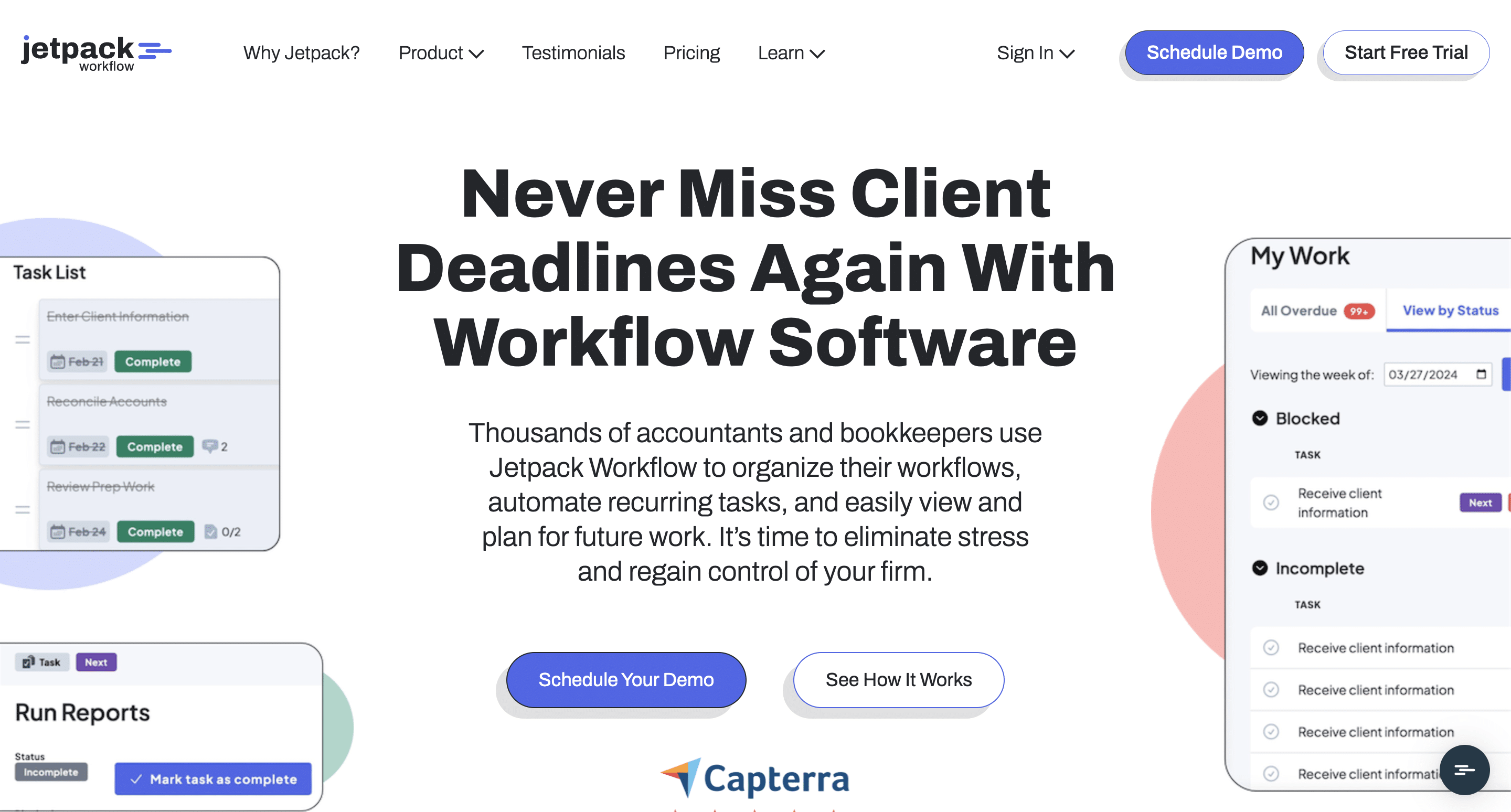
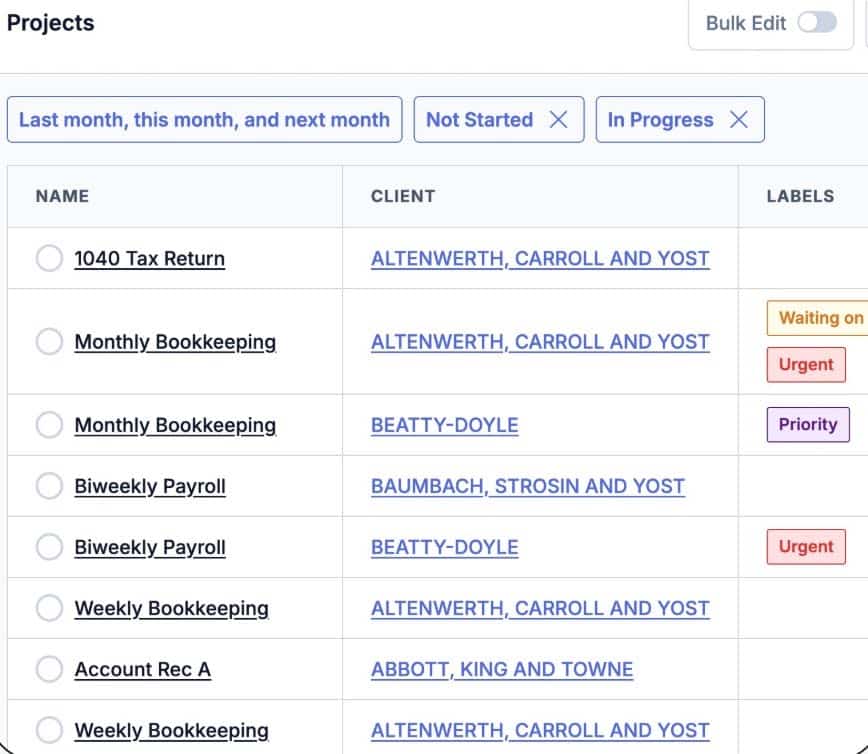
Jetpack Workflow is an accounting workflow software that helps firms to organize recurring work, track deadlines, and provide visibility into who is responsible for what and when.
Unlike Double’s deep transaction-level error, catching, and client communication features, Jetpack Workflow emphasizes internal firm processes by turning accounting services into templated and repeatable projects.
Jetpack Workflow’s Features Include:
- Templates & Automation: Recurring engagements can be templated, and task reminders can be automated to reduce manual oversight.
- Pipeline Visibility: Managers get a view of all client work and upcoming deadlines.
- Task and job management: Task assignments, progress tracking, labels for status, and dashboards for bird’s-eye views of team workload.
- Time tracking: Built-in time tracker that syncs with QuickBooks Online (QBO) for billing.
- Reporting: Insights into deadlines, completed work, and outstanding tasks across clients.
Pros
- Clear visibility of deadlines and team workload.
- Simple and easy to adopt.
Cons
- Limited client management features.
- No built-in billing or invoicing.
- No transaction review feature
Why you should consider Jetpack Workflow
You should consider Jetpack Workflow if your primary challenge is managing deadlines, recurring engagements, and team workload. It’s a good choice for firms that need structure and visibility without a full-service practice management platform.
Reviews
Jetpack is rated:
Pricing
- Starter Yearly: $40/month per user
- Starter Monthly: $49/month per user
Should you use Double or Jetpack Workflow?
Use Double if AI transaction flagging, uncategorized Q&A, and client portal for receipts or questions for bookkeeping delivery is your priority.
Use Jetpack Workflow if you already have tools for transaction review and billing, and want to manage deadlines, recurring engagements, and team workload efficiently.
What to Consider When Evaluating Alternatives to Double
- Workflow automation
Workflow automation lets firms create recurring tasks, trigger client reminders, and automatically track progress across engagements.
Without it, growing teams spend excessive time on administrative work instead of focusing on solving problems for clients.
- Task and deadline tracking
Bookkeeping task and deadline tracking gives firm owners and managers a single view of what’s due, who’s responsible, and any blockers holding work back.
Without this visibility, bottlenecks go unnoticed, deadlines slip, and growth only magnifies operational challenges.
- Client communication & portals
Effective client communication tools and portals centralize messages, documents, and requests, reducing back-and-forth and speeding up issue resolution.
By holding clients accountable to deadlines through shared visibility and reminders, firms can complete work on time and deliver a smoother client experience.
- Integration with accounting tools
Platforms that can’t integrate with other core accounting tools (beyond QuickBooks and Xero) force teams to duplicate work through manual data entry.
Strong integrations allow client and financial data to flow across your tech stack, and free your teams to focus on higher-value work.
- Team collaboration features
Strong collaboration features let teams assign and reassign work, discuss tasks in context, and maintain a clear audit trail.
This reduces confusion as teams grow and ensures everyone stays aligned on ownership, document versions, and deadlines.
- Pricing & scalability
Pricing goes beyond the advertised price. Some tools feel affordable at 20 clients but become too expensive at 200.
Understanding how pricing scales per user or per client is important. For example, Double’s per-client pricing can work well for firms serving a small number of high-value clients, but for bookkeeping or payroll firms that rely on volume, costs can rise faster than profit margins as the firm grows.
See this guide on how much accounting practice management costs.
- Reporting
The reporting feature turns day-to-day operational data into actionable insight, such as which clients or processes consistently slow work down.
With this visibility, you can make informed decisions about staffing, pricing, and workflows.
- Transaction review and cleanup
Structured transaction review, using automation to flag miscodes, anomalies, and missing details, helps bookkeeping teams to complete tasks faster and enables efficient collaboration with clients to resolve issues.
When this is lacking, firms often fall back on spreadsheets and email threads, which slows down financial closes and increases risks of errors.
- Month-end close support
Month-end close support removes one of the biggest operational bottlenecks for bookkeeping and client accounting services (CAS) firms by streamlining review, flagging transaction errors, and enabling collaboration to update the general ledger. This results in efficient closings with fewer last-minute surprises.
Why Financial Cents Is the Upgrade Most Firms Eventually Make
Most firms that switched from Double did so because their teams outgrew the transaction-focused features it offered.
Double (formerly Keeper.app) brings structure and accountability to transaction review, which is why it works so well early on. But as complexity increases, relying on specialized tools for each function introduces avoidable friction: higher software costs, fragmented information, and teams jumping between systems to get work done.
At that stage, an all-in-one practice management software solution becomes a necessity to connect transaction review and other month-end tasks to the rest of the firm.
In Financial Cents, the month-end close and transaction review are only one part of what you can manage. Its all-in-one features enable accounting, bookkeeping, and tax firms to oversee work, teams, clients, and billing in a single system.
If your firm is ready to move beyond the limits of a specialized tool and take control of both work, people, and workflow, start a free trial or book a free demo today.