
![blog cover image for The Top 10 TaxDome Alternatives for Your Accounting Firm [2026]](https://financial-cents.com/wp-content/uploads/2024/04/The-Top-10-TaxDome-Alternatives-for-Your-Accounting-Firm-2025.jpg)
It’s interesting how the same accounting practice management software can be a perfect fit for one firm, yet it’s a constant struggle for another.
Speaking of TaxDome, Robert, a tax preparer, said:
My experience with TaxDome is very good. The communications, documents, signatures, and pipeline have simplified my workload."
But this other firm owner had a different story (in comparison with Financial Cents):
Financial Cents was much easier to implement. I was a solo practitioner and didn't have the time to figure out a more complicated system. TaxDome is great, but its functionality didn't match how my firm works."
This reminds us that software performance is tied to firm type, service offering, and workflow complexity.
TaxDome often shines for tax-focused firms thanks to features like tax organizers and IRS Transcript integration.
But for firms that combine tax with bookkeeping, payroll, and other accounting services, its limitations become more noticeable.
If you’re currently using TaxDome and it feels like a constant struggle, one of these other options will likely be a great fit.
But if you’re choosing your first practice management software, here are three common software mistakes to avoid:
- Ignoring Ease of Use.
- Overlooking Real Automation.
- Not Considering Scalability as You Grow.
With that being said, let’s break down the 10 best TaxDome alternatives in 2026 to see what each one does best.
A Quick Overview of TaxDome
TaxDome is a tax and accounting practice management software that centralizes everything in a firm (client projects, client communication, documents) and automates repetitive tasks to reduce administrative work.
Here are Taxdome’s Practice Management Features and how they help:
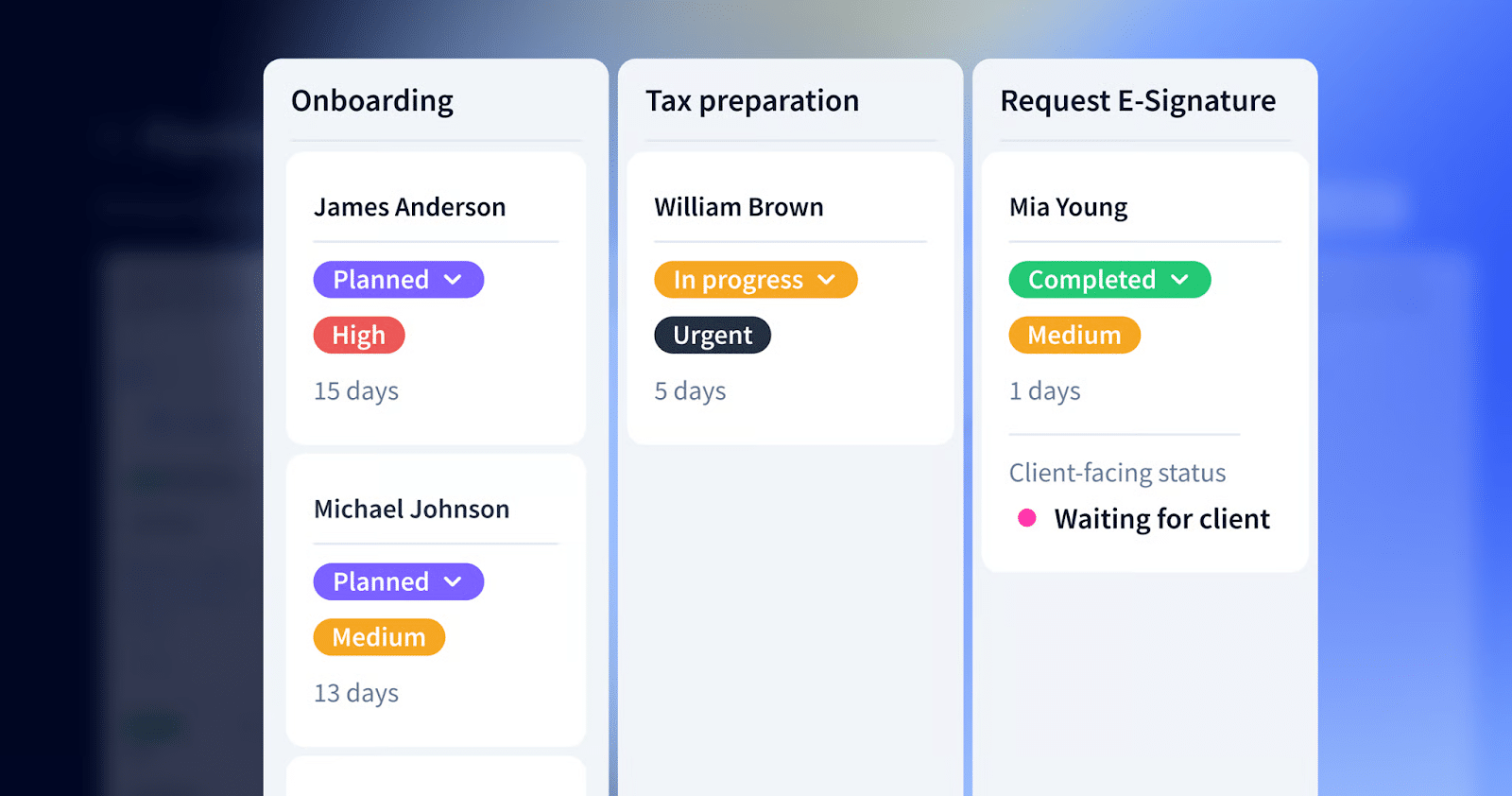
Workflow Management
- Ready-made templates: Automates project creation and saves billable time.
- Kanban and list views: Enable firms to quickly assess what stage each job is in, spot bottlenecks, filter work by assignee or due date, and prioritize tasks.
- Automated client communication: Allows firms to automate messages triggered at key points in the workflow.
Team Collaboration
- @Mentions: Teammates can @mention one another directly within jobs or tasks to ask questions, clarify requirements, or share updates.
- Inbox+ notification center: TaxDome’s Inbox+ is a centralized notification hub that enables staff to customize which alerts they want to see.
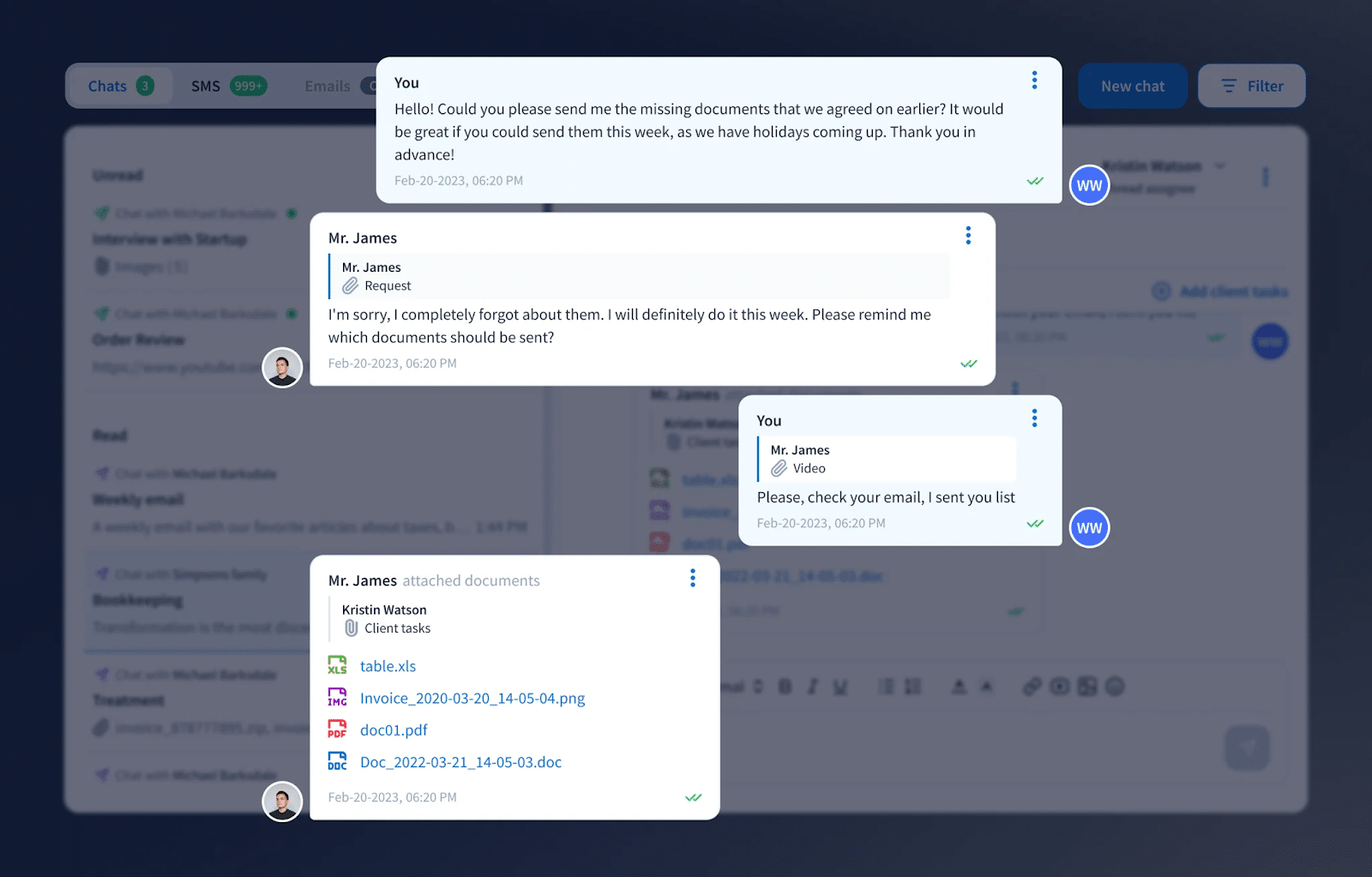
- Email Sync: Syncs the firm’s email accounts with TaxDome so all client communication is stored in one place.
Document Management
- Built-In PDF editor: A comprehensive PDF editor that lets staff annotate, combine, highlight, add notes, and create fillable forms.
- Secure cloud storage: Unlimited cloud storage that allows teams to store all client documents.
- Virtual drive: Allows firms to manage and organize documents like a local file system, while keeping everything synced and stored in the cloud.
Accounting CRM
- Client profile: Brings all client information into a single profile.
- Custom automated reminders: Personalized notifications for outstanding client requests.
- Client communication: TaxDome supports different communication types, such as Chat, Email, and SMS.
Tax Organizers
- Customizable Digital Organizers: Help firms collect client data efficiently through digital questionnaires.
- Automatic Tag Assignment: Organizers can apply or remove tags automatically based on client responses.
- Automated Onboarding Workflows: Enable firms to automate onboarding steps, like gathering initial client details and sending engagement letters.
- Custom Templates: Pre-built templates that standardize data collection.
Pricing
- Essentials: $700/year
- Pro: $900/year, per seat
- Business: 1100/year, per seat
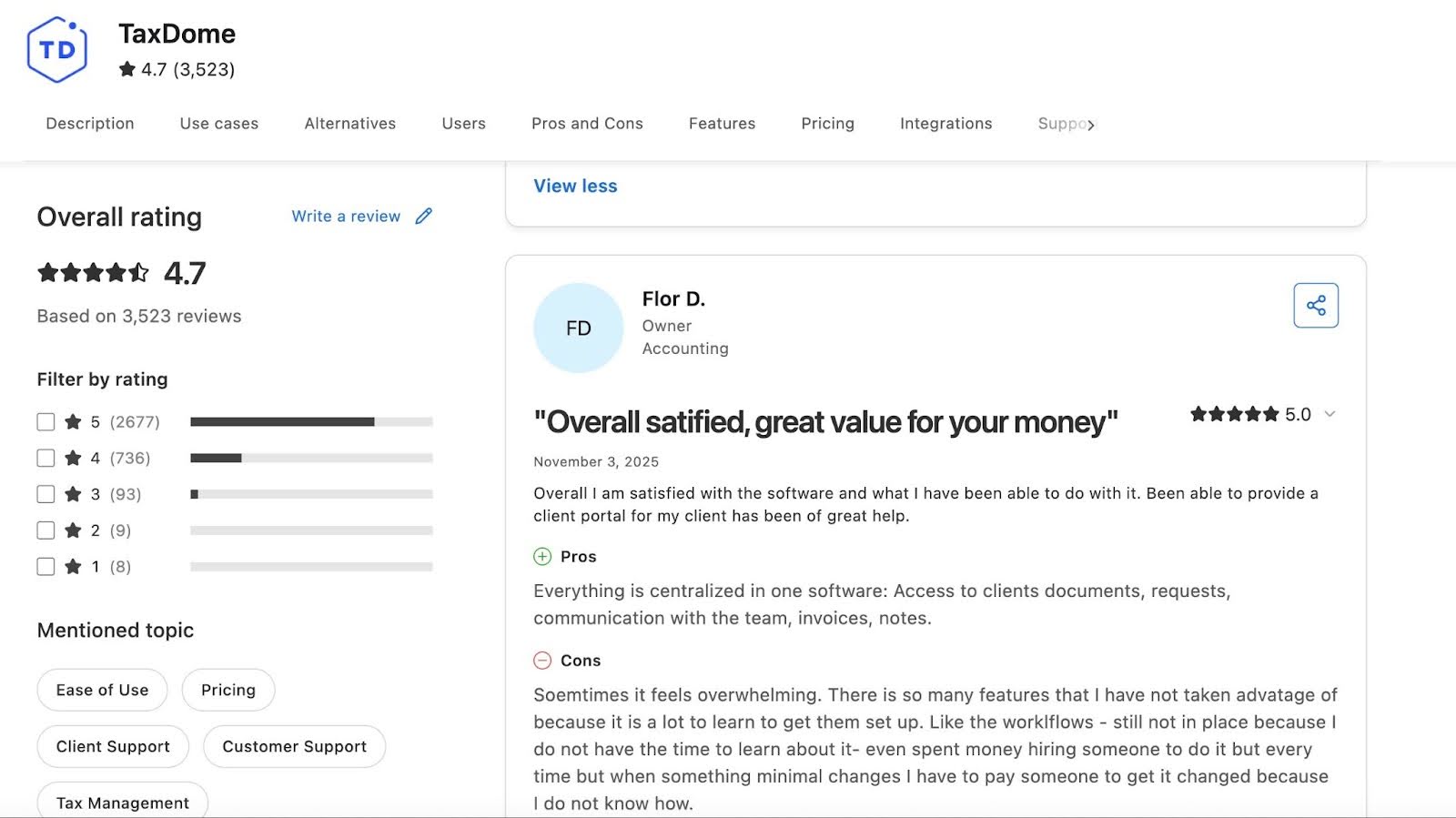
TaxDome Reviews
Drawbacks of TaxDome and Why You Should Consider Alternatives
a. Mainly built for tax firms
TaxDome’s feature roadmap relies heavily on tax compliance workflows, and that reflects in the product development over the years.
Its strongest tools are tax organizers, tax-season pipelines, bulk signature packages, and document workflows, built for tax preparers.
For firms offering bookkeeping, client accounting services (CAS), or advisory services as primary services, this creates workflow frictions.
Month-end close, recurring bookkeeping reviews, account reconciliations, and ongoing client tasks require more customization than TaxDome provides (unless they create some manual workarounds).
Even with the workarounds, the experience never measures up to tools built specifically for high-volume bookkeeping or advisory workflows.
The downside was getting to that point, especially when you are learning how to work the system. I would like more options to learn, hands-on. Lastly, I wish it had breaks on the amount it costs per user instead of the same $ amount for the # of users."
Jenifer V, Partner at an Accounting Firmc. Lack of Open API integration
TaxDome’s closed ecosystem limits how deeply firms can integrate the platform with the other tools in their tech stack. It doesn’t offer an open API, so firms cannot build custom connections to niche applications, ERP systems, or specialized workflow tools that are essential for their operations.
While TaxDome does support Zapier, the connection is basic. It is not robust enough for complex automation or two-way sync.
For firms that offer both bookkeeping, tax, CAS, advisory, or audit services, these limitations can create information silos, which will compromise the quality of services rendered.
d. Steep Learning Curve for New Users
TaxDome’s extensive feature set is powerful, but that comes with a steep learning curve, especially for firms that are not so tech-savvy or have a dedicated IT department.
With so many features calling for your attention and the user interface requiring lots of time and training to customize pipelines, organizers, and client portals, firms risk sacrificing their billable engagements for these administrative tasks.
That is why many firms rely on video tutorials, webinars, community guides, and even paid TaxDome consultants to get the system running smoothly.
TaxDome has a rather substantial learning curve as we learn how to use all the software features. "
Martha Re. Automations Are Powerful but Hard to Set Up
TaxDome’s pipelines and automations can simplify accounting functions, but only after they’re correctly configured, which is where many firms struggle.
The automations require precise rules, dependencies, and statuses. A single misconfigured step can break an entire workflow and cause tasks to stall, duplicate, or trigger at the wrong time.
When this happens, firms often end up spending hours troubleshooting small errors or rebuilding parts of their pipelines with the time they were trying to save.
Sam S., CPA
Brianna Goodman
Angela Brewer
The 10 Best TaxDome Alternatives for Accounting Firms in 2026
1. Financial Cents
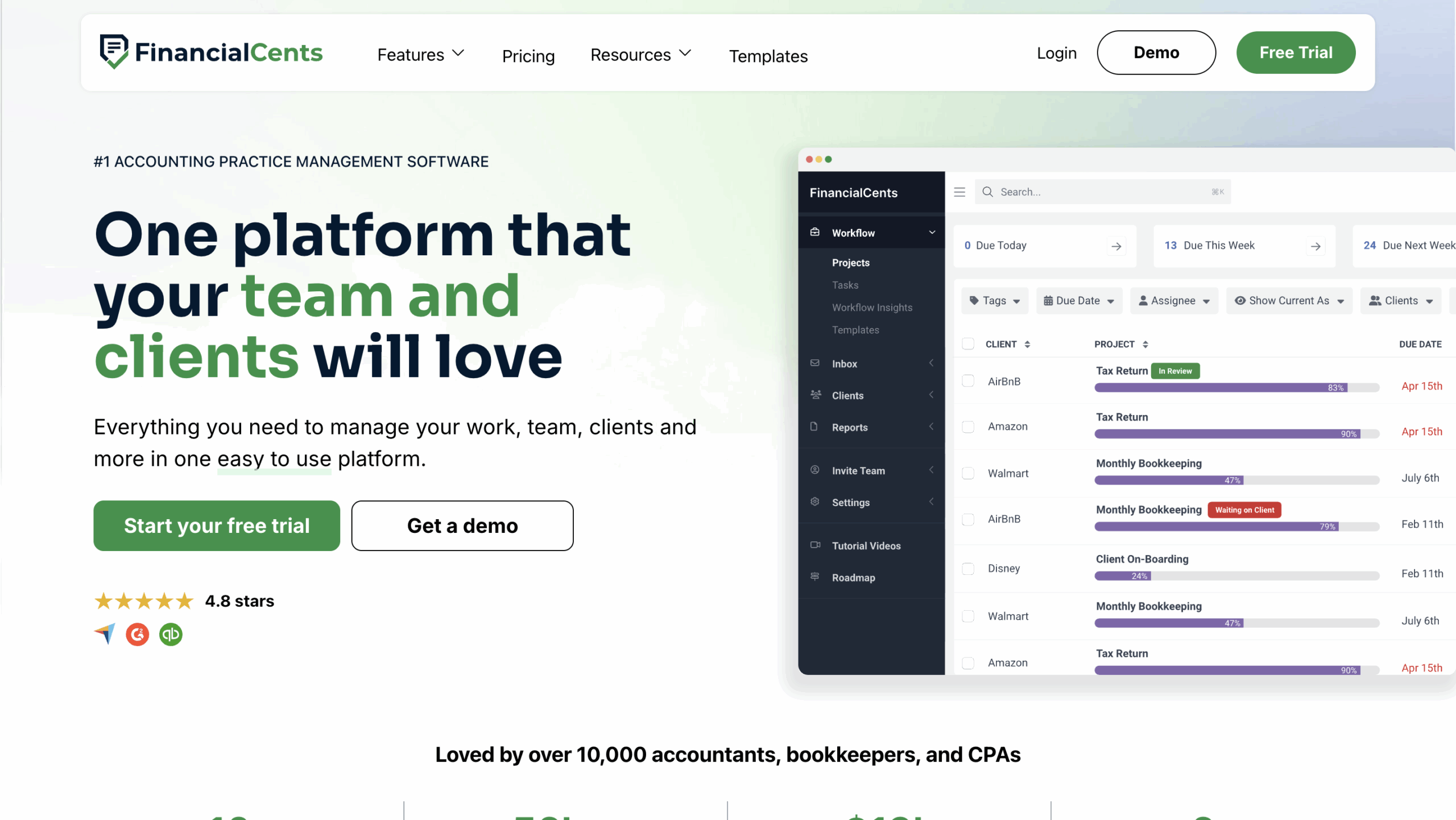
Financial Cents is an all-in-one practice management platform designed specifically for accounting, tax, and bookkeeping firms to manage their work, clients, and team in one place.
It emphasizes simplicity and ease of use in helping teams track work, meet deadlines, manage capacity, and receive time payments.
Here are Financial Cents’ Practice Management Features and how they help:
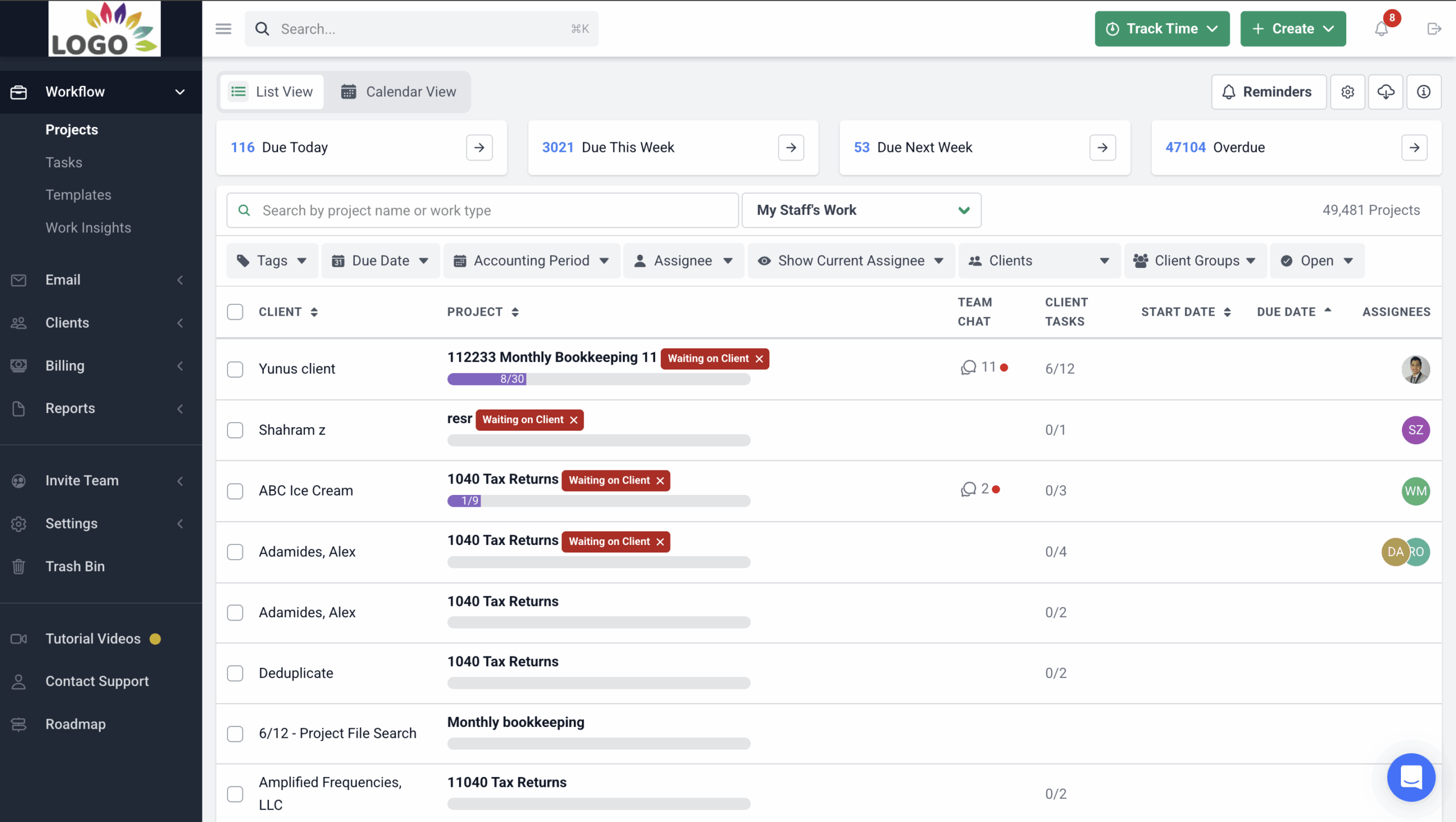
Workflow and To-Do Lists
- Workflow Dashboard: Displays/centralizes all work and client information to provide firmwide visibility into all active projects.
- Workflow filters: Enable firms/team members to filter their dashboards to view work for specific clients, employees, or tags.
- Internal file sharing: Files and documents are stored on the work to enable team members to retrieve the information they need to complete their tasks easily.
- Turn emails into projects: You can turn Ad hoc client requests into projects in the workflow dashboard.
- Workflow templates: Prebuilt projects that make accounting project creation much faster. Users can also create their templates from scratch.
Workflow Automation
- Recurring work: Recreates all your recurring projects so your team can focus on completing them.
- Client reminders: Client reminders so you don’t waste your time chasing them for files and information.
- Task dependencies: Notifies team members to start their work at the right time.
- Work statuses: Sends email to clients to update them on the status of their engagements.
- Email updates: Client emails triggered by the completion of tasks or sections to communicate next steps.
Team Collaboration
- @mentions: Allows team members to keep their colleagues up to date by tagging them to work, email, and conversations inside the project.
- File sharing: Enables teams to add documents to comments when discussing client engagements.
- Shared inbox: All client emails are pulled into the dedicated client email folder, allowing every team member to access it when needed.
- Client Notes: Team members can share client updates and meeting summaries in the Client Notes section of the client profile.
Email Integration
- Focused client inbox: Every client in Financial Cents has a dedicated folder for all emails they share with your firm across multiple inboxes.
- Turn emails into tasks: Your clients’ ad hoc email requests can be turned to email into a project.
- Pin emails to work: Adds client emails to the relevant project to keep important emails from slipping through the cracks.
- Two-Way Sync with Gmail and Outlook: You can send, read, and archive emails from Financial Cents, and it’ll reflect in your email service provider.
Capacity Management
- Capacity dashboard: Displays the entire team’s workload to identify who is doing how much work.
- Workload forecasting: Analyzes historical workload trends to predict when you will need additional resources.
- Task reassignment: Financial Cents allows you to redistribute work to balance workloads and deadlines.
- Automated task assignments: Automatically assign tasks to team members based on their roles in the firm.
- Custom workload views: Enables you to filter workloads by team members, projects, or deadlines to understand your team’s current capacity.
Time Tracking
- Start/stop timer: Built-in timer that tracks time in the background
- Manual Entries: Manually logs time on for work and clients.
- Billable vs non-billable: distinguishes between billable and non-billable time to measure team productivity.
- Time budgets: Estimate the time for client work to understand when you are running over budget.
Document Management
- DMS integrations: Re-route your files and documents to third-party document management software (DMS).
- Folder sharing: Enables you to share folders and files with clients so they can access old documents in the client portal.
- Document organization: You can categorize your files and documents into custom folders and sub-folders for easy management.
- Search functionality: Digs through document folders to surface specific documents using keywords.
- E-signatures: Receive clients’ electronic signatures and get notified when the client signs the document.
- Notifications: Financial Cents alerts you when clients or team members edit or modify a document.
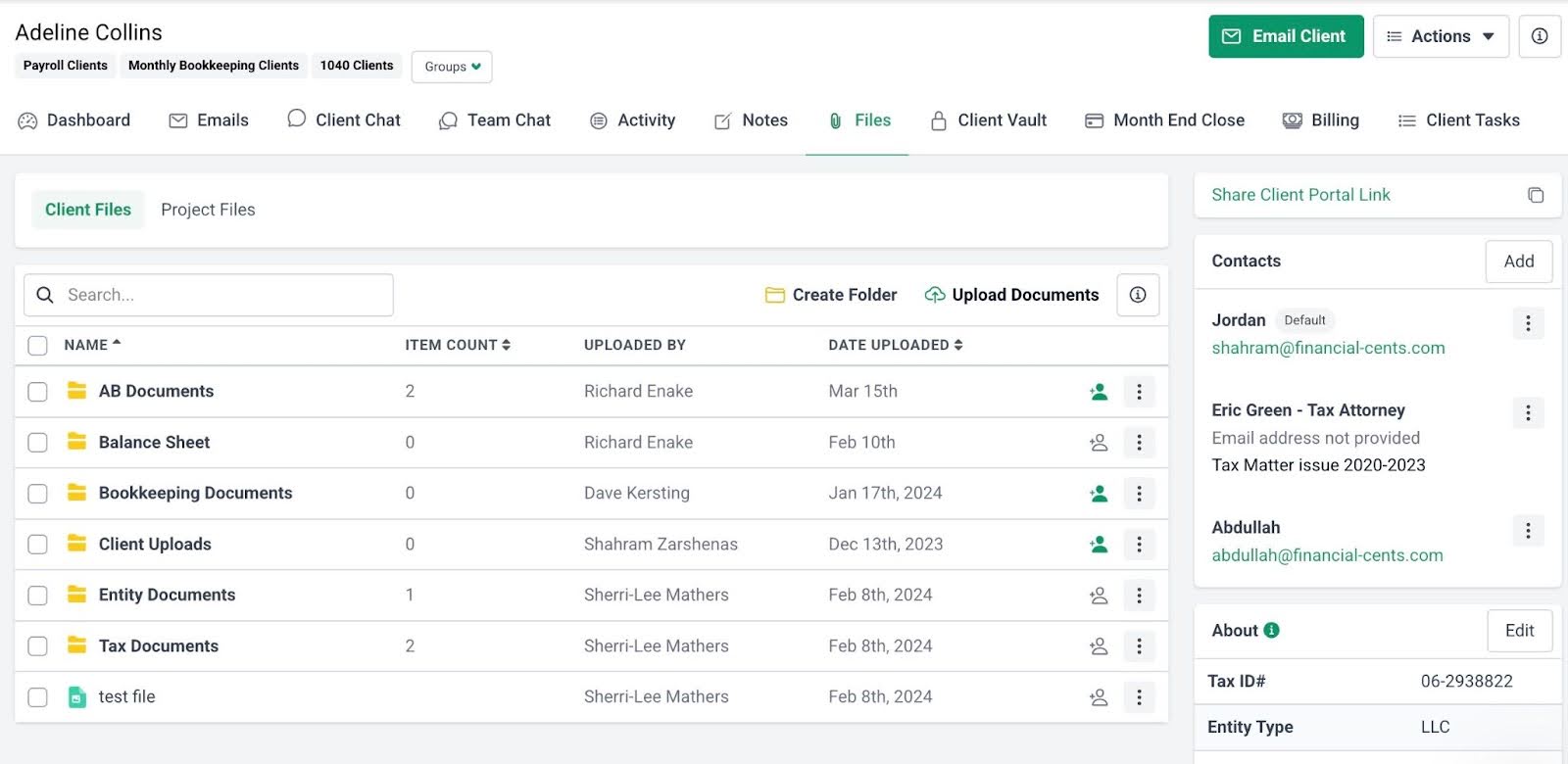
Accounting CRM, Client Requests, and Portal
- Passwordless portal: Clients don’t need passwords to access their portals to collaborate with you. Financial Cents uses magic link login to ensure security and convenience.
- Client Tasks: Send clients a list of the files and information you need to get their work done.
- Auto-reminders: Notifies your clients automatically to save you the time and energy of chasing clients.
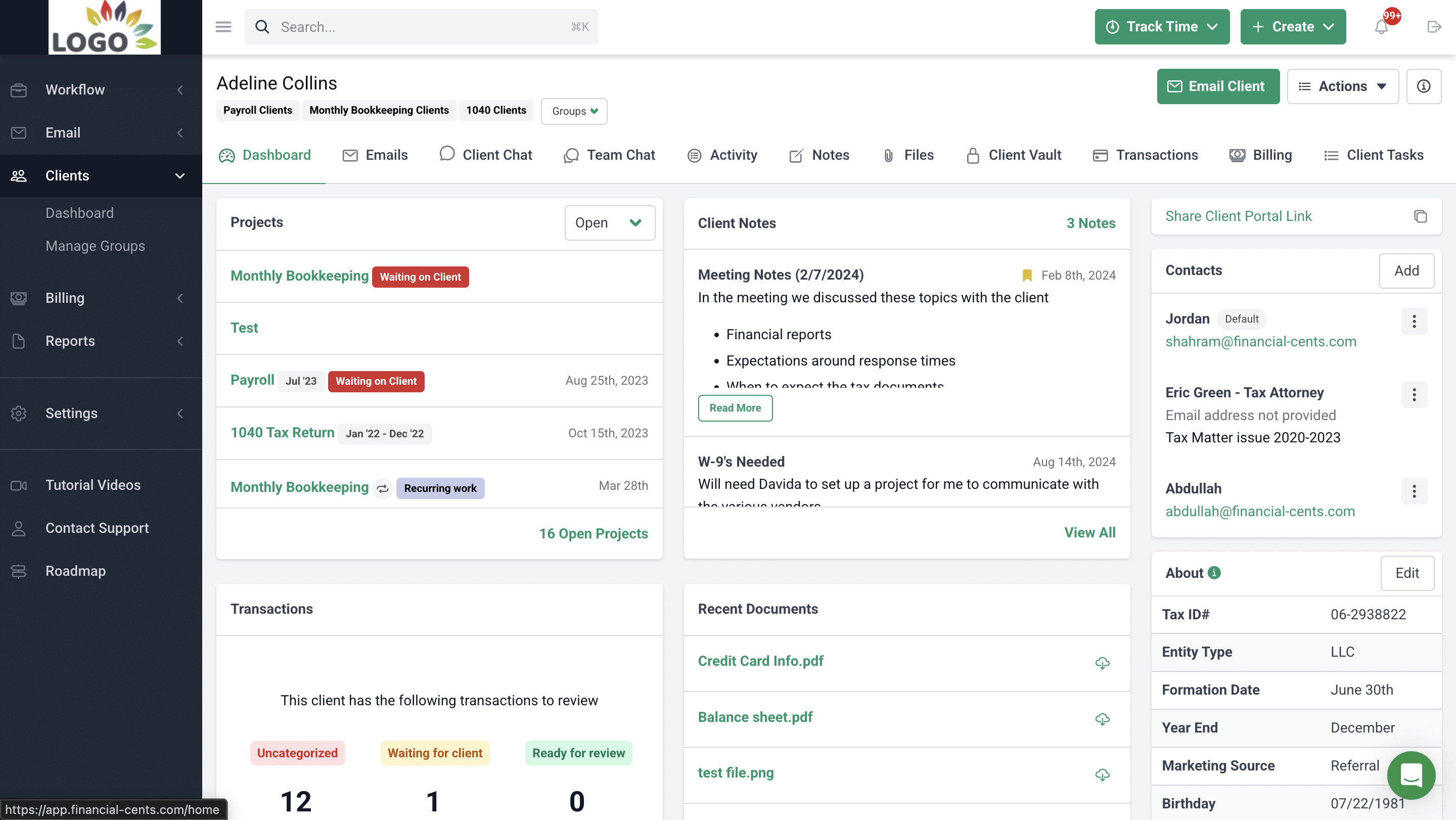
- Client chat: Enables you to communicate with clients alongside your document and E-signature requests.
- Activity Tab: Shows who last spoke to a client, when, and about what in one view.
- Custom fields: Organize specific client information, such as formation data, marketing source, EIN, SSN, and birthdays.
- Client Vault: Stores sensitive client information like passwords and credit card information.
- Client groups: Categorizes your clients into groups for maximum visibility and automation.
E-signature
- Request signatures: Simplify signing for tax returns, proposals, and other client documents.
- Security & compliance: Adobe’s certified e-signatures ensure secure and legally compliant client approvals.
- Automatic notifications: Receive instant alerts when documents are signed to stay updated.
- Centralized doc storage: Signed documents are automatically organized within Financial Cents for easy team access.

Billing and Payments
- One-time and recurring invoices: Create one-time or recurring invoices to reduce administrative work.
- QuickBooks Online sync: Automatically sync invoices and payments to QuickBooks Online.
- Automated payments: Automatically collect payments to save time and accelerate cash flow.
- Automated client reminders: Send automatic reminders to clients for unpaid invoices.
- Pass card fees to clients: Transfer credit card processing fees to clients to improve margins.
Proposal and Engagement Letters
- Proposals: Create modern proposals that help convert more clients.
- Engagement letters: Include scope of work and terms in legally binding engagement letters.
- Packages: Offer service packages to increase revenue opportunities.
- Optional upsells: Add extra services to proposals to upsell clients.
- Videos: Include personalized videos to make proposals more engaging.
- Billing: Auto-invoice clients once proposals are accepted.
- Payments: Accept ACH and card payments seamlessly after proposal approval.
- Auto reminders: Automatically prompt clients to sign proposals.
Month-End Close
The new Month-End Close tool (formerly ReCats) enables firms to identify incorrect transactions for review and corrections inside Financial Cents. Approved transactions are reflected in QBO, eliminating spreadsheets and client chase to speed up the financial close process.
It involves:
- Transaction Tracking: Automatically flag transaction errors
- Client Collaboration: Your team can share transactions with clients for clarification and supporting documents inside the client portal.
- Transaction Corrections: Enables your team to edit directly in Financial Cents
- QBO Sync: Once approved, corrected transactions are pushed back to QuickBooks Online.
Budgeting and Reporting
- Realization reports: Display your clients, work items, and team members by their profitability levels.
- Budget reports: Financial Cents shows which clients are over and under budget.
- Client uploads report: All clients’ uploads are displayed to show what’s outstanding.
- Work Insights report: Identify the issues slowing your workflows down.
- Revenue Insights: Displays the services driving the most revenue in your firm.
- Utilization reports: Improves your time usage by tracking how productive resources are spent on revenue-generating activities.
| Pros | Cons |
|
|
Why You Should Consider Financial Cents
Financial Cents is valuable for fast-growing firms that want a simple but powerful workflow engine. This provides users with workflow clarity, team accountability, and automates complex recurring work (like month-end bookkeeping, payroll, or CAS).
The Financial Cent client management solution centralizes client information in a way that enables accounting firms to build quality client relationships while making it more convenient for clients to respond and collaborate by sharing files and information inside the client portal.

Reviews
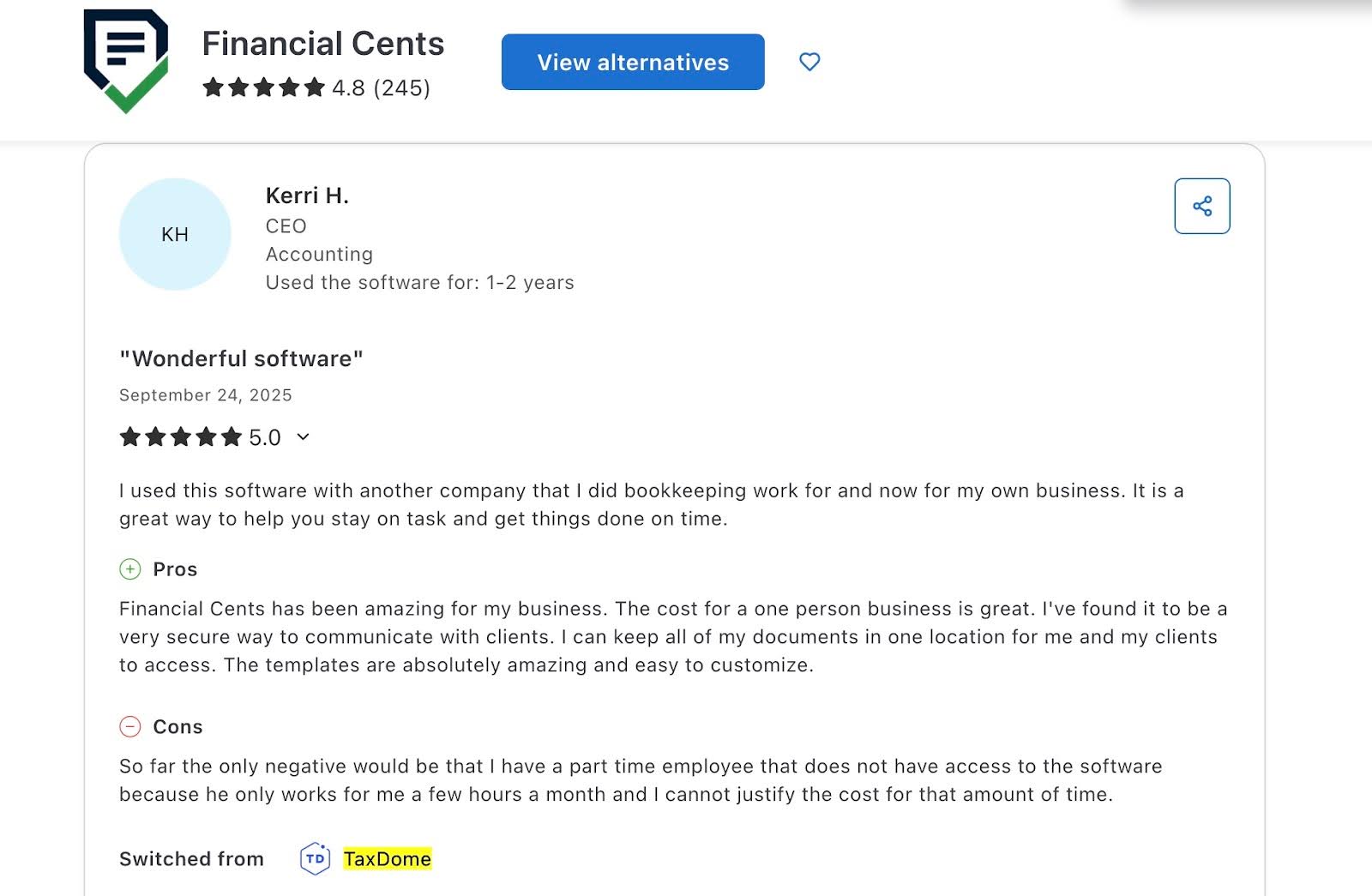
Financial Cents has 4.8 stars (out of 5) based on users’ reviews in Capterra and 4.7 stars in G2.
Pricing
Financial Cents offers a 14-day free trial.
Its paid plans are:
- Solo plan at $19/month per user (billed annually)
- Team at $49/month per user (billed annually).
- Scale at $69/month per user (billed annually).
- Enterprise – custom pricing
Should you use TaxDome or Financial Cents?
Choose TacDome if you need complex tax features. Its tax organizers and IRS-related integrations make compliance with tax services easier.
Choose Financial Cents if your firm combines tax, advisory, and other services with complex bookkeeping services. Its feature set enables you to centralize and organize your whole firm to save time and automate day-to-day accounting tasks like client data collection and categorizing uncategorized transactions in QBO.

See side by side comparison: Financial Cents vs Taxdome
Want to explore how Financial Cents can help you manage your firm? Book a Free Demo.
2. Canopy
Canopy is a practice management system designed to help resolution and accounting firms manage workflows, automate tasks, store client information, and bill clients effectively.
Its modular pricing system lets firms pay only for the features they need, making it more flexible than most tools, although costs can increase significantly with more features.
Here are Canopy’s Practice Management Features and how they help:
Workflow Automation
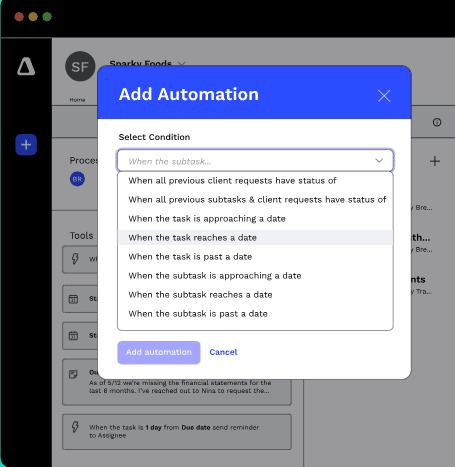
- Workflow templates: Apply automation rules to tasks, subtasks, and client requests using conditions and triggers.
- Recurring tasks: Automate work that repeats on due dates or after completion, without recreating templates.
- Status tracking: Provides job visibility for teams managing tax or resolution work.
Client Management
- Lists & dashboards: Tag, sort, segment, and filter client types with templates.
- Client records: Consolidate communication, files, tasks, notes, and invoices in one place.
- Global inbox: Syncs email accounts, attaches emails to client records, and allows teams to collaborate with internal comments.
Document Management
- Secure links: Share, upload, or request signatures through single-use, encrypted links without portal login.
- Unlimited storage: Centralized, secure cloud storage with structured folder templates.
- Virtual drive: Replicates Canopy’s folder structure locally to organize files for easy access.
Time and Billing
- Built-in timers: Track time by client or project with automatic connection to tasks and workflows.
- Time budgets: Set time allocations for tasks/subtasks to monitor profitability.
- Invoices: Customizable formats with one-time, recurring, or scheduled billing options.
Transcripts & Notices
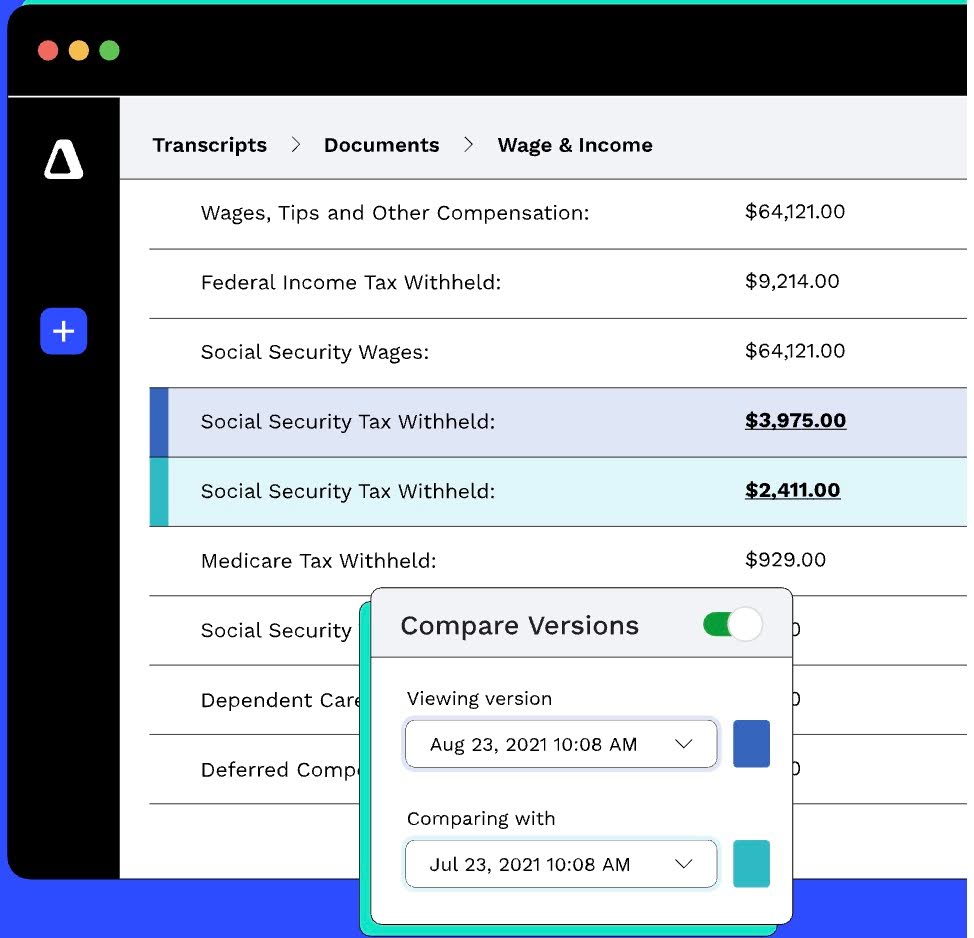
- IRS transcript: Pull transcripts automatically, download all documents at once, and view clean summaries.
- Notice workflows: Prebuilt, annually updated templates for responding to IRS notices.
| Pros | Cons |
|
|
Why You Should Consider Canopy
Canopy is ideal for tax-heavy firms needing IRS integrations, advanced document security, and customizable workflows. Its tax automation features and integrations are significantly more advanced than TaxDome’s.
Reviews
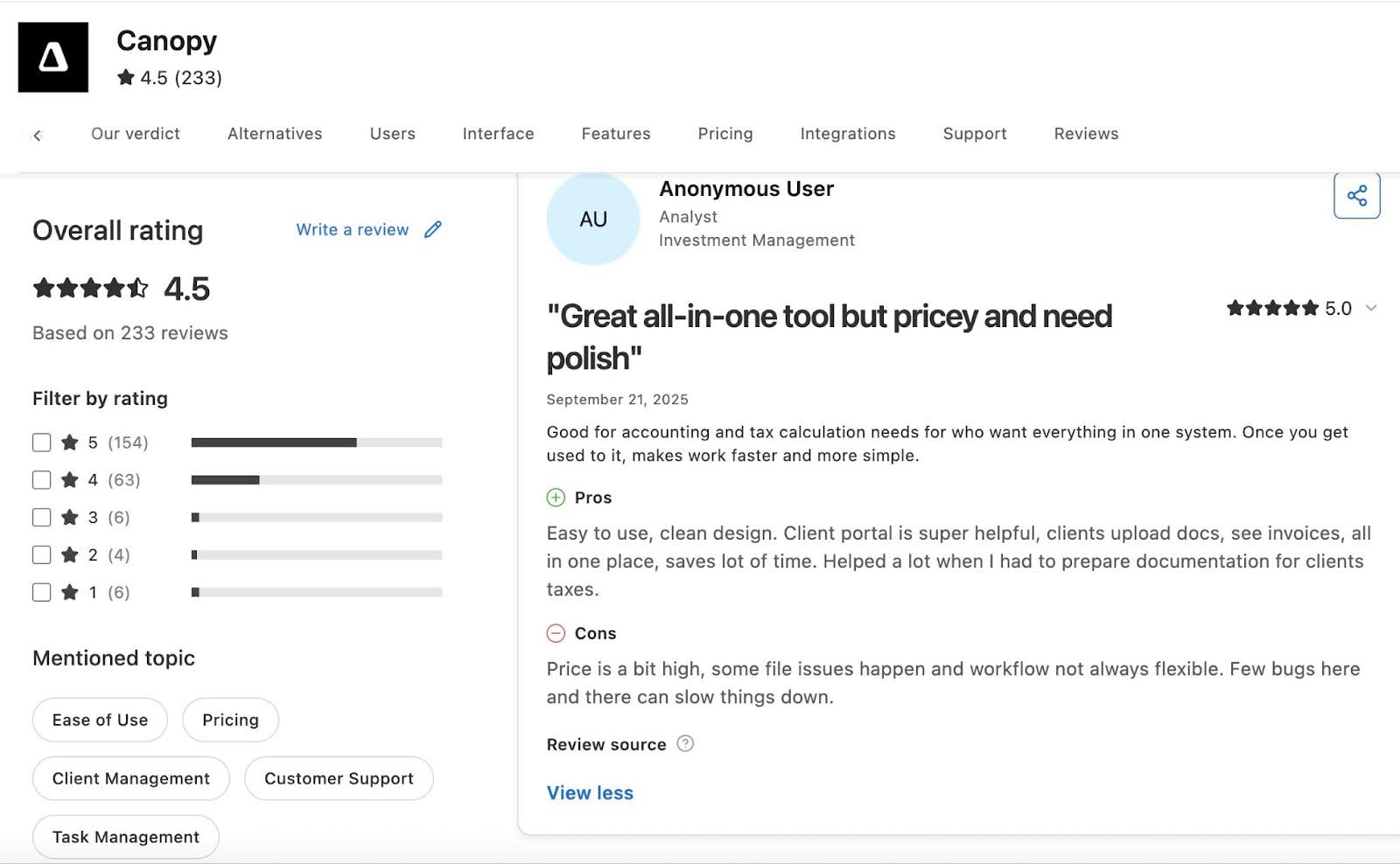
Canopy has:
Pricing
- Client Engagement: $150/month
- Document Management: $36/month per user
- Workflow: $32/month per user
- Time & Billing: $22/month per user
Should You Use TaxDome or Canopy?
Choose TaxDome if you want more extensive features for bundled prices. It gives you workflow management, DMS, CRM, e-signatures, billing, and a client portal under one subscription.
Choose Canopy if you prefer modular flexibility or work heavily in tax resolution. Canopy’s IRS transcript integration and notice workflows give it an advantage for firms handling compliance cases.
Read the in-depth side by side comparison of Taxdome vs Canopy
Related: Financial Cents vs Canopy
3. Karbon
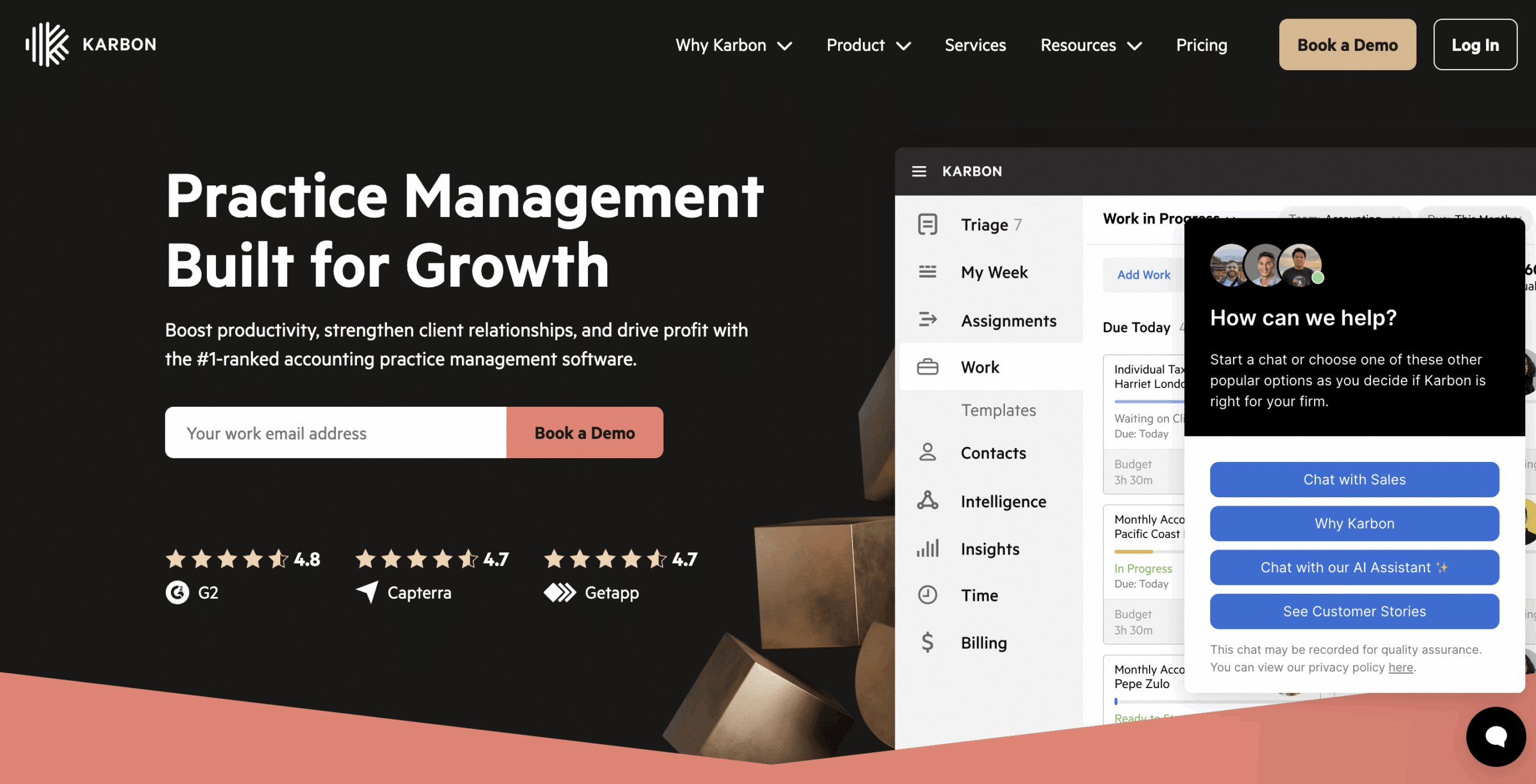
Karbon is a practice management platform for accounting firms with complex operations.
It excels at team collaboration, email-driven workflows, and AI insights across multi-step accounting engagements.
Here are Karbon’s Practice Management Features and how they help:
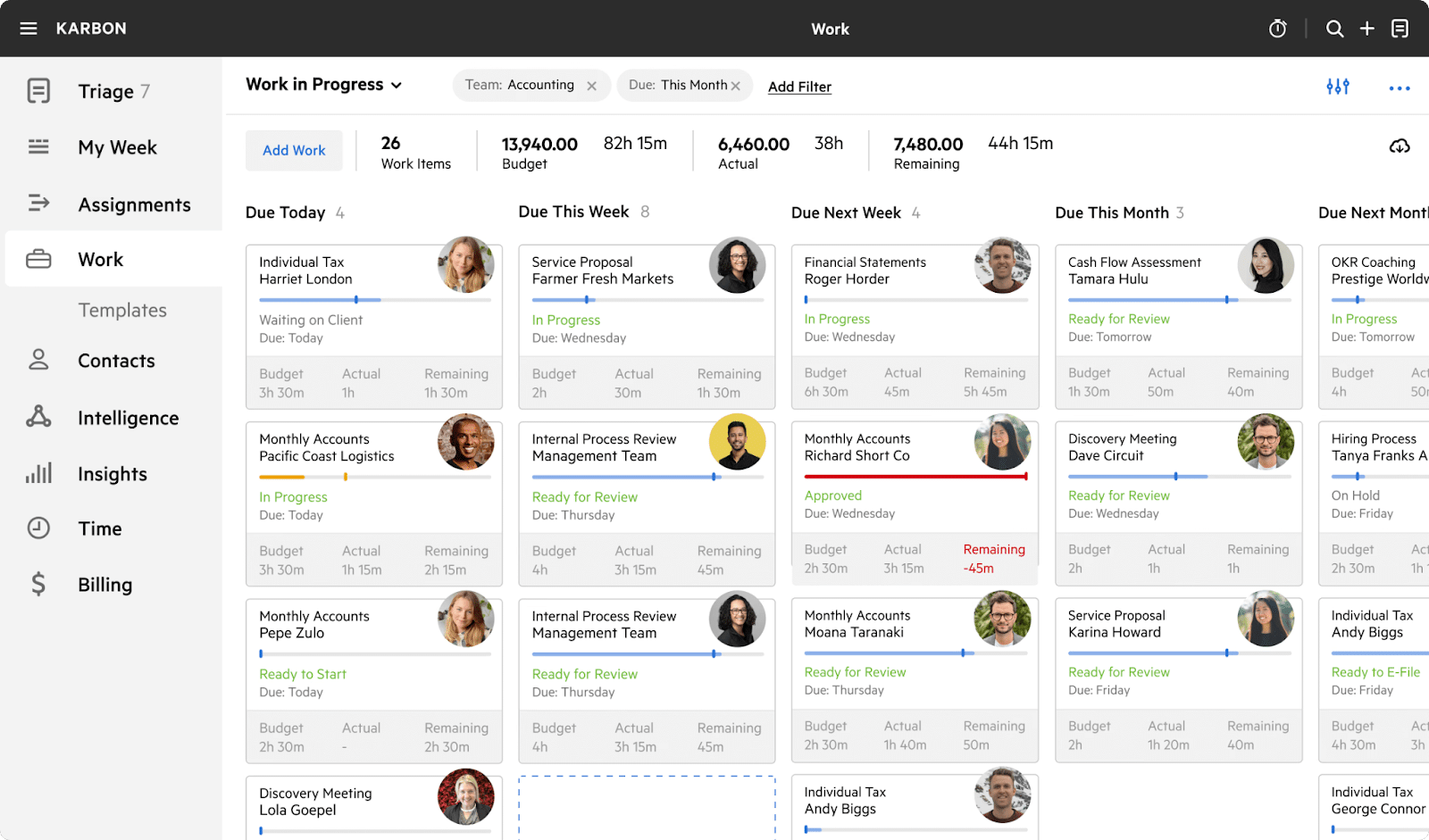
Project Management
- Work Templates: Standardize processes using reusable templates.
- Automators: Set task dependencies and automate handoffs.
- Work Scheduler: Automate recurring jobs.
- My Week: Centralized view of tasks, email, and priorities.
- Auto-Reminders: Automatic client follow-ups for missing info.
Email Management
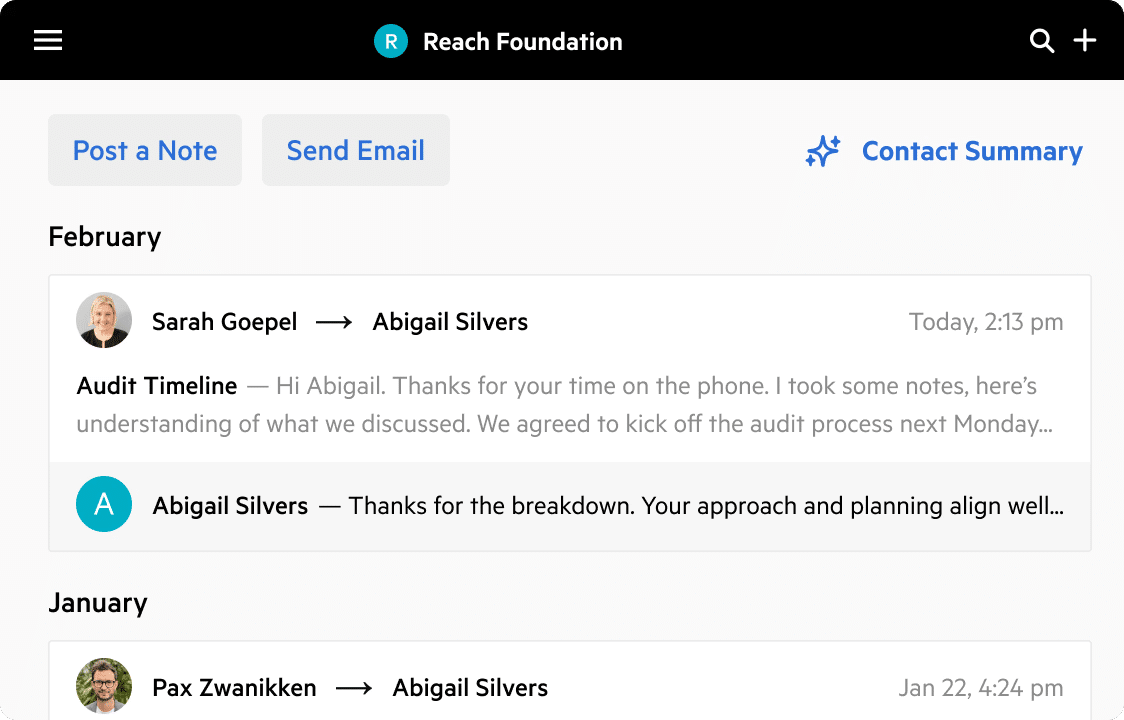
- Integrated Email: Team-wide visibility into client communication.
- Triage: Process emails quickly, collaborate on shared inboxes.
- Email Comments: Add internal notes without forwarding threads.
- Mobile App: Manage emails and tasks on the go.
Client Management
- Client Portal: Tasks, document sharing, and collaboration in one place.
- AI Client Summaries: Automatic briefs based on notes, email, and work history.
- Custom Fields: Track structured client data and create filtered views.
Time Tracking and Billing
- Timers: Track time per job or client.
- Budgets: Role-based billing and resource planning.
- Invoicing: Time, fixed-fee, and recurring billing workflows.
| Pros | Cons |
|
|
Why You Should Consider Karbon
Karbon is better suited for firms that have multiple departments, large email volume, complex review layers, or distributed teams. It reduces miscommunication and improves visibility.
Reviews
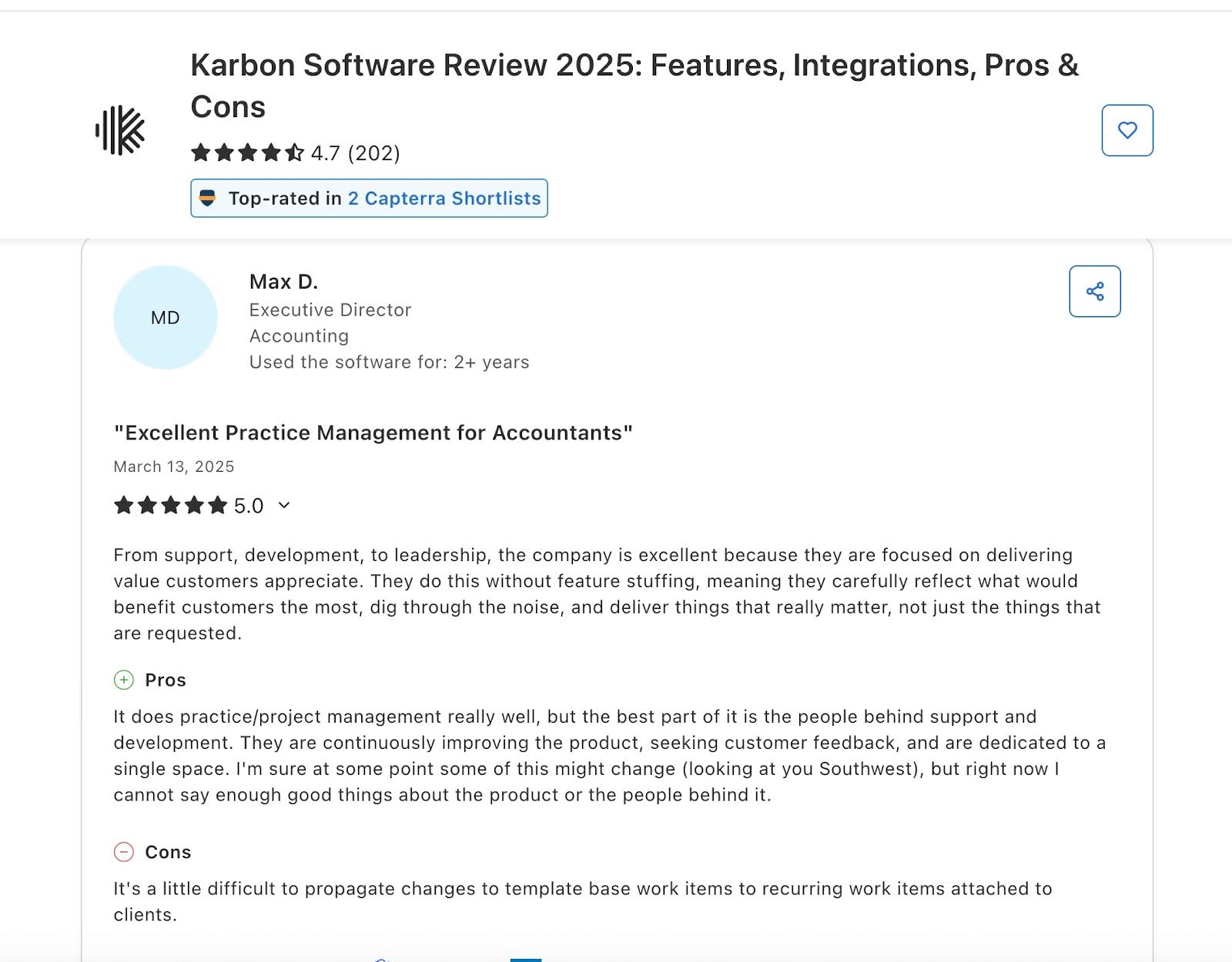
Karbon has:
Pricing
- Team: $59/month, per user
- Business: $89/month, per user
- Enterprise: Custom Pricing
Should You Use TaxDome or Karbon?
Choose TaxDome if you want a tool that provides pipelines, task automation, and templates geared toward tax season workflows.
Choose Karbon if you need an enterprise-grade workflow engine, deeper collaboration, and AI-driven team visibility.
Read this un-biased Karbon vs Taxdome review.
Related: Financial Cents vs Karbon
4. Jetpack Workflow
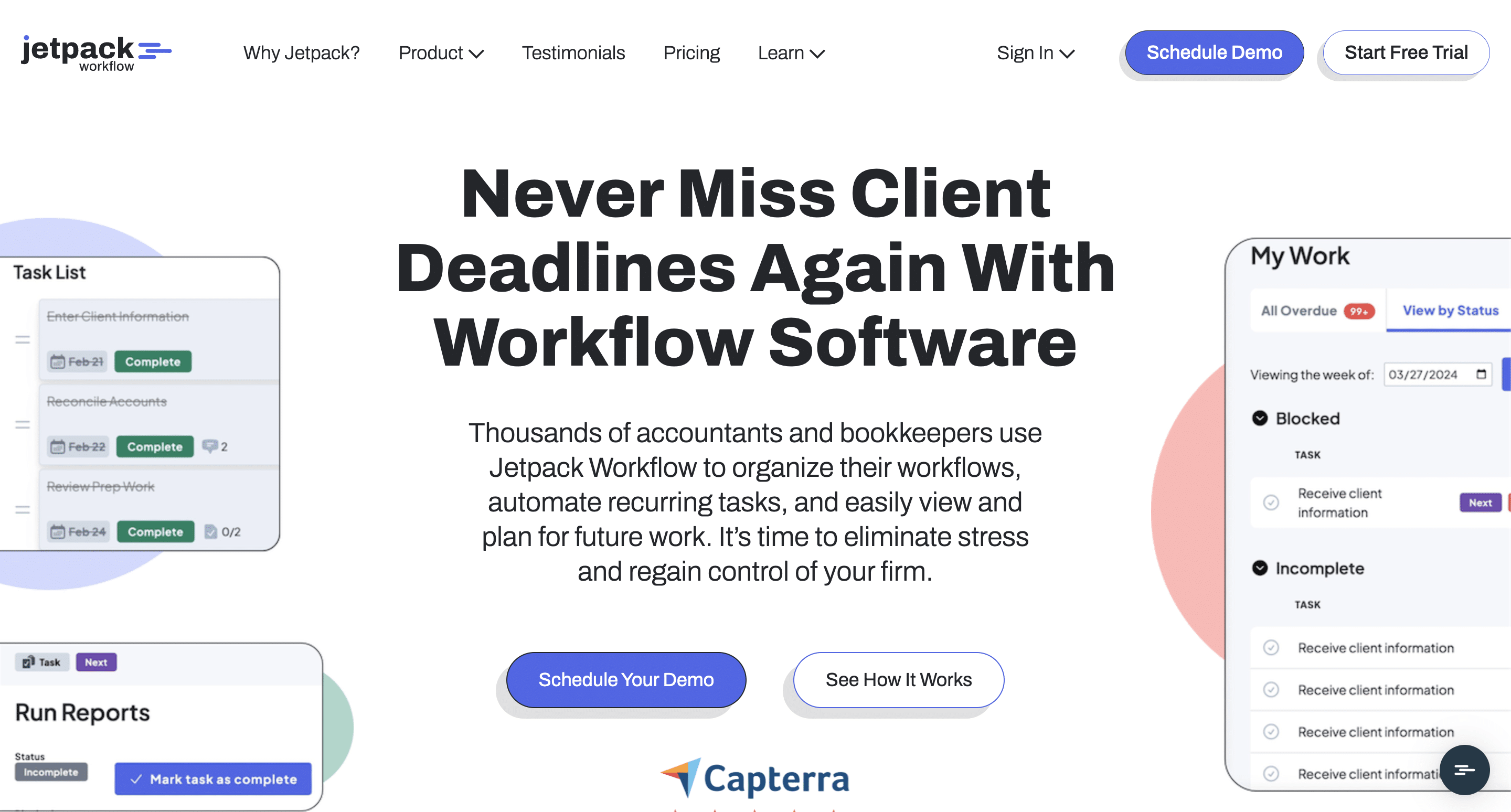
Jetpack Workflow is a workflow management tool that helps small and mid-sized accounting firms looking for simple job tracking, customizable templates, and clear task visibility.
It doesn’t have the complexity of full practice-management tools and client-facing features.
Here are Jetpack’s Workflow Management Features and how they help:
Workflow Management
- Workflow Templates: Create custom work templates in seconds to standardize processes and reduce setup time.
- Recurring Task Automation: Automate recurring jobs with deadlines, reminders, and assignments.
- Capacity planning: Shows all client work, future deadlines, and team workload.
- Unlimited Clients & Projects: Jetpack imposes no usage limits. It allows firms to manage thousands of clients, unlimited projects, and unlimited storage for documents.
Team Collaboration
- @mentions: Tag team members directly inside tasks to ask questions, share updates, or assign responsibility.
- Shared Dashboards: Team members can see shared views of all active and upcoming work to ensure everyone is aligned on priorities.
- Role-Based Permissions: Admins control access based on roles or responsibilities to maintain firm-wide data security.
- In-Task Comments: Add comments directly inside tasks to centralize communication.
Reporting:
- Customizable progress reports, including utilization, completion rates, and workload summaries that can be exported for performance reviews.
| Pros | Cons |
|
|
Why You Should Consider Jetpack Workflow
Jetpack is for firms that prioritize simple and reliable workflow tracking. Its customizable templates and unlimited usage make it ideal for firms switching from spreadsheets but not ready for more comprehensive options like TaxDome.
Reviews
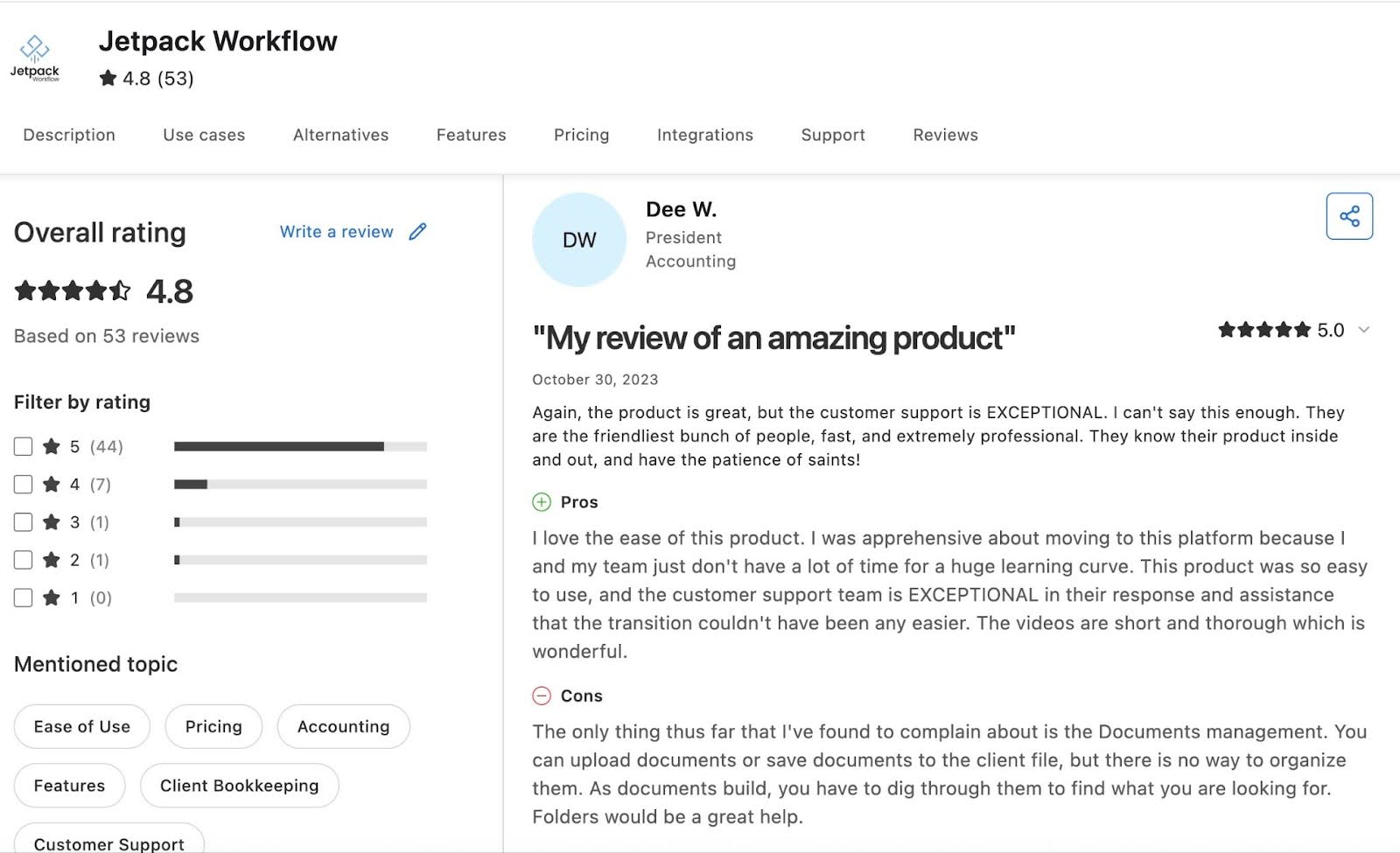
Jetpack has:
Pricing
- Starter Yearly plan at $30/user per month.
- Starter Monthly plan at $45/user per month.
Should you use TaxDome or Jetpack Workflow?
Choose TaxDome if you need an all-in-one solution with a client portal, billing, and document management.
Choose Jetpack Workflow if you prioritize flexible workflows and prefer pairing it with existing apps rather than a unified system.
Related: Financial Cents vs Jetpack Workflow
5. Aero Workflow
Aero Workflow is a workflow automation for bookkeeping and CAS firms focused on recurring tasks, standardized checklists, and team visibility.
It’s ideal for small to mid-sized firms that need structure without the complexity of an all-in-one practice management software.
Here are Aero’s Workflow Management Features and how they help:
Workflow Management
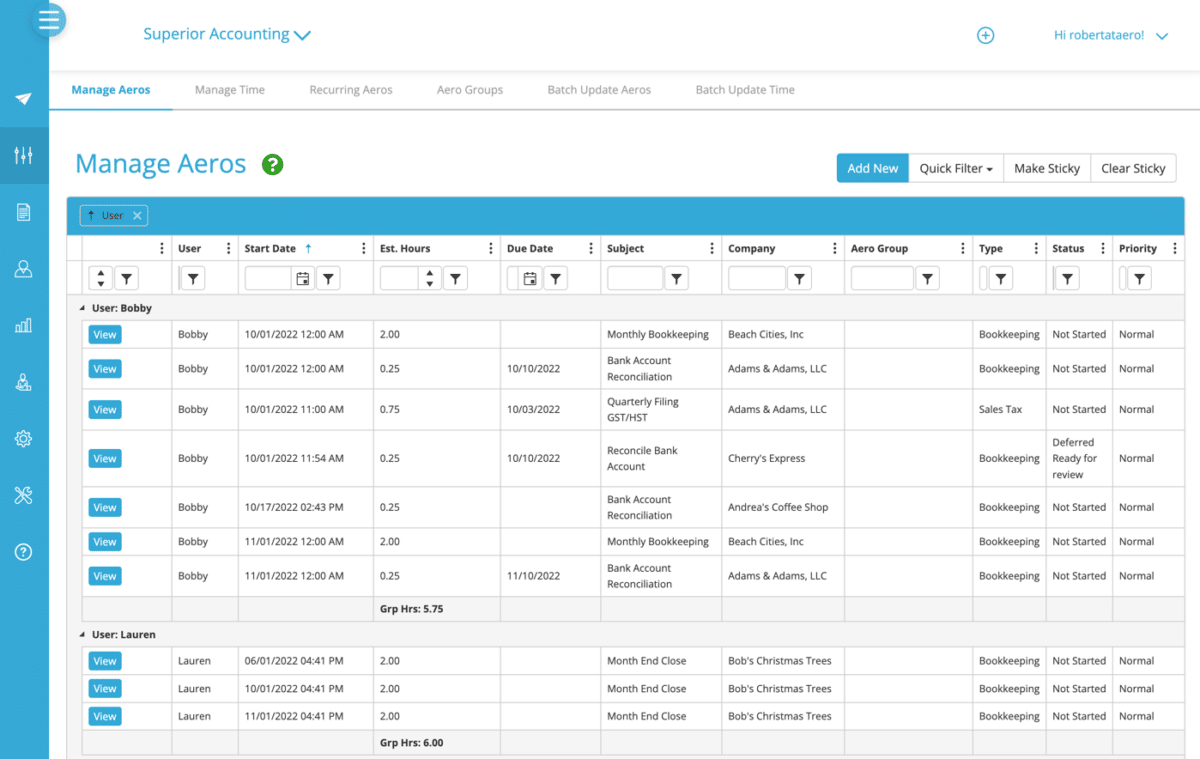
- Templates: Aero provides prebuilt and customizable checklists designed specifically for bookkeeping and CAS processes such as bank reconciliations, payroll cycles, and month-end close.
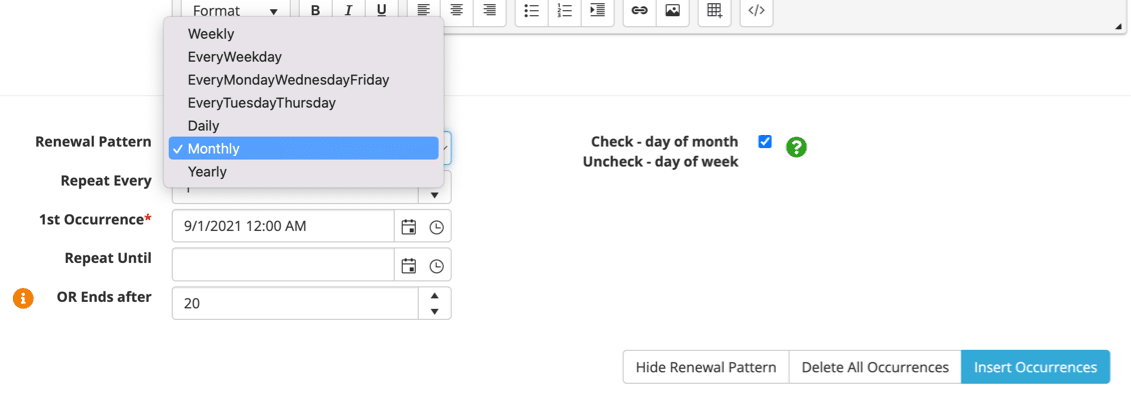
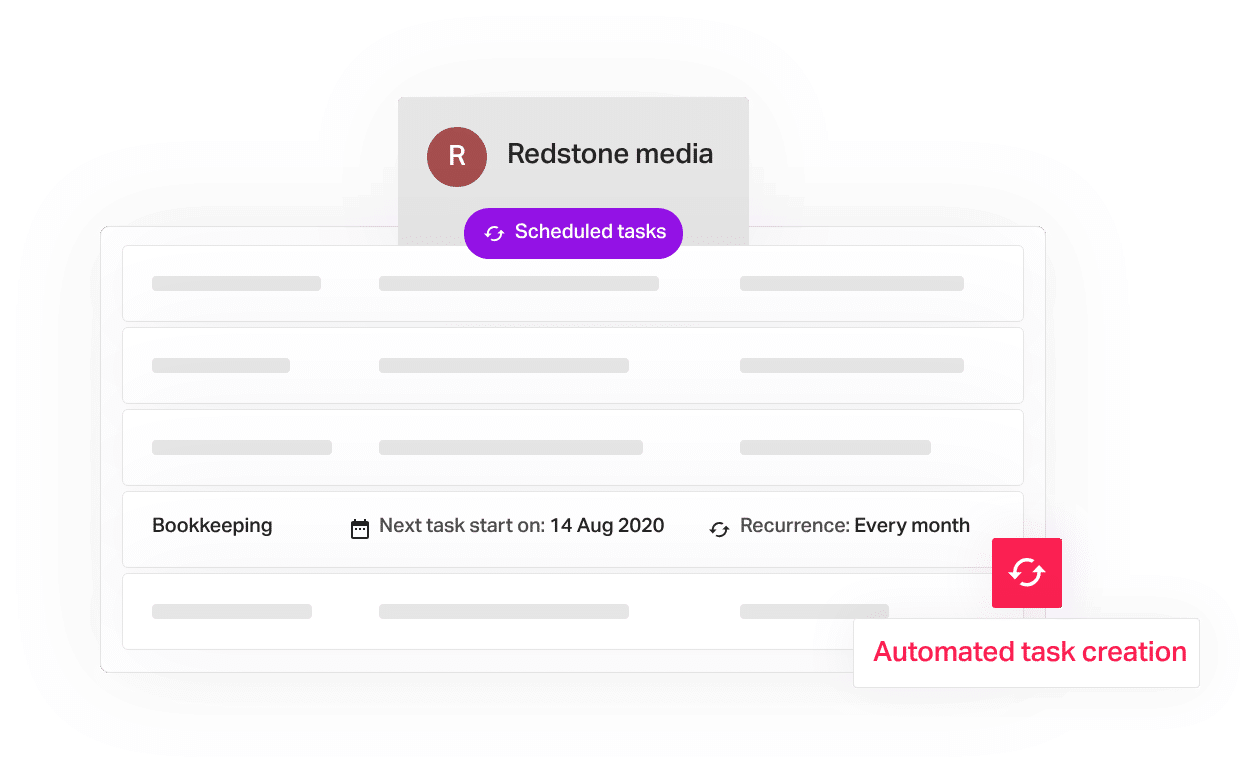
- Scheduled Tasks: Automate recurring work with smart scheduling for weekly, monthly, quarterly, and annual tasks.
- Workflow Dashboard: Centralizes what’s completed, overdue, or upcoming across all clients and staff.
- Individual Dashboards: Each team member has a personalized dashboard showing daily priorities, deadlines, and assigned tasks.
Team Collaboration
- Notes: Team members can add comments to tasks to guide execution.
Workflow Automation
- Recurring Projects: Auto-repeats repetitive projects to reduce admin work.
- Reminders: Helps team members remember to complete their tasks before the due date.
| Pros | Cons |
|
|
Why You Should Consider Aero Workflow
Aero’s template library and recurring workflow engine automate most repetitive accounting tasks, reducing admin time and improving capacity planning.
Reviews
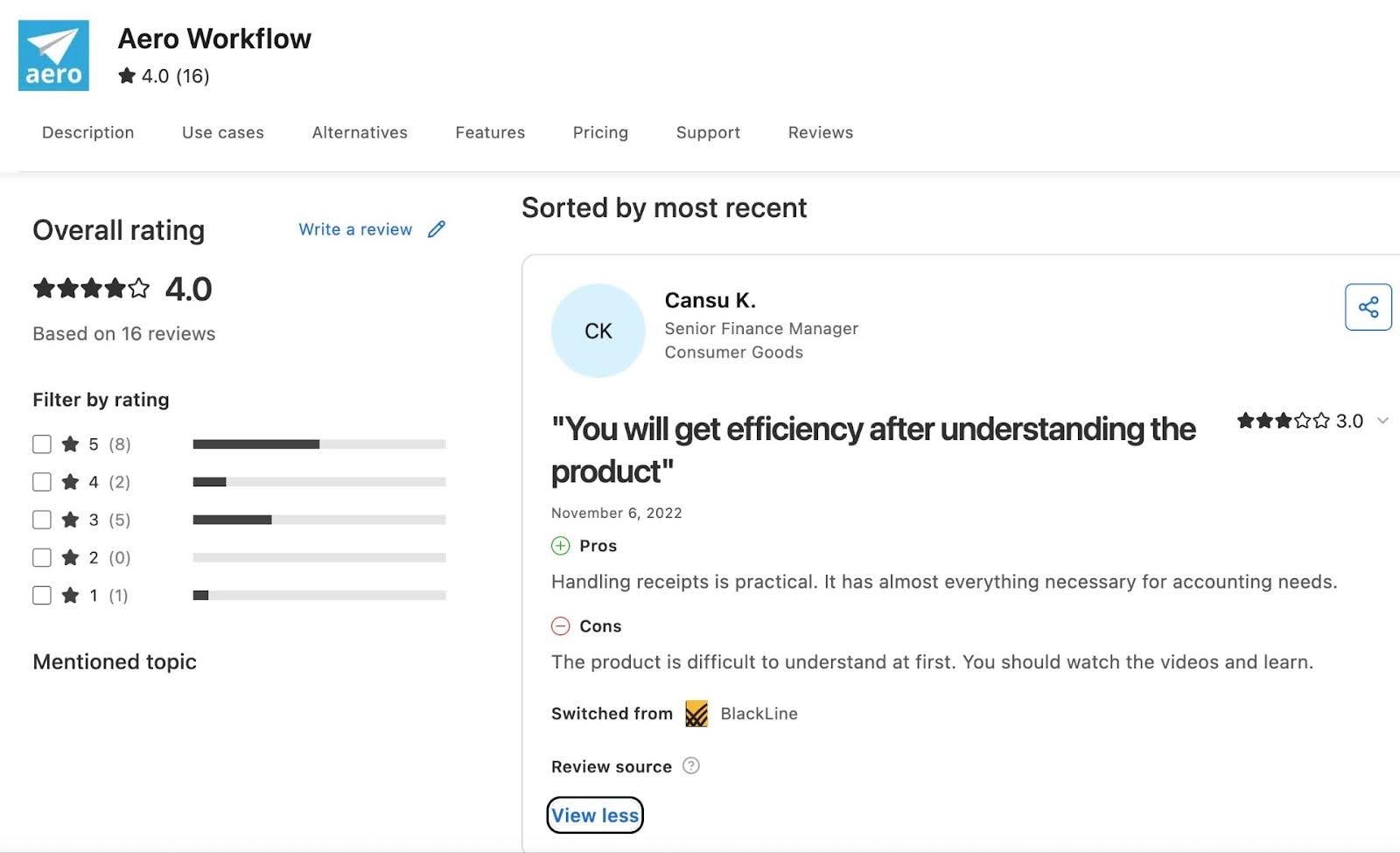
Aero Workflow has
Pricing
- Startup: $135/month
- Growth: $250/month
- Scaling: $365/month
Should You Use TaxDome or Aero?
Choose TaxDome if you are a small or mid-sized firm looking for tax-compliant workflows.
Choose Aero Workflow if you want a lightweight workflow tool built around recurring accounting processes, client accounting services (CAS), and task management.
6. Pixie
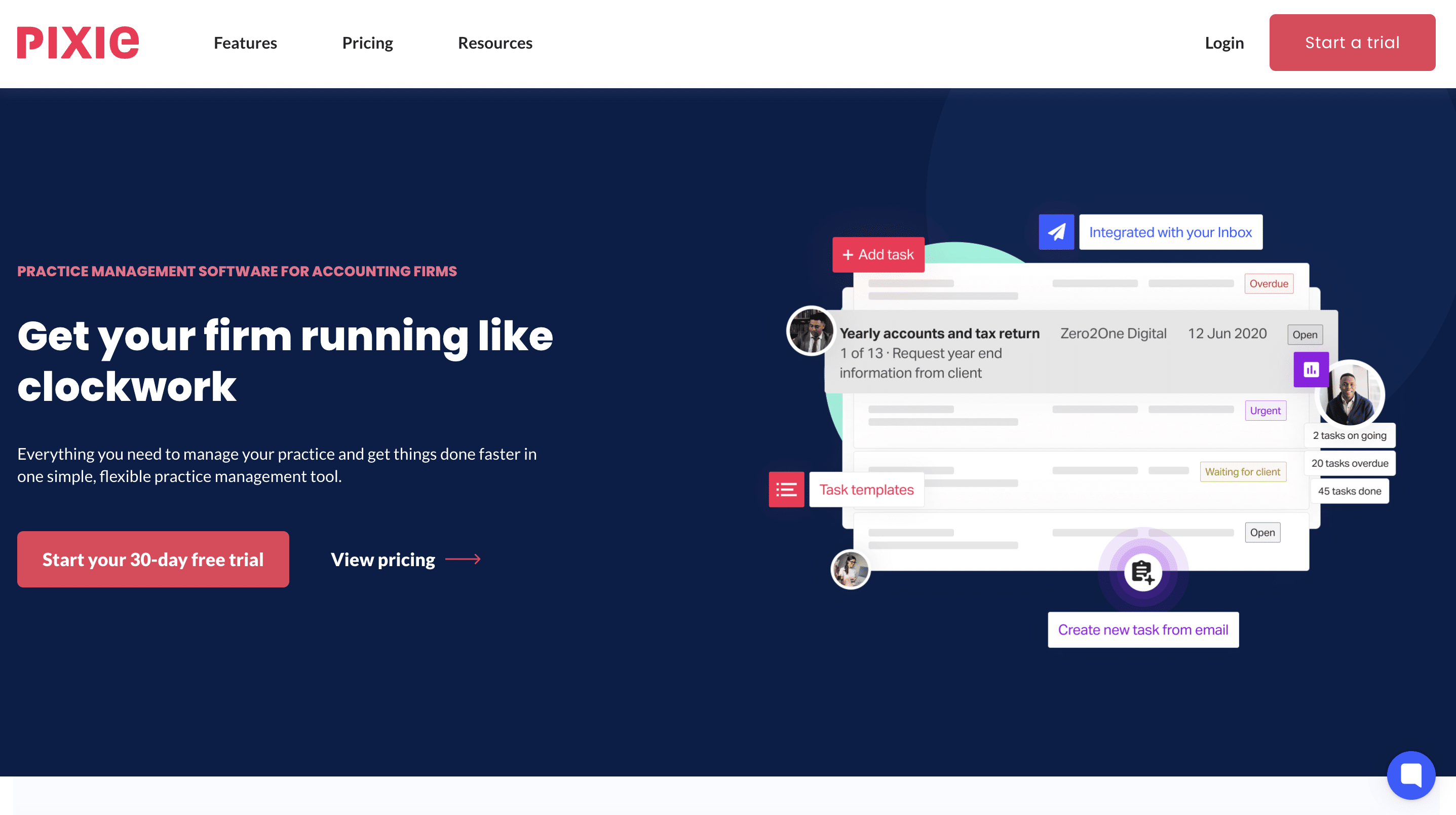
Pixie is a simple, cloud-based practice management platform that focuses on straightforward workflow automation, deadline tracking, and client collaboration without the complexity of enterprise tools.
Pixie is popular with small UK/EU firms seeking an affordable and intuitive alternative to TaxDome.
Here are Pixie’s Practice Management Features and how they help:
Workflow Management
- Task templates: Save frequently used tasks as templates for quick reuse.
- Auto-generated to-do lists: Prioritized task lists automatically created for each team member, keeping focus on urgent work.
- Third-party integrations: Pull data from Companies House and Xama AML for seamless workflow setup.
- Internal deadline tracking: Creates workflow stages and monitors real-time task progress to prevent bottlenecks.
- Email templates: Automate client communications with predefined or manual email templates linked to workflows.
Team Management
- Internal notifications: Alerts when tasks are completed or emails are read, reducing follow-ups.
- Team-wide task visibility: View your staff’s tasks at a glance to plan capacity and balance workload.
CRM
- Companies House integration: Instantly import client information, including contacts and incorporation dates.
- Auto-sync emails & files: Ensure all correspondence and documents are saved to the client record.
- Bulk actions: Send emails, start workflows, or update fields across multiple clients simultaneously.
- Client checklists with auto-reminders: Automatically prompt clients for missing information to reduce manual chasing.
Document Management
- Client portal and e-signatures: Secure portal for sharing documents and obtaining signatures efficiently.
- Automatic email attachments: Automatically attach relevant correspondence and files to client records.
- Auto-reminders for documents: Pixie prompts clients for outstanding documents or signatures.
- Security and compliance: Access documents remotely while maintaining security and regulatory compliance.
| Pros | Cons |
|
|
Why You Should Consider Pixie
Pixie is most suited for small bookkeeping or accounting firms that prioritize simplicity over complexity. Its automations cut administrative work, and its flat, per-client pricing makes it more affordable than per-user platforms, like TaxDome.
Reviews
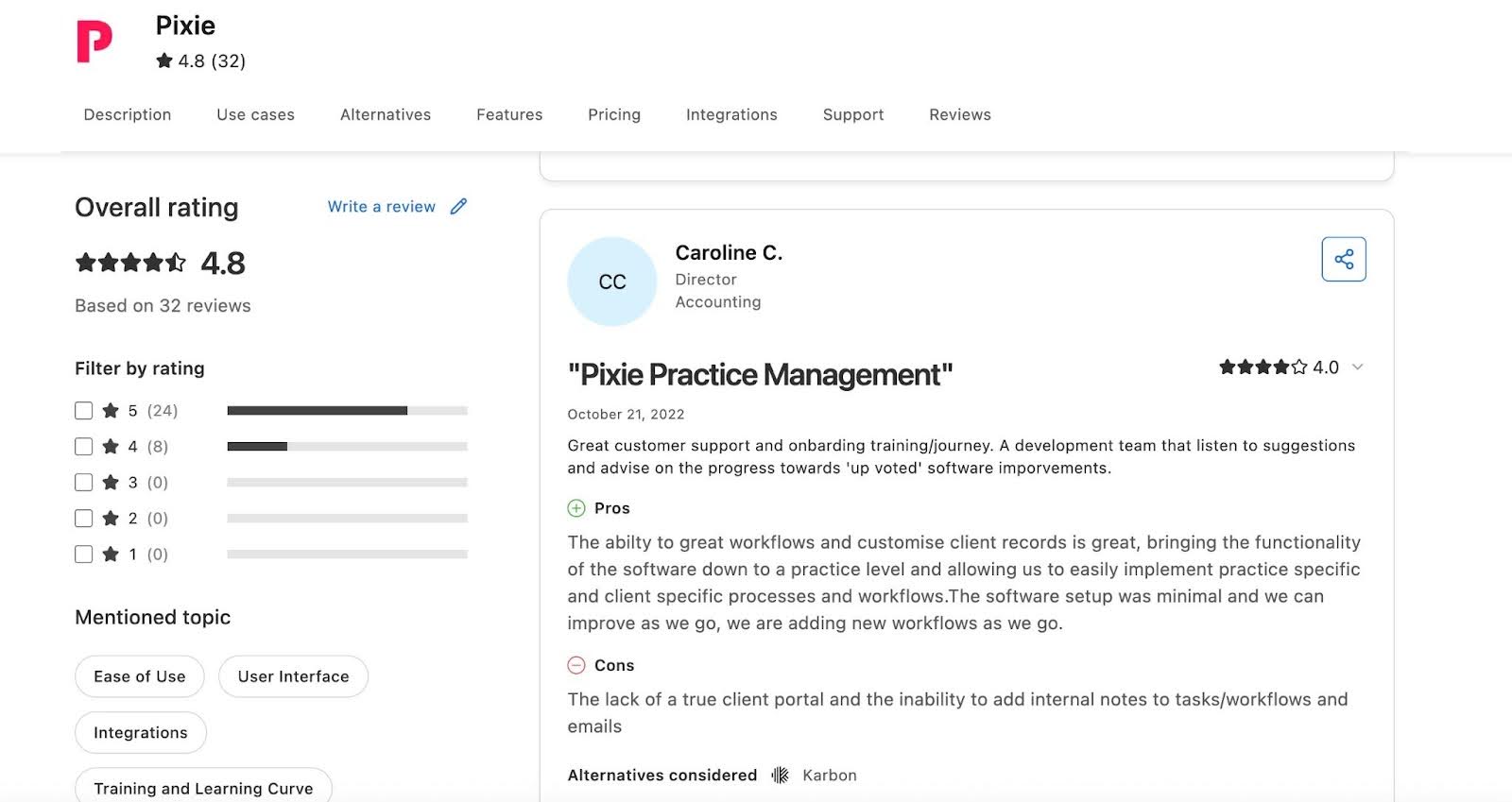
Pixie has
Pricing
Pixie’s pricing depends on the client base. More clients mean higher costs.
- $129 per month for teams with fewer than 250 clients
- $199 per month for Teams with 251-500 clients
- $329 per month for teams with 501-1000 clients
- Custom pricing for teams with more than 1,000 clients
Should You Use TaxDome or Pixie?
Use TaxDome if you need a more robust tool with strong billing and payment processing features.
Use Pixie if you want a budget-friendly workflow tool designed for small teams and bookkeeping operations, especially when serving clients in the U.K.
7. Xero Practice Manager
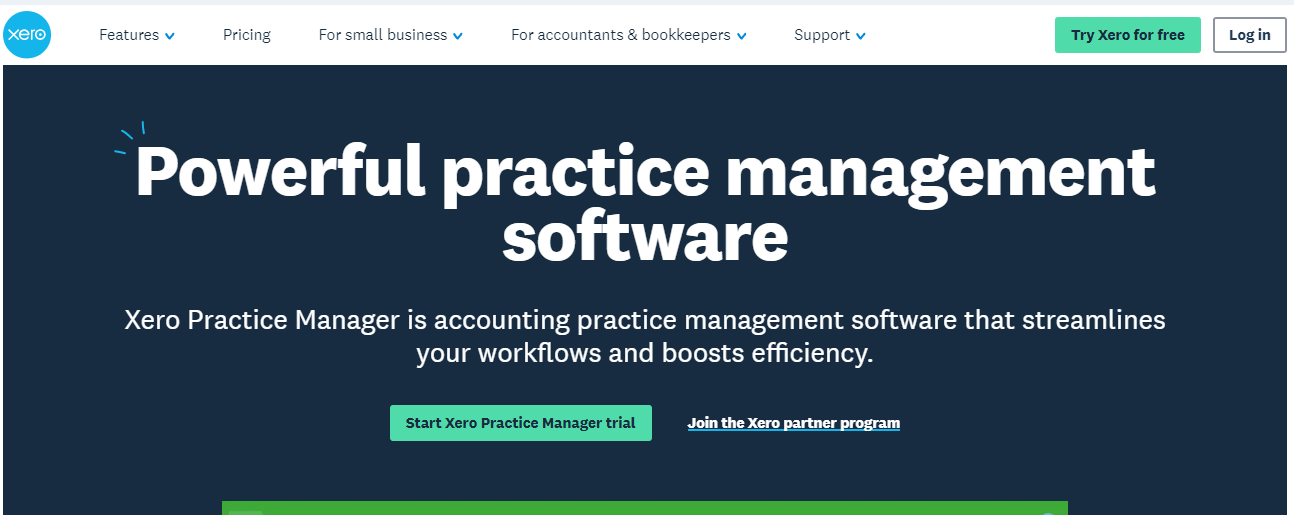
Xero Practice Manager is a cloud-based practice management software that combines time tracking, job management, workflow oversight, and invoicing.
Directly integrated within Xero, XPM centralizes project and client data to ensure smoother operations.
Here are XPM’s Practice Management Features and how they help:
Project Management
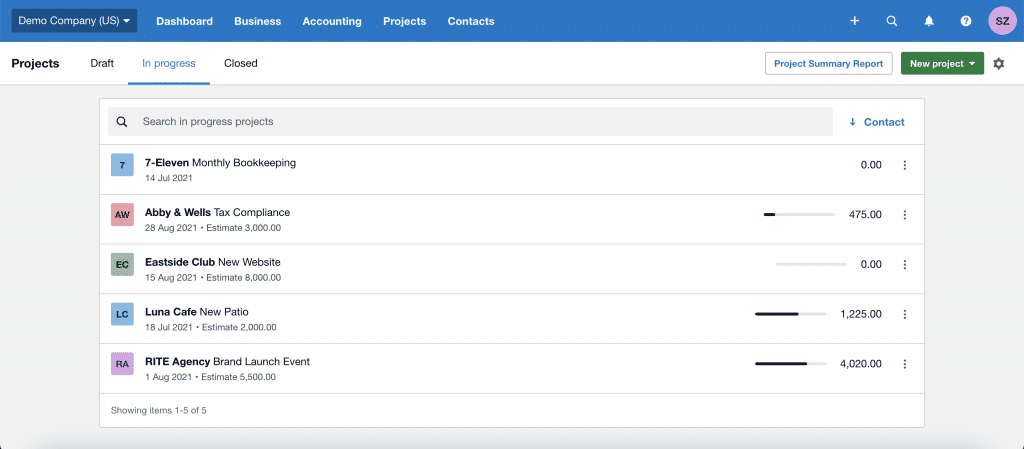
- Project oversight: Track all ongoing projects, deadlines, and priorities.
- Budget control: Monitor spending per project and avoid cost overruns.
- Profitability review: Analyze projects to optimize pricing and future planning.
- Automated time and expense tracking: Monitor employee activity with timers and location-based tracking.
Time Tracking & Billing
- Mobile time logging: Track hours on the go using start-stop timers or manual entry.
- Invoicing: Generate fixed-price or hourly invoices, progress payments, and “pay now” options.
- Quotes: Create quotes directly from project setup for profitability insights.
Document Management
- Automatic data extraction: Hubdoc extracts supplier, amount, invoice, and due date to create draft Xero transactions.
- Cloud storage: Store, organize, and share documents securely; view documents alongside transaction data.
- Hubdoc integration: Capture receipts and bills via mobile, email, or scanner.
| Pros | Cons |
|
|
Why You Should Consider XPM
XPM is best suited for firms operating with Xero that need project tracking tools and profitability insights.
Reviews
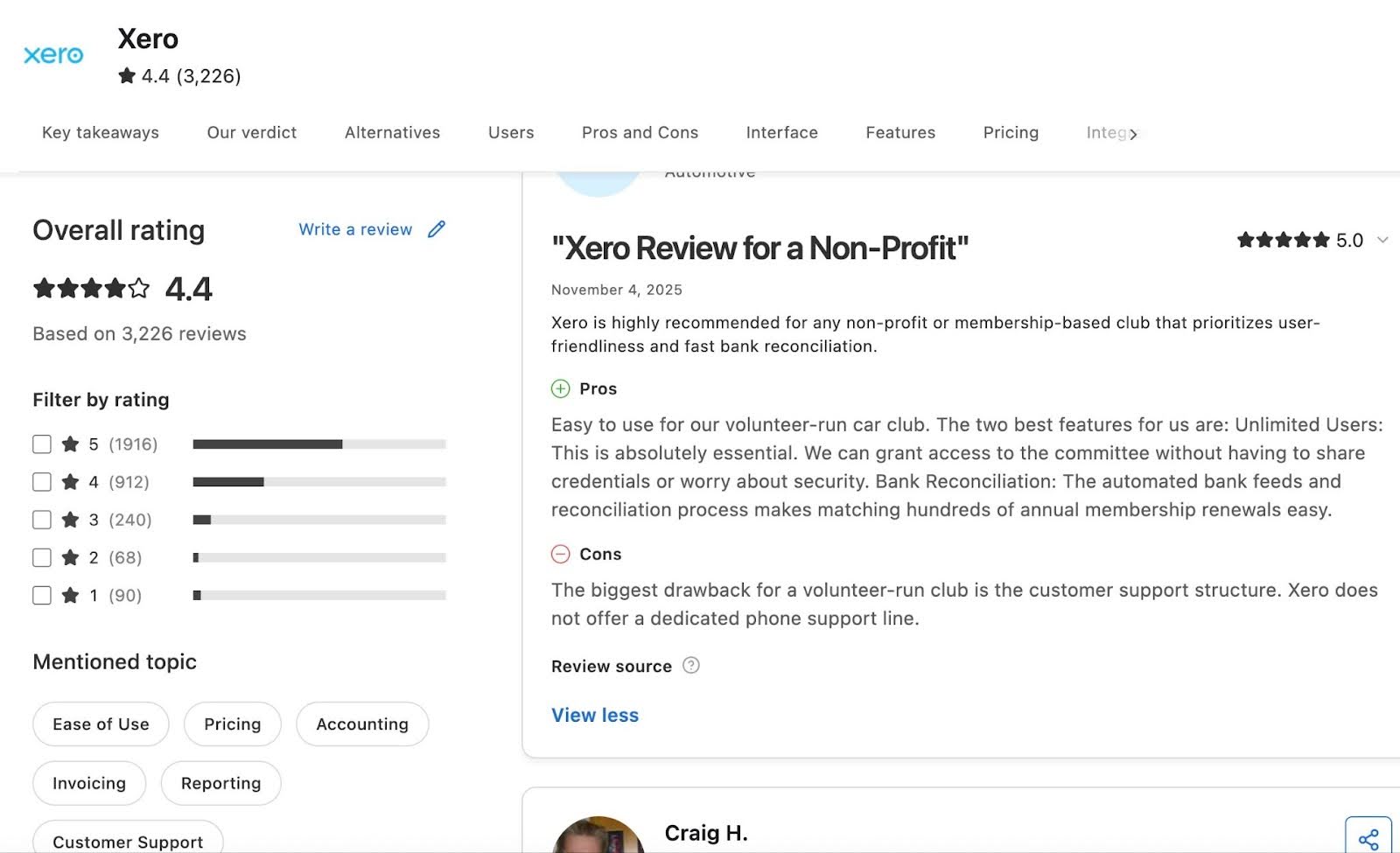
Xero Practice Manager has:
Pricing
- Starter: $29/month
- Standard: $50/month
- Premium: $75/month
Should You Use TaxDome or XPM?
Choose TaxDome if you need white-labeled portals with mobile apps, secure chat, unlimited CRM, and e-signatures.
Choose Xero Practice Manager if your bookkeeping and advisory workflows rely heavily on job tracking, billing, and resource allocation, and operate within the Xero ecosystem.
8. Double (formerly Keeper)
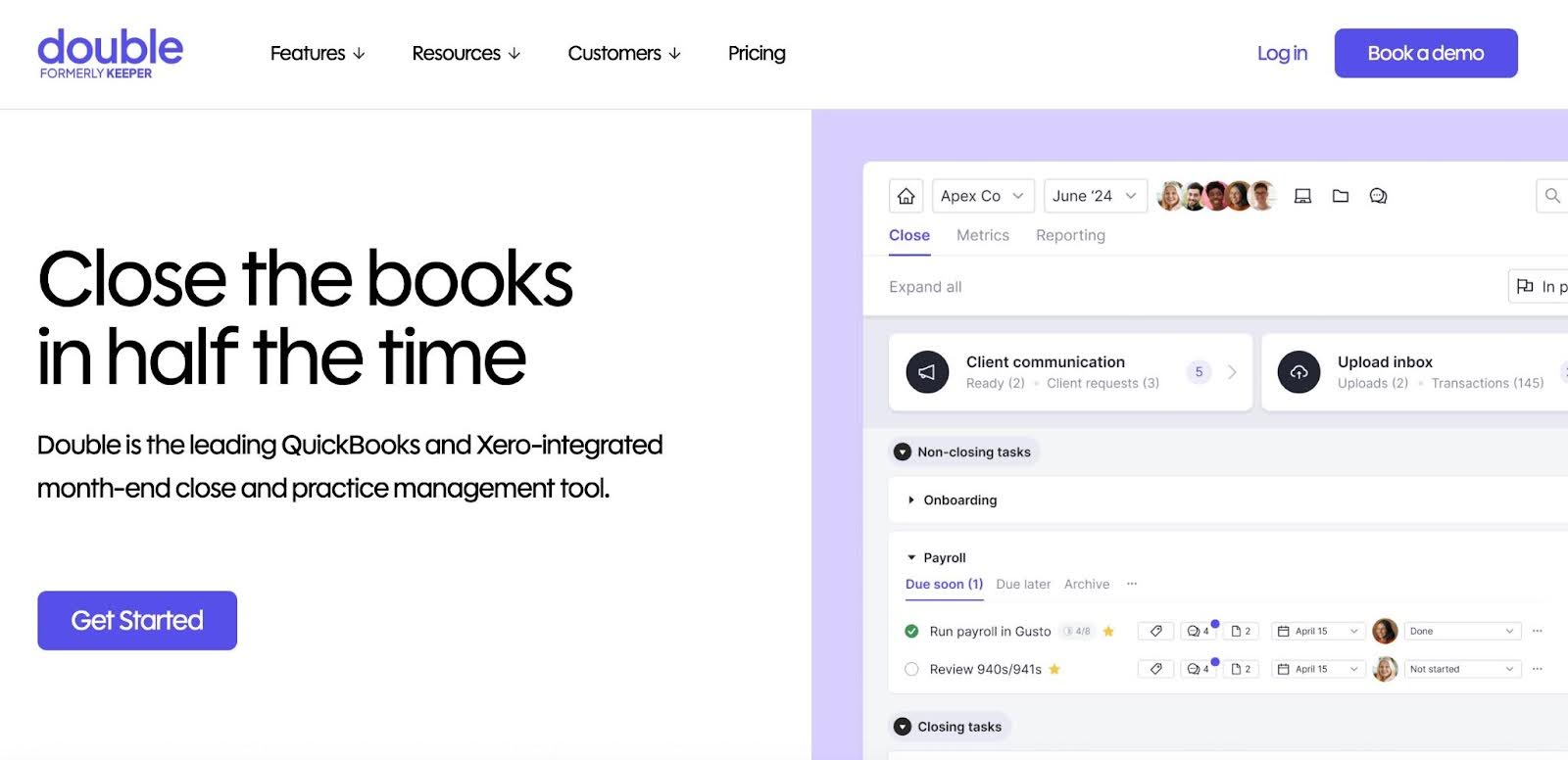
Double is a bookkeeping-focused practice management platform that streamlines month-end workflows, client communication, and real-time bookkeeping oversight.
It automates manual bookkeeping functions like month-end close through its two-way syncs with QuickBooks and Xero.
Here are Double’s Practice Management Features and how they help:
Task Management
- Sub-tasks: Break complex projects into manageable steps and assign team members.
- Tags and Priority Tasks: Filter tasks by client or project; highlight urgent items.
- Internal Commenting and Daily Digest: Communicate within tasks and receive automatic summaries of priority or overdue tasks.
Client Portal
- Custom Branding and Magic Links: Clients access a secure, branded portal without passwords.
- Integrated with QuickBooks/Xero: Enables teams to edit transactions and resolve queries directly from the portal.
- Automated Reminders and Mobile App: Schedule requests, follow-ups, and enable client communication on the go.
CRM
- Dashboards: Track monthly closes, documents, open questions, and client data in a single view.
- Zapier Integrations: Connect workflows to other apps for automation.
File Review
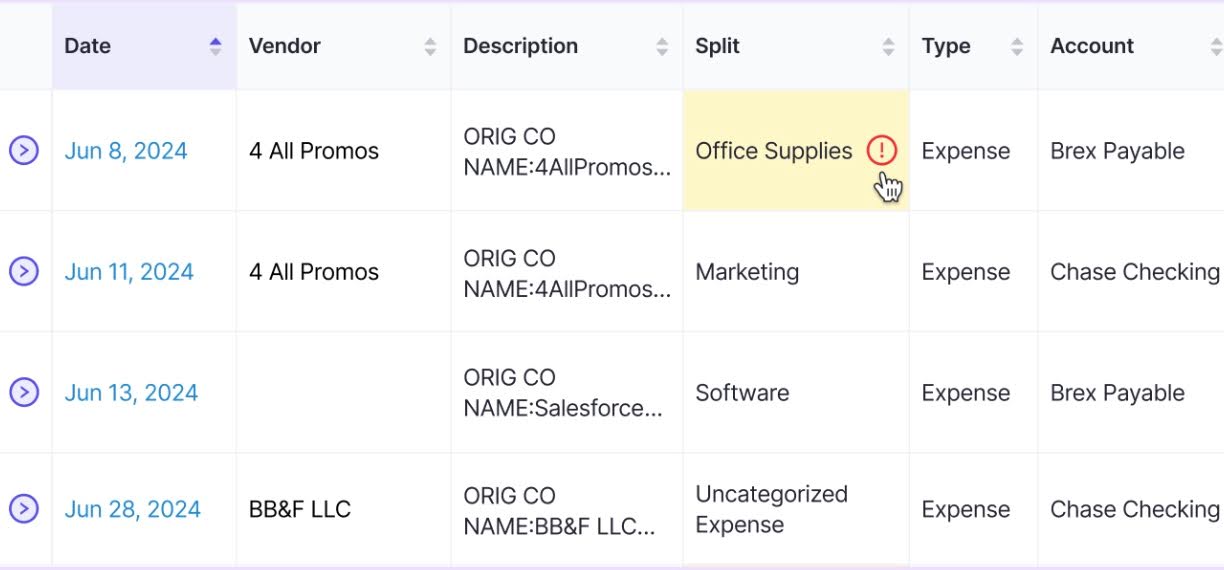
- Error Detection: Identify coding errors, uncategorized transactions, and inconsistencies automatically.
- Vendor-Level P&Ls: Drill down for insights and export reports for compliance.
| Pros | Cons |
|
|
Why Choose Double
Double is ideal for bookkeeping-heavy firms looking for centralized client communication, automated month-end workflows, and AI-powered error detection. It syncs changes directly to accounting software to help firms save hours weekly.
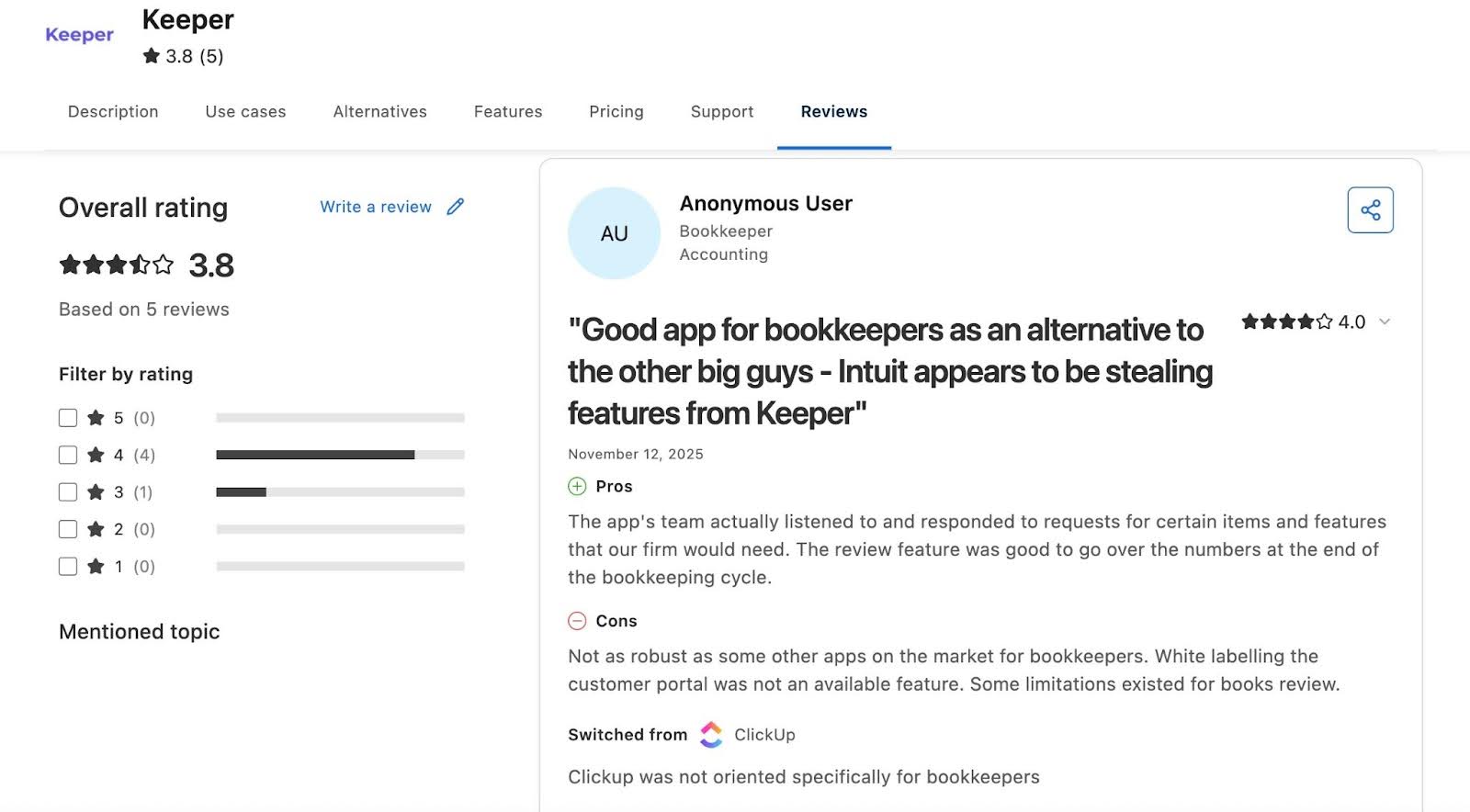
Reviews
Price
- Core: $10/ month per client
- Plus: $25/month per client
- Scale: $50/month per client
Should you use TaxDome or Double?
Choose TaxDome if you deal with tax-focused workflows, organizers, and e-signatures.
Choose Double if your firm is focused on bookkeeping and CAS services and prioritizes accuracy, efficiency, and month-end automation.
Related: Financial Cents vs Keeper
9. Client Hub
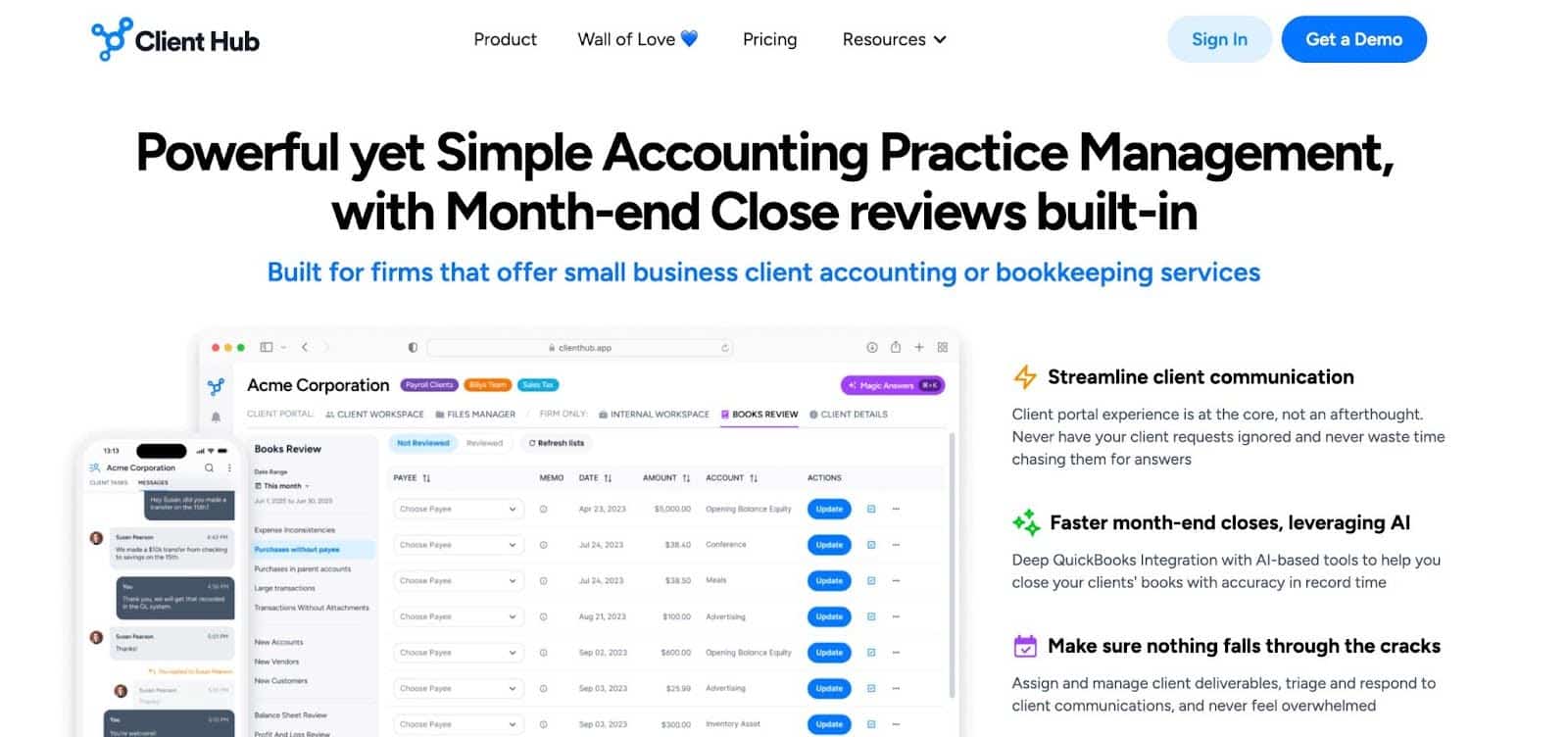
Client Hub is an AI-powered practice management and client portal platform for cloud accounting, bookkeeping, and outsourced accounting firms.
It centralizes workflows, client communication, document management, and time tracking with deep QuickBooks/Xero integrations.
Here are Client Hub’s Practice Management Features and how they help:
Workflow Management
- Jobs and Task Checklists: Organize deliverables with step-by-step checklists, assignments, and deadlines.
- Recurring Jobs and Magic Workflow: Automate repeating tasks and generate AI-driven workflows from prompts.
- Task Details: Drill down with attachments, assignees, deadlines, and linked accounting entries.
Client Management
- Client Tasks and Messages: Assign tasks to clients; use secure, chat-like messaging to collect info.
- Email Inbox, Magic Replies, and Summaries: Thread external emails, auto-draft replies, and summarize long conversations with AI.
Team Management
- Pinned Items, Comments, and Client Notes: Share key resources, discuss tasks internally, and log searchable client insights.
- Client Data: Centralized profiles with custom fields, linked files, and activity histories.
Document Management
- File Manager: Unlimited storage, version control, e-signs, AI-powered search, and secure internal/client folders.
- Easy Upload: Drag-and-drop uploads, auto-categorization, and quick access to recent files.
| Pros | Cons |
|
|
Why You Should Consider Client Hub
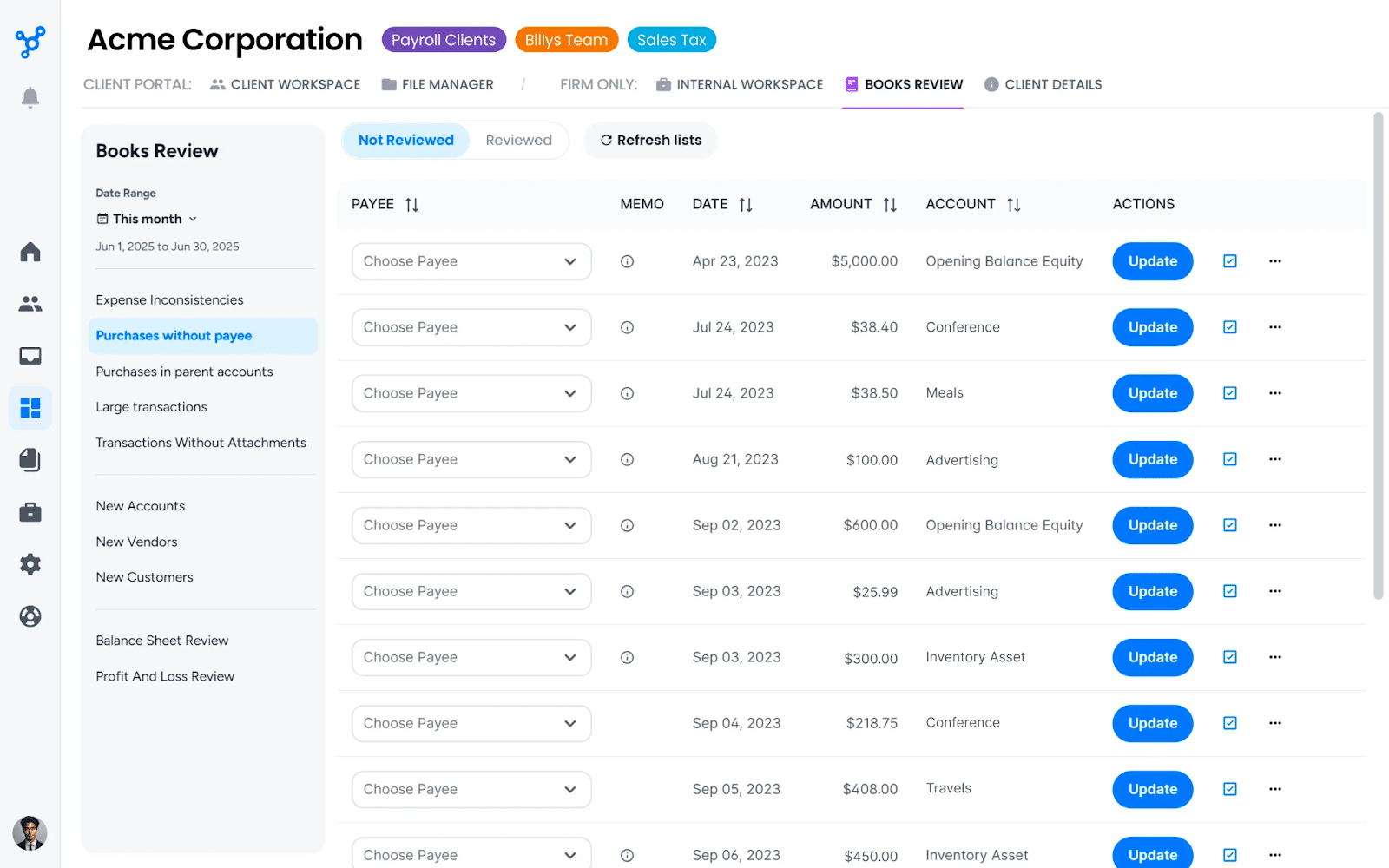
Ideal for CAS/bookkeeping firms frustrated by client email chases. AI-driven workflows, client tasks, and real-time syncs accelerate response times and reduce manual reviews.
Reviews
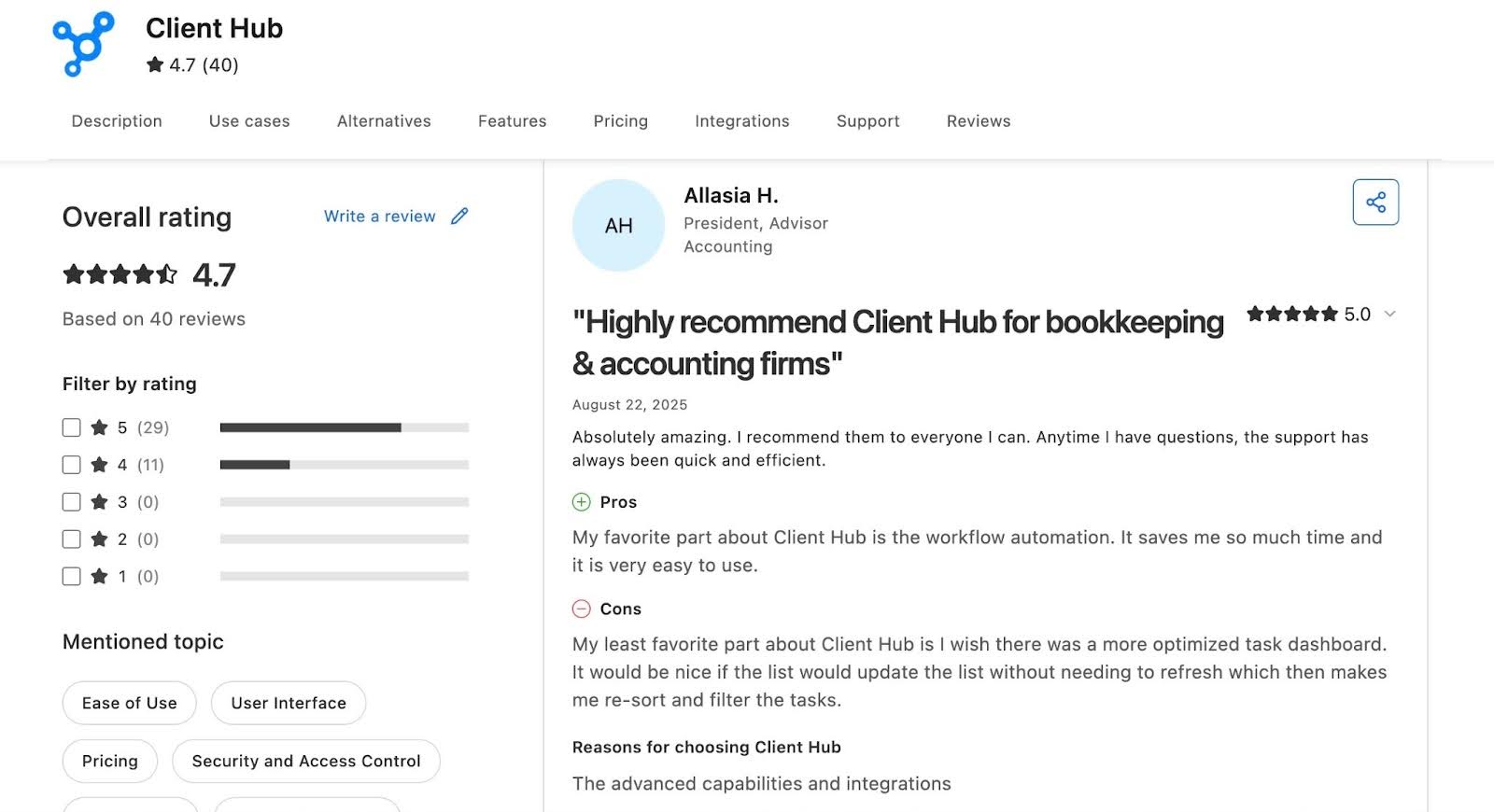
Price
- Solopreneur: $49/month
- Practice Manager: $59/month per user
- Practice Manager: $66/month per user
Should You Use TaxDome or Client Hub
Choose TaxDome if you need document automation (tagging, sorting) without email AI or proactive task generation.
Choose Client Hub if you prioritize AI features, like magic books review, email reply drafts, workflow generators, and document search to help your team work smarter.
10. Cone
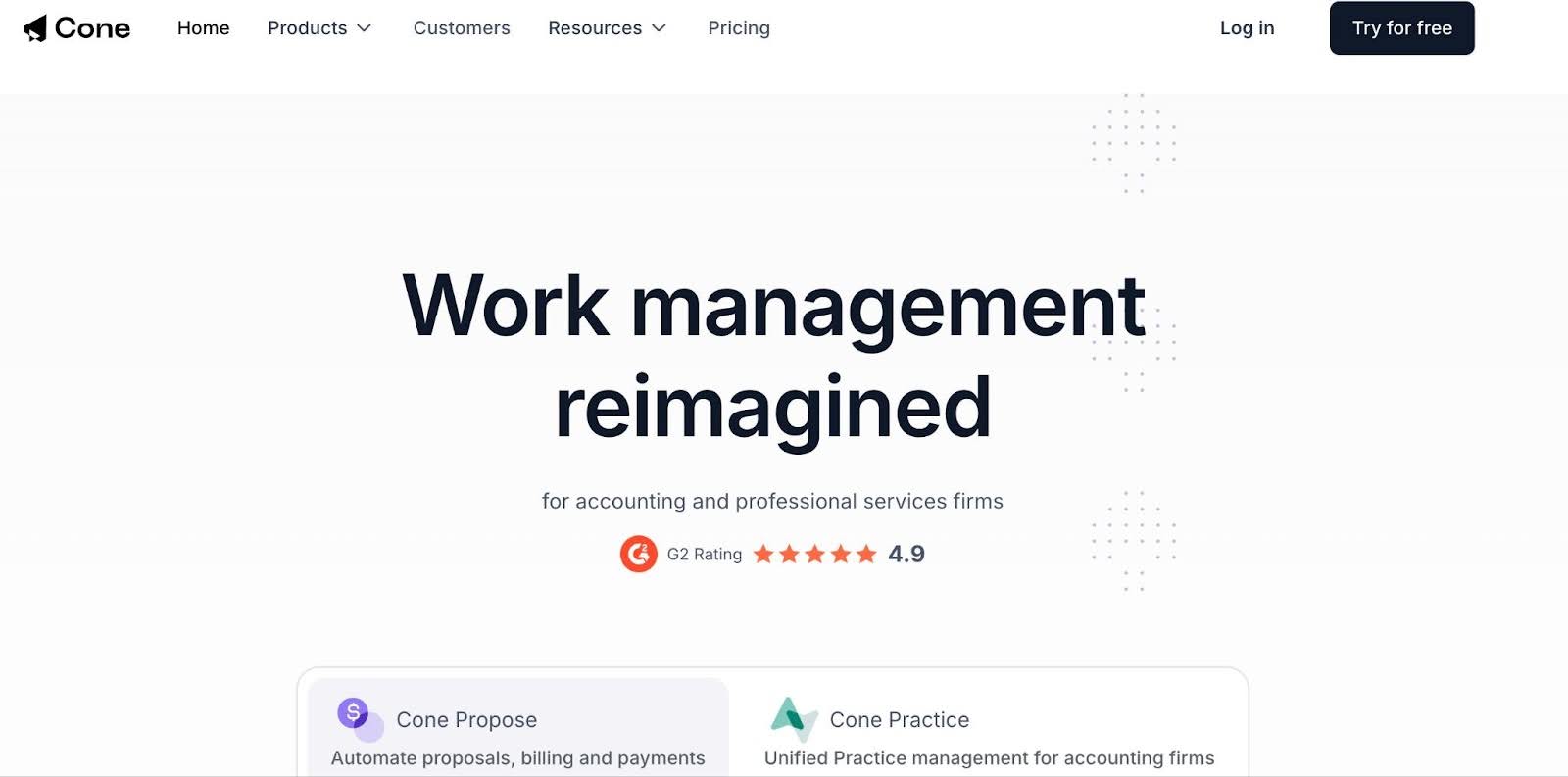
Cone is a relatively new practice management platform designed for small accounting firms. It combines workflows, client management, proposals, and billing in one platform.
Its intuitive UX makes it ideal for cost-conscious solos and small teams seeking TaxDome-like capabilities without the premium costs.
Here are Cone’s Practice Management Features and how they help:
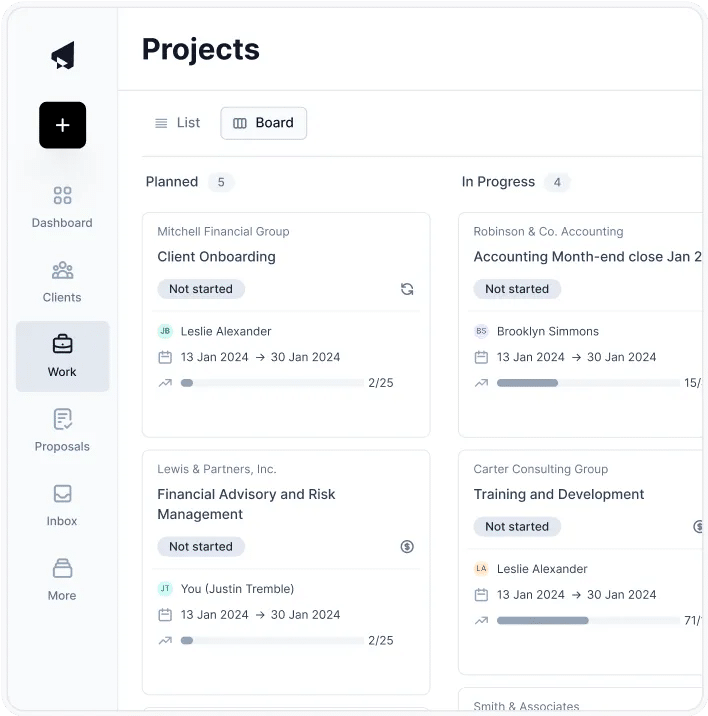
Workflow Management
- Project templates: Single or bulk project creation with customizable templates for recurring tasks.
- Automation: Automatically update task statuses, send reminders, and trigger follow-ups.
- Client requests: Collect documents, e-signatures, and forms at scale.
- Document management: Store files securely in workflows, with sync to Google Drive, SharePoint, or OneDrive.
Proposal Management
- Proposal editor: Create branded, editable web proposals in seconds.
- Quotes and pricing packages: Offer multiple options (e.g., Bronze, Silver, Gold) to guide client decisions.
- Contracts and E-signature: Customize engagement letters and capture multiple signatures electronically.
Billing & Payments
- Billing automation: Auto-generate invoices from proposals and charge clients with stored payment info.
- Payment methods: Accept cards, direct debit, and pass transaction fees.
- Invoice sync: Integrate automatically with your accounting software.
Client Portal
- Client tasks: Cone provides a central hub for uploading files, submitting forms, chatting, and tracking tasks.
- Passwordless login: Secure, frictionless client access to the client portal.
- Integrated email: Delegate emails, convert messages to tasks, and maintain organized client communication.
| Pros | Cons |
|
|
Why You Should Consider Cone
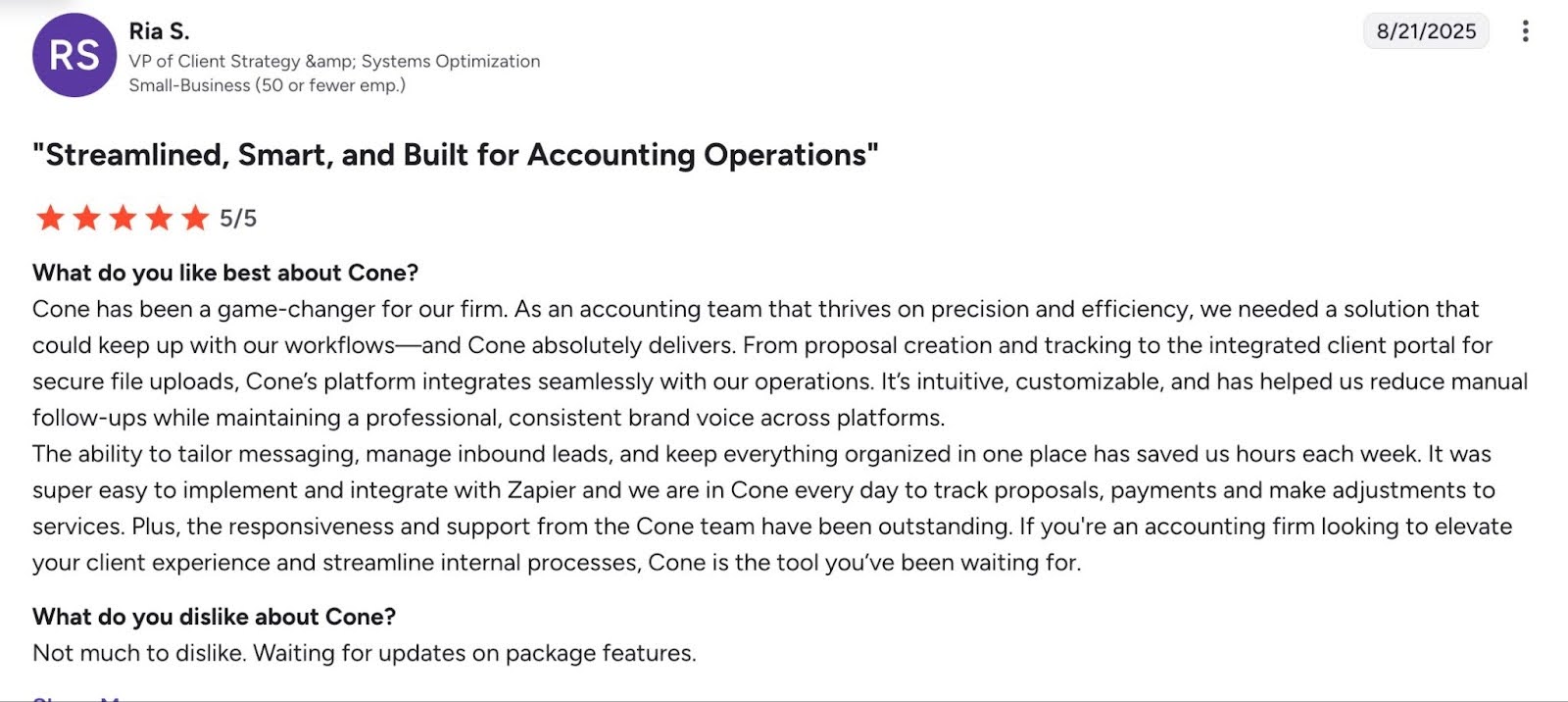
Cone delivers more of TaxDome’s value at less cost, so it’s ideal for small teams that are budget-conscious. It emphasizes proposals-to-payments automation and effective client communication.
Review
- 4.9 (out of 5) stars on G2
Price
- Essentials: £8/month per user
- Growth: £11/month per user
Should You Choose TaxDome or Cone?
Choose TaxDome if you are an established firm looking for a mature, all-in-one practice management system with client portals, organizers, advanced billing, and tax-focused tools.
Choose Cone if you want a lightweight, ultra-modern workflow platform for small teams. It is perfect for budget-conscious firms that prioritize simplicity, collaboration, and proposals-to-payments features.
What to Look for in a Practice Management Platform (vs TaxDome)
a. Workflow management and automation
A strong practice management platform should simplify the process of completing tasks in your firm.
Effective workflow management standardizes workflows, reduces manual steps, and gives your staff real-time visibility into every client engagement, so that nothing slips through the cracks.
Features like workflow dashboard, customizable workflow templates, and workflow automation allow firms to maintain accuracy, efficiency, and consistency across every engagement.
b. Client portal & secure communication
The client portal centralizes client collaboration, reduces email overload, eliminates the chaos of tracking attachments, and speeds up client response times.
For the portal to work, it must be intuitive and easy for clients to navigate, and it must have:
- A simple and client-friendly interface
- Secure file sharing and storage
- Task lists or requests with automated reminders
- Messaging or comments features
c. Document management & E-signatures
A reliable document management system (DMS) handles the complete document handling process for every client engagement, from collection and storage to organization and retrieval.
The best solutions do this through secure storage, folder structures, integrated e-signatures, fast search, and unlimited storage capacity.
This saves them from wasting time hunting for documents while reducing compliance risks.
d. Time tracking, billing, and invoices
Beyond supporting hourly billing, Time Tracking shows where your team’s time is going, which clients consume the most resources, and where workflow bottlenecks may be costing you money.
Accurate time insights help firms price services better, balance team workloads, and improve overall profitability.
A strong practice management system should also streamline billing and invoicing to generate invoices, automate follow-up, and process payments securely.
e. Integrations (accounting software, CRM, tax tools)
A good practice management platform should seamlessly integrate with accounting project-related systems, like general ledger (QuickBooks, Xero), CRM, tax software, and communication tools.
These integrations prevent information silos and ensure data flows automatically across your tech stack.
Without reliable native integrations, firms are forced to stitch together workarounds using spreadsheets or light automation tools. These can work for a few clients, but they quickly fall apart as you add more clients, team members, or service lines.
f. User experience + implementation ease
A clean, intuitive interface reduces the learning curve and minimizes the training required to get your team up and running in your new system.
When user experience and implementation support work together, they make it far easier for your team to integrate the software into daily operations, follow workflows consistently, and maintain productivity during the transition.
But when these attributes are missing, teams spend too much time trying to figure out how the system works, and firm owners end up paying for extra onboarding and training.
g. Cost and pricing model flexibility (monthly/annual)
While cost is always relative, every firm needs the freedom to decide how much is reasonable for them, especially considering the costs of the alternatives in the market.
In many cases, the real challenge isn’t the price figure, it’s the rigidity of the pricing model, as is the case with TaxDome.
When a platform locks firms into long-term commitments, the upfront financial commitment becomes a challenge, and it’s tougher for smaller firms or those trying to manage cash flow carefully.
Flexible monthly or annual pricing lowers the risk of adopting new software, allows firms to test the system before committing, and makes scaling easier as the team grows.
h. Scalability and firm size fit
The goal of adopting practice management software is to help your team work efficiently, deliver consistent client results, and support firm growth.
But as your firm grows and your needs evolve, a system that once felt perfect can quickly become limiting if it wasn’t designed to scale with you.
When a platform can’t support increased workload, multi-step review processes, or additional service lines, firm owners eventually have to migrate to a more robust solution, and as you can imagine, that’s more time and money.
Scalable tools typically support multiple staff roles and permissions, expanding service lines (CAS, tax, payroll, advisory, audit), review and approval workflows, etc.
i. Reporting, analytics, and visibility
Real-time reporting and analytics give firm owners the operational visibility to drive growth.
These features make it easier to manage deadlines, monitor client progress, understand staff capacity, and make better decisions about planning and resource allocation.
When evaluating tools, look for:
- Insightful dashboards that show workload, deadlines, and bottlenecks at a glance.
- Customizable reports to track the metrics that matter to your firm.
- AI-driven insights that highlight trends, risks, and performance patterns before they become problems.
j. Month End Close
This feature reduces the need to switch between your practice management software, QuickBooks Online, and other third-party tools to manage your clients’ books.
Financial Cents shows the errors and questionable transactions in your client’s books for review.
It allows your team members to collaborate with the client in the portal to clarify these transactions and push the corrections to QuickBooks from Financial Cents for a faster month-end close.
Implementation Best Practices & Migration Considerations
-
Data migration
You don’t have to move everything you have in TaxDome when moving. Who knows how much your current setup (like pipeline stages, automations, and historical activity logs) contributes to the challenges you’re having now?
Separate the data you need to migrate from the data you can archive or rebuild in your new practice management system.
Focus first on the items that will help you meet current client deliverables:
- Active client records.
- In-progress projects and tasks.
- Current-year documents.
- Email templates, workflow templates, and recurring work you rely on.
- Key deadlines and client-specific notes.
This ensures your team can continue meeting deliverables without interruption while you gradually rebuild outdated materials in the new system.
-
Change management in the team
Even if you think your new practice management software is objectively easier to use or more efficient, there is no guarantee your staff will immediately embrace the change.
Effective change management ensures your team understands why the switch is happening, what will change, and how the transition benefits them.
Help your team embrace the change more easily by:
- Clearly communicating why the firm is changing systems.
- Aligning everyone on the upcoming workflow and operational changes to reduce uncertainty.
- Appointing internal champions who will learn the system early, help configure workflows, and support colleagues during onboarding.
- Delivering role-based training so that preparers, reviewers, and admins have different tasks to build confidence to prevent overwhelm.
-
Client communication
Clients are even less inclined than staff to adopt a new practice management system, but seeing as their engagement is crucial for file sharing, document collection, and collaboration, you need to help them ease into the new system.
A smooth transition will require:
- Explaining the why, which would revolve around faster responses, easier document uploads, and better accounting services overall.
- Outlining what clients need to do by providing step-by-step instructions for logging into the new portal, submitting documents, or completing tasks.
- Sharing the timeline for migration, including any phased rollouts and deadlines for document submissions.
-
Timeline for rollout
Transitioning to a new practice management system should be done outside of the accounting busy season to minimize operational downtime.
A phased rollout ensures your team and clients adapt smoothly, such as:
- Weeks 1–2: Setup and configuration of workflows, templates, etc.
- Weeks 3–4: Staff training and internal trial runs using sample or internal tasks.
- Month 2: Migrate active clients, projects, and essential documents.
- Month 3: Full firm rollout and live operations.
-
Measure success (what KPIs to track post-implementation)
Tracking the right performance metrics helps you assess whether your new practice management system is delivering the value you expected so that you can make the necessary adjustments.
Key metrics to track include:
- Job turnaround time
- Staff workload balance
- Client response times
- Task completion rates
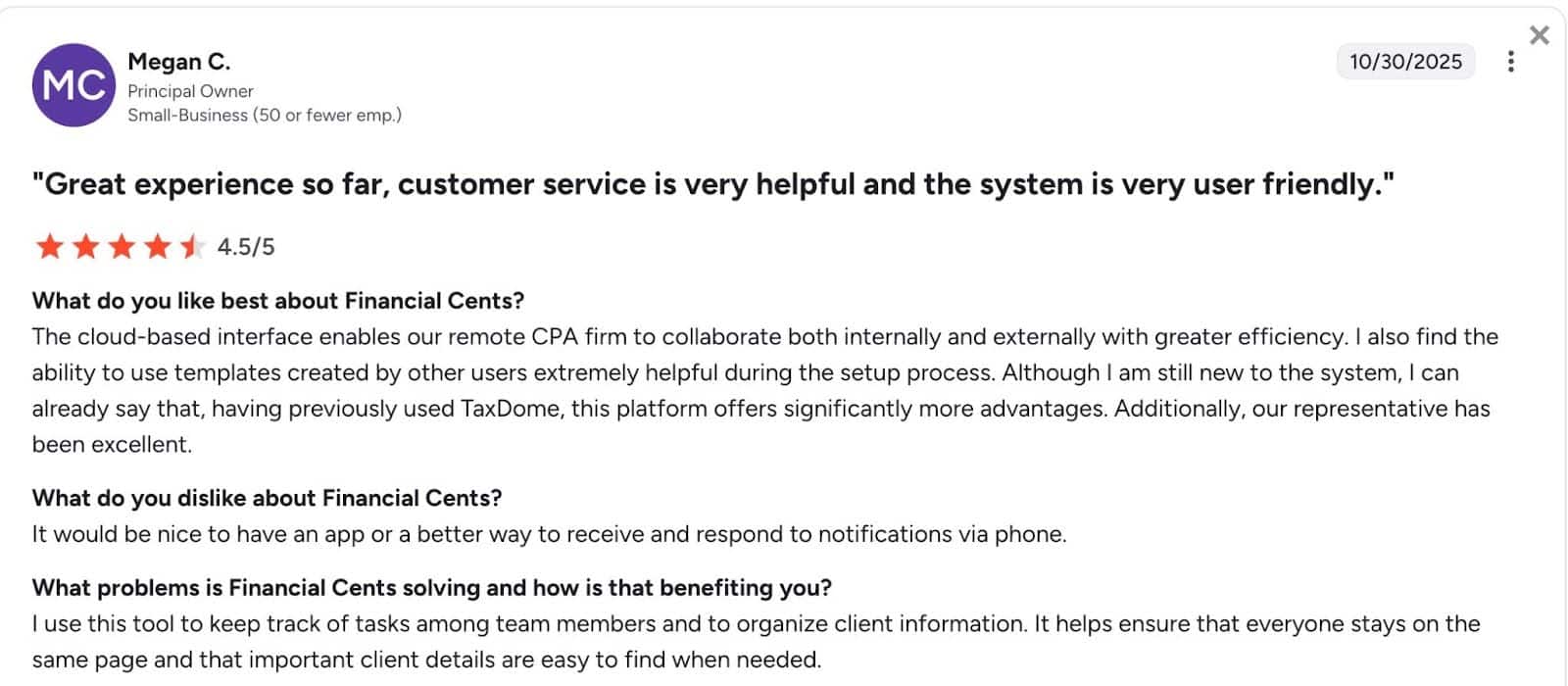
“I Can Already Say That, Having Previously Used TaxDome, Financial Cents Offers Significantly More Advantages”
TaxDome’s practice management features can help any new accounting firm centralize its work and client information.
As the firm grows, TaxDome’s focus on tax workflows and limitations in other areas of accounting work (like bookkeeping, advisory, and client accounting services) often becomes more noticeable.
Features that once worked begin to feel restrictive, workflows may lack flexibility, and pricing can become a barrier to scaling.
That was why firm owners like Megan C. decided to look for the best TaxDome alternative. Within a few months, she is already getting better returns for her investment.
You don’t have to rely on Megan’s experience. You can see for yourself. Schedule a demo of Financial Cents to see how it can help your firm today or start a 14-day free trial to test it with real-world projects.






Thanks for the article!