

Don’t start another year on the wrong system.
Your team shouldn’t spend January chasing clients for documents and digging through inboxes to see what’s due. Switch to Financial Cents before December 18, pick your switch offer, and we’ll get you live before the rush.
 4.8 on Capterra, G2 and GetApp



1. What are you switching from?
2. When could you start?
3. Pick 2 offers0 of 2 picked
2 months on us and 15% off can’t be combined.
Leaving a contract with your current tool? We cover up to 20% of its annual cost. Larger requests are approved case by case.
 Financial Cents
- –Switch call
- –Clients and workflows set up
- –Team trained, you’re live
Dates are estimates. Every firm is different, so your timeline can be shorter or longer.
Book by December 23 to keep your two offers.
Book your switch call
30 minutes with a specialist. You leave with a migration plan and an estimated go-live date.
Build your plan, or just book and we’ll build it with you.
Your offers: pick 2 below the testimonials, or choose on your call.



“TaxDome to Karbon to Canopy and finally Financial Cents… by far the best move we made. So happy with the client portal and how everything flows. So excited about tax season now.”


“Now, every team member can see their tasks, track progress, and manage client work efficiently. Everything—emails, notes, files—is centralized under each client, which saves us a ton of time and back-and-forth.”
“The software is easy to use and gives our team better visibility into what needs to be done… This has helped us reduce missed items and improve accountability across the firm.”
“While TaxDome is also a great software it was more than what I needed. I found Financial Cents to be a much more cost effective fit for my needs in my small business.”

“Growing business that needed a better tool than excel… Financial Cents has been an amazing addition to our up and coming CPA Firm.”
Just for fun: how many tools are you dragging into 2027?
No forms, no strings, nothing to do with your offer. Tap the apps your firm juggles and watch the pile grow.
Pick any two offers.
Switch by December 18 and choose the two that fit your firm in your switch plan. Leaving a contract? We help with the buyout too.
Tell us what you’re switching from. Leaving a contract? We help with the buyout.
Pick 2 offers: 2 months on us, 15% off, free onboarding or 100 free KBA credits.
Book your switch call and get an estimated go-live date.
Offer ends December 23, 2026. For accounting, bookkeeping and tax firms with 2+ users.
One platform. Total control.
Workflow, client management, billing and AI in one platform, so your team stops jumping between tools.
Workflow
Every job, every client, every deadline.
Recurring work rebuilds itself, tasks assign themselves, and one dashboard shows what’s due and who owns it. Capacity reports show who has room before a deadline slips. Start from 400+ ready-to-use templates.
See workflow management →“Financial Cents enabled us to see the status of tasks and track deadlines at a glance.”Sarabjeet Ghai, CPA, CGA, Managing Director
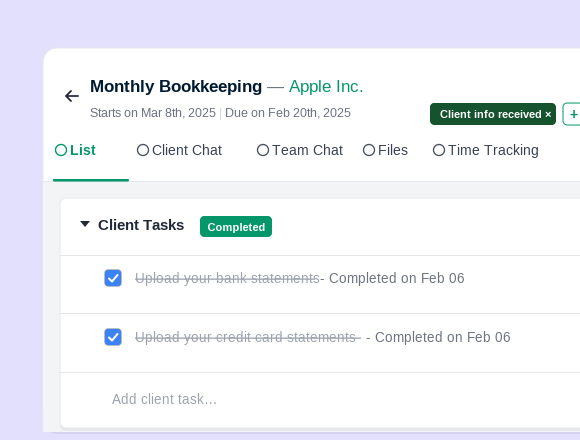
Client management
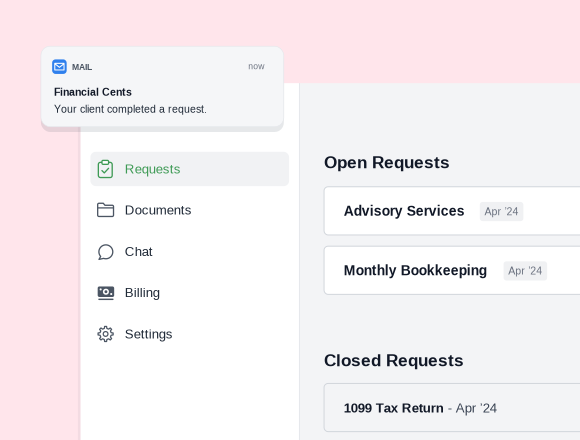
Clients upload. You stop chasing.
A firm-branded client portal with automated document requests and reminders, plus a CRM that keeps contacts, notes, files and history tied to each client’s work.
See the client portal and CRM →“Our clients respond much faster and everything gets done on time.”Stelle Anderson, Owner, Infinite Accounting Solutions
Billing
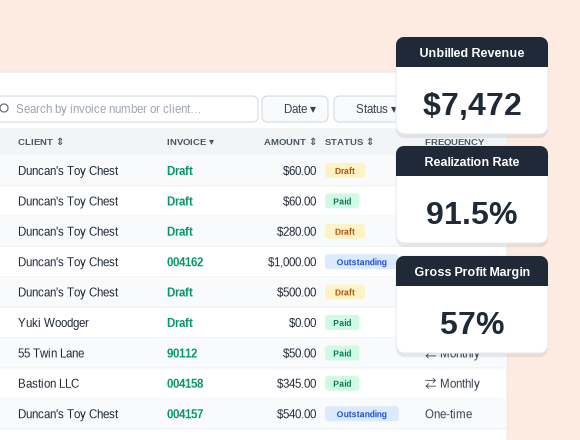
Track time. Send invoices. Get proposals signed.
Log time against jobs, bill clients, and send proposals and engagement letters with e-signature built in.
See billing →“…invoicing and managing Client profitability all in one place is amazing!”Marcus S., Founder and CEO · switched from Double (via Capterra)
AI
Ask your AI assistant about your firm.
Connect the Financial Cents MCP to Claude, ChatGPT or Gemini and ask what’s overdue this week. Built-in AI agents rename client uploads, flag the wrong document and file it in the right place.
Explore AI features →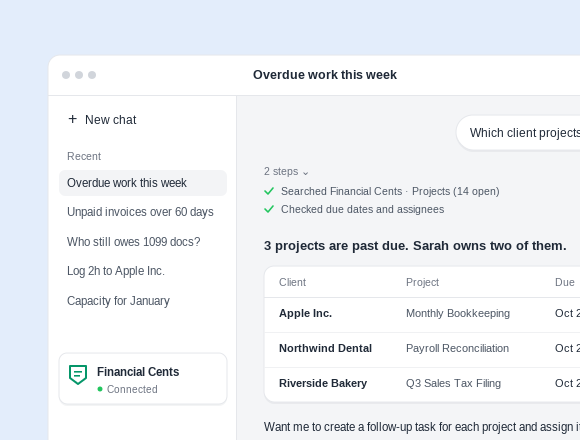
Tax organizers clients actually finish.
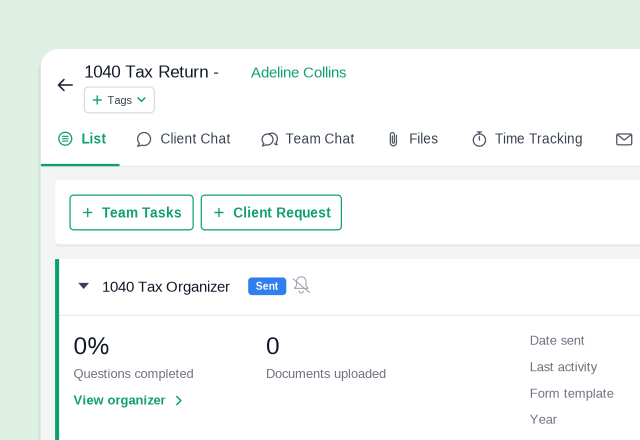
Send an organizer from any tax project. Clients see only the questions that apply to them, upload W-2s and 1099s in the same form, and need no login or password. Reminders chase until they submit, and every answer lands on the project, next to the work.
See tax organizers →“That’s really good, helpful stuff.”Financial Cents customer
Put your current tool side by side.
Pick the tool you use today. Flip the switch to see every feature, or just what you’d gain.
10 of 28 features compared are in Financial Cents but missing or limited in TaxDome.
| Feature | Financial Cents | TaxDome |
|---|---|---|
| Workflow Automation | ||
| Document Management | ||
| Billing & Invoicing | ||
| Proposals & Engagement Letters | ||
| Client Portal | ||
| Firm-branded client portal | ||
| E-signature | ||
| Manage uncategorized transactions | Not available | |
| Zapier integration | ||
| Automated client reminders | ||
| Integrated email | ||
| QuickBooks integration | ||
| SmartVault Integration | Not available | |
| Google Drive Integration | Not available | |
| OneDrive Integration | Not available | |
| Capacity Planning | Not available | |
| Open API | Not available | |
| Robust reporting | ||
| Workflow Templates | ||
| Community template library | Not available | |
| Workflow templates AI | Not available | |
| Email templates AI | Not available | |
| Team Chats | ||
| Comments and @mentions on tasks and projects | ||
| CRM | ||
| Secure file storage | ||
| Time Tracking | ||
| Time Tracking reports & budgeting | Not available |
10 of 30 features compared are in Financial Cents but missing or limited in Karbon.
| Feature | Financial Cents | Karbon |
|---|---|---|
| Workflow Automation | ||
| Document Management | ||
| Proposals & Engagement Letters | ||
| Billing & Invoicing | ||
| Client Portal | ||
| Firm-branded client portal with custom URL | Not available | |
| E-signature | ||
| Built-in uncategorized transactions | Not available | |
| Built-in month-end close (QuickBooks Online) | Not available | |
| Zapier integration | ||
| Automated client requests & reminders | ||
| Integrated email (Gmail & Outlook) | ||
| QuickBooks integration | ||
| SmartVault Integration | Not available | |
| Capacity Planning & Reporting | ||
| Open API | ||
| Robust reporting | ||
| Workflow Templates | ||
| Community template library | Not available | |
| Workflow template AI | Not available | |
| Email template AI | ||
| AI File Validator (checks client uploads are the right document) | Not available | |
| AI File Renaming (renames uploads to your naming convention) | Not available | |
| AI File Routing (files uploads in the right client folder) | Not available | |
| Native MCP server (connect Claude, ChatGPT & more) | Not available | |
| Team Chats | ||
| Comments and @mentions on tasks and projects | ||
| CRM | ||
| Secure file storage | ||
| Time Tracking |
8 of 27 features compared are in Financial Cents but missing or limited in Canopy.
| Feature | Financial Cents | Canopy |
|---|---|---|
| Workflow Automation | Limited | |
| Document Management | ||
| Billing & Invoicing | ||
| Proposals & Engagement Letters | ||
| Client Portal | ||
| Firm-branded client portal with custom URL | ||
| E-signature | ||
| Manage uncategorized transactions | Not available | |
| Zapier integration | ||
| Automated client requests & reminders | ||
| Integrated email (Gmail & Outlook) | ||
| QuickBooks integration | ||
| SmartVault Integration | Not available | |
| Google Drive Integration | Not available | |
| OneDrive Integration | Not available | |
| Capacity Planning | ||
| Open API | ||
| Robust reporting | ||
| Workflow Templates | ||
| Community template library | Not available | |
| Workflow templates AI | Not available | |
| Email templates AI | Not available | |
| Team Chats | ||
| Comments and @mentions on tasks and projects | ||
| CRM | ||
| Secure file storage | ||
| Time Tracking |
18 of 27 features compared are in Financial Cents but missing or limited in Jetpack Workflow.
| Feature | Financial Cents |  Jetpack Workflow |
|---|---|---|
| Workflow Automation | ||
| Document Management | Not available | |
| Proposals & Engagement Letters | Not available | |
| Client Portal | Not available | |
| Firm-branded client portal | Not available | |
| E-signature | Not available | |
| Manage uncategorized transactions | Not available | |
| Billing & Invoicing | Not available | |
| Zapier integration | ||
| Automated client requests & reminders | Not available | |
| Integrated email | ||
| QuickBooks integration | ||
| SmartVault Integration | Not available | |
| Google Drive Integration | Not available | |
| OneDrive Integration | Not available | |
| Robust reporting | Not available | |
| Capacity Planning | ||
| Open API | Not available | |
| Workflow Templates | ||
| Community template library | Not available | |
| Workflow template AI | Not available | |
| Email template AI | Not available | |
| Team Chats | Not available | |
| Comments and @mentions on tasks and projects | ||
| CRM | Not available | |
| Secure file storage | ||
| Time Tracking |
6 of 19 features compared are in Financial Cents but missing or limited in Double.
| Feature | Financial Cents |  Double |
|---|---|---|
| Workflow Automation | Limited | |
| Document Management | ||
| Client Portal | ||
| Firm-branded client portal | ||
| E-signature | Not available | |
| Manage uncategorized transactions | ||
| Zapier integration | ||
| Automated client reminders | ||
| Integrated email | ||
| QuickBooks integration | ||
| SmartVault Integration | Not available | |
| Capacity Planning | Not available | |
| Open API | Not available | |
| Workflow Templates | ||
| Team Chats | ||
| Comments and @mentions on tasks and projects | Not available | |
| CRM | ||
| Secure file storage | ||
| Time Tracking |
“I’ve been searching for a workflow/client management tool that is simple to set up and use, yet powerful enough to keep growing with my business. FinancialCents is everything I was looking for. It’s a game changer, highly recommended!”
“The ease of use, the readability of the screens and the videos helped train me the quickest.”
“Financial Cents offered a capacity management and more automation to help us improve day to day operations.”
“We were looking for a more streamlined, accounting-focused workflow solution with better visibility into client work and deadlines. Financial Cents provided a clearer structure and was easier to align with our firm’s processes.”
“This platform has made it so easy for us to manage our remote team of bookkeepers and deliver excellent service to all our clients. I love it!”
The questions firm owners ask us in December.
Anything else, ask on your switch call.
Who qualifies?
Accounting, bookkeeping and tax firms with 2 or more users that sign up by December 23, 2026. Solo practitioners aren’t eligible for this offer.
How do the two offers work?
Pick any two: 2 months on us, 15% off, free onboarding or 100 free KBA credits. 2 months on us and 15% off can’t be combined. Your specialist applies them on your switch call.
What is contract buyout support?
If you’re leaving TaxDome, Karbon, Canopy or another practice management tool mid-contract, we cover up to 20% of its annual cost. Larger requests are approved case by case. It doesn’t count as one of your two picks.
What comes over from my current tool?
Your specialist imports your clients and contacts and helps rebuild your recurring work as workflows, using 400+ ready-to-use templates.
How long until we’re live?
It depends on your firm. On your switch call, we look at your team, your data and your setup, and give you an estimated go-live date. Book by December 23 to keep your two offers, even if your go-live date lands in January.
What happens after the offer ends?
You can still switch, but the two offers and contract buyout support won’t apply.