
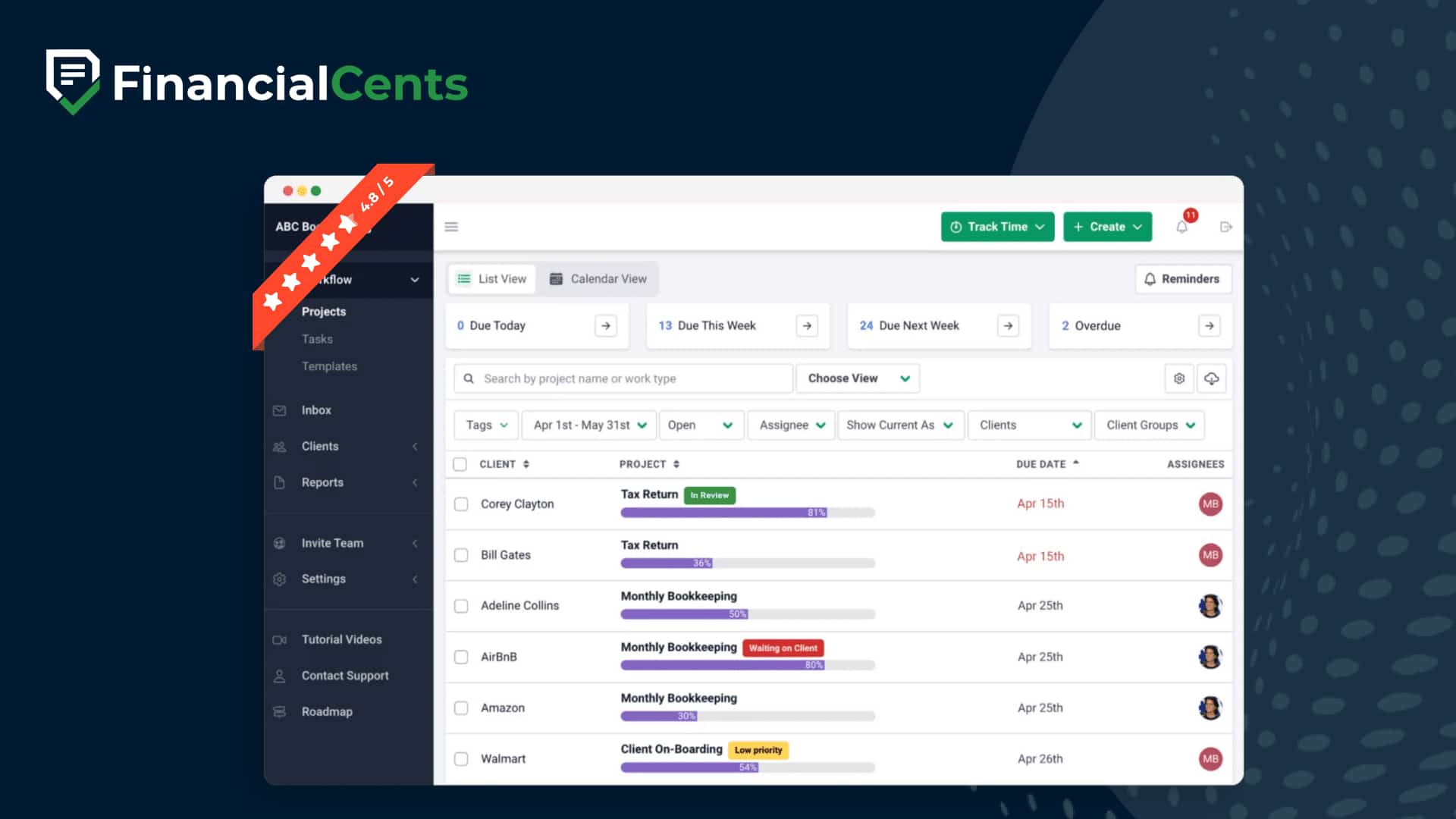
Accounting Firm Project Management Software
Easily track client work and hit your accounting deadlines with reliable project management:
- Set up and delegate work
- Track recurring work
- Keep things from falling through the cracks
Proudly built for small firms — and designed to grow with you.
 4.8 stars




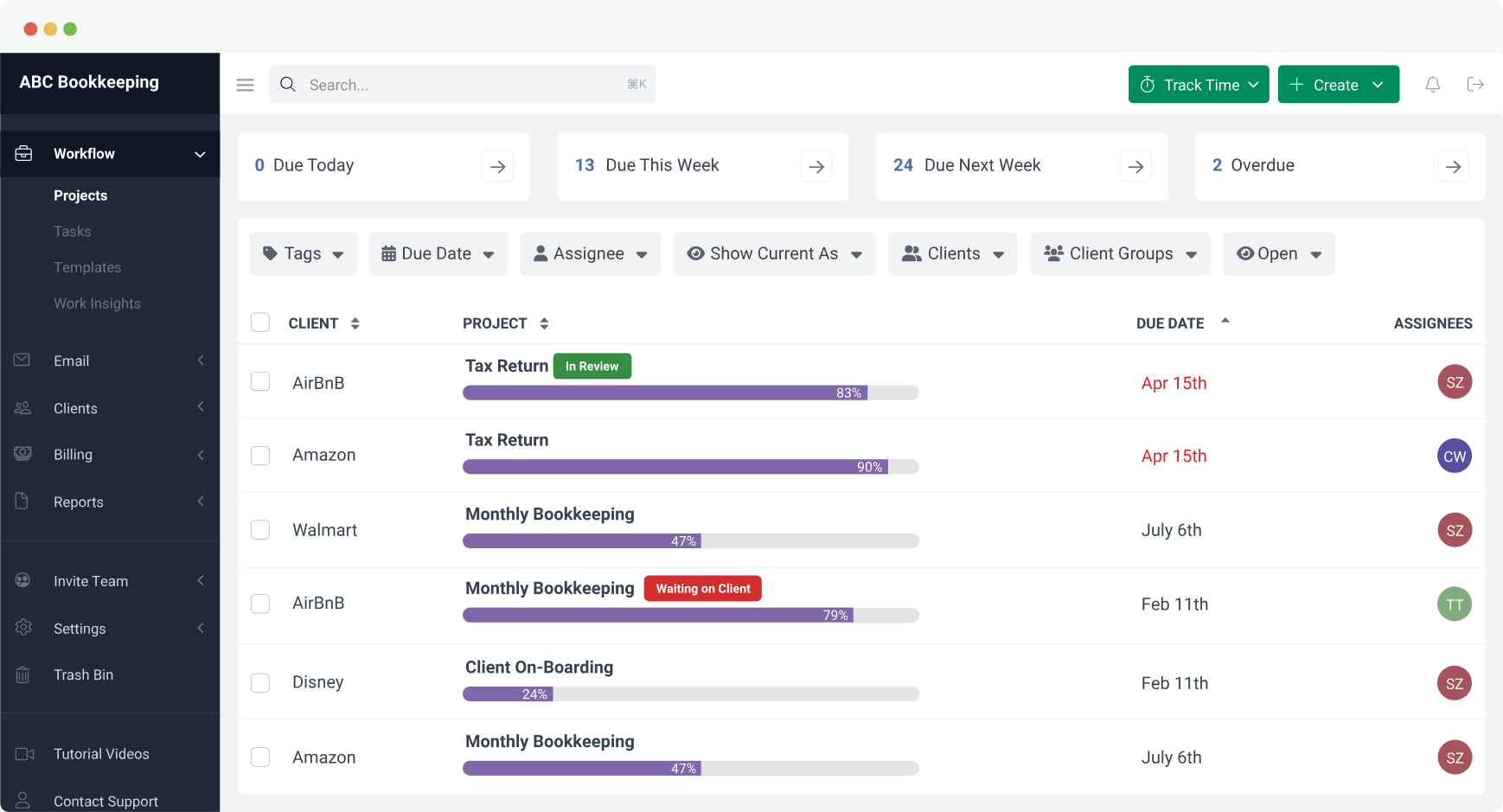
Before Financial Cents

You struggle to know where things stand across your firm. You don’t know who is working on what and everything feels disorganized with your staff. You feel drained from constantly playing catch up with deadlines and your employees are burnt out.
You’ve finally come to realize that accounting project management based on multiple spreadsheets, paper checklists, sticky notes, and memory doesn’t work..

After Financial Cents
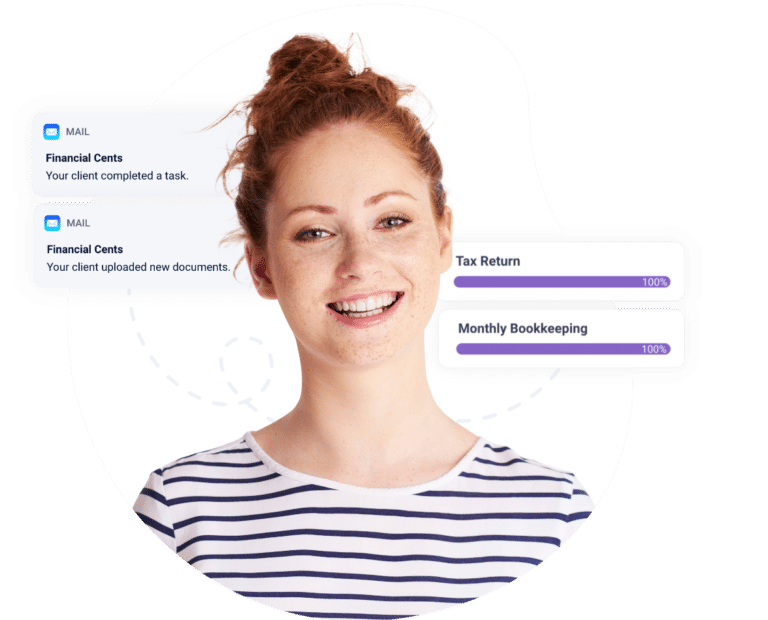
You know the status of work and what to do to meet deadlines. You know who is working on what and who to hold accountable for client work. You feel zen and peace. You feel efficient and your team looks forward to working everyday. Everyone is in tune and on the same page.
You can now confidently scale your firm with ease, thanks to accounting project management system features that let you:
- Easily track the status of client work
- Collaborate with your team remotely
- Automate client data collection
- Securely store all your client data in one place
Run your firm with one easy to use
project management tool
Project
Management
Workflow Automation
Email Management
Client Database
Client Portal
Document Management
Time Tracking & Billing
Keep things from falling through the cracks
Delegate work, monitor your staff’s progress and track due dates in one simple view. Have all your communication and documents stored in one place for your staff to access and get their work done
Never miss important updates and progress reports again.
“Financial Cents is extremely easy to use and their customer service is excellent! Any time we have had a questions, their customer service department has answered in less than a half-hour.”
Sheri H | Accounting Practice Owner
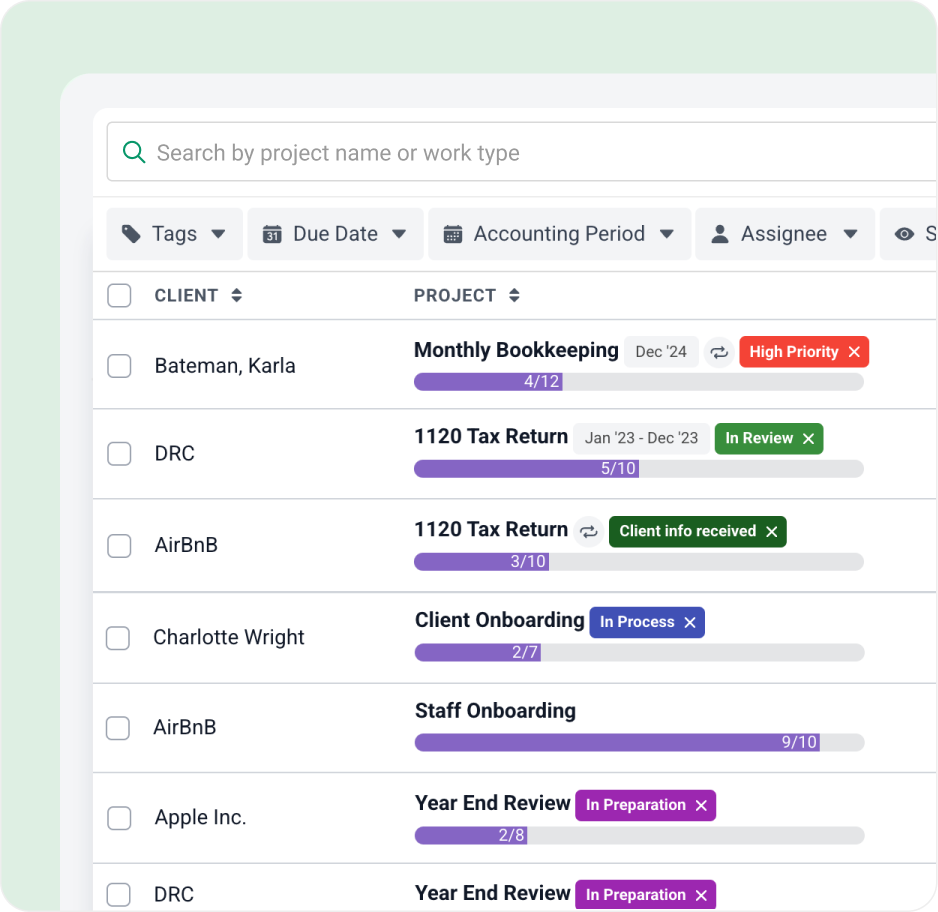
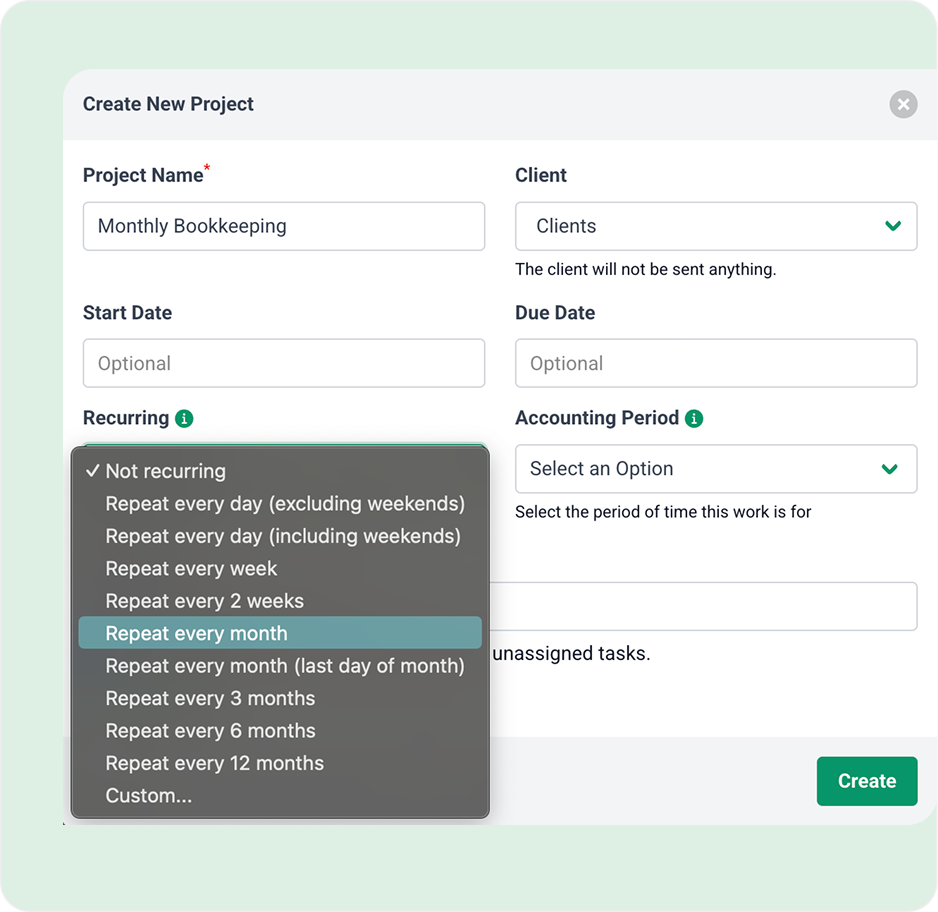
Built for recurring accounting work. Not just generic tasks.
General-purpose project management tools, Asana, ClickUp, Monday, were built for one-off projects. Accounting work isn’t one-off. It’s the same 1040s, monthly closes, and payroll runs coming back every period, for every client. On a generic task board, that means rebuilding the same tasks by hand each month, bolting on a separate app for client documents, and keeping deadlines in someone’s head. As one firm owner put it, “if it’s not in the system, I will straight up forget about it.”
Financial Cents is built for the way accounting work actually recurs. Templatize a workflow once: 1040, monthly bookkeeping, payroll, and it regenerates on schedule, assigns itself, and chases the client for missing documents without you lifting a finger. No rebuilding tasks every month. No deadlines living in someone’s head.
“Financial Cents gives us one place to see every client, every deadline, and every team member’s workload — instead of five spreadsheets and a prayer.”
Tonya Schulte, The Profit Constructors
Automate & streamline your accounting firm
Automate client data collection, create checklist templates, send automated reminders to your team, and automate recurring work
Project management with less manual work is the future.
“For us, Financial Cents solved some key pain points: #1. Project management – it allows managers to see what projects are outstanding, which are only partially completed and which are upcoming. It provides confidence that tasks are not following through the cracks. #2. It has helped us define our workflows and communicate them to all staff.”
Carolyne D | Accounting Practice Owner
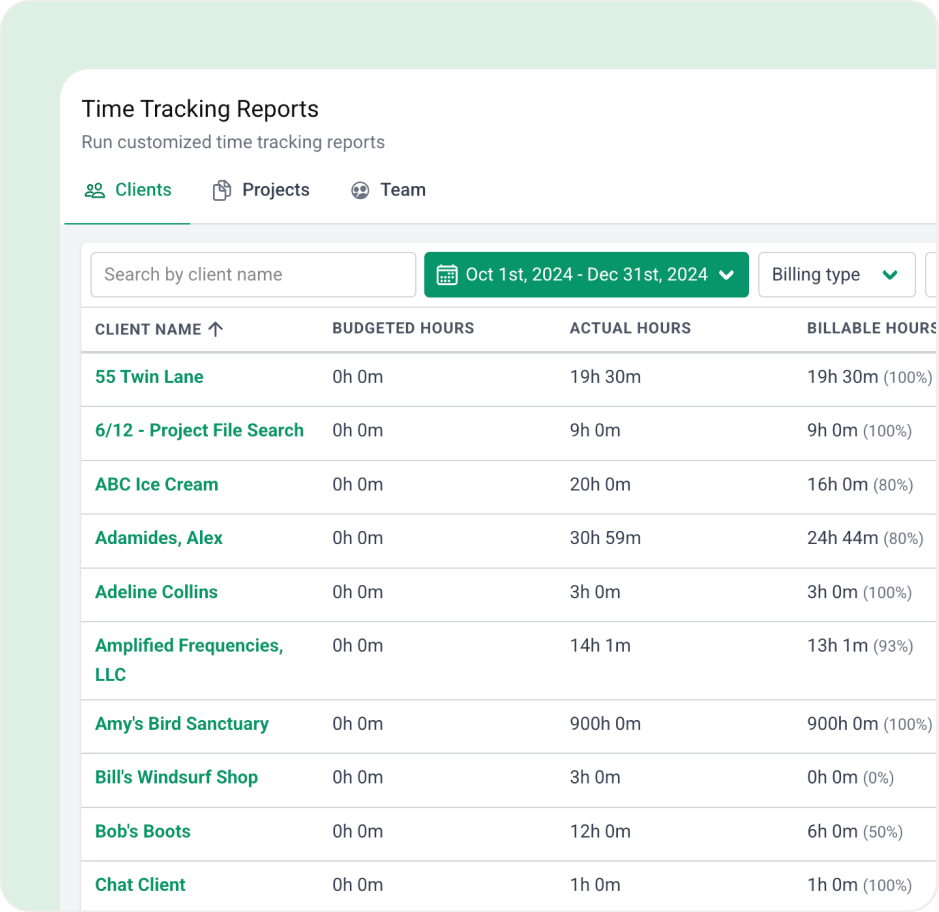
Scale your firm with project management Insights
Identify bottlenecks and over budget work, easily manage firm capacity, and identify the clients killing your firm’s profitability
Get the insights you need to make data-informed decisions and scale your firm fast.
The ability to change the workflow views for each team member so that they can see their own work in a way that suits their style. As management we love the capacity report to see who has time for the new clients we sign on. The client dashboard allows everyone to be able to see at a glance all the important information pertaining to that client.
Amanda B | Accounting Practice Owner
Get your team on the same page
Rather than working from different spreadsheets and on different timelines, get your team connected and collaborative with notes and mentions, tags, and chats on client work. Keep everyone in the loop with a shared inbox and email integration that lets you turn emails to projects and assign them to your team.
By using an accounting task management software like ours, you can keep everyone in the loop so nothing falls through the cracks.
Biggest pain point resolution for us was the collaboration abilities: chat style with the ability to “call out” particular staff members and keep the notes. Too many things were in people’s heads, or in their email boxes, not connected with the project or client. I will no longer hear “the client emailed me the info” or “the client texted me the info”.
Cathleen V. | Accounting Practice Owner

Make your clients
responsive and accountable
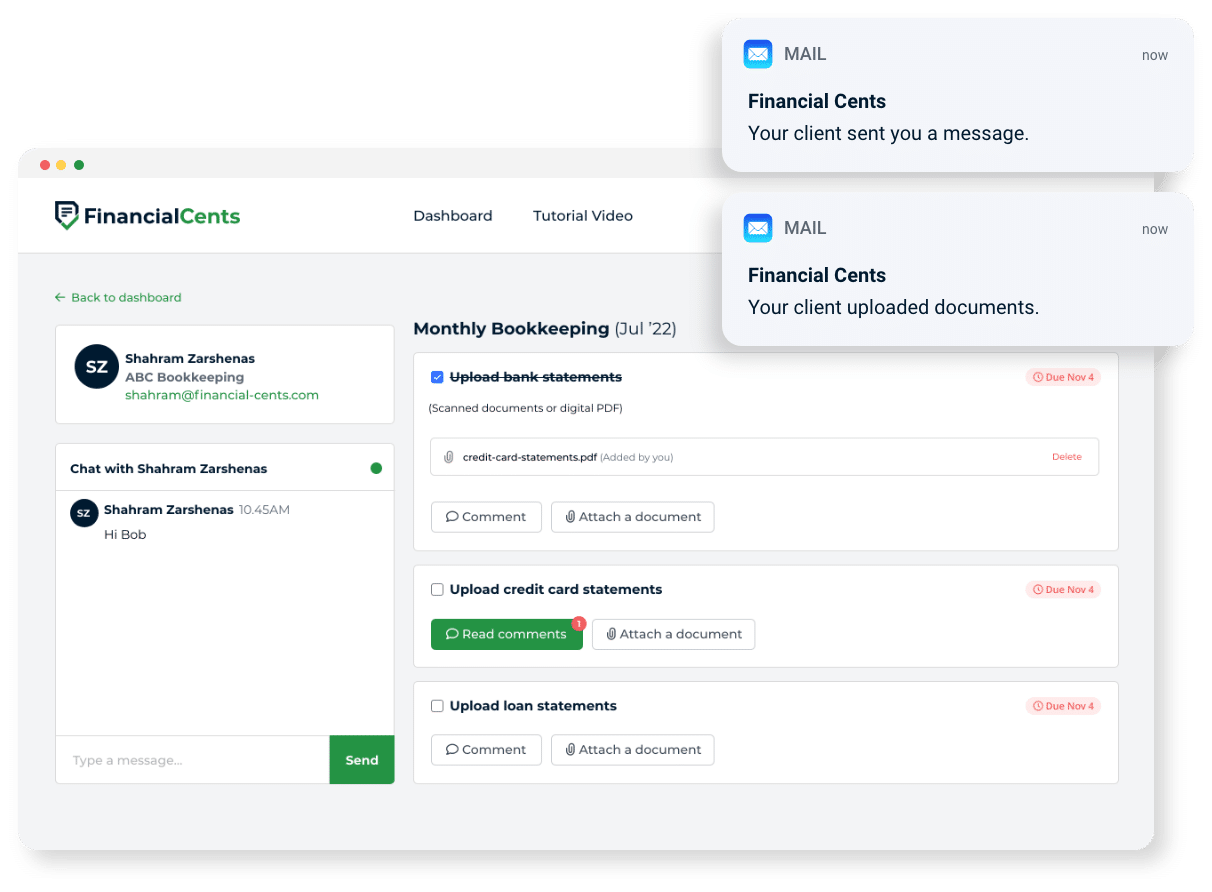
Clients taking forever to send you documents and information? With Financial Cents, you will be able to automate client data collection and set up automated follow ups until clients complete their tasks. Firms who use this feature save an average of 56 hours a month and get documents from clients within days.
Financial Cents has allowed me to be more efficient, bill more accurately, and let go of wasted time chasing clients for information. I am surprised at how much better this tax season is going as a result of using this software.
The ability to change the workflow views for each team member so that they can see their own work in a way that suits their style. As management we love the capacity report to see who has time for the new clients we sign on. The client dashboard allows everyone to be able to see at a glance all the important information pertaining to that client.
Jaclyn D. | Accounting Practice Owner






Dr Joy B.
Marie Alana B.
Amanda B.
Carolyn D.






Project management software for Accountants FAQs
Accounting project management software helps you organize and track all client work, deadlines, and communications in one place. It’s built specifically for accounting, bookkeeping, and tax firms, so you can manage projects, use accounting-specific templates, track time, bill clients, delegate tasks, and monitor progress in one system. For a comparison of the options, see the best accounting project management software for small and mid-sized firms.
It keeps your team organized and accountable. Automated recurring projects, real-time progress tracking, and deadline reminders mean you always know what’s due, who’s responsible, and what’s at risk of slipping, even in your busiest seasons. We also cover how to hit client deadlines with project management software in more detail.
It keeps every message tied to the right project and client. Your team can leave notes, tag each other, share files, and turn client emails into tasks, so communication stays in one hub instead of scattered across inboxes and chat apps.
Clients upload documents, complete tasks, and respond to requests in their own client portal, and you can set automated follow-ups so you’re not chasing them for missing information.
Yes. Spreadsheets and manual checklists break down as you scale. Financial Cents automates recurring workflows, organizes communication, and gives you visibility across the whole firm, which no spreadsheet can do. The best way to see the difference for your firm is to book a demo.
You get real-time visibility into firm performance: project statuses, staff capacity, bottlenecks, and client profitability in one place. The reporting features help you see what’s working, where to improve, and how to allocate resources.
Yes. Financial Cents protects client data with bank-level encryption, SOC 2 compliance, secure file storage, and role-based permissions. You can read more about our approach to security.
Yes. Built-in time tracking lets your team log hours directly on client projects and tasks, compare them to budgets, and generate accurate invoices, so you can see which clients and projects take the most resources.
The best project management software for an accounting firm is built for recurring client work, not generic task boards. Firms need templatized workflows for 1040s, monthly closes, and payroll, a client portal for document collection, deadline and capacity tracking, and accounting integrations like QuickBooks Online. Financial Cents is built specifically for accounting and bookkeeping firms of 2 to 30 people and brings all of this into one platform.
Financial Cents starts at $19 per user per month on the Solo plan, with Team at $49 and Scale at $69 per user per month. Solo is billed annually; Team and Scale can be billed monthly for 5 or more users, and all plans run on a 12-month agreement. Every plan includes a 14-day free trial with no credit card required, and all plans include workflow automation, the client portal, document management, and time tracking. To find the right fit for your firm, book a demo.
Project management software tracks the work: tasks, deadlines, and who’s doing what. Practice management software is broader, adding client relationships, document collection, time tracking, billing, and recurring workflows on top of project tracking. Financial Cents is a full practice management platform, so you get project management plus everything around it in one place.
Yes. Partners assign recurring client work to staff through templatized workflows, then keep a firm-wide view of every project’s status, deadline, and each team member’s capacity in one dashboard. Staff see what’s theirs; partners see where everything stands without chasing updates, and automatic client reminders keep delegated work from stalling on missing documents.
Get Started Today