
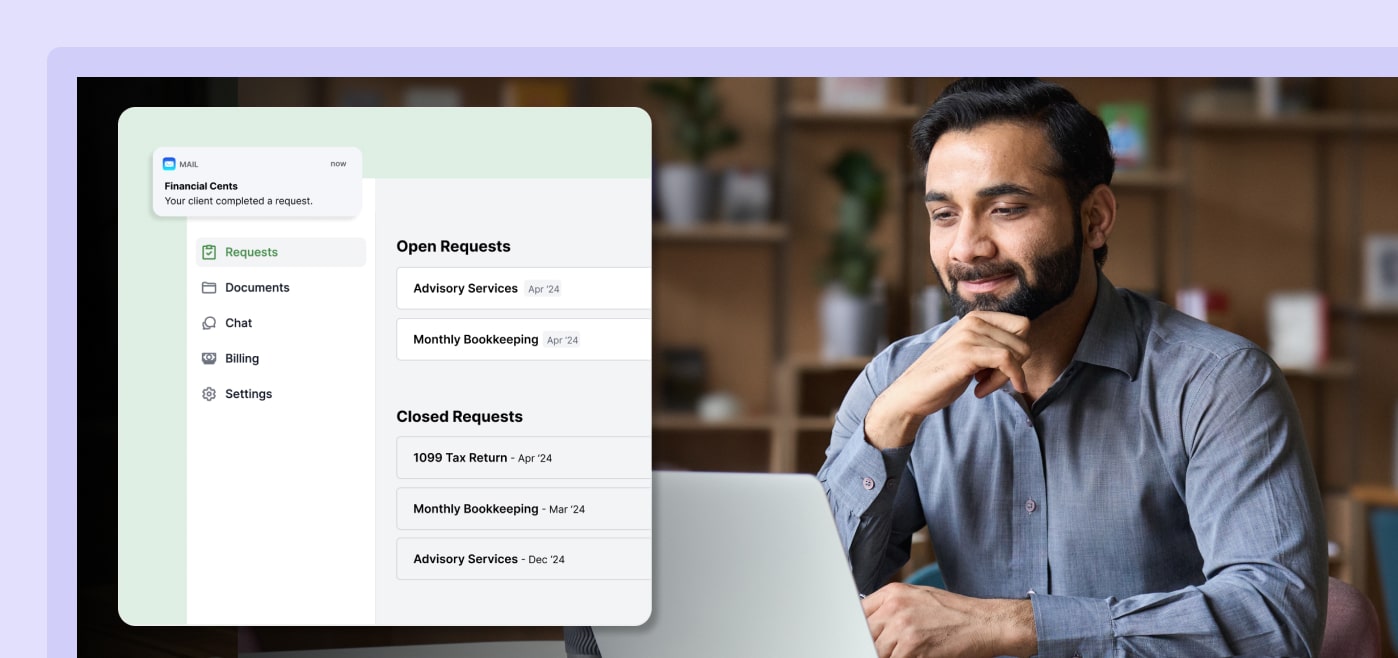
Every accounting firm knows the feeling. You need a document. You’ve asked for it twice. Your client is great—they just keep forgetting. So now you’re stuck choosing between pestering them again or waiting until it magically shows up.
That back-and-forth is one of the most consistent friction points in running an accounting firm. And it’s exactly what the Financial Cents Client Portal was built to fix.
What Is the Client Portal?
It’s a single, secure, professionally branded hub where everything that requires client action—documents, requests, conversations, and payments—lives in one place.
No more sensitive files exchanged over email. No more clients locked out because they forgot a password. The portal runs on magic link technology, so clients simply click a link and they’re in. That’s it.
One login. One place. Everything a client needs—organized and easy to navigate.
What It Actually Does
Client Requests and Automated Reminders
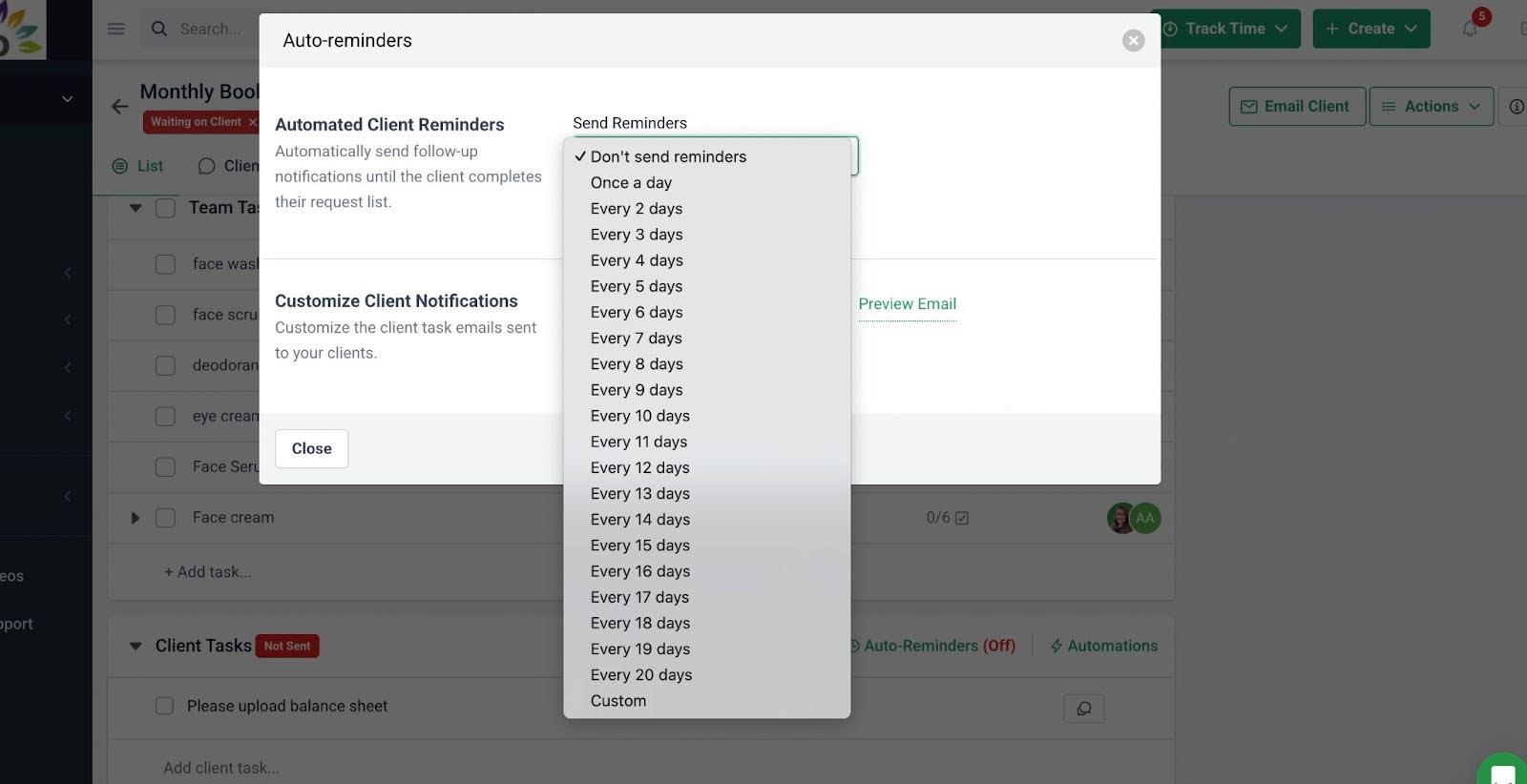
You still have to ask clients for what you need—that part doesn’t change. But instead of following up manually, the portal sends automated reminders on your behalf. Clients get a clear, easy way to upload what you’re asking them for, and you stop being the one who has to keep track of who responded and who didn’t.
Secure Chat and File Sharing
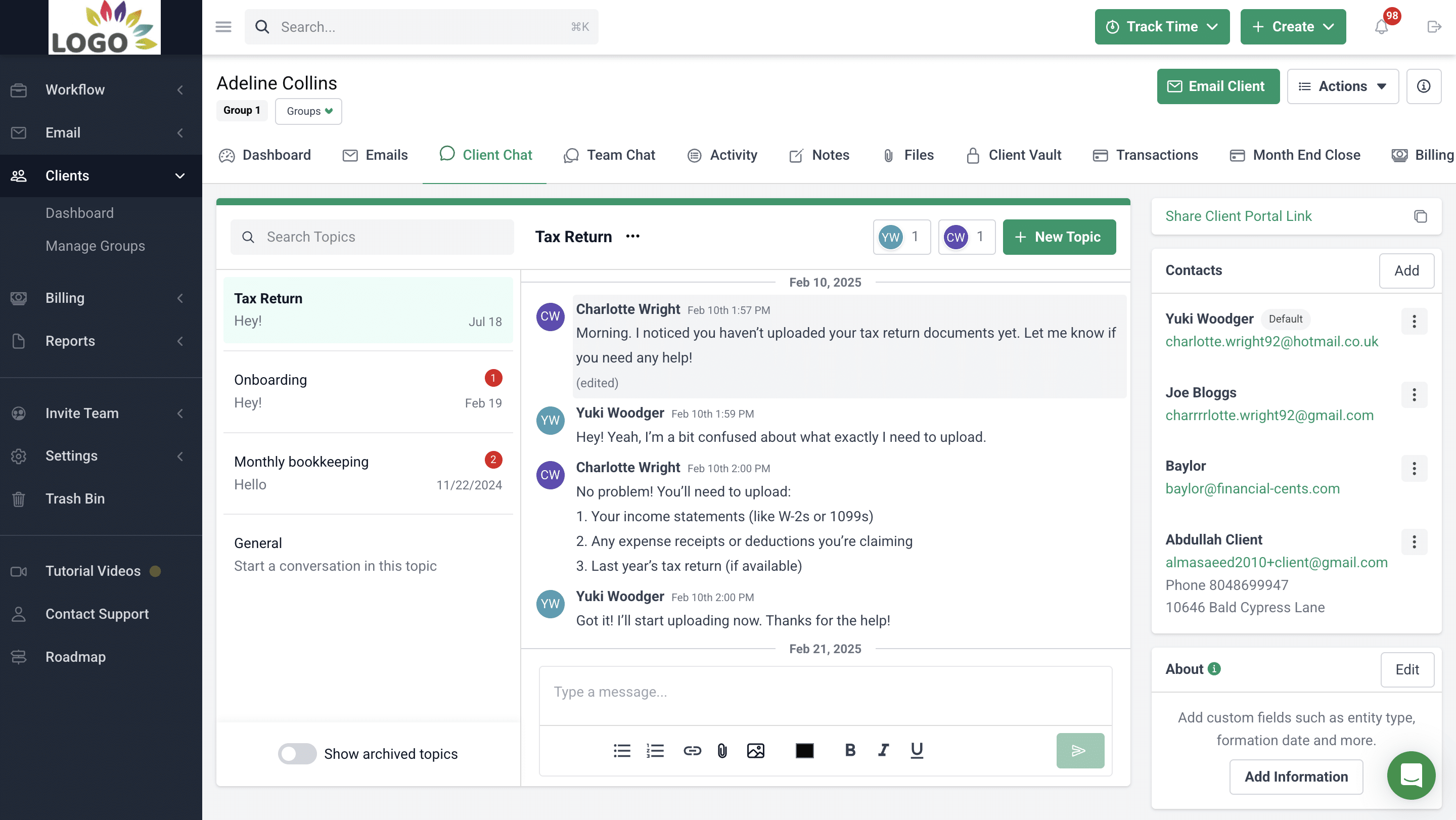
Sometimes you need a quick back-and-forth with a client. The portal gives you real-time chat that keeps every conversation organized in one place. You get a full audit trail of who said what and when, which is useful when you need to look back at a decision or clarify what was agreed on. Secure folder sharing means clients can also access important documents whenever they need them, without having to email you to ask.
Uncategorized Transactions
This one is a real time-saver. Uncategorized transactions in QuickBooks Online are a constant headache—you can find them, but figuring out what they’re actually for means going back to the client. Now the portal automates that ask. The client gets a notification and provides context, so you can recategorize and move on. No extra email thread required.
Invoicing, Payments, and Proposals
Getting paid faster usually comes down to making it easier for clients to pay. The portal handles that with an intuitive payment experience and automated payment options. You can also send professional proposals directly through the platform, which is especially useful when you’re expanding a client’s services and want to present it cleanly and professionally rather than in a back-and-forth email chain.
What Firms Are Actually Saying
Greg Scholten of On Track Accounting put it simply: “My whole direction was that I wanted one portal that clients always log into at all times—not 20 different portals—so we could streamline our systems and also cut down costs as much as possible.”
Lori Hawkins of L&L Bookkeeping noted a more specific operational win: “We are now able to send the client requests in our practice management system, and the client portal notifies us when clients answer our questions or upload the documents we requested.”
Both point to the same benefits: less context switching, less chasing, more clarity on where things stand.
Why It Matters
The client communication problem doesn’t always stem from clients being difficult. It’s more about friction. When it’s hard to respond, people delay. But when the process is clear and simple, they follow through.
The Client Portal reduces that friction on both sides. Your clients get one place to go. Your team gets one place to check. And the automated reminders handle the follow-up so nobody has to.
Combined with Financial Cents’ workflow automation, time tracking, and billing features, it’s the kind of system that makes a firm feel noticeably more organized—without having to hire anyone new to run it.
 Our major benefit from Financial Cents has been organization. We have full insight into what our team is working on. We can assign projects, create filters, and see what is assigned to each team member to help capacity management.”
Share this article:



