

Every accounting firm has a version of the same problem. You’re juggling client emails across three inboxes, a Slack thread your bookkeeper started yesterday that nobody followed up on, a text from a client asking for something clearly out of scope, and a filing deadline this week. And none of it sits in one place that shows what was said, what was promised, or what’s still pending.
The cost is real and quiet. Missed filings, scope creep nobody bills for, and clients that walk away.
According to our 2025 State of Accounting Workflow Automation Report, getting documents from clients is the number one workflow issue firms face, ahead of even manual administrative work. At its core, there’s a communication gap that needs solving.
In this article, we’ll offer you a working definition of accounting communication, the most common places it breaks down, and a concrete system to centralize it.
TL;DR
- Accounting communication is an operational problem, not a soft-skill one. The firms that do it well have a system, not better talkers.
- It covers three layers: client-facing, internal team, and cross-functional handoffs.
- Most breakdowns trace back to scattered channels, no single record, unclear ownership, and conversations that live outside the work they’re about.
- Practice management software centralizes client and team communication alongside the work itself, which is what email and text alone can’t do.
What is Accounting Communication?
Accounting communication is the full set of conversations a firm has about engagements, deliverables, deadlines, and decisions. That covers everything you exchange with clients (status updates, document requests, advisory calls), inside your team (handoffs, reviews, blockers), and across functions (bookkeeper to tax preparer, junior to senior reviewer, your firm to a client’s bank or the IRS).
It helps to think of it in three layers.
- Client-facing is the surface layer, where most firms focus first.
- Internal team communication is what keeps the work moving inside the firm.
- Cross-functional is the layer most firms underinvest in, where bookkeeping-to-tax handoffs and junior-to-reviewer reviews live.
What makes accounting different is that the same conversation often needs to be recorded, audited, and referenced months later. A scope decision made on a phone call in March might be the thing that resolves a billing dispute in October. Email and text weren’t built for that. The real distinction isn’t between firms with better and worse talkers. It’s between firms with a communication system and firms without one.
The Communication Skills Accountants Actually Need
Active listening
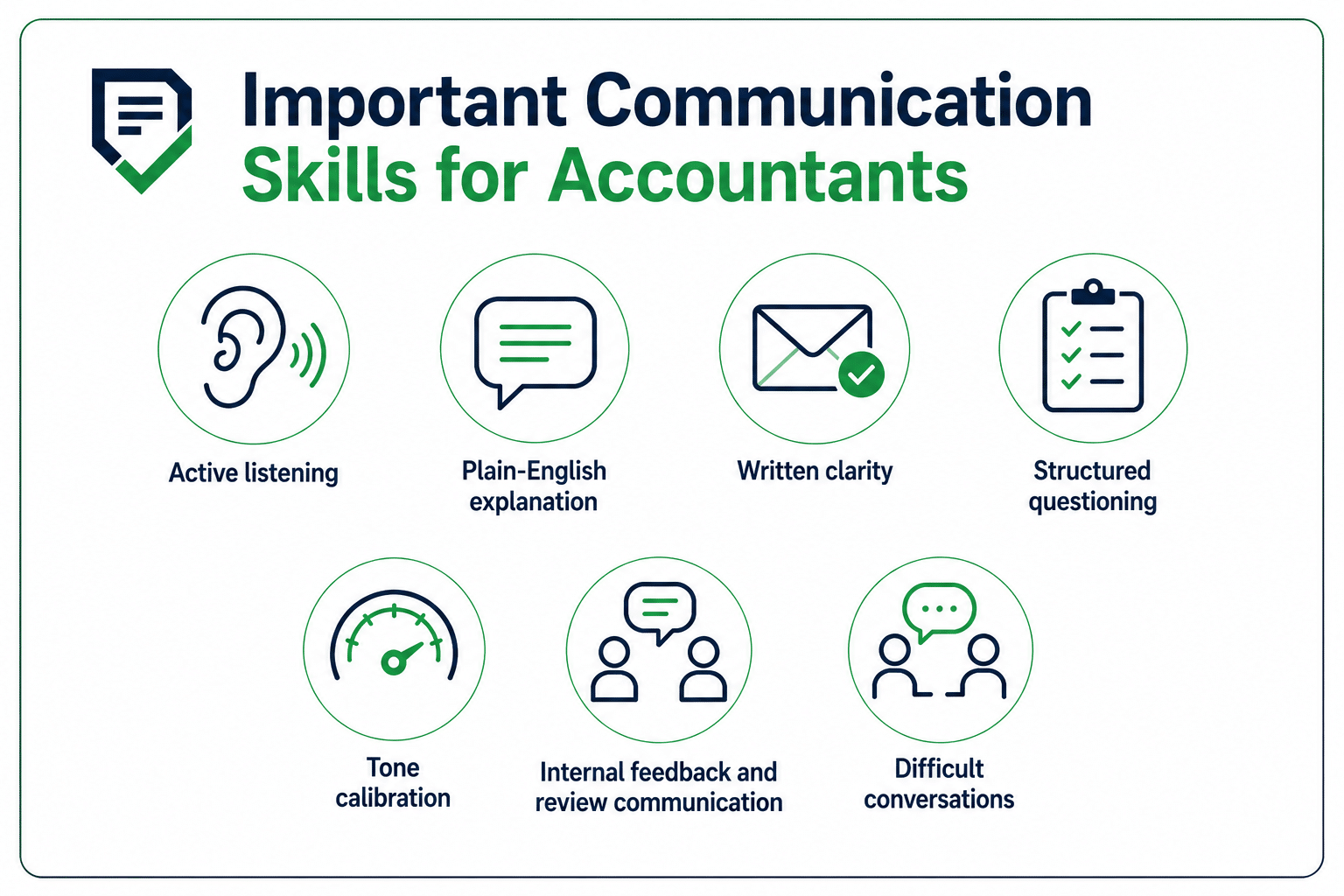
The skill of catching what a client actually said and what they almost said. The client who mentions they’re “thinking about hiring someone” or “looking at acquiring another location” is signaling the engagement is bigger than the one they’re asking for. Most firms miss it because they’re already mentally drafting the proposal instead of listening for the next question to ask.
Plain-English explanation
Your job isn’t to prove you understand accrual accounting. It’s to translate concepts like depreciation, estimated tax, and basis adjustments into something a small business owner can act on. If they nod and do nothing, you didn’t explain it.
Written clarity
Open your sent folder. Count the emails from this week that came back with “just to clarify…” or “sorry, did you mean…” Each one costs you twice. A three-line email that gets re-read and replied to with a clarifying question is more expensive than a six-line email that lands the first time.
Structured questioning
The right question asked up front saves three follow-ups later. A structured onboarding questionnaire and a well-designed client onboarding process pull in most of what you need on day one.
Tone calibration
The same message can land or backfire depending on who it’s going to and when. A status update during a quiet month reads differently than one during tax week. An accounting fee increase email to a ten-year client reads differently than one to a six-month client. Match the tone to the context, or a routine message creates a problem you didn’t need.
Internal feedback and review communication
A reviewer who writes “this is wrong” teaches nothing. The one who writes “the revenue recognition here doesn’t match the engagement terms we set in February” teaches someone how to think.
Difficult conversations
Scope creep, late documents, fee increases, and the rare client termination. Most firms avoid these because nobody has trained them on how to have them. The fix is having language ready before you need it, ideally written down. We’ve published templates for both client termination letters and price increase letters for exactly this reason.
The Most Common Communication Breakdowns in Firms
Most firms don’t have a communication problem in the abstract. They have one of these five, sometimes all five at once.
Scattered channels
Client emails in three inboxes, texts on a personal phone, a WhatsApp thread from six months ago, and a Slack DM from last Tuesday. The work is fine. The conversation about the work is everywhere, and most of it isn’t searchable.
No centralized record
When a client asks “Didn’t you tell me to send that already?” and the answer is “Let me check,” you don’t have a system. You have a memory test. We’ve covered the broader risks of not centralizing client data separately, but most of them start here.
Unclear ownership
A client emails the general inbox, and nobody picks it up because everyone assumes someone else did. A reviewer leaves a note that the preparer never sees. Two weeks later, the return was late, and three people each thought it was on someone else’s plate.
Communication detached from work
A conversation about a client’s 1040 happens in a Slack DM, not on the 1040 task itself. The client’s response about their Q3 numbers lives in a forwarded email chain, not in the task. Anyone picking up that work tomorrow is starting cold.
Over-reliance on meetings
Some firms try to fix bad communication by adding meetings. Now you have a 30-minute Zoom every Monday to talk through what should have been a comment on a task. The status update could’ve been a single field, and the handoff could’ve been a checklist.
Marie Greene, founder of Connected Accounting LLC, walked us through this exact shift on our communication podcast:
The fix wasn’t more meetings; it was consolidating client communication onto a dedicated tool and training clients to expect responses there.
Best Practices to Improve Client Communication
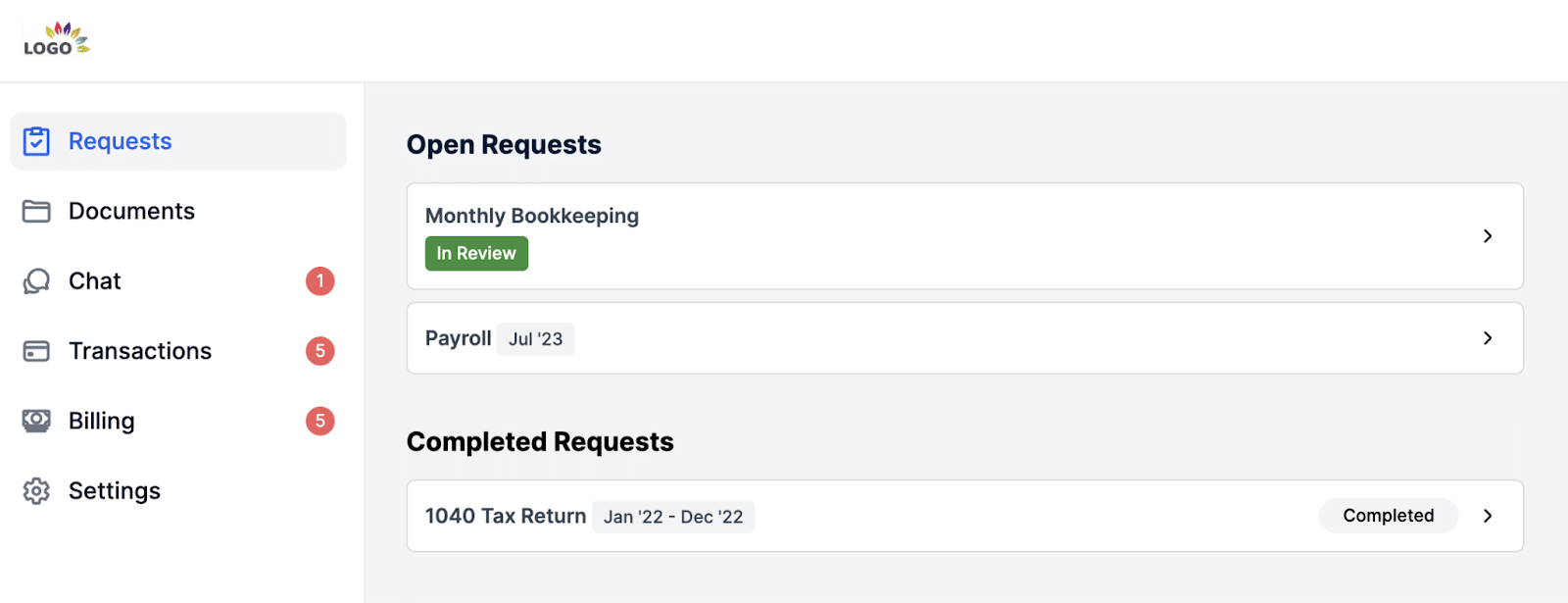
Replace email with a client portal for document requests
Email wasn’t built for receipts, signed engagement letters, or sensitive financial documents. A client portal for accountants is. Per our 2025 Workflow & Automation Report, 60.7% of firms receive client documents within one to three days after automating collection.
If you’ve sent the same “just following up on those statements” email three times this month, you already know what the alternative is worth. The case for a client portal over email and the playbook for getting documents 10x faster are both worth a read.
Set communication SLAs and put them in the engagement letter
Most client frustration about responsiveness is really frustration about undefined expectations. Something like “24-hour response Monday to Friday, 48 hours during tax season” works. Put it in the engagement letter for your services so it’s a shared reference. SLAs you don’t write down aren’t SLAs.
Send proactive monthly status updates
The cheapest way to reduce “where are we on this?” emails is to answer the question before it gets asked. A standing monthly update prevents most check-in messages. Better, give clients real-time client-facing work statuses so they see where things sit without asking.
Record short videos for complex explanations
When you find yourself typing the third paragraph of an email to explain a tax adjustment, stop and record a two-minute Loom instead. Clients absorb a video walkthrough faster than a wall of text, and they get to hear the tone you’d never type out.
Document advisory conversations the moment they happen
The phone call you took on the way to lunch is fine until the client misremembers it in six months. Drop the key points into the client file immediately: what they asked, what you advised, what they decided.
Standardize your document request language
Templated requests pull better data than ad-hoc emails. “Please send your bank statements,” gets back five PDFs with wrong cutoff dates. “Please upload your January statements from Accounts X, Y, and Z, dated 01/01 through 01/31” gets you what you need the first time.
Pick one channel as the source of truth
Decide where the work lives, and every meaningful conversation has to land there even if it started somewhere else. A single source of truth for client relationships is the foundation on which everything else rests.
Plan a quarterly relationship check-in for top-tier clients
For your top 20% of clients by revenue or strategic value, put a recurring 30-minute check-in on the calendar. Firms that retain clients longest run these as a default, and the ones that don’t are usually surprised when clients leave.
Best Practices to Improve Team & Internal Communication
Tie every conversation to a piece of work
The decision your reviewer made on that 1040 last Tuesday is somewhere, probably a Slack DM rather than the task itself, which is why you’re now ten minutes deep into scrolling. If the conversation is about the work, it sits with the work.
Use one tool for work coordination, not three
Count the apps open on your second monitor right now. If Slack, project management, Gmail, and a stale Google Doc are all in the mix, pick one tool that holds the work and the conversation together. Smooth collaboration in accounting firms starts with consolidating, not adding. This is part of a broader strategy for managing an accounting firm.
Run a 15-minute daily standup during busy periods
A morning standup during tax season catches blockers before they become missed deadlines. What you finished yesterday, what you’re on today, what’s in your way. Outside peak season, drop to weekly. The goal is visibility, not ritual.
Make blockers public
A blocker that sits in a DM is a blocker that only one person knows about. Move them onto a shared view. When they’re visible, someone (usually the firm owner) can unstick them in minutes instead of weeks.
Deborah Defer, Director of CAAS Services at Woodard Consulting, put it this way during her 2024 WorkflowCon Session : “Transitioning and moving to the cloud has made it more transparent and efficient to be able to find out what the data is, where it’s in, and who we’re waiting for.”
Document handoffs in a checklist
The bookkeeping-to-tax handoff is where most firms quietly lose hours. The bookkeeper assumes the tax preparer will catch certain things, and the tax preparer assumes the bookkeeper already did. A written checklist means nothing gets dropped in transit.
Train new staff on the system, not just the work
A new bookkeeper learns the work in a week. Learning your system takes longer and matters more. Our team management best practices post goes deeper, but remember that people leave bad systems faster than bad work.
Tools That Power Better Accounting Communication
Practice management software with built-in messaging
It holds your client list, your team’s work, and the conversations about that work in one place. We’ve put together a deeper breakdown of the best accounting practice management software for firms evaluating options.
Client portals
For document collection, e-signatures, and secure file sharing. The portal replaces email for anything sensitive or auditable. It also gives the client a single place to come back to, which is a quiet retention factor in itself.
Async video tools
Loom, Vidyard, and similar. Use them for explanations that don’t fit in an email and don’t justify a meeting. They create a record of what was said.
Scheduling tools
Calendly, SavvyCal, and the like. Their entire job is to kill the “when works for you?” email thread. Embed the link in your signature, the portal, and the engagement letter, and the thread disappears.
Tools amplify a system; they don’t create one. Bad communication habits in good software is still bad communication.
For a deeper walkthrough on the client-facing side, see our in-depth guide to client communication for accounting firms.
Centralizing Client and Team Communication With Practice Management Software
Communication breaks down when it’s spread across tools and inboxes that don’t talk to each other. Practice management software fixes that by putting client and team communication in the same place as the work itself.
Client portal
Every interaction is logged against the client’s record, so when someone on your team picks up the file weeks later, they see the full history.
In-project comments and @mentions
Conversations live inside the task they’re about. When a reviewer flags something for the preparer, the comment sits on the project with an @mention.
Automated client reminders
Follow-up emails go out automatically on a schedule you set. Clients get pinged until they respond, and your team gets the time back.
Centralized dashboard
One view of every active client, every open task, every blocker, every conversation waiting on a response. The firm owner sees the whole firm at a glance, and team members see exactly what’s on their plate.
Client profile and activity dashboard
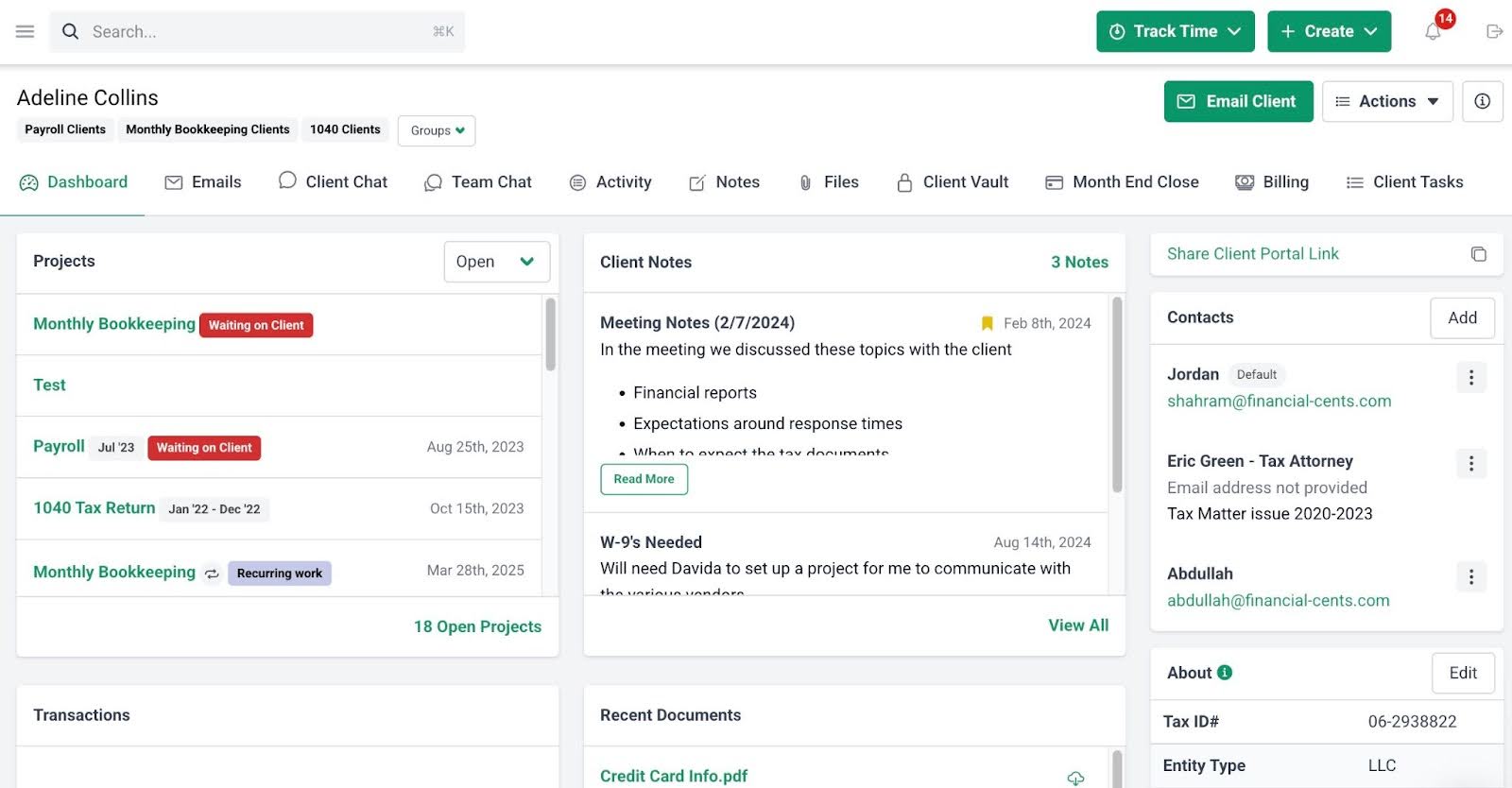
A complete record of every interaction with every client in one place. When a long-time client calls with a question, you don’t open four tabs to find the answer.
Lori Hawkins, who runs L&L Bookkeeping in Michigan, built her firm around this kind of centralization, and her team manages a growing client roster with a waiting list of referrals. As she puts it: “Everything is in one hub, and that is wonderful.” When a bookkeeper takes a vacation, someone else picks up the file mid-engagement without a handoff meeting, because the work, the conversations, and the client history all sit together.
The pattern isn’t unique to her firm. Per our 2025 Workflow & Automation Report, the most sought-after workflow software features are a centralized dashboard (73.9%), client reminders (69.3%), and a client portal (60.6%). Every one of those exists to fix a communication problem.
If you want the same setup for your firm, Financial Cents helps you centralize your client and team communication alongside the work.
Conclusion
The firms that do accounting communication well have a clearer place for every conversation, a clearer record of what was said, and clearer ownership of what happens next. Try Financial Cents and centralize your client and team communication alongside your work. Or book a demo if you’d rather see it walked through first.
Frequently Asked Questions
Share this article:



