

Every practice management software is built for a specific kind of user or firm, which determines its features, use cases, and roadmap.
That you bought a tool that doesn’t sit well with your team is not necessarily a verdict on the tool as it were. It might not be designed for your type of firm.
That is why firm A can consider Karbon (or Canopy) the best for their workflows, clients, and team, while firm B struggles to get value from it.
That means trying to find the universally better of these two tools can be subjective, so every firm owner must seek first to understand how well a tool’s design philosophy, features, and functionality align with their operational context: services, team size, workflows, and growth plans.
By the end of this article, you will have a clear sense of which of these tools fits your type of firm. We’ve added a third option, from this list of the best practice management software for accounting firms, that some firms might find the most sustainable.
TL;DR
- Karbon is best for mid-to-large firms with the time and human resources to implement a highly customizable workflow management, collaboration, and advanced reporting tool. These firms can handle a longer onboarding process and the premium costs. However, its client-facing features are limited.
- Canopy is best for tax firms that prioritize strong client experience. It offers an advanced client portal, document management, and native IRS integration. Its modular pricing allows flexibility, but costs increase quickly with full usage.
- Small accounting and bookkeeping firms (with 2–30 staff) opt for Financial Cents instead to access all the features of an accounting practice management software (proposal, workflows, client portal, client management, document, automation, E-signature, billing, etc.) in one system. It’s quick to set up, and its affordable costs are tailored to small and mid-sized teams.
Overview: What Is Karbon?
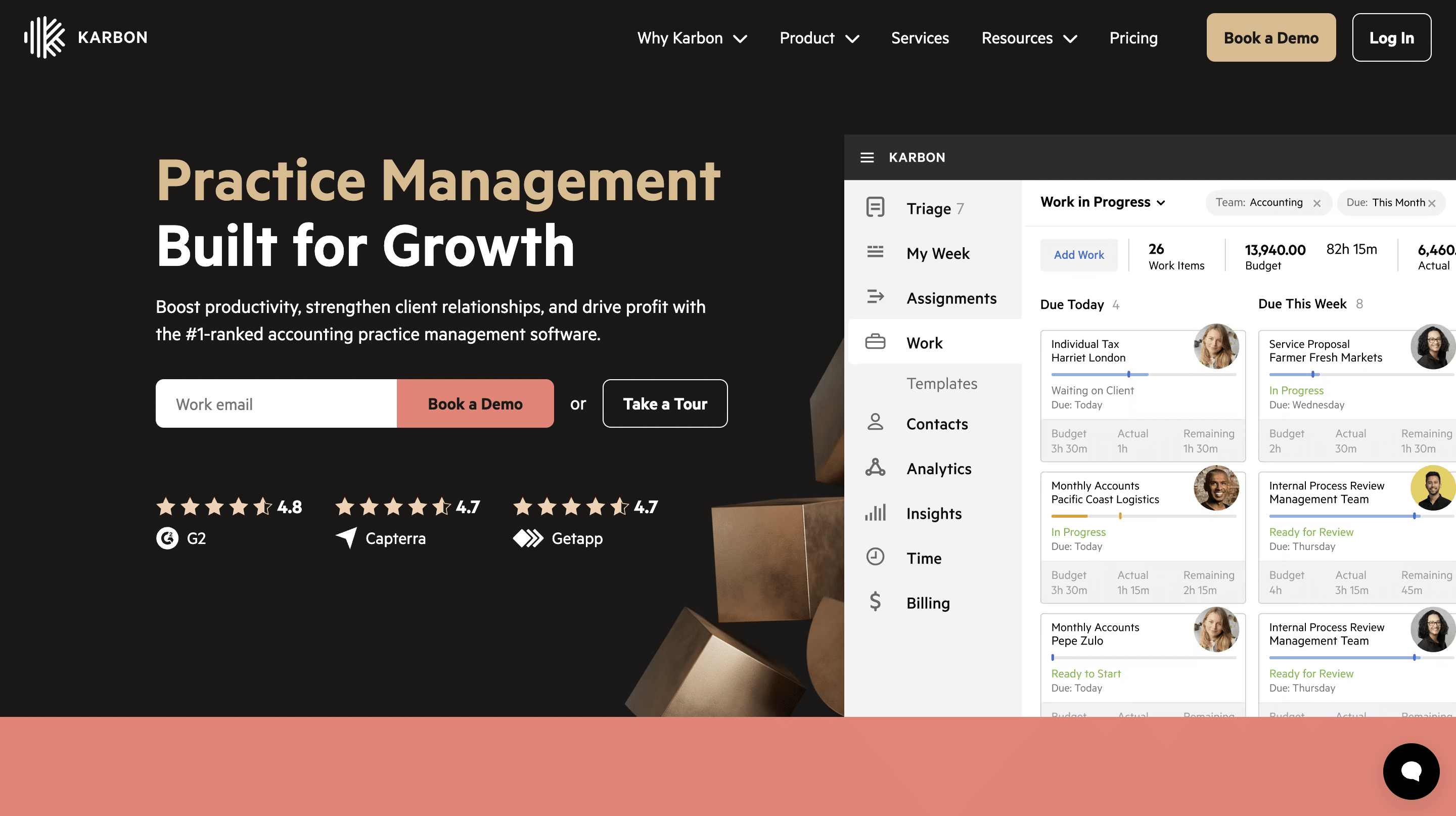
Karbon was founded by former Xero executives (Stuart McLeod, Ian Vacin, and John Freeman) to help accounting firms manage complex work, clients, and team communication in one place.
The founders believed that if your internal workflow is structured and visible enough, everything else in the firm will be easier to manage.
Its features revolve around a shared inbox (called Triage), which enables teams to collaborate on emails and link communication directly to tasks and workflows. It also has workflow automations that reduce manual work and ensure consistency across all engagements.
Karbon is primarily designed for mid-size to large accounting firms that need a more structured system to manage complex workflows, so it often requires significant time and effort to navigate its (sometimes) overwhelming interface and customize its workflows.
Overall, Karbon is rated 4.8/5 on G2. This guide on the best Karbon alternatives to consider in 2026 can tell you more about Karbon.
Overview: What Is Canopy?

Canopy was founded in 2014 by Kurt Avarell out of his frustration with inefficient tax resolution work (such as repetitive data entry, disconnected software, Etc).
It is designed first for tax and accounting firms, with a strong emphasis on client management. Its IRS integration enables users to access years’ worth of transcripts, manage notices, and handle tax resolution cases more efficiently.
One key feature of Canopy is the pricing structure. It uses a module system that allows firms to start with its essential client management feature, and then add the others (like workflow, time tracking, and billing) as needed.
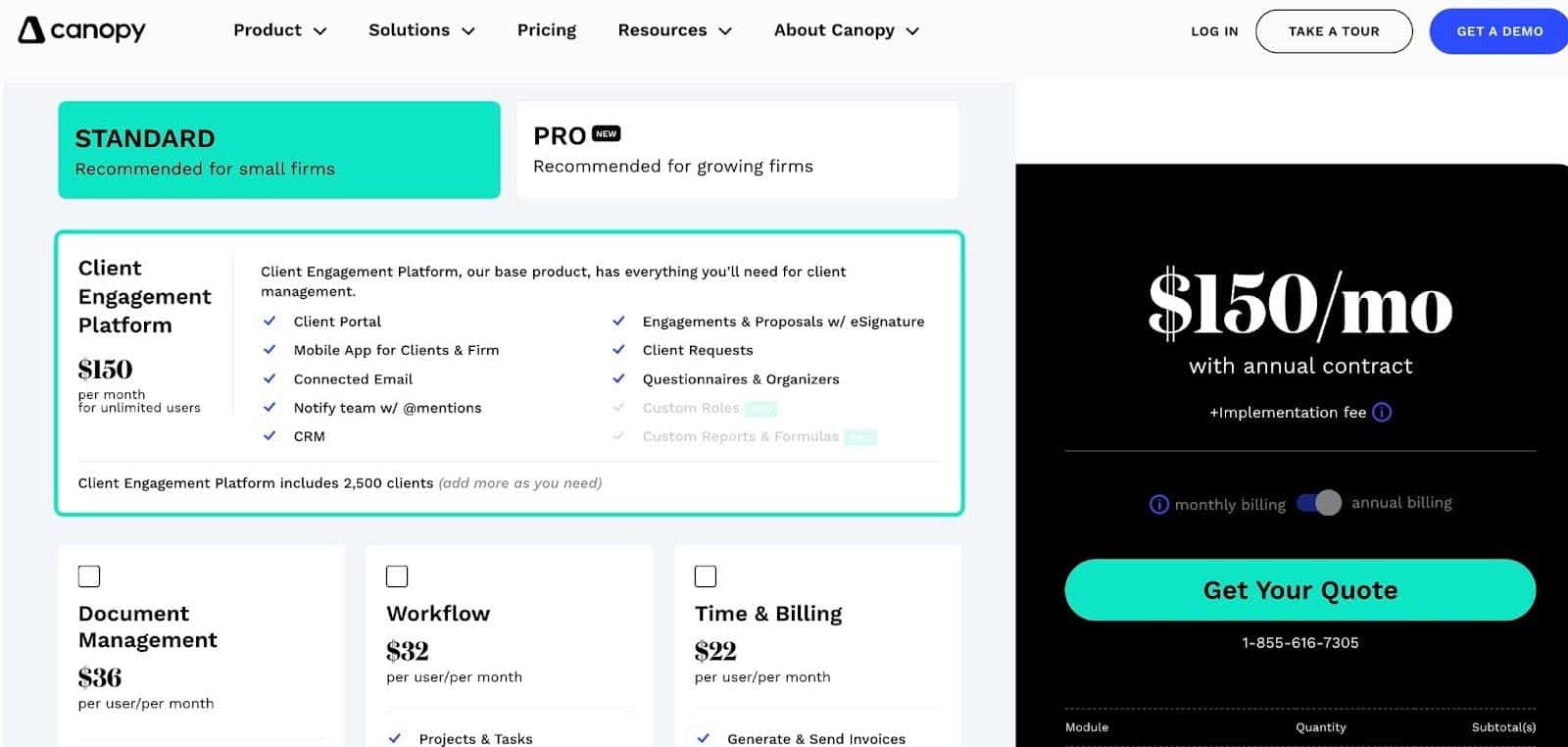
This flexible structure allows firms to build their tech stack gradually rather than committing to a fully bundled system from the start. As helpful as this approach seems, it poses a unique challenge.
Most firms need most, if not all, of the other features as much as the base client management module. It is usually a matter of time before they decide to add them ( as they seek to manage their firm in one place). At that point, they usually find that costs accumulate more quickly than expected.
Canopy has an overall rating of 4.6/5 on G2, and here is how other alternative tools compare with Canopy in 2026.
Karbon vs Canopy: Feature-by-Feature Comparison
Again, you can tell the kind of firm a software was built for by the features and functionalities it prioritizes:
a. Workflow & project management
The workflow and project management feature organizes accounting work into structured processes by defining tasks, deadlines, and ownership. The right tool uses this feature to reduce missed deadlines, increase service quality, and improve team accountability.
Karbon’s workflow system uses Kanban-style boards to display active engagements alongside their deadlines, assigned team members, and related clients to improve visibility and accountability across the firm. Its triage feature ties client emails to the client work for shared access across the team.
Karbon enhances team collaboration through @mentions and internal comments. Its automations reduce manual processes that usually slow down multi-staff operations.
While it provides task dependencies and structured job timelines to support teams handling multi-step and multi-team engagements, its automation and workflow templates are largely built around predefined sequences. This works well for predictable, repeatable processes, but can increase manual adjustments in projects where tasks don’t follow a consistent order.
Canopy uses a more structured approach that requires less customization. The workflow module is built around templates and recurring client work to standardize and manage ongoing engagements.
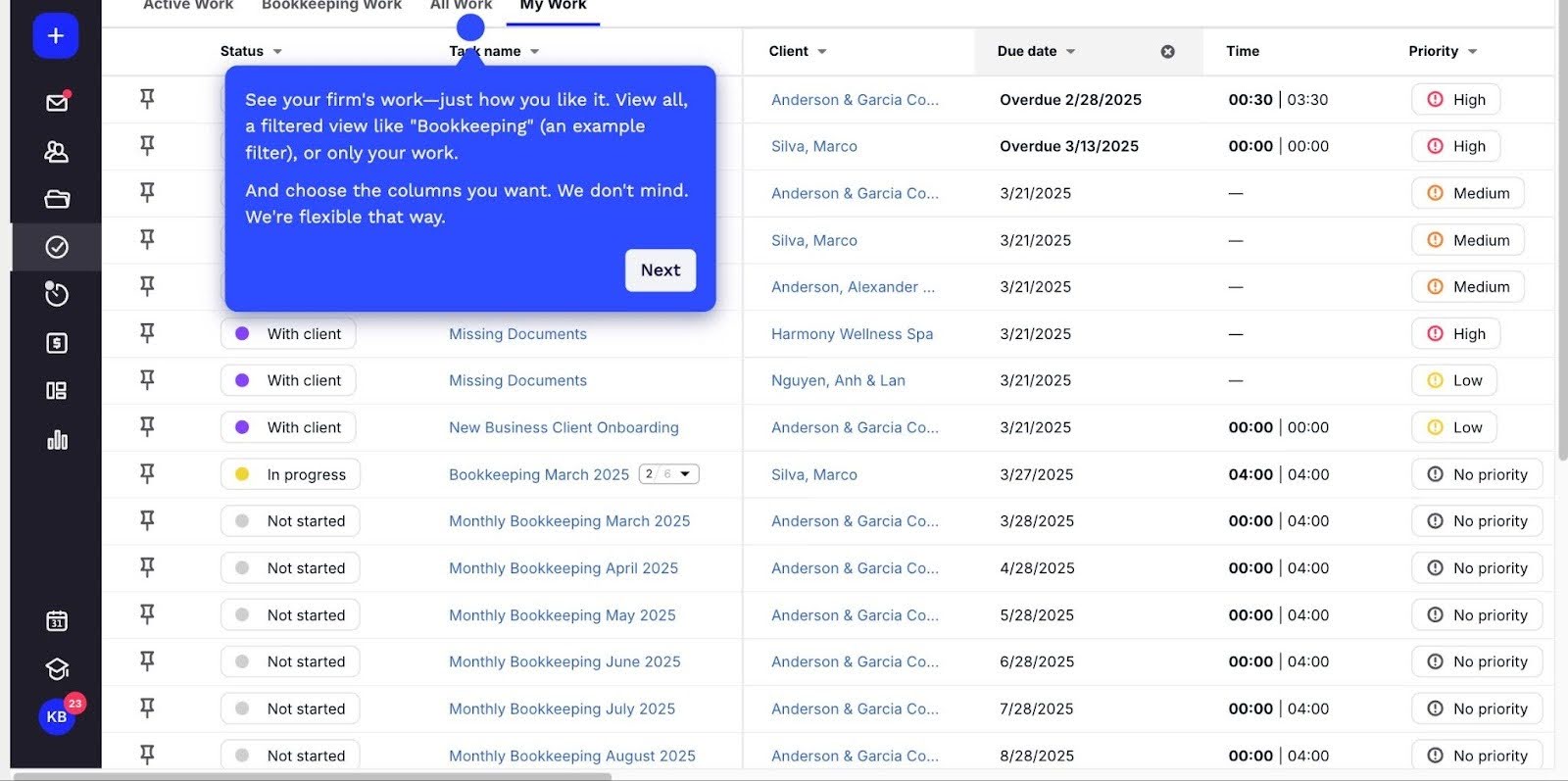
It uses a list-based workflow view to centralize all active tasks and jobs across the firm. This allows team members to filter by status, assignee, or due date, while managers have visibility into workload and deadlines to track tasks and plan resources.
Canopy is less configurable than Karbon for complex, multi-step, and multi-team workflows; it performs well for firms whose projects follow a predictable and repeatable path.
Workflow Management in Financial Cents is more straightforward. It supports multi-stage workflows with clear task assignments, automatic staff notifications when work is ready, and uses templates to schedule recurring services.
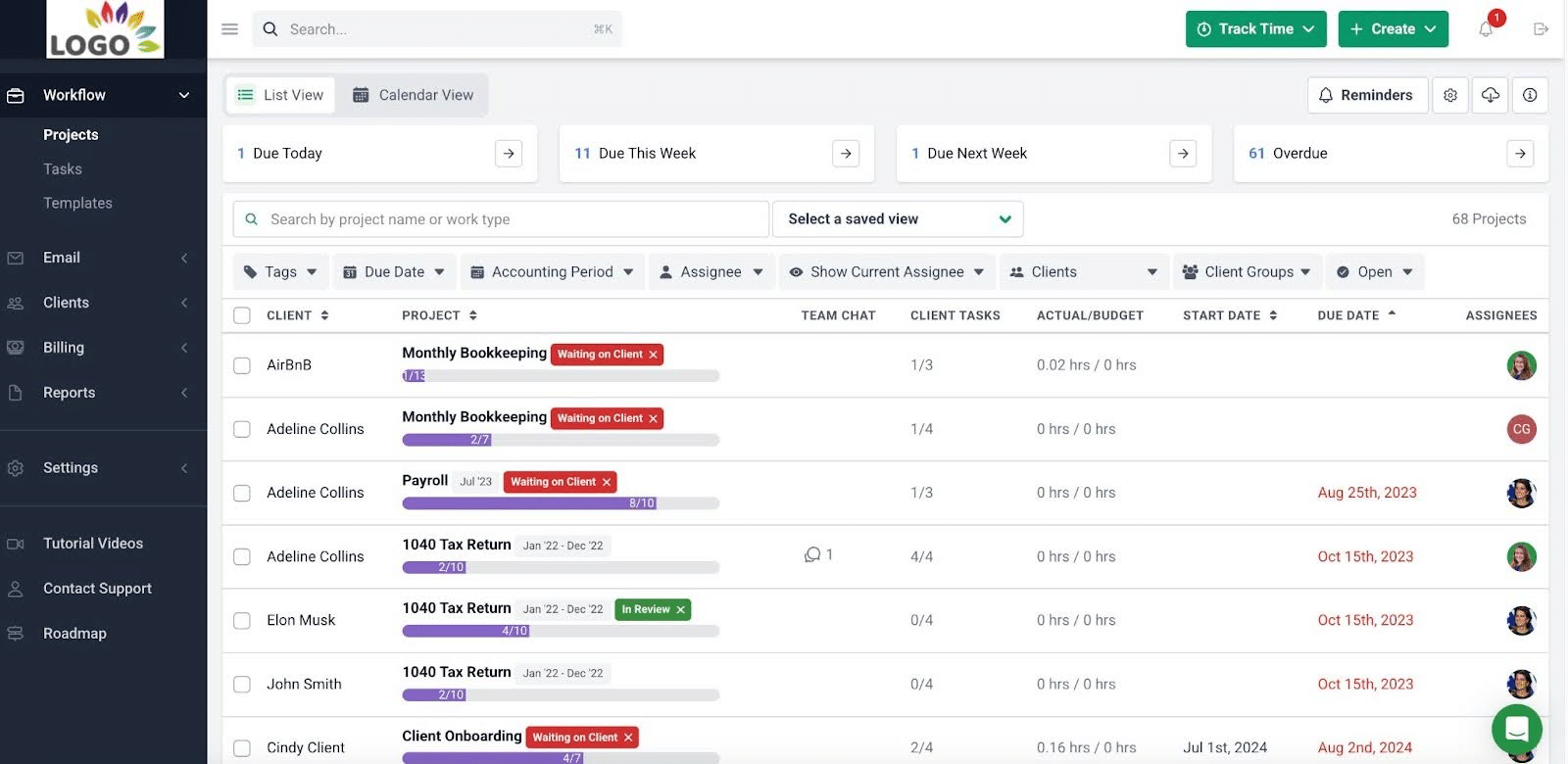
b. Client portal
The accounting client portal software is a secure space for collaborating with your clients through file sharing, information requests, and communication. It reduces email clutter and provides a more convenient avenue for your team to interact with clients, where they are already working.
Canopy’s emphasis on client experience shows in its client management and collaboration features. Its client portal is one of the strongest options in the category, with consistently high (92%) user satisfaction ratings on G2.
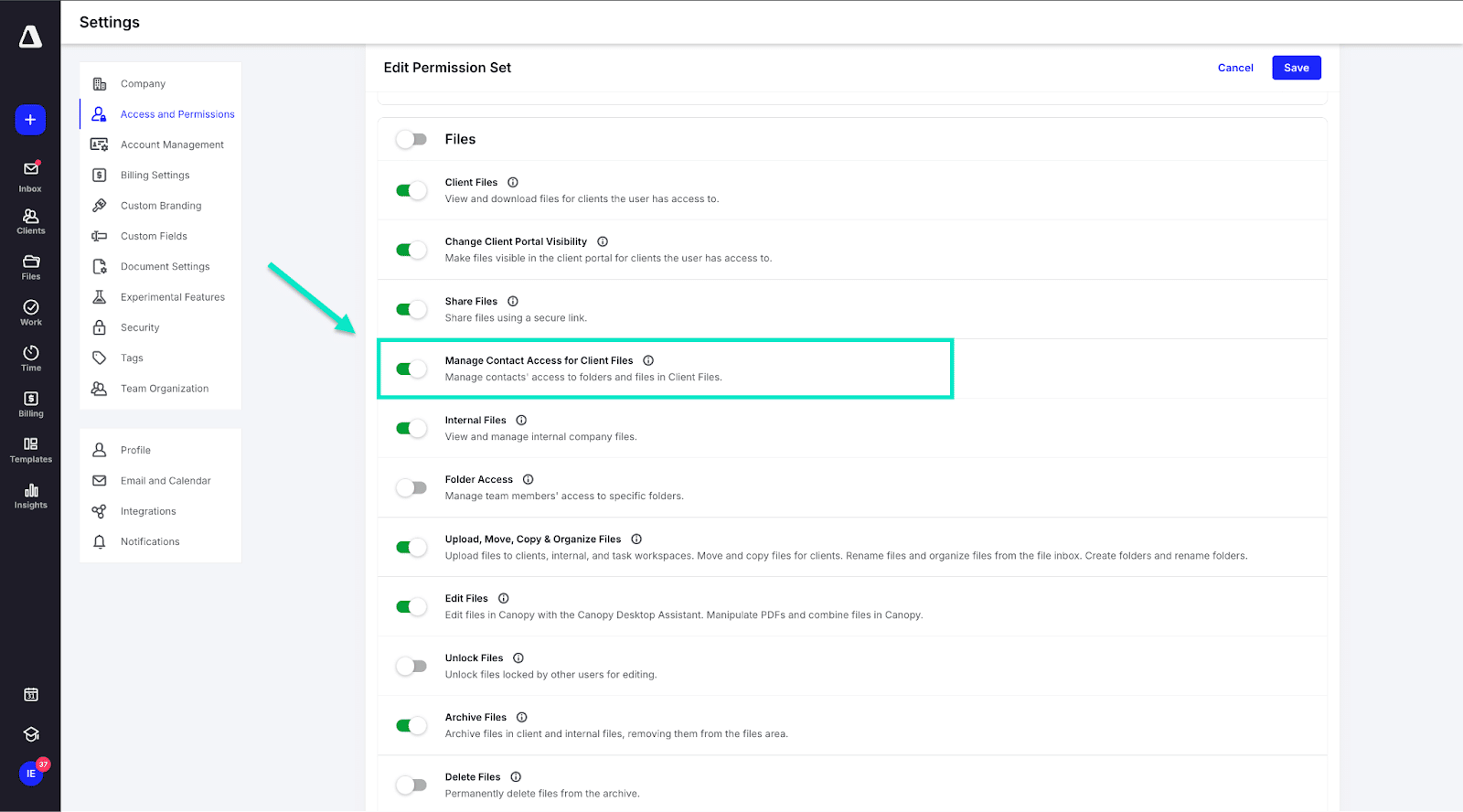
Clients can upload documents, send secure messages, sign documents electronically, and interact with the firm in a centralized environment.
Although Karbon also has a client portal, its strength lies primarily in internal workflow and team collaboration.
It also allows clients to upload files, information, and e-signature documents, while automated notifications update them on the status of their work.
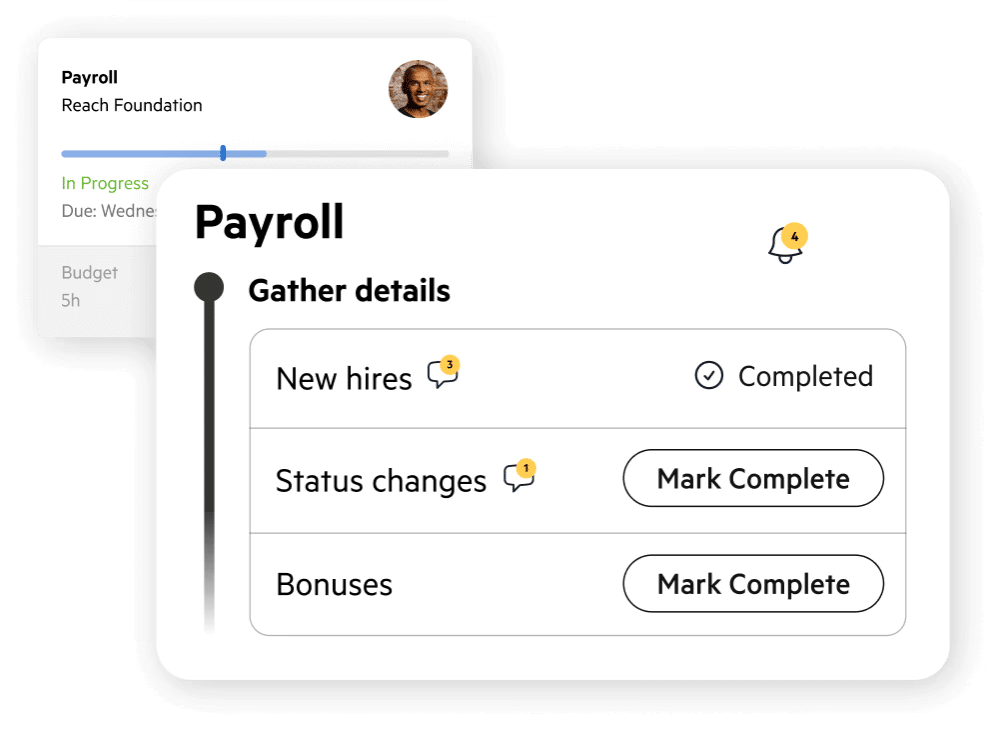
Financial Cents’ client portal provides passwordless access to the portal for your clients to share documents, information, chat, e-sign documents, or manage their billing and payments.
c. Document management
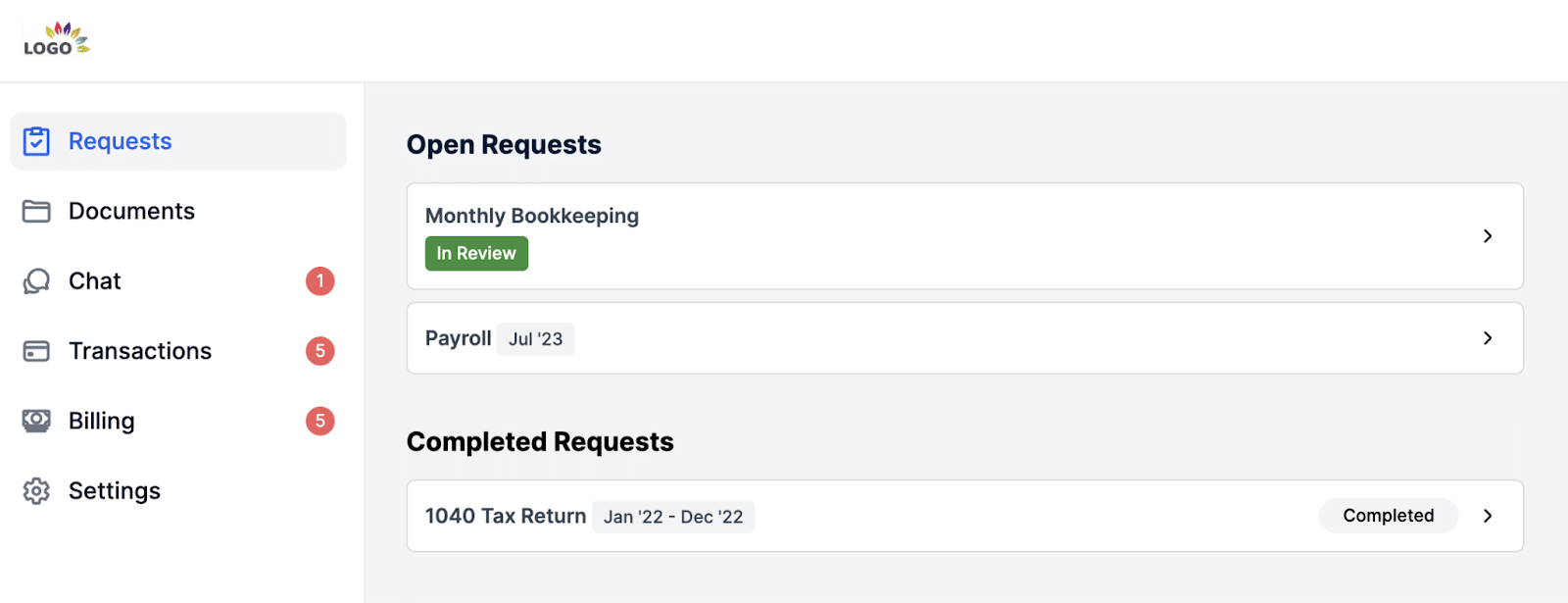
The document management software for accounting firms centralizes the storage, organization, and retrieval of client files. It uses tools like version control and search to ensure compliance and enable teams to find the latest information as quickly as possible.
Canopy’s document management system provides unlimited cloud storage, annotations, folder templates, and a desktop assistant for editing cloud files locally. However, this comes as a separate $36/month per-user module.
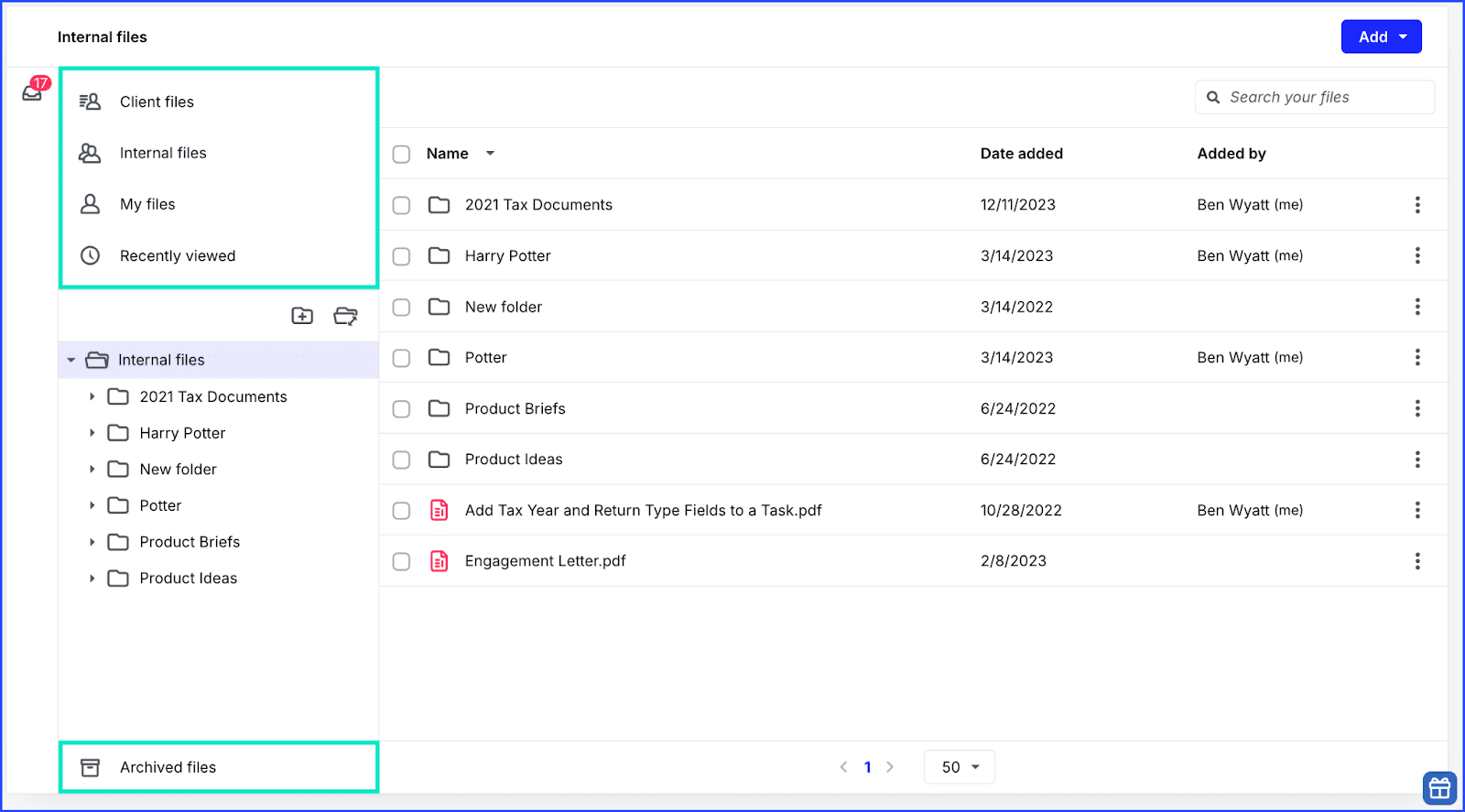
Karbon’s document management features are relatively basic. You can store files within projects and client records for ease of retrieval. But if your team handles high document volume and complex filing structures, you’ll have to rely on third-party tools like Google Drive or Dropbox.
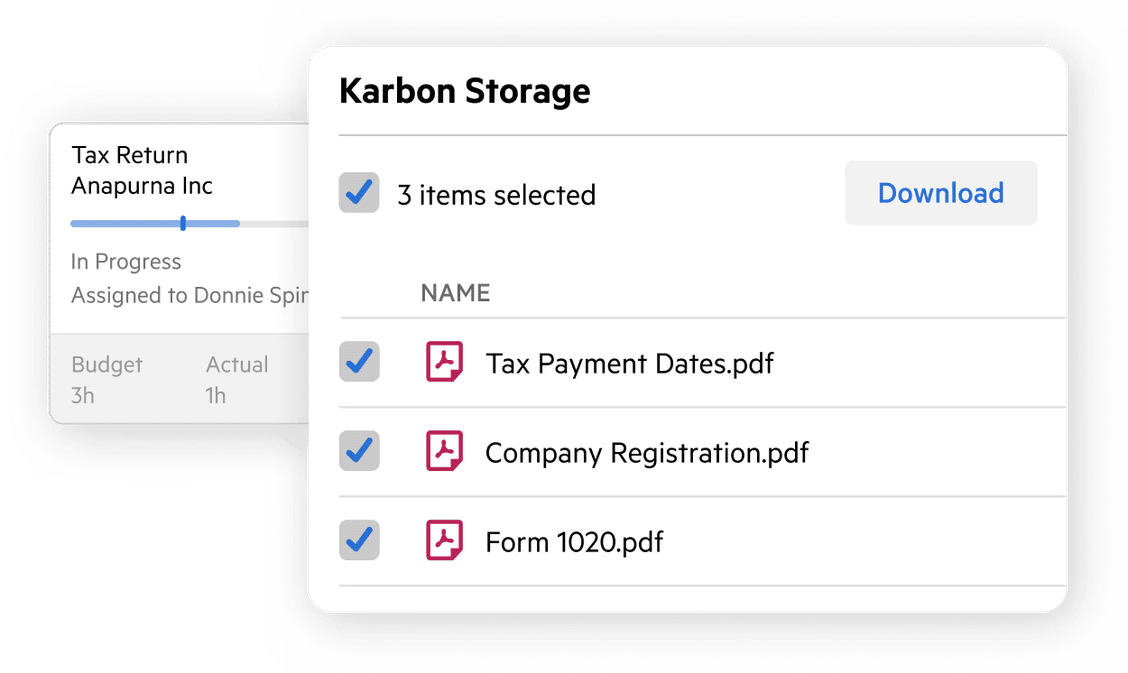
Financial Cents offers unlimited file storage, and documents are tied directly to the relevant projects and client profiles. It also offers data hosting options in regions such as the U.S., U.K., Australia, and Canada, which helps firms comply with data privacy regulations.
d. Time Tracking and Billing
Time tracking captures where your team is spending its resources (regardless of the pricing model you use), giving you visibility into profitability across clients and services. The accounting billing component enables you to automate invoicing to prevent payment delays and cash flow issues.
Canopy offers a fully integrated time tracking and billing system. The payment processing component accepts both credit card and ACH payments, which makes it more suitable for firms looking for an all-in-one solution for operations and revenue management.

Karbon includes time tracking, but its billing features are more limited. Many firms using Karbon end up combining it with a separate dedicated billing or invoicing tool.
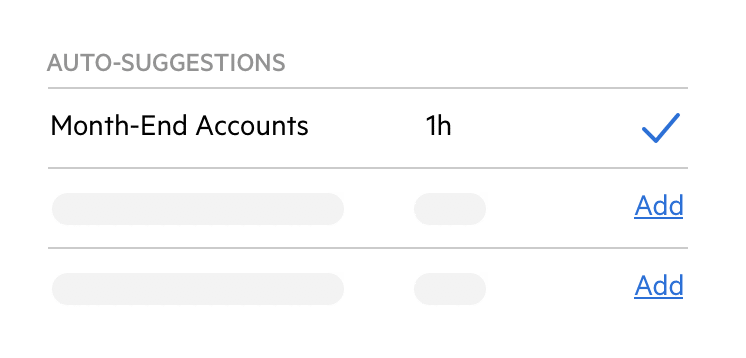
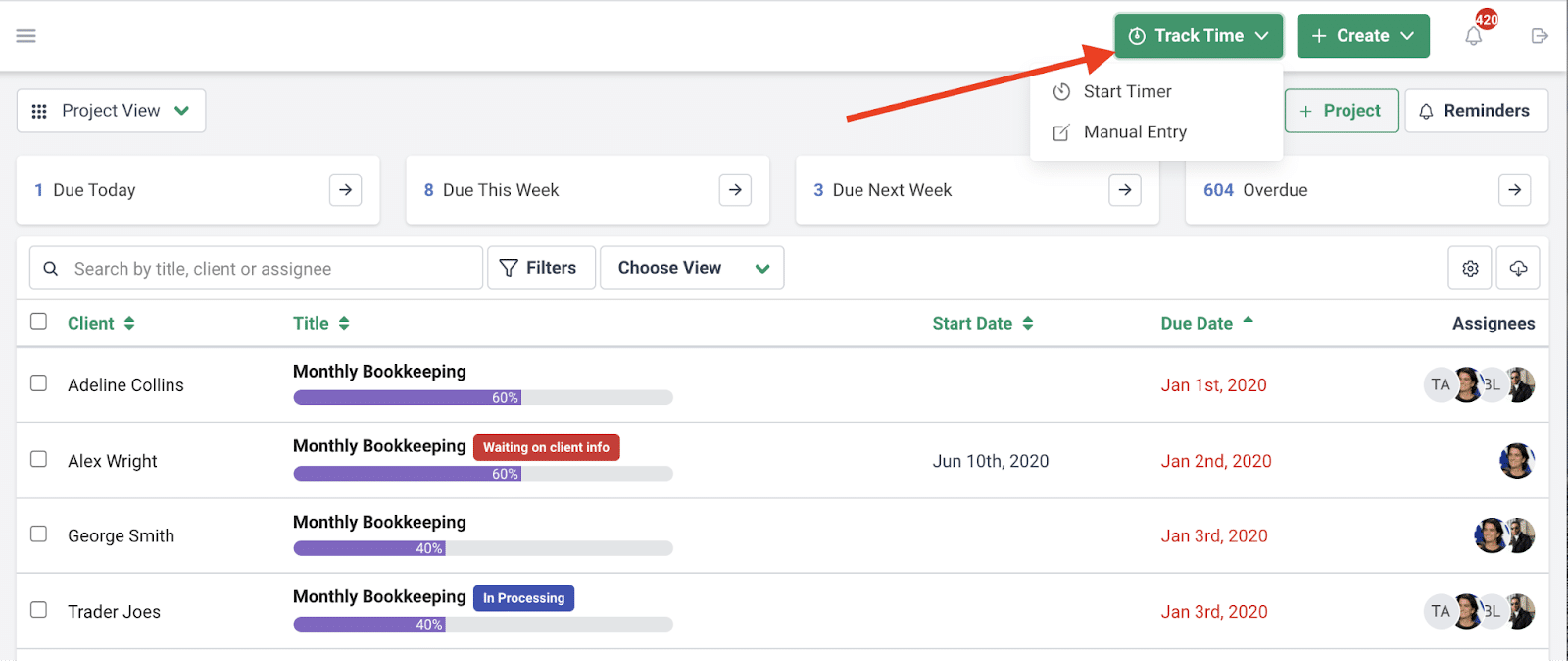
Financial Cents has built-in time tracking, billing, and payment collection features that ensure workflow efficiency and timely payments. Its payments feature allows firms to auto-charge their client accounts to reduce manual tasks that could delay payments.
e. Reporting and analytics
Reporting and analytics provide up-to-date insights into team performance, job progress, and firm profitability. It helps you to identify bottlenecks, measure efficiency, and make decisions that improve operational efficiency.
Karbon provides both standard and customizable reporting. The standard reporting covers capacity, deadline tracking, and work status, while custom reports are available as a paid add-on, which costs around $6,000/year.
Canopy has a dashboard and reporting component within every module, and the breadth of reporting you can access depends on the modules you subscribed to. These reports do not offer the same depth or customization as Karbon.
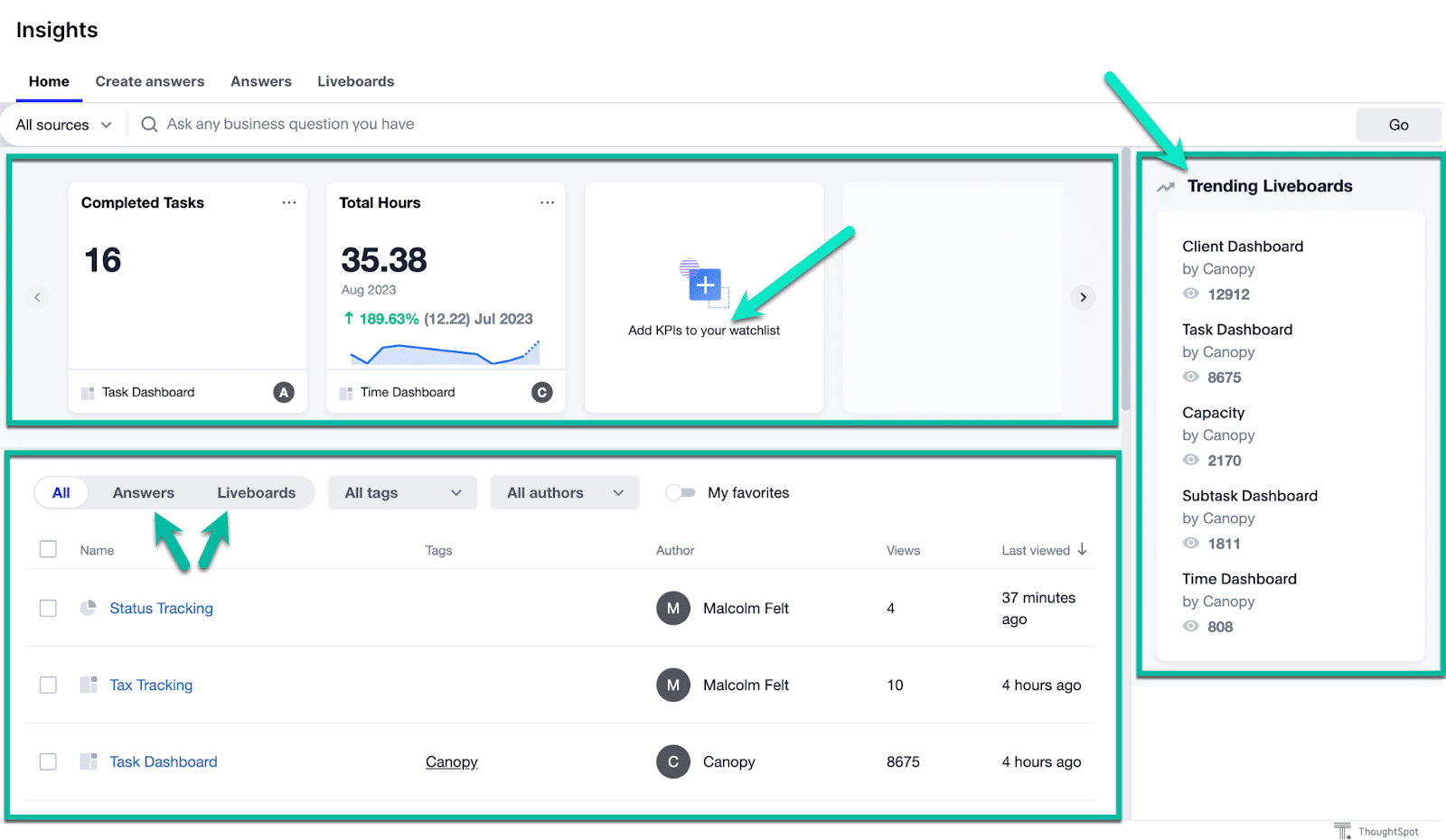
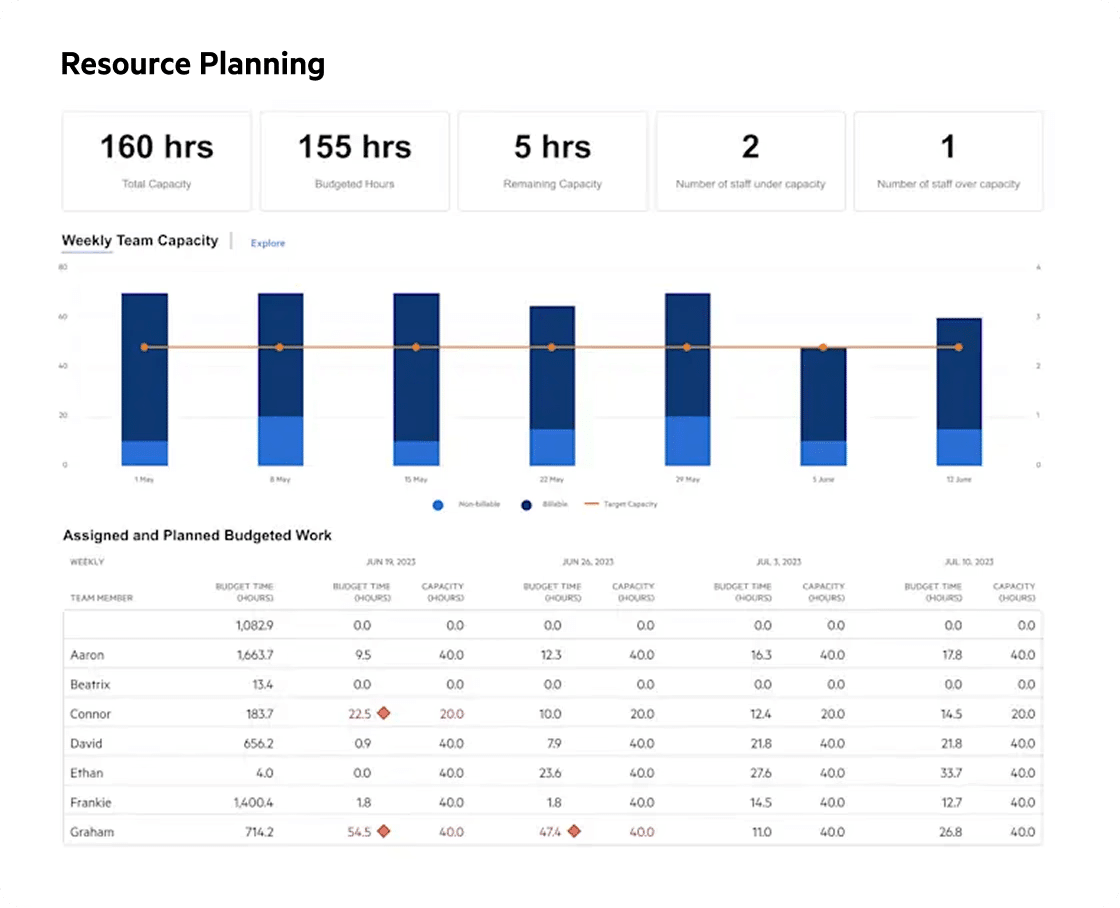
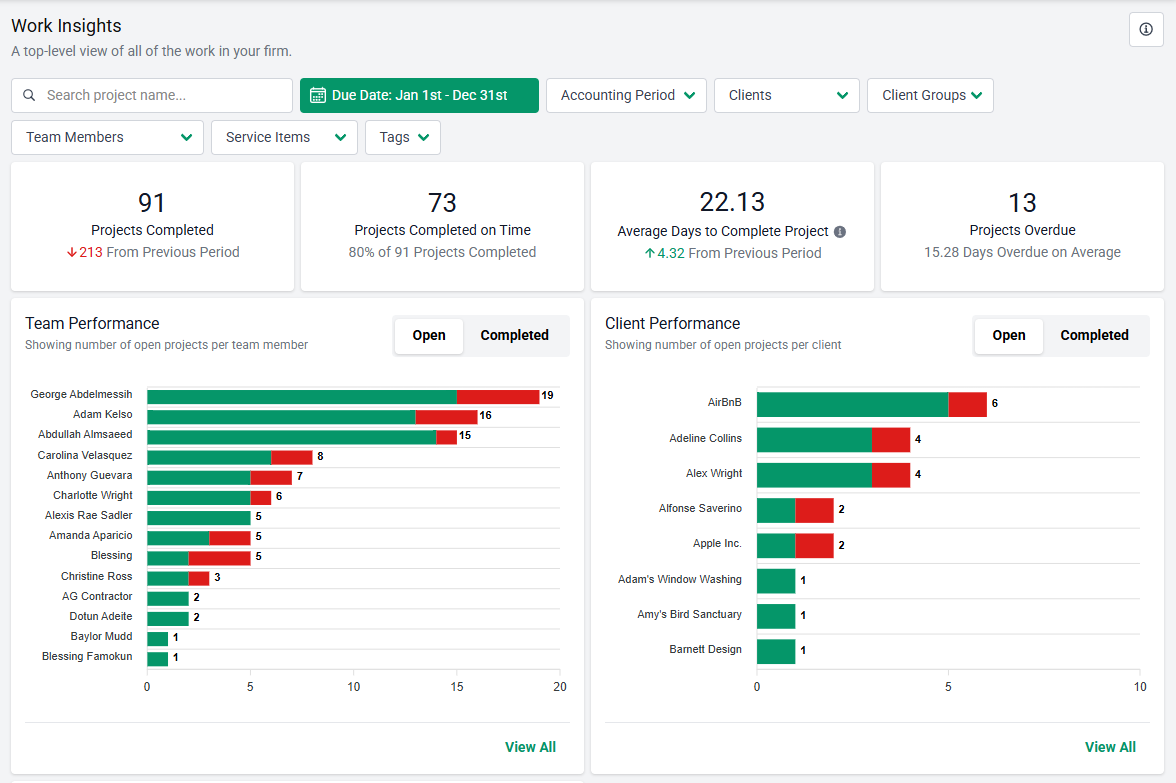
Financial Cents’ Budget and Report feature provides insights into your firm’s operational efficiency and profitability. These reports cut across team capacity and time tracking client uploads, realization, utilization, and work insights.
f. Integrations
The right integrations eliminate duplicate data entry and keep systems in sync, while creating a more connected tech stack for your team. Common integrations include general ledger, email, and E-signature.
Karbon integrates with critical apps, such as general ledger (QuickBooks Online and Xero), document management (Dropbox and OneDrive), and proposal (Ignition and GoProposal).
Its email-centric model means the integration with email service providers (Gmail and Microsoft Outlook 365) is particularly strong. It enables teams to convert emails to tasks, route client messages to the right job, and maintain a shared communication thread.
Canopy also integrates with general ledger software (QuickBooks), email (Gmail and Outlook), and tax software (Drake, LaCerte, CCH Axcess Tax). Its standout integration is its direct IRS API connection, which enables tax accountants to pull every authorised transcript for a client with a single click.
Financial Cents includes all of the above Karbon and Canopy integrations, except for the IRS access. This enables users to keep their tech stack connected at all times.
g. Setup and onboarding
A solid setup and onboarding define how quickly and effectively your team can adopt the software. It ensures workflows are properly configured and the firm sees value faster without disrupting ongoing client work.
While both Karbon and Canopy have a learning curve, it still takes a longer time to fully implement Karbon. The self-service data import in lower tiers can be disruptive and time-consuming, especially for firms with a short transition timeline. Many firms pay a fee to access their tiered guided implementation.
Canopy’s interface is generally more intuitive than Karbon’s, and the modular structure means firms can start with less and add more as they go. That said, users also report that building out the full module stack takes time, and some note difficulty reaching support when faced with challenges.
On the other hand, Financial Cents is designed for quick adoption. Firms moving to Financial Cents need a few hours (rather than weeks) to be set up and ready to go.
Karbon vs Canopy: Pricing Comparison
Karbon:
Karbon uses a per-user pricing model, and that helps firms to understand how much it’ll cost your firm to implement the tool across the firm (without getting on a sales call).
You just have to multiply the number of users by the plan rate:
- Team plan: $59/month per user
- Business plan: $89/month per user
- Enterprise: custom pricing
This means a 5-person firm on the Business plan becomes $445 a month and $5,340 a year.
These estimates exclude Karbon’s added-on features. Features like contact migration and custom reporting are sold separately for around $299 and $6,000 per year, respectively.
Canopy:
Canopy’s modular pricing starts with a base Client Engagement module of $150/month.
Other modules are available at separate prices:
- Document Management: $36/month per user
- Workflow: $32/month per user
- Time & Billing: $22month per user
In reality, very few firms are satisfied with one or even two of these modules. Most accounting firms want their workflow, document, time, and billing features in one platform to reduce costs and tab-toggling.
For a five-person firm using all core modules, costs easily surpass $500/month (or $6,000 per year).
Alternatively, you can use its small firm plans if your team is not more than four (4) persons. The options are the Starter Plan ($45/month per user or $60/month per user for monthly billing) and the Essential Plan ($66/month per user or $88/month per user for monthly billing).
Even with these small firm plans, features like IRS integrations are priced separately.
Both tools are significantly more expensive than Financial Cents’ all-in-one plans:
- Solo Plan: $19/month
- Team Plan: $49/month per user
- Scale Plan: $69/month per user
This includes all Financial Cents features, from proposals and engagement letters through workflow automation, client portal, and payment processing.
Note: These 2026 figures are subject to change. Be sure to verify with the vendors by requesting a quote. You can also check here for a full of top practice management tools pricing.
Karbon: Pros and Cons
Pros:
- Powerful internal workflow and team collaboration tools
Honestly, Karbon has been a total lifesaver for our team’s daily workflow. It’s easily the best tool we’ve found for keeping tasks organized and making collaboration feel seamless rather than chaotic."
Anne Nicole- Shared email visibility keeps the whole team informed
The workflow and collaboration tools will be invaluable for managing our tax season and post-tax-season projects. Being able to link emails to client timelines so the team can easily reference them will save time and effort and help keep everyone in the loop."
Bryan K- Strong task tracking and job timelines
Karbon has completely transformed the way our team works. The most helpful part is having everything in one place—internal conversations, client emails, and documents—all connected to the right project. The triage and timeline features also make it much easier to prioritize tasks and keep multiple projects moving without losing track."
Marinella C.- Responsive customer support (commonly praised in reviews)
The integration process from the end-user standpoint was a chore, but the customer support from our implementation team is amazing!"
Kristie L- 4.8 stars on G2
Cons:
- Steep learning curve — onboarding takes significant time and internal resources
The initial implementation does take some time, and there’s definitely a learning curve when first setting up workflows. While the platform is powerful, it can feel overwhelming at first with so many features."
Kaitlyn E.- Heavy interface that can feel overwhelming for small teams
The user interface (UI) of Karbon's workflows could be improved, as it doesn't feel entirely intuitive. Additionally, while the email management features, including the triage function, are generally effective, I find that emails can sometimes slip through the cracks, prompting me to rely on other tools to ensure comprehensive email oversight."
Jabbar D, CPA- Client-facing features are limited compared to Canopy
- Add-ons (custom reporting, eSignature) cost extra on top of already high per-user fees
- Best suited for larger teams. Small firms often find it over-engineered for their needs
Canopy: Pros and Cons
Pros:
- Best-in-class client portal (92% G2 satisfaction for portal functionality)
- Clean, modern, intuitive interface — easier to learn than Karbon
Canopy has been instrumental in scaling our business by consolidating time tracking, billing, project management, document storage, and communications into a single, efficient platform. The onboarding process was seamless, and their customer support team has exceeded our expectations"
Oleg G- Strong tax workflow tools, including direct IRS integration
I like the numerous features offered: Communication, notes, files, tasks, Resolution Cases, Transcripts, Billing, and Time entries. An additional feature that I have is "Organizers," which I have not used just yet. The transcript feature is one of my favorites because it pulls all transcripts quicker than I can via Tax Pros."
Contessa C- A modular approach lets firms start small and add features
- 4.6 stars on G2
Cons:
- Modular pricing creates cost creep — each feature tier adds per-user charges that add up fast
The complicated pricing structure and module-based features cause some frustration. Wishes it would just be straightforward and allow for an all-or-nothing approach since it is software. That pricing approach feels archaic and outdated."
Cortland B- Annual billing is often required, reducing flexibility
- Limited client mobile app
- Performance and loading issues reported by some users
Find Canopy's product to be glitchy, which disrupts the smoothness of managing tasks and impacts overall efficiency. Additionally, the interface feels a bit dated compared to more modern alternatives, which can hinder user experience."
Jason M G- Full adoption cost is the highest of the three tools compared in this article
Which Is Better for Small Accounting Firms?
Small accounting firm owners usually find Karbon and Canopy impressive in demos. They appreciate the feature depth. But when they consider the onboarding timeline (in Karbon), the cost of using all modules (in Canopy), and the admin overhead of maintaining these tools for them, the value proposition suddenly stops adding up.
With Karbon, you get a powerful workflow and internal collaboration tool, but what your small team gains in customizability, it can lose in hours of administrative overhead.
Even large firms with a dedicated admin or operations manager require guided training to set it up, how much more a small firm where the owner or senior team member is also handling tech implementation?
Canopy has a friendlier interface, so onboarding is generally faster. The modular system allows firms to start small and scale as their needs evolve.
For a solo tax practitioner who handles IRS resolution work, combining the base feature and the tax resolution module can be a good fit early on.
But as the firm grows and they seek to add more modules, the cost of the additional features (workflow, document, billing, etc.) becomes harder to justify.
For a firm with 5 to 10 staff, the monthly bill per team member could exceed $100/month, which is unsustainable.
If tax workflow is the reason you’re evaluating Canopy, it’s worth knowing that Financial Cents is suitable for tax practice management, without the modular pricing structure that makes Canopy’s full feature set hard to budget for.
Small firms need accounting practice management software that can be implemented in hours, offers all core features together, remains affordable at 30 users, and can be maintained by the person who runs the firm.
I looked at Karbon, Jetpack, and Canopy. I was worried there would be too much change for my staff. Then my business associate told me about Financial Cents. I looked it up, and the features (automation, colors, and interface) were exactly what we needed."
Stelle Anderson, Owner of Infinite Accounting SolutionsWhy Small Accounting Firms Choose Financial Cents Instead
Many small and mid-sized firm owners have chosen Financial Cents (after evaluating Karbon and Canopy) because it has simple yet comprehensive features and functionality.
Peter Piluk is one example. After twelve (12) months of trying out different practice management solutions, he chose Financial Cents because it not only had the features he sought, but it was very easy for his two-person team to implement.
Financial Cents stands out for small accounting, bookkeeping, and tax firms because it is/has:
- Built specifically for small accounting and bookkeeping firms (2–20 staff): Financial Cents’ all-in-one practice management is designed around the operational realities of small firms: recurring work, organized client information, and centralized collaboration.
- Workflow Management & Automation: Workflow and automation features ensure projects and tasks are more structured and repeatable. This includes automating recurring tasks, client requests, and task dependencies to minimize manual inputs.
- Client Management: Each client’s information, projects, and communication history are organized in their profile to give the team a single source of truth using the in-built crm accounting system.
- Client Portal: Financial Cents has a built-in client portal for document sharing, document requests, and collaboration.
It uses passwordless authentication to save clients the trouble of creating an account or maintaining login information. It includes SMS notifications that speed up client responses.
- Month-End Close feature: The Financial Cents month-end close feature displays transactions that need review and facilitates 1099 and W-9 preparation, all within the client’s profile.
Once the information is corrected, you can push the updates to QuickBooks Online from Financial Cents.
- Seamless Client Onboarding: Firms can send proposals (and engagement letters) directly from Financial Cents, and once accepted, turn accepted proposals into active projects. This transitions prospects into active clients without manual setup.
There’s also the ability to automate data collection, which ensures that all required client data is collected in advance of the work.
- Time tracking and billing integrated (no add-on required): While Karbon relies on external tools for billing and Canopy requires separate payment, Financial Cents includes time tracking and billing as part of its core system.
Time tracking data flows directly into invoices, and integration with QBO supports the month-end close process to minimize manual steps on both sides.
- Ease of Use: Financial Cents is designed for quick adoption (usually in hours). No wonder it is rated 4.9/5 by users on Capterra.
Plus, its training resources are built around short videos that cover specific aspects rather than overwhelming new users with abstract documentation.
- Transparent, affordable, and predictable pricing: Financial Cents uses a tiered pricing model that allows access to all core features. From the start, firm owners can tell how high costs will go at any level of growth, which is good for cash flow forecasting.
After signing up for Financial Cents’ Free Trial, a client sent me a task, and normally, I would document it with my pen and paper. But I realized I could forward the email to Financial Cents and track it from the dashboard. That was probably when I knew we were going to use Financial Cents"
Peter Piluk, Owner of PathwayCheck out this guide for a comparison of the best accounting practice management software solutions in 2026.
Karbon vs Canopy: When Financial Cents is the Best Alternative
Karbon and Canopy overlap in some core areas, but they’re built around different operational priorities, which is reflected in their feature sets.
Karbon is an excellent choice for mid-to-large teams looking for deep internal workflow management, task dependencies, advanced analytics, and are willing to invest time in setup and ongoing maintenance.
Canopy stands out for tax firms that prioritize client-facing features, like a client portal, document management, and IRS integration.
It can be difficult for small accounting firms (2-10 staff) to justify the time and resources required to operate either of them.
Financial Cents bridges that gap for small and mid-sized firms that want practice management software that fits their size, workflow needs, and growth trajectory.
It provides the core capabilities these firms actually need for their day-to-day operation in a platform that’s fast to set up, easy to use, and priced for small and mid-sized teams.
If you’re ready to centralize your projects, clients, staff, and everything in one place (Financial Cents), click here to start your 14-day free trial today.
Frequently Asked Questions (FAQs)
Karbon is primarily focused on internal workflow management and team collaboration, with strong task tracking and shared email visibility.
Canopy’s primary client management and powerful client portal features make it more ideal for client-centric operations. Canopy also has an IRS integration for tax resolution work.
Karbon has a higher upfront per-user cost, but that’s not the whole story. Karbon includes more built-in functionality than Canopy, so even though you can start using Canopy at a lower price point, you’ll need to increase your budget significantly to use its other features.
Neither is ideal for most small firms (with 2 to 30 staff). Karbon’s depth and learning curve often feel overwhelming for small teams that need a tool they can start using immediately.
For Canopy, the modular add-ons can drive costs higher and make usage unsustainable for small firms looking for an all-in-one solution to keep their tech stack lean.
Both tools have a client portal, but Canopy’s is much more robust and client-facing.
Yes. Firms like Powerful Accounting have migrated to Financial Cents from these tools to minimize admin time, set up faster, and reduce ongoing costs.
Financial Cents supports data import for clients, workflows, and documents. Its customer success team is also available to help with your migration process.
Many small accounting and bookkeeping firms find tools like Financial Cents a better fit because they provide core features without the complex setup process or modular pricing structure that comes with enterprise platforms like Karbon and Canopy.
Compare Financial Cents vs Karbon and Canop



