
Best for:
-
Firm owners that want to save costs by reducing the number of apps they’re paying for.
-
Firm owners who want to reduce the number of apps their teams have to use daily.
-
Firm owners who want to improve cash flow by making it easier for clients to pay them.
Using separate apps for your daily processes requires more time, money, and manual effort to be effective. And as you can guess, no firm ever becomes efficient that way.
A disconnected payment system increases manual labor, which leads to late payment and negative cash flow.

Financial Cents’ integrated payment system prevents invoicing and payment inefficiencies by providing the proposal, invoicing, billing, and online payment features you need to onboard clients and receive timely payments.
Here’s how👇
Step-by-Step Guide:
Step 1: Set Up Payment Integration
This is where we verify your identity in line with regulatory requirements.
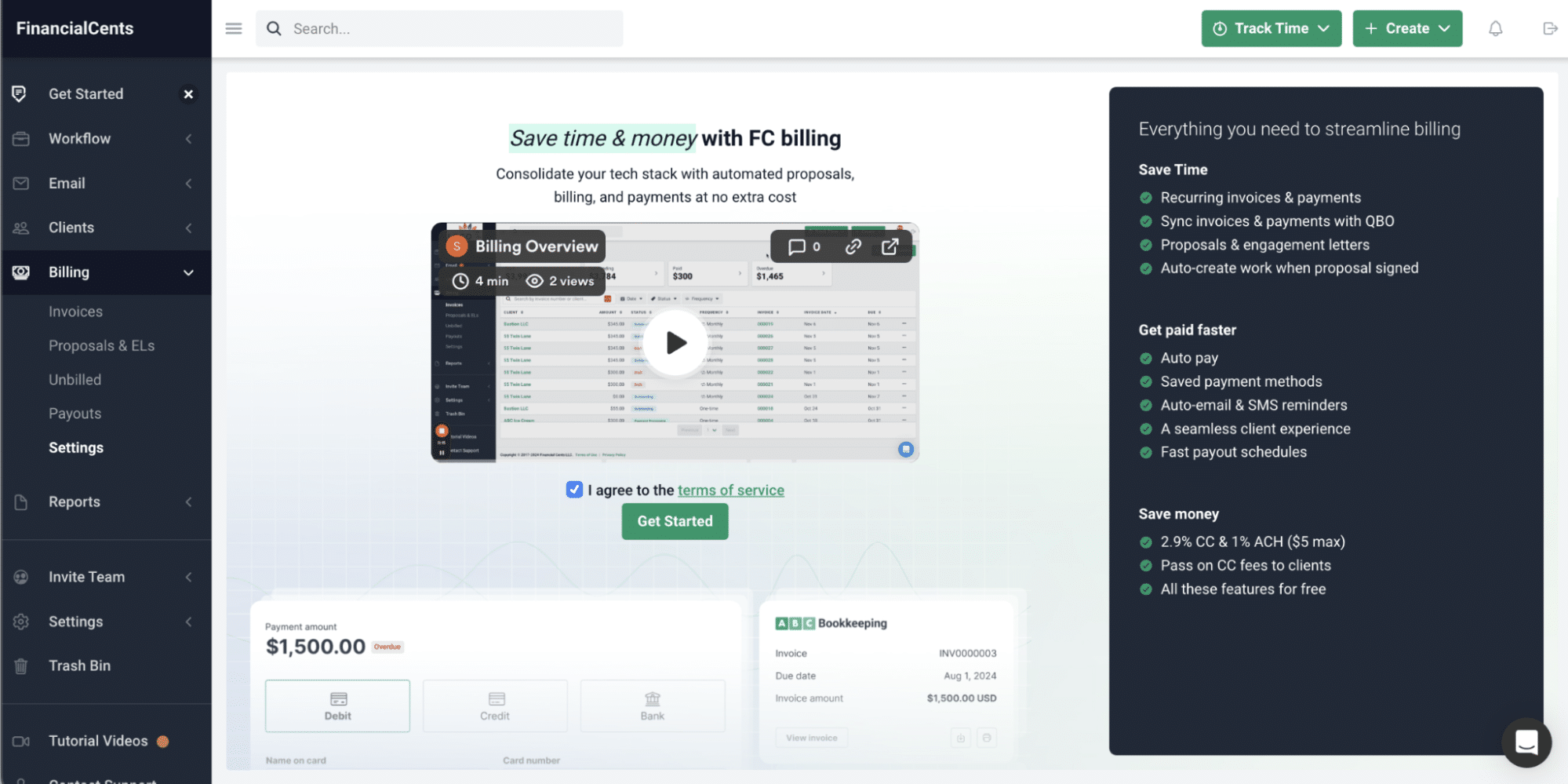
Set Up Online Payments
Go to our merchant application page to provide all required business information and documents to start accepting online payments.
Book a Call with Our Payments Team
If you need more information and assistance, click this link to select the date and time you’d like to speak with our payments team.
We can also help you migrate your existing invoices into Financial Cents.
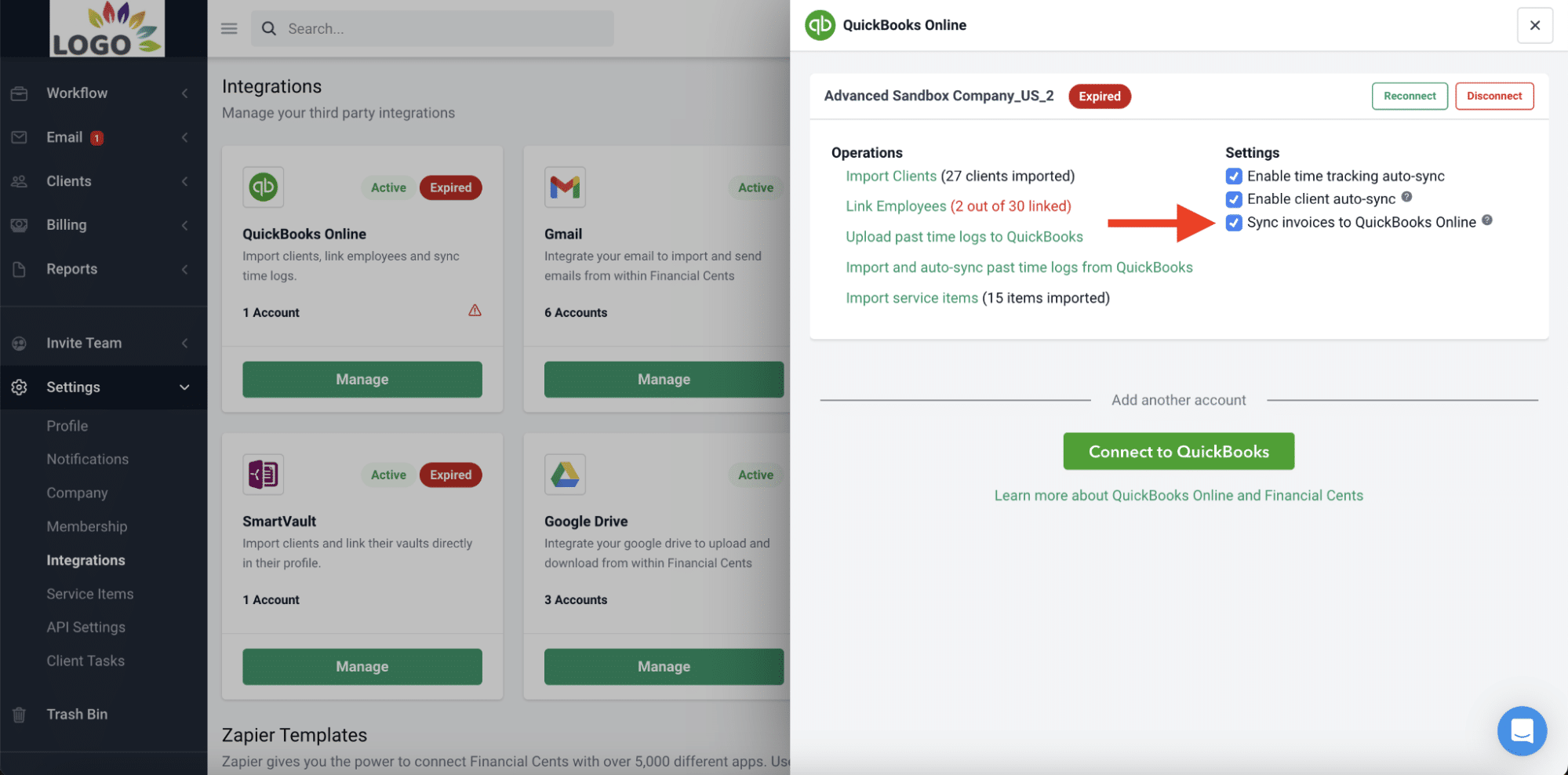
Connect with QuickBooks Online (Optional)
This step lets you sync your service items, invoices, and accounts receivables between Financial Cents and QuickBooks Online.
Mass Request Payment Methods from Clients Without Payment Methods On File
We know how time-consuming it can be to request each client’s payment method individually. That is why we allow you to request payment methods in bulk.
Step 2: Create Proposals and Automatically Send Invoices When Clients Sign
The onboarding process sets the tone for the client relationship. Thanks to Financial Cents’ integrated payment system, you can also request client payment while aligning your expectations during the onboarding.
Step 3: Customize Payment Workflows
Payment reminders auto-nag clients until they make payments, allowing you to concentrate your human resources on the work that generates revenue.
Here’s how accounting firms set up automated reminders and billing schedules in Financial Cents.
Step 4: Simplify Invoicing and Payment Collection
Generating invoices to request payments where you’re getting work done is one major way to simplify your invoicing workflow and payment collection.
Here’s how to invoice your clients and collect payments in Financial Cents:
 Our major benefit from Financial Cents has been organization. We have full insight into what our team is working on. We can assign projects, create filters, and see what is assigned to each team member to help capacity management.”
Step 5: Track and Reconcile Payments
Financial Cents gives you visibility into accounts receivable processes through the Billing Tab.
Step 6: Optimize Client Experience for Easy and Timely Payments
An integrated payment system reduces the manual work involved in billing and invoicing.
The more manual work you have to do each time you need to send a client an invoice, the more the chances of sending an invoice late, which will give clients more reasons to pay late.
Integrated payment systems also simplify payment for clients by storing client payment methods and auto-charging their accounts without needing to process invoices manually.
Why Financial Cents’ Integrated Payment System is a Game Changer
A billing software that does not integrate with your other apps will seem perfect on paper, but in reality, could require the same level of manual input as a manual billing system.
As an all-in-one practice management software, Financial Cents’ integrated payment system allows you to request client payment (while onboarding the client), create invoices when the client accepts your proposal, and automate payment reminders to help clients pay faster.
Invoicing Mistakes Are Expensive. Prevent Them with Financial Cents Integrated Payments System
If your invoices are not getting paid, they’re likely missing critical details, going to the wrong contact, or forgotten in your client’s email—because of the busyness of running their firm.
If the invoice is lost or missing critical details, it could take weeks or months (depending on the payment due date) to realize this mistake, which might require you to start the invoicing process afresh.
With our integrated payment system, it is harder to commit errors in the first place and if you do, it is quicker to track the status of your invoices to catch and correct the error.
Financial Cents allows you to manage your billing, projects, time, clients, and team in one place. There is no more jumping between multiple applications or paying for separate apps or features.
If you’re not sure how Financial Cents fits your billing and payments needs, book a personalized demo or start a 14-day Free Trial to test our invoicing and billing features today.









Many of the other tools are poor at managing updates and bugs. Some use subcontracted developers, providing real client data samples. Others have suffered breaches without proper notifications.
Of the pre-built systems out there, I do think Financial Cents has a solid offering.
One of my top goals is to make the process easier for clients. Glad I made the switch!
Many of the other tools are poor at managing updates and bugs. Some use subcontracted developers, providing real client data samples. Others have suffered breaches without proper notifications.
Of the pre-built systems out there, I do think Financial Cents has a solid offering.
One of my top goals is to make the process easier for clients. Glad I made the switch!
If you’re not using this feature, I highly recommend it! Remembering to follow up with clients can be a serious bottleneck and I love how this solved that problem!
If you’re not using this feature, I highly recommend it! Remembering to follow up with clients can be a serious bottleneck and I love how this solved that problem!