
Best for firm owners who want to:
-
Access real-time project metrics to provide timely updates to their clients.
-
Prevent work from slipping through the cracks and causing missed deadlines.
-
Keep their teams efficient and accountable to improve work-life balance.
If you want real-time project information (to drive accurate, timely, and satisfactory client results), using tools like spreadsheets is a losing proposition.
Spreadsheet programs are difficult to maintain as teams grow. Plus, they require a lot of manual input to stay up-to-date.
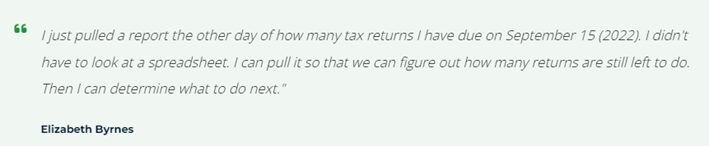
Elizabeth Byrnes didn’t need many staff members to experience this frustration. With just two other persons on staff, she wasted hours of billable work trying to know what the team was working on.
Here’s how Financial Cents provides firm owners with real-time project insights to know what needs to be done and provide client updates whenever necessary.
Let’s dive in👇
Step-by-Step Guide:
Step 1: Create Projects Using the Workflow Tool
Tracking project status across your firm starts with creating your projects and adding the tasks that make up the project.
This tour shows how to do that:
Step 2: Set Up Your Firm Dashboard
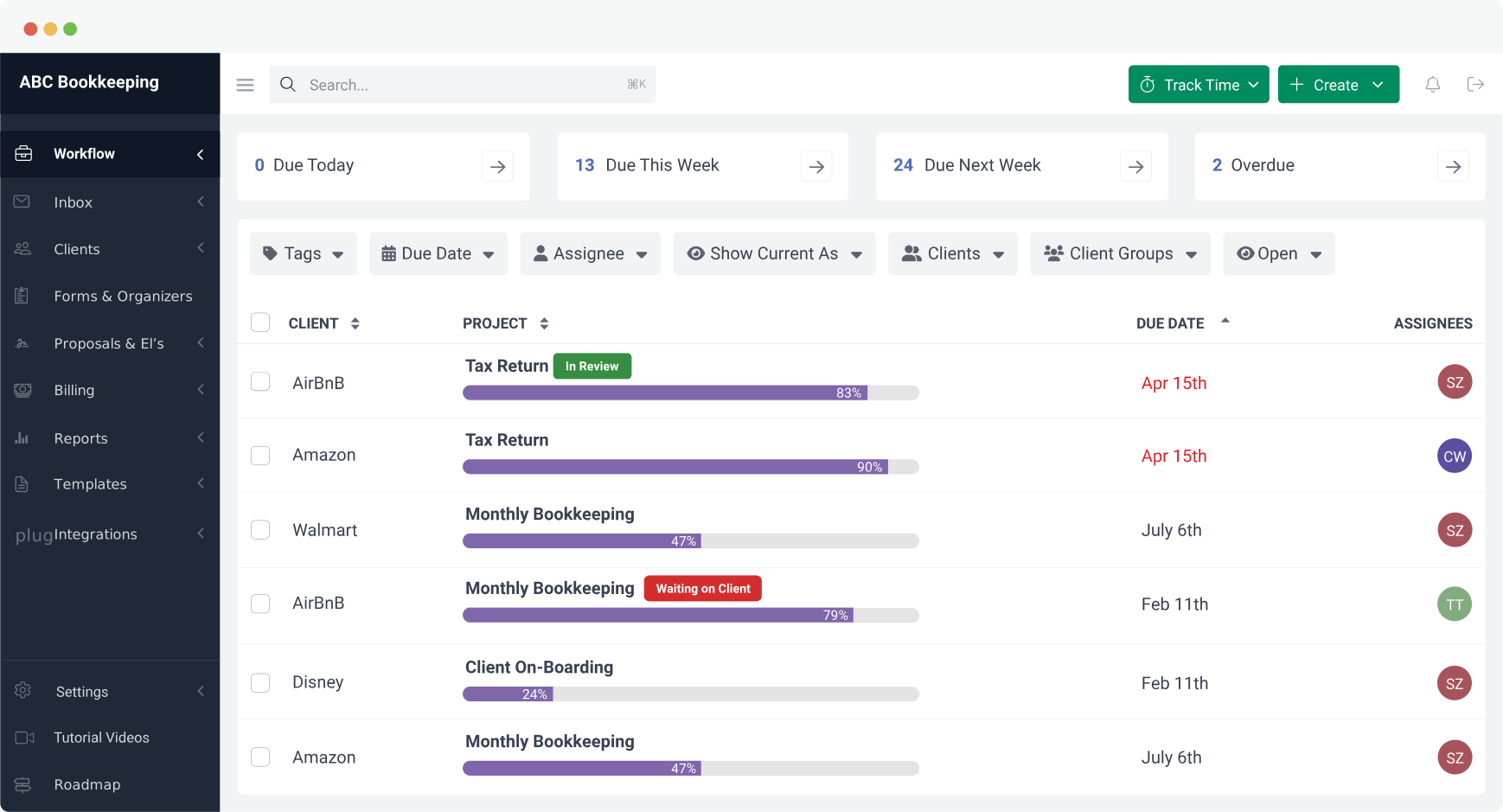
When you create a project, it goes into the workflow dashboard, where you can monitor the progress. But the project information you can see depends on your dashboard settings.
Here’s how to configure your dashboard to see the high-level information you want to see:
Add Your Team Members and Assign Roles to Them (To Know What They Are Doing in Real-Time)
If your staff members are not in Financial Cents already, watch this short video to understand how to add them:
Step 3: Monitor Project Progress
The Financial Cents workflow dashboard is simple enough to know where all your client work stands at a glance. But if you have too many clients or projects, scrolling through your dashboard to find project information can become burdensome.
That is where our workflow filters shine. See them in action:
Step 4: Automate Notifications and Reminders
How do you maintain deep work sessions without missing out on important team events?
Financial Cents automated notification feature provides in-app and email notifications to help your team members regulate their notification frequency.
Step 5: Collaborate in real time to Address Issues as They Arise
Accounting and bookkeeping firms use internal communication and collaboration features to maintain team clarity across projects.
Here’s how:
 Our major benefit from Financial Cents has been organization. We have full insight into what our team is working on. We can assign projects, create filters, and see what is assigned to each team member to help capacity management.”
Why Tracking Work with Financial Cents’ Workflow Dashboard is a Game Changer
The inability to track project information in one place can result in a last-minute rush that leads to errors and missed deadlines.
JNW Group, a tax firm in Indiana, experienced this until they started using Financial Cents to track work and other project resources.
With a mission to “provide the best client service possible,” the lack of visibility into who was working on what task and when certain client work would be completed left them disorganized.
You no longer go home at night thinking, ‘I hope that I got everything done that I was supposed to get done’.”
Regaining project visibility across your firm is not brain surgery. With Financial Cents, you can start seeing results in a few hours.









Many of the other tools are poor at managing updates and bugs. Some use subcontracted developers, providing real client data samples. Others have suffered breaches without proper notifications.
Of the pre-built systems out there, I do think Financial Cents has a solid offering.
One of my top goals is to make the process easier for clients. Glad I made the switch!
Many of the other tools are poor at managing updates and bugs. Some use subcontracted developers, providing real client data samples. Others have suffered breaches without proper notifications.
Of the pre-built systems out there, I do think Financial Cents has a solid offering.
One of my top goals is to make the process easier for clients. Glad I made the switch!
If you’re not using this feature, I highly recommend it! Remembering to follow up with clients can be a serious bottleneck and I love how this solved that problem!
If you’re not using this feature, I highly recommend it! Remembering to follow up with clients can be a serious bottleneck and I love how this solved that problem!