
Kellie Parks, CPB, was still a solo bookkeeper when she noticed the drawbacks of managing clients with the wrong system. She was using a workflow management tool that neither automated recurring tasks nor offered a client portal to centralize client interactions.
I was using a workflow management software that had great automations, but was bad at recurring workflows. There was no client task list, communication tool, or client portal. It wasn't good for assigning work, and I planned to hire a team member."
Kellie Parks FCPB, Owner, Calmwaters Cloud AccountingKellie knew her challenges would multiply if she hired a bookkeeper in that system, so she looked for a tool specifically designed for the accounting industry, one that wouldn’t require her to jump between apps to get work done.
I didn't want to be bouncing around in a bunch of different apps to find things to get work done. And I wanted that solution to be simple and intuitive to implement and use. I wanted my clients and team to feel comfortable using it"
KellieThe challenge with choosing a CRM tool is that they are mostly marketed as a Swiss Army knife, and each vendor positions itself as the one-size-fits-all tool. But we all know that no two businesses (in different industries) use a CRM system in the same way.
A sales representative hears CRM and thinks of pipelines, lead scoring, and deal closing, while a bookkeeper thinks of CRMs in terms of recurring communication, timely follow-up, and client retention.
That’s why the idea of a “best CRM” is incomplete without the right context.
In this article, we compare the top CRM solutions (in 2026) to help bookkeepers find a tool that genuinely matches how they work and serve clients.
What Is a CRM and Why Bookkeepers Need One?
Customer Relationship Management (CRM) software for bookkeepers is a system designed to organize a firm’s interactions and collaboration with its clients to improve the quality of their relationships.
It does this by storing client information (including contact details, communication history, service records, and engagement notes) in one centralized place so firms can manage their relationships seamlessly.
While a bookkeeping CRM is not necessarily optimized for the sales pipeline, it also helps firms to track interactions with potential clients (leads). CRM is essential for effective bookkeeping practice management.
The right CRM helps bookkeeping firms to:
- Centralize client information: Your team can access the client’s profile (with a click) to know the full history and status without digging through emails or spreadsheets.
- Improve communication and responsiveness: Track every interaction, set automated reminders for follow-ups, and respond faster to client requests to make clients feel seen, heard, and valued.
- Automate onboarding and recurring tasks: Bookkeeping CRM automates document requests, welcome sequences, and monthly/quarterly engagements to make your workflows predictable and repeatable, as Tonya Shulte can confirm.
The number one thing that's been super helpful for us using Financial Cents is the ability to organize our clients’ work into one consistent workflow. Using the templates feature, we're able to really set up everything so that there's a consistency of quality across all of our clients."
Tonya Schulte, Founder of The Profit Constructors- Strengthen client retention and loyalty: Log personal details, flag at-risk accounts early, and nurture relationships to improve contract renewal rates, upsell opportunities, and referrals.
- Better compliance and organization: Securely stores sensitive data, activity logs, and audit trails to maintain professionalism and reduce compliance risk.
What Bookkeeping Firms Should Look for in a CRM
Bookkeeping firms searching for CRM software should prioritize features designed for the recurring, ongoing demands of client service (without extensive customization).
These include:
A. Client database & profile management
The CRM’s client database and profile feature provides a centralized place to store and retrieve key information (such as contact details, service history, internal notes, and communication records) that helps your team serve clients better.
When evaluating CRM options, review the platform’s pricing structure and contact limits to ensure it can scale with your client base.
Some CRM platforms limit the number of contacts you can store, while others charge additional fees as your client base expands, and that can hold your firm’s growth back.
Only a handful of CRM tools, like Financial Cents, allow firms to serve clients without limits.
B. Secure Client Portal
A secure client portal allows bookkeeping firms and their clients to exchange information, documents, and requests in a protected environment rather than relying on scattered email threads.
For bookkeeping teams that regularly request bank statements, receipts, and other financial records, a client portal keeps communication organized while protecting sensitive data.
The top CRMs (link it) protect their portals with bank-grade security measures (such as AES-256 encryption, TLS protocols, two-factor authentication, and role-based access controls).
C. Client communication and collaboration tools
A CRM for bookkeeping firms should support multi-channel communication (in-app chat and integrated email) so teams can track client interactions, respond quickly, and keep conversations tied to the relevant client or work.
Some platforms also provide client-facing work tags that allow firms to show clients the status of some or all projects to improve transparency and reduce requests for status updates.
Financial Cents also includes collaboration tools tied to the month-end close (MEC) process, which allows bookkeepers to review transactions with clients and request vendor information for tax reporting directly within the platform.
D. Automated client tasks reminders
Because bookkeeping work often depends on the timely receipt of information from clients, automated reminder features play an important role in moving engagements forward quickly.
A CRM with automated reminders can notify clients to respond to requests for bank statements, receipts, or transaction clarifications to ensure recurring bookkeeping work stays on schedule.
E. Client onboarding
A good CRM should standardize the onboarding process for new bookkeeping clients through bookkeeping workflow checklists and automation that collect initial information, send engagement documents, request required records, and track onboarding progress.
Structured onboarding workflows ensure that every new client begins their engagement with the firm in a consistent and organized way. This structure reduces unnecessary back-and-forth and helps teams to gather everything they need to serve clients satisfactorily.
F. Integration with accounting tools
Your bookkeeping CRM should integrate with the core tools your firm uses every day to reduce duplicate data entry and keep client information consistent across your tech stack.
Common integrations include accounting platforms like QuickBooks Online and Xero, document storage systems, billing, and practice management software.
G. Workflow management and automation
When a CRM platform includes built-in workflow management capabilities, your team can create task templates, assign responsibilities, and automate recurring processes, all within the same system.
For bookkeeping firms managing monthly close cycles, these automations help coordinate work across team members while maintaining consistency across multiple client engagements.
H. Document management
The average bookkeeping firm handles a large volume of financial documents, including bank statements, receipts, reports, and tax records, which need to be securely stored and organized alongside other client information.
This feature makes it easier for team members to locate past documents, maintain organized client records, and collaborate with team members when completing their assigned tasks.
I. Ease of use and adoption
When a CRM tool is difficult to use, the adoption rate is low across the team, which makes it hard to store and retrieve all the client information the team needs for service delivery.
For bookkeeping firms, ease of use means an intuitive interface that requires minimal training for both team members and clients to use.
J. Reporting & Insights
Reporting features give firm leaders visibility into client activity, communication patterns, and service delivery metrics.
The best bookkeeping CRM tools include dashboards that identify bottlenecks in client onboarding, track outstanding requests, and monitor the overall health of client relationships across the firm.
The Best CRM Tools for Bookkeepers
1. Financial Cents
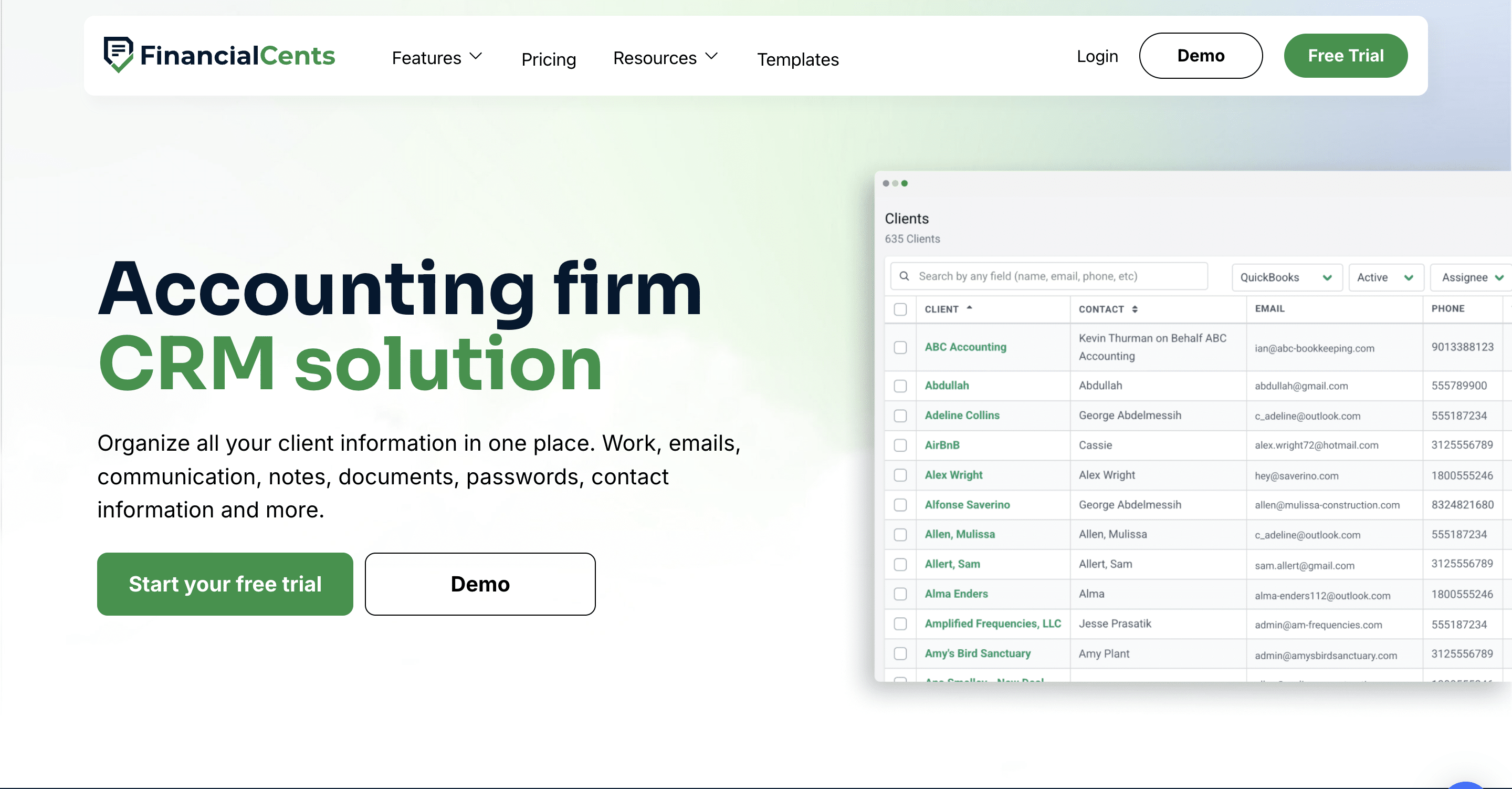
Financial Cents is an all-in-one practice management software that combines a CRM solution with workflow management, client request tracking, and team collaboration tools that enable bookkeeping firms to centralize client communication, organize client information, and automate data collection.
Because it is designed for bookkeepers and accountants rather than sales teams, Financial Cents aligns closely with how bookkeeping firms actually operate, from managing client requests to tracking communication and coordinating recurring bookkeeping service delivery.
Financial Cents CRM Features Include:
Accounting CRM & Client Database
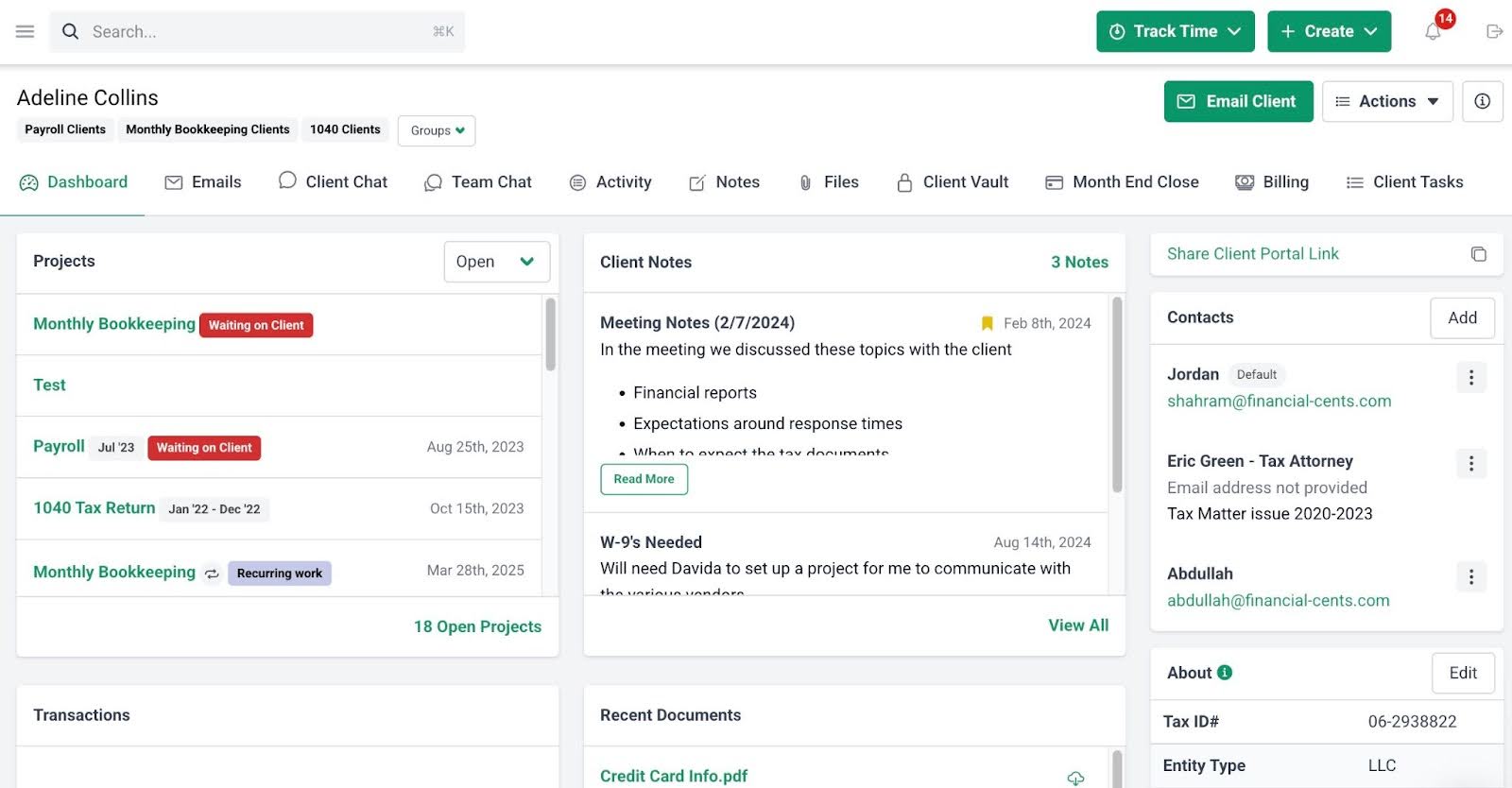
- Client audit trail: Financial Cents maintains a detailed history of client interactions, showing who communicated with the client, when, and about what.
- Custom fields: Firms can create custom client properties to store additional information.
- Client Vault: Client credentials can be safely stored in an encrypted vault accessible only to authorized team members.
- Client groups: Firms can categorize clients into groups to better organize their client base.
- Client database: Financial Cents centralizes all client records, contact details, and engagement information in one searchable system.
- Client profile: Each client profile provides a single view of important details, communication history, documents, and associated work.
- App integration: Financial Cents integrates with third-party applications so firms can access related client tools directly from the platform.
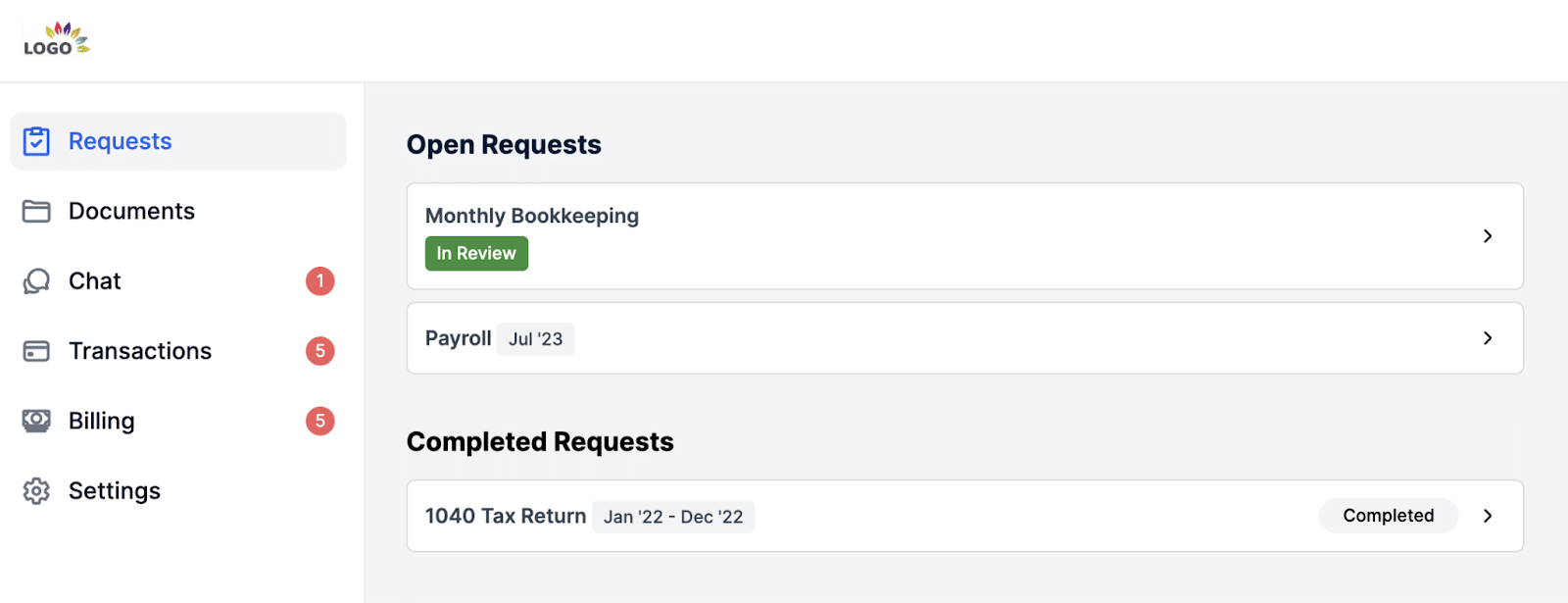
- Client portal: Financial Cents provides a secure client portal for bookkeepers where clients can upload documents, respond to requests, and communicate with your firm.
- Passwordless access: Clients can securely access their portal without managing passwords.
- Auto-reminders: The system automatically sends reminders to clients about outstanding requests.
- Client requests: Teams can send structured requests for documents or information and track responses in real time.
- Client communication: Financial Cents allows firms and clients to communicate within the platform.
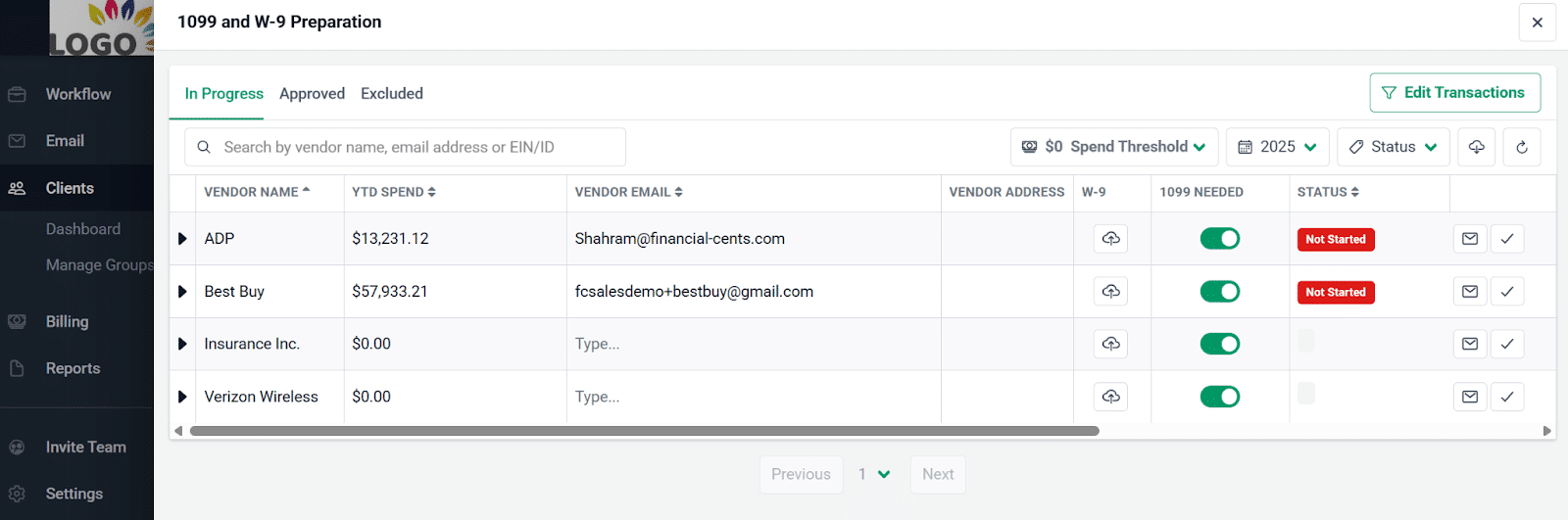
- Transaction Review: Identifies flag errors and allows you to ask clients about transactions, edit, and categorize entries within Financial Cents. Approved updates can also be synced with QuickBooks Online.
- 1099 & W-9 Preparation: Simplifies vendor compliance tasks during the close process through:
- Vendor Identification: Financial Cents imports your vendors who may require 1099 forms from QuickBooks Online.
- W-9 Requests: Enable you to request W-9 forms directly from vendors within the workflow.
- Vendor Record Updates: Adjust vendor details in Financial Cents. Changes are pushed back to QuickBooks Online.
Workflow Management & Automation
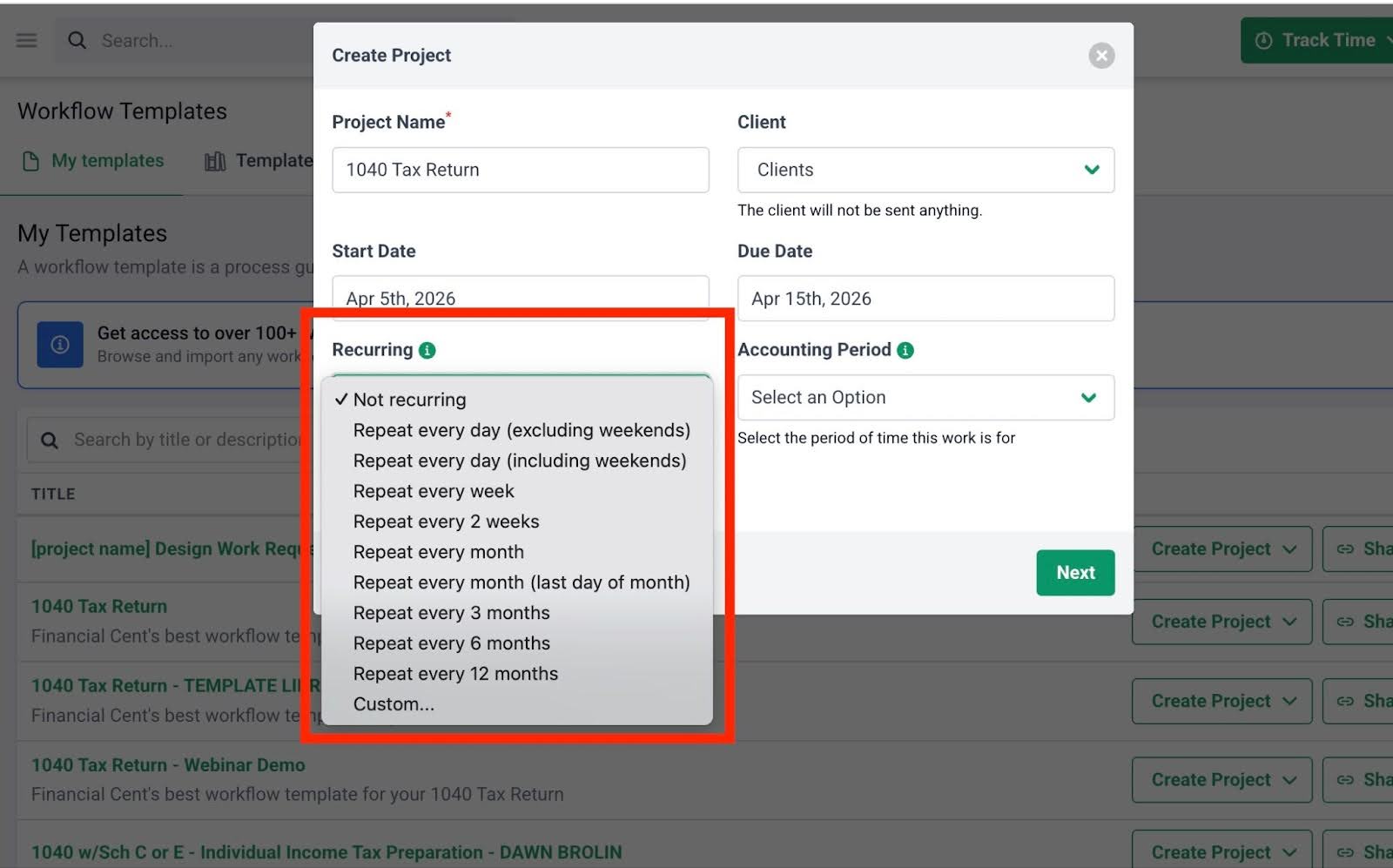
- Recurring work: Automatically schedule and recreate recurring projects, so your team doesn’t have to set them up manually.
- Turn emails into projects: Convert client emails into actionable projects to ensure nothing falls through the cracks.
- Workflow templates: Use pre-built best practice templates or create custom workflows.
- Work statuses: Keep clients informed by automatically updating them on the status of their work.
- Email updates: Trigger automated email notifications to clients based on specific actions or workflow progress.
- Request signatures: Request legally binding electronic signatures for proposals, engagement letters, and other client documents.
- Security & compliance: E-signatures are secured through Adobe’s trusted certification.
- Automatic notifications: Financial Cents sends notifications when documents are viewed or signed.
- Centralized document storage: Once signed, documents are automatically stored and organized within the client record.
Proposals & Engagement Letters
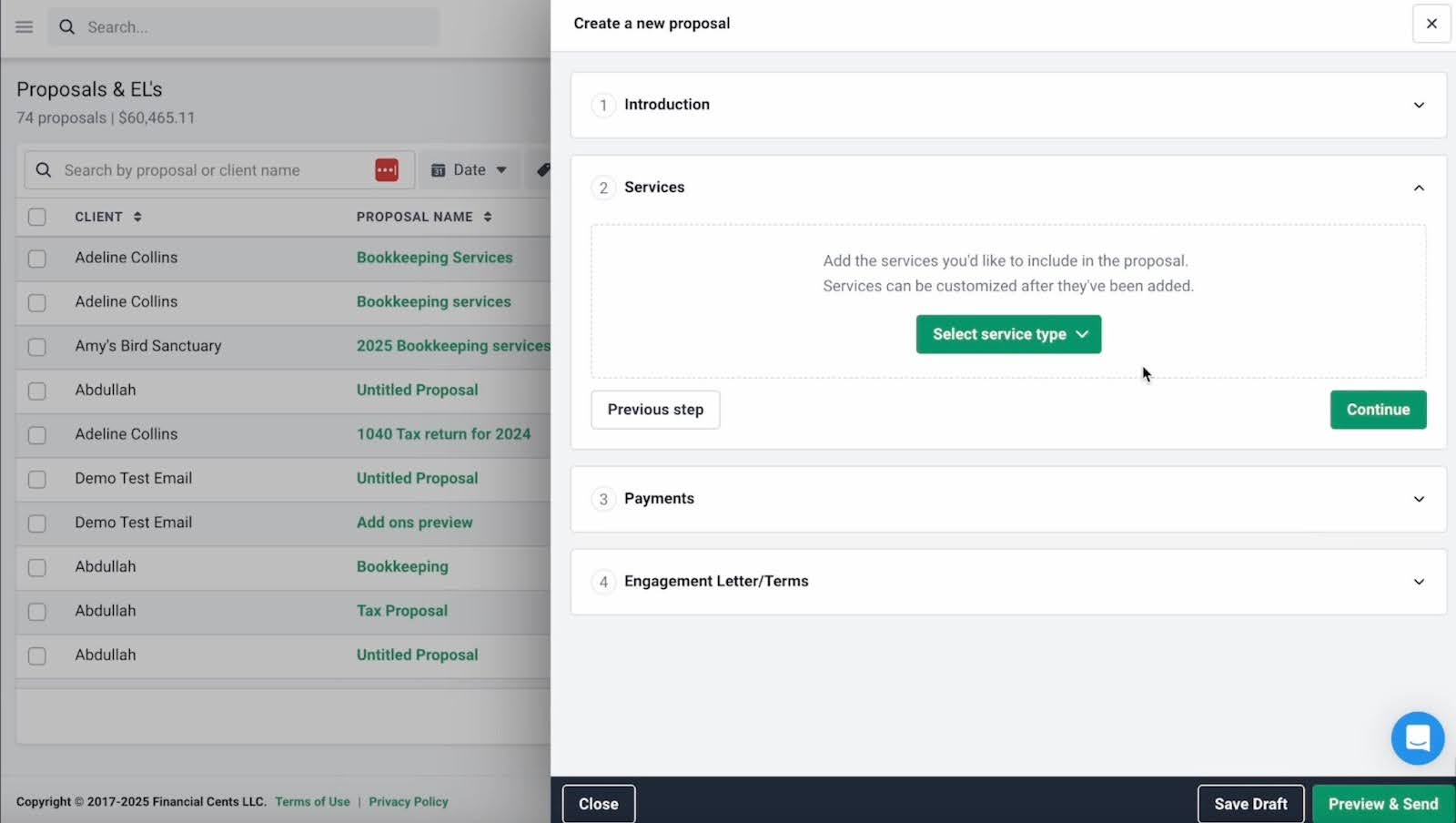
- Proposals: Firms can create modern bookkeeping proposals designed to improve conversion and clearly present their services.
- Engagement letters: Financial Cents allows firms to attach legally binding engagement letters for bookkeeping services outlining the scope of work and service terms.
- Billing: Once a proposal is accepted, invoices can be automatically generated and sent to the client.
- Payments: Clients can securely pay invoices through ACH or credit card after signing proposals.
- Auto reminders: The platform automatically reminds clients to review and sign pending proposals.
- Packages: Firms can bundle services into packages to present clear service tiers to clients.
- Optional upsells: Additional services can be included as optional add-ons to increase revenue opportunities.
- DMS integrations: Financial Cents integrates with external bookkeeping document management systems to automatically sync and organize files.
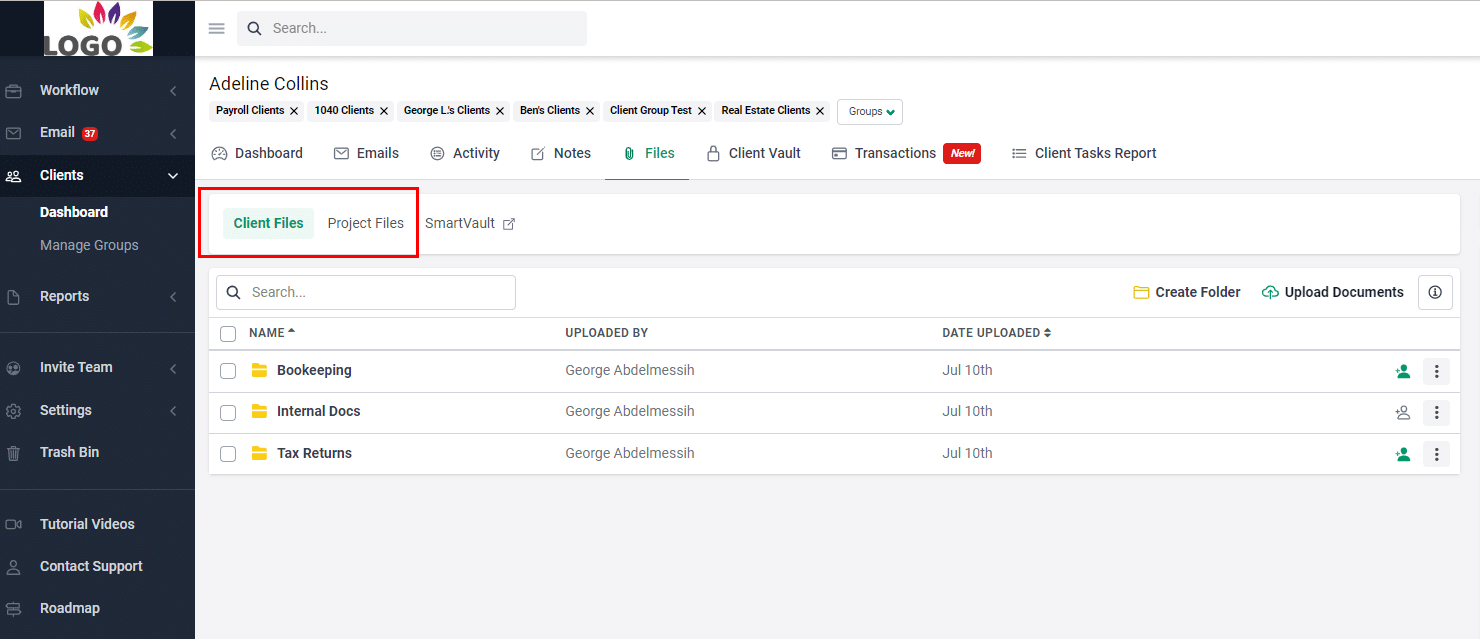
- Folder sharing: Firms can securely share folders and documents with clients so they can access historical records when needed.
- Document organization: Files can be categorized into custom folders and subfolders to maintain a clear document structure.
- Real-time notifications: Financial Cents sends alerts whenever clients or team members upload, edit, or interact with documents.
Best For:
Bookkeeping and accounting firms that are tired of tool sprawl and want a CRM solution combined with workflow management, and & billing and other tools they need to run their firm in one place.
Small to mid-sized bookkeeping firms that want an affordable, bookkeeping-native solution without complexity. It’s especially ideal for firms prioritizing ease of adoption, client portals that clients actually use, and proactive, personalized service.
Pricing
Financial Cents uses a per-user pricing system:
- Solo: $19/month per user
- Team: $49/month per user
- Scale: $69/month per user
- Enterprises: Custom pricing
Pros
|
Cons
Not designed for complex sales pipelines |
We get so buried in Financial Cents that we actually don't check our email all that often, which is kind of nice. Our email traffic has dropped sixty percent (60%), so I'm now focusing on the sales, marketing, and innovation."
Gerry Anderson, M.Sc, CPA, President of Blue Canyon CPAFor a CRM tool designed specifically for accounting and bookkeeping workflows and relationships, click here to request a Financial Cents demo today.
2. HubSpot
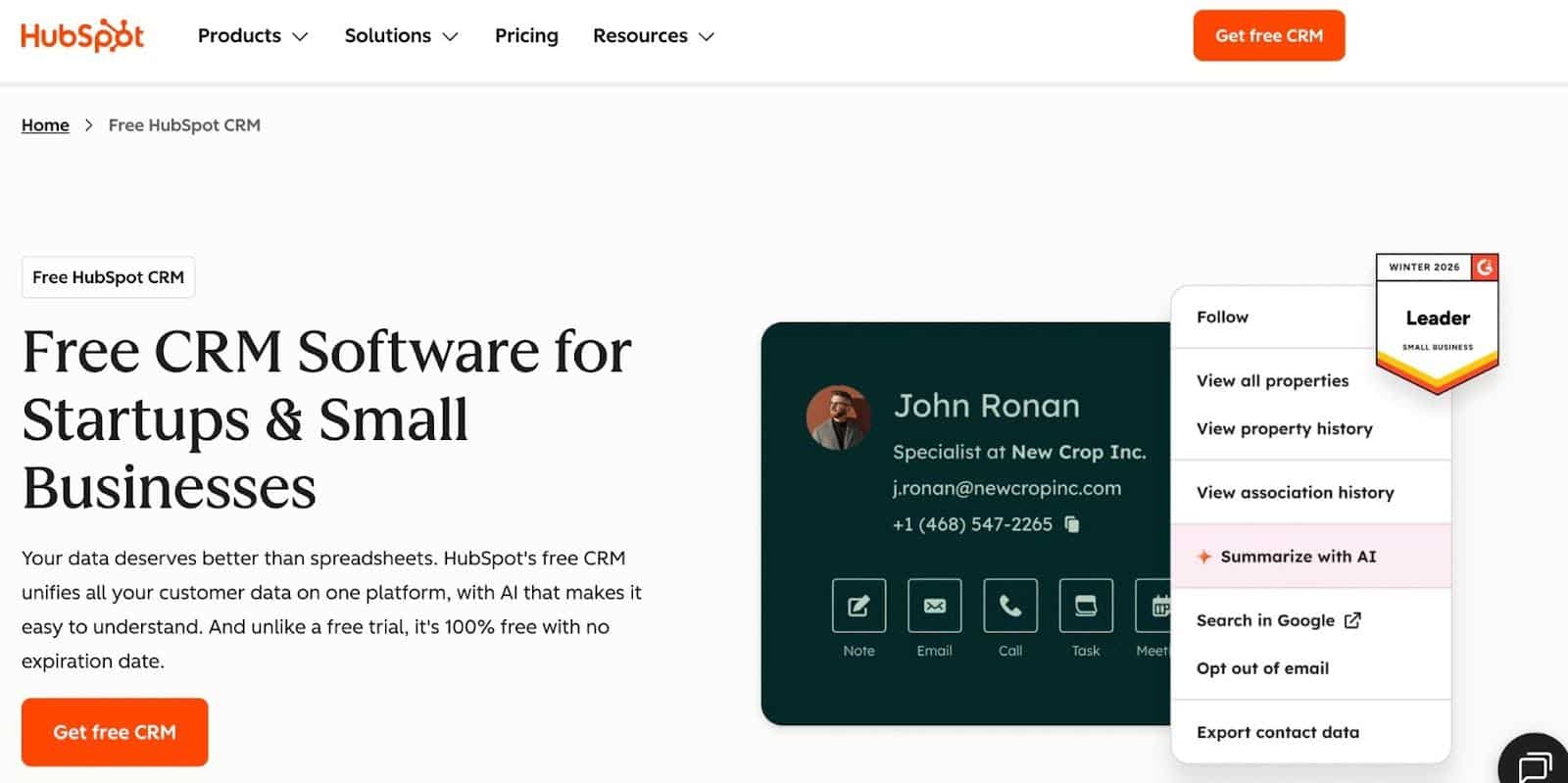
One of the most widely used CRM platforms in the world, HubSpot is designed for sales and marketing teams to manage contacts, track communications, and organize business relationships.
While it is not built specifically for bookkeeping firms, some accounting practices use HubSpot for managing communication history and automating manual tasks, and integrating with accounting tools via Zapier.
HubSpot’s CRM Features Include
Contact Management
- Unified view of all customer interactions: HubSpot centralizes emails, calls, notes, meetings, and activity history in one place.
- Automatic deduplication: Automatically detects and merges duplicate records to keep your contact database clean and accurate.
- Custom fields: Businesses can create custom fields to capture and organize contact information specific to their workflow or industry.
Email Integration and Tracking
- Email logging: HubSpot automatically logs emails sent from Gmail or Outlook to the correct contact record.
- Email open tracking: Users can see when recipients open their emails to follow up more effectively.
- Email templates: Teams can save and reuse email templates for frequently sent messages.
Pipeline Management
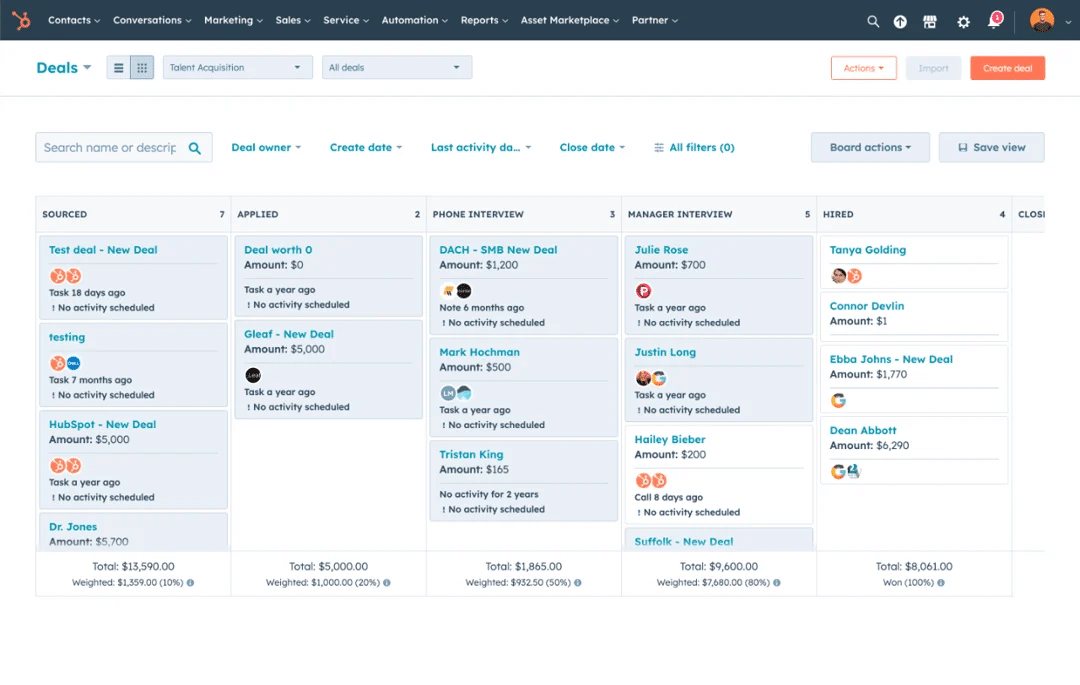
- Visual deal stages: Provides a visual sales pipeline where deals can be moved between stages using drag-and-drop functionality.
- Customizable pipelines: Businesses can customize pipeline stages to match their unique sales process.
- Win/loss analysis: Tracks closed deals and provides insights into which opportunities are won or lost.
Best For:
Bookkeeping firms that don’t mind a general-purpose CRM with strong marketing and communication capabilities, and have the technical expertise to customize it for their recurring services.
Its free version makes it appealing to solo bookkeepers or very small firms starting with zero budget.
Pricing
HubSpot uses a per-seat pricing system:
- Free
- Starter: $9month per seat
- Professional: $800/month for three core seats
- Enterprise: $3,200/month for five core seats
Pros
|
Cons
|
Reviews
HubSpot has:
3. Insightly
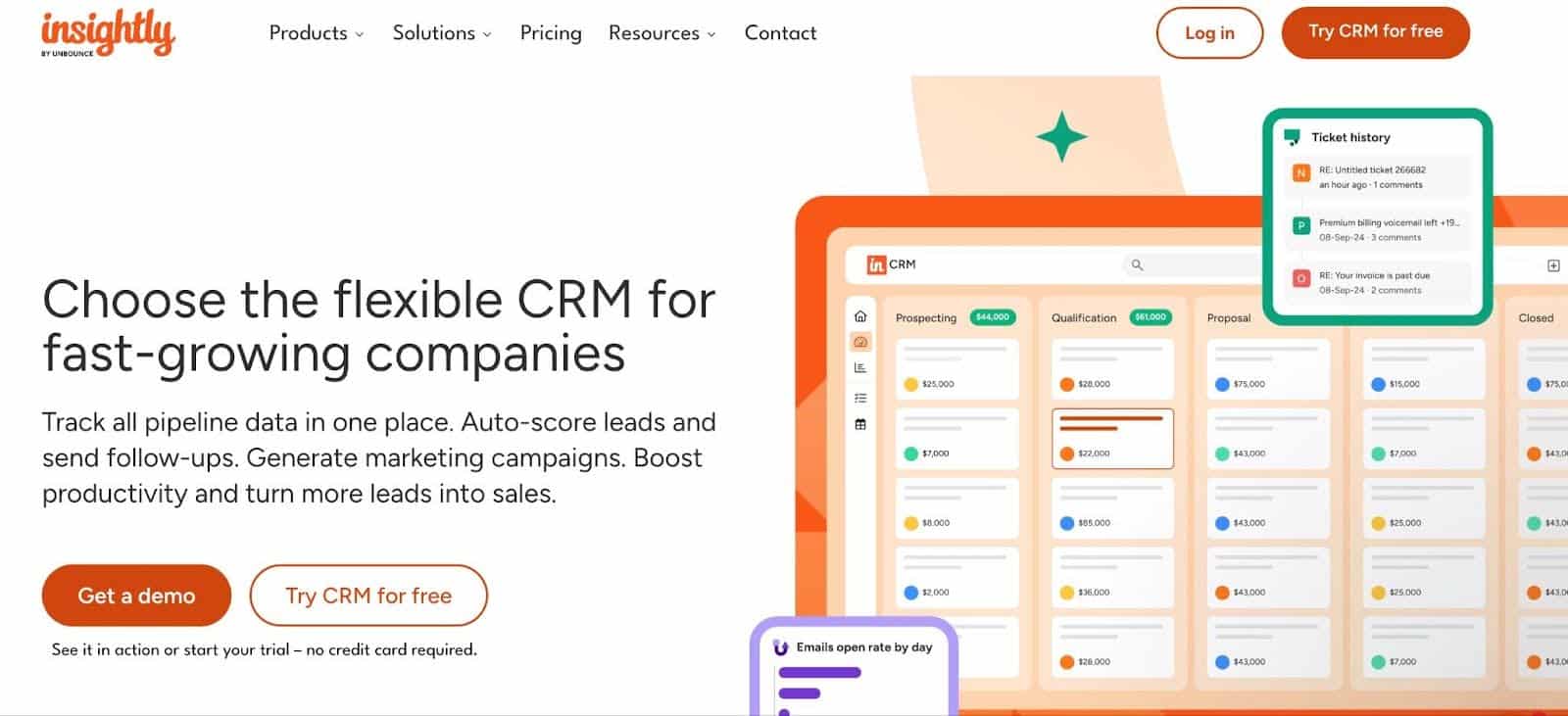
Insightly is a CRM platform that combines contact management with light project management features for professional service firms that need to track both client relationships and project activities in one place.
Its customizable contacts, pipelines, and workflows, plus project linking, tie CRM data to client deliverables for bookkeeping firms that treat engagements as ongoing projects.
Insightly’s CRM Features Include:
Sales Pipeline & Lead Management
- Lead capture and opportunity creation: Track and act on leads by storing relevant details and creating opportunities in the system.
- Lead prioritization and distribution: Assign leads to team members based on defined criteria.
- Real-time pipeline visibility: Provide your team with a clear view of where each deal stands in the sales process.
Sales Lead Tracking & Opportunity Management
- Pipeline tracking and deal nurturing: Manage opportunities efficiently through customizable pipelines and maintain momentum on deals.
- Insights on deal progress: Identify what drives results and recognize potential risks within the sales cycle.
- Customizable opportunity pipelines: Configure pipelines to match your unique sales and business processes.
Products, Price Books & Quotes
- Product and price management: Track offerings and assign correct pricing to opportunities.
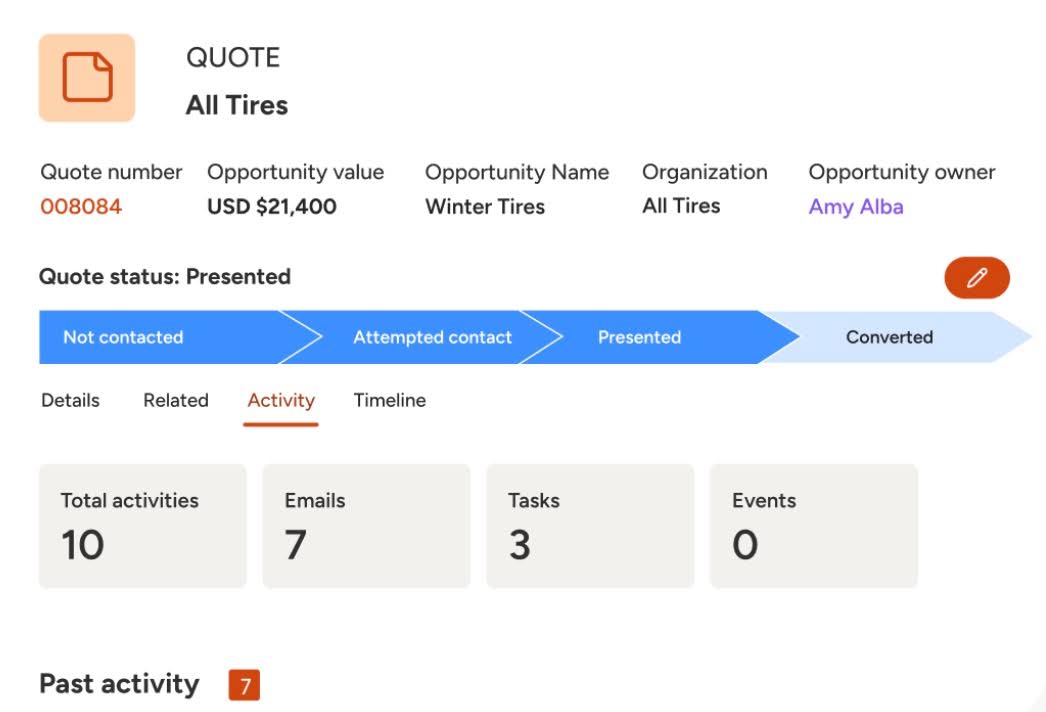
- Quote creation: Generate quotes directly from opportunities and monitor their status.
- Customizable templates: Tailor quotes with branding and personalized details for each client.
Performance Dashboards & Reporting
- Customizable KPIs: Display key metrics in a visual format.
- Real-time business insights: Make decisions using up-to-date performance data.
- Centralized reporting: Reduce handoffs and ensure consistency across teams.
Best For:
It is ideal for mid-sized bookkeeping firms that want CRM combined with project management for tracking ongoing client engagements.
It offers more workflow depth than basic CRMs but is not an accounting-specific tool.
Pricing
Insight uses a per-user pricing system:
- Plus: $29/month per user
- Professional: $49/month per user
- Enterprise: $99/month per user
Pros
|
Cons
|
Reviews
Insightly has:
4. Keap
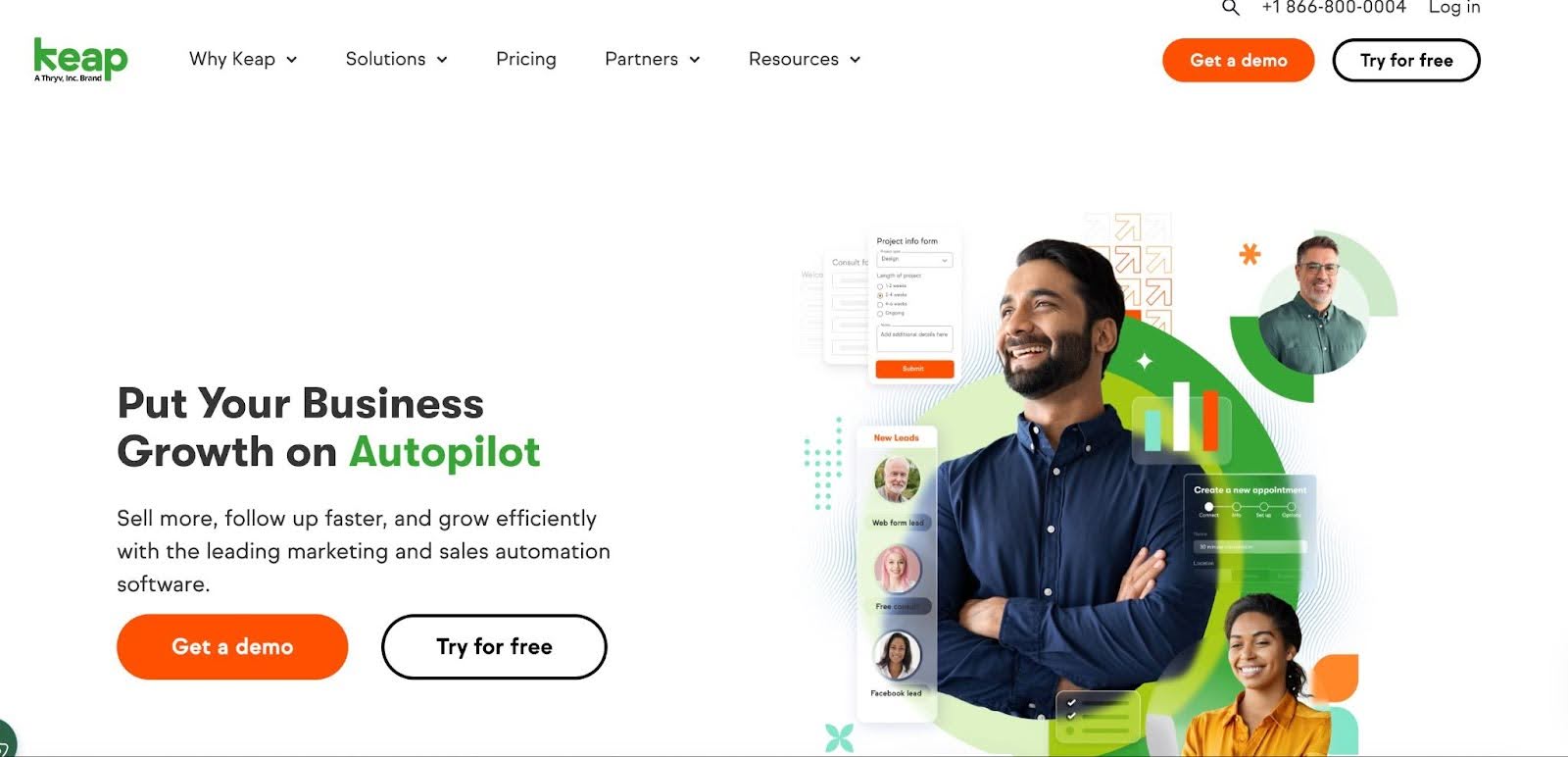
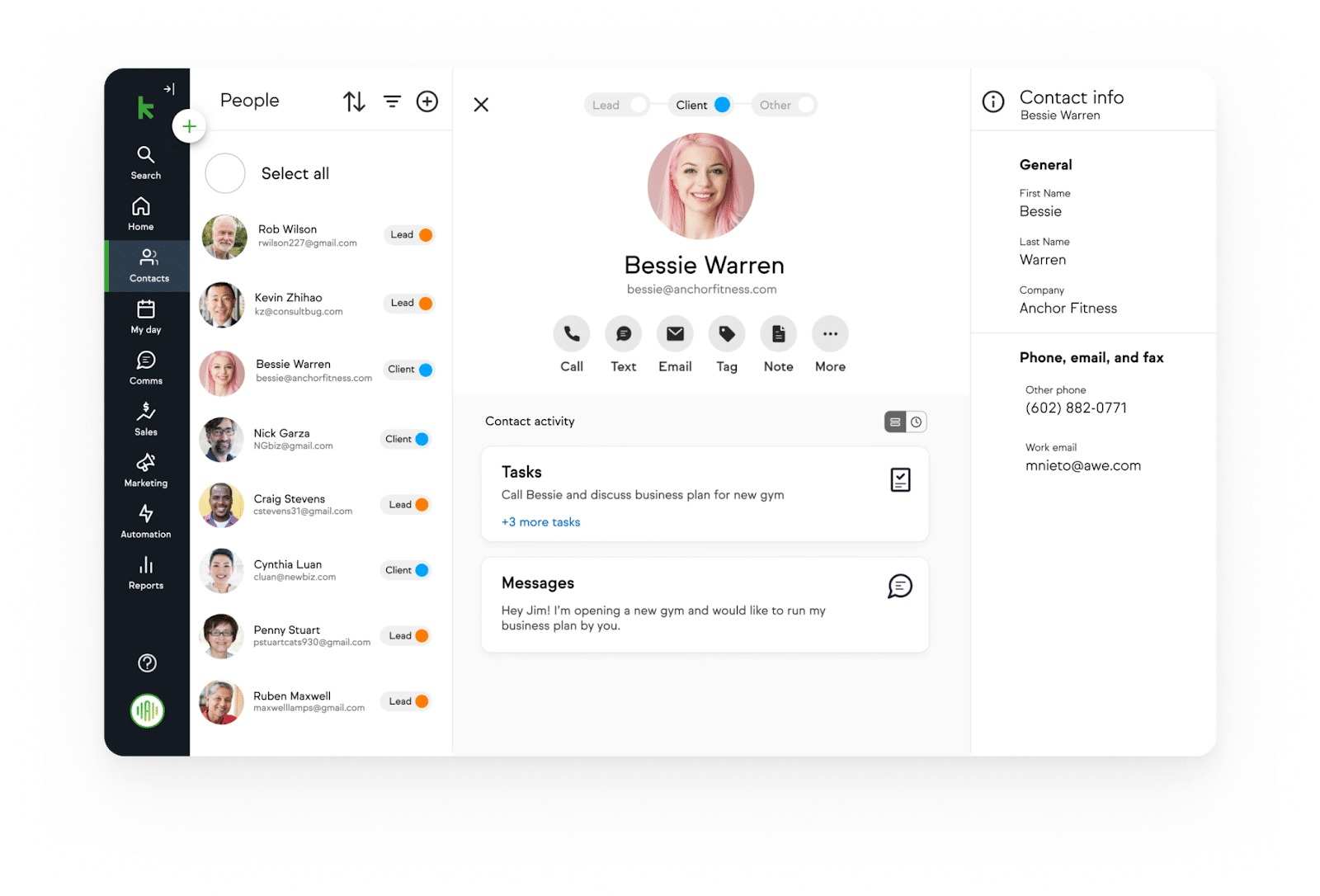
Keap is a CRM and automation platform designed for small businesses that combines client management with marketing and follow-up automation.
Its emphasis on sales pipelines, email nurturing, and workflow automation makes it adaptable for service providers focused on client acquisition and ongoing engagement.
Keap’s CRM Features Include
Centralized Contact Management
- All your data in one place: Access contact and company information from a single record.
- Accessible anywhere: Keep track of client details, communication history, and activity from any device.
Personalized Follow-Ups
- Trigger personalized automations: Tag and segment contacts to send automated messages based on client behavior and data.
- Convert leads automatically: Send email and text follow-ups immediately after a client submits a form.
- Appointment reminders: Automatically notify clients of upcoming meetings or calls to reduce no-shows.
- Purchase follow-up: Send personalized messages and next steps after clients complete a transaction.
Migration & Integrations
- Easy migration: Keap experts handle migration of contacts, automations, email templates, and landing pages—even from competing platforms.
- Integration without hassle: Connect Keap to thousands of apps, including Gmail, PayPal, and QuickBooks, to sync contacts and trigger automations.
Best For:
Bookkeeping firms with a growth focus on client acquisition and automated nurturing through onboarding sequences, retention emails, etc.
That is why it’s preferable for firms that blend sales/marketing with service delivery rather than pure recurring bookkeeping management.
Pricing
$299/month for a two-person team with 1500 clients.
Pro
|
Cons
|
Reviews
Keap has:
5. Zoho CRM
Zoho CRM offers bookkeeping a configurable platform to manage contacts, deals, and client communication.
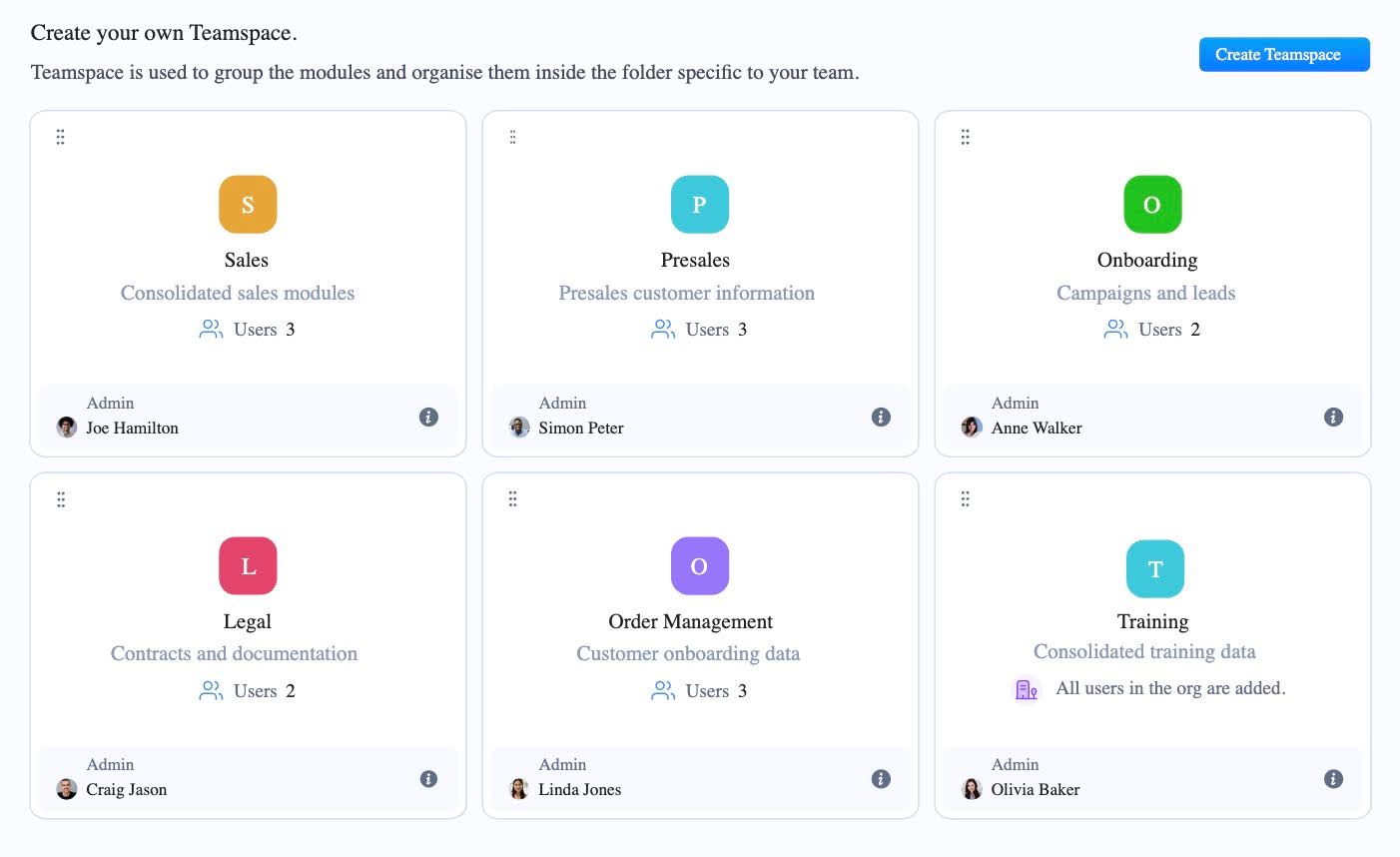
Part of the Zoho ecosystem, Zoho CRM is deeply customizable and integrates with Zoho Books to enable seamless data flow. It supports custom modules that make it adaptable for service businesses looking for tailored client management.
Zoho CRM’s Features Include
Lead Management
- Lead tracking and enrichment: Capture bookkeeping leads and guide them through a structured process of engagement and nurturing to improve conversion outcomes.
Cadences
- Follow-up sequences: Visualize and automate multi-step follow-ups that react to lead responses to move prospects efficiently through your pipeline.
Blueprint
- Structured sales processes: Define step-by-step workflows to ensure consistent and compliant execution of business processes.
Journey Orchestration
- Customer journey automation: Map and automate end-to-end interactions so your team engages with clients at the right time for maximum impact.
Customization
- Flexible CRM environment: Adapt Zoho CRM to your firm’s unique workflows by customizing fields, modules, and data groupings without coding.
- Team collaboration: Break down silos by bringing all team members onto the same CRM platform.
Portals
- Dynamic client and partner portals: Provide clients, vendors, or partners with secure, self-service access to collaborate and engage directly with your firm.
Best For:
Bookkeepers already using or open to Zoho’s suite who want a customizable CRM within a larger business software ecosystem. Its low-cost pricing makes it ideal for budget-conscious firms comfortable with a technical setup process.
Pricing
Zoho uses a per-user pricing system:
- Free
- Standard: $14month per user
- Professional: $23/month per user
- Enterprise: $40/month per user
- Ultimate: $52/month per user
Pros
|
Cons
|
Reviews
Zoho CRM has:
6. Pipedrive
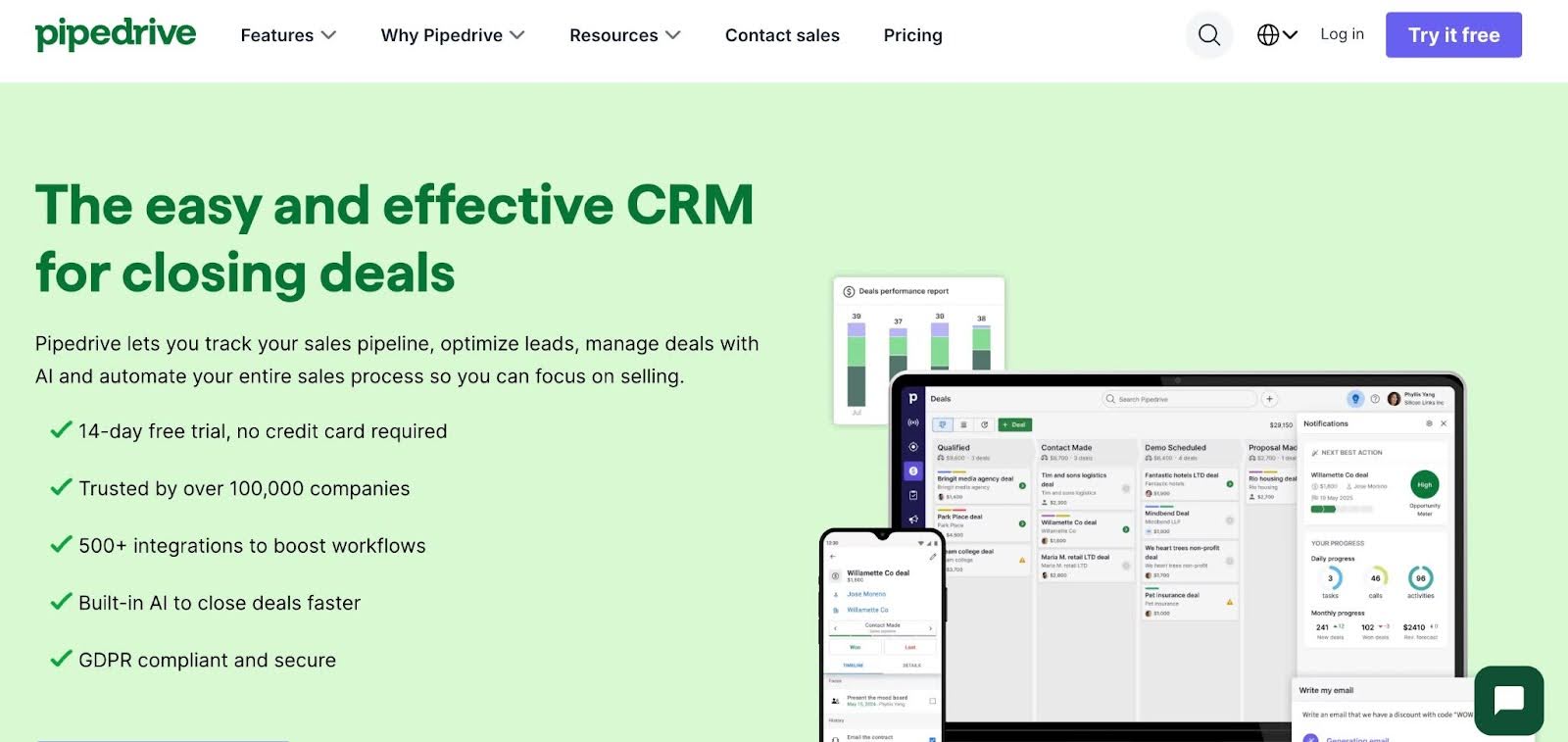
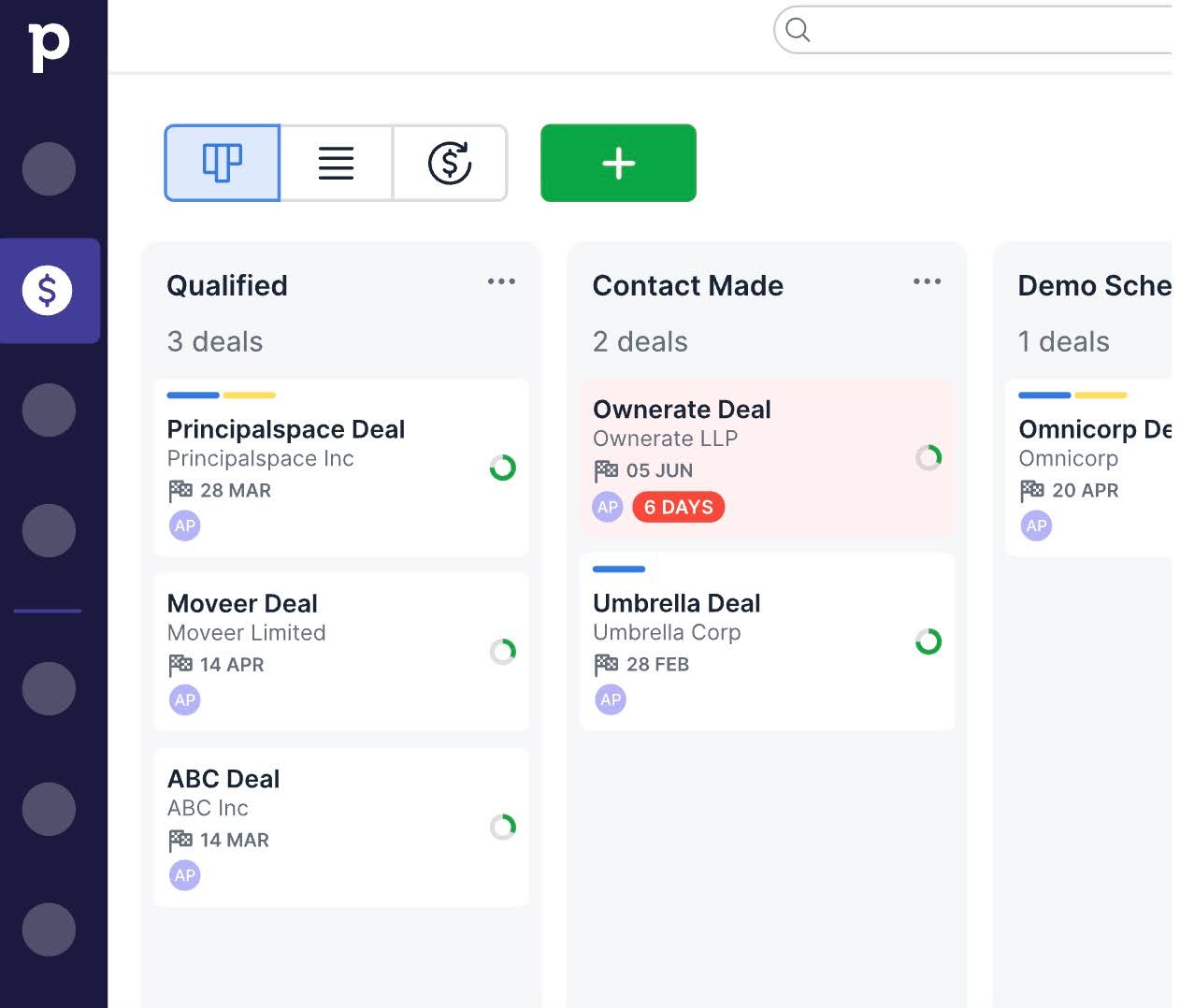
Pipedrive is a visual CRM focused on sales teams to track prospective clients and manage initial relationship stages.
Its drag-and-drop interface makes it accessible, and add-ons expand functionality for service tracking.
Pipedrive’s CRM Features Include:
Pipeline Management
- Fully customizable pipelines: Tailor deals pipelines with custom fields, stages, or use prebuilt templates to match your sales process.
- Pipeline visualization: Gain a clear view of your sales cycle and the activities required to move deals forward.
- Activity tracking: Track the stage of each deal, identify bottlenecks, and know the next action for each sales opportunity.
Leads Inbox
- Organized lead management: Collect incoming leads in a centralized inbox to prevent the first stage of your pipeline from becoming cluttered.
- Lead qualification: Filter, sort, and edit leads before adding them to your pipeline for more efficient pre-sales communication.
- Email integration: Use Smart Bcc or email sync to automatically move qualified leads from your inbox to deals in the CRM.
Custom Filters & Contact Management
- Custom filters and grouping: Create personal filters to segment leads or share filters with your team.
- Contact timeline: Visualize all interactions and activities with a contact over time.
- Web visitors tracking: Monitor website visitors and identify companies most likely to convert.
Messaging Inbox
- Integrated messaging: View and manage Facebook Messenger conversations directly in Pipedrive.
- Team assignment: Assign conversations to specific team members for faster follow-up.
- Reply management: Respond to leads, deals, and contacts from one unified messaging inbox.
Best For:
PipeDrive is most suitable for bookkeepers who see client relationships as “deals” and prefer a simple, visual CRM for tracking progress and follow-ups.
Pricing
Pipedrive uses a per-seat pricing system:
- Lite: $14/month per seat
- Growth: $39/month per seat
- Premium: $59/month per seat
- Ultimate: $79/month per seat
Pros
|
Cons
|
How to Choose the Right CRM for Your Bookkeeping Practice
The best system should support the way your firm communicates with clients, manages recurring work, and coordinates internal tasks.
The following best practices should help you make the right decision:
I. Evaluate current client communication challenges
You can’t address a problem you don’t know about. Where does your firm currently struggle with client communication? Is it scattered email threads, missed document requests, or inconsistent follow-ups with clients?
When you are sure what problem it is you’re trying to solve, it is then easier to select a tool with the features that truly meet your needs of improving visibility into client conversations and ensuring requests are tracked and completed.
II. Prioritize integration with existing tools
Many bookkeeping teams have abandoned CRM tools because of poor integration that disrupted their workflows.
Test the integration capabilities of any tool you’re considering during demos and free trials to be sure they meet your firm’s needs.
When your CRM integrates seamlessly with your firm’s existing technology stack, it reduces manual data entry and ensures client information flows smoothly across your systems.
III. Consider ease of use for clients and staff
An easy-to-use CRM encourages your team to document client notes, log interactions, and manage requests efficiently.
Ease of use also matters for clients because it saves them the frustration of uploading documents and responding to requests with too many clicks (or using an overwhelming interface), which often drives them to use unsecure emails.
You’ll identify an easy-to-use CRM tool (for your team and clients) by the friendliness of its user interface, ease of performing tasks, availability of training resources, and responsiveness of the customer support.
IV. Client task automation
A CRM that supports recurring request lists and automated reminders will reduce manual follow-ups and help keep month-end processes on schedule.
This is especially valuable as your firm scales and manages a larger number of client engagements that will need to share documents with your team to get work done every month.
Financial Cents enhances this feature with automated SMS notifications that remind clients of pending requests on their phones.
V. Evaluate pricing models vs. growth plans
Some CRM platforms charge per user, while others cap the number of contacts or clients you can serve at a price point. As your firm grows, these pricing structures can significantly impact long-term costs.
Don’t forget to factor in additional costs (like add-ons, training, and data migration) to the final amount.
In the Financial Cents price calculator, you can select your team and your preferred plan to run monthly or annual cost projections.
VI. Consider reporting needs
Look out for clear visibility into client activity, outstanding requests, onboarding progress, and communication patterns in your potential tool.
For example, Financial Cents delivers this insight through features like capacity dashboards, activity logs, client uploads, time tracking, etc., to help firms identify bottlenecks and improve client service.
The Best CRM Is the One That Fits Your Firm
Tracking conversations and following up on outstanding client requests to maintain consistent service delivery are not negotiable for bookkeeping firms that want to build trust and drive referrals.
The CRM tool to achieve these, however, can look very different for firms depending on their size and needs. What works for a larger team may feel like overkill for a solo bookkeeper.
That’s why we recommend assessing your firm’s specific requirements (team size, core accounting software, budget, and growth plans) and testing potential solutions through free trials or demos before making a final decision.
For small and mid-sized bookkeeping teams operating out of QuickBooks, Financial Cents is a natural place to start.
Built specifically for bookkeeping teams, it combines CRM functionality with tools for workflow, time tracking, e-signatures, capacity planning, email integration, and billing and payments in one platform.
Its CRM features include recurring engagements, client requests, a passwordless client portal, and team collaboration tools that work the way bookkeeping firms actually work.
This consolidation has helped bookkeeping firm owners, like Kellie Parks, CPB, to (in her words) “achieve insane effectiveness, efficiency, and consistency in work, communications, and collaboration.”
I love the client notes feature. We have one client with over three dozen notes. They are consolidated in Financial Cents. We can download those notes with a single click."
Kellie Parks FCPB, Owner, Calmwaters Cloud AccountingFinancial Cents is free for the next 14 days. Click here to start your free trial.
Bookkeepers CRM FAQs
Most generic CRM systems are designed for sales teams that manage pipelines, leads, and deal stages.
A CRM for bookkeeping firms emphasizes client communication, document requests, onboarding workflows, and management of recurring interactions in the context of client service.
The most useful CRM features for bookkeeping firms include a client database, client portals, client communication tools, recurring task automation, automated client reminders, and integration with accounting software.
Yes. Even small bookkeeping firms benefit from CRM software’s ability to organize client communication and prevent important requests from being overlooked.
Yes, most tools offer tiered plans, so you can start simple and upgrade as your firm grows. If this option is not available, it is best to choose one that fits your current size to prevent overpaying for features you don’t need.
Platforms like Financial Cents combine CRM with practice management systems to give firms better visibility into client relationships and internal workflows.
These integrations allow firms to sync client information, track communication history, and link client interactions with the tasks and projects inside their accounting practice management tools.
It depends on the CRM capabilities in the practice management platform.
Financial Cents, for example, is a comprehensive practice management software that includes a CRM solution, which allows firms to manage client information, communication history, and requests in the same system used for workflow management.
However, firms that rely on workflow-focused tools without strong client relationship features will benefit from a dedicated CRM.
There’s no single “best” for every firm. Each firm finds its best CRM tool based on its size, budget, tech stack, and priorities.
However, Financial Cents has stood out for many small to mid-sized bookkeeping firms because of its intuitive design, strong QuickBooks integration, passwordless client portal, recurring workflows, and all-in-one client relationship management features.