
Best for:
-
Accountants who need timely financial information to provide accurate financial insights and forecasts (without sacrificing productivity and efficiency).
-
Bookkeepers who need financial information to manage their client’s records and categorize uncategorized transactions.
-
Tax preparers who need all tax documents (and information) to stay organized during tax season.
-
Auditors who need sufficient financial information to deliver timely and accurate audit reports.
FUN FACT: Your clients do not like receiving follow-up calls, emails, and SMS any more than you like sending them. Their inability to respond (on time) is due largely to an inefficient collection process, which would disrupt their core business operations.
Whenever a client has to cross huddles to send (or sign) a document, they’ll be less likely to respond on time.
Here’s how to use Financial Cents to get client responses twice as fast as the average accounting firm.
Step 1: Create a client task under the client’s project
Financial Cents enables you to create client tasks inside the project like you create team tasks.
Here’s how we make client tasks easier to create and respond to:
Step 2: Send or Schedule a Request
You can send the client task immediately or schedule it, and take several other steps to tailor the process to your brand.
Here‘s how:
Step 3: Set Up Auto-Reminders
Here’s how to set up Financial Cents to do client follow up for you:
Step 4: Address Questions and Concerns On Time to Aid Fast Responses
Apart from document and information requests, the client task feature allows you to collaborate with your clients, using
The Comment feature in each client task
With the comment feature, your client may ask you to clarify your request to enhance their response.
To be sure your client has sent all required documents, you can also use the Comment feature to ask them.
See how it works:
The client chat feature inside the project
Each project has a Client Chat feature that centralizes all your communication with clients in the client portal.
Anyone in your team can ask your client questions about the work and receive the client’s response in the same place.
Here’s how Client Chat works:
Why Accounting Clients Respond Twice as Fast with Financial Cents
Exhaustive list of document and information request sent ahead of time
Upon sending the client request, your client receives an email notification that shows them the list of documents or information you need from them.
The email also gives them a link to click to access the portal to complete the items.
The email displays your name (with the firm’s name and logo) to establish trust.
Passwordless Access
The Financial Cents Client Portal uses a secure magic link technology to verify access.
Apart from saving your clients the stress of creating abs remembering usernames and passwords to access the portal.
This makes it easier for them to send documents, answer your questions, and add E-Signatures to documents.
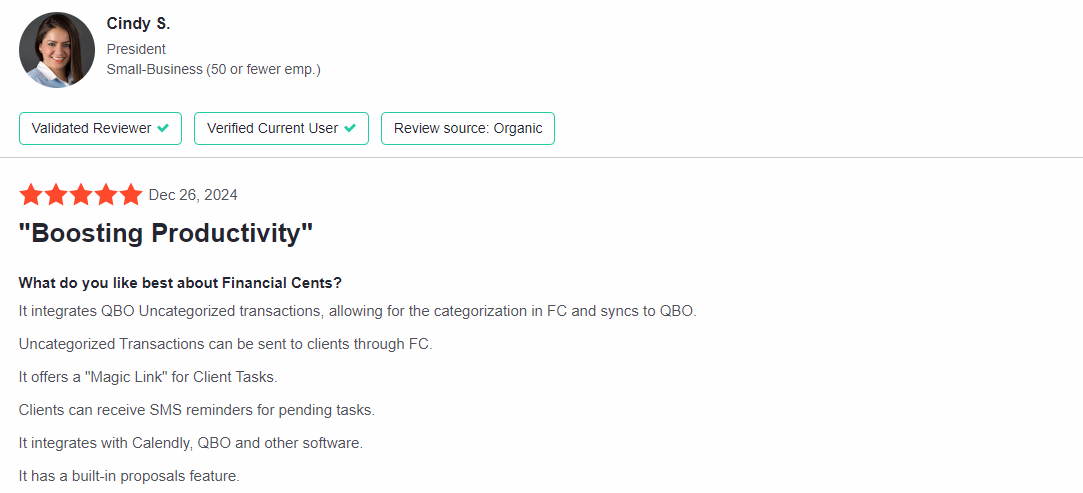
This Magic Link system and other Financial Cents features have enabled Firm owners like Cindy to manage client work more easily and efficiently.
Client Portal Notifications
By notifying your team when clients complete your request or ask a question, Financial Cents makes client collaboration faster and more effective.
This video 👇 sheds more light on this.
Client Collaboration in Minutes Instead of Days (or Weeks)
A client, who is willing to pay for (and needs) your service for better decision-making, compliance, and business growth shouldn’t delay sending the documents you need to deliver this service.
But if doing that affects their ability to serve their clients and stay competitive, completing your request naturally takes the back seat.
The Financial Cents Client Task feature proactively sends your clients the list of information you need, follows up on the requests, and allows them to access and complete the request without breaking a sweat.
This convenience not only increases their ability to send required documents on time but also prevents your team from sacrificing efficiency to follow up with clients for required documents.
Book a personalized demo to see how the Financial Cents client task will enable you to send requests your clients will find easy to respond to.









Many of the other tools are poor at managing updates and bugs. Some use subcontracted developers, providing real client data samples. Others have suffered breaches without proper notifications.
Of the pre-built systems out there, I do think Financial Cents has a solid offering.
One of my top goals is to make the process easier for clients. Glad I made the switch!
Many of the other tools are poor at managing updates and bugs. Some use subcontracted developers, providing real client data samples. Others have suffered breaches without proper notifications.
Of the pre-built systems out there, I do think Financial Cents has a solid offering.
One of my top goals is to make the process easier for clients. Glad I made the switch!
If you’re not using this feature, I highly recommend it! Remembering to follow up with clients can be a serious bottleneck and I love how this solved that problem!
If you’re not using this feature, I highly recommend it! Remembering to follow up with clients can be a serious bottleneck and I love how this solved that problem!