
TaxDome and Canopy are two of the most-compared accounting practice management platforms for tax-focused accounting firms. Both combine client management, workflows, document management, a client portal and billing in one system, so firm owners no longer have to jump between separate apps to track deadlines, find client information and balance team workload.
The two platforms differ most in pricing model, tax-specific tooling and how quickly a firm can get set up. This TaxDome vs Canopy comparison covers 2026 pricing, core features, AI capabilities, ease of use and support, and explains which type of firm each one fits best.
TL;DR
- TaxDome and Canopy are both all-in-one practice management platforms for tax-focused firms; they differ most in pricing model, tax-resolution tools and setup effort.
- TaxDome is best for tax-season firms that want organizers, a branded client app and the lowest per-seat rate, and can pay one to three years upfront ($800–$1,200 per seat per year on a one-year term).
- Canopy is best for tax resolution and IRS-heavy practices; plans run $74–$149 per user per month billed annually, plus paid add-ons such as Tax Resolution.
- Financial Cents is a simpler, lower-cost alternative for small and mid-sized firms, from $19 per month (Solo) or $49 per user per month (Team, annual), with free AI agents that rename, check and file client uploads.
- Choose by your biggest need: tax-season tooling (TaxDome), IRS and resolution work (Canopy), or fast setup and simple workflows (Financial Cents).
TaxDome vs Canopy Quick Comparison
TaxDome suits firms that want an all-in-one, tax-season platform with a branded client app and website, and that are comfortable paying for one to three years upfront. Canopy suits tax resolution and IRS-heavy practices that prefer annual per-user plans plus paid add-ons. Firms that want faster setup and lower per-user pricing often compare both against Financial Cents.
← Scroll to see more →
| Tool | Starting price | Billing | Client portal | Tax resolution / IRS transcripts | AI features | Best for |
|---|---|---|---|---|---|---|
| TaxDome | $800/seat/yr (1-year term); $700 on a 3-year term | 1-, 2- or 3-year terms, paid upfront | ✓ Branded mobile app | ✓ IRS transcript integration | Document renaming and tagging; AI reporting | Tax-season firms that want maximum features and branding |
| Canopy | $74/user/mo (annual) | Annual (saves 20% vs monthly) | ✓ Custom branding | ✓ Tax Resolution add-on, transcripts and notices | Coworker agent (beta), Smart Tax Prep, renaming, notetaker | Tax resolution and IRS-heavy practices |
| Financial Cents | $19/mo (Solo); $49/user/mo (Team, annual) | Monthly or annual; annual saves up to 30% | ✓ Passwordless login; firm branding on Scale | Not a core focus | AI File Renaming, Validator and Routing agents (free on every plan); MCP server to connect Claude, ChatGPT and other AI assistants (Scale plan); AI checklists | Small and mid-sized firms that want quick setup and simple workflows |
Pricing checked October 2026. See each vendor’s pricing page for current rates.
TaxDome: A Brief Overview

TaxDome is an all-in-one practice management platform that centralizes client information, workflows, documents, billing and client communication. Its strongest areas are tax-season tools, such as organizers, e-signatures and tax software integrations, and firm branding, including a white-labeled client app and website builder.
Related: Top 10 Taxdome alternatives and competitors
Canopy: A Brief Overview
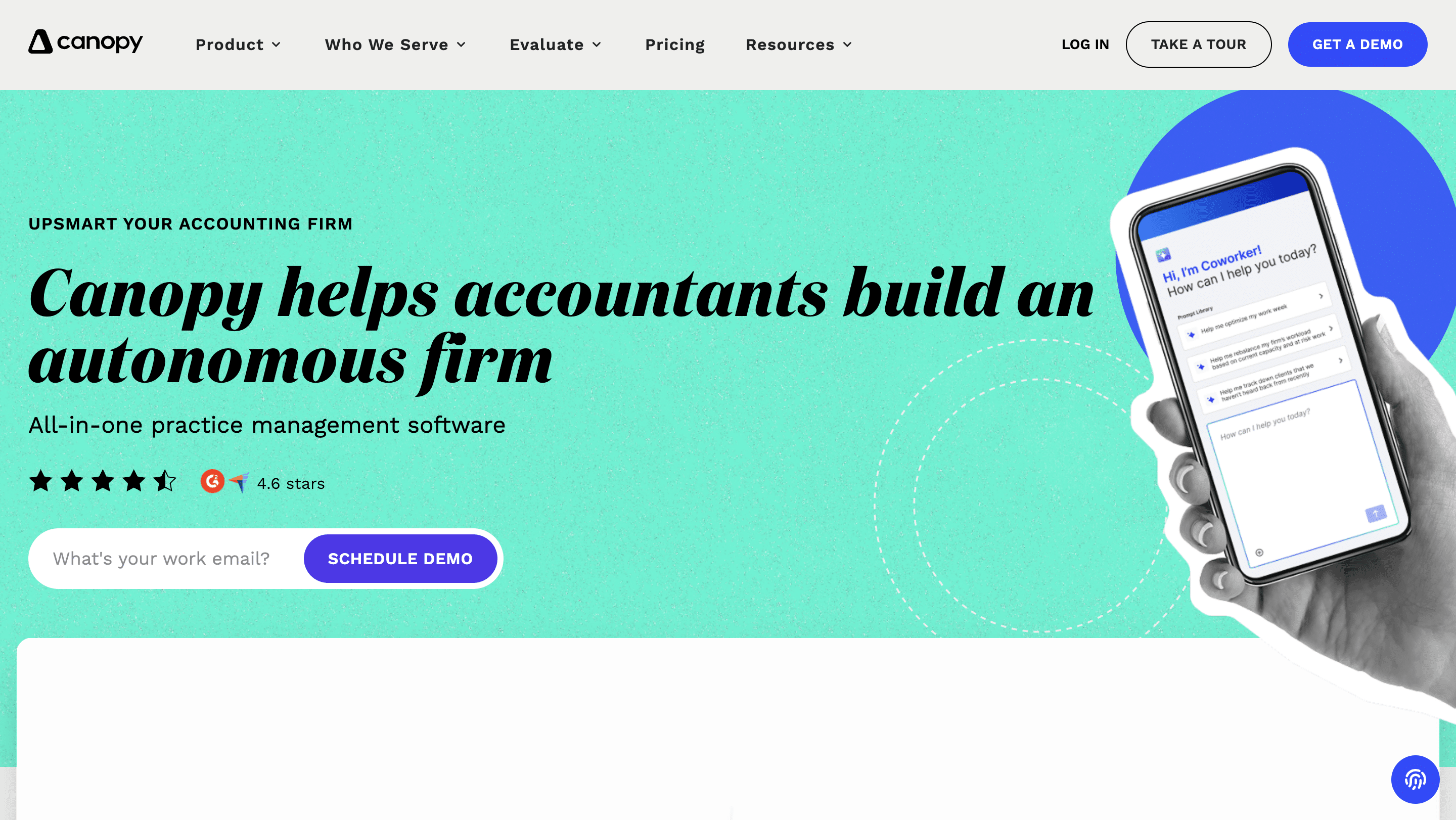
Canopy is a cloud practice management platform built around a firm-wide system of record. It combines CRM, documents, workflows, a client portal, and time and billing with tax-specific modules, most notably IRS transcripts and notices and a Tax Resolution add-on.
Related: The Best Canopy Alternatives to explore
Canopy vs TaxDome: Core Features Compared
a. Project management
Project management features keep client work moving toward deadlines and show who is working on what.
TaxDome provides:
- Ready-made templates: start projects without building them from scratch.
- Automated status updates: move jobs through pipeline stages as work progresses.
- Calendar: plan upcoming work and team capacity.
- Insights dashboard: prioritize client work and view team workload.
Canopy provides:
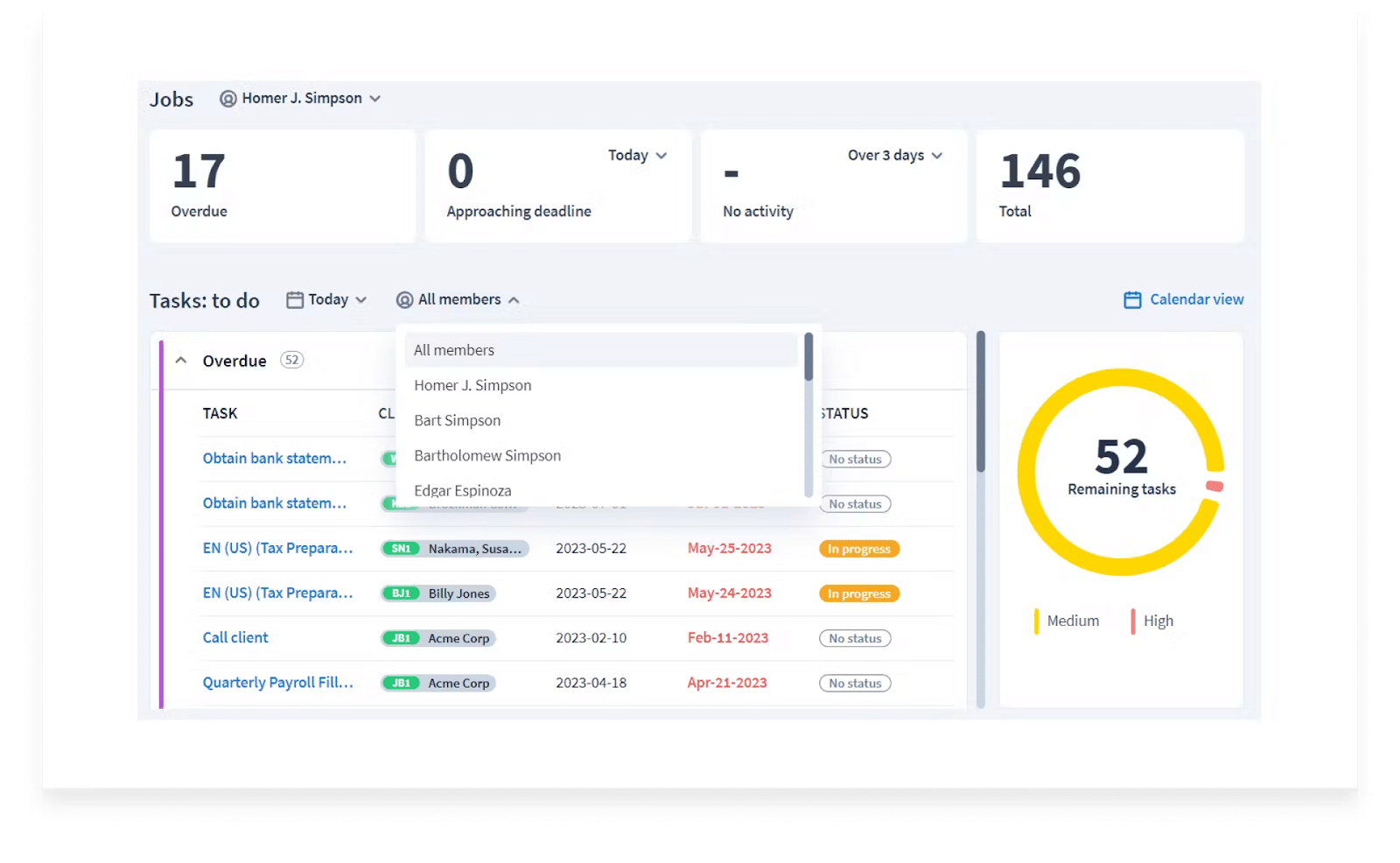
- Task dashboard: see what the firm completed within a time frame.
- Automatic project status: status updates as the team completes tasks.
- Filters: view work by role, service and date.
- Tasks from email: turn client emails into tasks so requests do not get lost.
- Capacity planning (Plus and above): balance workload across the team.
Project management in Financial Cents:
Financial Cents keeps all project information in one place, which cuts the context-switching that slows teams down. Key features include:
- Due dates: show each project’s timeline so teams can plan against deadlines.
- Time tracking: see where the team’s time goes.
- Project resources: link files and information to each project.
- Capacity reports: see each person’s workload and rebalance before anyone burns out.
b. Workflow Management and Automation
Workflow management, the ability to customize your workflows, enables quick, efficient, and accurate client services.
TaxDome’s workflow features include:
- Automove: advances jobs to the next stage when conditions are met.
- Job recurrences: recreate jobs on a set schedule (weekly, monthly and so on).
- Automated client updates: send personalized messages to clients as jobs progress.
- Automatic assignment: distribute tasks to the right team members.
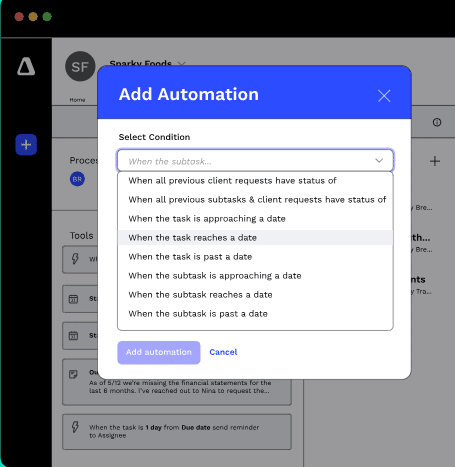
Canopy’s workflow features include:
- Workflow templates with rules: use conditions and actions to start tasks without manual input.
- Client reminders: automatically follow up with clients for missing items.
- Recurring tasks: repeat regular work when the previous instance is complete.
- Client and team notifications: email clients when tasks finish and alert staff as due dates approach.
- Advanced workflows (Premium): more complex automation logic.
Workflow automation in Financial Cents:
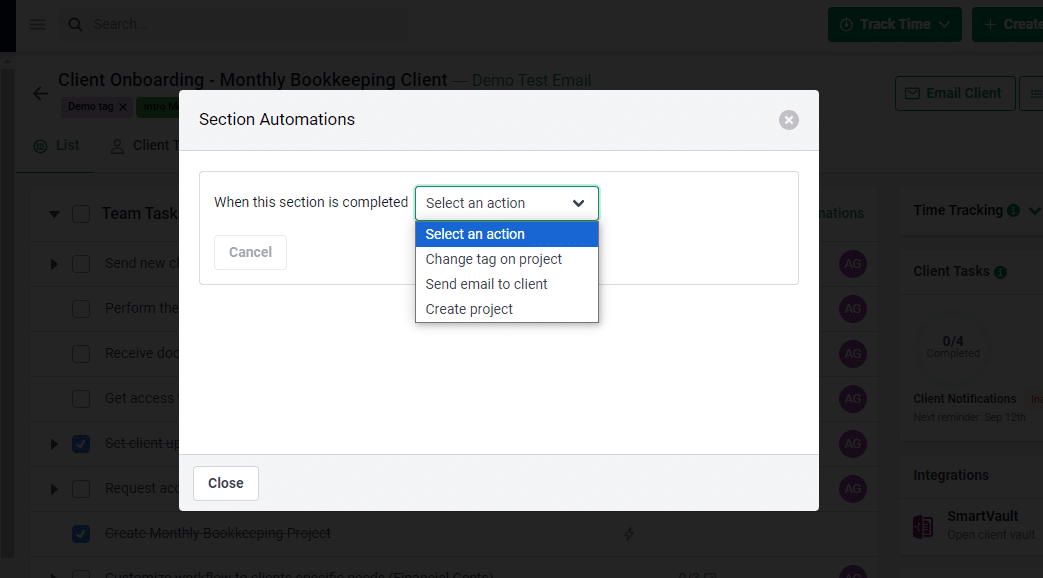
Financial Cents keeps workflow automation simple: once a condition is met, the action runs. Features include:
- Recurring projects: automatically create the next project when one is due or completed.
- Tag automation: update project status so everyone can see where work stands.
- Dependencies: notify the next assignee when it is their turn.
- Workflow triggers: send a client email, create a project or change a tag when a task is completed.
- Workflow filters: surface the projects that need attention.
c. Team Collaboration and Communication
Collaboration features keep files and conversations attached to the work, so nothing gets lost in email.
TaxDome provides:
- Internal chat: secure team messaging inside jobs.
- @mentions: tag teammates in comments on a task.
Canopy provides:
- Comments and tagging: discuss work and notify teammates.
- Client notes: share client updates with the team.
- Document annotation: mark up documents together.
- Virtual drive and desktop assistant: exchange files across the team.
Team collaboration in Financial Cents:
- Comments and @mentions: discuss work at the project level and tag teammates.
- Team chat: project conversations appear in the workflow dashboard.
- Client notes: keep client updates in the client profile.
- Notifications: alerts inside Financial Cents and by email.
d. Client Portal
An accounting firm client portal gives clients one secure place to share documents, sign forms and answer requests.
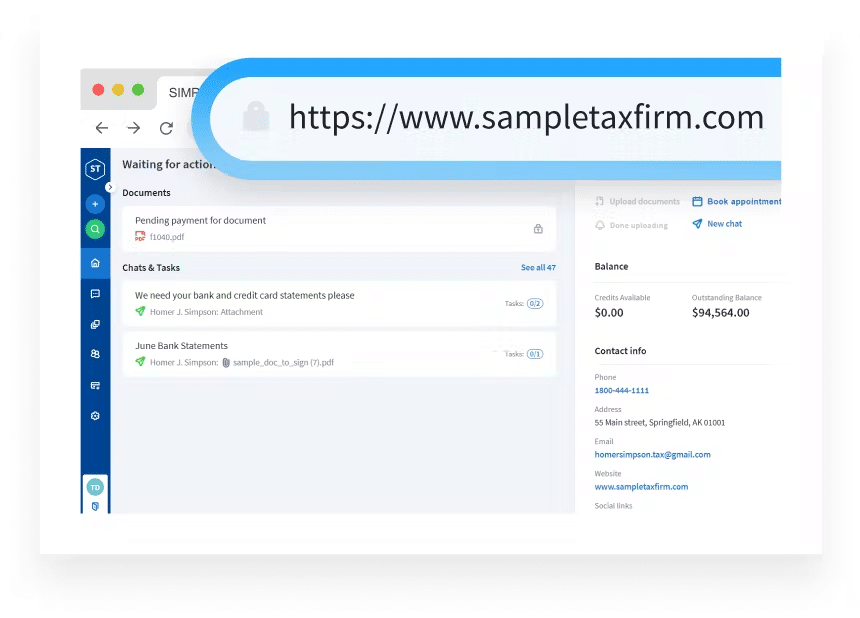
TaxDome’s client portal offers:
- Secure messaging and document exchange.
- E-signatures: clients sign from anywhere.
- Prebuilt organizers: forms clients can complete on any device.
- Custom branding: the firm’s colors and logo, plus a white-labeled mobile app.
Canopy’s client portal offers:
- E-signatures: clients sign without downloading or scanning.
- File sharing and requests: clients can snap and upload documents with their phone camera.
- Organizers: send forms for clients to complete.
- Client communication: discuss projects and document needs.
- Custom branding: the firm’s logo and colors.
Client Portal in Financial Cents
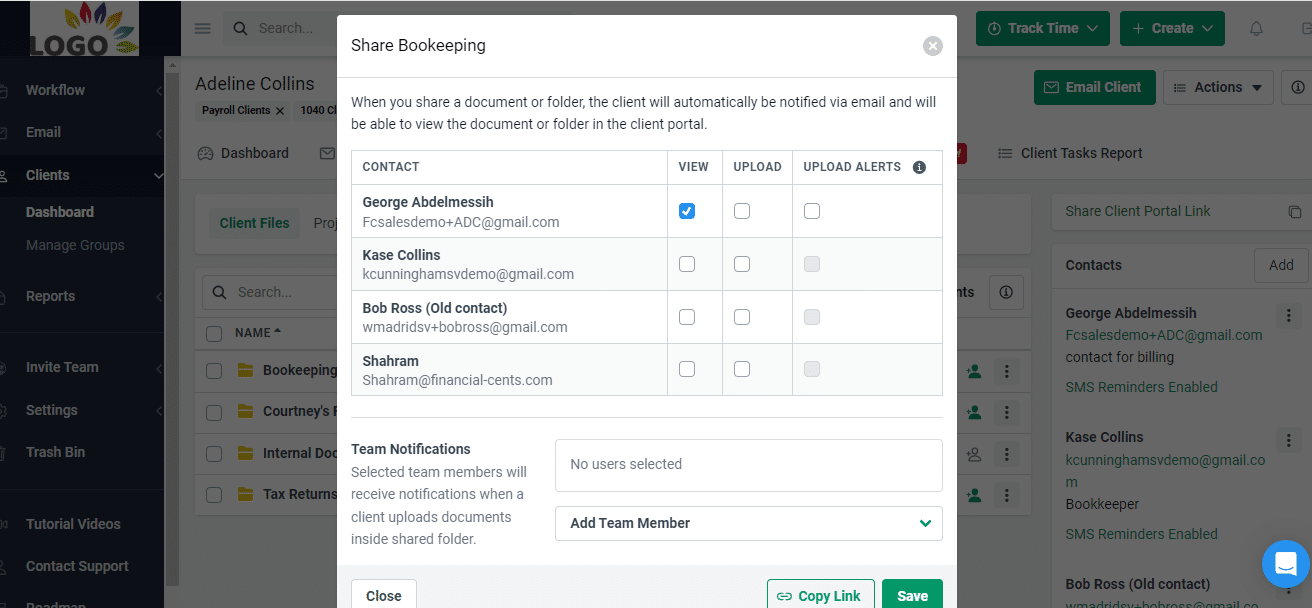
Clients do not need to create a password to use the Financial Cents client portal, which removes a common reason clients delay. Instead, Financial Cents sends a one-time verification code each time a client logs in. In the portal, clients can:
- Upload documents in a click or two.
- E-sign documents from anywhere.
- Use client chat to ask questions about document or signature requests.
Firms on the Scale plan can also add their own branding to the portal and customize client task emails.
e. Document Management
Accounting document management gives the firm one central place to store, organize and find client files.
TaxDome’s document management includes:
- Unlimited cloud storage with custom folder structures.
- Built-in document viewing and editing.
- Tax software integrations (such as Drake and TaxAct) to import documents directly.
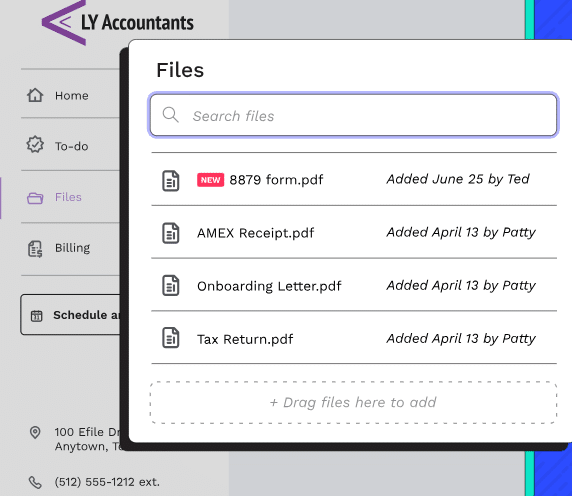
Canopy’s document management includes:
- Unlimited file storage in one place.
- Consistent folder structures across clients.
- E-signatures within the client portal.
- Bulk file actions to save time.
Document management in Financial Cents:
- Client folders: store files by category.
- Search: find specific documents by keyword.
- Rename and move documents so the team can find them quickly.
- AI File Routing: automatically files uploaded documents into the best-fit client folder (see AI capabilities below).
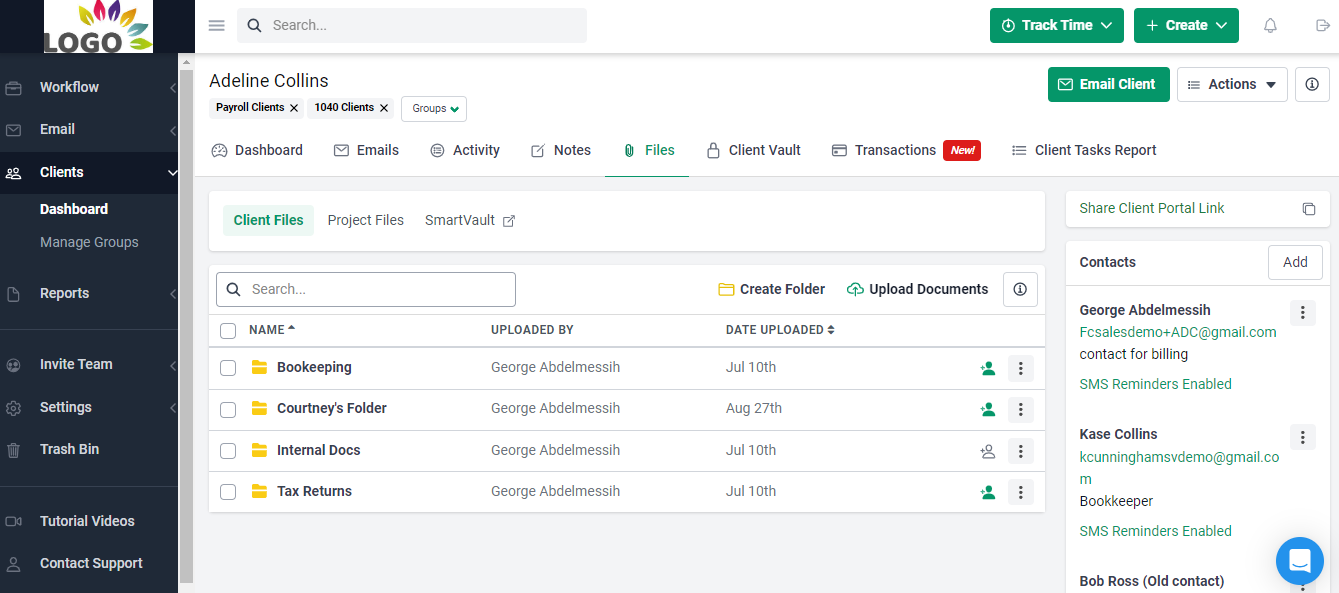
f. Integrations
Integrations connect practice management software to the rest of the firm’s tech stack, so the team re-enters less data. TaxDome and Canopy have similar integration lists because both are tax-focused practice management platforms.
TaxDome integrations include:
- Email: Gmail, Outlook, Office 365 and Yahoo.
- QuickBooks Online: sync invoices and payment information.
- Tax software: Intuit ProConnect, CCH Axcess Tax, Drake and others.
- IRS transcripts: request transcripts directly in TaxDome.
- Cloud hosting: Right Networks and Verito.
- Scheduling: Calendly, Acuity Scheduling and others.
- Zapier: connect to thousands of other apps.
- UK and EU: Companies House and DATEV.
Canopy integrations include:
- Email: Gmail, Outlook and Exchange, to track client emails and create tasks from requests.
- QuickBooks Online: sync financial data and avoid double entry.
- Tax software: Intuit ProConnect, Drake, CCH Axcess Tax and others.
- IRS transcripts and notices: pull transcripts automatically and track changes.
- Salesforce, Calendly, Microsoft Excel and Google Sheets.
- Zapier and an open API.
Financial Cents integrations include:
- Google Drive, OneDrive and SharePoint two-way sync: works alongside desktop tax software such as Drake, UltraTax, ProConnect and Lacerte by syncing the folders those programs save to.
- QuickBooks Online: import clients and export tracked time.
- Email: sync Gmail and Outlook to keep client email in each client’s folder.
- SmartVault: link documents between the two platforms.
- Adobe Sign: collect e-signatures.
- Zapier: connect to thousands of apps.
- Open API (Scale plan and above).
g. AI Capabilities
All three platforms now use AI to reduce document busywork, but their focus differs.
TaxDome AI automatically renames and tags incoming client documents and adds AI-powered reporting and analytics on firm performance.
Canopy AI includes AI document renaming, Smart Tax Prep for extracting and mapping tax documents, smart e-signature field detection, an AI meeting notetaker, AI checks in Close Automation, and Canopy Coworker (beta), an agent that can carry out tasks within user permissions. A baseline of AI usage is included in every plan, and heavier usage is billed in credits.
Financial Cents AI centers on three AI agents that are free on every plan and handle client documents as soon as they are uploaded:
- AI File Renaming: applies the firm’s naming convention to each upload and keeps the original file name on record.
- AI File Validator: checks each upload against the request and accounting period, and tells the client in the portal if a file looks wrong, before staff ever see it.
- AI File Routing: reads each file and saves a copy to the best-fit folder in the client’s existing folder structure.
On the Scale plan, the Financial Cents MCP server connects a firm’s account to AI assistants such as Claude and ChatGPT. Staff can ask about live firm data (overdue work, unpaid invoices, missing tax documents) and have the assistant log time, create tasks, upload files or send client messages. The assistant confirms before every change, actions run within the user’s existing permissions, and deletes are not available through the MCP.
Firms can let each agent act automatically or require staff approval first. Financial Cents can also generate workflow checklist templates and draft client emails with AI, so firms can build SOPs and client communication faster.
TaxDome vs Canopy: Ease of Use
Canopy’s interface is generally considered easier to navigate than TaxDome’s. Its client record, for example, is laid out in clear sections for portal activity, client information, tasks, notes, recent files and projects.
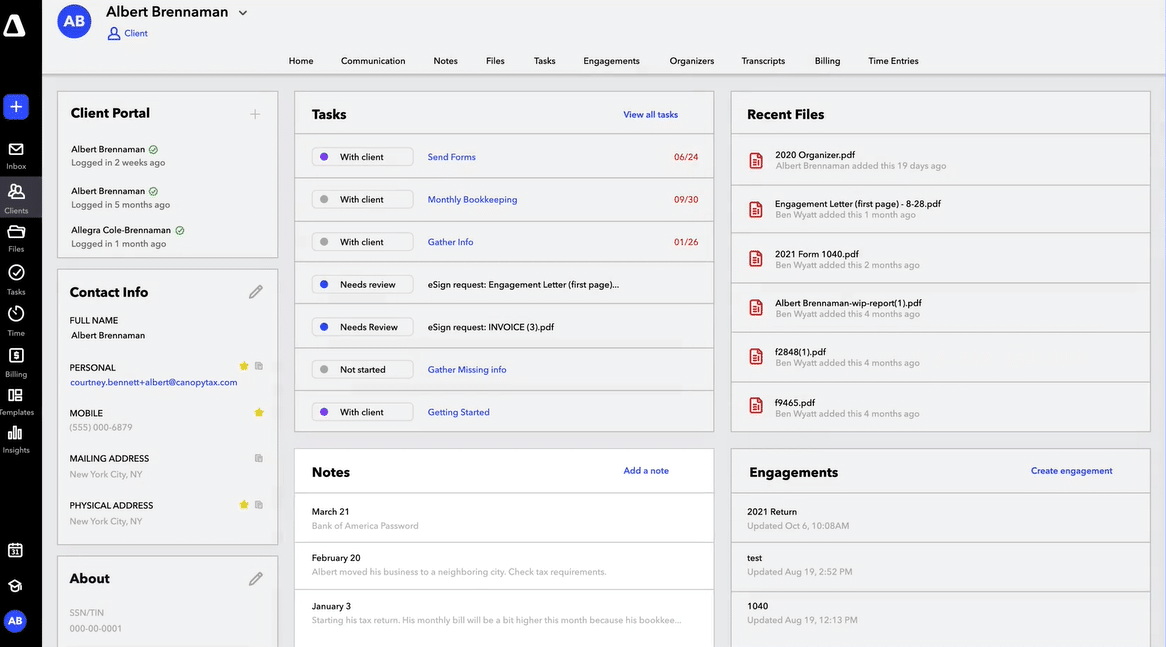
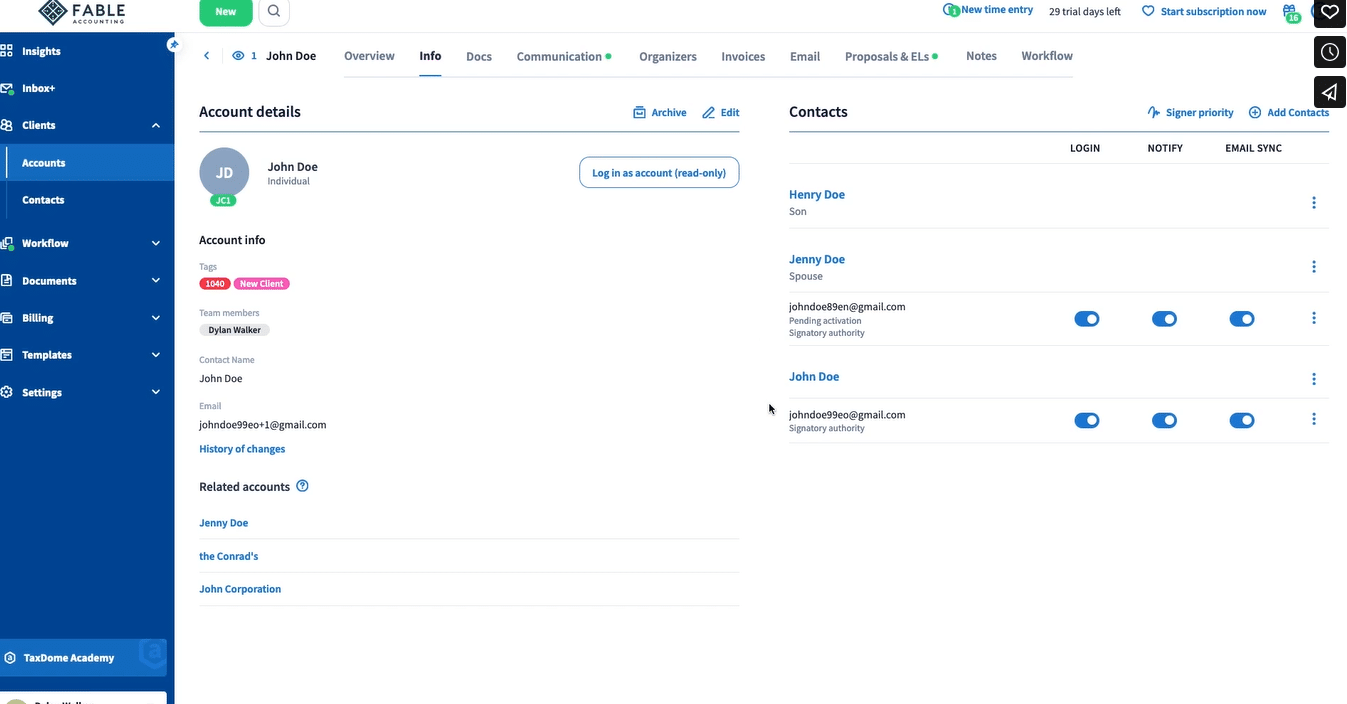
TaxDome is powerful but has a steeper learning curve, and new users usually need to work through its training videos and resources before going live.
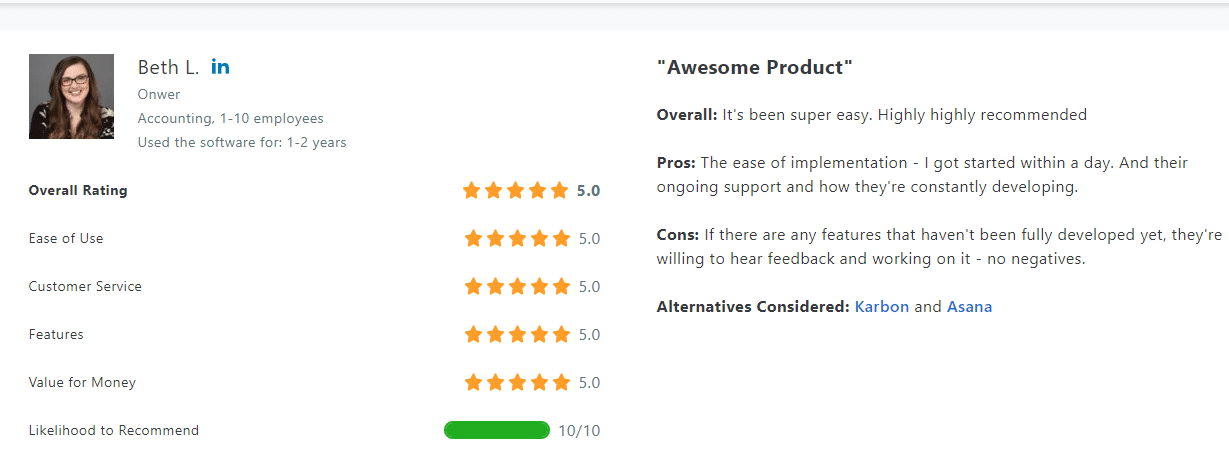
Financial Cents is designed for quick adoption. It holds a 4.9/5.0 ease-of-use rating on Capterra, compared with 4.5/5.0 for Canopy and 4.5/5.0 for TaxDome. Most small and mid-sized firms can set it up and start using it quickly, with help from Financial Cents’ onboarding team.
How much do TaxDome and Canopy cost? (2026 pricing)
TaxDome pricing
TaxDome sells per-seat annual subscriptions, paid upfront, with discounts for longer terms:
| Plan | 1-year term | 2-year term | 3-year term |
|---|---|---|---|
| Essentials (solo only) | $800/seat/year | $750/seat/year | $700/seat/year |
| Pro | $1,000/seat/year | $950/seat/year | $900/seat/year |
| Business | $1,200/seat/year | $1,150/seat/year | $1,100/seat/year |
- Seasonal seats: $100 per seat per month on Pro, or $500 per seat for a four-month term on Business (new Business clients).
- Firms with 25+ seats can request a custom quote, and installment plans are available for invoices over $9,000.
Because the advertised seat price may not reflect every cost a firm will consider, review our full TaxDome pricing breakdown for plans, commitment terms, add-ons, and firm-size examples.
Canopy pricing
Canopy charges per user per month, billed annually (annual billing saves 20% compared with monthly):
| Plan | Price | What it adds |
|---|---|---|
| Standard | $74/user/month | CRM, documents, client portal, workflows, invoicing and payments |
| Plus | $109/user/month | User roles, capacity planning, advanced task views, custom reporting |
| Premium | $149/user/month | Advanced workflows, advanced billing, deeper reporting |
| Enterprise | Custom | Built for large firms |
Canopy also sells paid add-ons, so a firm’s total cost depends on which ones it needs:
- Tax Resolution: $50/user/month.
- Tax Workflow Automation: from $34 per client credit.
- Close Automation: $10 per connected client per month (first five included).
- Knowledge-based authentication (KBA): $1.25 per credit.
Financial Cents pricing
| Plan | Annual billing | Monthly billing |
|---|---|---|
| Solo (1 user) | $19/month | Not offered |
| Team | $49/user/month | $69/user/month |
| Scale | $69/user/month | $89/user/month |
| Enterprise | Custom | Custom |
TaxDome vs Canopy: customer support and onboarding
TaxDome offers a knowledge base, TaxDome Academy training and an active user community, plus chat, email and phone support.
Canopy offers a knowledge base and chat, email and phone support.
Financial Cents offers live chat, email and video support, a help center and guided onboarding to help firms move their clients and workflows over.
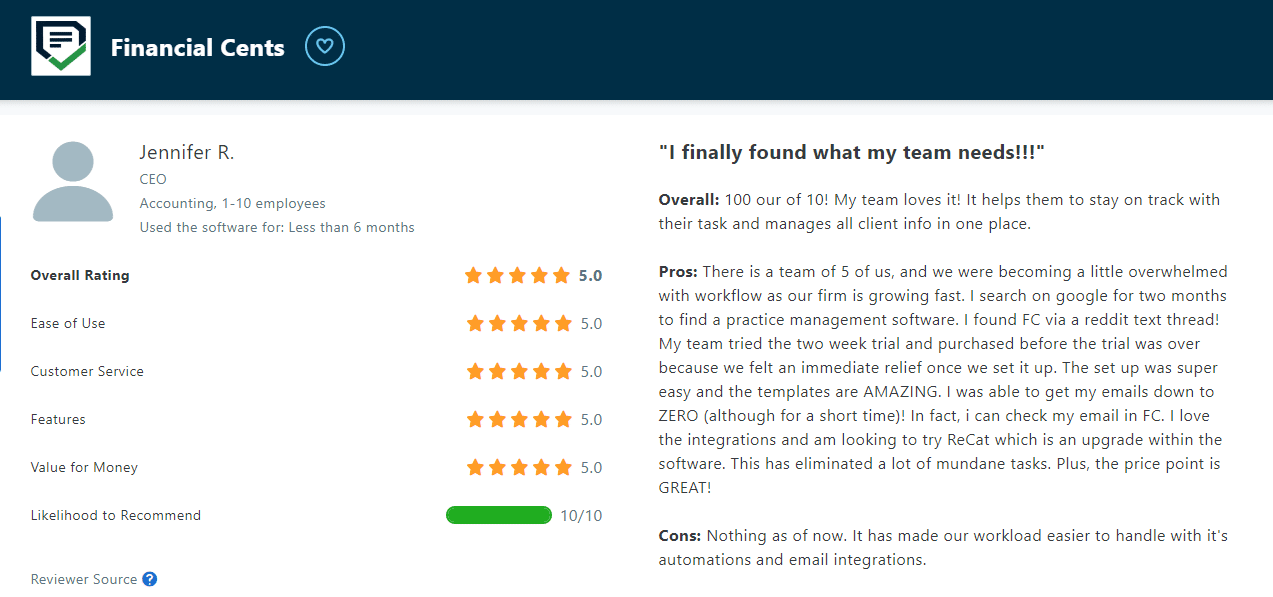
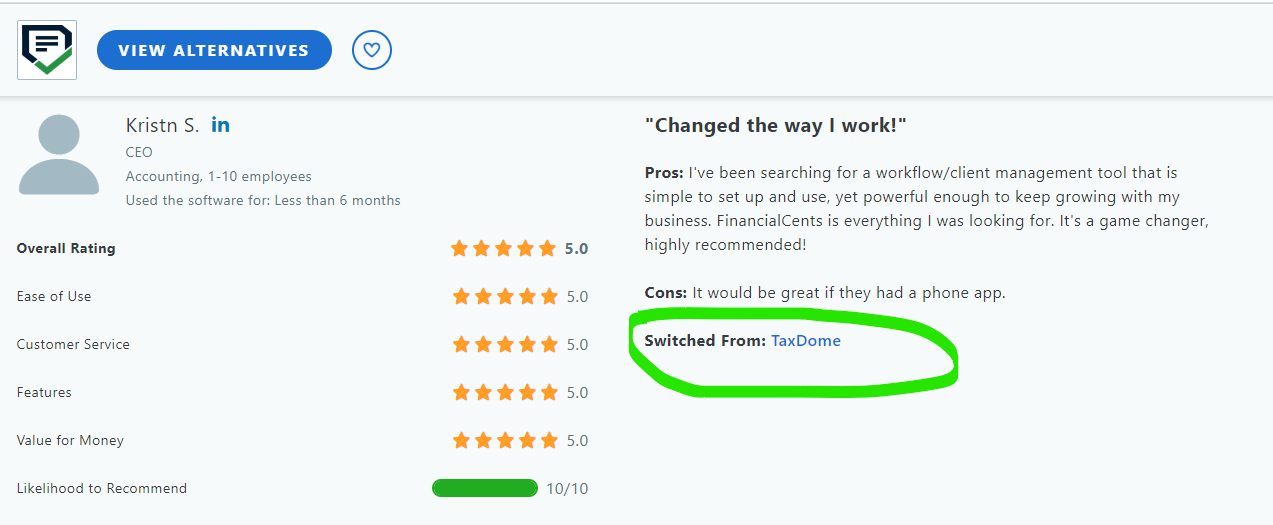
TaxDome vs Canopy: Reviews
Where TaxDome and Canopy are stronger than Financial Cents
Financial Cents is not the right fit for every firm. Be clear about the trade-offs before switching:
- Tax-specific tools: TaxDome has tax organizers and a W-2 kiosk, and Canopy has a Tax Resolution add-on and IRS notice workflows. Financial Cents does not prepare or file taxes and does not replace tax software.
- SMS texting: TaxDome offers client text messaging (at extra cost). Financial Cents does not have native SMS, but you can send client reminders for information and document requests via SMS.
- Native document markup: TaxDome and Canopy let staff annotate PDFs inside the platform. Financial Cents focuses on document collection, storage, file structure & organization, and Drive/OneDrive/SharePoint sync.
- Mobile app and scheduling: TaxDome offers a branded mobile app and appointment scheduling integrations. Financial Cents’ client portal is mobile-friendly in the browser.
Firms that rely heavily on these features may be better served by TaxDome or Canopy. Firms that want simpler workflows, a client portal clients actually use and lower per-user pricing usually find Financial Cents the better fit.
For a closer look at how the platforms compare feature by feature, see Financial Cents vs TaxDome and Financial Cents vs Canopy.
When to Choose TaxDome
Choose TaxDome if your firm:
- Is tax-season driven and wants organizers, e-signatures and tax software integrations in one place.
- Wants a branded client app and website to strengthen the firm’s brand.
- Can commit to a multi-year contract paid upfront in exchange for a lower per-seat rate.
You may also be interested: Karbon Vs TaxDome: An Unbiased Review
When to Choose Canopy
Choose Canopy if your firm:
Wants to add capabilities over time through paid add-ons, such as Tax Workflow Automation or Close Automation.
Handles tax resolution, IRS transcripts or notices regularly.
Prefers annual per-user plans to multi-year contracts.
You may also be interested: Karbon vs Canopy: Which Is Better for Practice Management?
Financial Cents: an easy-to-use alternative to TaxDome and Canopy
Both TaxDome and Canopy are capable platforms. For many small and mid-sized firms, though, TaxDome’s long contracts and learning curve, and Canopy’s add-on pricing, can make them more than the firm needs.
Financial Cents gives accounting, bookkeeping and tax firms the core of accounting practice management system (workflows, client management, a passwordless client portal, document management, time tracking and capacity planning) with a short setup and straightforward per-user pricing. Its AI agents, free on every plan, take document busywork off the team by renaming, checking and filing client uploads automatically. Firms like Walker Solutions use Financial Cents to save time and money.
Financial Cents is SOC 2 certified and encrypts data in transit and at rest.
Your choice comes down to your firm’s practice management needs
No practice management platform is one-size-fits-all. TaxDome offers the broadest feature set for tax-season firms that are willing to commit long term. Canopy is the better fit for tax resolution work and firms that want to add modules as they grow. Financial Cents is built for small and mid-sized firms that want to get set up quickly, automate their workflows and spend less time on document busywork.
Don’t take our word for it; click here to request a Demo or start a 14-day Free Trial today to judge for yourself.
TaxDome vs Canopy: Frequently Asked Questions
Share this article:



