Karbon and TaxDome are two of the most popular options on any list of the best practice management software for accountants for accounting firms, but they’re built for different kinds of firms. Karbon is built around email and team collaboration for larger firms. TaxDome is an all-in-one suite built around tax season, with a client app, organizers, and IRS transcripts.
They also charge in very different ways. Karbon charges per user per month. TaxDome now charges per active client, billed annually upfront. This comparison covers 2026 pricing, core features, AI, ease of use and support, and which type of firm each fits best.
TL;DR
- Karbon and TaxDome are both all-in-one practice management platforms; Karbon leads on email and team collaboration, and TaxDome leads on tax-season and client-facing tools.
- Karbon costs $59 per user per month (Team) or $89 (Business), billed annually. Automatic client reminders, client groups, and API access start on Business, and Team is capped at 40 work templates. See our Karbon pricing breakdown.
- TaxDome costs $1,500 a year for up to 150 active clients, with 20 seats included, billed annually upfront. AI, MCP, and API access are a $200/month add-on. See our TaxDome pricing breakdown.
- Financial Cents is a simpler alternative for small and mid-sized firms, from $19 per month (Solo) or $49 per user per month (Team, annual), with 400+ workflow templates, a passwordless client portal, and AI file agents included.
- Choose by your biggest need: email-heavy collaboration in a larger team (Karbon), tax-season and client-app tools (TaxDome), or fast setup and predictable per-user pricing (Financial Cents).
Karbon vs TaxDome: Quick Comparison
Here’s how the three platforms compare at a glance. Pricing checked November 2026.
Karbon: A Brief Overview
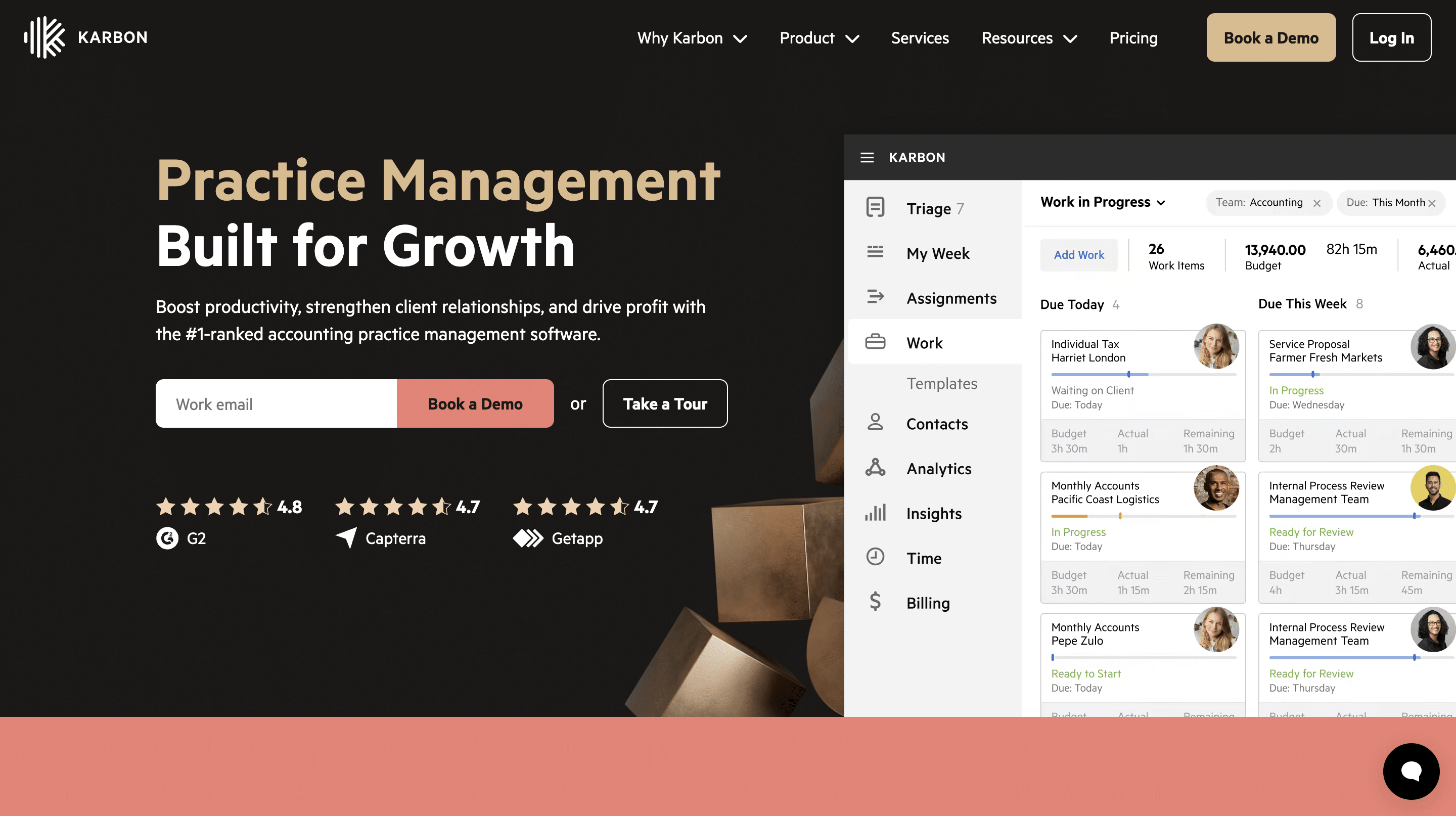
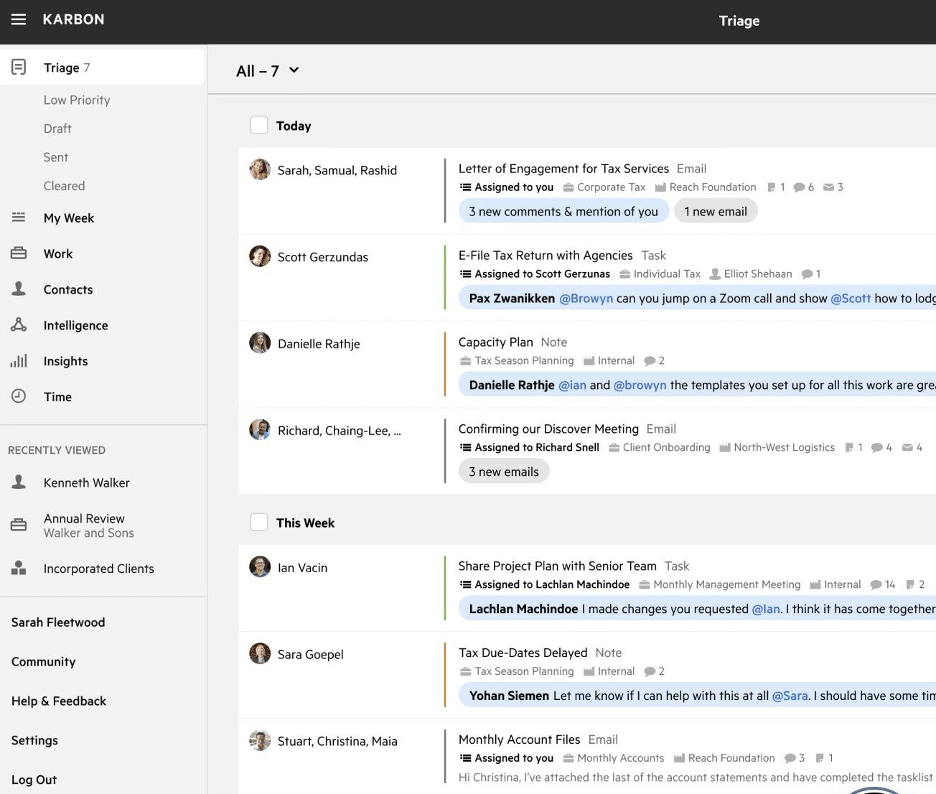
Karbon is a practice management platform built around email and team collaboration. Its Triage inbox and My Week view bring client emails, tasks, and mentions into one place, and its workflows, client portal (Karbon for Clients), billing, and engagements cover the rest of practice management. It’s designed mainly for growing and larger firms. If you’re weighing Karbon against an easy-to-use option, see Financial Cents vs Karbon or compare top Karbon alternatives.
TaxDome: A Brief Overview
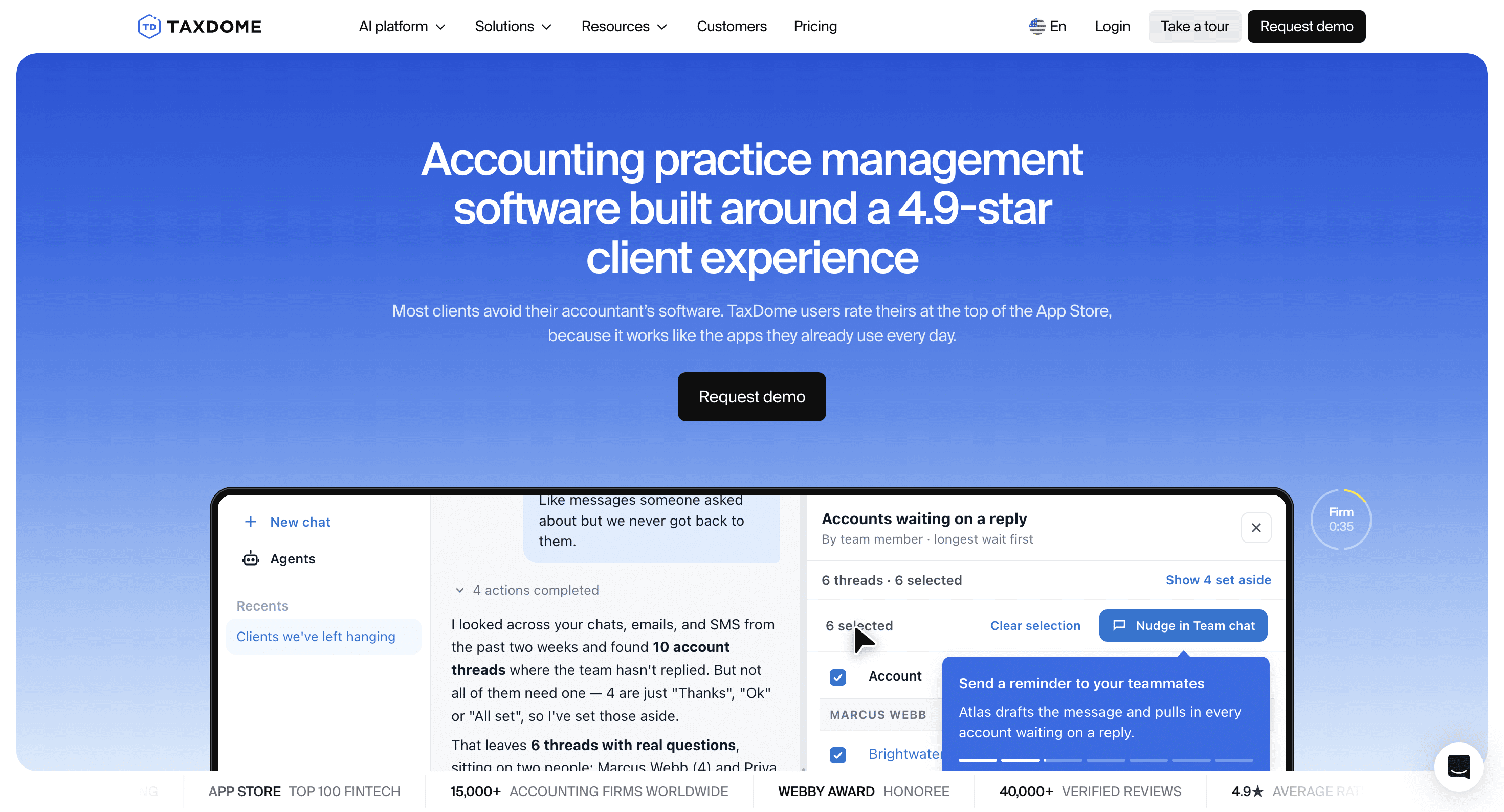
TaxDome is an all-in-one practice management platform built around tax season. It combines a client portal and mobile app, organizers, IRS transcripts, e-signatures, workflows, billing, and payments, and it’s used by more than 15,000 firms, according to TaxDome. For other options, see our list of the best TaxDome alternatives or compare TaxDome and Financial Cents.
Karbon vs TaxDome: Core Features Compared
Karbon is stronger on email and team collaboration, and TaxDome is stronger on client-facing and tax-season tools. Here’s how they compare on the practice management software features firms ask about most, with Financial Cents alongside for reference.
a. Project Management
Project management features help you plan work and resources so the firm hits its deadlines.
Karbon’s project management features include:
- Kanban board: see the projects your firm is working on.
- Activity timelines: show the tasks, emails, and notes for a client’s work.
- My Week: shows each team member what’s assigned to them.
- Triage: one place for mentions and email notifications.
- Insights: performance metrics.
- Email actions: turn client emails into tasks.
TaxDome’s project management features include:
- Job summary: visibility into all projects in the firm.
- Pending client activity: shows client actions holding up projects.
- Work forecaster: predict upcoming workloads.
- Team workload and capacity management: spot overloaded team members and rebalance work.
Project management in Financial Cents:
- Due dates and assignees: who owns each task and when it’s due.
- Focused client inbox: email integration keeps all emails between your clients and your team on the client profile.
- Turn emails into projects: assign client email requests and track them in the workflow dashboard.
- Time and dollar budgets: plan the hours and fees for each job.
- Capacity report: capacity management shows each person’s workload so you can rebalance before anyone burns out.
b. Workflow Management and Automation
Workflow management and automation standardize your processes and take repetitive steps off your team’s plate.
Karbon automates through:
- Work templates: outline the steps of accounting work.
- Automators: update the status of workflow tasks.
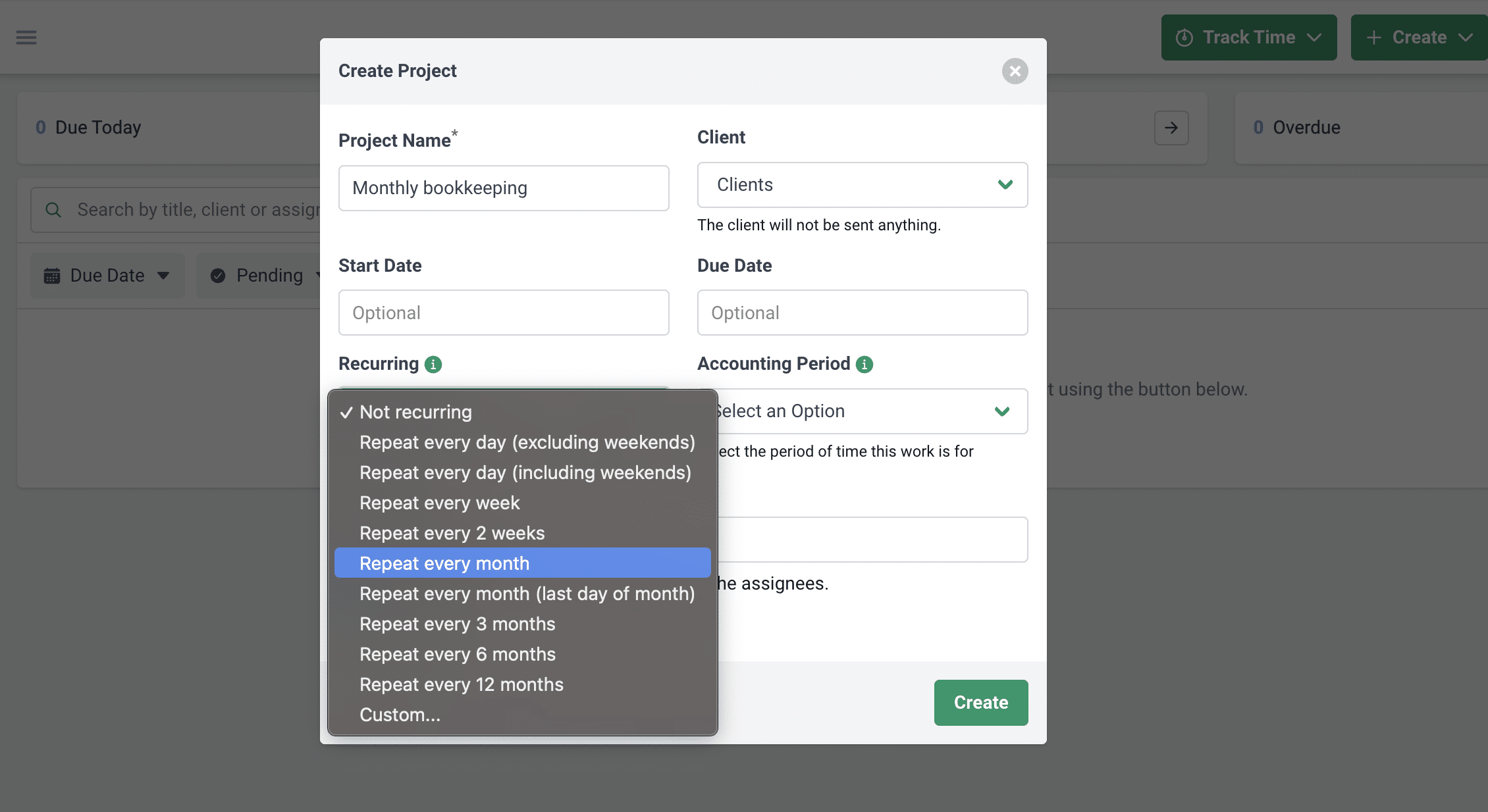
- Work scheduler: recreates recurring work.
- Automatic client reminders: chase clients for open requests.

TaxDome automates through:
- Workflow templates: outline accounting processes.
- Dependencies and conditional automation: move jobs and trigger actions based on answers or approvals.
- Automatic task creation: assign the next step when a client completes their part.
- Automated client updates: send personalized updates as work progresses.
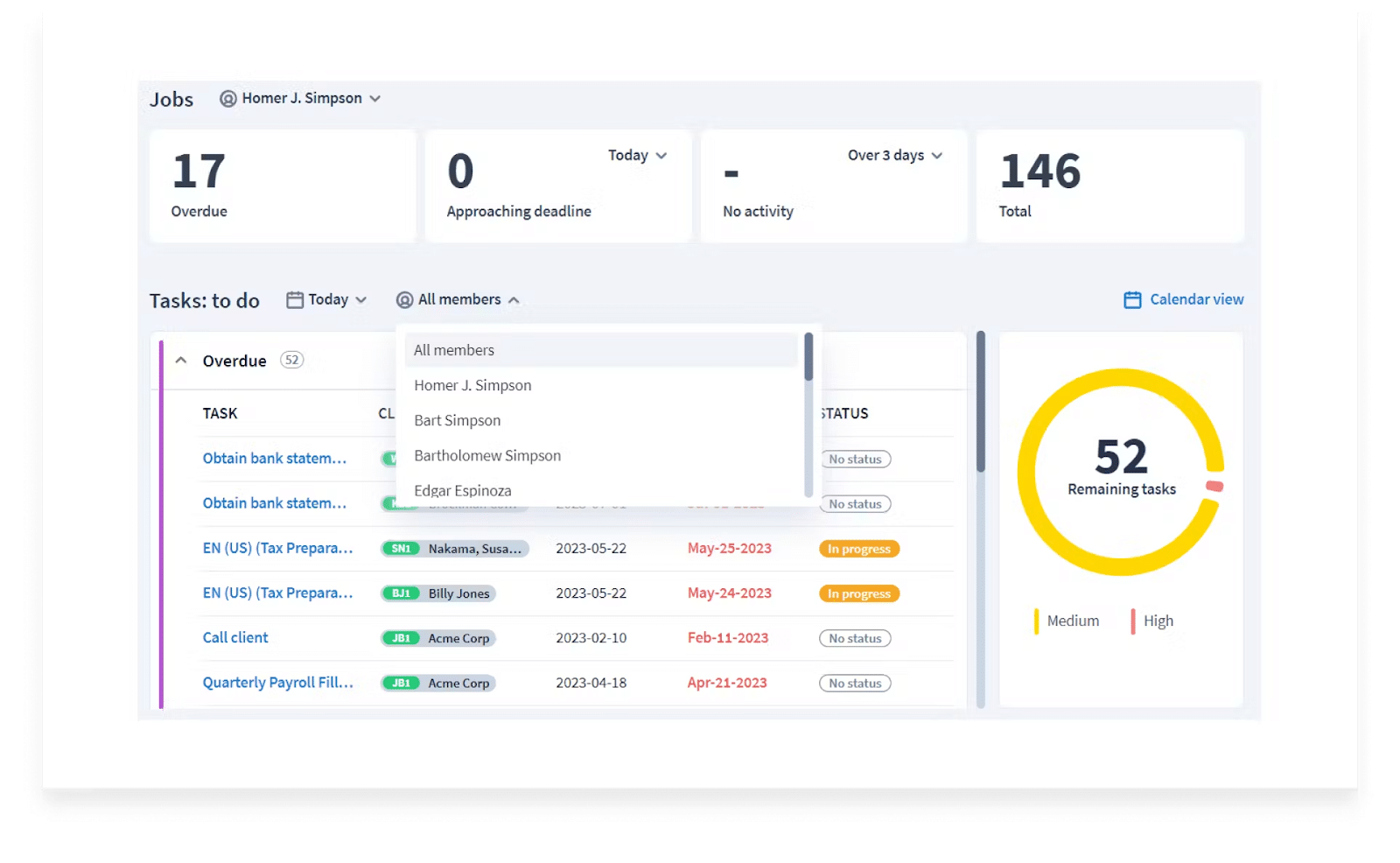
Workflow management and automation in Financial Cents:
- 400+ prebuilt workflow templates, or build your own.
- Recurring work: automatically create repeat projects.
- Tag automation: show each project’s status on your dashboard at a glance.
- Client tasks and reminders: chase clients for files, information, and signatures automatically.
- Dependencies: notify each assignee when it’s their turn.
- Workflow filters: find the work that needs attention.
c. Team Collaboration and Communication
Collaboration features keep files and conversations attached to the work.
In Karbon, collaboration means:
- Integrated email: every email between clients and your team in one place.
- Email comments: discuss client emails with your team.
- Mentions: notify specific teammates.
- Notes: client or project conversations.
In TaxDome, collaboration means:
- Team chat: built-in, Slack-like chat for the firm.
- @mentions: draw teammates’ attention to comments.
- Wiki pages: create SOPs for onboarding.
- Access rights: control what each employee can view or edit.

Team collaboration in Financial Cents:
- Client notes on the project and client profile.
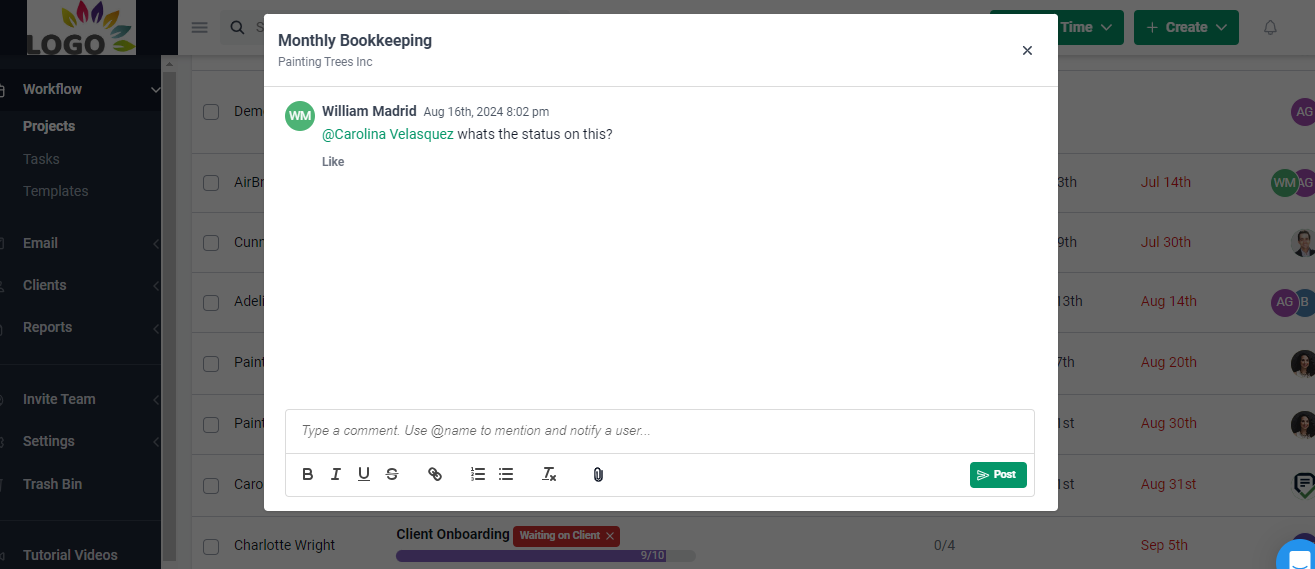
- Comments and @mentions inside each project.
- Team chat for project conversations and file sharing.
- Notifications for the latest updates.
d. Client Portal
Client portals let clients share documents, answer requests, and sign forms securely.
Karbon’s client portal helps with:
- Document upload by click or drag and drop.
- Branded client experience with your logo.
- Client requests: send clients the list of what you need.
- Automated reminders for pending requests.
TaxDome’s client portal helps with:
- Client tasks and automated reminders.
- Organizers: pre-built forms clients complete.
- Client mobile app for iOS and Android.
- Kiosk for in-office signing, payment, and scanning.
- Custom branding.
Financial Cents client portal:
The Financial Cents client portal doesn’t require clients to create or remember login information.
- Magic link sign-in: clients get a secure link or code instead of a username and password.
- Client organizers (beta): reusable templates with conditional logic.
- Chat for document-related conversations.
- Automated reminders, with notifications when a client uploads a document.
- Uncategorized transaction questions for QuickBooks Online clients.
“Financial Cents reminds my clients of the tasks they need to complete and they can upload right into the software without setting up a login.” Krista Sievers, Owner, Advanced Plus Bookkeeping
e. Document Management
Document management keeps your firm’s files in one place so your team can find them fast.
Karbon’s document management lets you:
- Send files in bulk.
- Create folders automatically for repeat work.
- Sync with Dropbox and OneDrive.
TaxDome’s document management lets you:
- Store unlimited documents in one place.
- Use a virtual drive and desktop app.
- Edit and annotate PDFs.
- Print returns from tax software such as Drake and UltraTax straight into TaxDome.
Document management in Financial Cents:
- Unlimited document storage with folders and subfolders.
- Document search, rename, and move.
- Two-way Google Drive and OneDrive/SharePoint sync, including printing returns from tax software into synced folders.
- AI File Routing: files client uploads into the right folder automatically.
f. Integrations
Integrations connect your practice management software to the rest of your tech stack.
Karbon’s integrations include:
- Gmail and Microsoft Exchange.
- QuickBooks Online and Xero.
- Google Calendar.
- Dropbox.
- Companies House (UK).
- Uncat (uncategorized transactions) and Aider (close automation, a Karbon company).
- Zapier.
TaxDome’s integrations include:
- Email: Gmail, Outlook, Yahoo, Office 365, and more.
- QuickBooks Online: syncs payments and invoices.
- Tax software: Drake, Lacerte, CCH Axcess, ProConnect, and others.
- IRS transcripts.
- Schedulers such as Calendly.
- Companies House (UK).
- Zapier.
Financial Cents integrations include:
- QuickBooks Online: two-way sync to import clients, review transactions, pull 1099 vendor reports, and more.
- Gmail and Outlook: a dedicated client email folder in Financial Cents.
- Google Drive and OneDrive/SharePoint: two-way sync.
- SmartVault: link client profiles to their SmartVault folders.
- Anchor and Ignition: create projects automatically when clients sign proposals.
- Zapier: connect with 5,000+ apps.
g. Month-End Close
Karbon handles month-end close through Aider, a Karbon company that runs close checks on QuickBooks Online and Xero. TaxDome’s Bookkeeping Hub connects client ledgers and manages uncategorized transactions, with close quality checks listed as coming soon. Financial Cents has a built-in Month-End Close system for QuickBooks Online clients that sends uncategorized transaction questions to clients through the portal.
h. AI Capabilities
- Karbon AI drafts and summarizes client emails, suggests quick replies and missed time entries, and has AI agents in early access.
- TaxDome AI renames and tags incoming documents, matches uploads against document checklists, and guides clients through tax return delivery. Most of these, plus its MCP server and API, are in a $200/month AI add-on.
- Financial Cents AI includes three AI agents that check each client upload is the right document, rename it to your naming convention, and file it in the right client folder. It also generates workflow templates and client emails with AI, and the Financial Cents MCP server connects your firm’s data to Claude, ChatGPT, and other AI assistants.
Which Is Easier to Use, Karbon or TaxDome?

Both Karbon and TaxDome have a learning curve. In Financial Cents sales calls, firms leaving Karbon most often describe its setup as complex and slow, and firms leaving TaxDome describe setup that took longer than expected. Karbon suits firms that can dedicate staff time to configuration; TaxDome’s breadth means there’s a lot to set up before tax season.

Financial Cents is designed for quick adoption: it is rated the best easy-to-use practice management software in Accounting and Tax categories in 2026. Explore Financial Cents tax practice management capabilities.
How Much Do Karbon and TaxDome Cost?
Karbon pricing
| Plan | Billed annually | Billed monthly | Notes |
|---|---|---|---|
| Team | $59/user/month | $79/user/month | 40 work templates, 1,000 contacts; no automatic client reminders or client groups |
| Business | $89/user/month | $99/user/month | 75 work templates, unlimited contacts, automatic client reminders, API |
| Enterprise | Custom | Custom | Unlimited templates |
TaxDome pricing
| Active clients | Price per year |
|---|---|
| Up to 150 (minimum) | $1,500 |
| 400 | $4,125 |
| 1,000 | $9,000 |
| More than 3,000, or more than 20 seats | Custom |
TaxDome bills annually, upfront, and includes 20 seats. Its AI add-on is $200/month, and clients added mid-year are billed from $15 each.
Financial Cents pricing
| Plan | Billed annually | Billed monthly |
|---|---|---|
| Solo (1 user) | $19/month | Annual only |
| Team | $49/user/month | $69/user/month (5+ users) |
| Scale | $69/user/month | $89/user/month (5+ users) |
| Enterprise | Custom | Custom |
All Financial Cents plans are a 12-month agreement.
What firms actually pay
| Firm | Karbon Team | Karbon Business | TaxDome | Financial Cents Team |
|---|---|---|---|---|
| 3 users, 400 clients | $2,124 | $3,204 | $4,125 | $1,764 |
| 10 users, 400 clients | $7,080 | $10,680 | $4,125 | $5,880 |
| 10 users, 1,000 clients | $7,080 | $10,680 | $9,000 | $5,880 |
| 20 users, 1,000 clients | $14,160 | $21,360 | $9,000 | $11,760 |
Annual cost, billed annually, before add-ons. Karbon and Financial Cents scale with headcount; TaxDome scales with client count, so it’s cheapest for firms with many staff and few active clients. To weigh price against time saved, try the Financial Cents ROI calculator.
Karbon vs TaxDome: Customer Support and Onboarding
- Karbon offers email and live chat support, plus paid implementation services.
- TaxDome offers support with an average response time of about six hours, live learning sessions, and onboarding sessions, with Premium support ($249/month) and implementation help available for a fee.
- Financial Cents offers live chat, email, and video support, a help center, a Facebook community, and guided onboarding over 3–4 calls.
Karbon vs TaxDome: Reviews
- Karbon: 4.7/5 on Capterra and 4.7/5 on G2.
- TaxDome: 4.7/5 on Capterra and 4.7/5 on G2.
- Financial Cents: 4.8/5 on Capterra and 4.7/5 on G2.
When to Choose Karbon
- Your firm runs client work from a shared inbox and wants Karbon’s Triage and My Week.
- You’re a larger firm that can dedicate staff time to setup and configuration. (Comparing Karbon with another tax-focused tool? See Karbon vs Canopy.)
- You need Xero or Google Calendar integration.
When to Choose TaxDome
- Your firm is tax-season driven and needs organizers, IRS transcripts, and an in-office kiosk. (For other options built around tax work, see our TaxDome and Canopy comparison guide.)
- Your clients want a mobile app for scanning and uploading documents.
- You have many staff relative to your client count, so per-client pricing works in your favor, and you can pay for the year upfront.
Financial Cents: A Simpler Alternative to Karbon and TaxDome
Financial Cents is all-in-one practice management software for small and mid-sized accounting, bookkeeping, and tax firms that want simple, automated workflows and visibility into client work, without a long setup. It’s priced per user, so your cost doesn’t change as your client list grows, and it includes 400+ workflow templates, a passwordless client portal, AI file agents, a built-in Month-End Close system for QuickBooks Online, and capacity and profitability reporting.
1. Better client management features
Financial Cents gives every client a profile with everything your team needs to do quality work and maintain the relationship.
- Client emails: every email between the client and your team.
- Activity: interactions between your firm and the client.
- Notes: details of client meetings.
- Files: every document received from the client.
- Client vault: secure storage for sensitive information like usernames and passwords.
- Transactions: the Month-End Close system for categorizing uncategorized QuickBooks Online transactions.
- SMS reminders for client requests.
- About: client type, fiscal year-end, formation date, entity type, and more.
- Resources: links to other project-critical apps.
2. A more convenient client portal
Most client portals, including Karbon’s and TaxDome’s, ask clients to create and remember a login, which is a challenge when clients already struggle to track their app passwords. Financial Cents uses magic link technology instead: whenever a client needs the portal, Financial Cents sends a code to verify their identity, with no username or password to create.
Karbon vs TaxDome: Choose by How Your Firm Works
Karbon is the stronger choice for larger, email-heavy teams that can invest in setup. TaxDome is the stronger choice for tax-season firms that want a broad suite and a client app. If you want an easier setup, predictable per-user pricing, and AI that’s built in, Financial Cents is worth a look.
See how Financial Cents’ accounting practice management software works for your firm: book a free demo for a personalized walkthrough, or start a free trial to try it yourself.
Karbon vs TaxDome: Frequently Asked Questions

Wesley Armstrong is the Customer Onboarding Manager at Financial Cents and a former Technical Support Specialist at SmartVault. He helps accounting and bookkeeping firms set up workflows that fit how they actually work, and writes about choosing, comparing, and switching practice management software.
Share this article