

If you ask about the easiest way to run a more organized accounting or bookkeeping firm, Jason Staats, CPA, who has run a $5M accounting firm, would say it’s having everything your firm needs to get work done in a single tool—that doesn’t feel as complicated as flying a spaceship.
And we agree.
When your proposals, tasks, client requests, documents, emails, billing, and payments all live in a single platform, your team regains time (up to five hours per week) to complete tasks that generate revenue.
The data also confirms this. Over 43% of firm owners in this 2025 Report noticed a drastic reduction in the time their teams spend on manual workflow coordination to less than one hour a week after automating their workflows.
In this guide, we’ve evaluated five workflow management tools against the specific demands of accounting operations to help you make a more confident decision.
TL;DR
- The best accounting workflow management software for admins and ops managers in 2026 are Financial Cents, Jetpack Workflow, Canopy, Karbon, and TaxDome, each strong for a different firm profile.
- Financial Cents is the top all-in-one pick for small to mid-sized firms (2–50 users) that want workflow, CRM, client portal, capacity, billing, and month-end close in one platform with quick setup. Pricing starts at $19/user/month.
- Jetpack Workflow suits solo and small firms that only need simple, checklist-based job tracking. No built-in client portal or billing.
- Canopy is best for mid-to-large tax-focused firms seeking all-in-one workflow, document management, client portal, billing, and CRM capabilities. It has the highest starting price among the tools reviewed, at $74 per user per month when billed annually.
- Karbon fits larger firms with email-driven workflows that need advanced triage, collaboration, and automation (at a higher price point).
- TaxDome is the strongest fit for tax firms that prioritize client portals, document collection, and automated client communication.
- How to choose: identify your top pain point, audit your current processes, prioritize features by firm size and growth plans, and always run a demo or free trial before committing.
What Is Workflow Management Software?
Workflow management software for accounting firms is a centralized system that gives administrators and operations managers control over how client work is planned, executed, and tracked across the firm.
It replaces the patchwork of spreadsheets, email threads, and informal checklists with a structured system that ensures every client engagement follows a defined process from start to finish.
Workflow management software creates three immediate operational benefits.
- Work becomes visible: You can see the status of every job across the firm in one place, from what’s in progress to what’s awaiting review and what’s overdue.
- Processes become consistent: Tasks are completed the same way every time, reducing errors and minimizing rework, especially across larger or distributed teams.
- Coordination becomes scalable: As client volume grows, more work can be managed without increasing complexity, because recurring jobs are automated and workloads are easier to balance.
Why Accounting Admins and Ops Managers Need Workflow Software
Workflow management software makes sure nothing catches administrators and operations managers off guard by:
a. Providing transparency into work status
The ease of seeing the status of a project without having to ask gives us time to focus on what matters most. Another side benefit is the sanity."
Jenna Rodriguez, CPA, Managing AccountantThe top workflow software for accounting firms displays every job across the firm, from what’s in progress, what’s completed, what’s awaiting review, and what’s overdue.
You won’t have to check multiple spreadsheets, send messages, or call team members to know where each client engagement stands.
This visibility helps administrators and operations managers to identify bottlenecks early and take action before they turn into missed deadlines.
b. Automating Recurring work like month-end close, and tax prep
Recreating repetitive accounting and bookkeeping work takes time and increases the risk of missed steps and inconsistent execution.
Workflow software automatically regenerates recurring projects on schedule. Each task is pre-assigned with clear ownership and deadlines to ensure consistency across every cycle.
c. Ensuring sufficient visibility to balance team workload
We're definitely able to see people's workloads, and team members are easily able to shift their work around because they can see their upcoming work better."
Sarah Landrum, Office Manager, Ascension CPAMany administrators and operations managers struggle to see who on their team has capacity and who is overloaded, which gets worse during busy periods.
Workflow tools display team workloads in real time to help admins and ops managers assign tasks evenly, anticipate bottlenecks, and plan for busy periods.
d. Centralizing tasks and deadlines in one place
A workflow management system ensures every task has a clear owner, due date, and status, which are all visible in the workflow dashboard. Some tools also have dependencies, due date reminders, and automated notifications that prevent tasks from slipping through the cracks.
By centralizing these details, admins and operations managers can monitor progress in real time and ensure deadlines are met consistently.
e. Closing Client communication gaps
Workflow management software prevents scattered client communication with built-in client portals, secure document uploads, automated reminders, and status tracking.
It also links these communication tools directly to tasks to prevent late responses and keep client collaboration in context.
f. Improving team accountability
Financial Cents provides us with the data that we need to set budgets for our team, hold everyone accountable to those budgets, and make sure deadlines are met. "
Amanda Owens, Firm Administrator, Badger CPAAccounting workflow management assigns clear ownership for every task in a way that tells team members exactly what’s expected, when, and who is responsible.
It also gives administrators and operations managers actionable insights to monitor performance, enforce standards, and continuously improve processes.
Key Features Accounting Operations & Admin Leaders Should Look For
I. Workflow Management & Automation
The accounting workflow management and automation feature enables firms to define task stages, set dependencies, assign responsibilities, and automate handoffs between team members.
Automation ensures tasks automatically progress when prior steps are completed to keep work moving efficiently through the firm.
II. Workflow templates
A strong workflow management system provides prebuilt templates for admins and ops managers and allows teams to create standard operating procedures (SOPs) for their recurring services.
In Financial Cents, these workflow templates include built-in roles, deadlines, and dependencies to ensure that every engagement follows the same steps year after year.
III. Team Collaboration
Built-in accounting collaboration tools (like internal comments, @mentions, file attachments, and activity history) help to centralize team collaboration inside the relevant task.
This enables teams to resolve questions faster, avoid errors, and maintain a consistent workflow as tasks move between multiple people.
IV. Capacity Management
The best workflow management tools provide clear visibility into the number of hours each team member is working.
This allows admin managers to proactively balance workloads, adjust assignments before deadlines, and ensure no team member is overloaded or underutilized.
V. Client Communication Tools
Every accounting workflow management software should include client portals that allow secure document uploads, automated requests, branded notifications, progress tracking, and e-signatures alongside task management.
These tools reduce the stress of chasing clients, prevent project delays, and improve team efficiency.
VI. Time tracking and billing
Integrated time tracking within the accounting workflow management software gives firms a clear view of how resources are spent on client work.
The integrated billing solution uses the time tracked to facilitate invoicing and ensure timely and accurate payments.
VII. Recurring task automation
A workflow management software that automates repetitive tasks on daily, weekly, monthly, quarterly, or annual schedules will minimize the risk of missing important steps.
It allows team members to focus on delivering high-quality client work and saves the firm the embarrassment of forgetting to recreate them.
VIII. Reporting and analytics
Effective reporting and analytics tools deliver insights that extend beyond individual task status.
From tracking deadlines and turnaround times to monitoring team performance and client document uploads, a strong workflow tool highlights issues that enable ops managers to make data-driven decisions and demonstrate ROI to firm partners.
IX. Integration
Workflow management software should integrate seamlessly with core accounting tools, tax software, document management systems for accounting firms, CRM, email management, and payment processors.
These connections will reduce duplicate data entry, keep client information consistent, and create a more efficient workflow across the firm.
What are the Top Workflow Management Software for Accounting Admins & Ops Managers?
1. Financial Cents
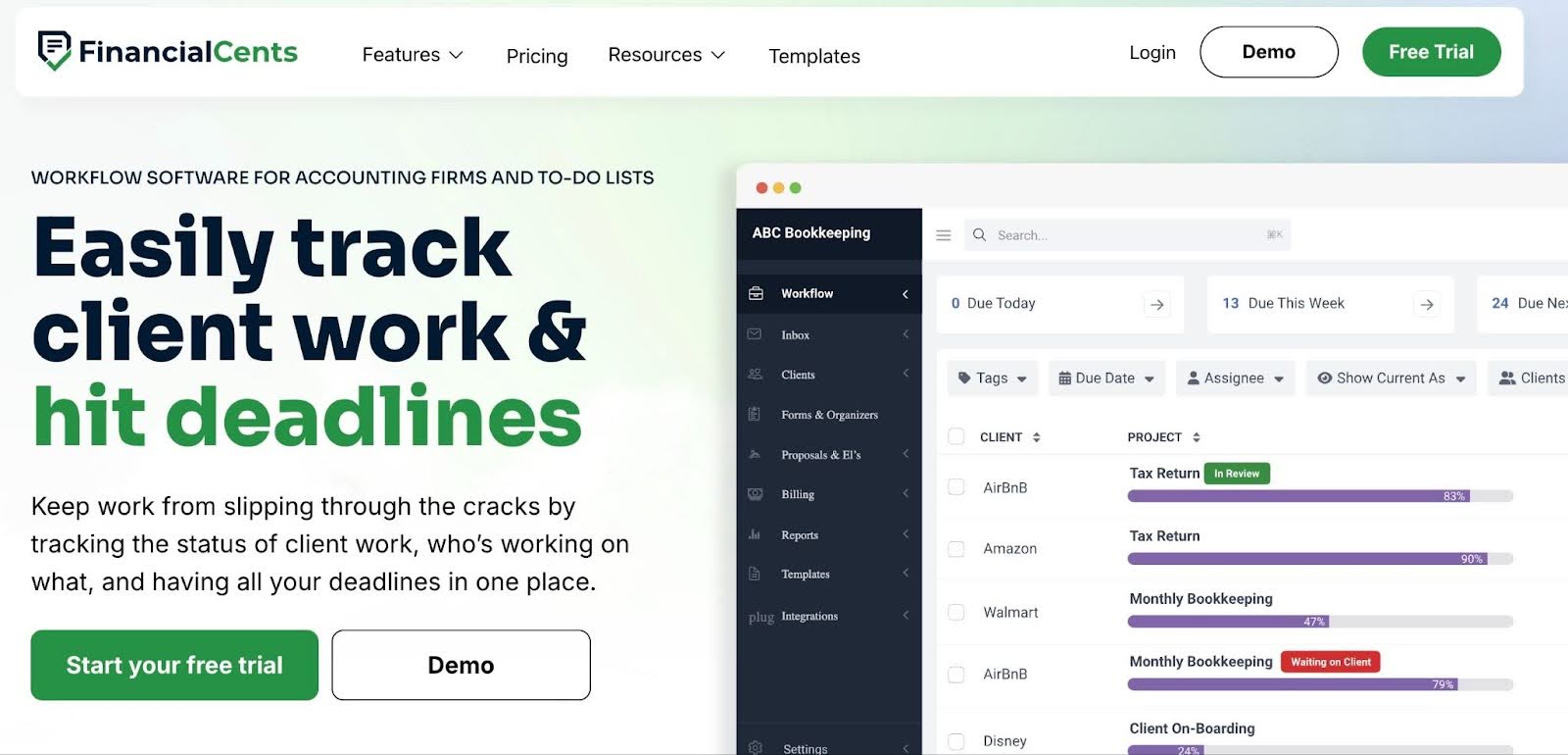
Financial Cents is an all-in-one and leading easy-to-use accounting practice management software with a workflow tool feature that helps administrators and operations managers to standardize recurring work, track deadlines, and maintain visibility across all client engagements.
Its combination of accounting workflow features (workflow, client, capacity, billing, payments, and more) and integration with critical accounting apps (QBO, SmartVault, Ignition, Gmail/Outlook, etc.) makes it a strong operational control system for the accounting industry.
Its Workflow Management Features Include
Workflow Management and Automation
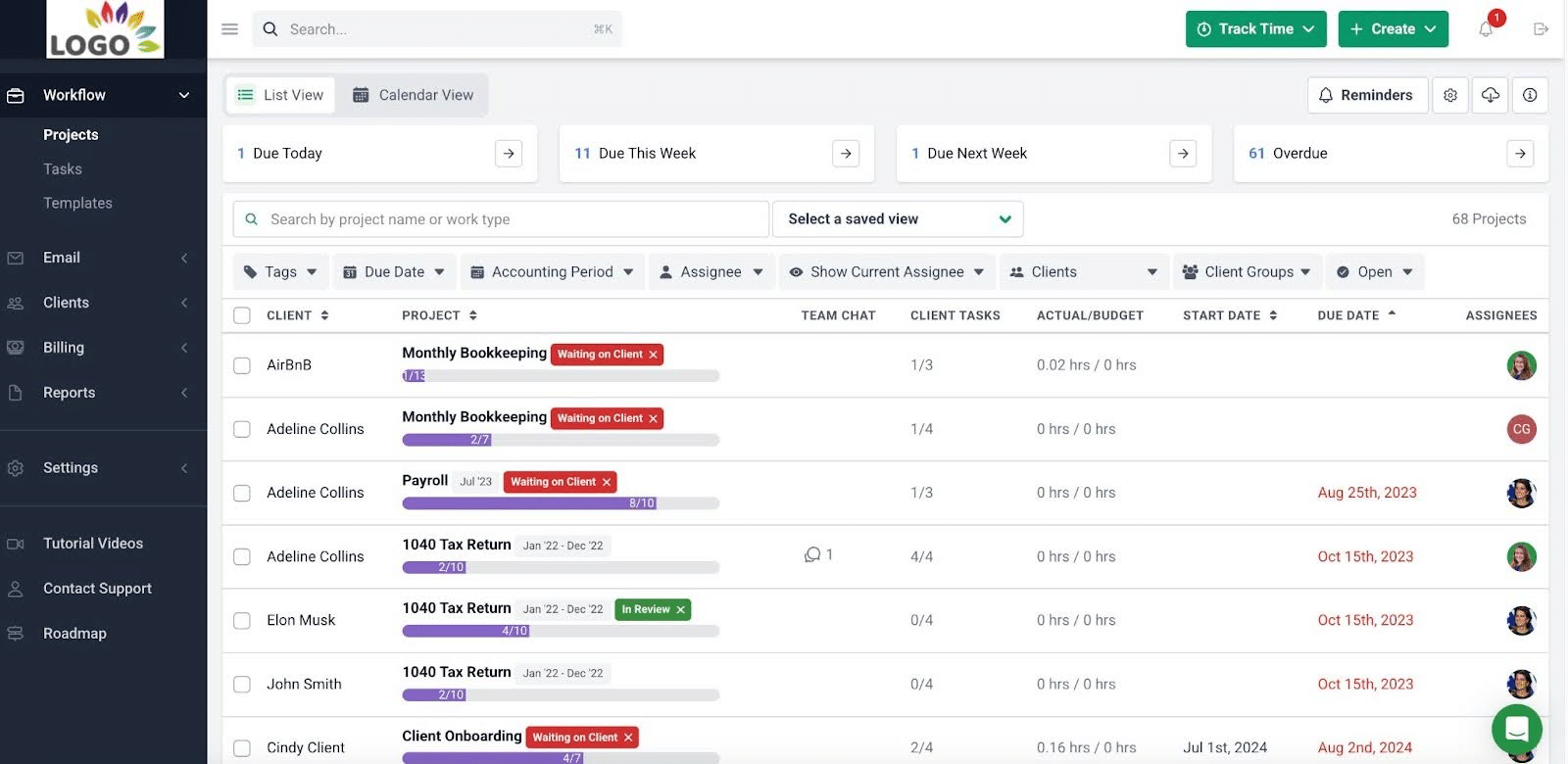
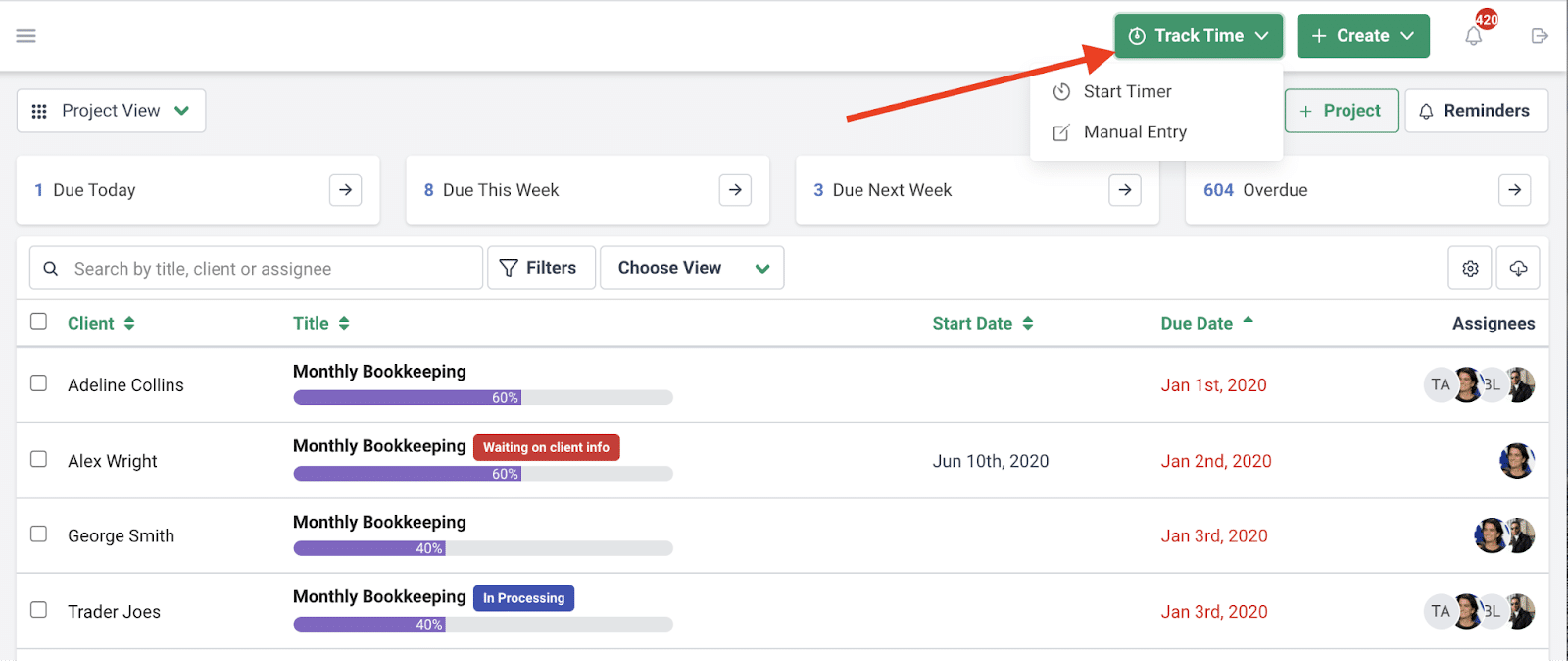
- Workflow dashboard: Displays all the projects in your firm, including the due dates, assigned team members, and clients. It can be customized to show other information that matters to your firm.
- Workflow templates: Standardize repeatable processes by defining tasks, roles, deadlines, and dependencies.
- Workflow filters: Let you quickly view and segment work by client, team member, or tags.
- Recurring work: Automatically recreates tasks and projects on a defined schedule.
- Dependencies: Ensure tasks only begin when previous steps are completed and automatically notify team members.
- Work statuses: Keep clients informed about job progress without manual updates.
CRM Accounting & Client Portal
- Client profile: Provide a complete view of each client’s data, activity, and documents
- Passwordless portal: Allows clients to securely access their portal without managing passwords.
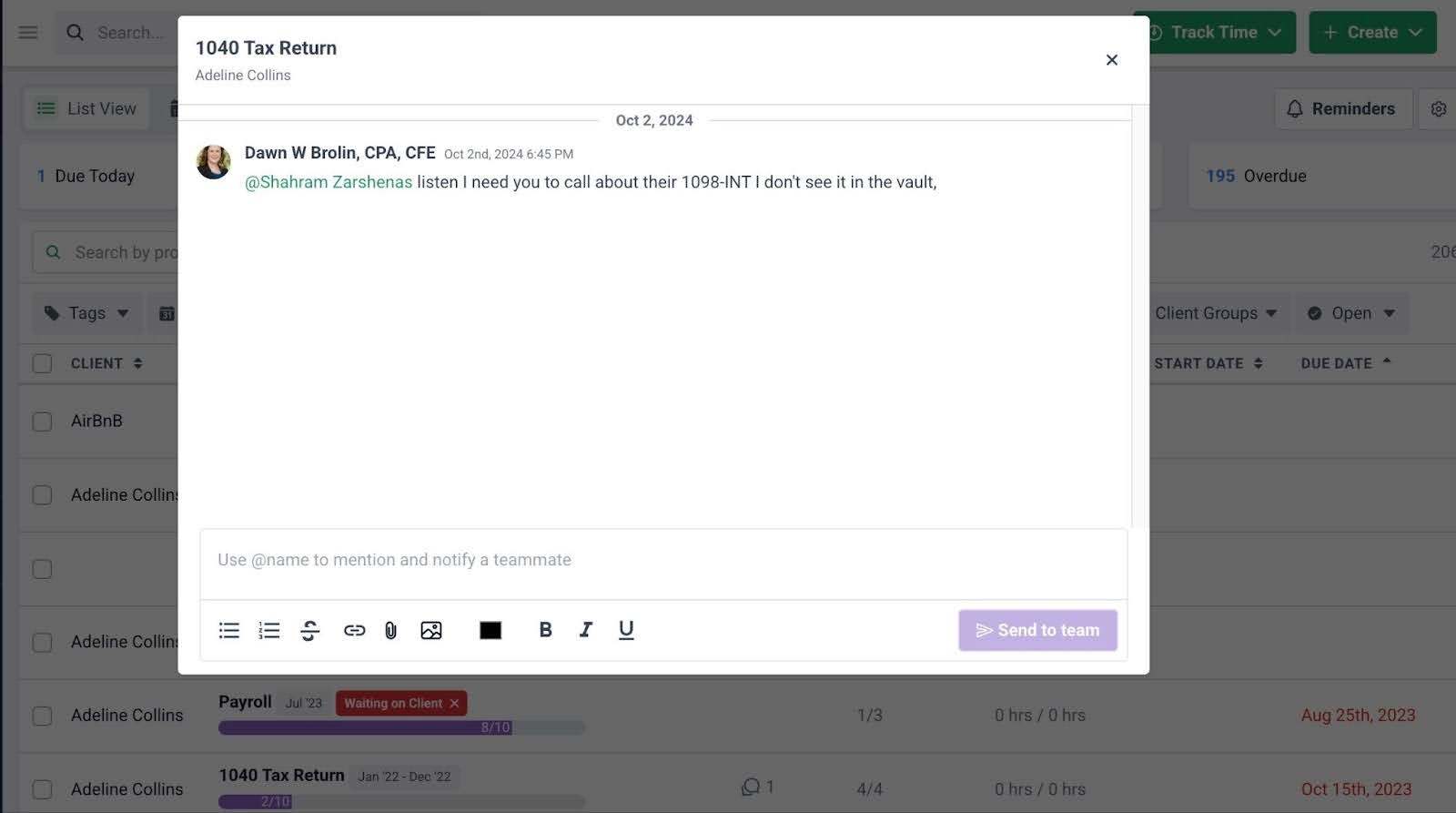
- Client Chat: Enables topical conversations with clients and selected team members.
- Client requests: Send structured requests (with reminders) for information or documents.
- Client audit trail: Tracks all client interactions, including who communicated what and when.
- Client Vault: Safely store client credentials in an encrypted vault.
- Client groups: Segment clients into categories for better visibility and reporting.
Team Collaboration
- @mentions: Tag team members within tasks, emails, or client records.
- File sharing: Share documents within workflows for seamless collaboration.
- Shared inbox: Centralize client emails for better team collaboration.
- Auto-updates: Automatically notify team members when workflows change or tasks are ready.
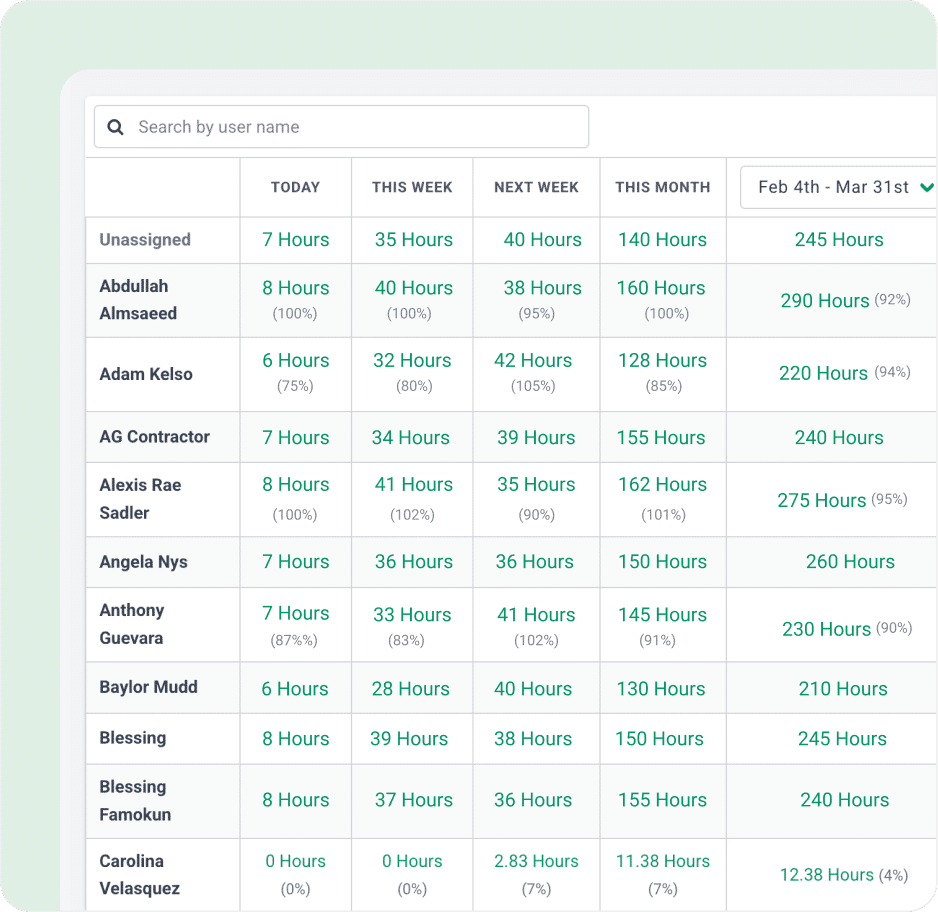
- Capacity dashboard: Provides a real-time overview of team workload to identify who is over- or under capacity.
- Workload forecasting: Uses historical trends to predict future workload and staffing needs.
- Task reassignment: Enables quick redistribution of tasks when team members are overloaded or unavailable.
- Automated task assignments: Assign tasks based on team capacity to balance workloads.
- Start/stop timer: Allows real-time tracking of work with a timer running in the background.
- Manual entries: Financial Cents lets team members log time manually when needed.
- Billable vs non-billable: Distinguishes between revenue-generating and internal work.
- Time budgets: Set expected time for tasks to identify when work exceeds estimates.
- Billable rates: Define billing rates for services or team members to standardize pricing.
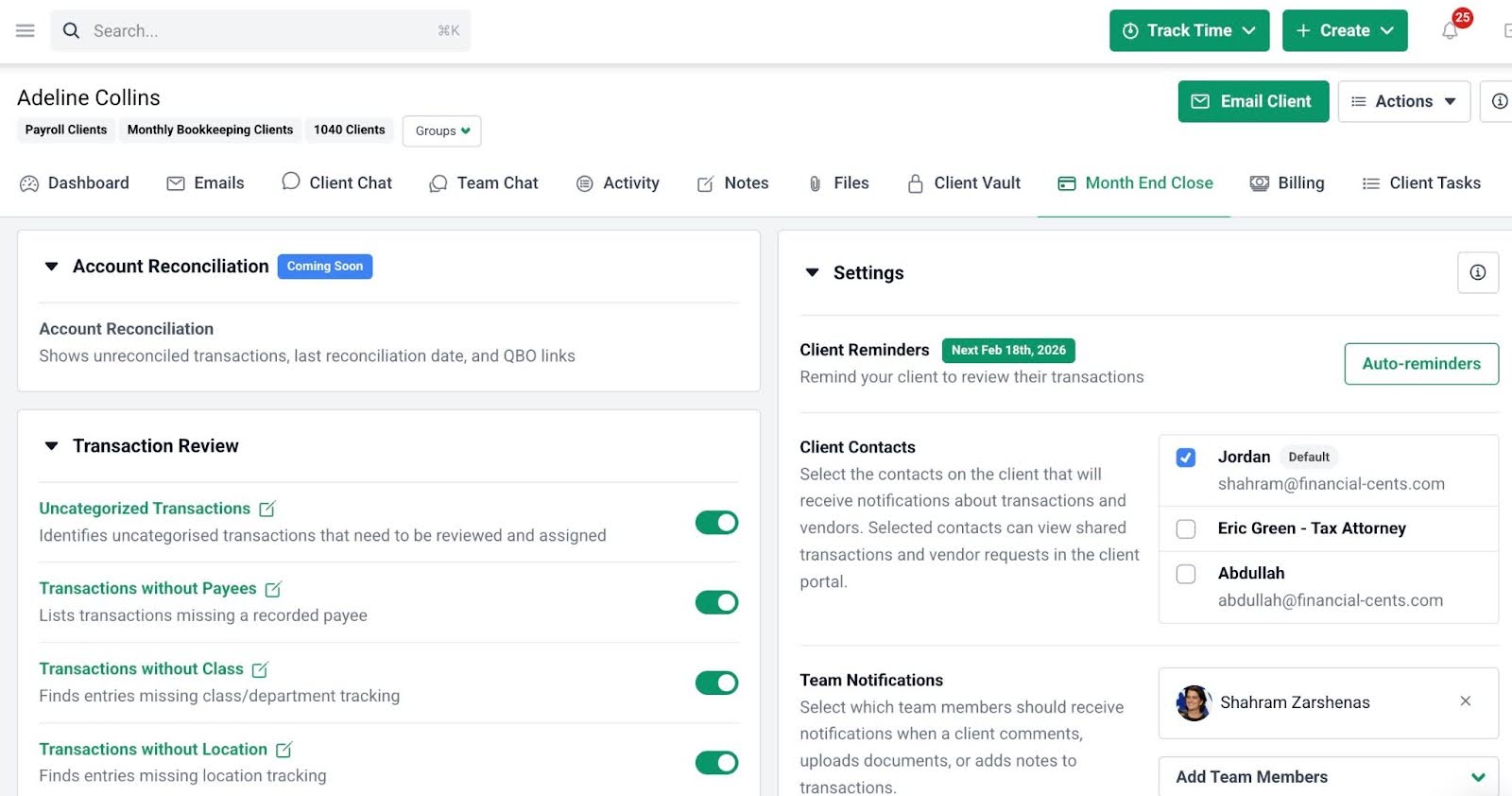
- Transaction Review: Automatically flag errors, ask clients about transactions, edit and categorize entries inside Financial Cents, and update the information in QBO.
- 1099 & W-9 Preparation: Financial Cents displays your client’s vendors in QBO that require 1099 and enables you to request their information, edit it, and update the information in QBO without leaving Financial Cents.
- Account Reconciliation Report: Get a centralized view of all client accounts that need reconciliation, track who completed each reconciliation and when, manage included accounts, open accounts directly in QuickBooks Online, and seamlessly add the report to your Month-end close workflow within Financial Cents.
- Recurring & one-time invoices: Create invoices for both repeat and one-off services.
- QuickBooks Online sync: Sync invoices and payments automatically with QBO.
- Pass card fees to clients: Transfer processing fees to clients to protect margins.
- Automated payments: Charge clients automatically to reduce collection delays.
- Automated client reminders: Send reminders for unpaid invoices to improve cash flow.\
- Time Tracking Reports: Understand where your team members are spending their time to optimize your workflows.
- Client Uploads Report: Track all client document uploads across the entire firm in one view and minimize client chase.
- Work Insights Report: Monitor efficiency levels and identify opportunities to improve your processes.
- Budget Reports: See at a glance which clients are over or under budget, helping you address issues early and protect your profitability.
- Revenue Insights: Identify which services are bringing in the most revenue and track the key metrics that matter for your firm.
- Realization Reports: Quickly identify your most profitable clients, services, and team members to prioritize effectively.
- Utilization Reports: Track team and client utilization to make the most of your firm’s billable resources.
Best For:
Financial Cents is best suited for small to mid-sized bookkeeping and accounting firms (teams of 2-50 users) that value quick setup, an intuitive and user-friendly interface, and streamlined operations.
Accounting, bookkeeping, and tax firms choose it because of its blend of workflow automation, client document collection, month-end close, and other features in one platform, which reduces the size of their tech stack by 10 apps.
Pricing
- Solo: $19/month per user
- Team: $49/month per user
- Scale: $69/month per user
- Enterprise: Custom pricing
Pros:
|
Cons:
|
Reviews
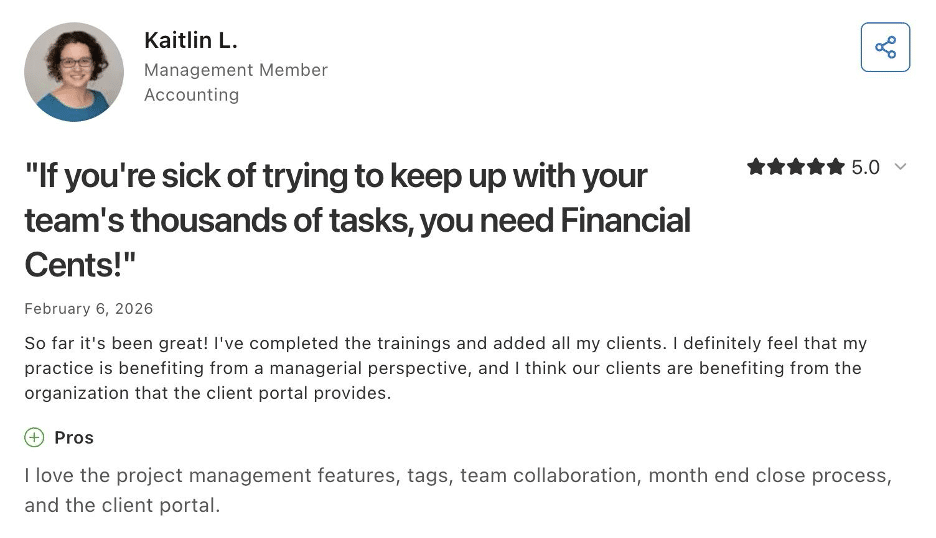
Financial Cents is rated:
2. Jetpack Workflow
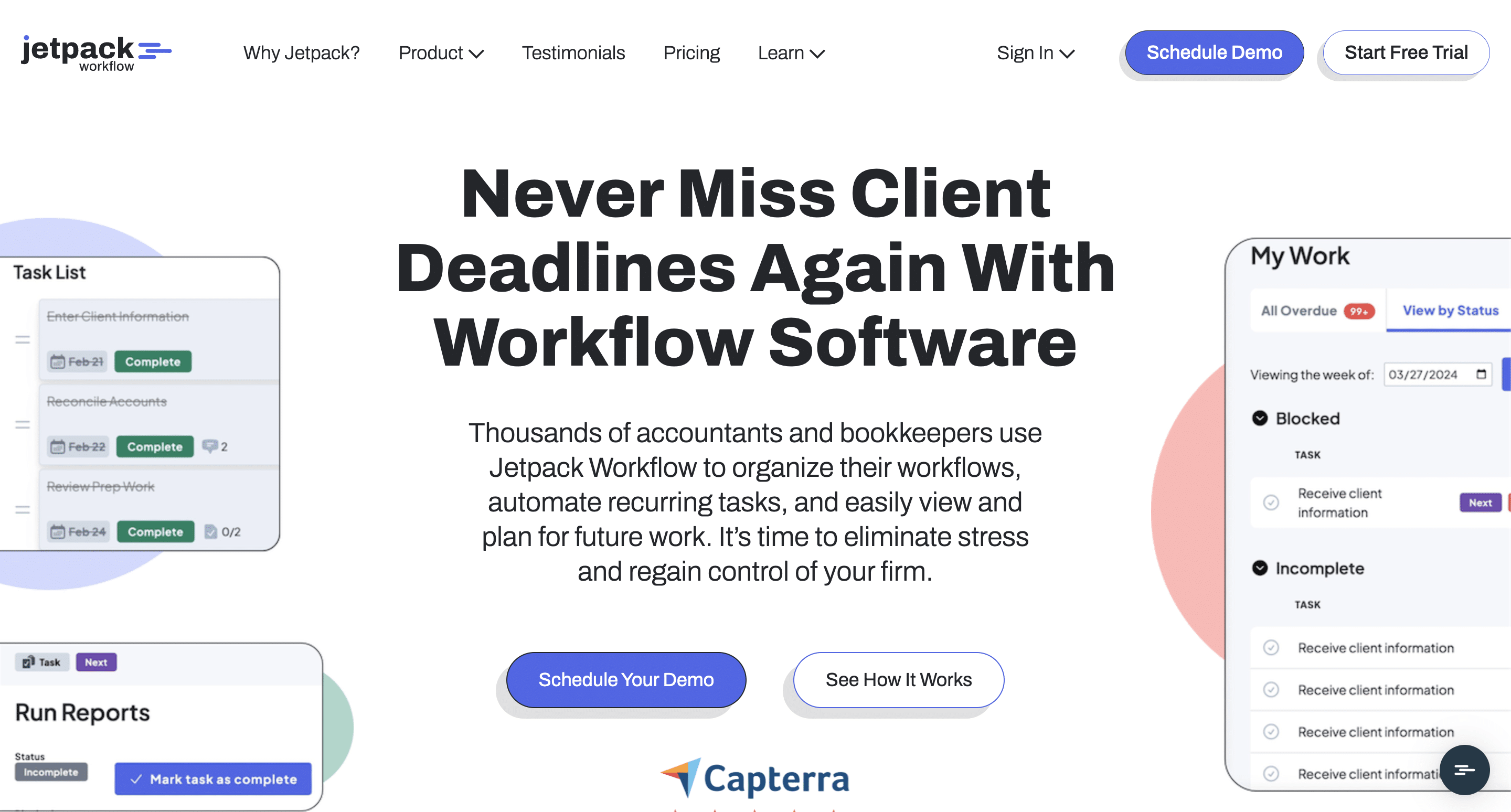
Jetpack Workflow is a dedicated workflow management tool designed for accounting professionals who need a simple way to track jobs, deadlines, and recurring work.
It focuses on checklist-based workflows and provides automation for internal processes, but lacks broader practice management extras.
Jetpack’s Workflow Management Features Include
Workflow
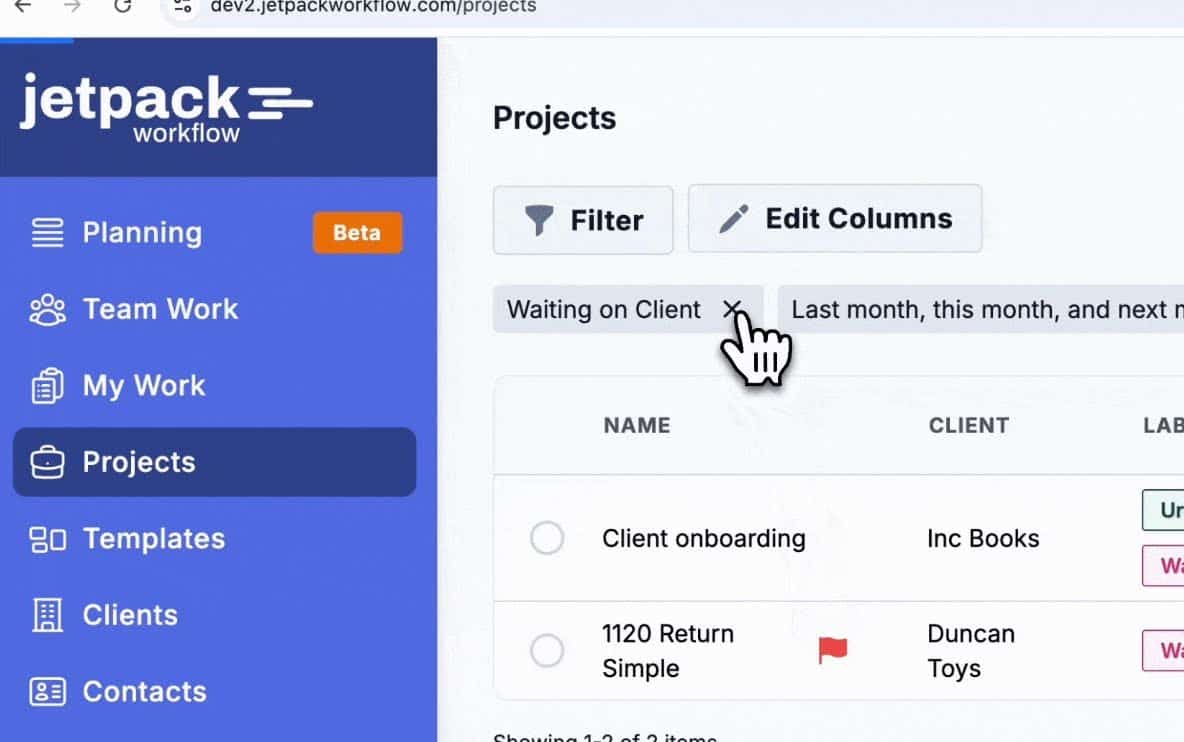
- Workflow dashboard: Gives a high-level view of all client work.
- Workflow templates: Standardize accounting processes to ensure consistency.
- Labels: Track project stages using color-coded tags.
- Planning tab: Helps assess team capacity and workload.
Workflow Automation
- Recurring projects: Automatically recreate repeat work.
- Task dependencies: Ensure tasks follow the correct sequence.
Team Collaboration
- Notes: Allow internal communication within tasks.
- @mentions: Notify team members directly.
Time Tracking & Billing
- Time tracking: Record time spent on client work.
- QuickBooks sync: Sync time data for invoicing.
Reporting
- Progress reports: Show project status to help anticipate deadlines better.
Best For:
Jetpack Workflow is ideal for small to medium-sized accounting, bookkeeping, and CPA firms that need a dedicated task management solution built specifically for internal accounting processes.
These firms are willing to sacrifice fast implementation, strong recurring job templates, and reliable deadline enforcement for built-in client portals, proposals, E-signature, or billing.
Pricing
Jetpack Workflow is available at:
- Starter: $40/month per user
- Premium: $50/month per user
Pros:
|
Cons:
|
Reviews
Jetpack Workflow is rated:
Related:
Financial Cents vs Jetpack Workflow
The Best Jetpack Workflow Alternatives
3. Canopy
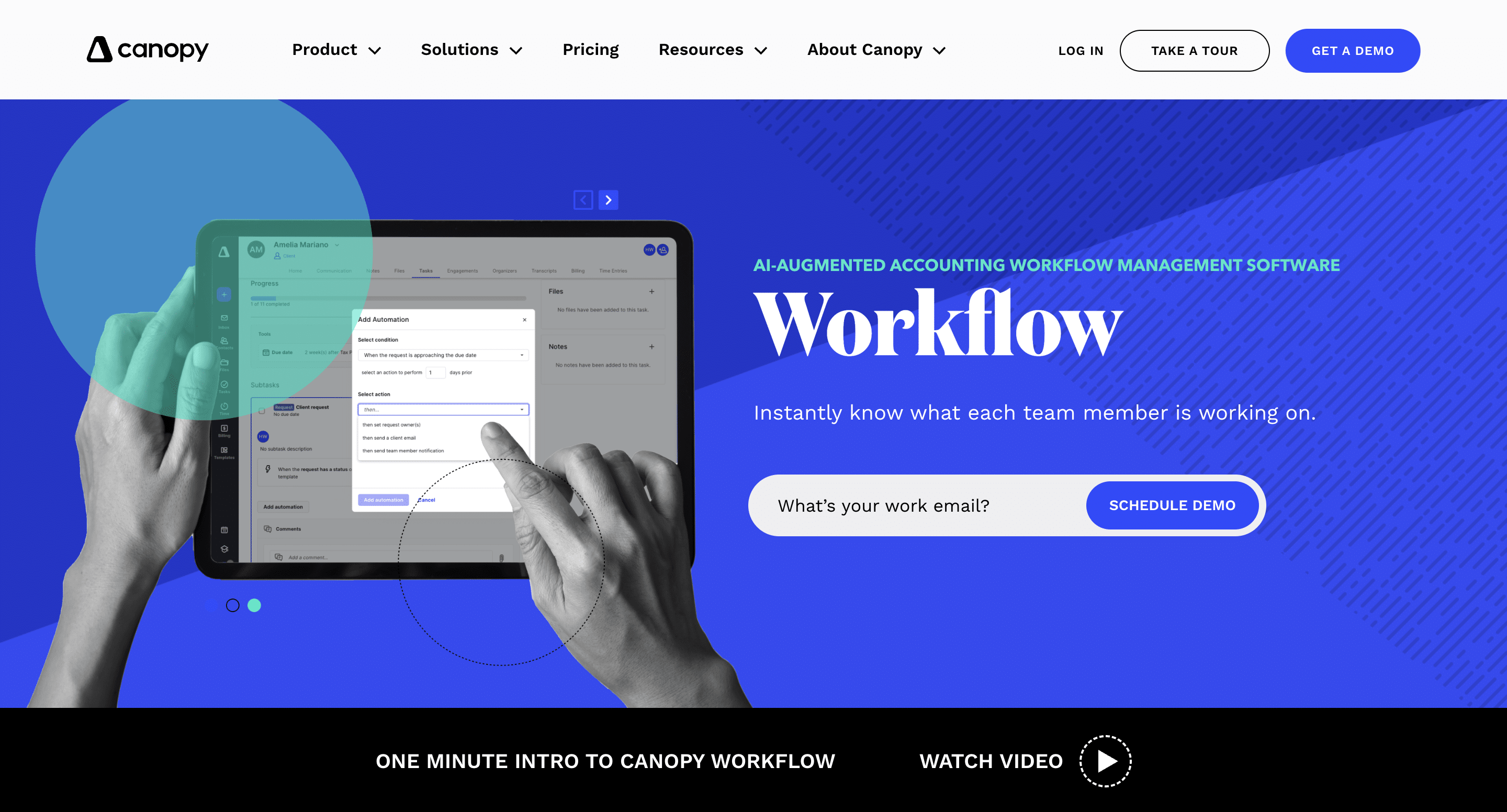
Canopy combines workflow with client and document management features to enable accounting firms to manage their operations and client interactions in one place.
Its AI-augmented features and IRS integrations for tax resolution capabilities make it a valuable option for firms that specialize in tax work.
Canopy’s Workflow Management Features Include:
Workflow & Task Management
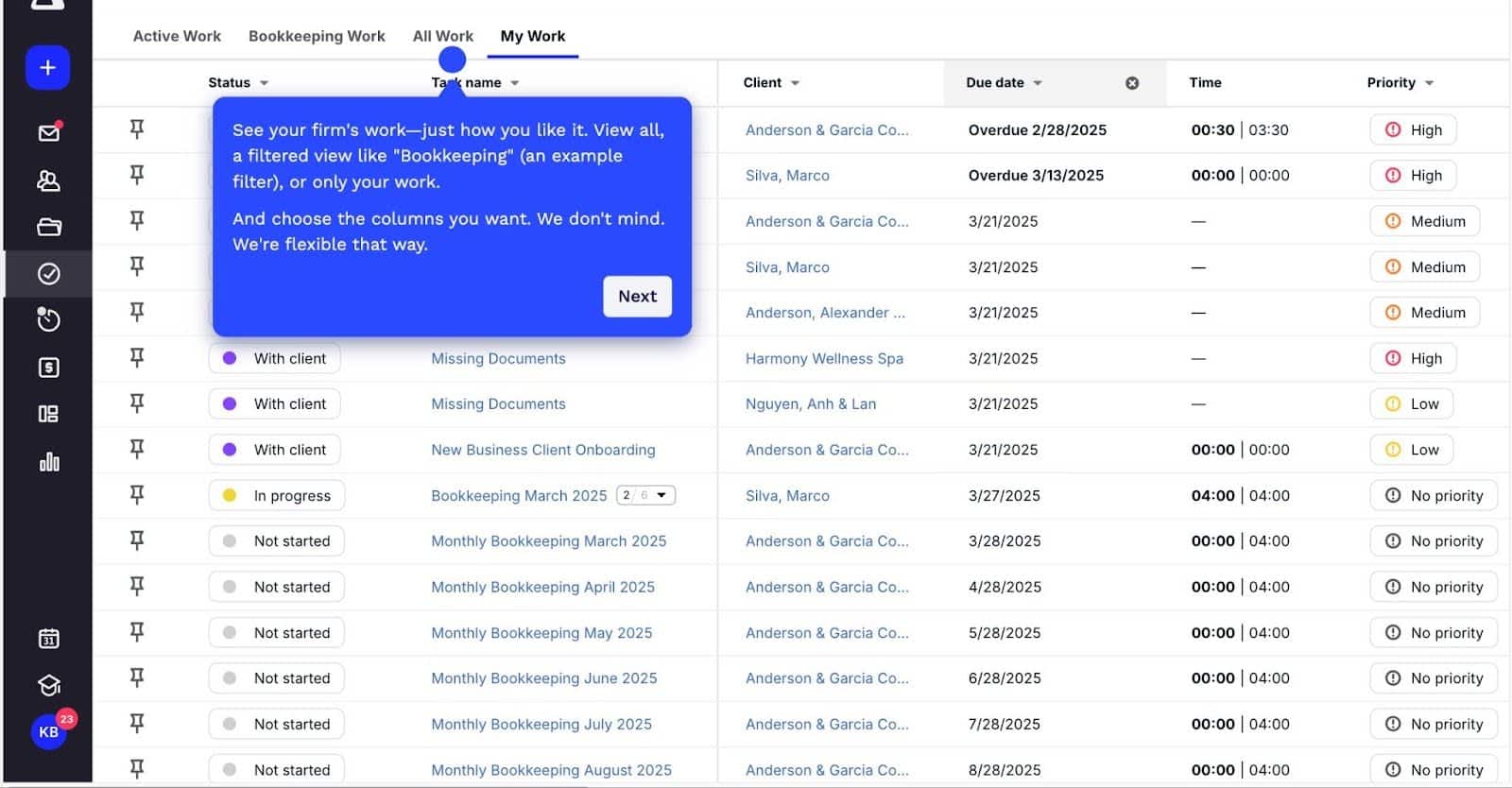
- Workflow dashboard: Centralizes all ongoing work.
- Workflow templates: Standardize processes using predefined rules.
- Role assignments: Assign tasks based on team roles.
- Capacity planning dashboard: Shows available and utilized capacity.
Workflow Automation
- Recurring tasks: Automate repeat engagements.
- Client reminders: Send automated follow-ups to clients.
- Automation triggers: Execute actions based on task status changes.
Team Collaboration
- Comments & tags: Enable internal discussions and notifications.
- Client notes: Store important context for engagements.
- Document annotation: Add context directly to files.
Time Tracking & Billing
- Time tracking: Track employee time for billing.
- Recurring billing: Automate invoices for repeat clients.
- WIP tracking: Monitor work in progress for billing accuracy.
- Payment processing: Accept ACH and card payments.
Client Management
- Client records: Centralize client data and activity.
- Global inbox: Manage client emails within the platform.
- Bulk actions: Perform actions across multiple clients.
Reporting
- Custom reports: Analyze firm performance using filters and formulas.
- Team production analysis: Measure team productivity and profitability.
- Live dashboards: Interact with real-time firm data.
Best For:
Canopy is ideal for mid-sized to larger tax and accounting firms looking for a system that allows them to pick and choose the features they need.
These firms are generally comfortable with a steeper learning curve in exchange for deep, customizable functionality across multiple service lines.
Pricing
Canopy is available at:
- Standard: $74 per user per month
- Plus: $109 per user per month
- Premium: $149 per user per month
Pros:
|
Cons:
|
Reviews
Canopy is rated:
Related:
4. Karbon
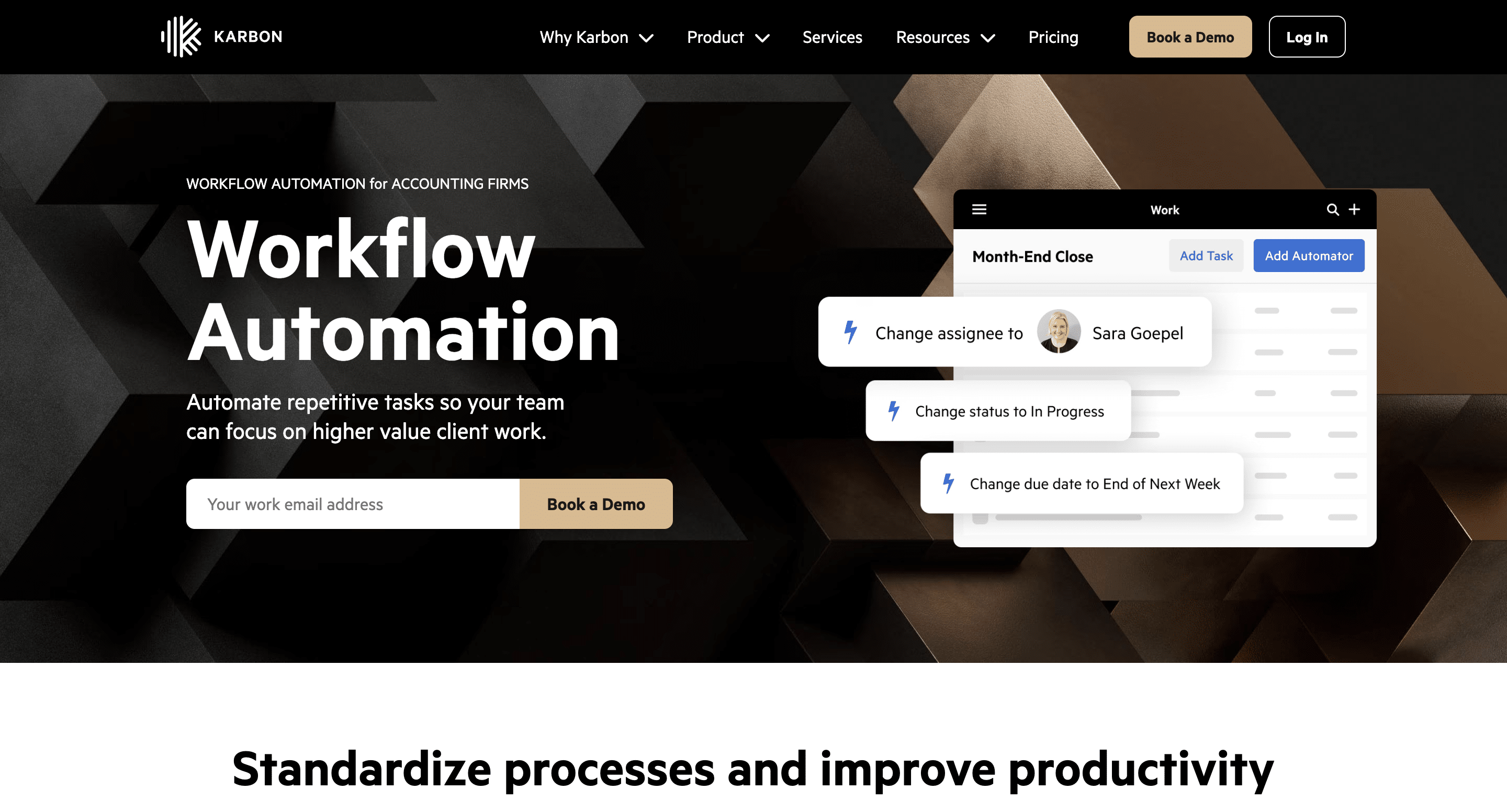
Karbon is a practice management platform that unites workflow management, CRM, and collaboration into a single system that standardizes client engagements and automates manual processes.
Its triage system improves team alignment for accounting teams managing complex workflows.
Karbon’s Workflow Management Features Include
Workflow & Project Management
- Work templates: Standardize recurring workflows for consistency across engagements.
- Work scheduler: Automates recurring work creation based on timelines.
- Kanban board: Visualizes all work in progress across the team.
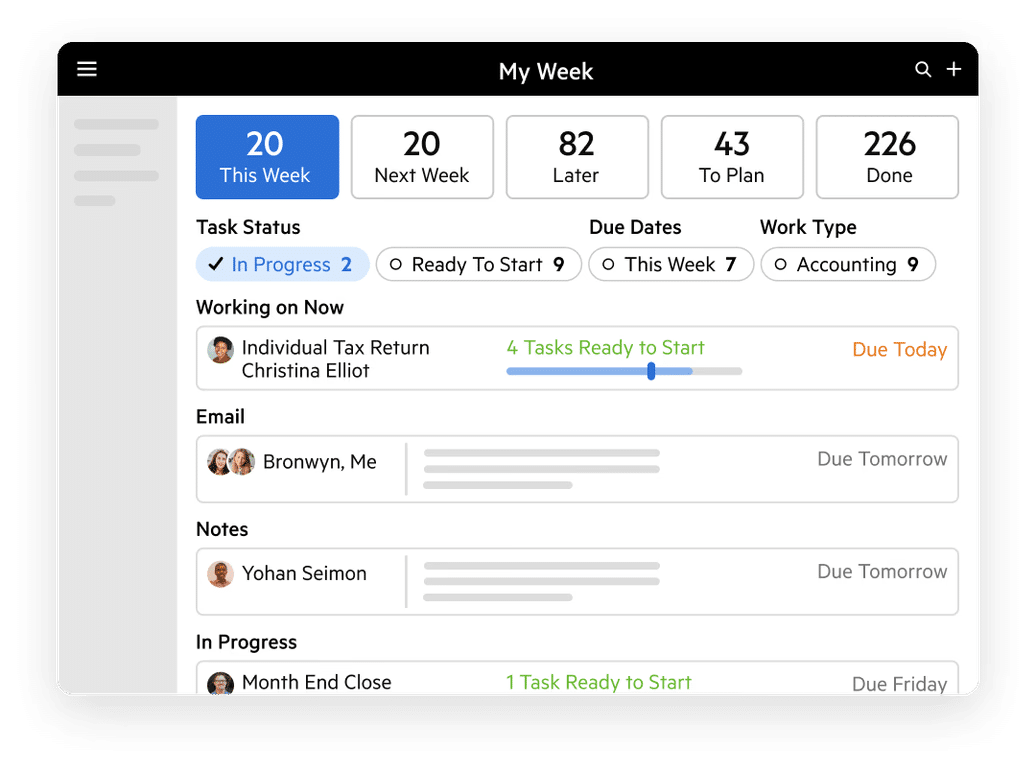
- My Week: Organizes tasks, emails, and priorities into a personal work plan.
- Automators: Create rules and dependencies to automate workflow progression.
Team Collaboration
- @mentions: Notify team members directly within tasks or emails.
- Email comments: Allow internal discussions directly within email threads.
- Activity timelines: Provide a full history of work, communication, and updates.
- Smart assignments: Suggest task assignments based on past work patterns.
Email & Communication
- Triage inbox: Centralizes and prioritizes emails, tasks, and notifications.
- Shared inbox: Enables teams to collaborate on client communication.
- Integrated email: Keeps all client emails within the workflow system.
Client Management
- Client portal: Enables secure client collaboration and document sharing.
- AI client summaries: Generate quick overviews of client activity and data.
- Client groups & custom fields: Organize and segment clients for better management.
Reporting & Insights
- Insights dashboard: Tracks productivity and workflow efficiency metrics.
Best For:
Karbon is best suited for large accounting firms with advanced automation and reporting needs, and are willing to invest in a higher-tier tool.
It is also valuable for firms that rely heavily on email-driven workflows to integrate communication, tasks, and client management in one unified interface.
Pricing
Karbon’s pricing is available at:
- Team: $59/month per user
- Business: $89/month per user
- Enterprise: Custom
Pros:
|
Cons:
|
Reviews
Karbon is rated:
Related:
The Best Karbon Competitors and Alternatives
5. TaxDome
TaxDome is a feature-rich tax practice management platform with a strong emphasis on client portals, document management, and accounting workflow automation.
Its strength lies in connecting internal workflows with client interactions to ensure timely data collection and deadline management.
TaxDome’s Workflow Management Features Include:
Workflow Management
- Workflow automation: Automates task creation, updates, and client communication.
- Calendar/timeline view: Visualizes deadlines and project schedules.
- Recurring processes: Automates repeat engagements like tax filings.
Team Collaboration
- @mentions: Enable quick internal communication within tasks.
- Inbox+: Centralizes notifications and updates for the team.
- Client chat: Allows real-time, secure communication with clients.
CRM & Client Management
- Client profiles: Store all client data, communication, and documents in one place.
- Custom fields: Customize client records to fit firm needs.
- Client pipelines: Track leads and engagements through different stages.
Document & Tax Tools
- Document management system: Store and manage all client files securely.
- Tax organizers: Collect structured client information efficiently.
- Virtual drive: Access files directly from your desktop environment.
Client Portal
- White-labeled portal: Provides a branded client experience.
- Secure access: Uses advanced authentication for data protection.
- Automated reminders: Prompt clients to complete tasks.
Best For:
TaxDome is well-suited to tax firms of all sizes that can afford its competitive prices and are prepared to invest time upfront to master its depth during implementation.
Pricing
TaxDome is available at:
- Solo: $700/year, per seat
- Pro: $900/year, per seat
- Business: $1,100/year, per seat
Pros:
|
Cons:
|
Reviews
TaxDome is rated 4.7/5 on both Capterra and G2.
Related:
The Best Taxdome Alternatives and Competitors
Comparison Table for the Best Workflow Tools for Ops Managers and Accounting Admins
| Software | Workflow Automation | Client Portal | Capacity Management | Recurring Workflow | Time Tracking & Billing | Best For |
|---|---|---|---|---|---|---|
| Financial Cents | Strong | Strong | Strong | Advanced | Included | Small to mid-sized firms looking for an all-in-one accounting workflow and practice management solution with quick setup and automations. |
| Jetpack Workflow | Limited | None | Limited | Strong | Not Included | Solo practitioners and small firms that want simplicity. |
| Canopy | Moderate | Strong | Limited | Moderate | Included | Mid-large tax firms looking to consolidate workflow, documents, client communication, billing, and CRM. |
| Karbon | Advanced | Moderate | Strong | Strong | Included | Mid to large-sized firms needing deep workflow control and collaboration. |
| TaxDome | Strong | Strong | Moderate | Strong | Included | Tax-focused firms looking for an extensive tool that prioritizes client communication and data collection. |
How to Choose the Right Workflow Management Software?
Virtually every workflow management software on the market is suitable for a certain kind of firm. But getting the one that’s right for your firm depends on your ability to do your due diligence.
-
Identify pain points
The first step is to understand what’s wrong with your current setup. When you don’t have this clarity, it’s easy to choose a tool based on a feature list or recommendations that don’t align with your firm.
For others, like The Profit Constructors, the major pain point was their inability to automatically recur projects, which created unnecessary manual work every month. For the Payroll Restoration team, there was a need for better visibility into team capacity to enable them to prevent employee overload.
Yours may be the need to centralize client communication. Whatever it is, understanding it is necessary to recognize the right workflow management software when you see it.
-
Audit existing processes
Next, evaluate how work currently flows through your firm. While this step may not be about identifying pain points, it can prevent you from carrying existing inefficiencies into your new workflow software.
By understanding where delays occur, where handoffs are obstructed, and where tasks rely too heavily on individuals rather than structured systems, you will discover more opportunities to standardize or automate your processes.
Involve key staff and partners in this review to get more perspectives on hidden issues and increase team buy-in for the new system.
-
Prioritize features based on firm size and growth plans
The right solution should support your current operations while giving you room to scale.
That is why software solutions with tiered features and pricing are preferable. They allow firms to pay for what they need now while upgrading their features as their workflows become complex.
In Financial Cents, for example, even a solo firm owner can access the basic workflow, CRM, and automation tools they need to run efficiently. As they add clients and team members, they can upgrade their subscription to access advanced features like capacity management and team collaboration to maintain productivity and profitability.
-
Evaluate ease of adoption and learning curve
A powerful system that your team struggles to adopt will slow down operations, when a tool that’s easy to adopt would have already become part of your firm’s daily workflow.
Look for a system with an intuitive interface, onboarding resources, and minimal training requirements to enable faster implementation, reduce resistance from staff, and increase time to value.
Financial Cents is recognized as the best easy-to-use accounting practice management software.
-
Consider integrations with core firm tools
The more tools your workflow software integrates with, the less and less your team will need to re-enter or reconcile client and work data across multiple systems.
For example, Financial Cents’ two-way integration with QuickBooks Online ensures that time, billing, and transaction data sync in real time, and that actions performed in one system are automatically reflected in the other.
-
Run demos or start a free trial before committing
However compelling a tool appears on paper, its value isn’t fully clear until you see how it works with your firm’s processes and data.
Demos and free trials allow you to evaluate how a workflow system handles real-world scenarios, from task creation to workflow automation, and client communication.
When preparing for a demo, have specific questions handy. You can ask the vendor to walk you through how the tool automates monthly bookkeeping workflows, including client document requests and follow-ups.
Once you select a platform, follow an accounting software implementation checklist to plan data migration, workflow configuration, testing, employee training, and rollout without carrying old process problems into the new system.
-
Client communication tools
The best workflow management software includes client portals for accounting that connect requests and communication directly to tasks to ensure nothing is lost or delayed.
However, functionality alone isn’t enough. Ease of use is equally important. If the client portal isn’t convenient, clients will struggle to adopt it, and that can force them to use email, where security and follow-up will be more demanding.
Financial Cents Brings Structure to Accounting Operations
Every hour an admin or operations manager spends updating tasks, chasing follow-ups, or tracking deadlines is an hour they can’t spend on higher-value work. That cost multiplies as their clients increase and their needs evolve.
Workflow management software changes this by reducing manual coordination, standardizing how work gets done, and giving teams real-time visibility into every engagement.
For firms like Full Send, the switch to Financial Cents enabled the firm to grow its client base by 150% in one year while scaling its team from two to nine members without sacrificing operational control.
We wanted a workflow management software solution that can scale with us, targets the accounting industry, and captures the nuances of recurring work, task dependencies, and client requests. Since moving to Financial Cents, we've grown about 150% in one year. We had two employees at this time last year. Now, we have nine."
Stacey Feldman, CPA, Chief Operating Officer at Full Send FinanceSee how Financial Cents can streamline your operations today.
Frequently Asked Questions (FAQs)
Workflow management software is designed to handle repeatable, process-driven work while accounting project management tools are more oriented towards one-time or less structured projects.
Workflow software is a more fitting tool for accounting firms because they support recurring processes and standardized execution.
Yes. Small firms benefit from having structured workflows in place because spreadsheets become harder to manage as client volume grows. But workflow software establishes consistency and prevents operational bottlenecks.
During peak accounting periods where every minute has to count, workflow software provides visibility into workloads, deadlines, and task status across the firm.
This allows ops managers to redistribute work, track progress on the go, ensure nothing is missed, and reduce last-minute rush.
Implementation time depends on your firm’s size and the complexity of your processes. It’s taken some Financial Cents users just a few hours to be set up. Other tools can take a few weeks to achieve that.
No. Accounting-specific platforms (like Financial Cents) are designed for non-technical users.
The best accounting workflow software solutions integrate or are built into practice management platforms to make it easier to pull client data, sync tasks with billing, and trigger workflows from new invoices.
Most tools allow you to export templates, tasks, client data, and reports in standard formats (CSV, Excel, PDF) or via API access.



