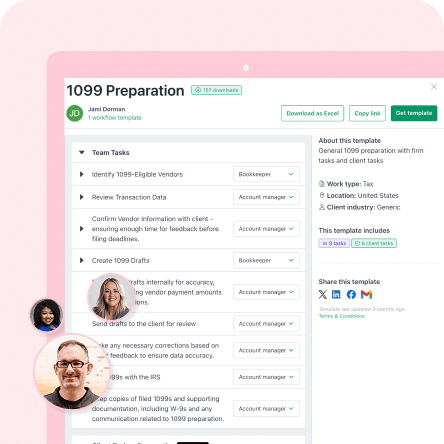
Quick one: what is the biggest challenge accounting and bookkeeping firms face?
Getting new clients? Managing clients? Delivering great service? Overseeing staff?
While these are all valid challenges, they are not the most pressing. Since Financial Cents launched its State of Accounting Workflow Automation Report in 2023, workflow has ranked as the top challenge firms face, and the 2025 edition found it still is, with inefficiencies, client communication delays, and manual admin among the biggest pain points.
The reason is simple. Workflow is the foundation of every business’s operations, and the whole business suffers if it isn’t optimized.
An optimized workflow eliminates tedious manual processes, promotes efficiency, and supports the smooth operation of your firm. This gives you room to focus on the value-added activities that grow your practice.
For instance, you can use an automated system instead of spreadsheets to track workflow tasks. These systems are more efficient because they show details like work status and due dates from a single dashboard. That saves you from being overwhelmed with administrative work and lets you focus on more profitable activities.
As Shahram Zarshenas, CEO and Co-Founder of Financial Cents, put it:
TL;DR
- Accounting workflow automation uses software to run your firm’s recurring, rule-based work automatically: recurring projects, client document requests and reminders, e-signatures, task assignments, and status updates.
- Why it matters: workflow has been firms’ top challenge since Financial Cents’ first State of Accounting Workflow Automation Report in 2023, and getting documents from clients is now the single biggest workflow issue.
- The proof: 68.2% of firms said document collection got faster after automating it, and 75.8% cut time spent scheduling and assigning work to five hours a week or less.
- The 6 benefits: fewer errors, higher productivity, lower costs, happier clients, flexible remote or hybrid work, and room to scale without sacrificing quality.
- How to choose a tool: check functionality, scalability, ease of use, reviews, pricing transparency, cloud access, and integrations with your accounting stack.
What Is Accounting Workflow Automation?
Accounting workflow automation is the use of software to run your firm’s recurring, rule-based work automatically, such as creating recurring projects, requesting and chasing client documents, collecting e-signatures, assigning tasks, and sending reminders. Put simply, workflow automation uses technology to streamline tasks and processes that would otherwise take manual effort. It serves multiple functions across the board, such as:
- Eliminating manual data entry.
- Getting necessary documents from clients faster and with less stress.
- Onboarding new clients by automating the collection of client information, setting up new client accounts, and establishing communication channels.
- Assigning work in an organized way and according to capacity.
- Streamlining communication with clients and among staff.
Overall, workflow automation helps your firm increase productivity, save time, avoid missing deadlines, and scale faster.
Use Case: Manual vs. Automated Workflow for Requesting Client Documents
Getting documents from clients is now the single biggest workflow issue firms report, according to the 2025 report. Automation changes that. In the 2023 report, 53.8% of respondents said document collection was slow before automation, while 68.2% said it became faster after they automated it. You receive records sooner without having to chase anyone down.
Here’s an illustration to drive the point home.
Picture two accounting firms: firm A (StellarPro Financial Services) and firm B (Prime Book Advisory). The former still does a lot of manual work, while the latter has upgraded to automated processes.
When StellarPro Financial Services wants to request documents from its clients, the process looks like this:
Step 1: At the beginning of the week or month, an accountant or bookkeeper lists all the clients the firm needs documents from. They may track this list in a spreadsheet or on paper.
Step 2: They send individual emails or messages to each client requesting the documents needed to perform the work. They include instructions and deadlines in the email and wait for clients to respond.
Step 3: Some clients deliver on the first ask, but others need more pressure. So, after a few days, the accountant manually sends them a follow-up reminder.
Step 4: At this point, many clients oblige. However, a few still forget or get caught up with other things. That means more reminder emails. Sometimes a client’s non-responsiveness gets so bad that the accountant has to visit their office to get what they need.
Imagine doing this with over 50 clients while racing against deadlines. It’s a recipe for disaster.
For one, this manual process is time-consuming, stressful, and leads to burnout. On top of that, you face other issues like:
- A high potential to mix up client documents.
- Pressure from the client to meet the deadline, even though the delay came from them.
- Getting blamed if you miss a deadline on time-sensitive work, like tax filings.
- Lacking the time to take on new business because your current clients are a handful.
- Running at a loss because of all these complications.
It’s not a pleasant situation, and it’s usually a side effect of manual processes.
On the other hand, when Prime Book Advisory needs records from its clients, gathering them is much more straightforward because it uses a workflow automation system.
With software like Financial Cents, all you need to do is:
- Create a request list of all the documents needed in the client’s project.
- Add a due date, a description, and automated reminders in case the client ignores the first notification.
- Send it. Your client receives a notification of your request, and you get notified when they complete it.
The same flow works for signatures. With Financial Cents’ built-in e-signatures, you attach a PDF to a client task, place the signature fields, and your client signs it in the same task list they already use. The task completes itself once everyone has signed, and standard signature requests are free and unlimited on every plan.
Because Financial Cents makes document sharing simple and organized, and reminders go out automatically, you spend far less time on follow-ups. That’s been the experience of Martha Yasso. In a chat with her, she said automation has made her life easier and lets her get more done, which results in more money.
What Are the Benefits of Accounting Workflow Automation?
Accounting workflow automation gives your firm six main benefits: fewer errors, higher productivity, lower costs with better resource allocation, happier clients, more flexible working styles, and the capacity to scale. Here’s how each one plays out.
a. Improved accuracy and reduced errors
Manual work comes with a myriad of challenges, and one of the most prominent is a higher chance of errors. People are fallible and prone to mistakes.
By enforcing standardized processes, you make sure accounting projects are executed consistently and with fewer errors.
Standardization involves using templates for routine work such as financial statements, weekly to monthly bookkeeping, quarterly to yearly reviews, and data entry, then automating those templates to recur.
Automate your accounting workflow so you can do your best work for clients, free from avoidable human errors.
b. Enhanced efficiency and productivity
Automation streamlines your overall workflow by eliminating repetitive tasks and time-consuming manual effort. The result is a smooth-running process where your team works in sync, like a well-oiled engine.
Essentially, you achieve more in the same (or even less) time, which boosts productivity.
c. Cost savings and resource allocation
Think about it. When you automate certain activities, you spend fewer hours on them. That lowers labor and operational costs, because your team no longer spends paid time on work software can handle.
You can then redirect your time and resources into higher-value activities that require human judgment and expertise, like client accounting services (CAS).
Automation also cuts the time you spend scheduling and distributing work. In the 2025 report, 53.8% of firms spent more than five hours a week scheduling and assigning work before automation. Afterward, 75.8% had reduced that to five hours or less.
With a capacity management feature, you can track the workload and availability of each employee and redistribute work when needed.
d. Increased client satisfaction
An automated workflow improves client satisfaction through faster response times, better organization, and a smoother client experience:
- Faster response time: Good accounting workflow software includes a CRM that supports client communication and collaboration with automated notifications and reminders. Both your team and your clients get notified of new messages, and all client communication stays in one place, so you can answer questions quickly without hunting through hundreds of emails.
- Efficient document management: When document management is built into your workflow system, clients can securely upload and access their documents through an online portal. That eliminates physical document exchange and searching through cluttered email threads, and centralized storage keeps your firm better organized.
- Tracking and transparency: Clients get real-time visibility into the status of their projects and can see the communication history. That transparency builds their trust in your firm’s ability to manage their work.
e. More flexible working styles
Remote and hybrid work are now the norm. In the 2025 report, only 14% of respondents worked fully onsite, while 36.7% followed a hybrid model and the rest worked fully remotely. To attract top talent, optimize your firm for these working styles.
Without workflow automation, that transition is hard. Cloud storage (for remote data access), project management, task tracking, and document management are what make remote or hybrid work possible, and good accounting workflow software has all of them.
f. Successful firm scalability
Manual workflows limit how much work you can do while maintaining your standards. By saving time on manual tasks and creating standardized processes, you gain the capacity to take on more clients without compromising quality or timeliness. That’s how you scale your operations successfully.
Struggling with manual tasks? Download our Accounting Firm Automation Playbook as a PDF.
How Do You Choose Accounting Workflow Automation Software?
Choose software whose features match your workflows, that scales with your firm, is easy for your team and clients to use, has strong reviews, transparent pricing, cloud access, and integrations with your tech stack. Here are the factors to weigh when choosing workflow software.
Functionality
First, assess the software’s features to make sure they align with your accounting workflow needs. Check whether it supports essential tasks such as data entry, document management, task assignment, communication, collaboration, document upload, and reporting. Also, evaluate whether it offers customization options to fit your firm’s unique processes.
Scalability
It’s not only about the present. Beyond meeting your current needs, the tool should accommodate your firm’s growth and increasing workload.
Ease of use
Look for software that is intuitive and user-friendly. Both clients and team members should be able to navigate the interface easily. Otherwise, adoption will be low.
Reviews
Check sites like G2 and Capterra for what real users say about the software. Filter by rating and focus on tools with at least four stars. If you know colleagues who have used the tool, ask them about their experience.
Pricing
Evaluate the pricing structure against the features and benefits the software offers. Its value should be commensurate with its price. Make sure pricing is transparent, has no hidden fees, and fits your budget.
Cloud computing
Choose a cloud-based option if your firm is remote or hybrid. A virtual accounting solution lets users access their data anywhere, supporting seamless collaboration regardless of location.
Integration capabilities
Finally, check whether the software integrates with your current accounting tech stack. Seamless integration allows smooth data flow between platforms. Most workflow software integrates with email platforms and tools like QuickBooks (for invoicing), Zapier (for workflow automation), SmartVault (for document management and secure file sharing), and Adobe Sign (for e-signatures, if your firm already uses it). Some platforms now build e-signatures in, so you may not need a separate signing tool at all.
Automate Your Workflow With Financial Cents
You’ve seen why workflow automation matters for your firm. The benefits are numerous, and it’s key to growing your practice.
If you’re looking for a tool that ticks every box for good workflow automation software, check out Financial Cents. It’s built for accounting, CPA, and bookkeeping firms, with every feature tailored to the challenges you face.
Here’s what some customers are saying:
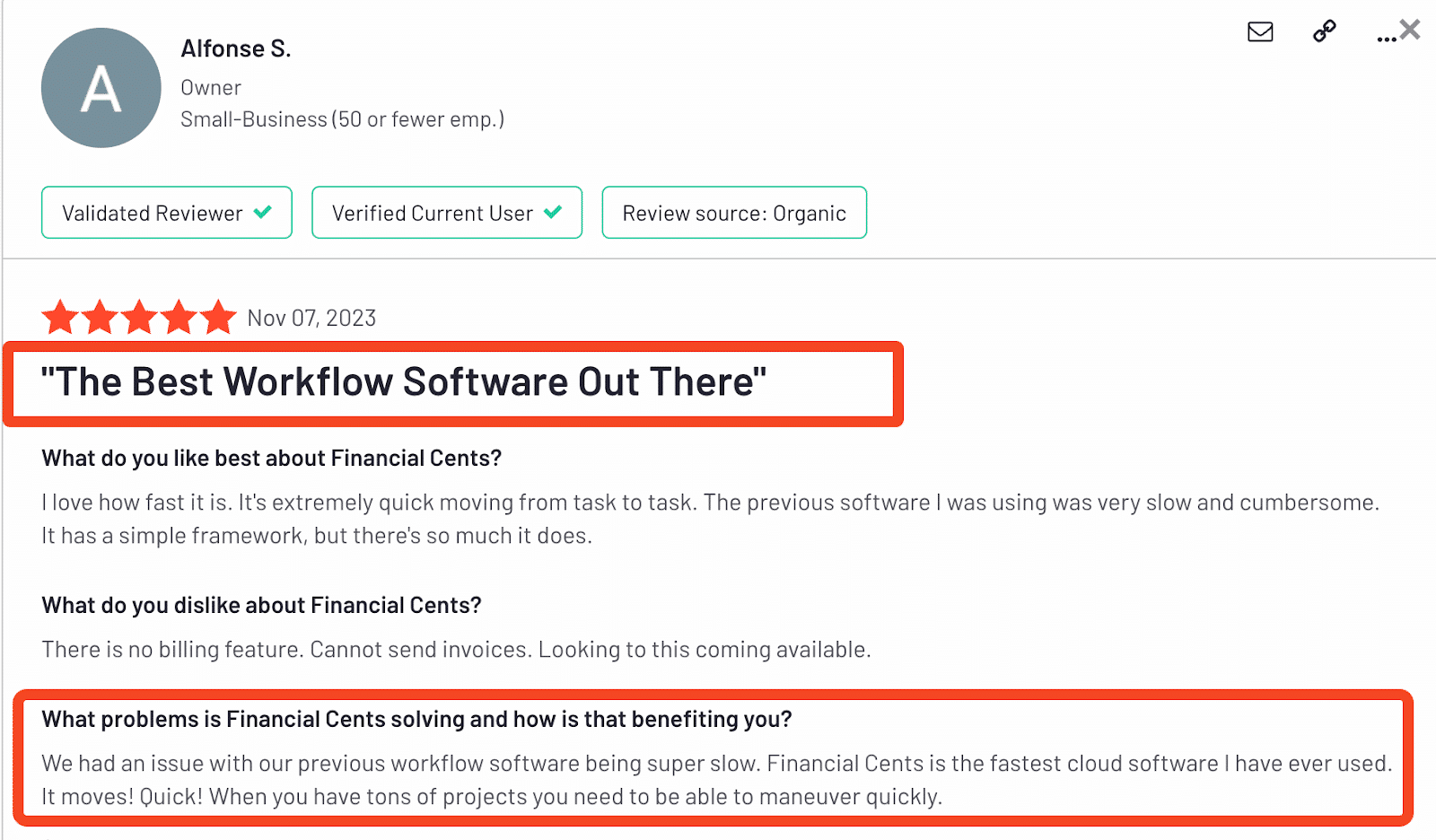
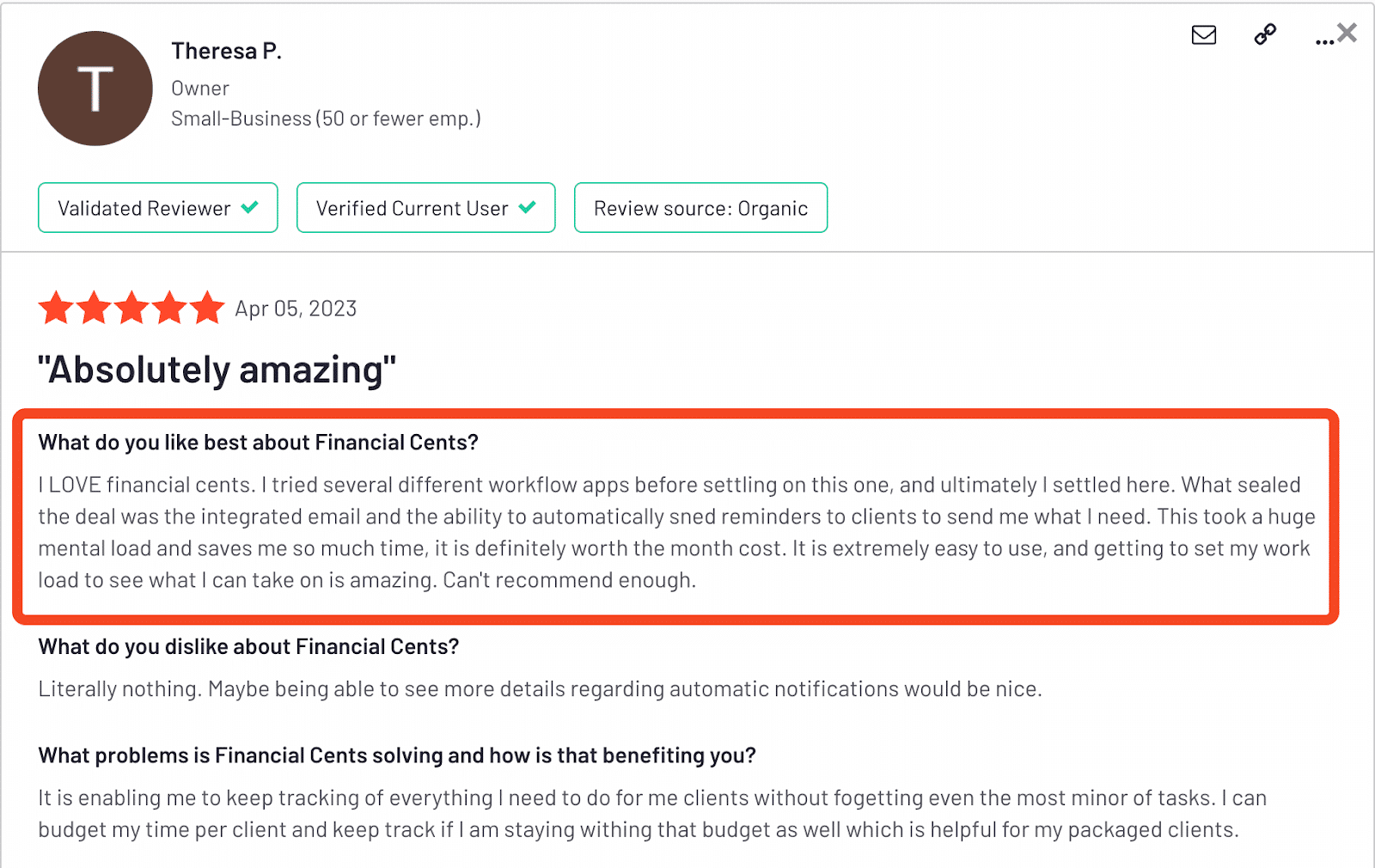
Start using Financial Cents to automate your firm. Start a free trial or book a demo.
Frequently Asked Questions (FAQs)

Abdullah Almsaeed is the co-founder and CTO of Financial Cents. With more than 18 years in software development, he leads the team building Financial Cents' workflow, automation, and AI features for accounting and bookkeeping firms.
Share this article