

Canopy is well-known accounting practice management software with a suite of features to streamline operations for accountants, including:
- Document management: Organize, store, and share client documents.
- Time and billing: Track time, bill clients from tracked time, and collect payments within Canopy.
- Tax resolution: Tools to manage client tax processes and resolve tax issues.
- Engagement letters and e-signatures: Simplify client onboarding with pre-built templates and e-signatures.
- Client portal: A secure platform for clients to access documents, view invoices, and communicate with your firm.
- Reporting: Insights into firm performance for data-driven decisions.
With a 4.6/5 rating on G2 and a 4.5/5 rating on Capterra, users clearly like Canopy. But it may not be the right fit for your firm.
TL;DR
- Canopy is strong for tax-focused firms and is adding AI tax workflows and a Close Automation beta, but its lighter general workflow features, per-user plans starting at $74/user/month with paid add-ons, and limited customization push many accounting and bookkeeping firms to look at alternatives.
- The 6 best Canopy alternatives in 2026 are Financial Cents, Karbon, TaxDome, Jetpack Workflow, Aero Workflow, and Pixie, each strongest for a different firm type.
- Financial Cents ($19–$69/user/month, billed annually) is the top all-in-one alternative for accounting, bookkeeping, and tax firms. It covers workflows, CRM, client portal, tax organizers, built-in e-signatures, billing, time tracking, month-end close, and reporting with simple per-user pricing.
- Karbon ($59–$89/user/month) is best for larger firms that prioritize team collaboration and email-based workflows; TaxDome (from $1,500/year for up to 150 active clients) is best for tax-only firms that want a secure portal.
- Jetpack Workflow ($49–$59/seat/month) and Aero Workflow ($108–$295/month) are workflow-first tools without full practice management; Pixie ($129–$329/month by client count) is best for solo practitioners and small firms.
- How to choose: prioritize tools that match your service mix (tax-only vs. broader accounting), pricing that scales predictably with your firm, and a learning curve your team can absorb without losing productivity.
Why Do Firms Look for Canopy Alternatives?
Most firms look for Canopy alternatives because it’s built primarily for tax work, its add-ons push costs above the base per-user price, and it offers limited customization. Here’s each drawback in detail.
Mainly built for tax firms
Canopy’s offerings lean heavily toward tax work, including tax preparation and issue resolution. That’s great for tax firms, but it’s not as well suited to accounting or bookkeeping firms with broader needs.
Canopy is moving into bookkeeping: its Close Automation module, which connects to QuickBooks Online, launched in open beta in June 2026 as a paid add-on. But it’s still new, and if your firm’s work is mostly bookkeeping or CAS, you may end up working outside the software’s strengths.
Limited workflow features
Canopy’s newest workflow investments, like its AI-powered Tax Workflow Automation suite (Smart Intake, Smart Prep, and Smart Delivery), are focused on tax season. Its general workflow management is still limited compared to some competitors. That’s a disadvantage for firm owners who need a comprehensive system to manage the many tasks and deadlines involved in running an accounting practice.
Can get expensive quickly
Canopy uses tiered per-user pricing: Standard at $74/month per user and Plus at $109/month per user (billed annually; $93 and $136 billed monthly), with a Premium tier at $149/month per user listed as coming soon and a custom Enterprise tier for larger firms. Every plan includes its AI assistant, Canopy Coworker (in open beta), with monthly AI credits per user.
While the structure is simpler than it used to be, costs add up. Several capabilities are sold as add-ons on top of your base plan: Tax Workflow Automation at $34 per client credit (each plan includes 5), Close Automation at $10 per connected client per month (first 5 included), and Tax Resolution at $50 per user per month. KBA for e-signatures costs $1.25 per credit, and Coworker usage beyond the monthly AI credits costs extra.
For smaller firms watching their budget, these layered costs can make Canopy noticeably more expensive than alternatives that bundle more functionality into a single per-user price.
Limited customization
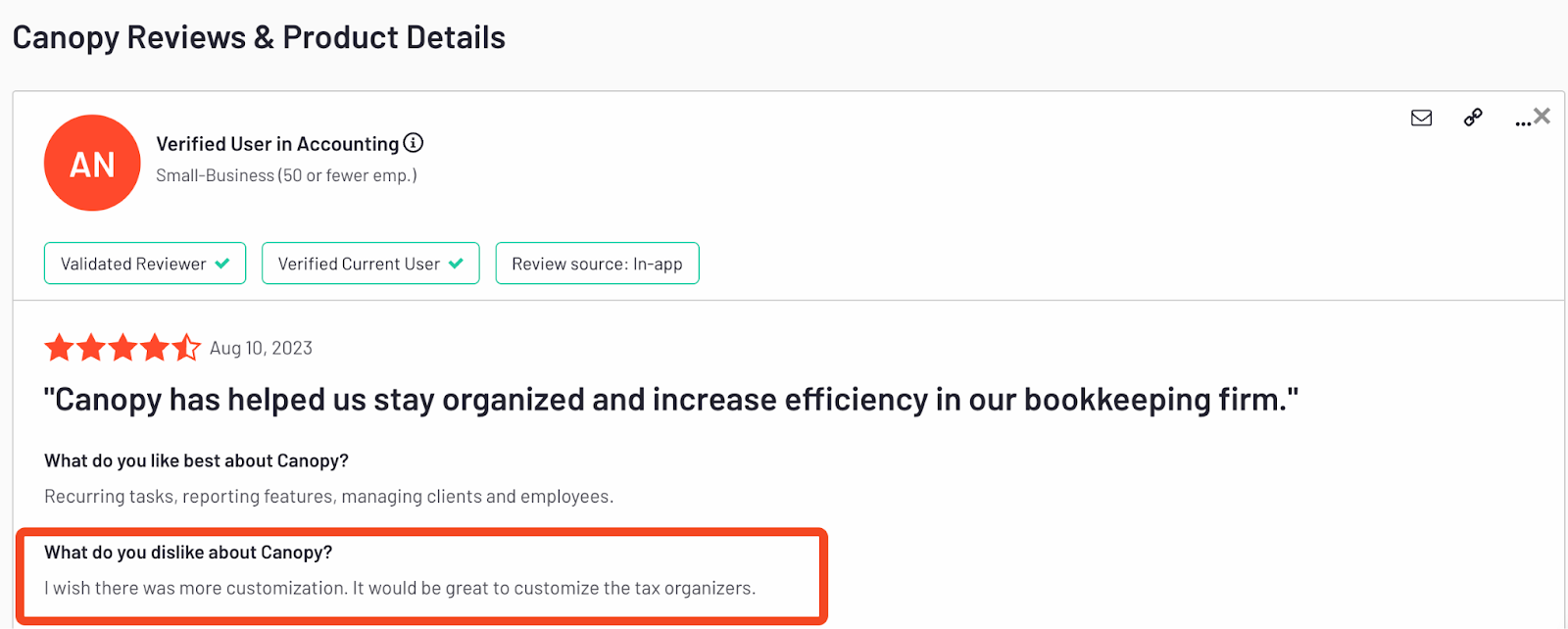
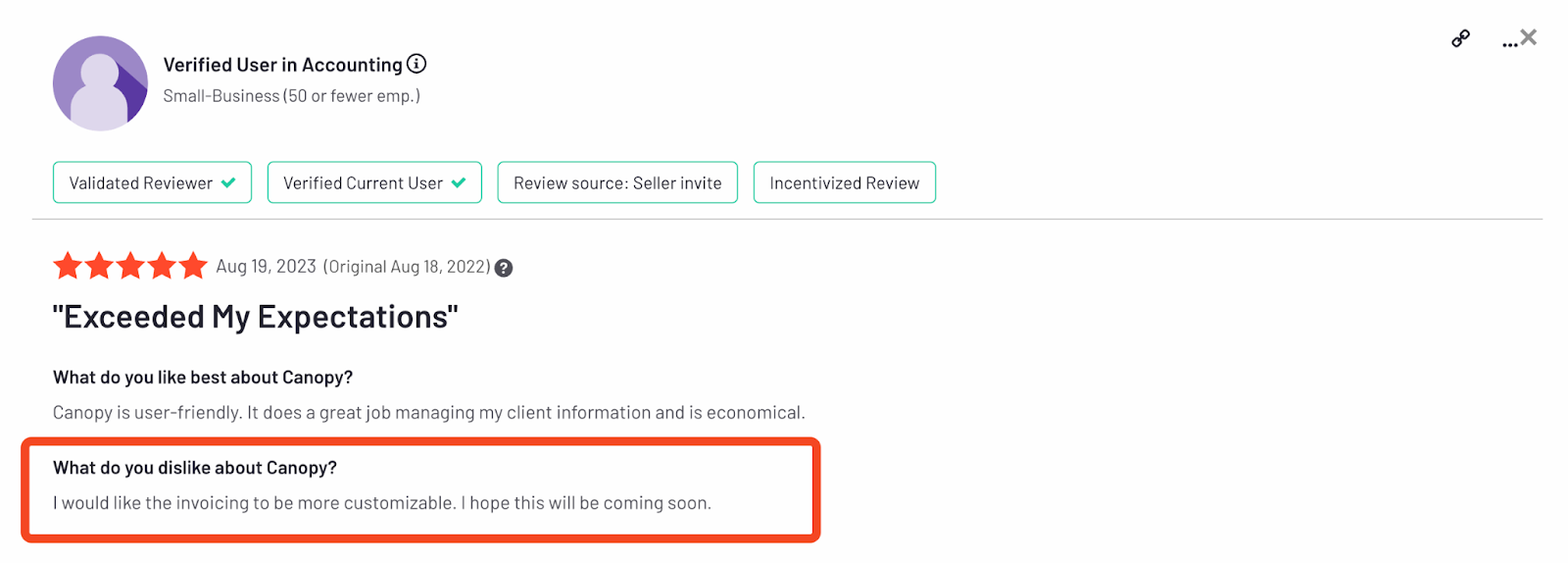
Unlike some competitors that offer a high degree of personalization, Canopy limits how much you can tailor the software, including design features and brand colors.
6 Top Alternatives to Canopy to Explore in 2026
Pricing verified November 2026.
← Scroll to see more →
| Tool | Best for | Pricing model | Starting price* | Client portal |
|---|---|---|---|---|
| Financial Cents | Accounting, bookkeeping, and tax firms | Per user | $19/month | ✓ |
| Karbon | Larger firms focused on collaboration | Per user | $59/user/month | ✓ |
| TaxDome | Tax-focused firms | Per active client | $1,500/year | ✓ |
| Jetpack Workflow | Workflow-first small firms | Per seat | $49/seat/month | Limited client collaboration |
| Aero Workflow | Simple recurring workflow | Flat, by team size | $108/month | Not listed |
| Pixie | Solo practitioners and small firms | By client count | $129/month | Client reminders, no portal listed |
| Canopy (for reference) | Tax and tax resolution firms | Per user + add-ons | $74/user/month | ✓ |
Here’s a closer look at each alternative.
1. Financial Cents
Best for: Accounting, bookkeeping, and tax firms that want workflows, clients, tax organizers, e-signatures, billing, and month-end close in one tool.
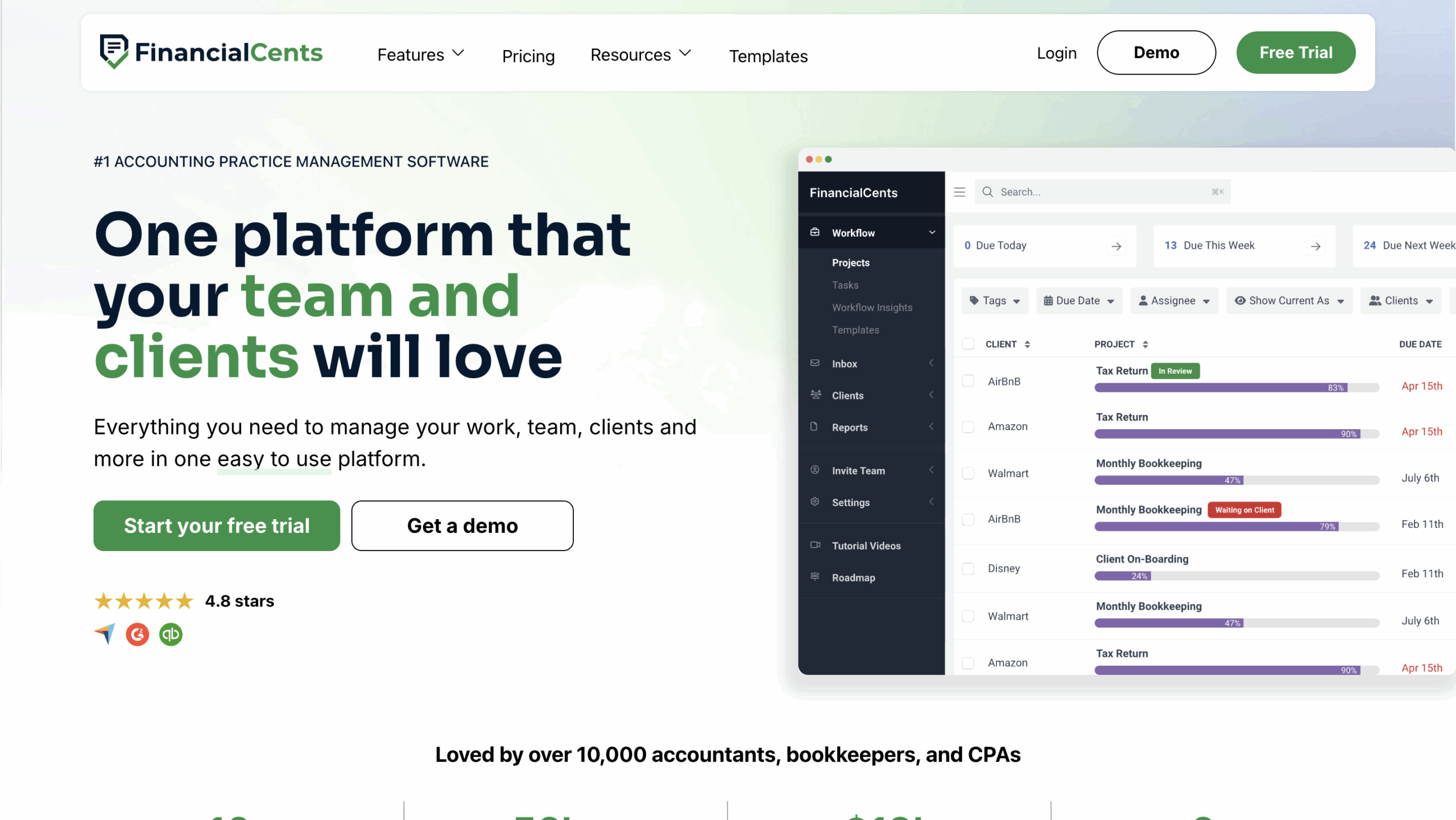
Financial Cents is an all-in-one practice management platform built specifically for accounting, bookkeeping, and tax firms that want to stay organized, hit deadlines, and scale with confidence.
It replaces spreadsheets, disconnected tools, and manual follow-ups with a single platform for managing clients, workflows, communication, billing, and month-end close. With automation, real-time visibility, and firm-wide accountability, your team always knows what work needs to be done, who owns it, and what’s at risk.
Key features
- Workflow management: Create, manage, and track all work in one system. Create projects, assign tasks, set deadlines, and monitor progress in real time from a workflow dashboard. Standardize processes with over 60 free accounting templates and 300+ community-driven workflow templates.
- Client management: Keep all client information, work, and interactions in one place with the client dashboard. Automated client requests and reminders get documents and information from clients faster through Financial Cents’ secure, passwordless client portal, where you can also communicate with clients.
- Document management: Store and organize all client and firm documents in one system, with folders and subfolders that match how your firm works and advanced search to find files quickly.
- Month-end close: Review transactions, flag issues, ask clients questions, and push approved changes back to QuickBooks Online without leaving Financial Cents. Month-end close also supports 1099 and W-9 preparation by pulling vendor data from QuickBooks, requesting W-9s, and syncing updates automatically.
- Billing and payments: Create one-time or recurring invoices from tracked time or flat-fee services. Clients pay by card or ACH, automated reminders reduce late payments, and two-way QuickBooks Online sync keeps invoices and payments updated.
- Tax organizers: Build reusable tax organizers with sections, pages, and conditional logic, so clients only see the questions that apply to them (like a rental income page that appears only if they report rental income). Send organizers from the client’s project with automated reminders, then review submissions and mark them verified to hand off to your preparer.
- Built-in e-signatures: Request e-signatures on engagement letters, tax returns, and other documents directly in a client task. Standard signature requests are free and unlimited on every plan, with optional knowledge-based authentication (KBA) for added identity verification.
- Proposals and engagement letters: Send proposals, collect approvals and signatures, store signed agreements in the client record, and collect billing information upfront.
- Time tracking: Track time inside your workflows with timers or manual entries, tied to the right client and project. Tracked time flows into invoicing, and reports show which work is over budget and which clients are most profitable.
- Workflow automation: Schedule recurring work, trigger automated client reminders, and keep uploads tied to the right tasks with accounting workflow automation.
- Reporting and firm insights: Track capacity, utilization, and completion trends, and use revenue, realization, and budget reports to see which clients, services, and team members drive profit.
| Pros | Cons |
|---|---|
| Easy-to-use, intuitive interface for accounting, bookkeeping, and tax teams | No mobile app |
| Built-in tax organizers and free, unlimited standard e-signatures for tax season | |
| Clients don’t need a username or password to access the client portal | |
| Free workflow templates to standardize processes | |
| AI that creates workflow and email templates in seconds | |
| Automations (client reminders, auto-completing tasks, and more) that save time |
Why consider Financial Cents
Financial Cents is an excellent choice for accounting and bookkeeping firm owners looking for a user-friendly practice management solution. It gives you the tools to manage every part of your practice, streamline workflows, and boost your bottom line.
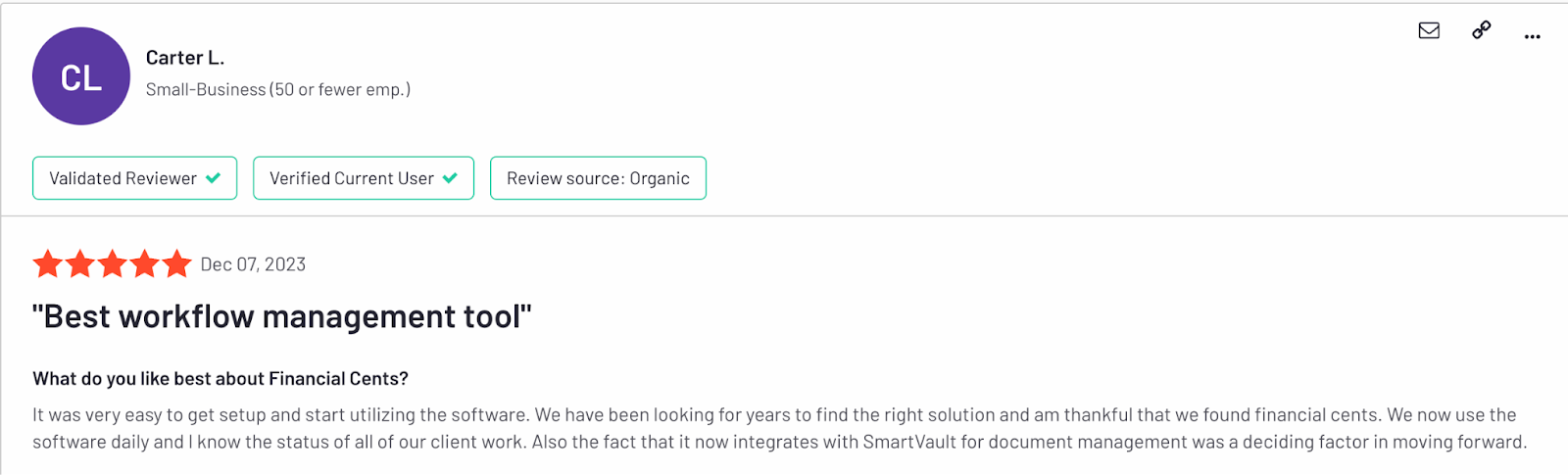
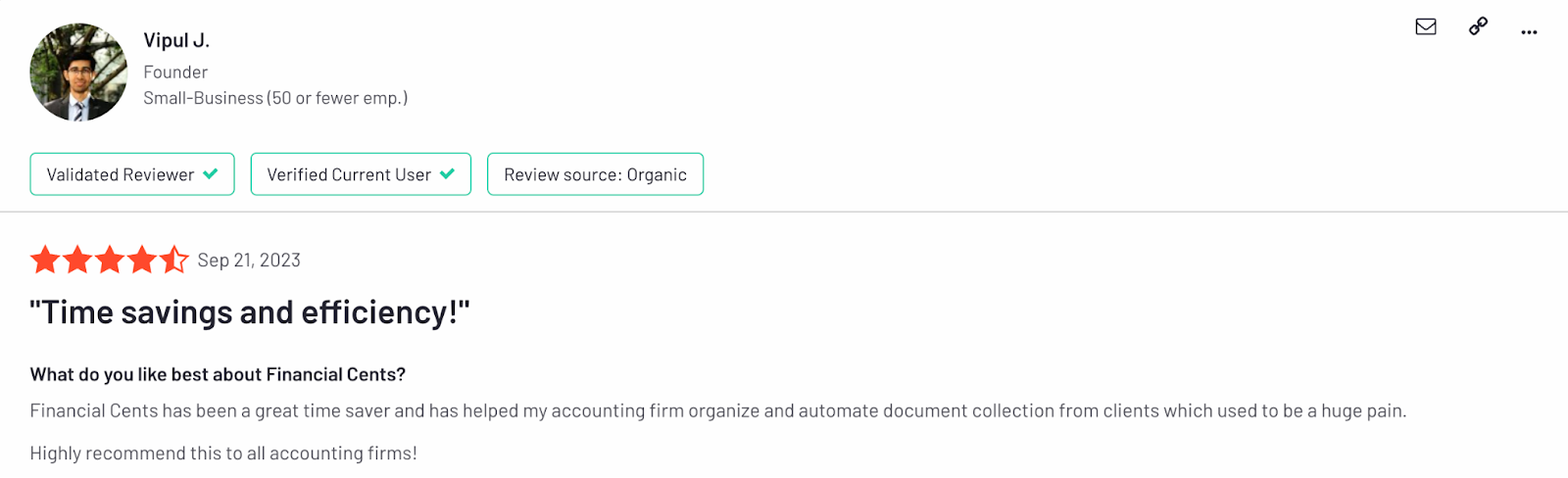
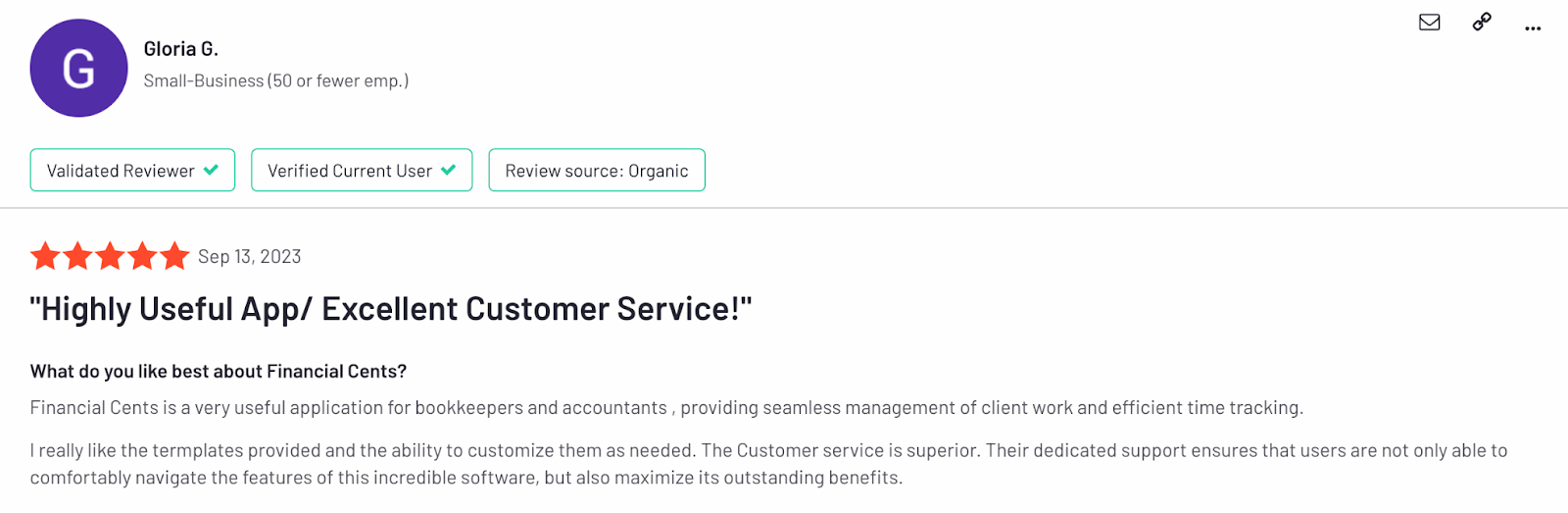
Here’s what some customers say about Financial Cents:
Reviews
Pricing
Financial Cents offers a 14-day free trial. Paid plans:
- Solo: $19/month, billed annually
- Team: $49/month per user, billed annually
- Scale: $69/month per user, billed annually
Should you use Canopy or Financial Cents?
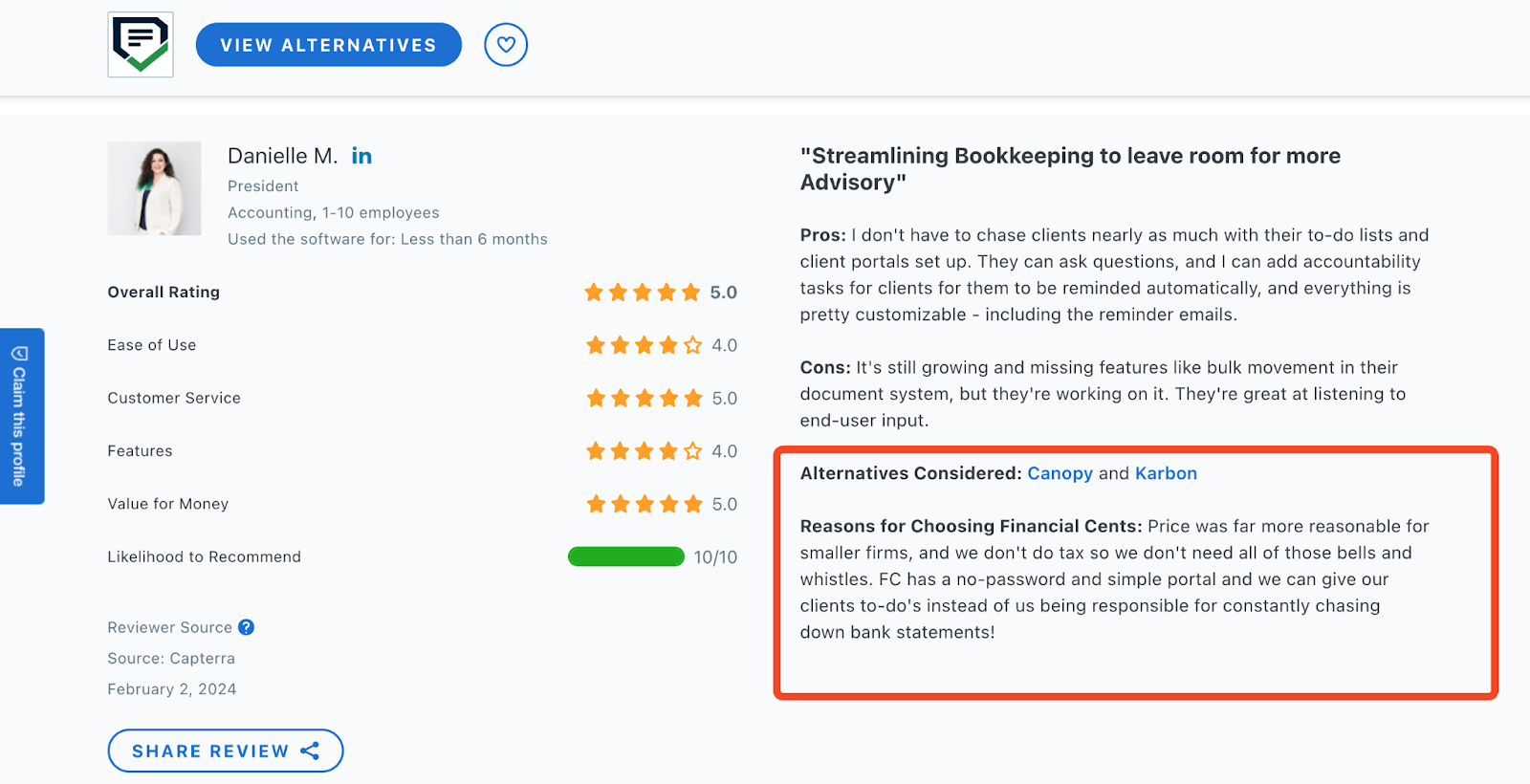
If you prioritize ease of use, affordability, and a feature set for broader accounting needs, choose Financial Cents. With built-in tax organizers and e-signatures, it now covers the tax-season essentials that once kept firms on Canopy, without paying extra for tax workflow add-ons. Many firms make the switch, like this user, who considered Canopy and Karbon before choosing Financial Cents:
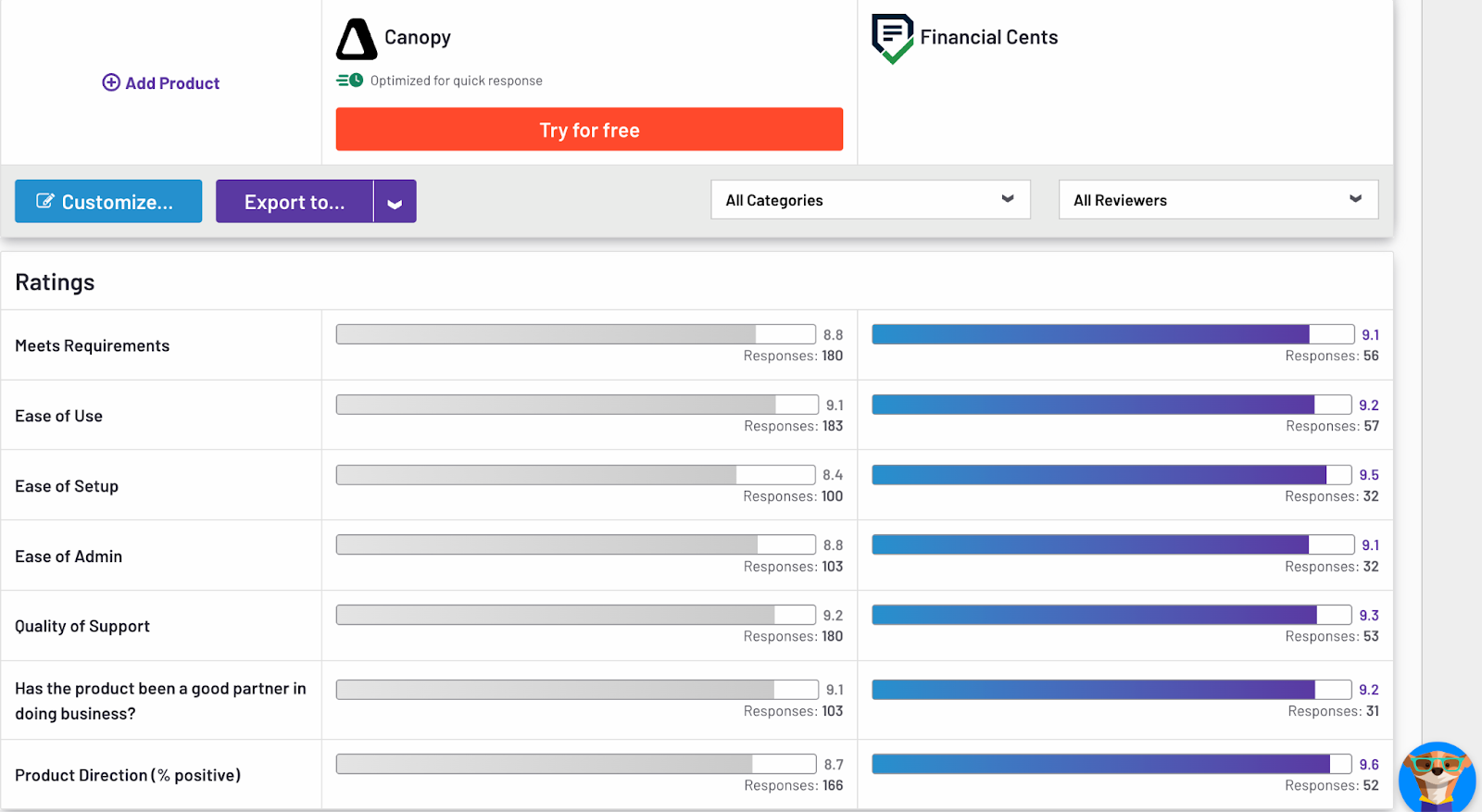
Here’s how Financial Cents stacks up against Canopy:

Book a demo with our product team to see Financial Cents in action.
2. Karbon

Best for: Mid-sized to large firms that run client work through email and prioritize team collaboration.
If collaboration and internal visibility are your top priorities, Karbon is a practice management platform designed to keep your team aligned and work moving. It’s known for strong internal communication tools and a structured workflow approach, which makes it popular with firms that rely heavily on team coordination.
Features
- Team and client collaboration: Kanban-style boards, mentions, shared checklists, integrated email, and detailed activity timelines give you a centralized view of conversations and task updates.
- Workflow management and automation: Work Scheduler, Automators, and auto-reminders help you manage deadlines and recurring work, visualize progress, and automate repetitive steps.
- Analytics: Easy-to-read reports on client activity and firm performance.
- Calendar integrations: Schedule and join meetings from Karbon through Google or Outlook calendar integrations.
- AI and automation: Karbon AI includes an AI coworker (Kai) and AI agents, and Karbon has added Close Automation for month-end work.
- Mobile apps: iPhone and Android apps for your team.
- E-signatures: E-signatures are sold in credit bundles (for example, $100 for 100 credits), and requests with KBA use two credits.
| Pros | Cons |
|---|---|
| Facilitates communication and collaboration between internal teams and clients | Steeper learning curve due to its extensive features |
| Well suited for large firms with complex needs | May overwhelm small and mid-sized firms |
| A central hub for client engagements, documents, and communication | Expensive, with e-signatures sold separately as credits |
Why consider Karbon
If your firm prioritizes collaboration, Karbon is a strong contender. It helps teams work more efficiently and collaborate better.
Reviews
Pricing
Karbon pricing has three options:
- Team: $59/user/month billed annually, or $79 monthly
- Business: $89/user/month billed annually, or $99 monthly
- Enterprise: Custom pricing
Should you use Canopy or Karbon?
If your firm is tax-focused and you need a simpler solution, choose Canopy. If your firm is large and needs strong collaboration and workflow management, choose Karbon.
Side-by-side comparison: Karbon vs. Canopy
Related: The best alternatives to Karbon
3. TaxDome

Best for: Tax-focused firms with many clients that prefer pricing by active clients over per-user fees.
If your firm is heavily focused on tax preparation, TaxDome positions itself as an all-in-one platform built primarily for tax professionals. It centralizes client data collection, tax workflows, and client communication in one system.
TaxDome also provides standardized, repeatable tax workflows, which help during busy filing seasons. You can create templates for common tax services, automate client requests, and move work through predefined stages for structure and consistency at high return volumes.
Because TaxDome is built primarily around tax workflows, it may feel more rigid if your firm offers bookkeeping, CAS, or advisory work. It has billing, time tracking, and workflow tools, but firms that need more flexibility around capacity planning, month-end close, or non-tax service delivery may find it less adaptable.
Features
- Client portal: Clients upload documents, communicate with your firm, and sign forms electronically, with encrypted messaging tied to the client record.
- Tax organizers: Gather required information upfront during tax season, reducing back-and-forth and speeding up return preparation.
- Document management: Store and manage client documents in one place.
- Basic time tracking and billing: Track time, send invoices, and collect payments in the platform.
- AI add-on: AI document organization, API access, and MCP connections are available through a $200/month add-on.
| Pros | Cons |
|---|---|
| Functionality geared toward tax preparation workflows | Like Canopy, its core strengths are in tax, so firms with broader services may need more software |
| Strong emphasis on security and secure communication | Time tracking and billing may be too basic for complex accounting workflows |
| Electronic engagement letters and proposals for smooth onboarding |
Why consider TaxDome
If your firm primarily focuses on tax preparation and prioritizes secure client communication, TaxDome is an alternative to Canopy.
Reviews
Pricing
TaxDome now has a single plan priced by active clients, billed annually upfront:
- Standard plan: from $1,500/year, covering up to 150 active clients and 20 seats
- More active clients: priced in volume bands, up to 3,000 clients
- AI add-on: $200/month per firm
- Custom pricing: above 3,000 active clients or 20 seats
If TaxDome is on your shortlist, review TaxDome’s plans and total cost before comparing features and contract requirements.
Should you use Canopy or TaxDome?
Both lean heavily toward tax preparation. TaxDome offers a more specialized client portal and prices by active clients rather than per user, which can favor firms with small teams and many clients.
Side-by-side comparison: TaxDome vs. Canopy
Related: The best TaxDome alternatives in 2026
4. Jetpack Workflow

Best for: Small firms that want to standardize recurring work and deadlines without full practice management.
Jetpack Workflow is a workflow and deadline-management platform built for accounting and bookkeeping firms that want to standardize recurring work, stay ahead of due dates, and keep their team aligned. Its core strength is turning repeatable services, like monthly bookkeeping, payroll, sales tax, and tax prep, into consistent, trackable workflows.
Features
- Automated workflows: Build workflow templates for common services, generate client jobs, and set them to recur monthly, quarterly, or annually.
- Task management: Assign tasks, track progress, and manage deadlines by client, due date, or team member to see what’s at risk and where to redistribute work.
- Email automation: Email integration and client emailing workflows reduce inbox chaos and keep communication tied to client work.
- Client communication: Communicate with clients directly through Jetpack Workflow.
| Pros | Cons |
|---|---|
| Workflows tailored to your needs for consistent processes | Initial setup and learning required to use its automation fully |
| Adapts to the needs of growing firms | Limited client collaboration features |
| Excels at automating repetitive tasks | Time tracking and capacity management require the Premium plan |
Why consider Jetpack Workflow
Jetpack Workflow suits firms that want to work smarter, not harder. If repetitive tasks are your biggest drain, it can free up your team’s time, minimize errors, and improve efficiency.
Reviews
Pricing
- Starter: $49/seat per month billed monthly (unlimited projects, clients, templates, and automation)
- Premium: $600/seat per year billed annually, or $59/seat per month billed monthly (adds time tracking, budget vs. actuals reports, and capacity management)
- Enterprise: Custom pricing (SSO and a dedicated account manager)
- Add-ons: document storage ($5 per 100 GB) and guided onboarding ($1,500 one time)
Should you use Canopy or Jetpack Workflow?
Use Jetpack Workflow if you want strong automation and customizable workflows. If you’re looking for tax practice management software, consider Canopy.
Related: The top Jetpack Workflow alternatives
5. Aero Workflow

Best for: Small teams that want simple recurring workflow tracking at a flat monthly price.
Aero Workflow is a workflow tool built by accountants, for accountants, with a focus on simplicity and structure. It’s a straightforward way to keep recurring tasks, deadlines, and client work organized.
Features
- Client management: Organize client information, documents, and notes in one place. Integrations with QuickBooks Online, QuickBooks Time, Office 365, and Zapier reduce duplicate data entry.
- Project management: Assign tasks, set deadlines, and track progress on work built around accounting services.
- Recurring tasks: Create recurring tasks monthly, quarterly, annually, or on custom intervals to standardize processes as your client list grows.
- Time tracking: Basic time tracking for billing and workload analysis, tied directly to workflows.
| Pros | Cons |
|---|---|
| QuickBooks Online integration | Some users report lag |
| The timer starts automatically when you open a task | Clunky interface |
Why consider Aero Workflow
Use Aero Workflow if you want a simple tool to manage recurring workflow and save time, without full practice management.
Reviews
Pricing
- Startup (1–5 users): $108/month billed annually, or $135 monthly
- Growth (6–25 users): $200/month billed annually, or $250 monthly
- Scaling (26–50 users): $295/month billed annually, or $365 monthly
Should you use Canopy or Aero Workflow?
If you need a workflow tool rather than full practice management, choose Aero Workflow. If you need tax practice management, choose Canopy.
6. Pixie
Best for: Solo practitioners and small firms that want an affordable, easy tool priced by client count with unlimited users.
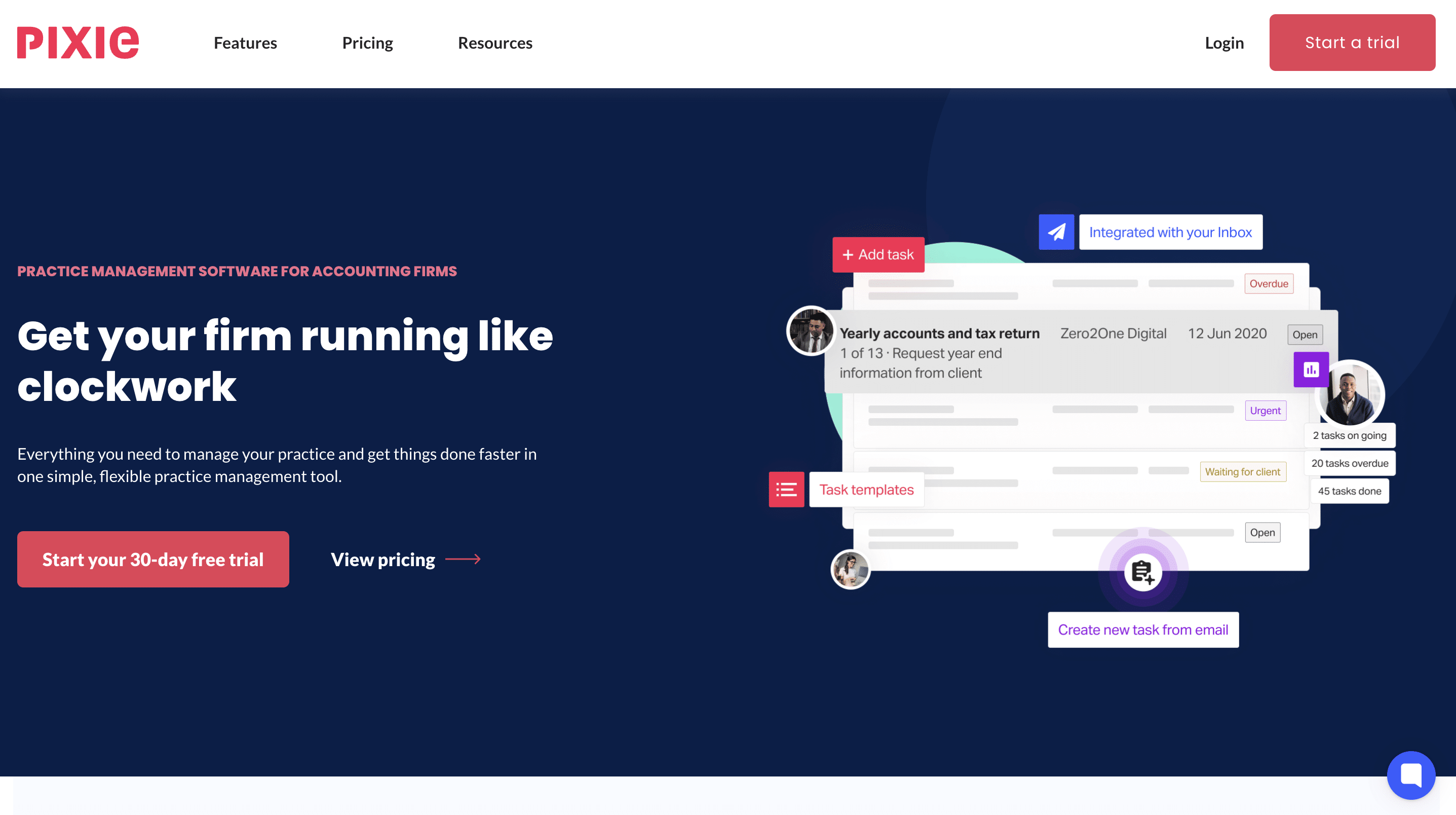
Pixie is a user-friendly practice management tool designed primarily for solo practitioners and small firms that want to stay organized without paying for or learning a complex system. It positions itself as an affordable companion rather than an enterprise platform.
Features
- Task management: Manage client information, tasks, and documents in one place, and turn detailed task steps into reusable templates.
- Automated workflows: Automate task creation, follow-ups, and status updates to reduce manual effort and errors.
- Recurring tasks: Automatically create routine work on your preferred schedule to stay ahead of deadlines.
- Email integration: Turn emails into tasks and delegate them to teammates.
- Client reminders: Request information with automated reminders, notify clients when projects start, and collect feedback when work is complete.
| Pros | Cons |
|---|---|
| Simple, intuitive interface for accountants of all experience levels | Doesn’t cater to the specialized needs of very large or complex firms |
| Well suited to solo practitioners and small firms | Limited reporting and collaboration features |
| Pre-built workflow templates |
Why consider Pixie
Pixie is a strong contender for solo accountants and small firms that want a user-friendly, affordable way to stay organized, automate workflows, and focus on growth.
Reviews
Pricing
Pixie has a 30-day free trial and charges by number of clients, with unlimited users on every plan:
- Up to 250 clients: $129/month
- 251–500 clients: $199/month
- 501–1,000 clients: $329/month
- Over 1,000 clients: Custom quote
Should you use Canopy or Pixie?
Canopy’s tax-centric features suit firms where tax is the primary focus. Pixie covers a broader range of everyday accounting tasks for smaller firms.
How Do You Choose the Right Canopy Alternative?
Choose Financial Cents if you run a mixed accounting, bookkeeping, and tax practice and want everything in one tool; Karbon if you’re a larger firm that lives in email; TaxDome if you’re tax-only; and Jetpack Workflow, Aero Workflow, or Pixie if you mainly need workflow tracking on a small team.
Choosing the right practice management solution can feel overwhelming. Canopy offers strong functionality for tax-focused firms, but it might not be the right fit if you offer broader accounting services.
The alternatives here (Financial Cents, Karbon, TaxDome, Jetpack Workflow, Aero Workflow, and Pixie) each have unique strengths. If you need accounting workflow management software with a simple interface, a feature set for diverse accounting and bookkeeping needs, and affordable pricing, consider Financial Cents.
Work falling through the cracks? Try Financial Cents free for 14 days (no credit card required). Start your free trial or book a free demo.
Frequently Asked Questions (FAQs)

Wesley Armstrong is the Customer Onboarding Manager at Financial Cents and a former Technical Support Specialist at SmartVault. He helps accounting and bookkeeping firms set up workflows that fit how they actually work, and writes about choosing, comparing, and switching practice management software.
Share this article



Excellent article!