
Bookkeeping firms should let the demands of monthly work guide their software choices. Many assume any practice management tool will do, until the gaps show:
- Recurring projects need recreating or adjusting by hand as volume grows.
- Your team chases clients across email and chat to resolve uncategorized transactions.
- Month-end close becomes reactive instead of predictable.
Getting the tooling right pays off: 89% of accounting professionals using the right software and automation report higher profits and efficiency. Here are the 7 best bookkeeping practice management software tools for 2026, how they support bookkeeping workflows, and which firms each fits.
TL;DR
- The short answer: Financial Cents is the strongest all-in-one bookkeeping practice management software for small and mid-sized firms in 2026, combining recurring work, month-end close with QuickBooks Online transaction review, a passwordless client portal, and capacity management, from $19/month.
- Bookkeeping practice management software is practice management software set up for recurring monthly work: monthly close, transaction review, and client questions every month. Many accounting practice management tools, including Financial Cents, cover both. The difference is how well they handle monthly work, not whether they were built for tax season.
- Other picks by need: Double for reconciliation-focused teams; Client Hub for client-collaboration-first firms; Karbon for larger firms mixing tax and bookkeeping; Jetpack Workflow for small teams moving off spreadsheets; TaxDome for firms that also do tax; Aero Workflow for SOP-driven CAS firms.
- Specialists, not full platforms: Xenett (AI review and close checks) and UnCat (uncategorized transaction cleanup) add value alongside a practice management tool but don’t replace one.
- What to evaluate first: recurring monthly work that sets itself up, month-end close inside the workflow, and client requests that chase for you.
- Pricing model matters as much as price: per-user pricing ($19–$89/user/month here) scales with your team; per-client pricing scales with your client count.
How Do the Best Bookkeeping Practice Management Tools Compare?
Financial Cents is the only tool here that combines recurring monthly work, month-end close inside the platform, a passwordless client portal with reminders, time and billing, and a self-serve free trial, from $19/month. Here’s how all seven compare on the jobs bookkeeping firms do every month.
← Scroll to see more →
| Tool | Best for | Starting price and pricing model | Recurring monthly workflows | Month-end close and transaction review | Client requests and portal with reminders | Time tracking and billing | Self-serve free trial |
|---|---|---|---|---|---|---|---|
| Financial Cents | Small and mid-sized bookkeeping and CAS firms | $19/month (Solo), then $49/user/month (Team), billed annually; per user | Yes, recurring work recreates itself | Yes, for QuickBooks Online, with 1099 and W-9 reports (add-on, $5/client/month) | Yes, passwordless portal with automatic reminders | Yes | Yes, 14 days, no credit card |
| Double | Reconciliation-focused bookkeeping and CAS firms | $10/client/month; per client | Yes | Yes, QuickBooks Online and Xero | Yes | Not listed | Not listed |
| Client Hub | Client-collaboration-first firms | $49/month (Solopreneur); per user | Yes | Uncategorized expenses and book review (QBO and Xero on Practice Manager Plus) | Yes | Not listed | Not listed |
| Karbon | Mid-sized to larger firms mixing tax and bookkeeping | $59/user/month, billed annually; per user | Yes | Through Aider, Karbon’s period close product (QuickBooks Online and Xero) | Yes | Yes | Demo; no free trial listed |
| Jetpack Workflow | Small firms moving off spreadsheets | $40/user/month, billed annually; per user | Yes | No | No portal | Premium plan | Yes, 14 days |
| TaxDome | Firms that do bookkeeping and tax | $1,500/year for up to 150 active clients, 20 seats; per active client | Yes | No | Yes | Yes | No; demo and self-guided tour |
| Aero Workflow | SOP-driven CAS and bookkeeping firms | $108/month (Startup), billed annually; flat tiers | Yes | Templates only | Minimal | Time tracking | Yes, 14 days |
Which Tool Fits Your Type of Bookkeeping Firm?
Solo bookkeepers and teams of 2–30 should start with Financial Cents; CAS firms can add Aero Workflow to the shortlist, firms that also do tax should compare TaxDome and Karbon, and cleanup-heavy firms should pair Double with UnCat or Xenett.
| Type of firm | Start with | Look for |
|---|---|---|
| Solo bookkeepers | Financial Cents (Solo plan), Jetpack Workflow | Quick setup, recurring templates, and client requests you don’t have to chase |
| Bookkeeping teams of 2–30 | Financial Cents, Double, Client Hub | Month-end close in the workflow, capacity across the team, and one place for client questions |
| CAS and advisory firms | Financial Cents, Aero Workflow | Recurring work plus reporting on realization and client profitability |
| Firms that do bookkeeping and tax | Financial Cents, TaxDome, Karbon | Tax organizers, e-signatures, and tax software integrations next to monthly work. See tax practice management software. |
| Cleanup and catch-up heavy firms | Double, plus UnCat or Xenett | Transaction review at volume |
The 7 Best Bookkeeping Practice Management Software for 2026
We compared each tool with extra weight on what bookkeeping firms do every month: recurring work, month-end close and transaction review, and client collaboration.
1. Financial Cents
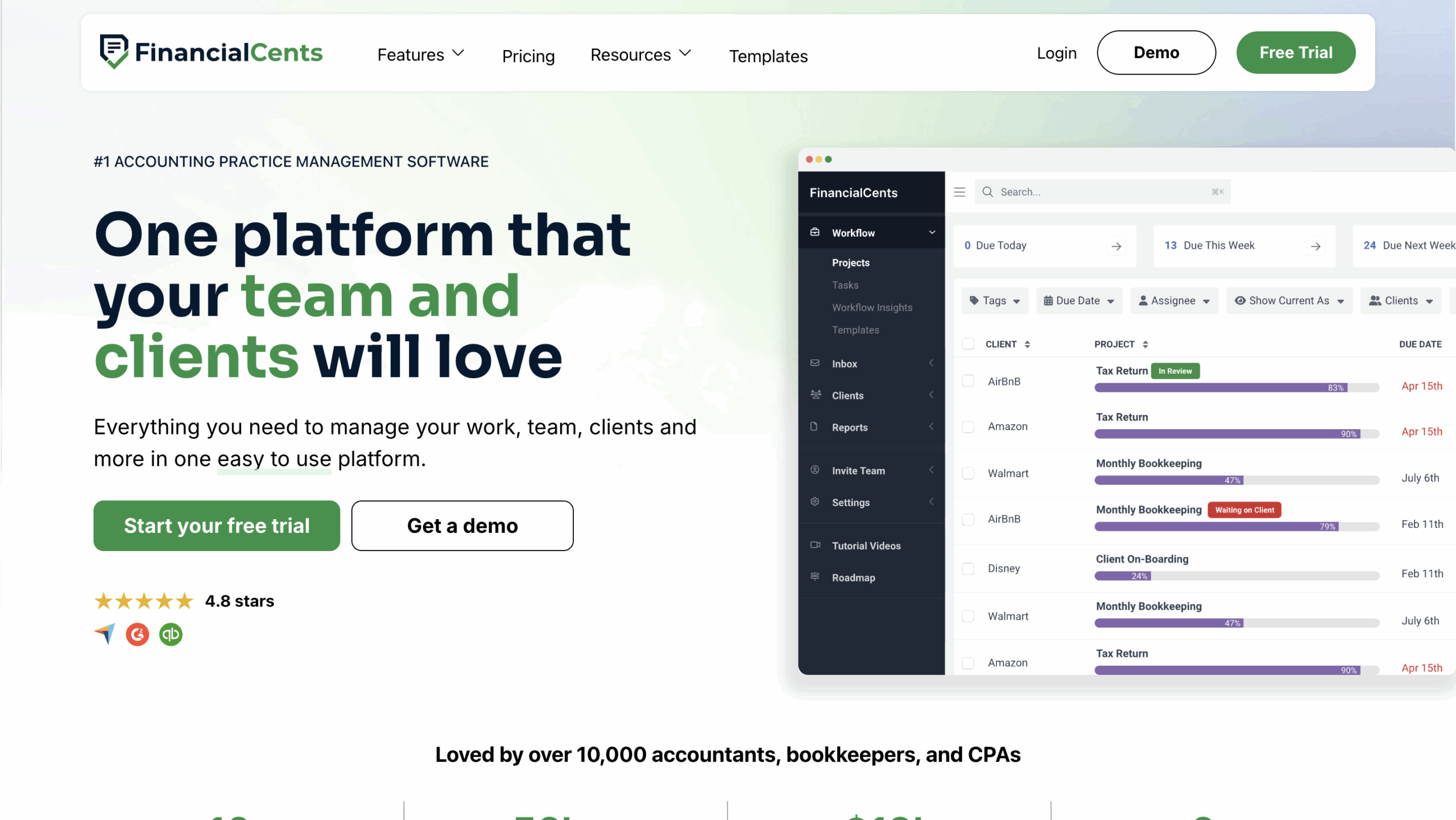
Financial Cents’ practice management software is an all-in-one platform for bookkeeping and accounting firms that emphasizes ease of use, workflow automation, and accountability. Its recurring work, month-end close, and client portal make it the center of many small and mid-sized bookkeeping firms’ tech stacks.
Key features
- Recurring work and templates: Monthly bookkeeping projects recreate themselves from your templates, with filters by client, employee, or tag.
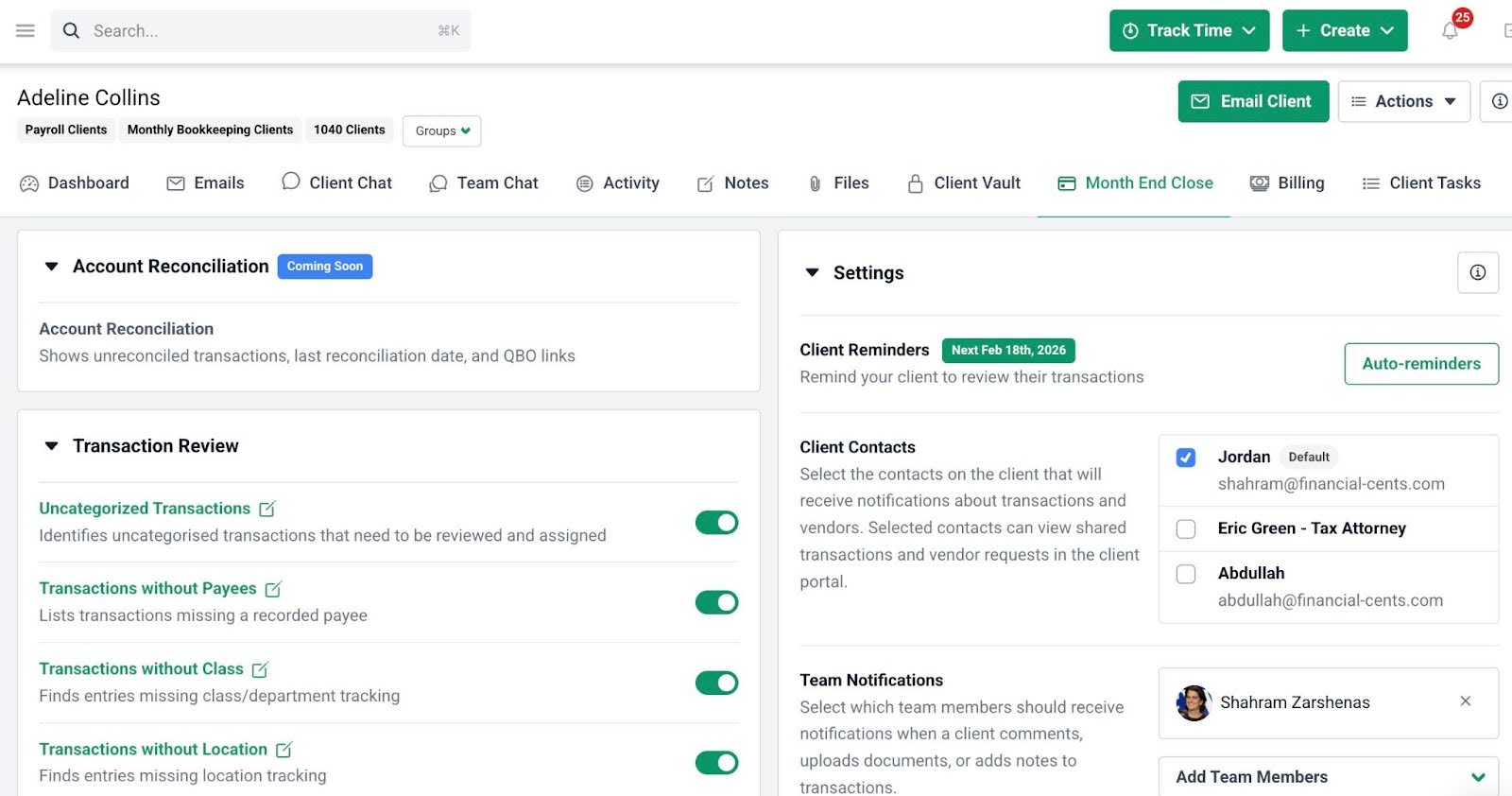
- Month-end close: Find uncategorized transactions, resolve them with clients, and sync changes back to QuickBooks Online, plus 1099 and W-9 reports. Month-End Close is an add-on at $5 per client per month, first client free.
- Client requests and portal: Structured requests through a passwordless client portal, with automatic reminders, client chat, and organizers.
- Built-in e-signatures: Request signatures in client tasks; standard requests are free and unlimited on every plan.
- Capacity, time, and reporting: Capacity management, time tracking, realization and utilization reports, and billing synced with QuickBooks Online.
- AI file agents: AI File Validator, AI File Renaming, and AI File Routing check and file client uploads.
Pricing
- Solo: $19/month (billed annually)
- Team: $49/user/month (billed annually)
- Scale: $69/user/month (billed annually)
- Enterprise: Custom pricing
Best for
Small to mid-sized bookkeeping firms and CAS teams that want recurring work, month-end close, and client collaboration in one tool.
Pros and cons
| Pros | Cons |
|---|---|
| Month-end close and transaction review in the workflow | No tax resolution or IRS integration features |
| Recurring work that sets itself up | Month-end close works with QuickBooks Online only, as a paid add-on |
| 1099 and W-9 reports | No mobile app |
| Easy team adoption |
Ratings
4.8/5 on Capterra and 4.7/5 on G2.
2. Double
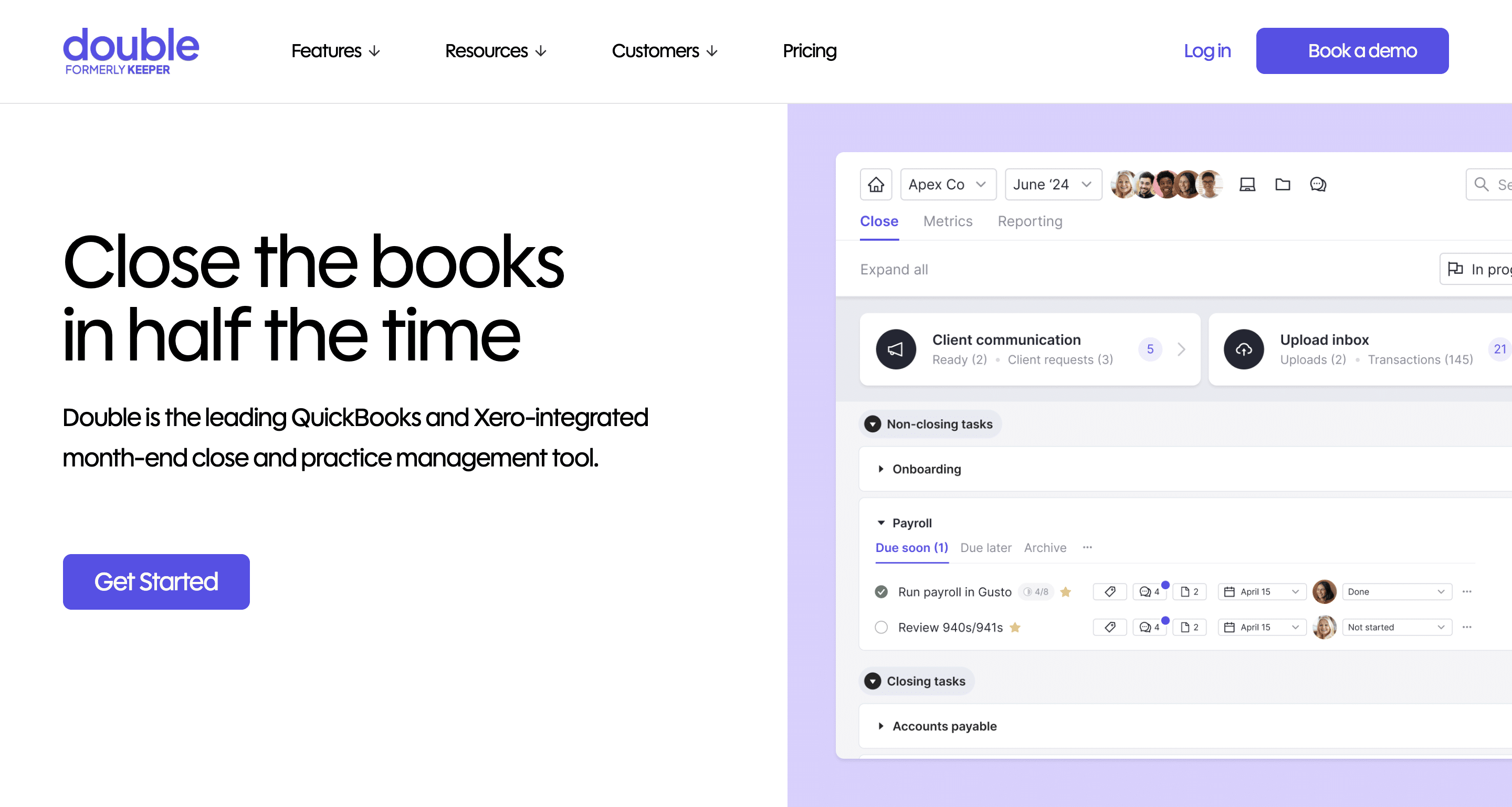
Double is a bookkeeping practice management tool built around month-end tasks and automating manual close work, with two-way sync to QuickBooks Online and Xero.
Key features
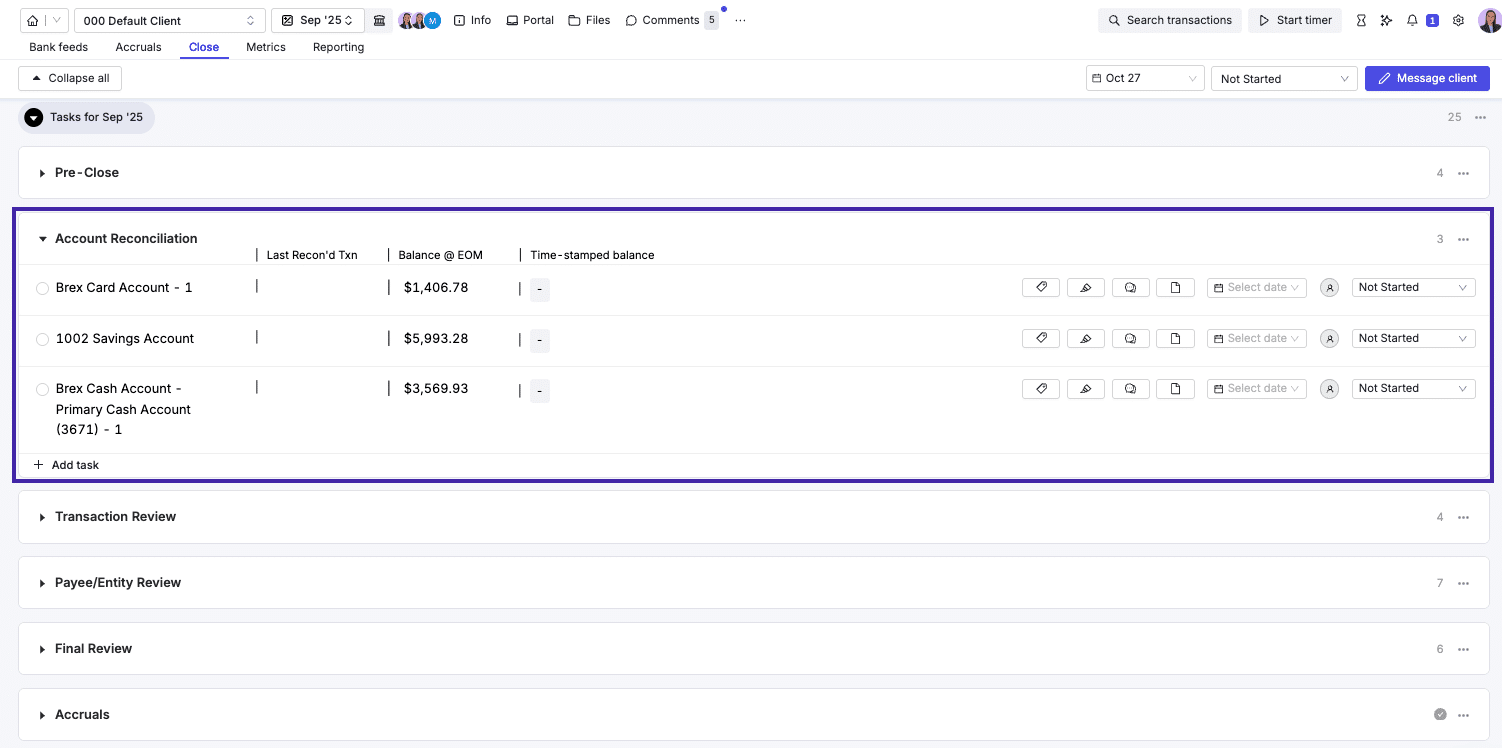
- File review and closing: Flags miscoded transactions to speed up month-end close.
- Management reporting: Client-ready financial reports and KPI summaries.
- Client communication: Client chats, transaction comments, and automated reminders in one place.
- Workflow and CRM: Task templates plus client records with close status, open items, and assigned staff.
- Document management: AI-assisted extraction for requested client documents.
Pricing
- Core: $10/client/month
- Plus: $25/client/month
- Scale: $50/client/month
Best for
Bookkeeping and CAS firms that need faster reconciliations and client collaboration tied directly to the books.
Pros and cons
| Pros | Cons |
|---|---|
| Clean interface | Focused mostly on bookkeeping engagements |
| Strong close and review tools | Per-client pricing grows with your client list |
| Quick to set up | No capacity management |
Ratings
3.8/5 on Capterra and 4.9/5 on G2.
Compare: Financial Cents vs Double · The Top Double Alternatives
3. Client Hub
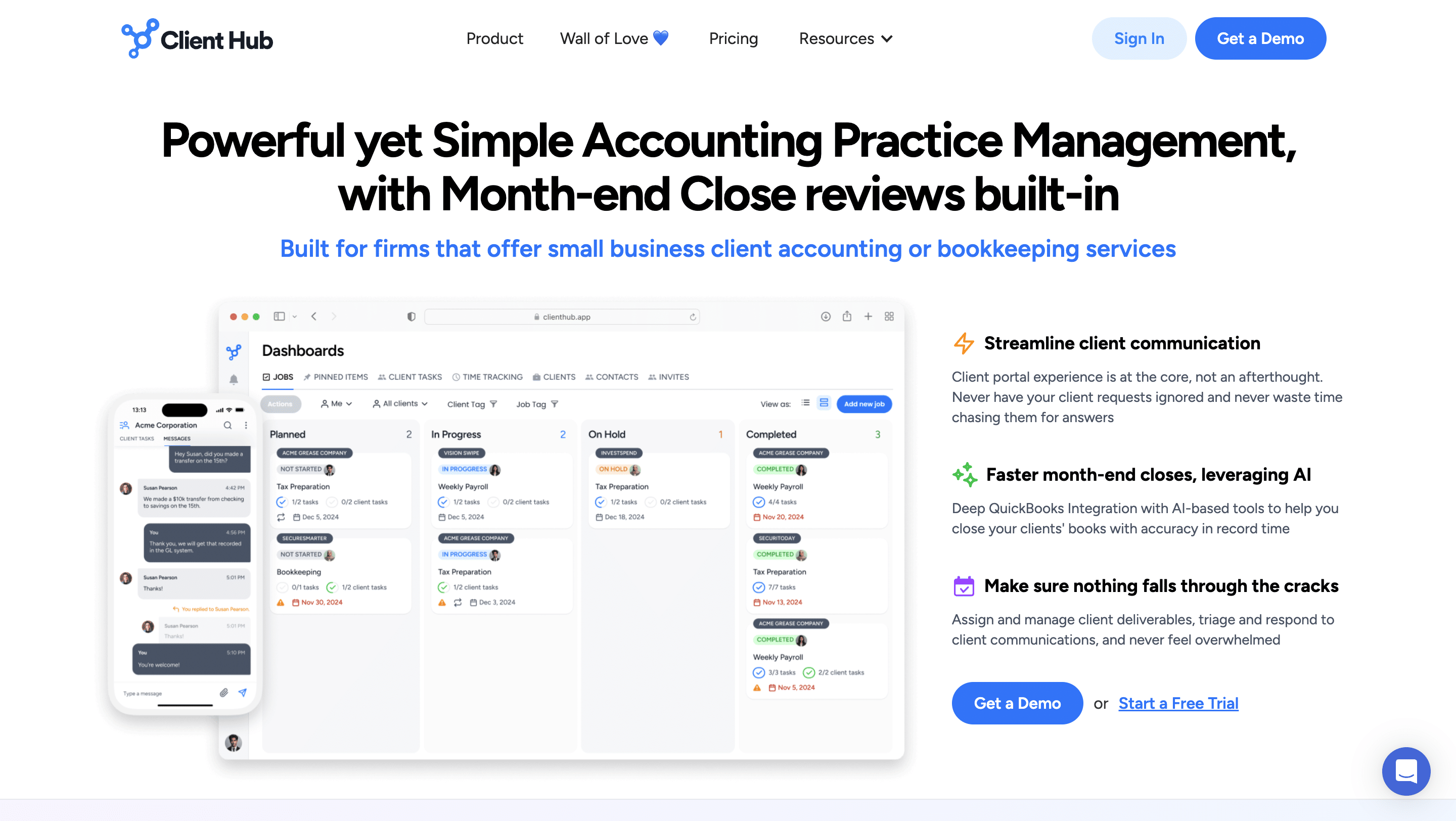
Client Hub is an AI-enhanced practice management platform that combines a client portal with bookkeeping workflows, built to make client collaboration the center of the firm.
Key features
- Jobs and recurring work: A jobs panel, task checklists, and recurring jobs for monthly services.
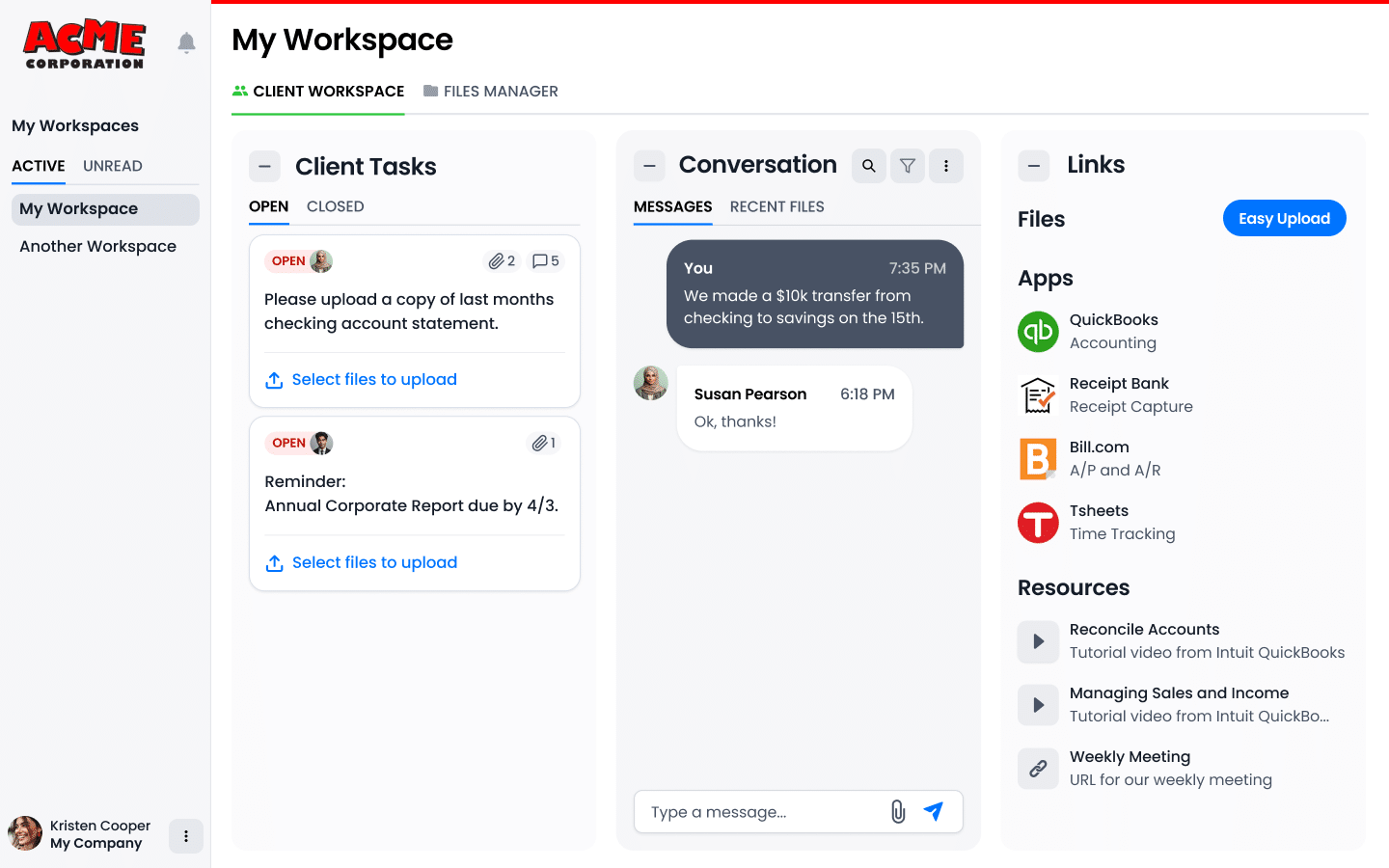
- Client tasks and messages: Structured client requests and chat-style messaging.
- Email and AI: An integrated inbox with AI-suggested replies.
- Book review and uncategorized expenses: Clients resolve unclassified transactions, with QuickBooks Online and Xero sync on Practice Manager Plus.
Pricing
- Solopreneur: $49/month
- Practice Manager: $59/user/month (billed annually; $79 monthly)
- Practice Manager Plus: $79/user/month (billed annually; $99 monthly)
Best for
Bookkeeping and CAS firms that prioritize client collaboration and month-end support.
Pros and cons
| Pros | Cons |
|---|---|
| Strong client-facing experience | QuickBooks and Xero transaction features require the top plan |
| Reduces email back-and-forth | Lighter team and capacity management than full platforms |
| Useful AI for replies and reviews |
Ratings
4.7/5 on Capterra and 5/5 on G2.
4. Karbon
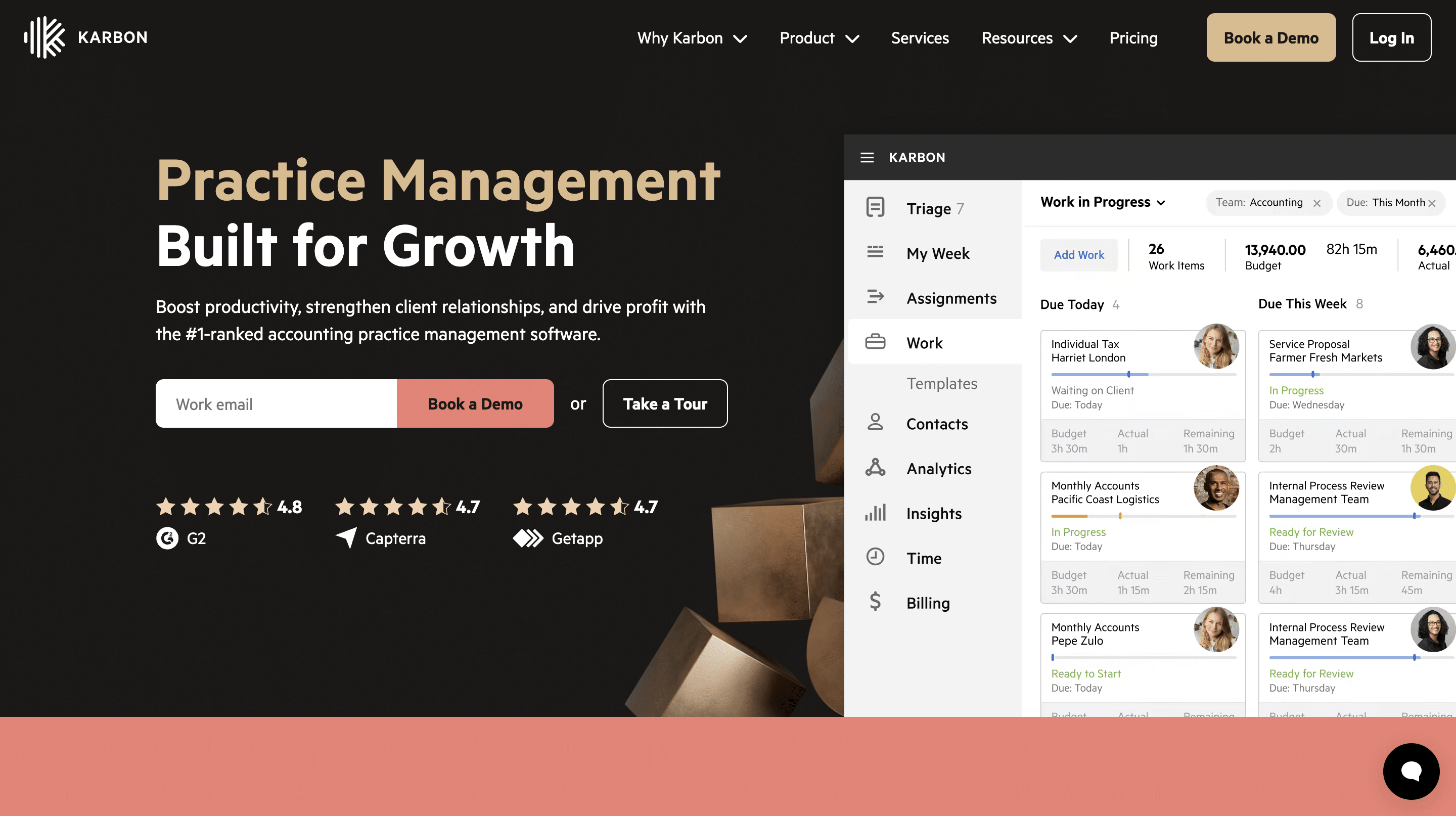
Karbon is a practice management platform built for accounting and tax firms that adapts well to bookkeeping, with strong collaboration and email management for larger teams.
Key features
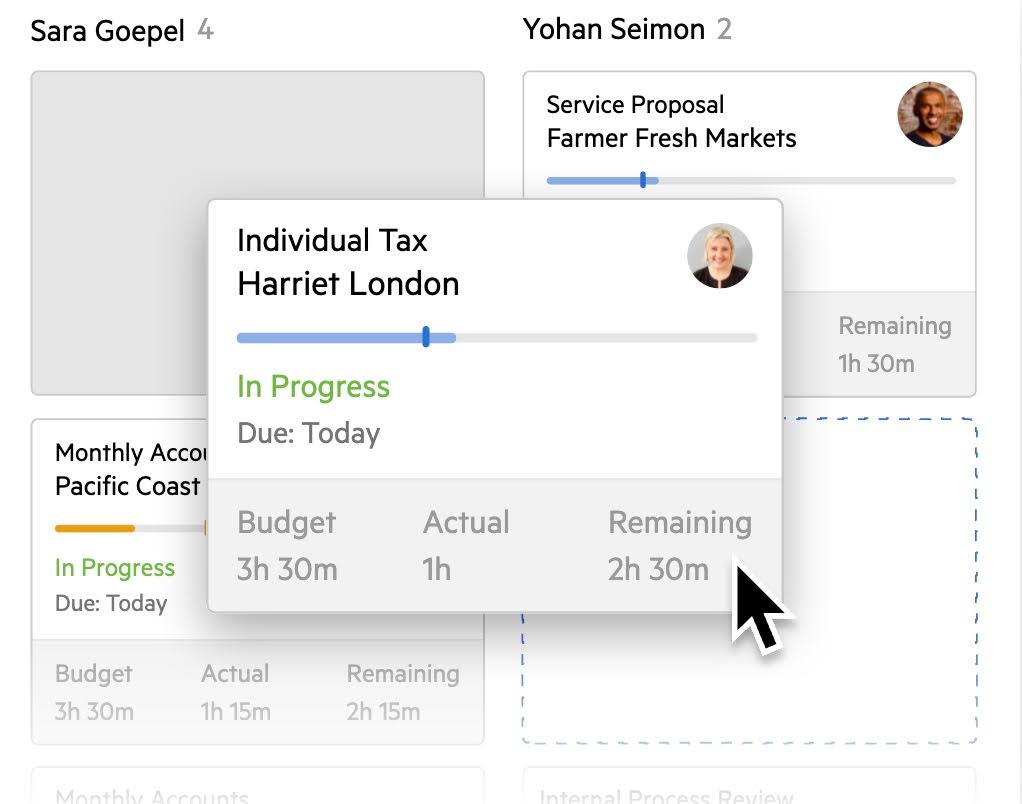
- Work templates and scheduler: Standardized templates and recurring work on schedule.
- My Week and Automators: A weekly action plan, plus task dependencies and logical workflows.
- Email and client portal: Integrated email triage, a client portal, and auto-reminders (Business plan and up).
- Period close automation through Aider: Aider, a close automation product Karbon acquired in 2025, checks client books in QuickBooks Online or Xero, flags exceptions, and syncs close progress into Karbon work items. It’s a separate product that integrates with Karbon, not a built-in feature.
- AI: AI summaries, suggestions, and agents.
Pricing
- Team: $59/user/month (billed annually; $79 monthly)
- Business: $89/user/month (billed annually; $99 monthly)
- Enterprise: Custom pricing
Best for
Mid-sized to larger firms offering tax and bookkeeping that need cross-service coordination and team scalability.
Pros and cons
| Pros | Cons |
|---|---|
| Powerful email and communication tracking | Can feel complex for bookkeeping-only teams |
| Firm-wide visibility | Automatic client reminders and task automation start on Business |
| Scales well for larger teams | Month-end close runs in Aider, a separate product connected through an integration |
Ratings
4.7/5 on Capterra and 4.8/5 on G2. See Karbon pricing.
Compare: Financial Cents vs Karbon · Best Karbon Alternatives
5. Jetpack Workflow
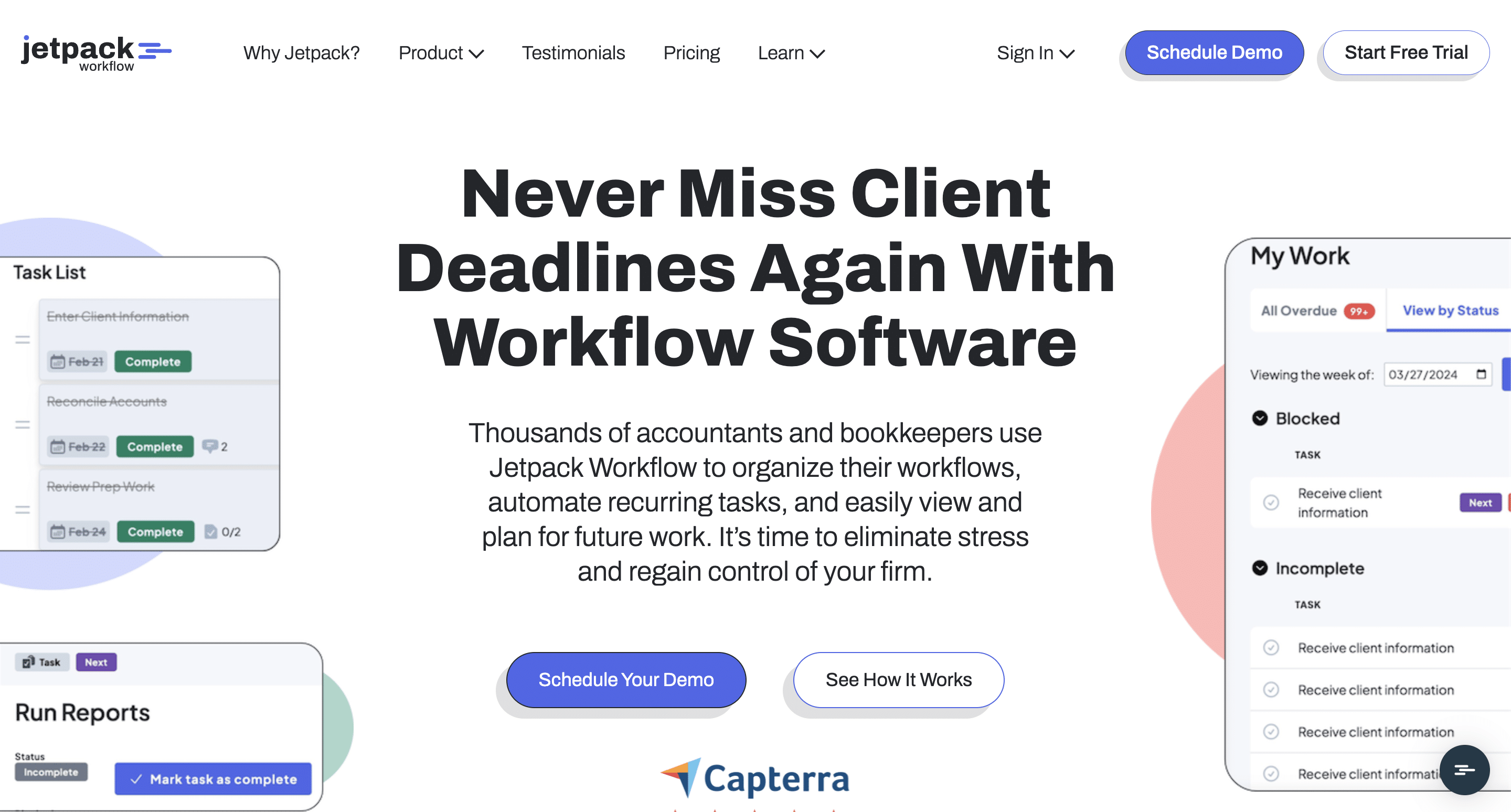
Jetpack Workflow is a workflow tracking tool that helps bookkeeping teams standardize recurring work and meet deadlines. It’s an internal workflow tool and doesn’t work inside QuickBooks or Xero for transaction review.
Key features
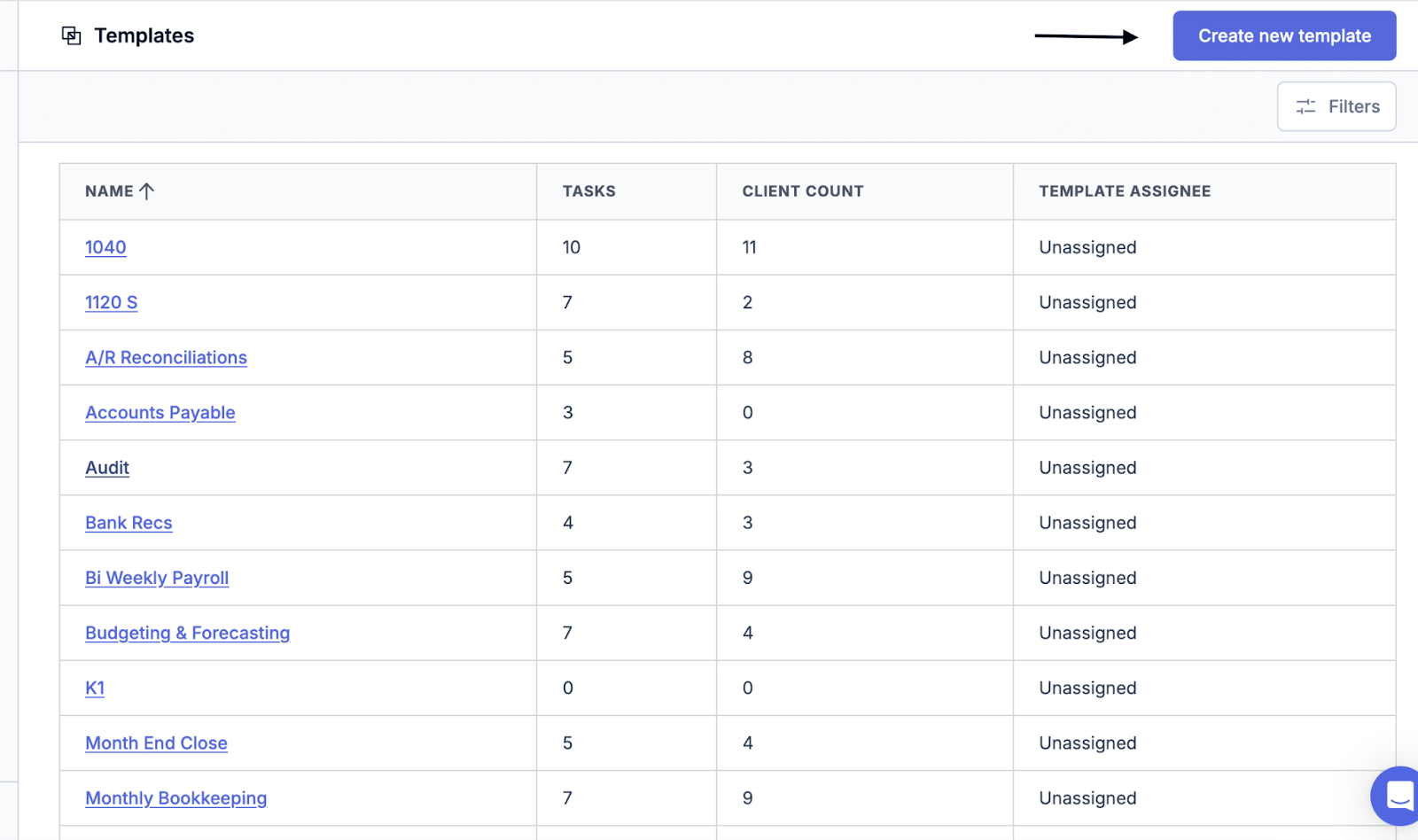
- Job templates and recurring work: Repeatable templates for monthly bookkeeping, payroll, and compliance that regenerate on schedule.
- Dashboard and assignments: Active jobs, upcoming deadlines, and clear ownership.
- Time tracking and reporting: Time logging and capacity on Premium.
Pricing
- Starter: $40/user/month (billed annually; $49 monthly)
- Premium: $50/user/month (billed annually; $59 monthly)
- File storage is a paid add-on
Best for
Small bookkeeping firms moving off spreadsheets that want simple recurring workflows.
Pros and cons
| Pros | Cons |
|---|---|
| Excellent at standardizing recurring work | No month-end close or transaction review |
| Simple task tracking | No client portal |
| Affordable | Limited automation |
Ratings
4.8/5 on Capterra and 4.4/5 on G2.
Compare: Financial Cents vs Jetpack Workflow · The Best Jetpack Workflow Alternatives
6. TaxDome
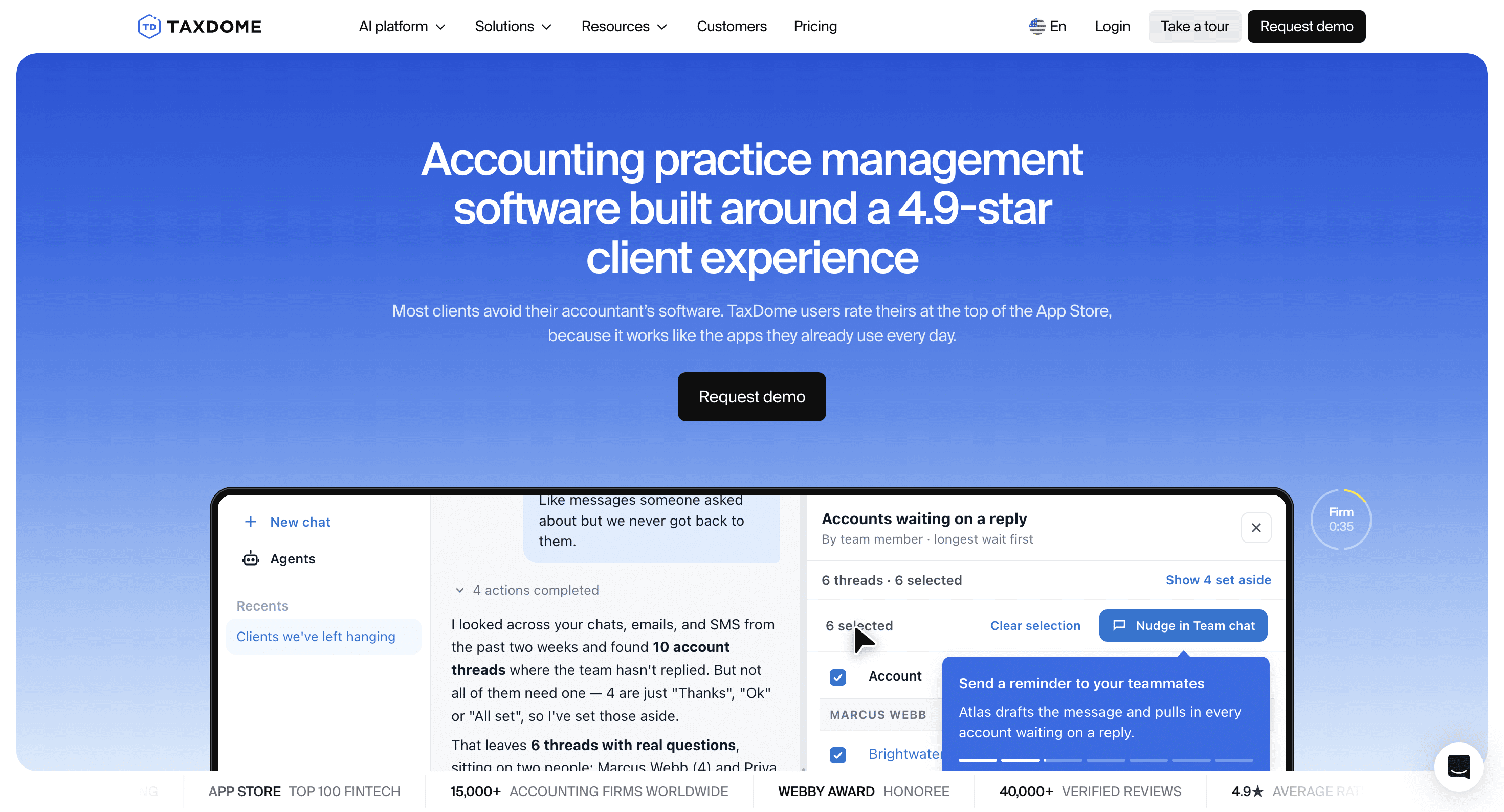
TaxDome is an all-in-one platform with a strong client portal, document management, CRM, and billing. It suits bookkeeping firms that also do tax, with organizers and e-signatures alongside monthly work.
Key features
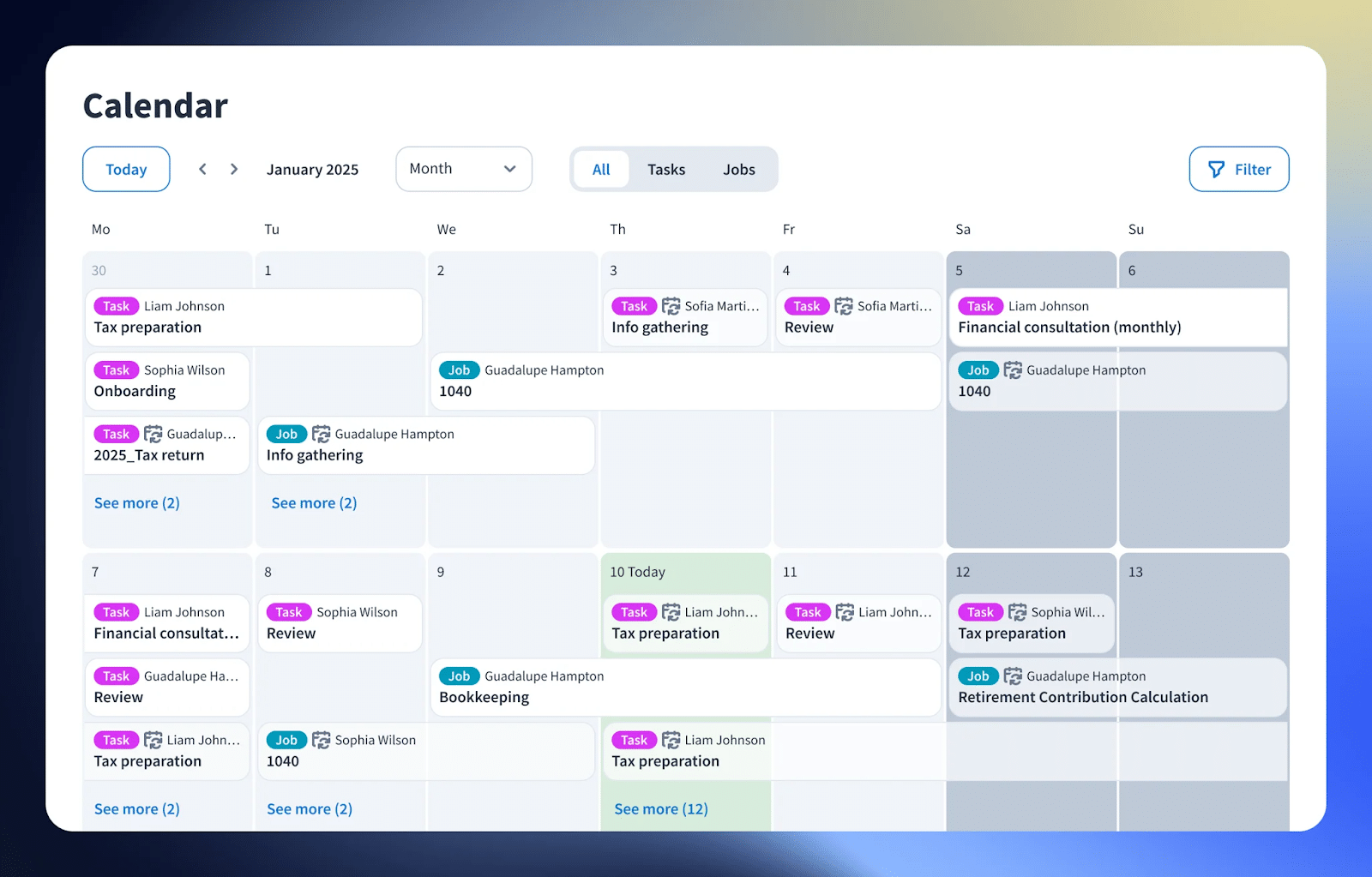
- Workflow automation: Pipelines that trigger task assignments and updates as work moves.
- Client portal and organizers: A white-labeled portal and mobile app, tax organizers, and e-signatures.
- Documents and billing: Document storage, invoicing, and payments, with documents locked until invoices are paid.
Pricing
- One plan priced by active client: from $1,500/year for up to 150 active clients, 20 seats included, billed annually
- AI add-on: $200/month per firm
Best for
Firms that do bookkeeping and tax and want client communication, documents, and workflow in one platform.
Pros and cons
| Pros | Cons |
|---|---|
| Comprehensive client portal | No month-end close or transaction review |
| Strong document management and e-signatures | Setup takes time |
| Tax organizers built in | Annual, upfront billing |
Ratings
4.7/5 on both Capterra and G2.
Compare: Financial Cents vs TaxDome · The Best TaxDome Alternatives
7. Aero Workflow

Aero Workflow is workflow software for bookkeeping, CAS, and accounting firms built around documented procedures, with checklists that keep recurring work consistent across clients.
Key features
- SOP templates: Prebuilt bookkeeping, reconciliation, and month-end close templates with detailed checklists.
- Recurring tasks: Scheduled tasks on your service timelines.
- Time tracking: Time logging with optional QuickBooks sync.
Pricing
- Startup: $108/month (billed annually; $135 monthly)
- Growth: $200/month (billed annually; $250 monthly)
- Scaling: $295/month (billed annually; $365 monthly)
Best for
Small CAS and bookkeeping firms that need strict procedures for quality control.
Pros and cons
| Pros | Cons |
|---|---|
| Embeds SOPs into daily work | Dated interface |
| Good recurring workflow management | Minimal client-facing features |
| Affordable for small firms | Basic reporting |
Ratings
4.0/5 on Capterra and 3.5/5 on G2.
Specialist Tools to Pair With Your Practice Management Software
These tools aren’t practice management platforms, but they solve specific close and categorization problems alongside one.
Xenett
Xenett is a financial close and review platform with 50+ AI-powered data checks that flag misclassifications, duplicates, and inconsistencies, plus prepaid expense automation and QuickBooks and Xero sync. It costs $7.50 per client per month for AI Financials Review or $10 per client per month for its Workflow Plan. It suits teams that prioritize review quality, but needs a practice management tool for client communication and deadlines.
UnCat
UnCat pulls uncategorized transactions from a client’s books and sends clients guided questions to answer, with automated follow-ups, bulk categorization, and an audit trail. It costs $9 per client per month and suits firms doing high-volume cleanup or catch-up work, alongside a practice management tool. Compare Financial Cents vs UnCat.
What Is Bookkeeping Practice Management Software?
Bookkeeping practice management software helps bookkeeping firms run day-to-day operations: it recreates recurring client work, tracks deadlines, standardizes processes, and centralizes client communication and team capacity.
It’s practice management software set up for recurring monthly work. Many best accounting practice management software options, including Financial Cents, serve both accounting and bookkeeping firms. What matters is how well a tool handles monthly close, transaction review, and the client questions that come every month.
What Should Bookkeepers Look for in Practice Management Software?
Start with the three jobs that make bookkeeping different: recurring monthly work, month-end close, and client requests. Then check integrations, reporting, pricing model, and ease of use.
Recurring monthly work that sets itself up
Bookkeeping is the same work for the same clients every month. Your software should recreate each client’s monthly jobs, with due dates and owners, without anyone rebuilding them. Look for templates for monthly bookkeeping, payroll, and sales tax, and a dashboard that shows what’s done, what’s waiting on clients, and who owns the rest.
Month-end close inside the workflow
Our 2026 Bookkeeping Firm Tech Stack Report found that 28% of the 261 bookkeeping firms surveyed run month-end close on spreadsheets they maintain by hand, and 20% on a checklist in a document or notes app. Only 33% run it inside practice management software. Look for a close that connects to QuickBooks Online or Xero, flags uncategorized transactions, and sends questions to clients from the same place. Here’s the month-end close problem every bookkeeping firm has, and how firms fix it.
Client requests that chase for you
Most delays in a bookkeeping firm come from chasing clients for documents and answers. Look for structured requests, automatic reminders, and a portal clients can use without a password, so nothing falls through the cracks when someone is out.
Fewer tools, less re-entry
The same report found that 70% of firms re-enter data between tools at least a few times a week. Every tool you consolidate removes a place for errors and duplicate work.
Integrations, reporting, pricing, and ease of use
- Integrations: QuickBooks Online and Xero sync, email, and document storage keep client data aligned.
- Reporting: Capacity, realization, and utilization reports show who’s overloaded and which clients are underpriced.
- Pricing model: Per-user pricing grows with your team; per-client pricing grows with your client list.
- Ease of use: Onboarding resources, importable templates, and responsive support shorten time to value.
How Do You Choose the Right Tool for Your Bookkeeping Firm?
Weigh your firm size and growth plans, recurring work volume, AI and governance needs, team structure, priority features, pricing model, and how easy the tool is to adopt.
- I. Firm size and growth stage: Choose a tool that serves you now and as you grow, so you don’t have to switch again soon.
- II. Volume of recurring work: The tool should automate recurring workflows and show bottlenecks during peak periods like month-end close.
- III. AI capabilities and governance: AI features should solve a defined problem, like validating client documents, while keeping human review. Our research on how firms use AI found adoption is widespread but formal governance is limited.
- IV. Team structure and collaboration: Handoffs, shared visibility, and internal comments keep task ownership clear.
- V. Priority features: Identify the capabilities your core workflows depend on, then confirm them in a demo.
- VI. Budget and pricing model: Look past the advertised price; per-client pricing can get expensive as you add clients.
- VII. Onboarding and change management: Templates, walkthrough videos, live support, and an active user community make the move smoother.
Why Do Bookkeeping Firms Need Practice Management Software?
Practice management software makes bookkeeping work consistent, keeps deadlines visible, improves the client experience, and lets firms grow without adding headcount at the same pace.
- Consistency and efficiency: Templates standardize how work gets done across clients and team members.
- Better document collection: Requests tied to each project put client files where your team needs them.
- Fewer missed deadlines: Due dates and automation keep teams ahead of month-end.
- Scalability without matching headcount: Visible, repeatable work frees senior staff from status checks.
- Easier onboarding and capacity planning: Documented processes speed up new hires, and capacity data shows when to hire.
The Right Bookkeeping Practice Management Software Makes Growth Feel Natural
Any tool will serve a bookkeeping firm for a while, but only one built around monthly work makes growth feel natural. The next step is using practice management software to scale with consistent workflows, clearer capacity, and less dependence on the owner to coordinate every job.
Look beyond price. Focus on how well each tool supports recurring work, month-end close, collaboration, and client communication now and later. Financial Cents brings recurring workflows, month-end close, client collaboration, and capacity management together, so bookkeeping firms operate predictably every month.
See how much smoother your month can run. Start your Financial Cents free trial (no credit card required) or book a free demo.
Frequently Asked Questions (FAQs)

Wesley Armstrong is the Customer Onboarding Manager at Financial Cents and a former Technical Support Specialist at SmartVault. He helps accounting and bookkeeping firms set up workflows that fit how they actually work, and writes about choosing, comparing, and switching practice management software.
Share this article