

ClickUp’s modern interface, affordable pricing, and flexible use cases have made it a popular project management software, serving hundreds of thousands of teams across industries.
In the accounting industry, many small firms, especially those escaping the chaos of paper, email, and spreadsheet-based systems, can tailor ClickUp to their unique accounting project management needs. And because their staff and clients are few, the administrative burden of such customization is negligible.
However, as firms add more clients, staff, and service lines, accounting workflows become more specialized, and their processes begin to demand features and functionalities that generic project management tools like ClickUp do not support.
At that scale, recurring engagements go beyond simple task repetition, compliance schedules need to be proactively managed, client document requests need to be tracked (and followed up), and time records need to flow directly into billing and reports.
This article takes a practical look at how ClickUp functions inside an accounting or bookkeeping firm. It shows:
- What it does well
- Where it starts breaking down
- The operational tradeoffs most firms don’t see upfront
By the end, you’ll know whether ClickUp is right for your firm and what to consider if it’s not.
TL;DR
- ClickUp is a flexible and powerful project management platform, but it was not designed specifically for accounting firms.
- It performs well for general project management, but requires significant customization for recurring accounting work, client collaboration, etc.
- Many firms underestimate the true cost of implementation, including setup time, staff training, integrations, and ongoing maintenance.
- While ClickUp can work for solo practitioners or large firms with the resources to manage a highly customized system, growing firms will benefit more from accounting-specific software.
- Purpose-built platforms like Financial Cents offer accounting-specific features that reduce implementation time and operational complexity.
What is ClickUp?
ClickUp is a general-purpose project management platform that enables teams to organize tasks, manage workflows, collaborate, and track progress in a central workspace.
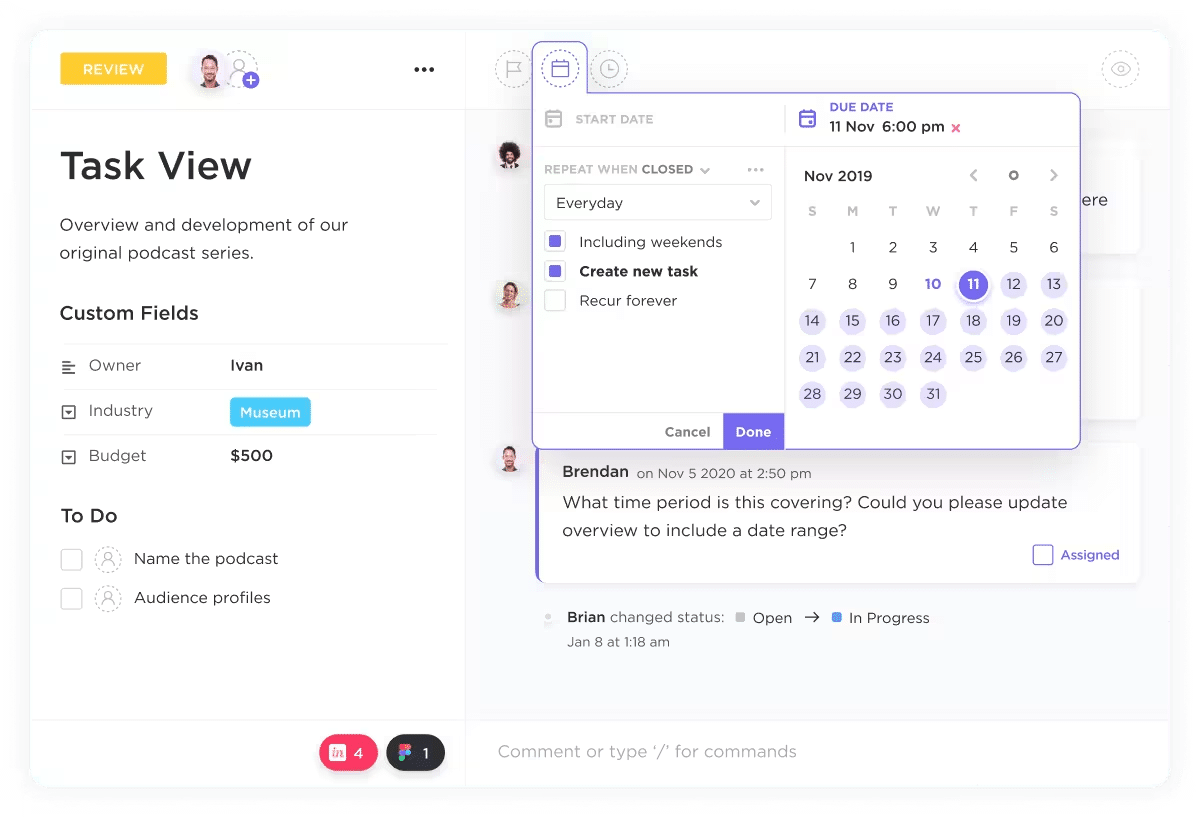
The platform boasts an impressive set of features, which include tasks, lists, interactive dashboards, custom fields, built-in time tracking, internal Docs, and more than 1,000 native integrations.
Its modern interface and extensive customization options have enabled it to grow across industries, from startups to Fortune 500 companies. This enables teams to build custom workflows for onboarding, client work, internal operations, marketing, hiring, etc.
Beyond its customizability, ClickUp’s pricing structure is another advantage. It offers a free plan along with affordable paid tiers, which allow new firms to start small and expand features as they grow.
How Accounting Firms Typically Try to Use ClickUp
ClickUp’s flexibility makes it useful for many operations scenarios. For accounting firms, these five (5) stand out:
a. Recurring monthly bookkeeping engagements
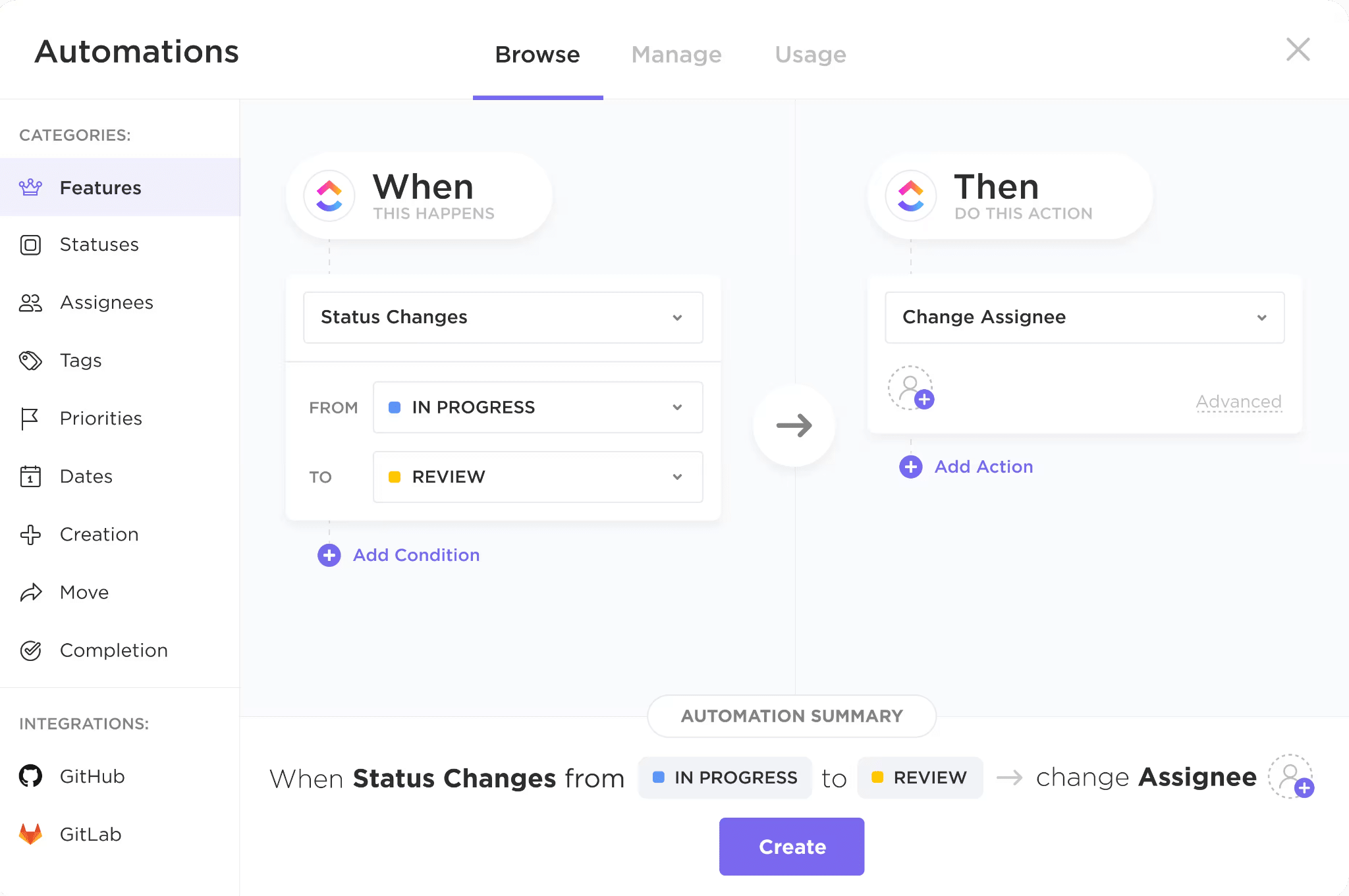
ClickUp enables firms to create tasks and determine how often they should repeat on a daily, weekly, monthly, or yearly basis.
Tasks can be recurred When Closed, When Done, and On Schedule. This last option tells ClickUp to recreate the task, whether the previous version is closed, done, or not.
While the Recurring feature in ClickUp recreates repetitive bookkeeping tasks, you can also decide whether to simply recreate the current task or change the details of subsequent versions.
b. Tax season deadline tracking
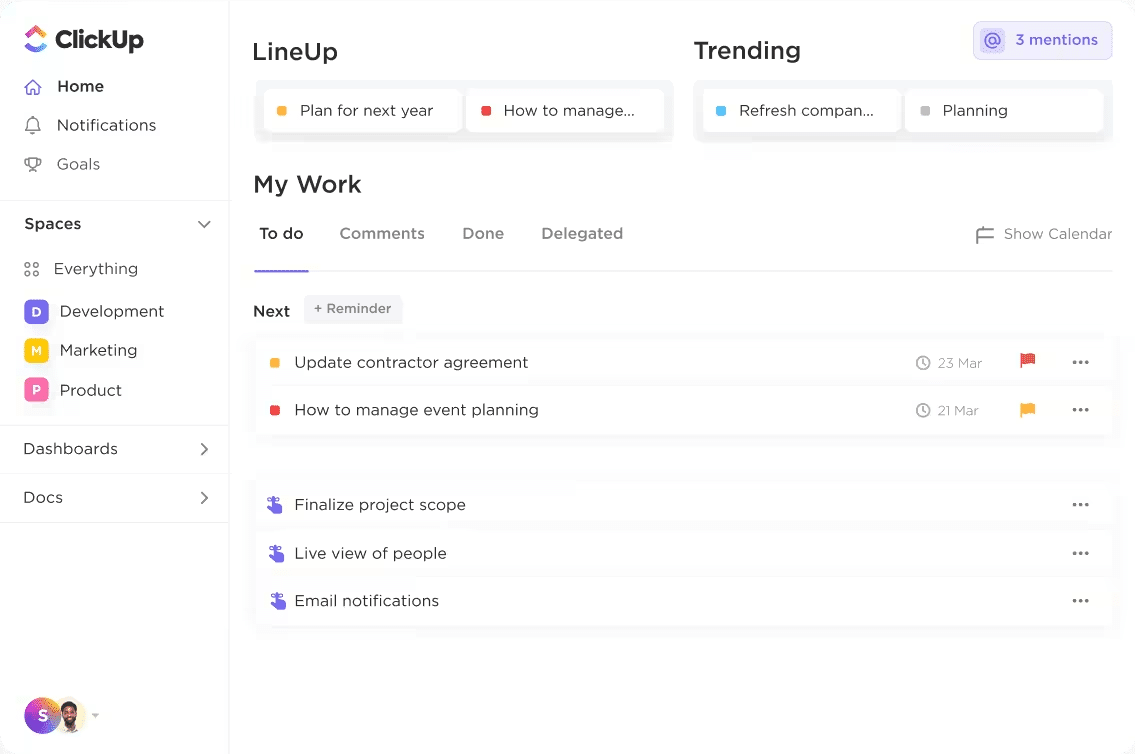
Accounting firms can also use ClickUp to manage tax returns using Gantt charts or Calendar views to track their statutory due dates.
They can also create custom fields named Statutory Deadlines or Tax Deadlines to monitor these deadlines. They can then sort their List View by that keyword (statutory deadline or tax deadline) to ensure high-priority filings stay at the top of their lists.
c. Internal task management
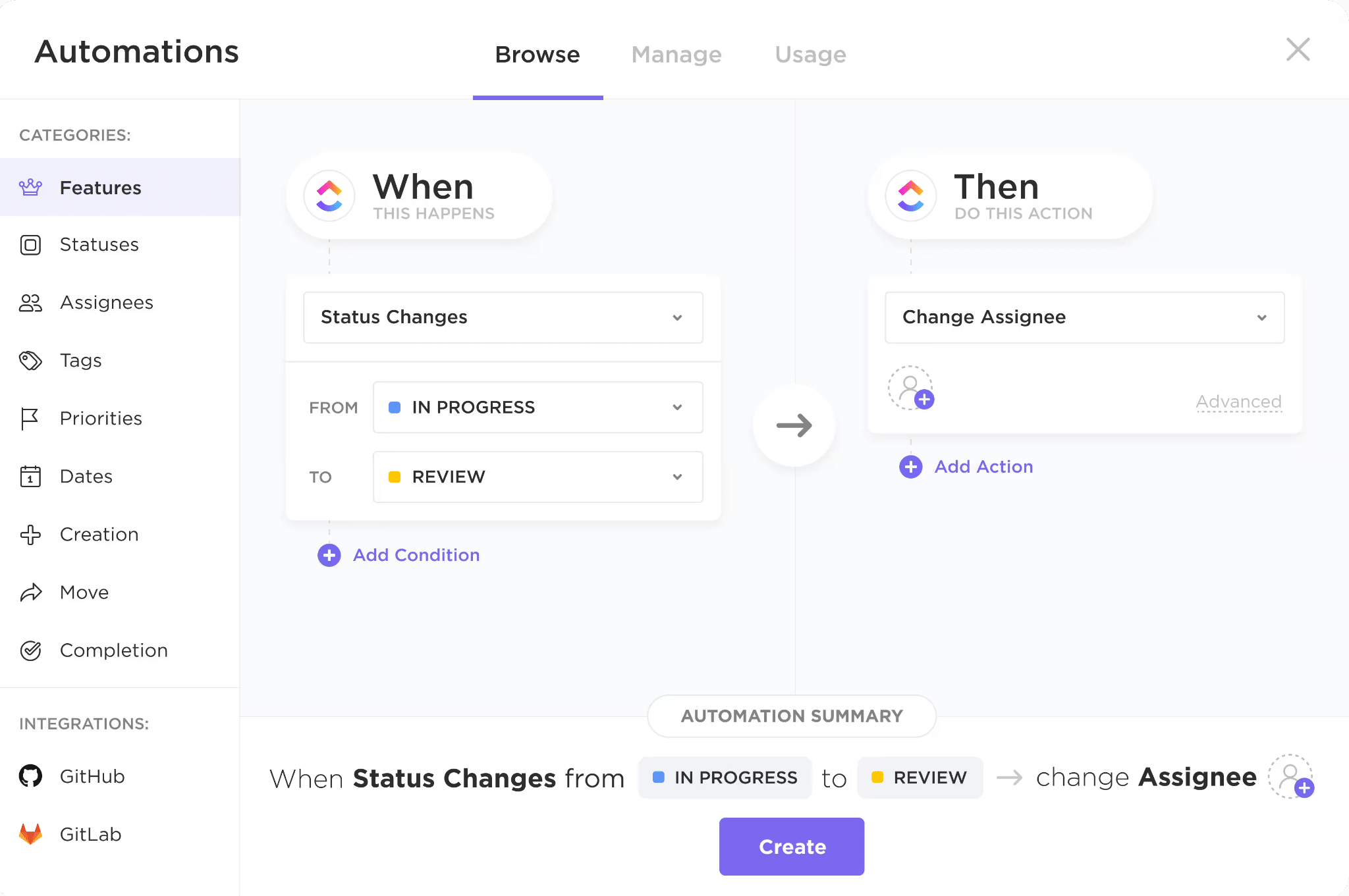
Accounting teams use ClickUp to create staff to-dos in a customizable hierarchy of Spaces, Folders, and Lists that enable task tracking.
This way, managers can assign tasks to specific team members, and team members can chat directly within the task comments.
d. Onboarding checklists
ClickUp’s template feature also enables accounting firms to standardize their client intake process for better first impressions.
These templates outline all necessary steps like gathering initial documents, sending engagement letters, and scheduling kickoff calls.
Teams can also assign responsibilities for the tasks and provide necessary instructions to keep all client experiences on brand.
e. Documenting processes
Accounting firms use ClickUp Docs as their internal knowledge base to build a process library.
ClickUp Docs integrates directly with tasks and workflows, which enables firms to connect their SOPs to task execution, instead of relying on disconnected spreadsheets or scattered Google Docs.
Where ClickUp Works Well for Accounting Firms
i. Lower Starting Costs
One of ClickUp’s biggest advantages for smaller accounting firms is its low barrier to entry.
Its free plan allows solo accounting practitioners and early-stage firms to move beyond spreadsheets and email-based task management without immediately paying for an accounting project management software.
For new firms still developing their internal processes, this free plan is even more valuable. It gives them a centralized place to organize work, improve visibility, and introduce more structure into their operations before committing to a more specialized system.
ii. Highly Flexible Workflows
ClickUp is highly customizable for firms with specific internal processes. They can customize task statuses, fields, views, automations, templates, dashboards, and workflow structures almost endlessly.
ClickUp’s custom fields and status hierarchies allow you to build a workspace that mirrors how your team operates.
There’s always a way to configure any specific process you might have inside ClickUp.
iii. Strong Internal Project Management
ClickUp’s workspace acts as an operational command centre for accounting teams. It organizes client work using Spaces, Folders, and Tasks, with custom statuses and fields for workflows like month-end close.
Key project management features include recurring tasks, automations, Docs, file attachments, workload views, and customizable dashboards.
These help to centralize collaboration and provide visibility into deliverables, deadlines, and team capacity.
iv. Strong Process Documentation and SOP Management
ClickUp Docs is valuable for firms that want to build centralized SOP libraries, training materials, workflow instructions, and process checklists within the platform.
It links SOPs, process notes, or video walkthroughs to tasks and workflows to provide team members with instructions in the context of the work.
v. Many Teams Already Know the Tool
Because ClickUp is widely used across industries, new team members are likely familiar with its interface and core functionality before joining your firm. Plus, it is easy to find ClickUp tutorials, templates, YouTube walkthroughs, and communities online.
This familiarity reduces onboarding friction and learning curve for your team members compared to adopting a less common or highly specialized platform.
vi. There’s an Entire Ecosystem of ClickUp Consultants
ClickUp has a large ecosystem of consultants, implementation partners, and workflow specialists creating resources to educate users.
Firms that do not want to design and maintain their system internally can also hire these experts to help structure workflows, automations, dashboards, and operational processes.
This reduces the complexity involved in adapting ClickUp to recurring client work and internal operations.
An example is ZenPilot, which specializes in helping firms customize ClickUp for accounting and professional service environments.
Where ClickUp Falls Short for Accounting Firms
Since ClickUp is an industry-agnostic platform, it offers significant flexibility. On the flip side, the lack of accounting-specific features creates limitations for accounting firms.
i. No built-in client portal
Built-in accounting client portal was one of the three most sought-after workflow software features of 2025, together with a centralized dashboard and client reminders.
ClickUp was not built around the type of client collaboration that accounting firms require. While teams can share tasks, forms, and documents externally, the platform does not provide a native client portal for managing recurring document requests, approvals, e-signatures, or ongoing client communication.
To address this, many firms add separate client communication or portal tools to ClickUp, which increases operating costs.
Beyond the financial costs, this system creates a fragmented experience for clients and staff. The staff will have to switch context constantly to manage projects and client communication.
ii. No native accounting software integrations
ClickUp also lacks native integrations with core accounting software such as QuickBooks Online, Xero, and tax applications.
This creates a disconnect between where the client’s financial data lives and where workflow is managed.
This is why firms rely on third-party automation tools like Zapier or Make to connect these systems and reduce manual work. However, these workarounds introduce more setup complexity, ongoing maintenance overhead, and potential points of failure.
iii. No accounting-specific templates
ClickUp offers only general-purpose templates, which must be heavily customized for accounting use cases, such as payroll cycles, sales tax deadlines, or year-end adjustments.
Many accounting firms using ClickUp either design their workflows from scratch or hire consultants to get it done. Either way, it takes significant time, money, and effort. Meanwhile, accounting practice management platforms provide prebuilt workflows for these recurring tasks.
iv. Recurring engagements are clunky
In accounting firms, recurring engagements involve more than repetition. They include interconnected steps such as client document collection, task dependencies, reviewer handoffs, capacity balancing across multiple clients, and strict deadline tracking tied to compliance cycles.
In ClickUp, recurring workflows can be managed through duplicated templates or recurring tasks. But as firms grow and teams modify their workflows independently, operational issues can arise, such as inconsistent task structures across cycles and automation gaps, which lead to missed steps, duplicated work, and increased cleanup effort.
iv. tracking isn’t tied to billing
ClickUp includes time tracking functionality, but it is not designed to connect time entries directly to billing, realization rates, or profitability reporting in the way accounting firms need it.
In accounting firms, time tracking is not just about measuring hours. It’s about feeding time logs into other processes like client billing, capacity planning, and profitability analysis.
Because ClickUp does not natively support this accounting-specific workflow, firms often need to rely on external tools or manual processes to reconcile time entries with billing systems. This can introduce additional administrative work and reduce operational efficiency.
v. Customer support isn’t accounting-specific
ClickUp’s support team is well-versed in the platform and general project management use cases, but it is not tailored to accounting firm operations or workflows.
As a result, when accounting firms encounter workflow issues, they may receive guidance that is technically correct but not fully aligned with how accounting operations are run.
In more complex cases, firms often rely on external consultants or ClickUp implementation specialists to resolve their challenges.
The Hidden Costs of Running an Accounting Firm on ClickUp
Using generic project management software in a specialized field like accounting always introduces unexpected costs. These include:
a) Setup time
ClickUp’s flexibility does not stop at making it easy to customize; it also makes it complex to implement.
Since it does not come configured for the accounting industry alone, you’ll need to invest some time or money setting up the workflows, statuses, dashboards, permissions, etc.
At the end of the day, firm owners spend several late nights and weekends just to set up their teams and workflows in ClickUp.
That means if your billable rate is $100/hour, you can lose up to $8,000 in opportunity cost. If you opt for ClickUp implementation specialists, that would be thousands of dollars in payments.
b) Ongoing maintenance
As firms grow and change procedures and review structures, their workflows will become more complex. This will call for repeated adjustments to templates, automations, statuses, and custom fields over time.
Even routine platform updates or process changes may require teams to revisit existing automations, views, and recurring workflows to ensure everything continues functioning correctly.
The long-term efforts required to keep a customized system organized, standardized, and operationally reliable as the firm scales will eat into the team’s efficiency and profitability.
c) Change management
For accounting teams accustomed to cloud accounting practice management software, a heavily customized ClickUp platform creates a steep learning curve for new and existing team members.
Learning ClickUp is one part. There is also the challenge of understanding the firm’s custom workflow structure, terminology, automations, and operational standards built inside the platform.
As firms continue modifying workflows over time, these systems can become more and more difficult to standardize across teams.
d. Ecosystem cost
ClickUp lacks core accounting integrations (such as client portals, document collection, e-signatures, and accounting software), so most firms require separate tools.
They usually combine ClickUp with third-party client communication platforms, accounting document management systems, accounting software, and integration tools like Zapier and Make to connect workflows.
This approach means firms must manage multiple subscriptions, maintain integrations across systems, and coordinate workflows between tools that were not designed to operate as a unified system. The costs extend beyond the dollar amount to administrative overhead.
ClickUp Alternatives Built Specifically for Accounting Firms
Firms that find ClickUp’s customization and maintenance requirements too burdensome usually turn to dedicated accounting practice management solutions, like:
1. Financial Cents
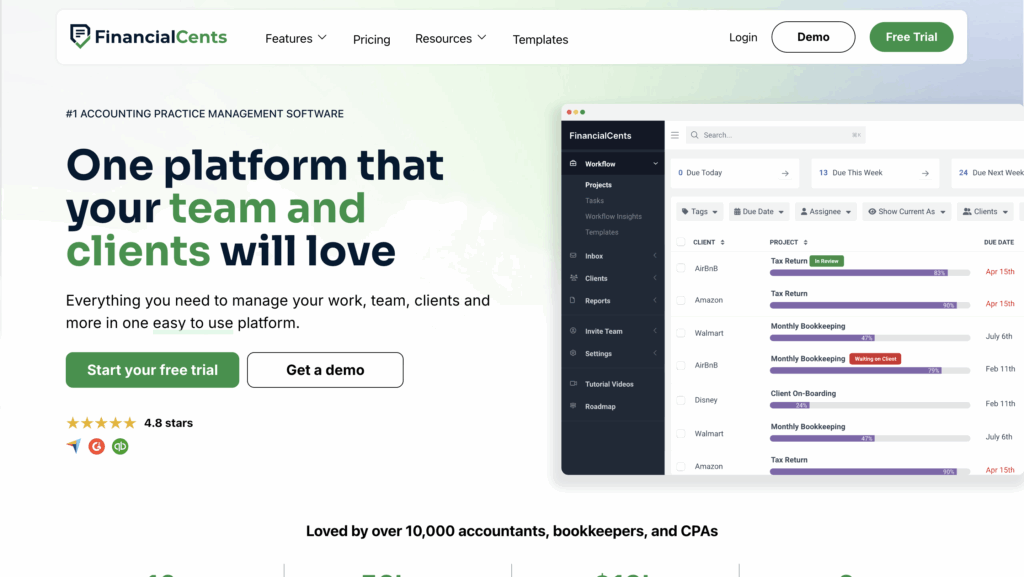
Financial Cents is an all-in-one practice management software designed to help accounting and bookkeeping firms manage every aspect of their engagements, from proposal through workflows and client management to payment processing.
Its combination of a clean interface, deep features, and intuitive design makes it ideal for firms to track tasks, manage client information, and balance team capacity to complete all client work on time (without heavy system customization).
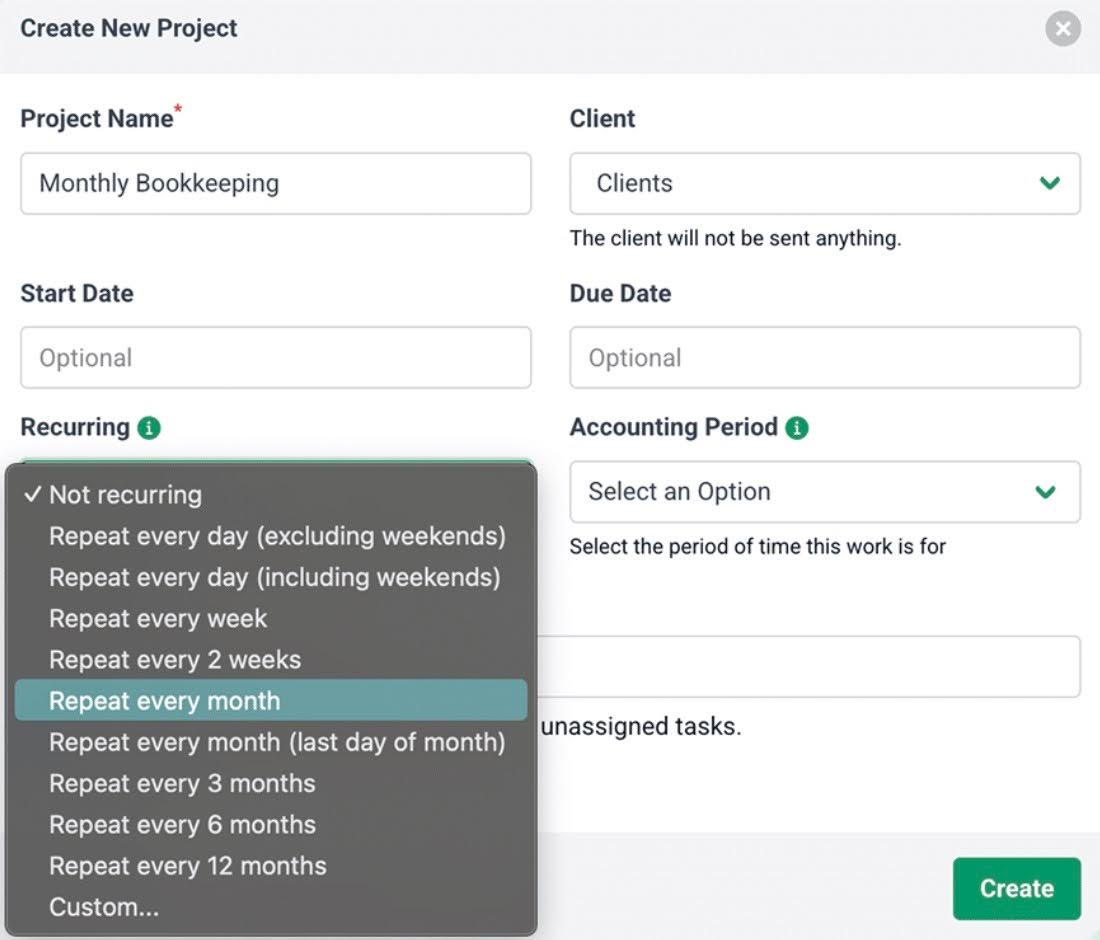
Financial Cents workflow and client-facing features include:
- Proposals & Engagement Letters
- Workflow management and automation
- Time Tracking
- Document Management
- Client Requests
- E-signatures
- Client Accounting CRM & Database
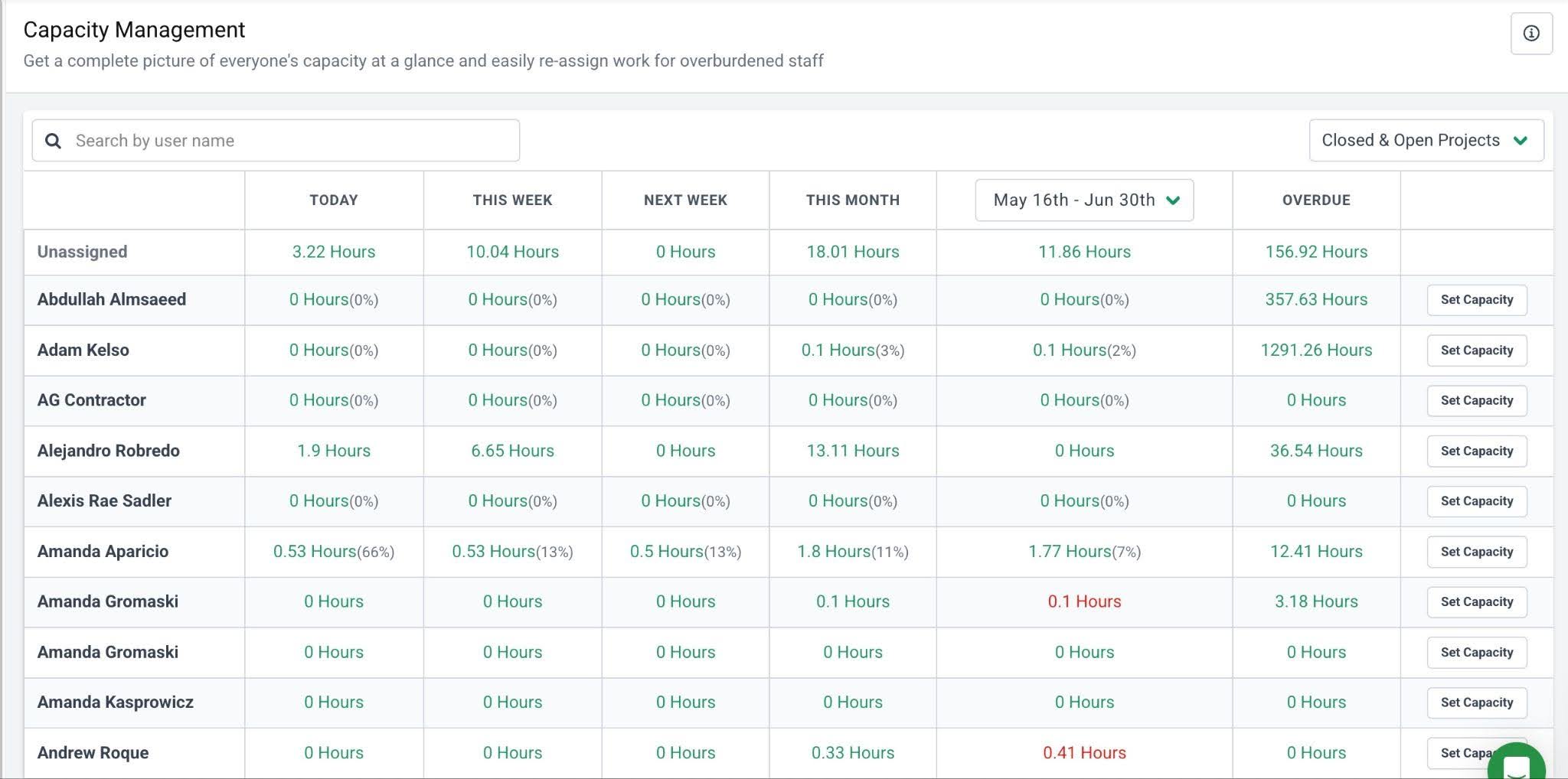
- Capacity Management
Pricing
Financial Cents uses tiered pricing:
- Solo Plan: $19/month
- Team plan: $49/month per user
- Scale plan: $69/month per user
- Enterprise: Custom pricing
| Pros | Cons |
|---|---|
| Built specifically for accounting workflows | Not customizable for multiple industries (unlike ClickUp) |
| Strong recurring work management | Lacks Gantt charts |
| Client management, portal, and E-signature built in | No Free Forever plan |
| Workload and deadline visibility |
Rating
Financial Cents is rated:
Best for
Small-to-mid-sized accounting and bookkeeping firms that value visibility, faster setup, and strong client-facing tools over multi-industry customization.
2. Jetpack Workflow
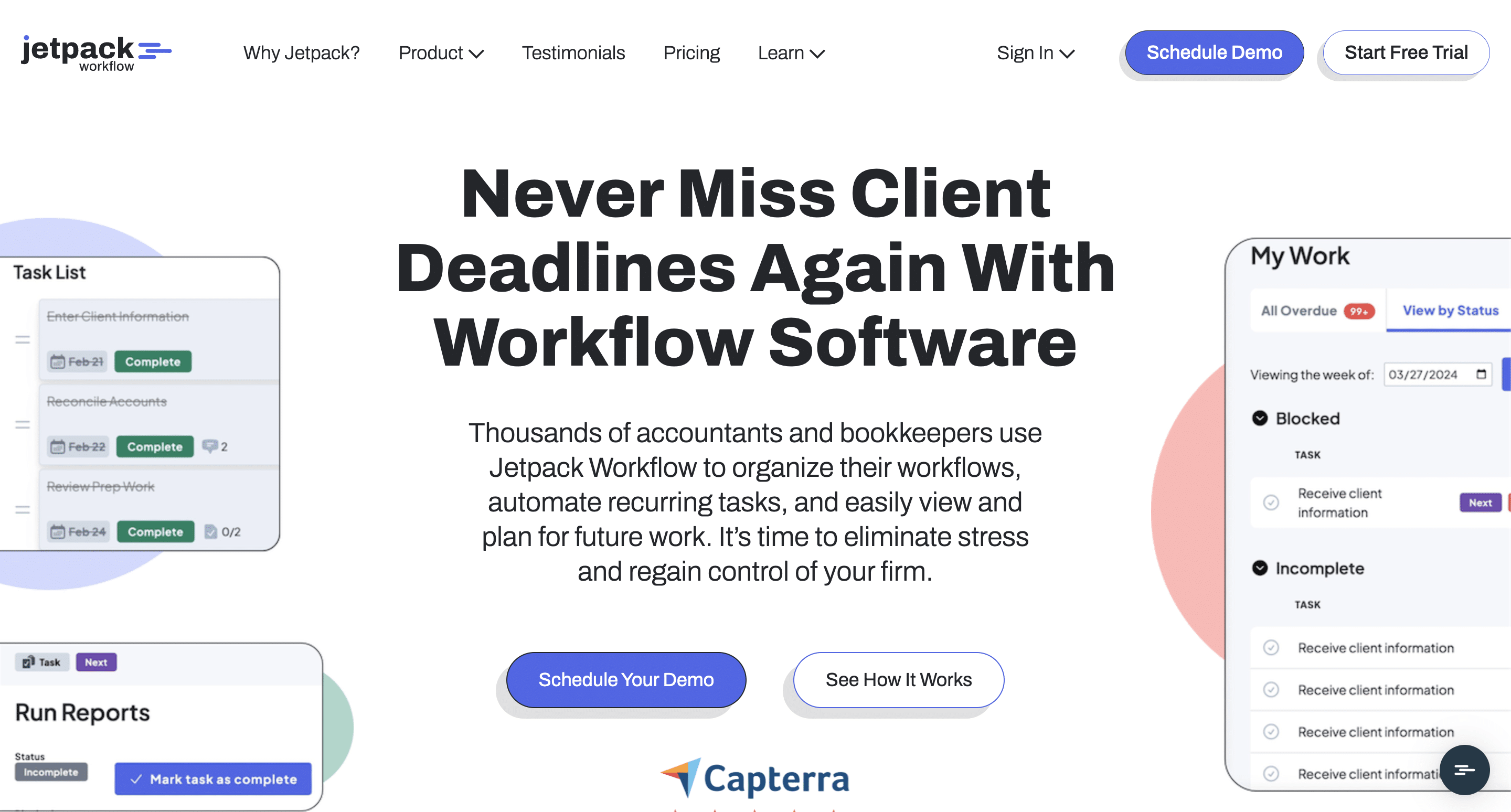
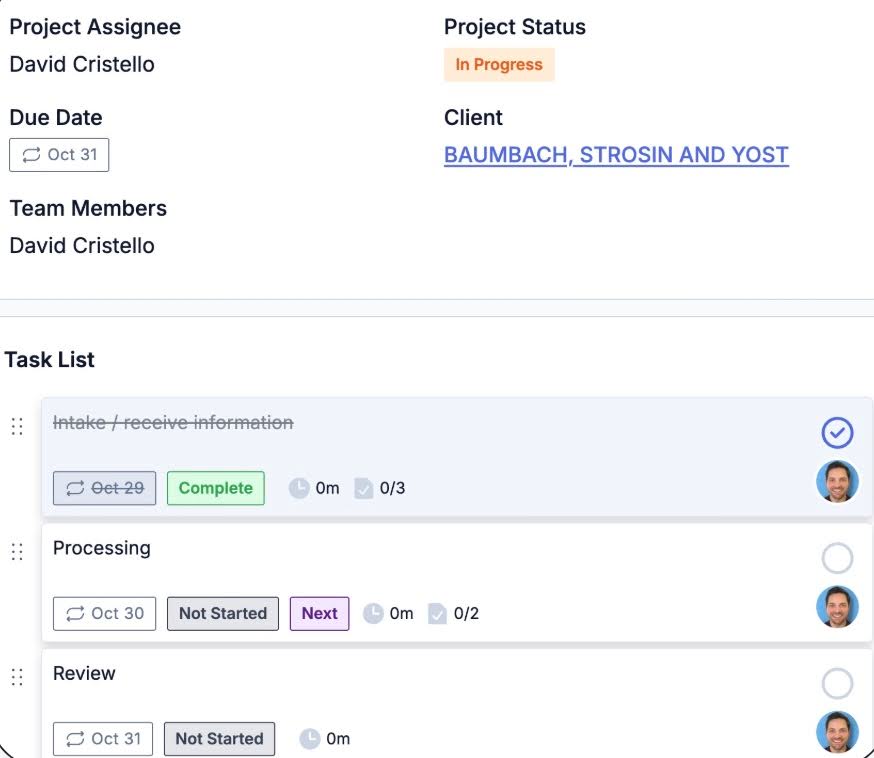
Jetpack Workflow is an accounting workflow software that standardizes client engagements, automates manual tasks, and centralizes team collaboration to enable teams to meet their deadlines.
Built by accountants for accountants, Jetpack Workflows is best suited for small firms that don’t have the time and resources to manage the complexity and flexibility of tools like ClickUp.
Jetpack Workflow’s features include:
- Project and Task Management
- Team Collaboration
- Workflow Automation
- Time Tracking
- Client Contacts
- Reports
Pricing
Jetpack Workflow uses a per-user pricing system:
- Starter Yearly: $40/month per user
- Starter Monthly: $49/month per user
| Pros | Cons |
|---|---|
| Designed specifically for accountants | Less powerful for broader internal operations |
| Strong recurring task management | Limited time and billing features |
| Easier setup than generic tools like ClickUp | Lacks a native client portal and client management features |
| Great for deadline visibility |
Rating
Jetpack is rated:
Best for
Accounting firms that want to organize their internal projects and automate recurring compliance workflows. It doesn’t have enough client-facing features to be considered a complete practice management software like the other tools on this list.
See this Financial Cents and Jetpack Workflow comparison for more insights
3. Karbon
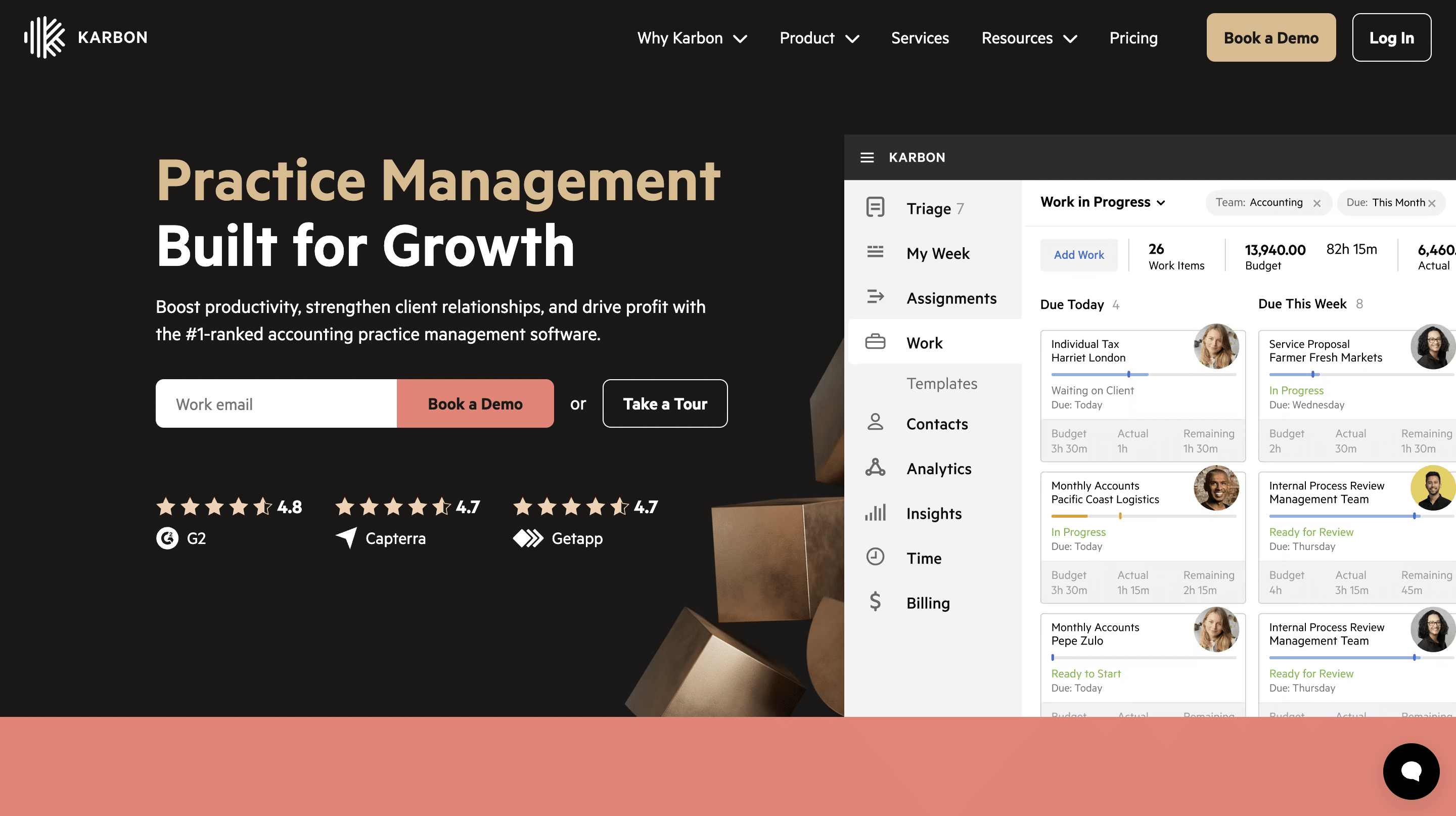
Karbon is an accounting practice management software that was built around deep workflow customization and team and collaboration.
It has strong workflow automation, capacity planning, and email integration features that enable firms to centralize their operation in one place.
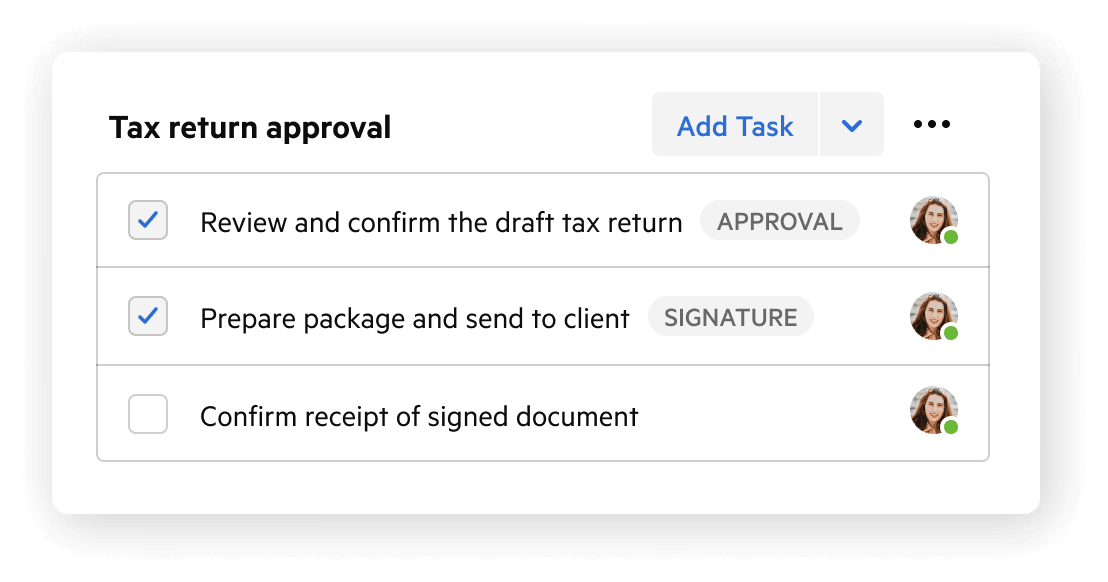
Karbon’s features include:
- Workflow Automation
- Email Management
- Team Collaboration
- Client Management
- Client Portal
- Tax Organizers & Binders
- Time Tracking & Budgets
Pricing
Karbon uses a tiered pricing system:
- Team plan: $59/month per user
- Business plan: $89/month per user
- Enterprise: custom pricing
| Pros | Cons |
|---|---|
| Strong collaboration and email integration | Higher price point |
| Good visibility into team communication | Steeper learning curve for some teams |
| Scales well for larger firms | Can feel operationally heavy for smaller firms |
| Robust workflow management capabilities |
Rating
Karbon is rated:
Best for
Firms that need advanced reporting, workflow customization, and are willing to invest in a more premium solution.
See a one-on-one comparison of Financial Cents and Karbon here.
4. Canopy
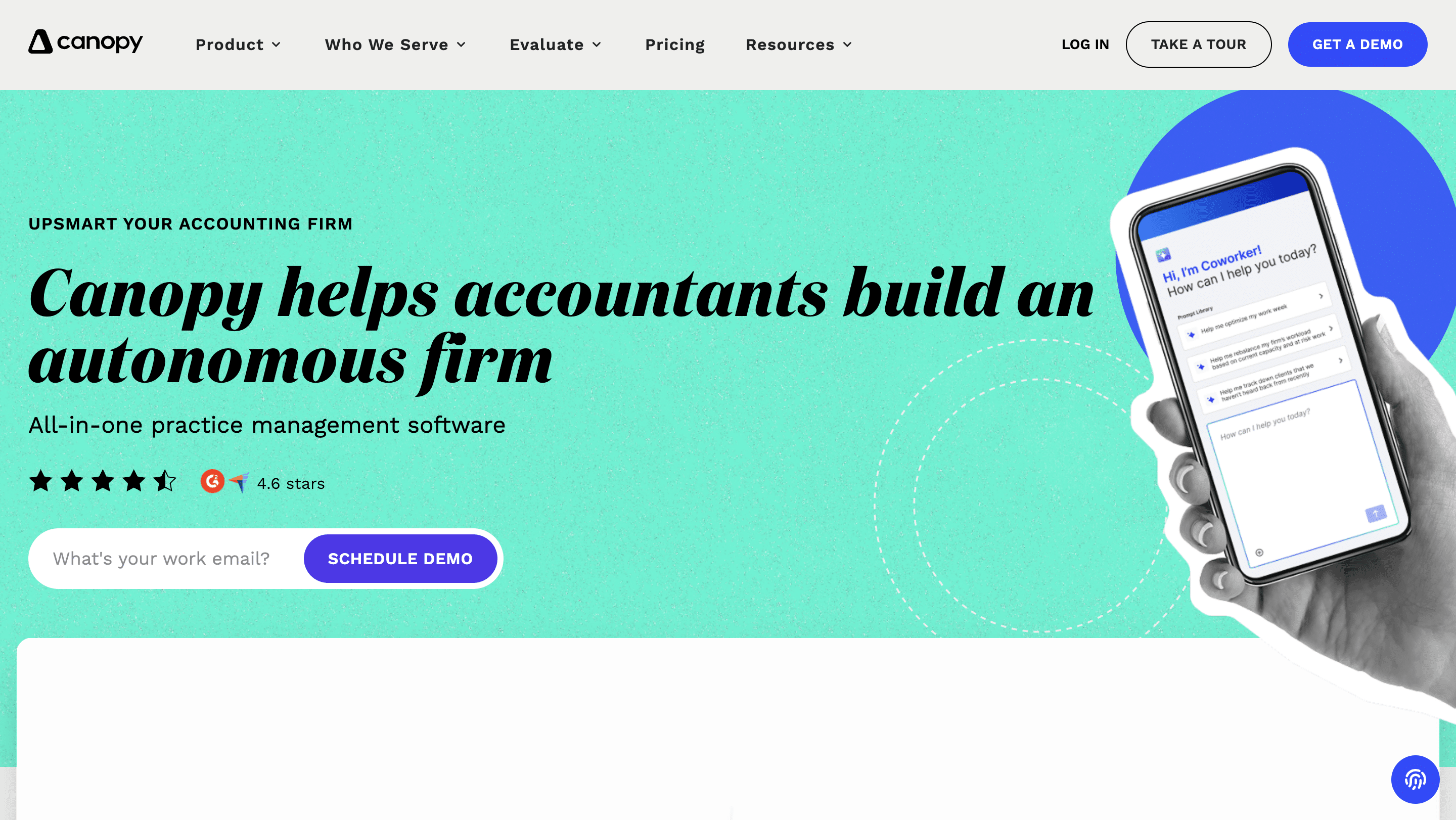
Canopy is a practice management solution that promises a centralized operating system for managing the entire firm, rather than relying on multiple systems.
Its standout tax notices and resolution features make it particularly appealing to firms that specialize in tax services.
Canopy’s features include:
- Client engagement
- Document management
- Client portal
- Time and billing
- Tax resolution tools
Pricing
Canopy uses a tiered pricing system:
- Standard: $74/month per user
- Plus: $109/month per user
- Premium: $149/month per user
- Enterprise: Custom pricing
| Pros | Cons |
|---|---|
| Built specifically for accounting firms | Costs can rise as modules are added |
| Includes client portal capabilities | Some firms find parts of the platform less intuitive |
| Integrated document management | Less flexible than ClickUp |
| Reduces reliance on third-party integrations |
Rating
Canopy is rated:
Best for
Firms that want a tool that is built around client management features and prefer modular pricing that allows them to pay for just the features they need.
See how Canopy compares with Financial Cents here.
How to Decide: ClickUp or a Purpose-Built Tool?
If you’re still unsure which to use between ClickUp or one of the accounting practice management tools above, the answer to these questions should:
I. How big is your firm and how much will it grow in the next 12 months?
Your firm’s size determines matters because ClickUp’s accounting feature gaps show up differently across the growth stages.
For a solo firm owner, small or early-stage firms with simple workflows, ClickUp is workable. As a solo firm owner, you have only yourself to train on the system. Plus, you can always find things (work, client, manual workarounds, etc.) where you left them.
As the firm grows and adds clients and team members, there are many more moving parts. That’s when ClickUp becomes much harder to standardize across the firm.
At that stage, accounting practice management software provides better returns on investment. Their intuitive features and functionalities become a competitive advantage.
II. Do you have client-facing document collection, approvals, or e-signature needs?
ClickUp is an internal operations tool that can’t automate client data collection on its own.
If your workflow involves chasing clients for files and information, an accounting project management software with a native client portal and client request features will save you the financial and administrative costs of doing that manually.
In the 2025 State of Accounting Workflow and Automation Report, 60.7% of firms received client documents within 1–3 days after automating document collection.
III. How much time can you (realistically) invest in setup before you need it working?
Firms that get the best value from ClickUp are those willing to engineer their workflows, experiment with structures, test automations, and refine templates as many times as needed. Most accounting firms cannot afford that time.
If you only have five (5) hours available and need operational clarity quickly, ClickUp is the wrong choice.
Accounting-specific tools generally deliver value much faster because the workflows are already built for accounting use cases.
IV. Are you optimizing for cost in month 1 or for total cost (and time) over 24 months?
Accounting firms using ClickUp find that while upfront cost is cheaper, the hidden costs of setup, maintenance, and additional tools often make it more expensive in the long run.
Terri Evans had to combine ClickUp with other tools in her attempt to centralize everything, but that setup increased her admin burden.
If you’re looking at costs in 24 months, you have to consider the hundreds of hours your team will spend on setup, third-party integrations (like Zapier), and the separate client portal and billing tools.
The all-in-one price of an accounting practice management tool usually becomes the more economical choice for growing firms.
A good rule of thumb
If ClickUp is the cheapest tool on your evaluation list, you’re probably not calculating well. Make sure to factor in implementation time and ecosystem costs. That can change things significantly.
To understand the cost of using an accounting practice management software, read our costing guide here.
Why Accounting Firms Eventually Outgrow ClickUp
Now, I highly recommend that firm owners who are trying to make this decision pick something that is designed for the industry, because it’s going to be completely different.”
ClickUp is an excellent software solution in its own right. The gaps accounting firms (the discerning ones) notice early on with the tool are not an indictment of ClickUp per se.
The gaps are evidence of misalignment between ClickUp’s general approach to project management and the specialized approach accounting projects require.
Firms that ignore or underestimate these signs ultimately spend more time and money designing their workflow and stitching disconnected tools together to fill the gaps.
For Shannon Ballman Theis and Wendy Kelley, who have both run their firms on ClickUp, niche practice management software gave their teams better return on investment. Hence, they now use Financial cents.
Financial Cents was designed around the operational context of daily accounting operations. Its feature set includes everything accountants need to get work done:
- Team Collaboration
- Email Integration
- Month-End Close
- Billing and payment processing
- Budget and Reporting.
If you don’t want to keep forcing a square peg into a round hole, now might be the right time to try a tool designed for your workflow context. Book a free demo or Try Financial Cents free for 14 days.
Frequently Asked Questions (FAQs)
However, it’s a general-purpose project management platform, so these firms need extensive customization to support recurring engagements, review stages, tax deadlines, and client collaboration.
Most firms end up building their own processes for monthly bookkeeping, tax preparation, review procedures, and compliance-related deadlines from scratch.
While simple automations are possible, ClickUp does not provide the deeper accounting workflow connections found in purpose-built accounting practice management software.
This often includes building custom workflows, creating recurring templates, setting up automations, and training staff. Firms with more complex processes sometimes hire consultants or implementation specialists to accelerate the setup.
It includes features designed specifically for accounting and bookkeeping firms, such as recurring workflows, secure client document collection, time tracking, and accounting-focused task management with a much faster setup process.
Larger firms with more complex operational needs may also consider platforms like Karbon.
Share this article:



