

If you already narrowed your search to Jetpack Workflow vs Karbon, you’ve done half of the job. Both tools are built for accounting firms, and they promise better organization, visibility, and automation.
However, choosing the wrong tool between these two could amount to the same misalignment that you’d experience with a generic workflow management software.
That’s because the operational realities of running a small firm are different from those of a mid-sized firm or enterprise firm.
For example, Jetpack Workflow’s simplicity and quick implementation work best for solo and small firm owners, but Karbon’s workflow depth and premium price suit large enterprise firms better.
This difference alone can be the determining factor whether you’ll pay for multiple standalone tools or spend months and thousands of dollars figuring out your new tool.
By the end of this article, you will have a clearer sense of where Jetpack Workflow works better, where Karbon pulls ahead, and where firms usually find a third option (Financial Cents) to be more practical and cost-effective.
Here’s the side-by-side breakdown to help you choose the best for your firm.
TL;DR
- Jetpack Workflow is best for solo accountants and small firms (with 1–5 staff) that want simple recurring accounting task management, deadline tracking, and easy onboarding at a lower price point.
- Karbon is better suited for larger firms (typically 15+ team members) that need advanced collaboration, shared email visibility, automation, and deeper workflow capabilities.
- Many growing firms eventually outgrow Jetpack Workflow’s lighter structure, but do not need Karbon’s complexity or pricing.
- Financial Cents is the best fit for small and mid-sized accounting and bookkeeping firms (5–30 people), because it combines all the features these firms need to operate in one place. Plus, it is easier to onboard than more complex systems.
Overview: What Is Jetpack Workflow?
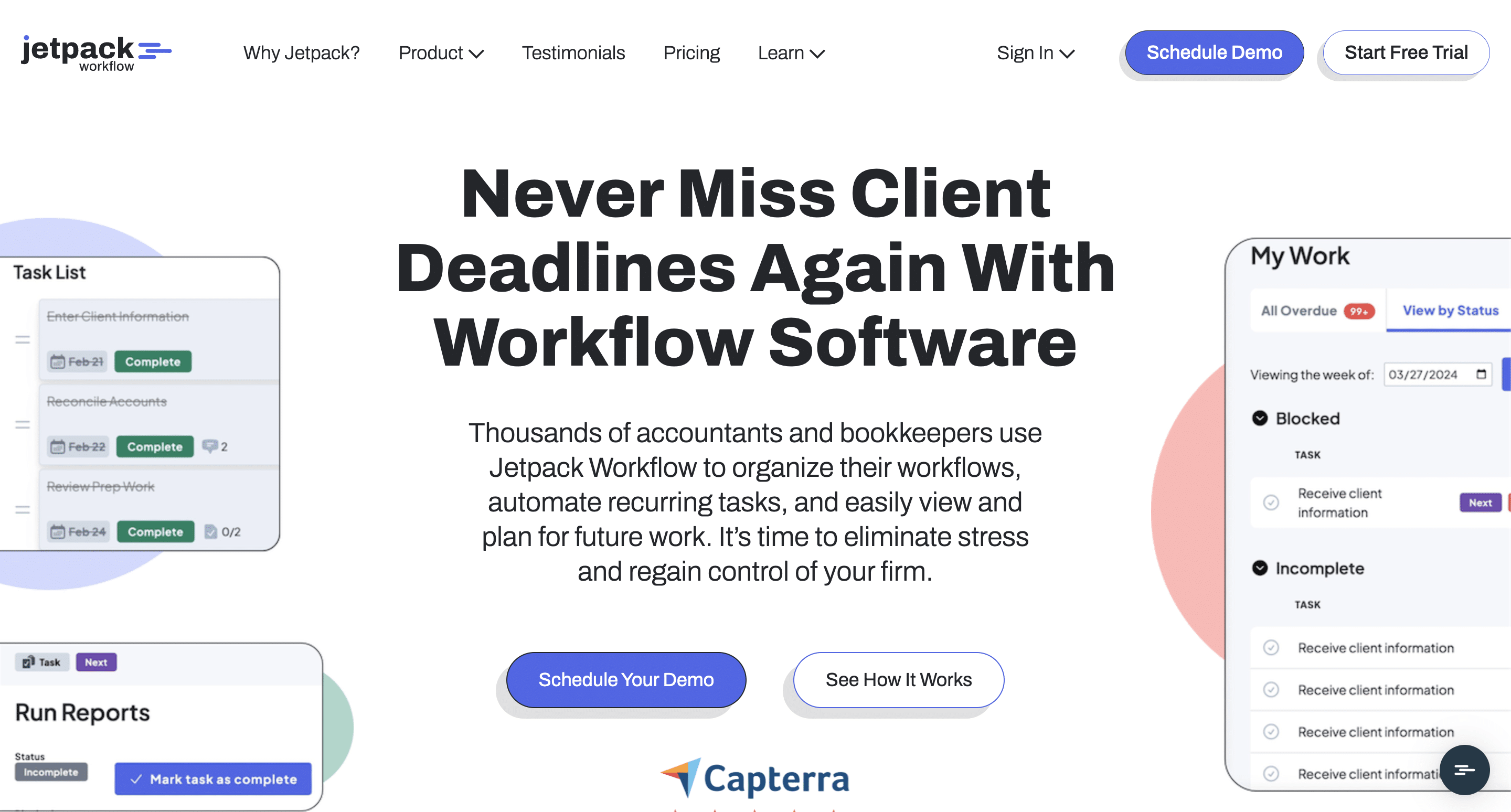
Jetpack Workflow is one of the earliest accounting workflow management tools. It is popular among small and mid-sized firms that want a straightforward way to organize recurring work and track deadlines.
Since its founding in 2014, Jepack Workflow has tailored its features for small and mid-sized firms, and that further reflects a philosophy to serve firms looking for workflow and task management, rather than attempting to be an all-in-one practice management platform.
While this is beneficial for the smaller firms, many firms quickly outgrow Jetpack’s basic scope and need a tool with more team collaboration, client management, and reporting features. Jetpack Workflow is rated 4.8/5 on Capterra and 4.2/5 on G2.
You can find Jetpack Workflow alternatives here.
Overview: What Is Karbon?
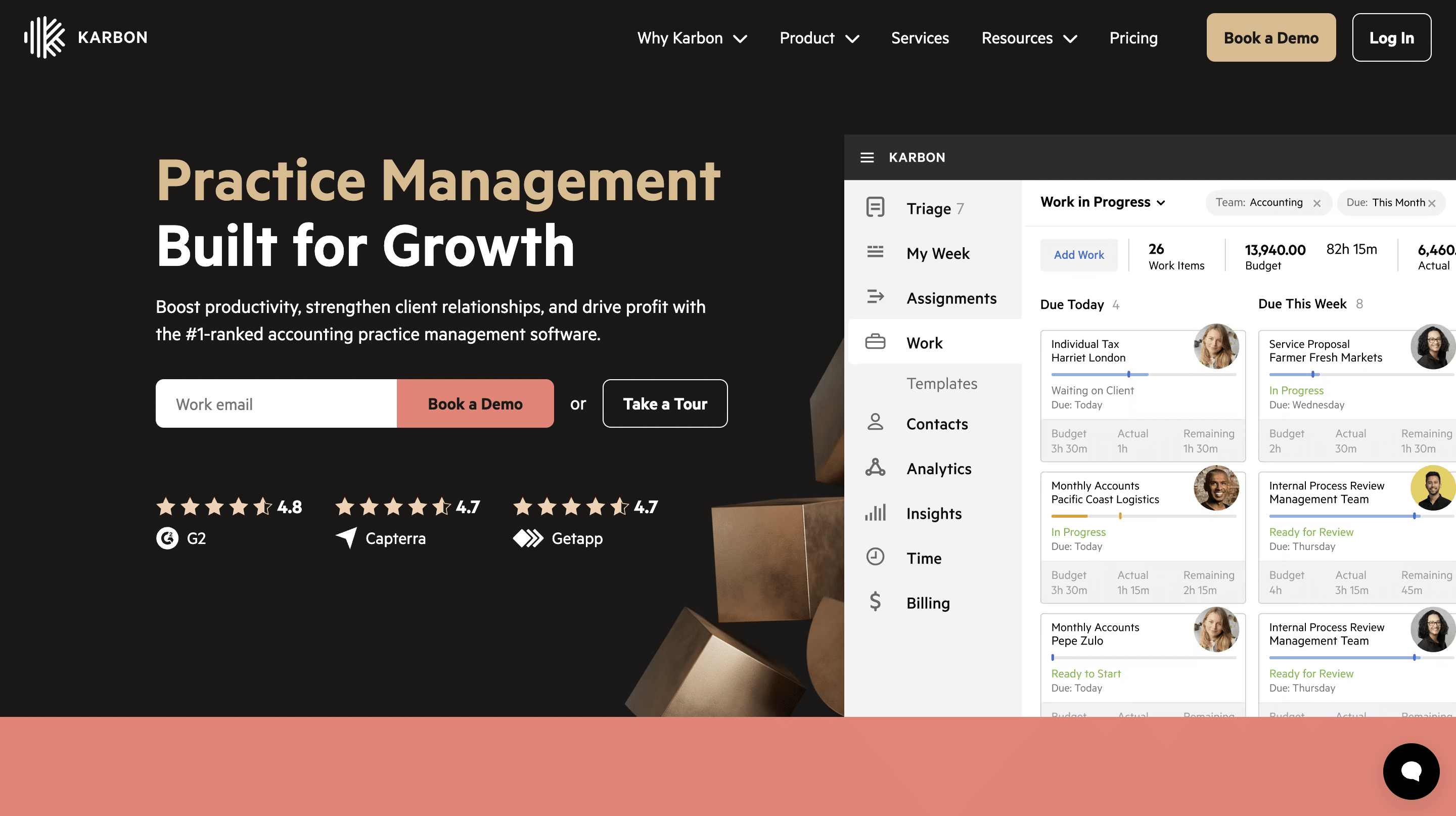
Karbon’s approach to project management assumes that accounting firms operate more effectively when communication and workflow management are tightly connected.
It is a comprehensive practice management software that covers every aspect of accounting operations, from workflows and client management to billing (rather than just recurring task management).
Karbon’s features are designed for mid-sized and larger accounting firms with higher work volume and more complex collaboration structures, which makes it more expensive and harder to implement than Jetpack Workflow.
With a Kanban-style workflow that centralizes all work, clients, communication, and team efforts in one place, Karbon is best suited for large and enterprise firms that value consolidating multiple tools into a single powerful system. Karbon is rated 4.7/5 on Capterra and 4.8/5 on G2.
Mid-sized teams that don’t have the administrative bandwidth to handle a heavy setup often look into more agile alternatives to Karbon.
Jetpack Workflow vs Karbon: Feature-by-Feature Comparison
1. Workflow Management
Jetpack Workflow operates on a structured, three-level hierarchy with a master template applied to clients to create Jobs. Jobs contain linear task checklists. Its spreadsheet-style grid view makes high-volume task tracking easier and allows teams to filter and sort tasks as needed.
Its recurring feature generates jobs three months in advance for effective short-term planning.
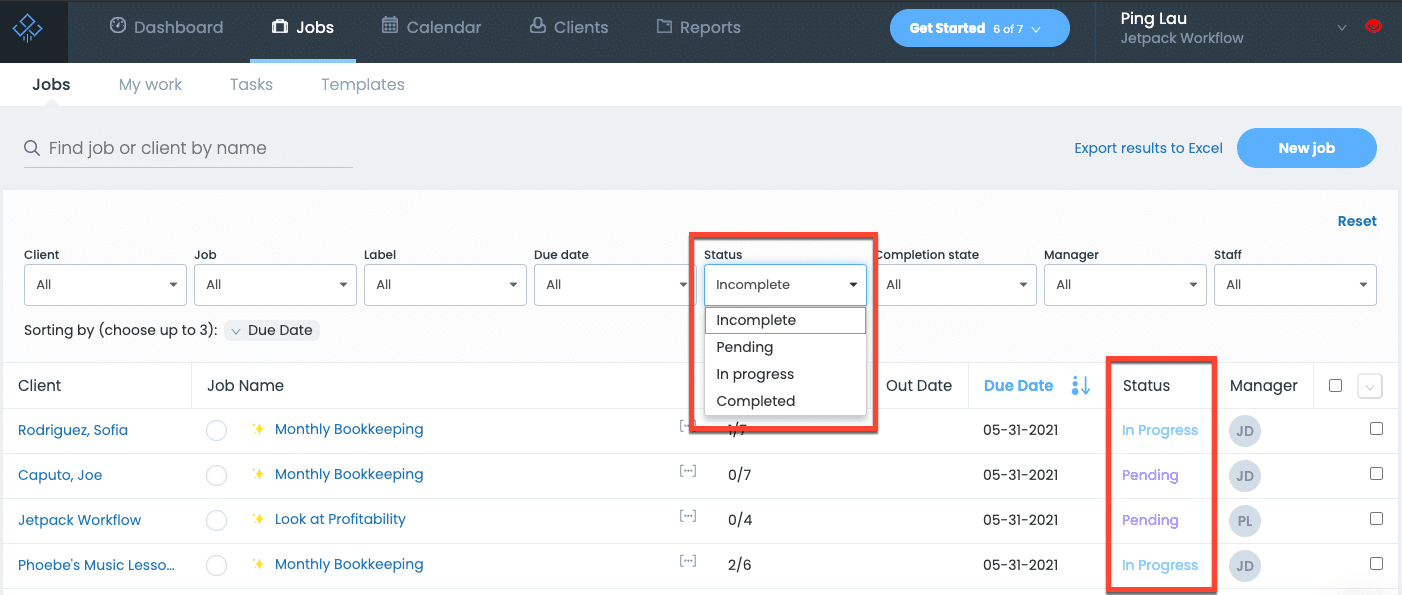
Jetpack Workflow provides two status trackers (Pending and In Progress), but firms can create color-coded custom labels (such as “Waiting on Client”) to track tasks.
Its task dependencies feature can feel rigid, especially when you need to make an unexpected change to an ongoing project. That usually requires rebuilding the entire task sequence from scratch.
Karbon is built for multi-layered, enterprise-grade accounting project tracking. Teams can seamlessly toggle their workspace view between spreadsheet-style lists, robust Kanban boards, and chronological timelines.
Karbon’s true power lies in its deep conditional logic and automated rules. You can build branching workflows, where completing one phase instantly unblocks the next, alters deadlines, or sends automated client communications.
Everything feeds into a global activity timeline that automatically captures every internal comment and relevant client email thread across the entire firm. This is where small and mid-sized firms run into challenges. If your firm doesn’t have a dedicated operations manager to map out and maintain these complex rule structures, Karbon’s workflow system can quickly feel overwhelming for day-to-day staff.
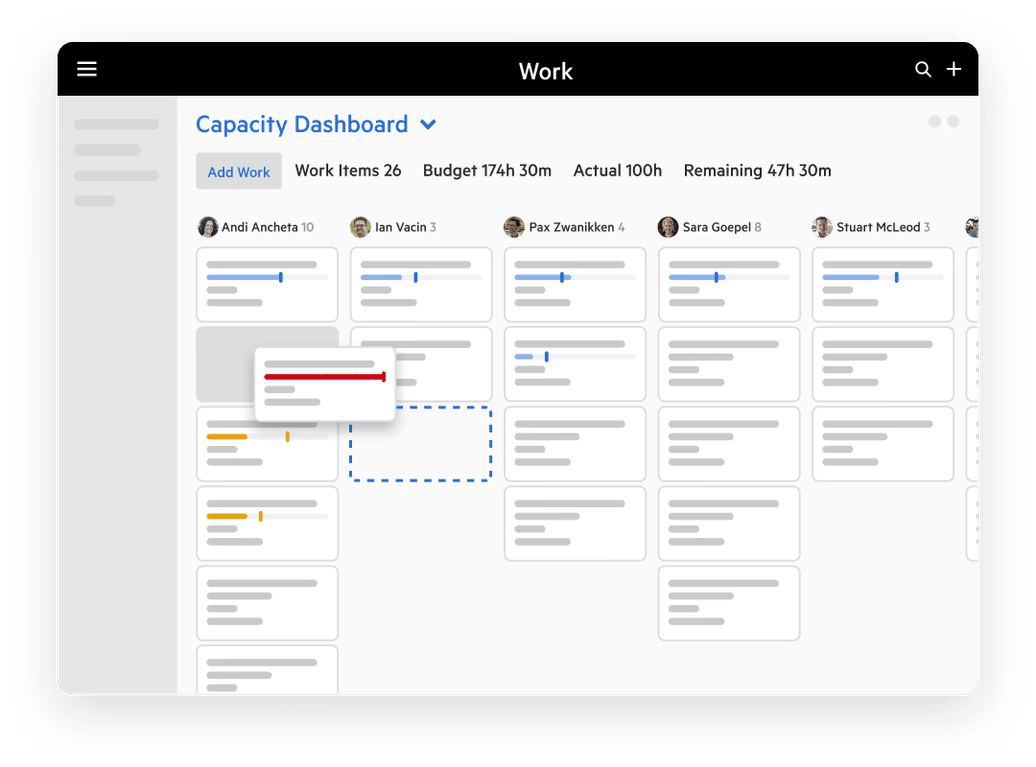
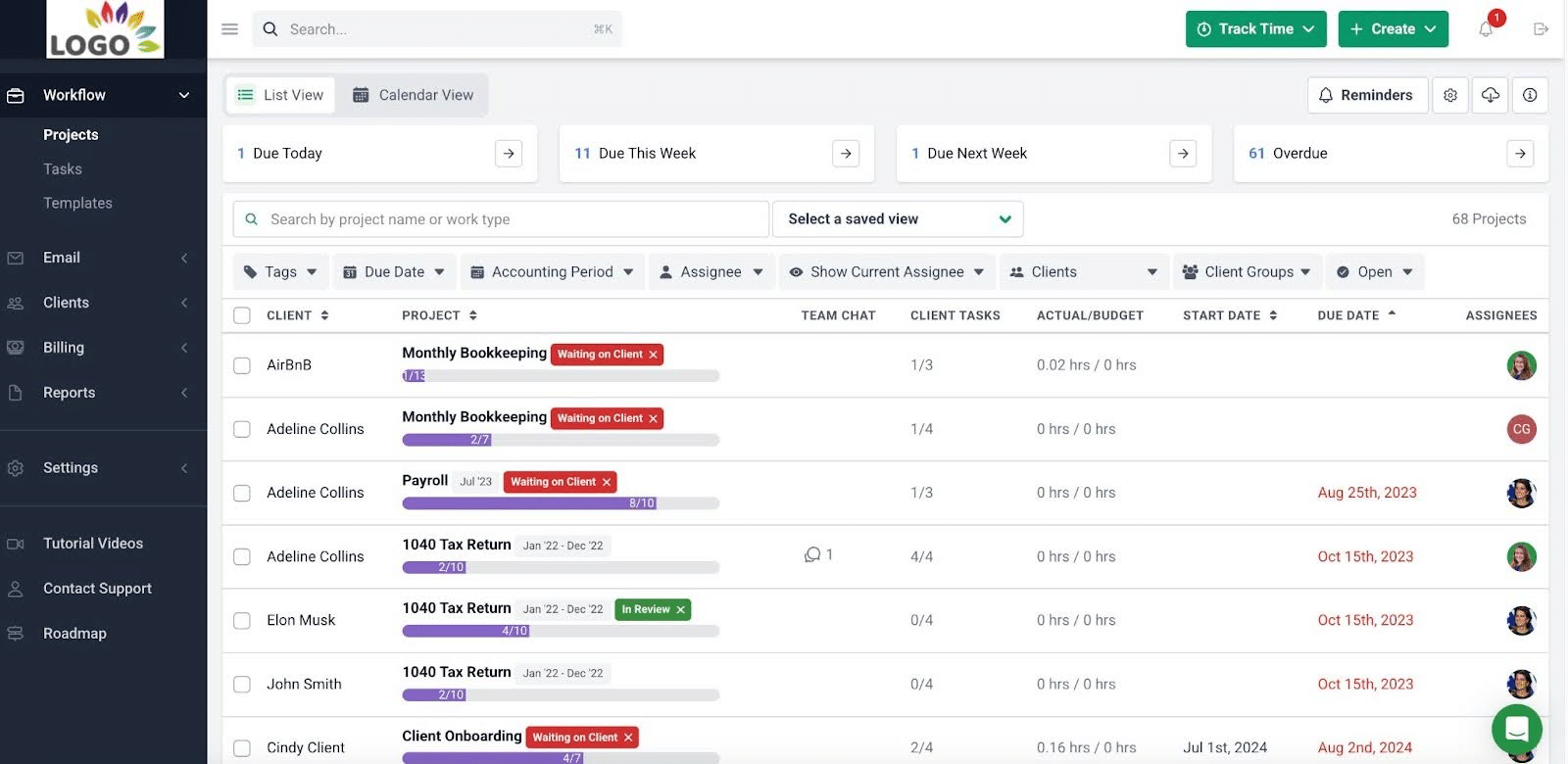
Financial Cents strikes a balance between the two by combining the clean and scannable interface that firm owners like in Jetpack Workflow, and the modern agility of the linear list and calendar views of Karbon.
Rather than forcing you to re-enter search criteria, Financial Cents allows users to filter their dashboards and save them as customized views. Its built-in Tag Automators and task dependencies automatically shift project statuses or trigger alerts when the preceding task is completed.
2. Client Portal & Document Collection
Jetpack Workflow does not have a client portal or any native document collection features. Firms must pair it with standalone accounting client portal solutions to interact with clients.
Karbon’s Client Tasks allows your team to send automated task checklists to clients, using the secure magic link technology. Clients can follow the link to upload files in the client portal without setting up a password. The documents are then automatically routed and pinned directly to the corresponding work item in Karbon.
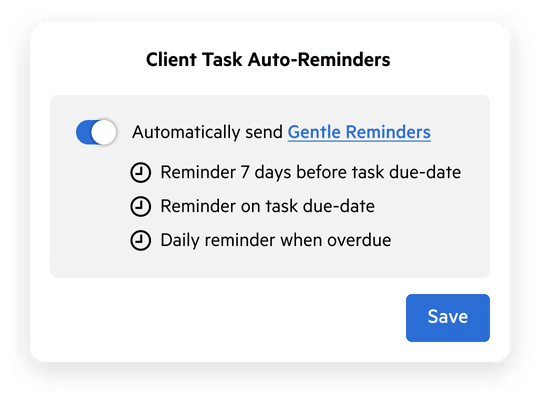
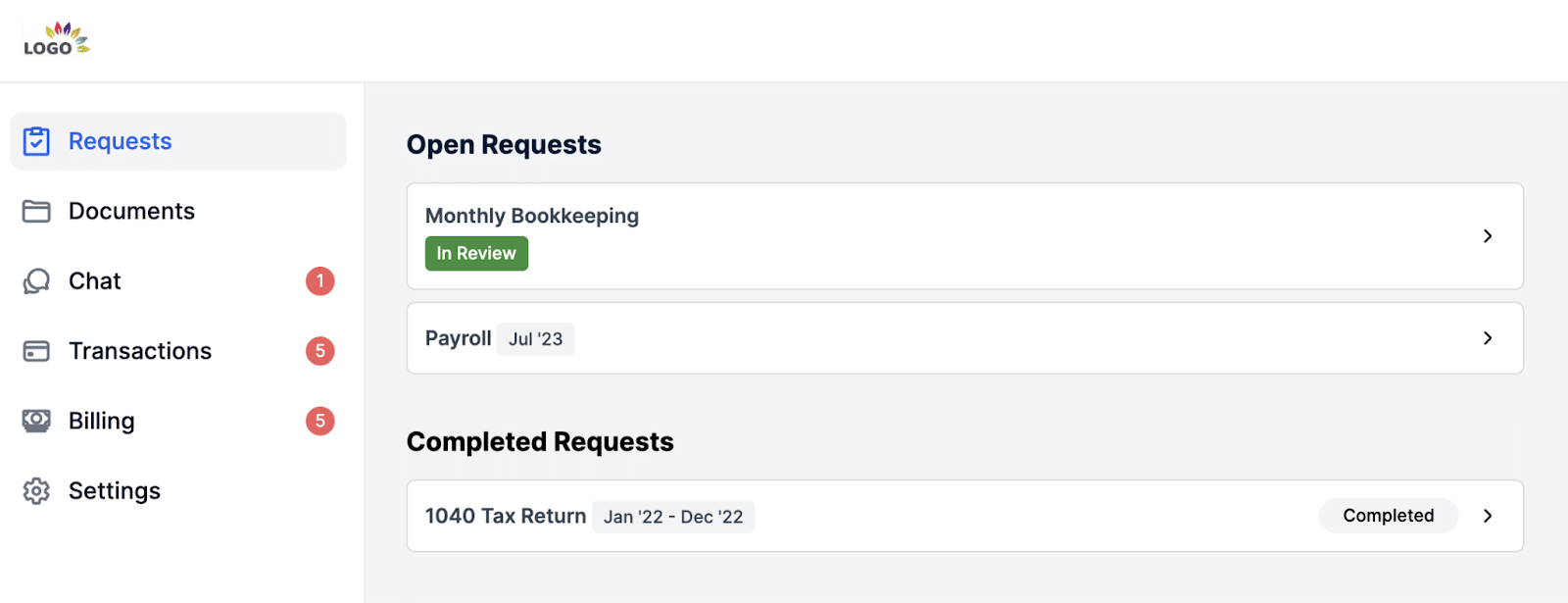
Financial Cents offers a client task feature and a passwordless client portal, where your clients can upload files, sign documents, communicate with your team, track payments, or simply view your collaboration history. Conversations in the portal can be grouped into topics and shared with the relevant persons.
3. Recurring Work & Templates
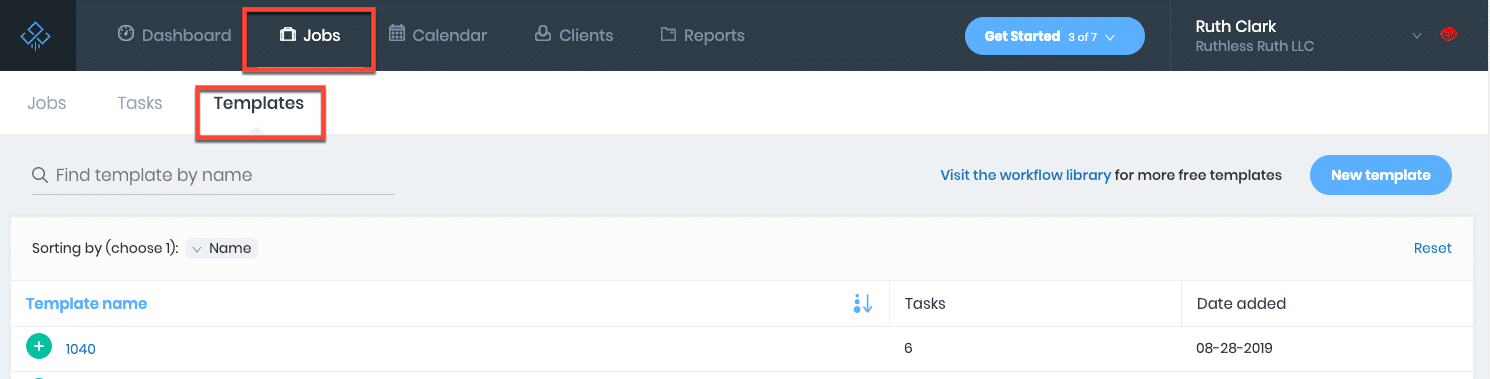
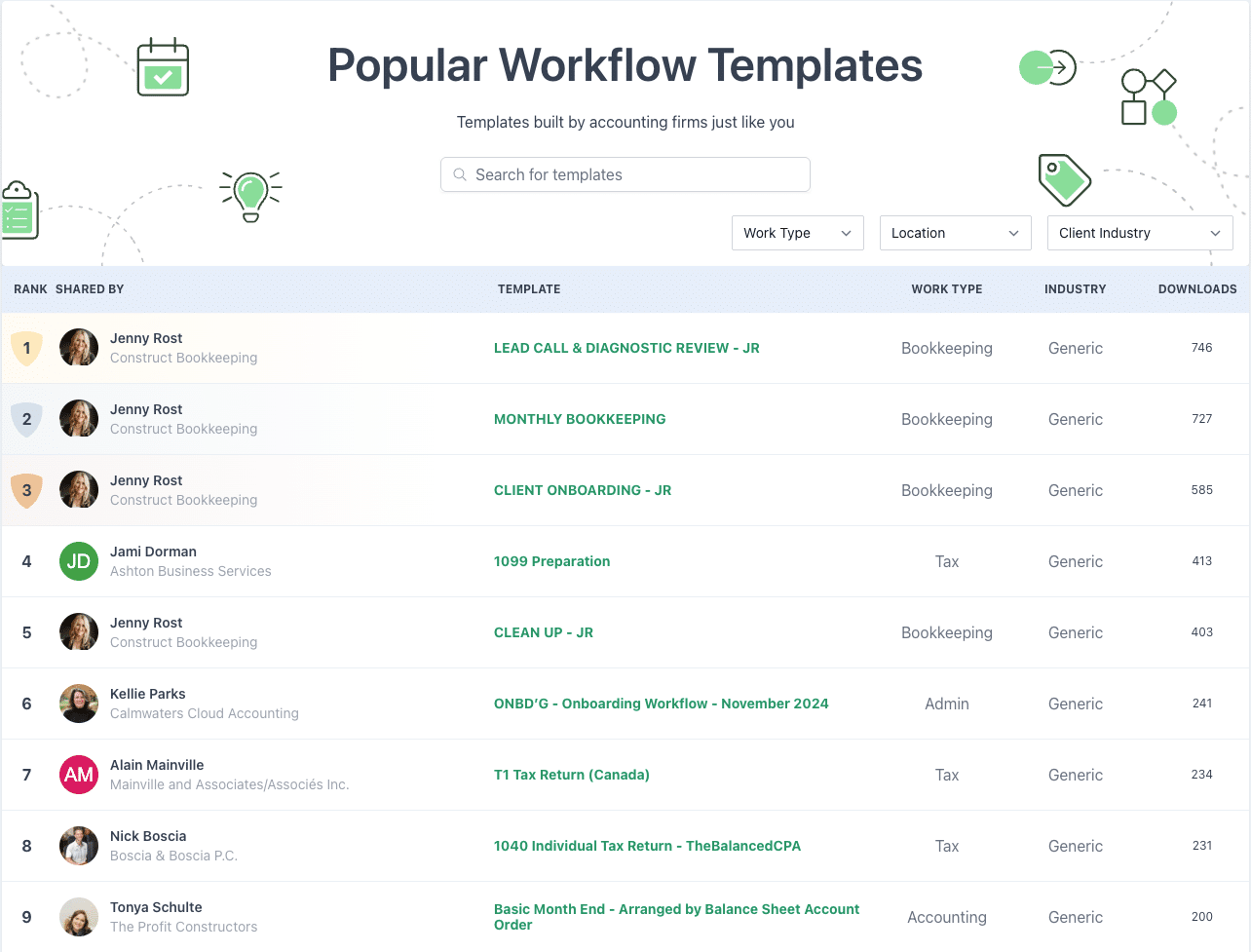
Jetpack Workflow was built around recurring jobs. It doesn’t just schedule repetitive tasks. Its Bulk Update feature enables firms to edit a master template and push changes to hundreds of active client jobs simultaneously.
Jetpack has a library of 70+ pre-made accounting templates that make it easy for teams to schedule daily, weekly, monthly, or annual client work.
Karbon is built for enterprise scheduling. It separates the master project (the recurring rule) from the individual work items that serve as the active projects. This allows teams to make adjustments to an upcoming version without breaking the recurring chain.
You can also embed a client task into recurring projects to request documents automatically when the project is recreated.
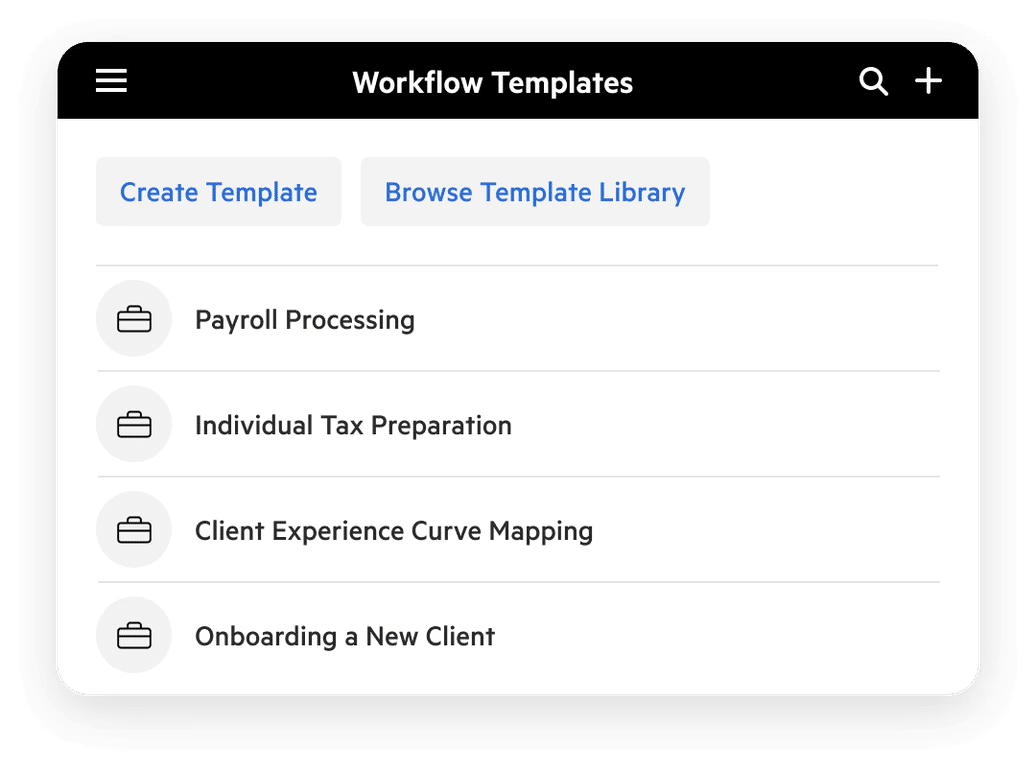
Financial Cents’ recurring work solution handles standard and complex calendar logic. For example, it adjusts for non-work days (like weekends) or sliding tax deadlines. And you can edit a single client’s recurring cycle without breaking the master copy. Apart from its prebuilt templates, Financial Cents also provides access to over 350 community-driven templates.
4. Time Tracking & Billing
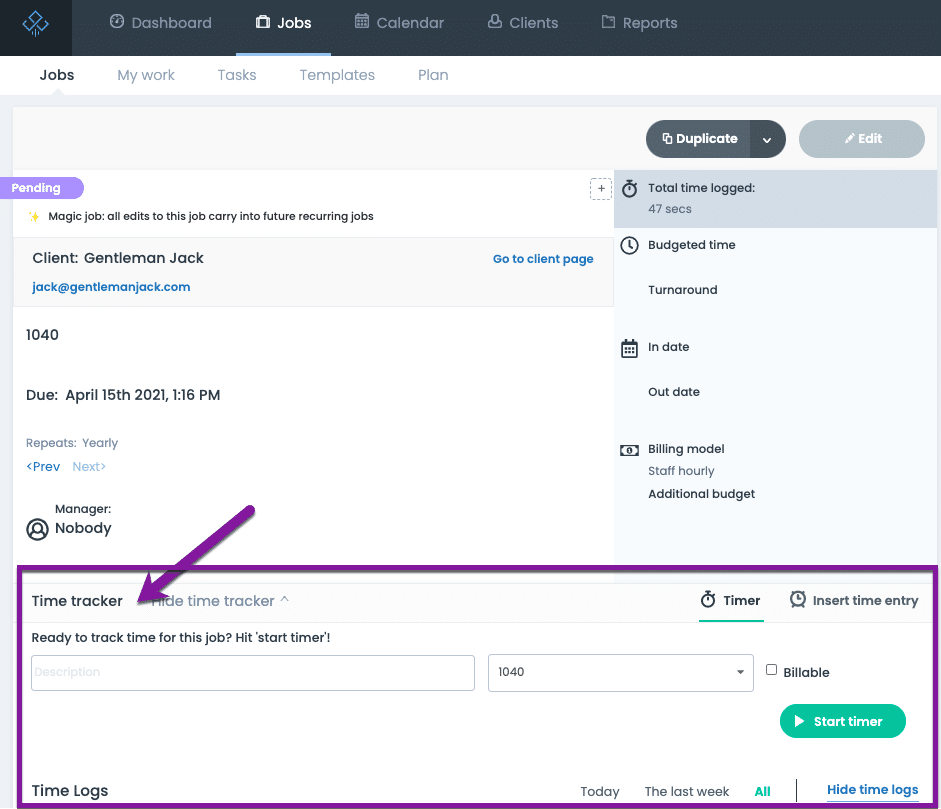
Jetpack Workflow has a native desktop timer and manual timesheets for tracking hours spent on specific client jobs. However, it lacks a native billing feature.
Karbon provides an enterprise-grade time and billing solution for tracking firm utilization. It allows you to set time budgets per role or employee, and track real-time WIP entries against ongoing projects. Karbon‘s invoicing tool enables firms to send bills directly from the platform.
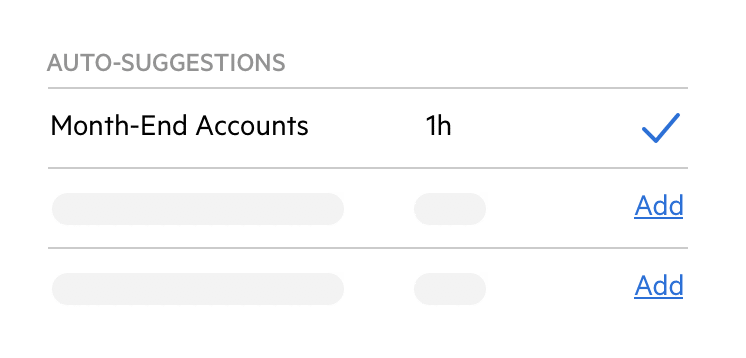
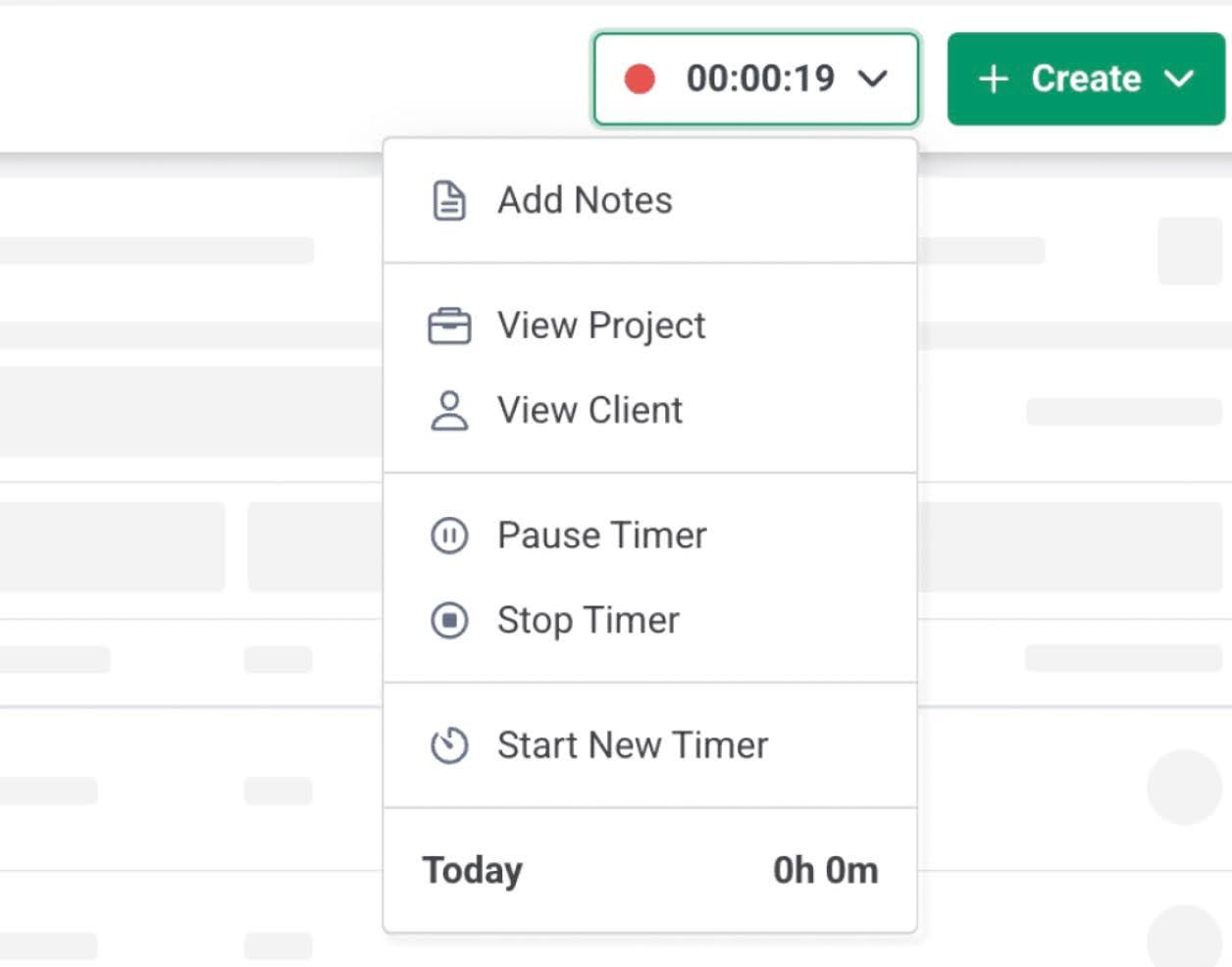
Financial Cents bridges the gap between Jetpack’s lack of billing and Karbon’s complex configuration. It has a built-in time tracking solution with a timer that can be started from anywhere in the platform. Tracked time flows into the integrated billing and capacity management solutions for invoicing and workload management.
5. Email & Team Collaboration
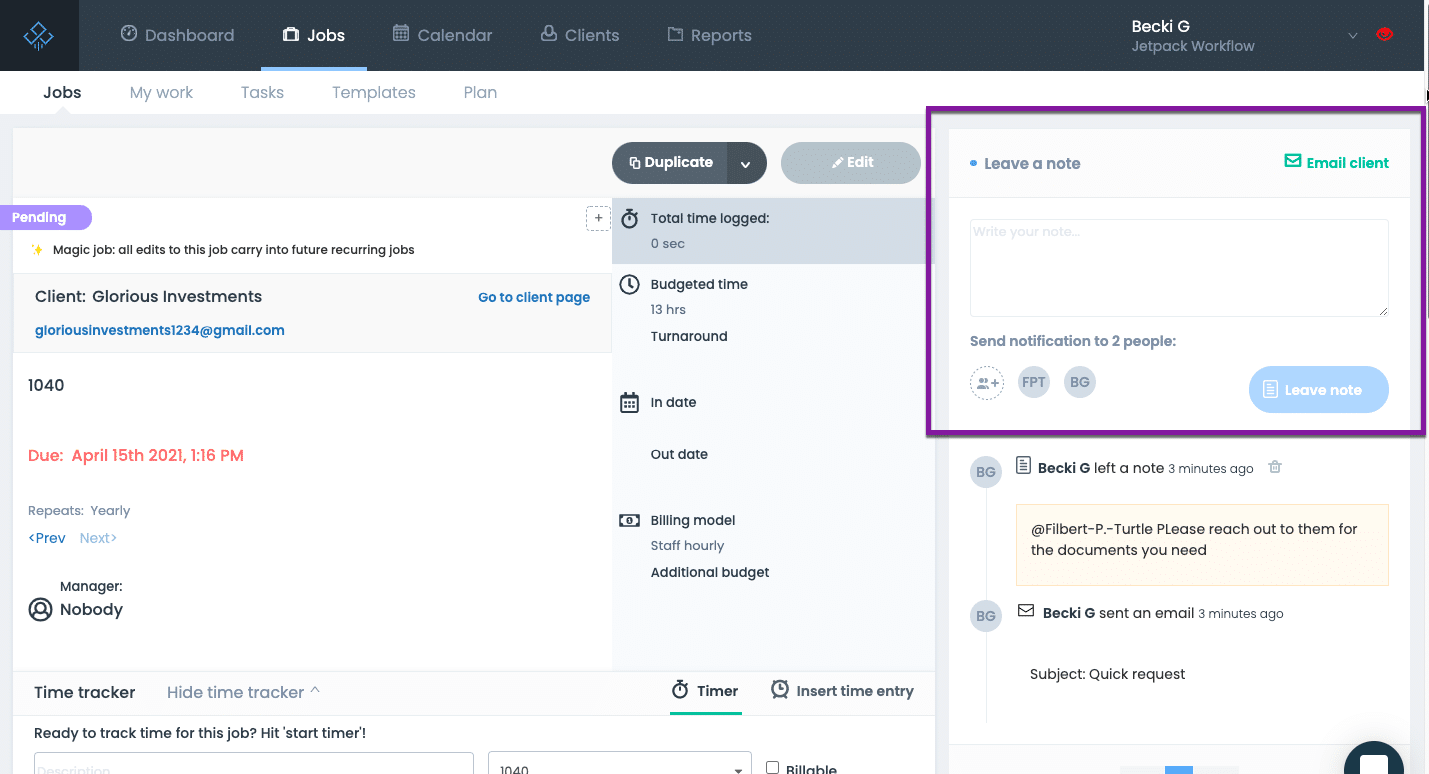
Jetpack Workflow integrates with Gmail and Outlook to allow teams to send email alerts, automate status notifications, and send client replies that sync back directly into corresponding job notes.
However, Jetpack Workflow lacks a dedicated inbox dashboard, so your team can spend hours going back and forth between Jetpack and Gmail or Outlook to manage communications.
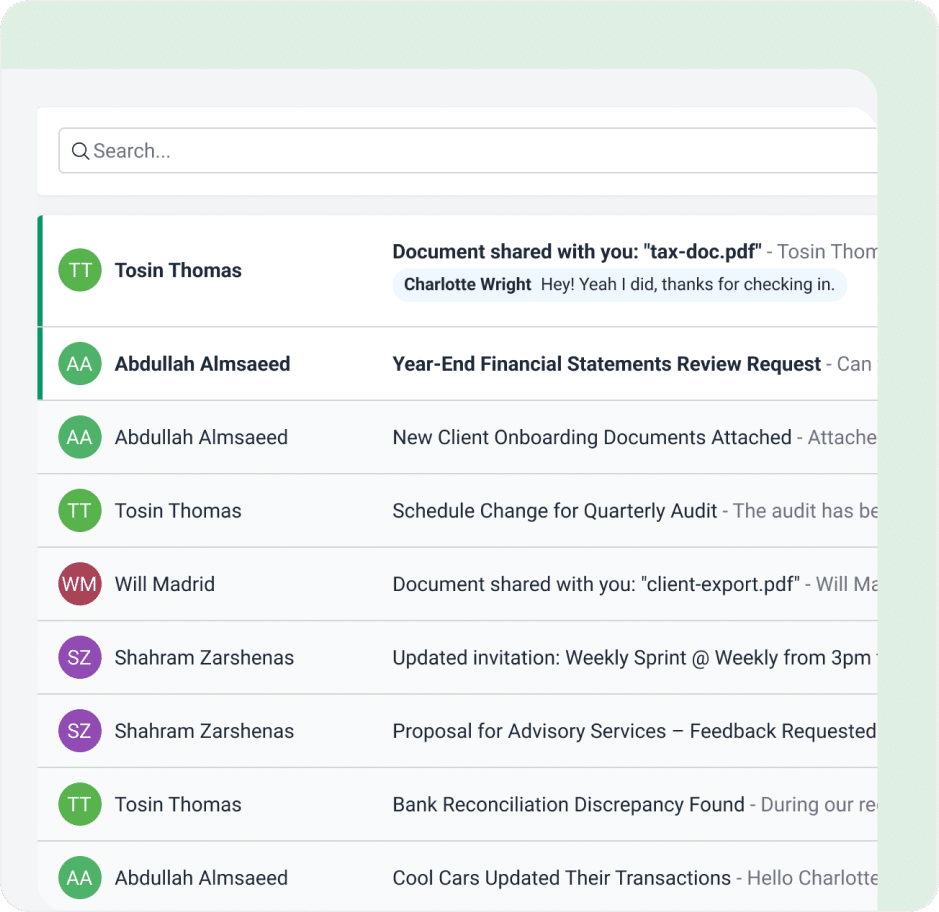
Karbon’s Triage system pulls your firm’s entire Outlook or Gmail content directly into the software. It treats your inbox like a shared workspace, where you can comment on a client’s email thread, assign a message directly to a team member as a task, and view a firm-wide history of every email communication tied to a client profile.
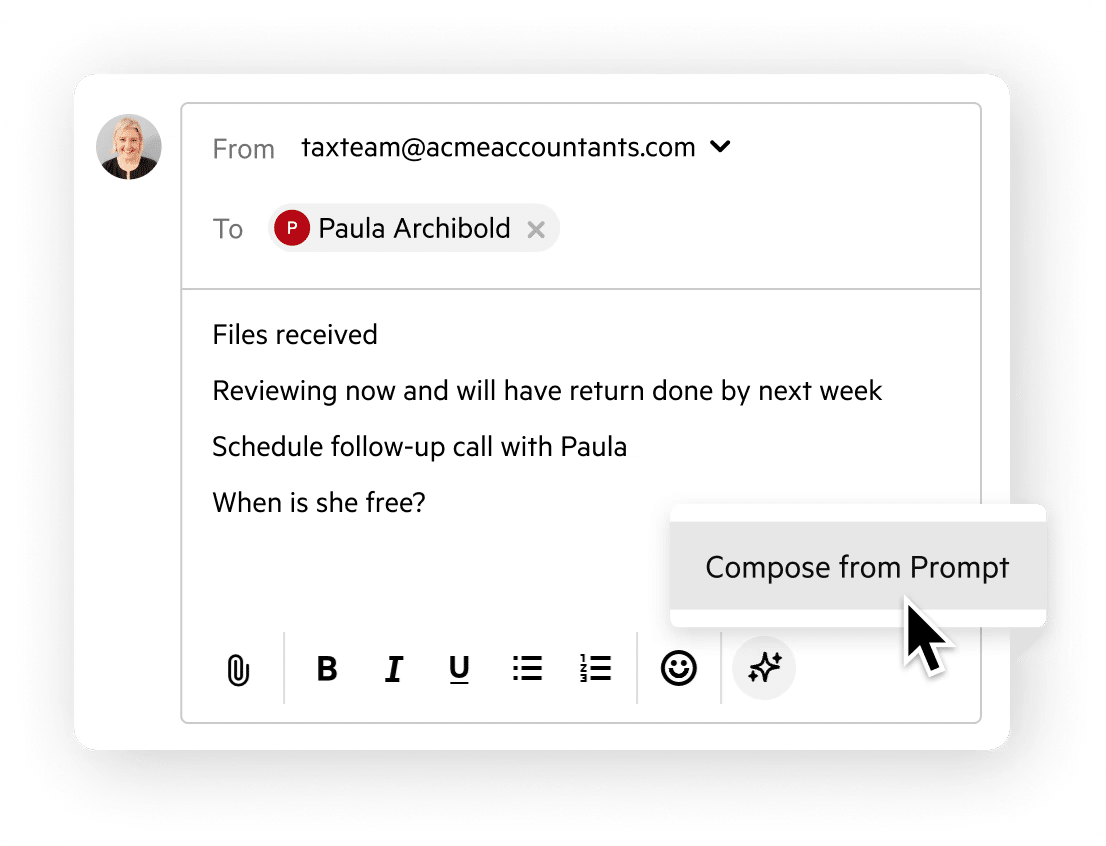
Financial Cents offers a two-way email integration with Gmail and Outlook that matches Karbon’s visibility without its administrative clutter. The focused client inbox automatically filters out irrelevant emails to create a feed of client messages. You can click a single button to turn an ad-hoc client email into a project or pin emails to an existing job.
6. Reporting & Analytics
Jetpack Workflow offers standard operational reports covering upcoming due dates, completed jobs, and staff capacity metrics.

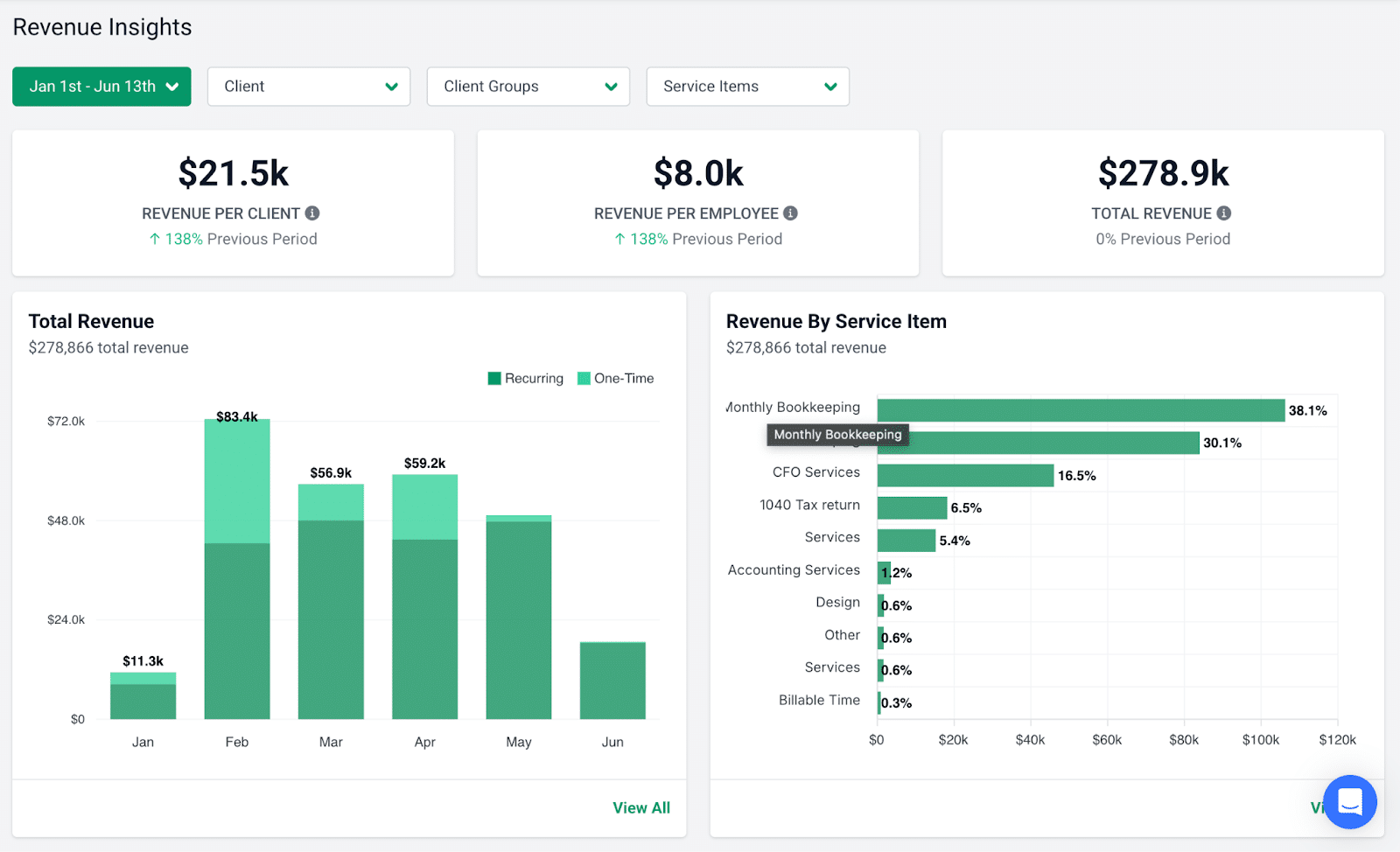
Karbon provides enterprise-grade business intelligence. Its reporting features provide granular data that enables partners to analyze long-term firm efficiency, track team utilization rates, and build customized reports.
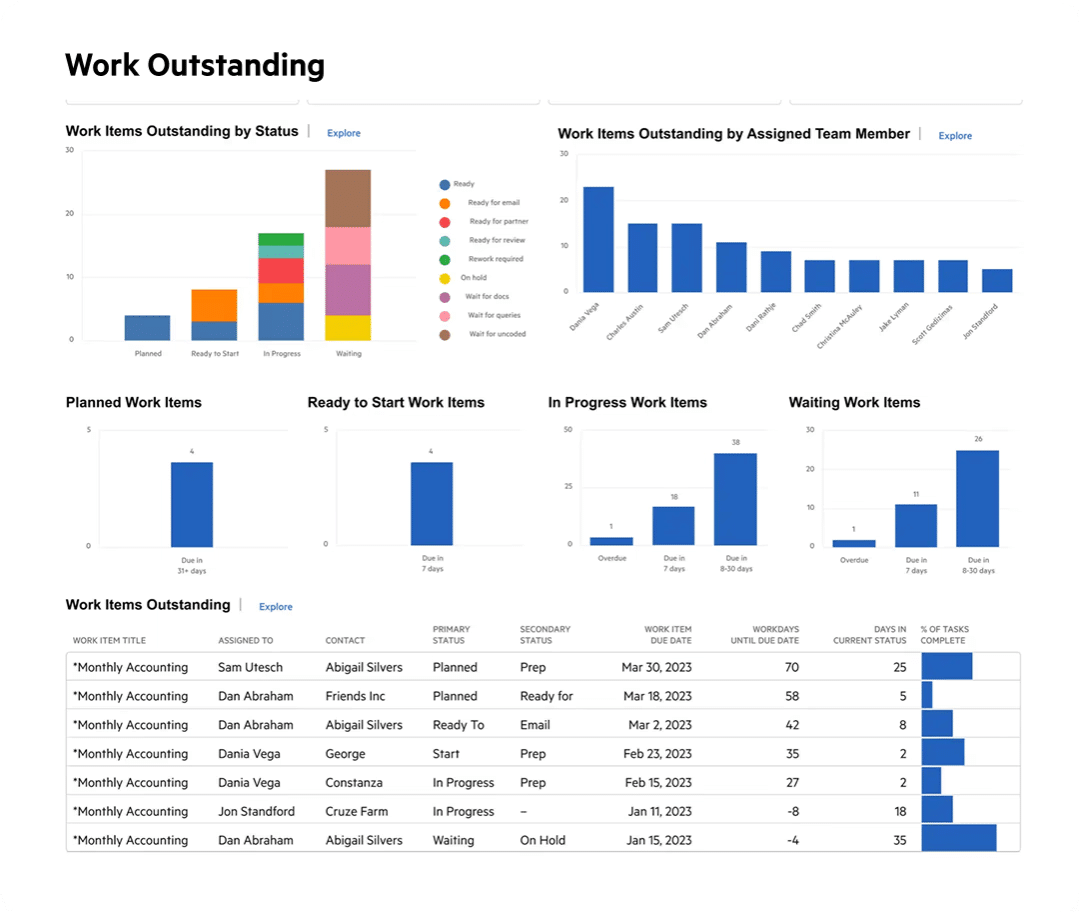
Financial Cents provides actionable insights to monitor your firm’s efficiency and profitability. Its capacity management report, for example, helps firms see who is over- or under-utilized in real time.
7. Integrations
Jetpack Workflow offers limited native integrations. It connects directly to QuickBooks Online and Xero for client data syncing. Virtually every other integration depends on third-party connectors like Zapier.
Karbon boasts an extensive integration ecosystem with direct connections to accounting apps, like QuickBooks Online, Xero, Ignition, and GoProposal. These connections allow firms to automate their entire client lifecycle. From the moment a client signs a proposal in Ignition, Karbon instantly creates the corresponding project, assigns the team, and sets the budget.
Financial Cents provides native integrations built specifically around the core tools accounting firms run on (from QuickBooks Online to Adobe Sign, SmartVault, etc.). Financial Cents also integrates with Drake Tax, UltraTax, Lacerte, and CCH Axcess via Google Drive and OneDrive.
8. Setup Time & Learning Curve
Jetpack Workflow is very quick to implement because it relies on a spreadsheet-style grid and standard linear checklists. Most firm owners can import their client list and go live with active tracking in just a few days.
Karbon requires a multi-week operational commitment to deploy successfully because it radically transforms how your firm handles email triage, client communications, and project assignments.
A successful rollout could take between 4 and 8 weeks (or more) of team training, a dedicated implementation manager, and structural process mapping.
Financial Cents pairs enterprise-grade workflow automation with an interface so clean and intuitive that it requires no technical training for your staff to master. Instead of forcing your firm into a weeks-long software transition, Financial Cents allows you to upload your client base, deploy targeted templates from its library, and start tracking live work within hours.
Rated 4.9/5 by accounting firm owners, Financial Cents is Capterra’s 2026 Easiest-to-use practice management software.
| Category | Jetpack Workflow | Karbon | Financial Cents |
|---|---|---|---|
| Workflow Management | Strong focus on task lists, recurring jobs, and deadline tracking. Simple and effective for standardizing processes. | Highly robust Kanban-style workflows, automation, conditional logic, and deep customization. | Clean and intuitive workflow with templates, automation, task dependencies, and a dashboard. Excellent for most small and mid-sized firms. |
| Client Portal & Document Collection | None. Relies on email or external tools. | Strong built-in client portal with document requests and collaboration. | Password-less (yet secure) client portal with auto-reminders, document requests, folder sharing, client chat, billing, and E-signature. |
| Recurring Work and Templates | Easy recurring automation is one of its strongest features. 70+ accounting templates | Very strong with advanced templates, automation, and conditional workflows | Easy recurring automation for standard and custom schedules. A library of pre-built and community-driven templates |
| Time Tracking & Billing | Basic time tracking | Integrated time tracking, budgets, billing, and payments | Built-in time tracking, automated invoicing, online payments, and QuickBooks sync. |
Email & Team Collaboration | Basic capacity, workload, and status reports. | Advanced Practice Intelligence, AI insights, profitability, and performance reporting. | Strong reports on productivity, work insights, client profitability, and team performance. |
| Reporting & Analytics | Integrates with major accounting software (QBO) and others through Zapier. | Extensive native integrations + ecosystem connectivity. | Native integrations with QuickBooks Online, SmartVault, Adobe Sign, etc. Many more through Zapier support |
| Setup Time & Learning Curve | Low learning curve. Fast to implement and start seeing value. | Significant learning curve and longer setup/implementation time. | Quick setup with a low learning curve. Fast time-to-value. |
Karbon vs Jetpack Workflow: Pricing Comparison
Jetpack uses a tiered pricing model:
- Starter Yearly: $40/month per user
- Starter Monthly: $49/month per user
Checkout Jetpack Workflow’s pricing here.
Karbon uses a per-user pricing:
- Team: $59/month per user
- Business: $89/month per user
- Enterprise: Custom pricing
Checkout Karbon’s pricing here.
That puts Karbon’s pricing at often roughly 1.5x–2x more than Jetpack Workflow. That reflects Karbon’s broader features and operational scope, and the investment makes sense for firms that need all its capabilities.
However, many small and mid-sized accounting and bookkeeping firms often find that Karbon is operationally heavier and more expensive. That’s where Financial Cents comes in.
Financial Cents uses a tiered pricing:
- Solo: $19/month
- Team: $49/month per user
- Scale: 69/month per user
- Enterprise: Custom pricing
Checkout Financial Cents pricing here.
Financial Cents appeals to firms that want more accounting-specific workflow depth than Jetpack, but do not want the implementation complexity or premium pricing associated with it. Its pricing and ease of use are much closer to Jetpack Workflow, but the scope of its features and functionality compete more directly with higher-end accounting workflow systems like Karbon.
For a full breakdown of what it costs to use an accounting practice management software, read our guide on How Much Does Accounting Practice Management Software Cost in 2026?
Jetpack Workflow: Pros and Cons
| Pros | Cons |
|---|---|
| Low learning curve. Easy to learn and implement | Limited workflow depth for larger firms |
| Strong recurring workflow management | Client management features are limited |
| 70+ accounting templates | Reporting and analytics are less advanced |
| Affordable pricing | Lacks a billing feature |
| Good fit for smaller firms | Doesn’t have a client portal |
Karbon: Pros and Cons
| Pros | Cons |
|---|---|
| Strong workflow and collaboration depth | Higher cost than Jetpack Workflow |
| Scales well operationally | Steep learning curve |
| Extensive Email integration | Interface can feel overwhelming for smaller firms |
| Strong client portal | Relies heavily on third-party document management tools |
| Excellent visibility into team workload and work status | Limits on the client information you can store |
Why Firms Choose Financial Cents Instead
For many accounting and bookkeeping firms, just seeing how Jetpack and Karbon are set up to operate means that choosing either will require them to sacrifice features or functionalities they truly need. With Financial Cents, you likely won’t need to trade off anything.
Built for accounting and bookkeeping firms that want to manage their entire firm in one place, Financial Cents’ simple but comprehensive design gives firms the structure they need to grow without stitching multiple tools together or turning to workflow engineers overnight.
Its features include:
- Proposals and Engagement Letters: Financial Cents enables firms to create professional and interactive proposals that outline the scope of services, embed legal terms, and automatically create projects when a client signs.
- Accounting CRM and Database: A centralized hub that securely stores all client information, communication logs, and active project statuses in a single location.
- Document Management: A secure file storage system that links documents directly to their corresponding client profiles and projects to enable your team to organize, view, and share files directly inside their daily workspace.
- Capacity Management: A real-time dashboard that tracks staff hours and commitments against open projects to identify who is over- or underutilized.
- E-Signature: Financial Cents integrates with Adobe Sign to allow clients to sign engagement letters, tax returns, and other documents electronically.
- Budget and Reporting: An analytics solution that provides real-time visibility into employee productivity, operational bottlenecks, and firm-wide profitability.
- Month-End Close: A transaction review workspace that connects directly with QuickBooks Online to flag discrepancies, large transactions, and missing attachments. It allows bookkeepers to correct errors in bulk, text clients transaction-specific questions, and push approved data changes back to QBO.
The Workflow Tool for the Firms Caught Between Jetpack’s Simplicity and Karbon’s Complexity
Jetpack Workflow is an intuitive software solution for managing recurring tasks and making sure deadlines don’t slip. For a solo or small firm that doesn’t mind using a separate CRM or billing tool, Jetpack Workflow does remarkably well.
Karbon operates at a different scale. Its deep workflow customization, built-in collaboration, client management, and billing features are built for larger firms with the team size and budget to match.
That leaves a gap for small to mid-sized firms (5–30 team members) with workflows too complex for Jetpack and budgets too lean for Karbon. Left with only Jetpack Workflow and Karbon, these firms end up paying for features they don’t need or working around unnecessary limitations.
Financial Cents was built for this category of firms. It brings together workflow management, CRM, client portal, time-tracking, billing, integrated email, automated document collection, and reporting in one platform. It’s easy enough to set up that most firms can be up and running within hours.
If you’re ready to see the difference for yourself, start your free 14-day trial of Financial Cents today or book a live demo with our team.
Frequently Asked Questions (FAQs)
Share this article:



