
![Blog cover image for The 11 Best Accounting Workflow Software Solutions [2026]](https://financial-cents.com/wp-content/uploads/2025/06/The-11-Best-Accounting-Workflow-Software.png)
There seems to be a strong correlation between firm leaders who use manual or disconnected workflow systems and those constantly worrying about what might be falling through the cracks.
The 2026 Firm Tech Stack Report confirms it. Not less than 50% of the firm owners surveyed admitted they were always worried they might be missing something, even though they could hardly put their finger on it.
This happens when the system coordinating your client work does not reflect the operational rhythm of accounting work, which is repeatable, dependent on client documents, and with workload that fluctuates across people and periods.
The best workflow systems connect these moving parts so firms can automatically generate recurring work, assign responsibility, track what’s waiting on a client, and see who has more bandwidth.
This is the kind of workflow tool that 75.8% of firms in the 2025 State of Accounting Workflow and Automation Report used to reduce the time they spent scheduling and assigning work to less than 5 hours a week (whereas 53.8% of them previously spent more than 5 hours).
This guide compares 11 of the best workflow software tools for accounting firms of different sizes and operational needs. The comparison is based on the workflow capabilities that actually matter to accounting, bookkeeping, and CPA firms.
We also show where each tool fits best, where it falls short, and how to make your transition much smoother.
TL;DR
- Accounting workflow software helps firms standardize, assign, track, and automate recurring client work such as bookkeeping, month-end close, payroll, and tax preparation. The right choice depends on your firm’s size and biggest operational challenge:
- Financial Cents is best overall for small and mid-sized firms that want accounting-specific workflows, automation, client reminders, capacity management, and practice-management functions in one platform.
- Canopy and TaxDome are best for tax-heavy firms that want to consolidate workflow, accounting firm client portals, documents, billing, and other practice-management functions.
- Karbon: Best for larger or growing firms that need sophisticated workflow management, email collaboration, and team capacity visibility.
- Jetpack Workflow or Aero Workflow are strong choices when standardized recurring workflows are the priority.
- Asana, ClickUp, or Monday.com are better suited to firms that prioritize multi-industry customization and flexibility.
- Choose an accounting-specific platform if you want to reduce administrative coordination and standardize client work. Choose a general PM platform when flexibility matters more than built-in accounting functionality.
Quick Comparison of the Best Workflow Software for Accountants
← Scroll to see more →
| Tool | Best For | Ideal Firm Size / Profile | Workflow Automation & Standout Strength | Client Collaboration | Pricing Model | Free Trial / Demo |
|---|---|---|---|---|---|---|
| Financial Cents | Easy-to-use, all-in-one practice management and client management | Solo, small and mid-sized firms running recurring bookkeeping & tax | Auto-recurring templates, task dependencies, month-end close audit | Passwordless portal: magic-link access with automated client requests and auto-reminders | Tiered per-user | 14-day free trial |
| Jetpack Workflow | Simple deadline & recurring task management | Small firms needing internal task management | Bulk job creation, recurring schedules, and clear deadline tracking dashboards | No native client portal or request auto-chasing | Tiered per-user | 14-day free trial |
| Aero Workflow | SOP-driven firms enforcing step-by-step procedures | Procedure-heavy bookkeeping firms | Step-by-step SOP execution embedded into checklists with knowledge base | No native client portal | Flat fee with user limit | 14-day free trial |
| Canopy | Enterprise-grade document management & IRS tax resolution | Mid-to-large tax & advisory practices | Custom project pipelines, IRS transcript pull engine, & notice resolution tools | Mobile client app | Tiered per-user | Free trial requires demo |
| TaxDome | Automated workflows for tax-heavy firms | Tax-focused & tech-savvy firms | Conditional logic pipelines (triggers emails, tasks, & invoices) | White-labeled web & client apps | Tiered per-user/year | Free trial requires demo |
| Karbon | Deep team collaboration and email triage | Mid-to-enterprise practices | Turning emails directly into assigned work tasks with centralized triage | Web link client task requests & auto-reminders | Tiered per-user | 14-day free trial / Free demo |
| Asana | Generalized project tracking with custom view flexibility | Tech-savvy firms with a dedicated operations manager | Customizable rule builder, Gantt timelines, and multi-project boards | No accounting client portal | Tiered per-user | 30-day free trial |
| Pixie | Small accounting practice management | Small UK & US bookkeeping practices | Pre-built workflow template library & email auto-filing to client timelines | Secure document sharing, e-signatures, and request reminders | Flat per client | 30-day free trial |
| ClickUp | Highly customizable database building | Highly technical teams wanting tailored, complex setup | Customizable custom fields, widget dashboards, & conditional rules | No native accounting client portal | Tiered per-user | Free tier |
| OfficeTools | Legacy practices tied to desktop tax software | Established practices using Lacerte, UltraTax, or QBD | Traditional project tracking with on-premise WIP & time records | Optional client document portal | Custom quote | Demo required |
| Monday.com | Highly visual task tracking & client pipeline boards | Teams seeking broad visual project and CRM tracking | Visual automation recipes and customizable color-coded board views | No accounting client portal | Tiered per-user | 14-day free trial |
What Is Accounting Workflow Software?
Accounting workflow software is a software solution that helps firms standardize client work, assign (and track) tasks, and automate manual steps in the process.
It enables teams to turn their processes into repeatable workflows with defined steps, owners, deadlines, and follow-ups. The workflow software centralizes accounting processes to show what’s completed, what’s waiting on a client, and what needs attention next.
Difference Between Accounting Workflow Software and these Three Related Tools:
Accounting workflow software differs from the other related categories of tools accounting firms use, namely:
- Accounting software, which records and manages financial transactions; workflow software manages the work required to deliver accounting services.
- General project management software, which manages workflows for teams across multiple industries, but lacks industry-specific features like recurring client work, dependencies, or client-facing collaboration. See the top accounting project management software tools you should consider instead.
- Practice management software, which overlaps with the workflow tool, but also includes CRM, billing, proposals, reporting, and other accounting firm management tools. Most of the tools on this list belong to this category, and that makes sense for firms who need to coordinate everything from one place.
Standalone workflow tools focus first on getting the work done consistently and on time.
Not sure where your firm stands? This WorkflowMeter assessment gives you a quick benchmark of how well your current processes are working, and where the biggest gaps are.
Why Accounting Firms Need Workflow Software
A workflow tool is about making sure client work moves consistently from one step to the next without depending on someone’s memory.
I cannot say it enough that if you want to 10X your productivity, Financial Cents is unbelievably good at it. It has transformed how we practice.”
a. Consistent delivery
Workflow software provides firms with tools (like accounting workflow templates) that define the steps every employee should take to complete any and every client service.
b. Reduces missed deadlines and handoff errors
The workflow software makes task ownership clear to everyone and ensures the right task is performed as and when due. This firm-wide clarity reduces the risk of forgetting key tasks in the process.
c. Real-time workload visibility
The workflow software provides a central view of everyone’s workload for firm owners and managers to make data-driven decisions on team members’ workload.
d. Standardized client onboarding and recurring work
Workflow software creates the steps of recurring projects like client onboarding into a template that the team can reuse for clients rather than rebuilding the checklist from scratch every time.
e. Less client chasing
Workflow automation takes some of the client follow-up tasks off the team’s plate by sending client requests and reminders for files and information based on deadlines or workflow status.
f. Faster staff onboarding
A documented staff onboarding workflow provides new employees a more memorable experience than a process that depends on mood and feeling.
g. Profitability insight
Workflow software shows owners and managers the deadlines, completion times, and assignments in one place to help them make better decisions about hiring or taking on new clients.
h. Better client experience
By organizing your internal process, workflow software makes it easier for your team to understand what each client needs, complete tasks faster, and respond to client inquiries more quickly.
Takeaway:
If you run:
- A bookkeeping or advisory firm struggling to chase clients for missing files, go with Financial Cents for its out-of-the-box ease and passwordless portal.
- A tax-heavy practice and want extensive workflow software, choose Canopy or TaxDome.
- A larger team (10+ staff) where centralizing chaotic email threads is your biggest bottleneck, pick Karbon.
The 11 Best Accounting Workflow Software Solutions
1. Financial Cents
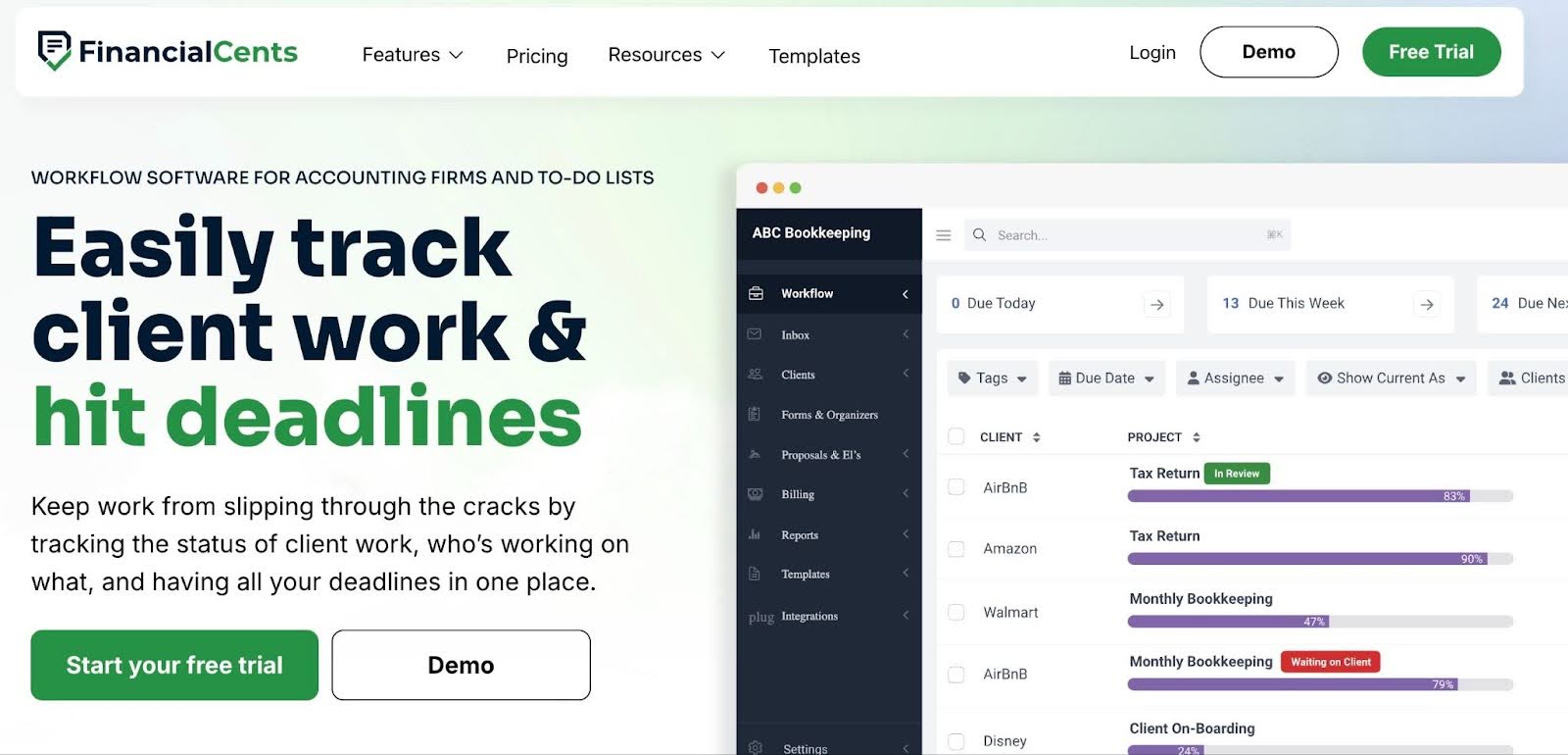
Financial Cents provides an accounting workflow management solution inside an all-in-one practice management platform that brings together everything accounting firms need to operate in one place.
Although scalable and suitable for large and enterprise firms, its ease of use and quick setup have made it particularly attractive for small and mid-sized firms who do not have the time and resources to spend implementing a workflow tool.
Financial Cents’ Workflow Features Include
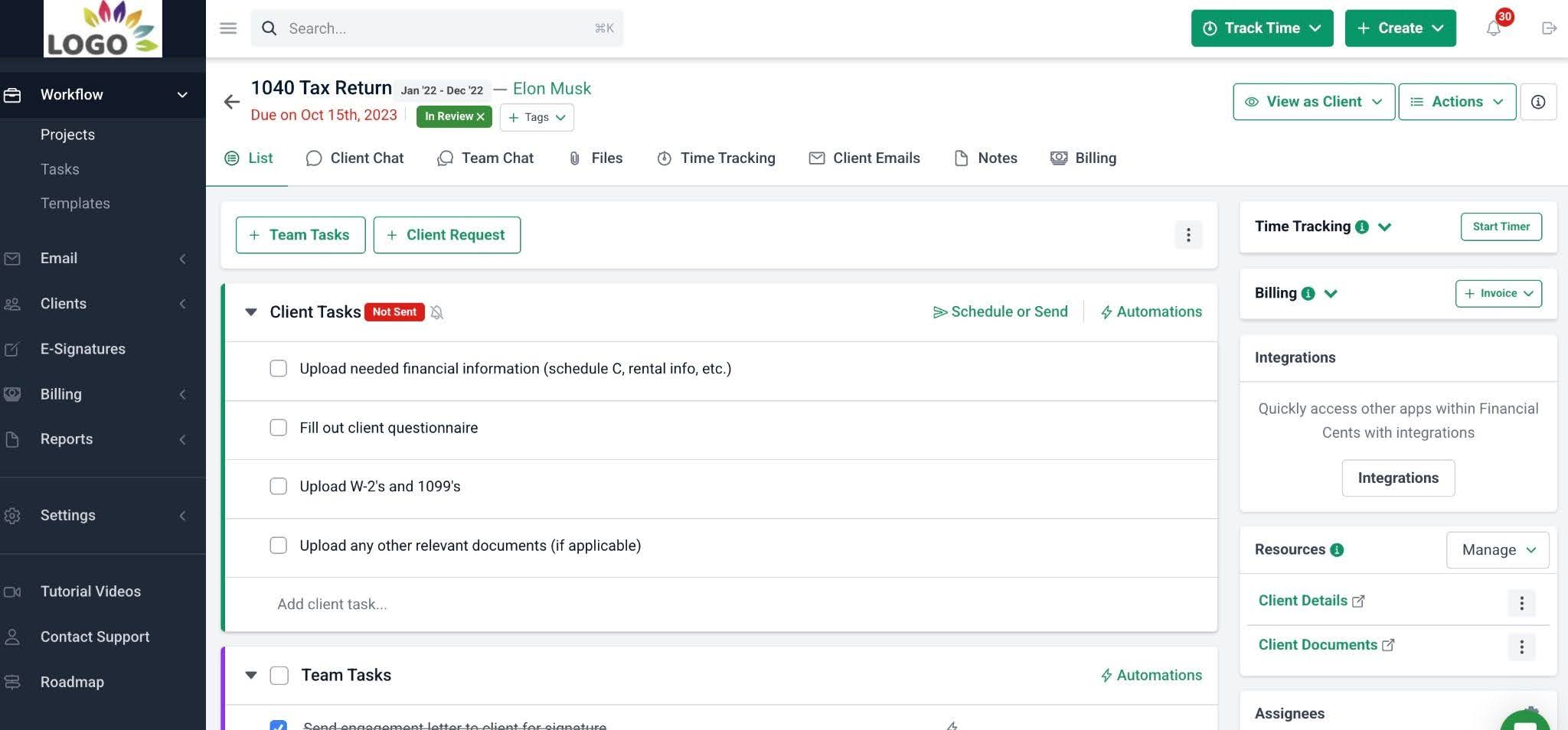
- Workflow management: Build reusable workflow templates for recurring accounting, bookkeeping, tax, payroll, and client onboarding processes.
- Workflow automation: Automate recurring work, due date tracking, assignments, status changes, client reminders, and other accounting tasks.
- Financial Cents AI: Document your processes by generating customizable workflow checklists for your services in seconds. Financial Cents also provides other AI features, such as AI File Validator for ensuring client uploads are accurate, AI File Renaming Agent for renaming client-uploaded files using your firm’s naming convention, and the AI email feature, which drafts client emails and responses for current and future client communication needs.
- Accounting CRM: Organize each client’s information, projects, emails, usernames, passwords, and every other data inside their profile.
- Client tasks and reminders: Send client requests and automated reminders for outstanding information or documents.
- Team collaboration: Centralize team communication and file-sharing inside the relevant work to improve context.
- Email integration: Turn emails into projects and keep client communication connected to the relevant work and profile.
- Client portal: Give clients a centralized place to exchange documents, complete requests, and communicate with your firm.
- Time tracking and billing: Track time against client work and connect it to invoicing and billing workflows.
- Capacity management: Monitor team workloads, forecast capacity, and reassign work when employees are overloaded.
- Proposals: Create proposals and automate the client onboarding process.
- Document management: Centralize client files and documents alongside the work they support (and the client they relate to).
- Month-end close: Centralizes transaction review, 1099 and W-9 preparation reports, account reconciliation report, newly added vendors (and accounts), and shared transactions report in Financial Cents, so your team can correct them. Corrections are automatically synced to the client’s records in QuickBooks Online.
Best For
Small and midsized accounting and bookkeeping firms that want to eliminate tool sprawl without the steep learning curve or high costs of complex enterprise software.
| Pros | Cons |
|---|---|
| All-in-one practice-management capabilities | Advanced automation, branded portal, and some integrations only available on higher tiers |
| Accounting-native features (recurring work, client requests, client portal, month-end close) | Month-end close is a paid add-on |
| 2026 easiest-to-use accounting workflow tool | Doesn’t have an inbuilt tax organizer yet |
Pricing
- Solo: $19/month
- Team: $49/month per user (annually)
- Scale: $69/month per user (annually)
- Enterprise: custom
Free Trial
Financial Cents offers a 14-day free trial.
Reviews
Financial Cents is rated:
2. Jetpack Workflow
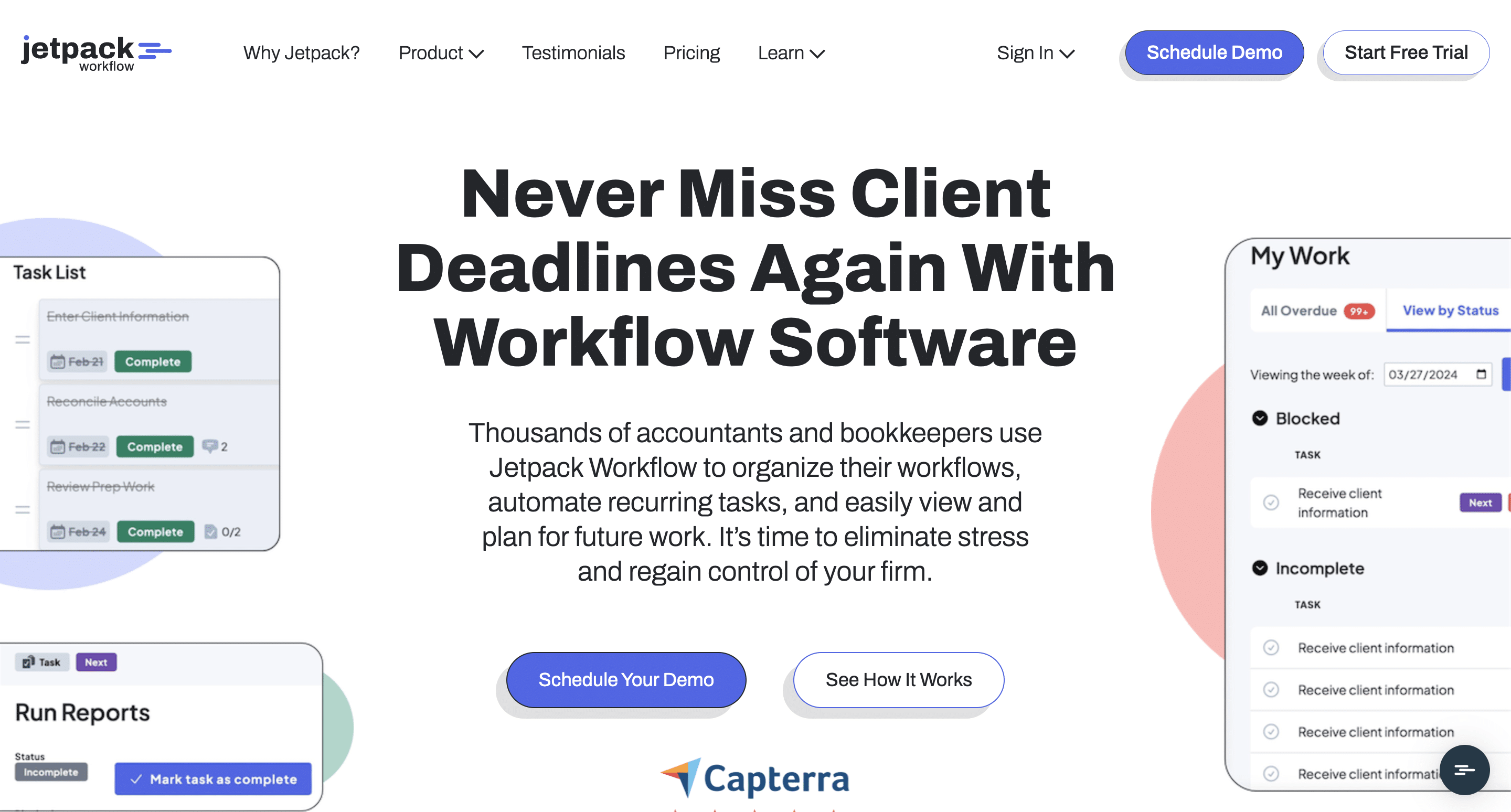
Jetpack Workflow is a dedicated workflow management software built for recurring accounting engagements.
Its features enable firms to standardize their processes, assign tasks, monitor deadlines, and automate manual work to keep engagements on schedule during peak busy seasons and monthly cycles.
Jetpack Workflow’s Features Include
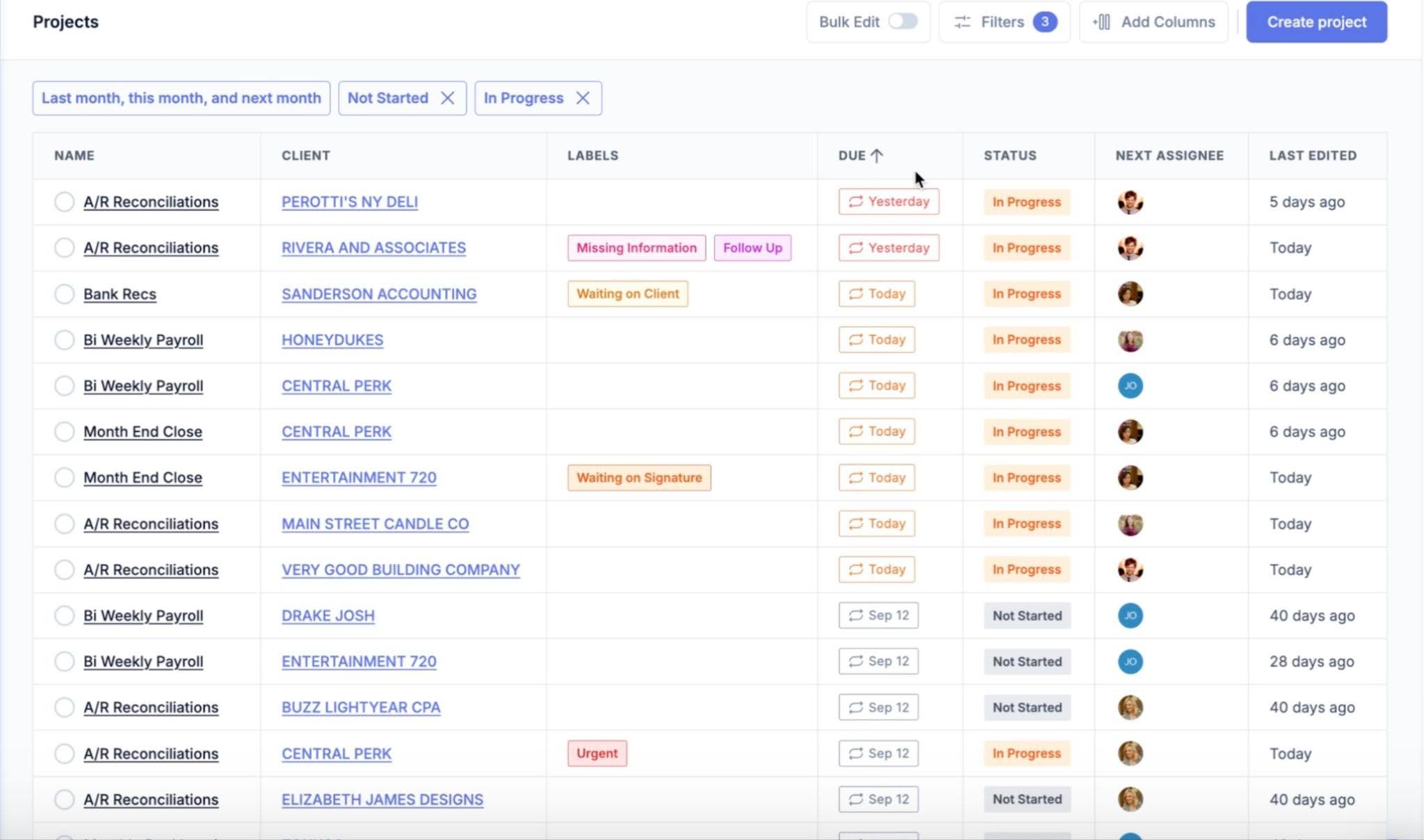
- Workflow management: Use templates and recurring workflows to manage bookkeeping, tax, accounting, and other client services.
- Template library: Prebuilt library of templates covering common accounting processes.
- Workflow automation: Automate recurring jobs to reduce manual task creation.
- Client management: Organize work by client and service.
- Document attachment: Attach relevant files and documents to client jobs.
- Email integration: Connect email communication with workflow management to improve.
- Capacity planning: Track budgeted time versus team bandwidth to reallocate tasks where necessary.
- Reporting: Track workflow progress and team performance using real-time insights.
Best For
Jetpack Workflow is built for small to mid-sized accounting and bookkeeping firms that specialize in recurring engagements like monthly bookkeeping, payroll, and tax compliance.
These firms are usually looking for a dedicated tool to manage client deadlines and standardized SOPs without paying for an all-in-one CRM, billing, and practice management platform.
| Pros | Cons |
|---|---|
| Comprehensive workflow templates reduce setup time | Not as comprehensive as an all-in-one practice management platform |
| Easier to understand than many broad project-management platforms | Lack of native client portal makes client collaboration difficult |
| Unlimited projects/clients on core plans | Pricing feels higher when firms begin to add standalone tools to complement it. |
Pricing
- Starter: $40/month per user (annual billing)
- Premium: $50/month per user (annual billing)
Free Trial
Jetpack Workflow offers a 14-day free trial.
Reviews
Jetpack Workflow is rated:
Related:
The Best Jetpack Workflow Alternatives
3. Aero Workflow
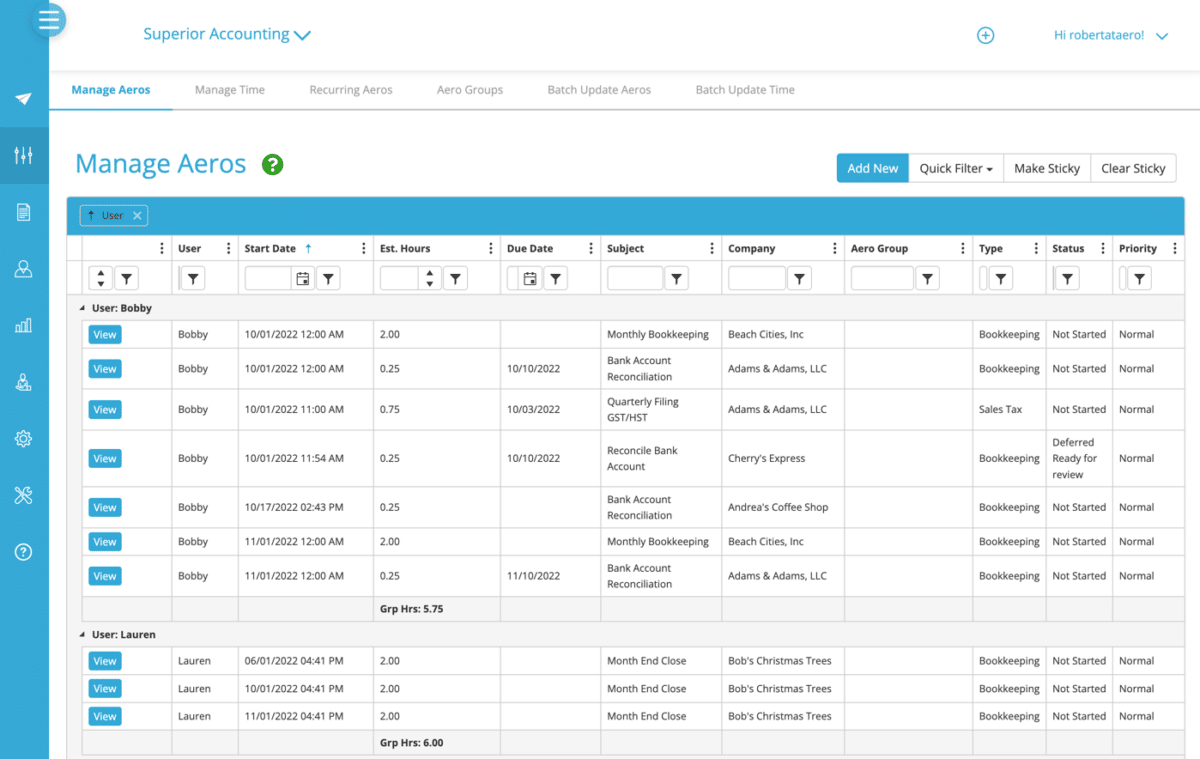
Aero Workflow is an accounting-focused workflow platform that emphasizes pre-built accounting checklists, recurring work, time tracking, and productivity reporting.
Unlike some tools on this list that offer comprehensive accounting practice management features, Aero Workflow focuses primarily on workflow execution rather than providing a complete suite of practice management functions.
Aero Workflow’s Workflow Features Include
- Checklists: Workflow steps that include detailed text instructions, bullet points, and hyperlinked resources
- Schedule Tasks: Arrange recurring client tasks on daily, weekly, bi-weekly, monthly, quarterly, or annual cycles.
- Staff Capacity & Assignment: Dashboards that track work status across all clients and allow managers to assign specific Aero tasks to team members based on skill level, role, or available bandwidth.
- Aero Vault: A secure, embedded database that stores client logins, special instructions, bank access notes, and software preferences. Staff can view relevant credentials directly inside the task they are performing without navigating away.
- Aero Library: An internal wiki that houses firm policies, technical accounting guides, and training manuals.
Best For
Accounting firms whose primary need is structured recurring workflows and deadline management and do not need a full client portal or native accounting billing suite.
| Pros | Cons |
|---|---|
| Flat-rate pricing means team size does not drive up cost | Narrow focus on workflow management |
| Strong checklist library for bookkeeping/CAS work | Limited client communication and document-management tools. |
| Highly useful for standardizing processes | Firms looking for extensive billing, CRM, or proposal functionality may need a broader platform. |
Pricing
- Startup $108/month
- Growth $200/month
- Scaling $295/month
- Enterprise: custom pricing
Free Trial
Aero Workflow offers a 30-day free trial.
Reviews
Aero Workflow is rated:
4. Canopy
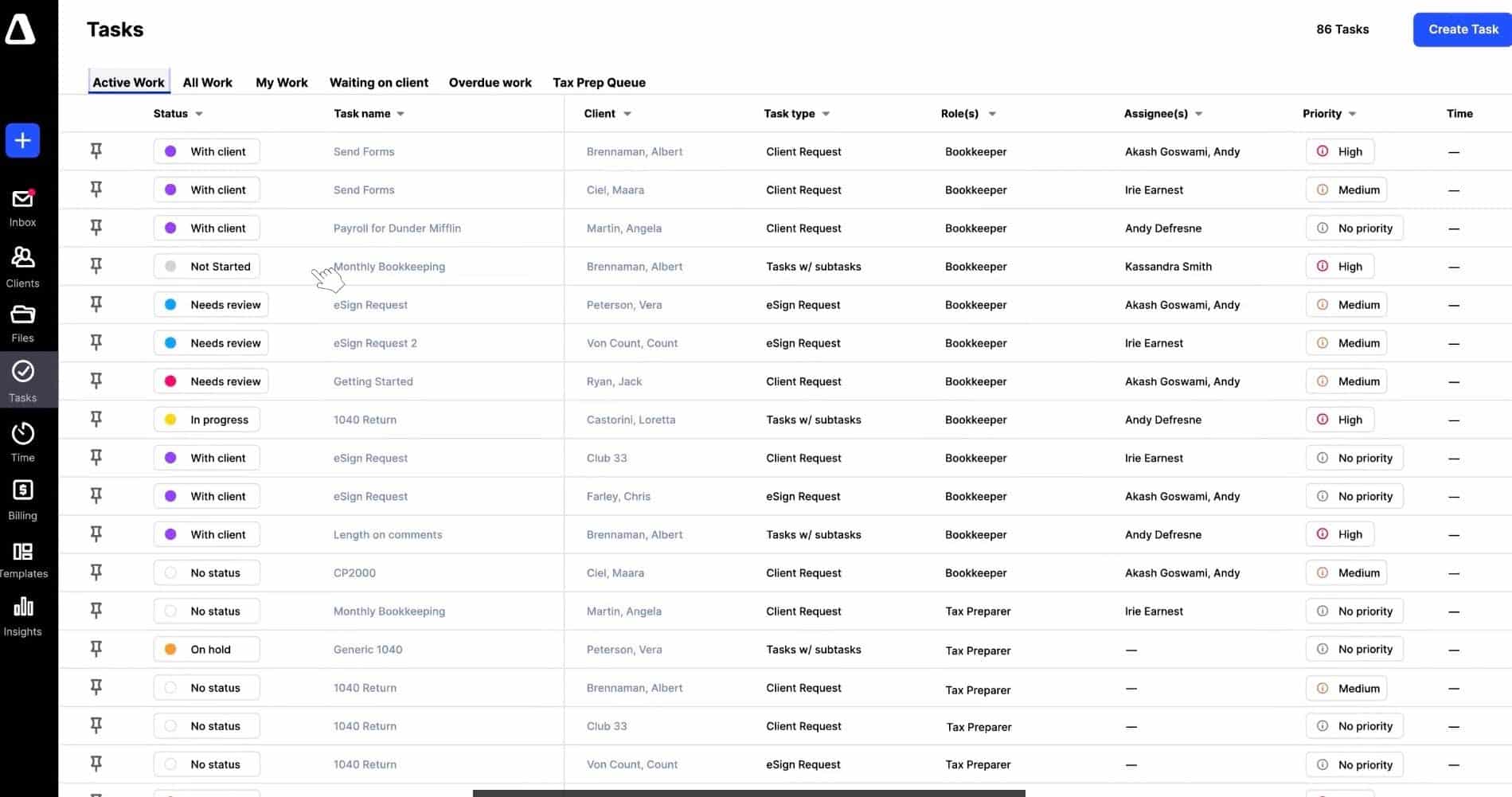
Canopy is a practice management platform with a strong emphasis on tax and accounting workflows.
It combines CRM, documents, e-sign, workflow, client portal, and billing into a single system, with specialized modules for tax resolution, IRS transcript retrieval, and native AI automation.
Canopy’s Workflow Features Include
- Workflow: Custom templates, automated status tracking, dependencies, subtasks, due-date rules, and milestone views to manage work from start to finish.
- Capacity Planning: Matches staff availability with upcoming workloads so managers can identify bottlenecks, rebalance assignments, and plan hiring.
- Tax Resolution: Streamlines IRS tax resolution with transcript requests, penalty and interest calculations.
- Transcripts & Notices: Automates IRS transcript and notice retrieval, monitors account changes, and alerts Pros to latest updates.
- Document Management: Provides centralized cloud storage with folder templates, OCR search, and links documents to client work.
- Client Portal: Gives clients a secure web and mobile portal to upload documents, complete requests, sign documents, etc.
- Time & Billing: Task-level time tracking that supports hourly, flat-rate, and value-based billing.
Best For
Mid-sized to growing accounting and tax practices looking for an enterprise-grade workflow, CRM, and document management system. It is most useful to document-heavy firms and tax practices that need specialized IRS transcript retrieval, notice tracking, and tax resolution workflows.
| Pros | Cons |
|---|---|
| Strong focus on tax practice | Broader functionality means more time and resources needed to implement it. |
| Broad client communication tools | Pricing increases sharply as firms add users and add-on features |
| Advanced document management system | Can feel overwhelming for pure bookkeeping firms |
Pricing
- Standard: $74/month per user (annual billing)
- Plus: $109/month per user (annual billing)
- Premium: $149/ month per user (annual billing)
- Enterprise: custom pricing
Free Trial
Canopy requires a demo before a free trial.
Reviews
Canopy is rated
Related:
Top 6 Canopy Practice Alternatives
5. TaxDome
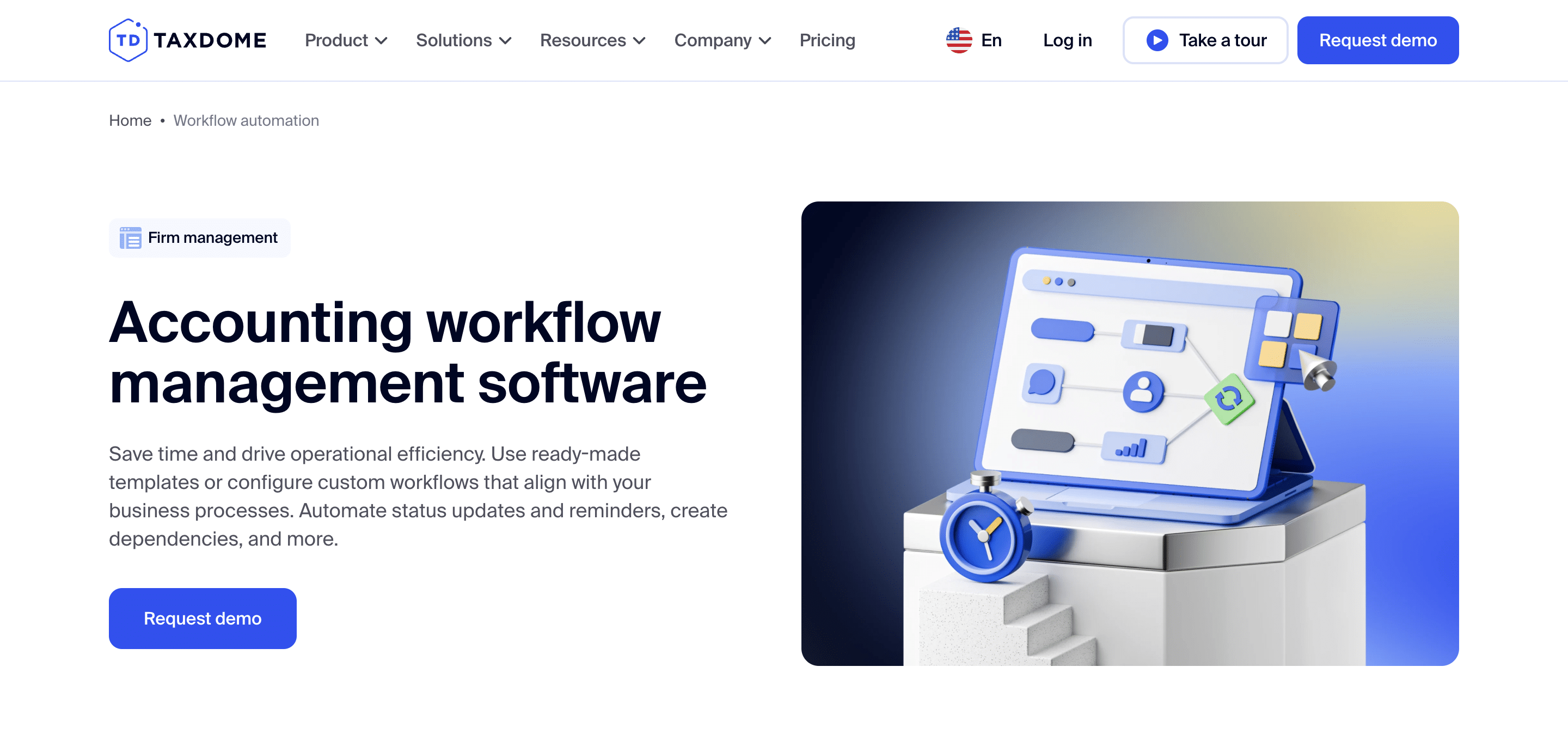
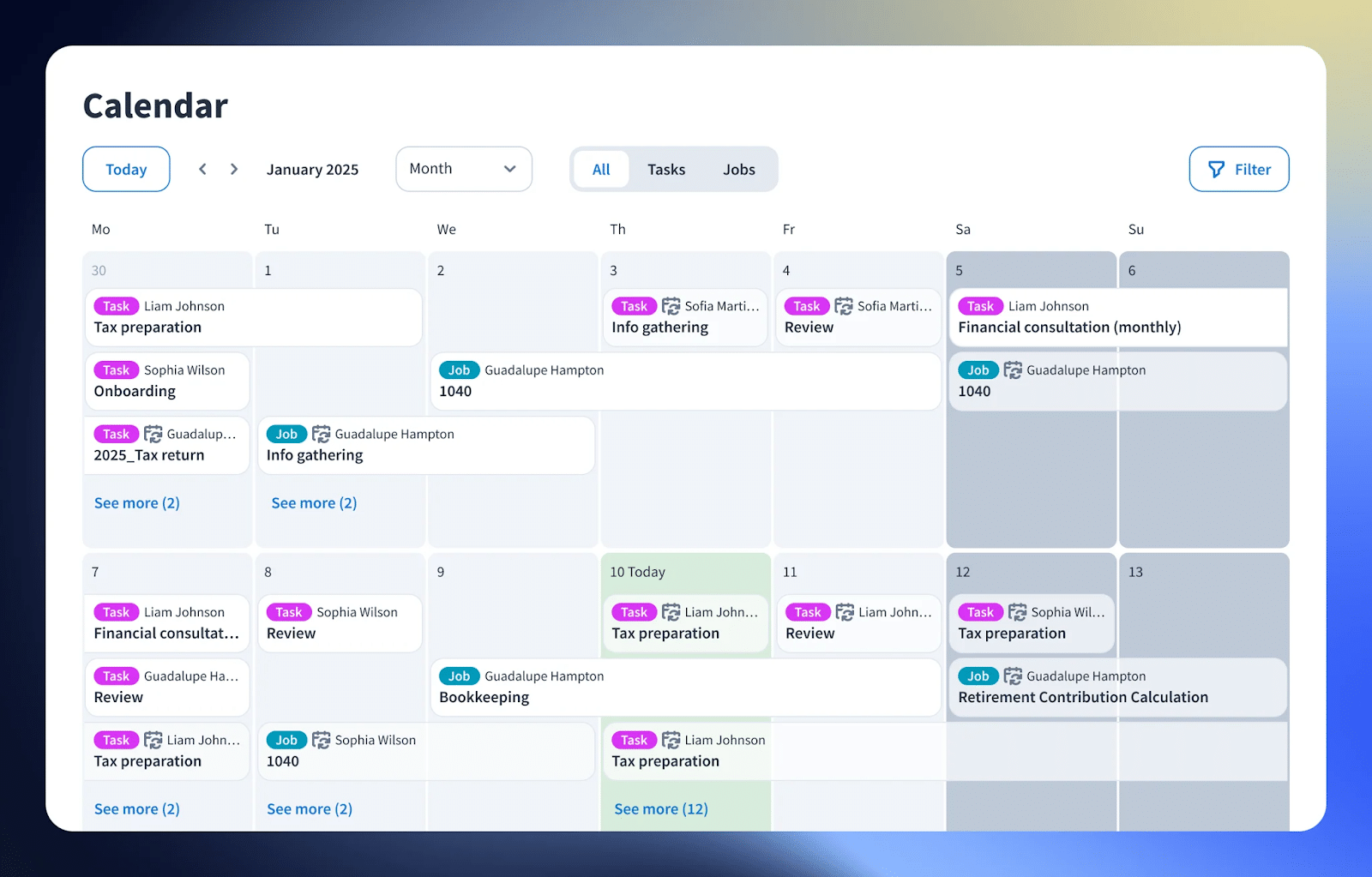
TaxDome is a practice management platform that combines conditional workflow automation with a white-labeled client portal, document management, and other tools needed to run a tax practice.
It is widely used by tax, bookkeeping, and multi-service firms that want a single place to manage client engagements from intake and document collection through delivery and billing.
TaxDome’s Workflow Features Include
- Workflow Automation: Customizable pipelines that visually map out firm processes and trigger actions automatically as jobs move from one stage to the next.
- CRM: Centralized database stores all client profiles, contacts, tags, custom fields, and account history.
- Document Management: Unlimited, secure cloud file storage with customizable folder templates automatically applied across client accounts.
- Tax Organizers: Digital questionnaires sent to clients to gather intake information.
- Chats: Secure messaging channel between staff and clients that can be linked to specific accounts or jobs.
- Time and Billing: Built-in time tracking (timers or manual entries) linked to specific jobs or services.
- Client Portal: White-labeled environment where clients can collaborate with the firm on documents and approvals.
Best For
Tax and accounting firms that want an all-encompassing practice management platform with strong client-facing functionality and are comfortable with annual seat-based pricing.
| Pros | Cons |
|---|---|
| Strong client portal | Its broad functionality creates a steeper learning curve than a dedicated workflow tool. |
| Document management and e-signatures | Firms that only need basic recurring-work management may find it too extensive. |
| Particularly helpful for tax practices | Annual seat pricing is a large commitment for small firms. |
Pricing
- Essentials: $700/year per seat
- Pro: $900/year per seat
- Business: $1,100/year per seat
Free Trial
TaxDome requires a demo before a free trial for firms outside the US. No free trial for firms in the US.
Reviews
TaxDome is rated 4.7/5 stars on Capterra and G2.
Related:
6. Karbon
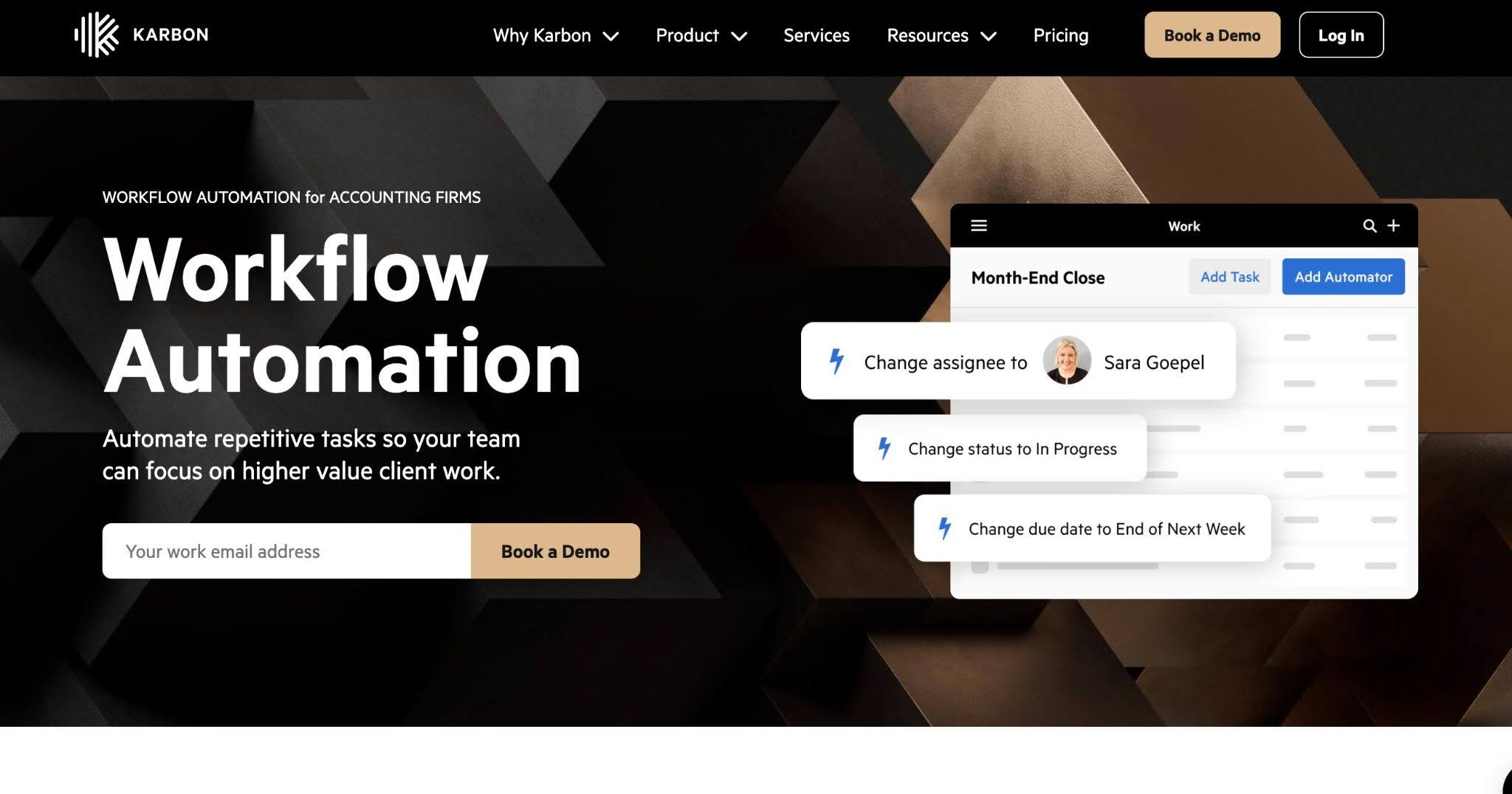
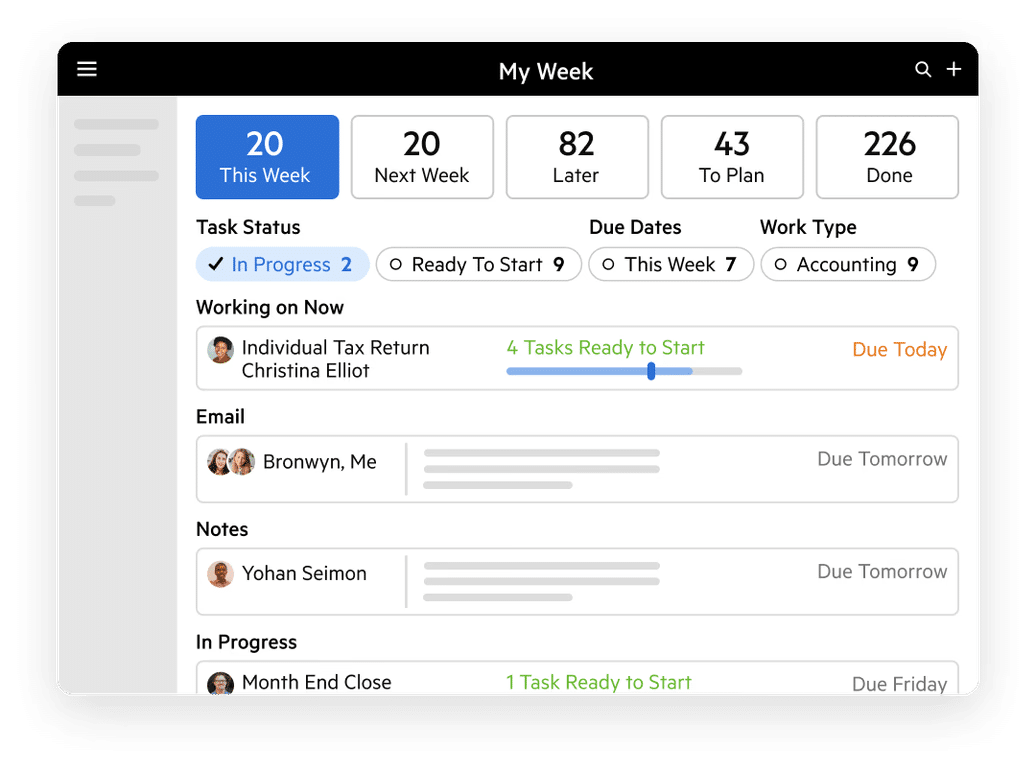
Karbon is an accounting practice management platform built around team collaboration, workflow management, and email integration. It centralizes client work, team communication, and capacity planning in a shared workspace.
Its features are designed for larger firms where handoffs, shared context, and capacity oversight matter more than a basic task management system.
Karbon’s Workflow Features Include
- Workflow Automation: Rules-based triggers that automatically progress work items, reassign tasks to team members, and update job statuses.
- Email Management: Karbon’s Triage directly connects Microsoft 365 or Google Workspace emails to specific client accounts or active work items.
- Team Collaboration: Internal communication is built into client timelines and tasks.
- Client Management: A centralized database for individual and business contacts containing communication histories, active jobs, etc.
- Client Portal: A secure portal where clients can view outstanding requests, complete assigned checklist items, upload files, and send messages.
- Time Tracking & Budgets: Integrated timers and time-entry tools linked to active jobs.
- Billing: Turn tracked billable time or fixed-fee project milestones directly into custom invoices.
Best For
Growing and larger accounting firms that need sophisticated workflow management, collaboration, and practice-wide visibility. Usually firms where email handoffs and team collaboration are major friction points.
| Pros | Cons |
|---|---|
| Strong email integration | Feels complex for very small or solo firms |
| Advanced collaboration and visibility | Pricing can become significant as teams grow. |
| Strong fit for growing firms | Some capabilities may require additional paid products or services. |
Pricing
- Team: $59/month per user (annual billing)
- Business: $89/month per user (annual billing)
- Enterprise: custom
Free Trial
Karbon requires a demo before a free trial.
Reviews
Karbon is rated:
Related:
The Top Karbon Alternatives to Consider in 2026
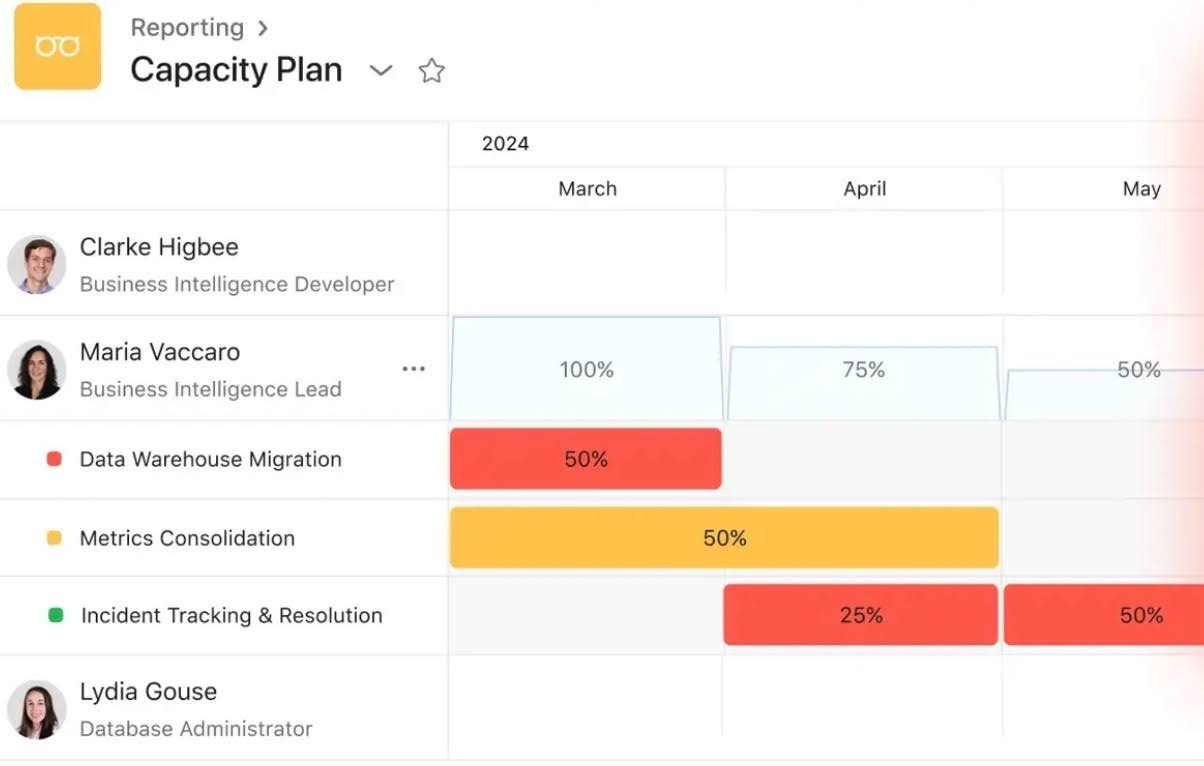
7. Asana

Asana is not an industry-specific project management software, but many accounting firms use it to manage their workflows before moving to accounting-specific tools.
It gives them flexible task management, project views, templates, rules, and collaboration tools that they can customize to suit their accounting workflows.
Asana’s Workflow Features Include
- Workflow Automation: Custom trigger-based rules that automatically assign tasks, move project stages, and set due dates.
- Approval Routing: Streamlines multi-tier sign-offs by routing critical financial documents or compliance reviews to managers automatically upon step completion.
- Recurring Accounting Workflows: Automates monthly close cycles using scheduled recurring accounting tasks.
- Task Dependency Mapping: Visualizes critical tasks so bottlenecks are immediately flagged.
- Multi-Project Dashboards: Aggregates real-time data across various financial initiatives, client engagements, or operational projects into high-level visual views.
- Resource & Capacity Planning: Tracks team workloads to reallocate tasks and manage capacity effectively during peak seasons.
Best For
Solo accountants and small firms that are going from manual workflow management to an automated system. These firms don’t mind the time and resources it’ll take to tailor a flexible project management system to their own accounting workflows.
| Pros | Cons |
|---|---|
| Strong project and task management | Not accounting-specific |
| Flexible workflow customization | No native accounting client portal |
| Free entry-level option | Firms often outgrow it and need extra tools for docs, billing, and client follow-up |
Pricing
- Personal: Free (for up to 2 users).
- Starter: $10.99/month per user (billed annually)
- Advanced: $24.99/month per user (billed annually)
- Enterprise: Custom pricing
Free Trial
Asana offers a 30-day free trial
Reviews
Asana is rated:
Read:
Asana for Accounting Firms Guide
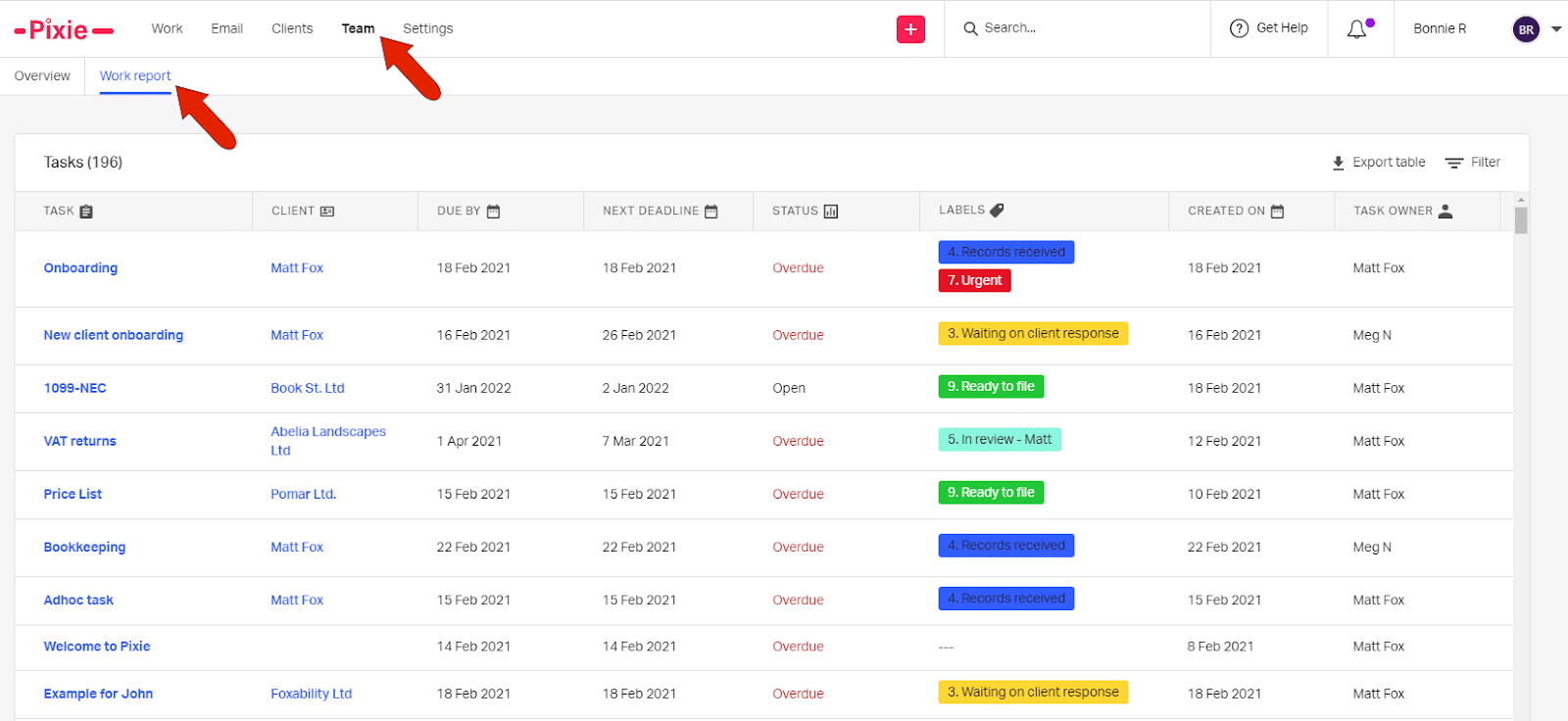
8. Pixie
Pixie is a practice management platform for accountants and bookkeepers. It is widely used by small-to-midsize practices seeking an easy-to-deploy system with transparent flat-rate pricing based on active client count rather than per-seat user fees.
Built around UK compliance, it auto-syncs with Companies House and HMRC data to automatically populate client records and manage statutory filing deadlines without manual data entry.
Pixie’s Workflow Features Include
- Workflow Management: Allows firms to attach detailed Standard Operating Procedures (SOPs) and process checklists inside task steps.
- CRM: A centralized client database for contact details, corporate structures, custom properties, and communication history.
- Recurring Tasks: Job scheduling tool that automatically generates work items on daily, weekly, monthly, quarterly, or annual schedules.
- Automation & Integrations: Built-in automation rules that trigger actions when specific conditions are met.
- Email Integration: Connects client email threads directly to the corresponding client profile or job.
- Client Tasks: Request missing bank statements, receipts, or signatures, and clients receive a secure link to complete tasks.
Best For
Small accounting and bookkeeping firms looking for accounting-specific practice management without the complexity of larger enterprise platforms.
| Pros | Cons |
|---|---|
| Combines workflow and practice management | Doesn’t offer the workflow depth found in larger platforms. |
| Per-client pricing model encourages addition of seasonal staff | Firms with complex reporting requirements will outgrow it quickly |
| Most useful to U.K firms | International firms need to verify whether billing and integrations fit. |
Pricing
- Less than 250 clients: $129/month
- 251-500 clients: $199/month
- 501-1000: $329/month
- Over 1000: custom pricing
Free Trial
Pixie offers a 30-day free trial.
Reviews
Pixie is rated:
9. ClickUp
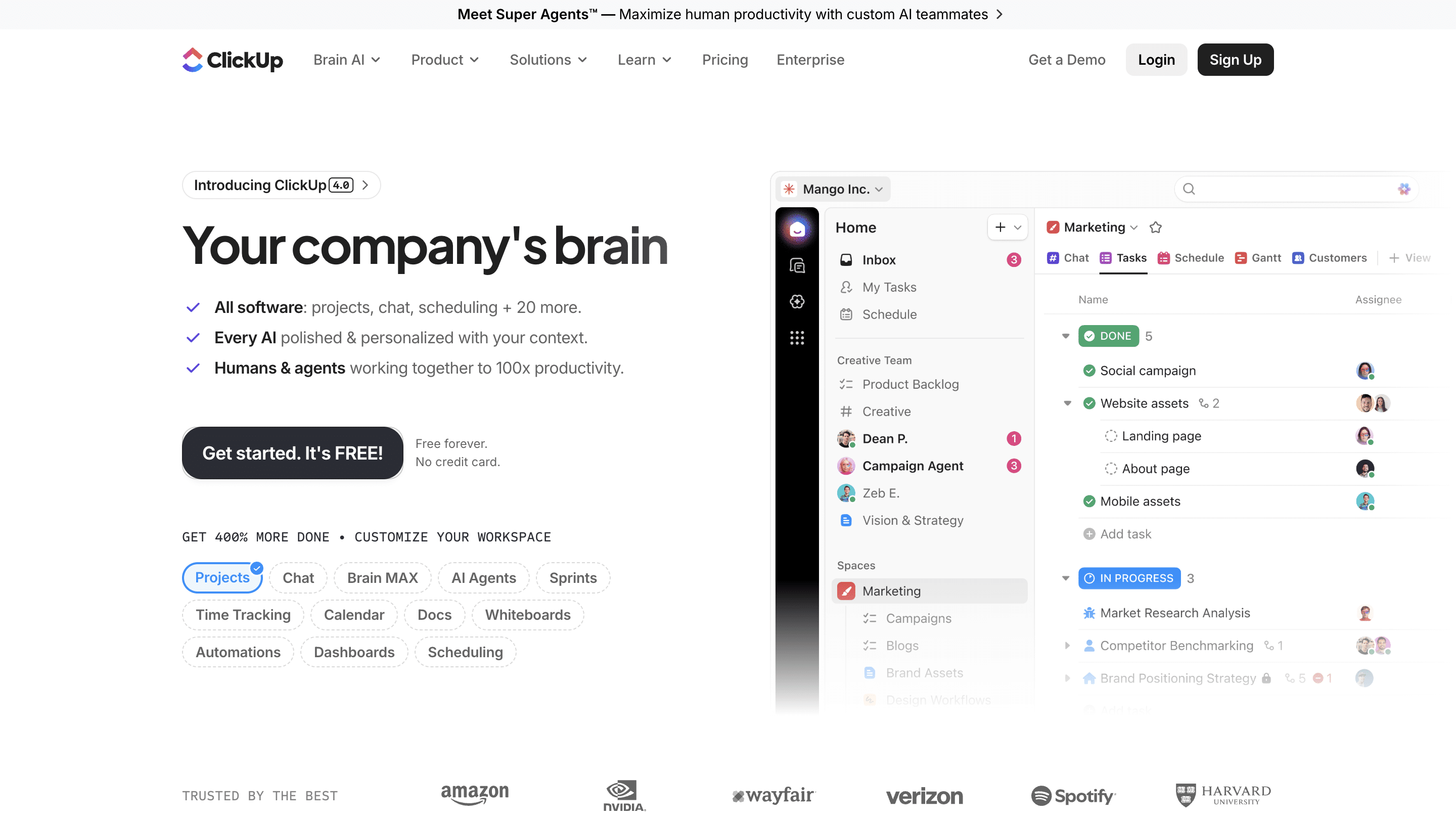
ClickUp is a project management platform that gives accounting firms extensive flexibility to build their own workflows.
Although it is not designed for accounting project operations alone, it supports tasks, recurring work, automations, dashboards, documents, time tracking, and integrations.
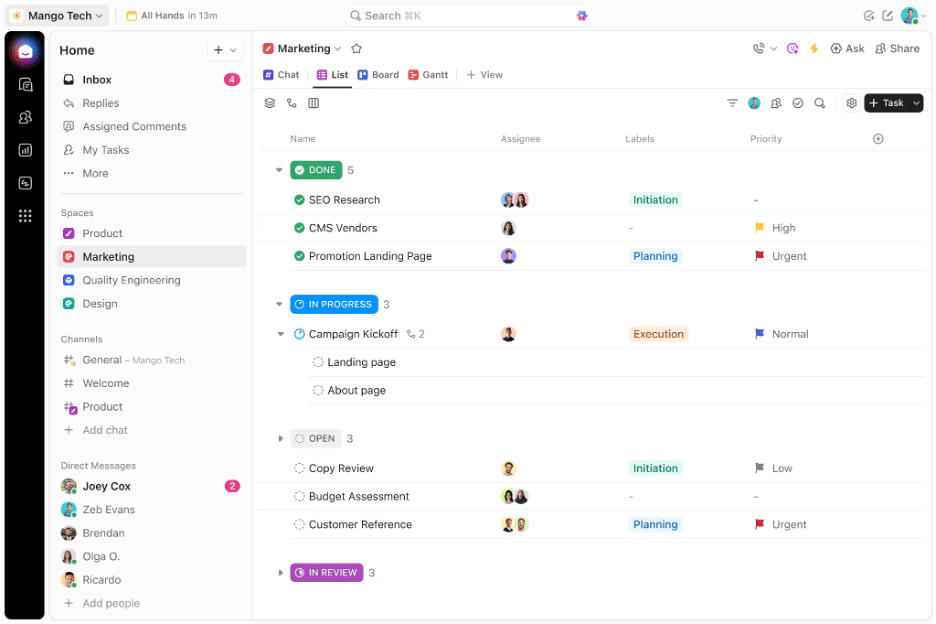
ClickUp’s Workflow Features Include
- Tasks: Features customizable statuses, checklists, multiple assignees, priority levels, custom fields, and task dependencies.
- Dashboards: Use customizable widgets to track team velocity, workload capacity, project status, time tracking, and custom KPIs.
- Board (Kanban): Agile visual view allowing teams to drag and drop tasks across workflow stages, filter by assignee/priority, and manage group columns dynamically.
- Gantt: Interactive timeline views for planning project schedules, mapping critical paths, managing task dependencies, and calculating project timelines.
- Chat: Built-in team messaging channels and direct messages that live alongside your projects.
- Automations: Trigger-action workflows that eliminate routine administrative tasks.
Best For
Firms that want highly customizable work management and already have separate systems for client portals, accounting, documents, and billing.
| Pros | Cons |
|---|---|
| Extremely customizable | Not accounting-specific |
| Flexible workflow views | Requires more effort to design accounting workflows |
| Good dashboards and reporting | Client-facing accounting workflows require additional tools |
Pricing
- Free forever:
- Unlimited: $7/month per user (annual billing)Business: $12/month per user (annual billing)
- Enterprise: Custom pricing
Free Trial
ClickUp offers a free plan.
Reviews
ClickUp is rated 4.6/5 stars on Capterra and G2.
Related:
10. OfficeTools
OfficeTools is one of the oldest practice management platforms designed for accounting and professional services firms.
It combines workflow and project management with client management, time and billing, scheduling, document management, and other firm-administration capabilities. It is historically stronger in Windows/desktop-oriented environments.
OfficeTool’s Workflow Features
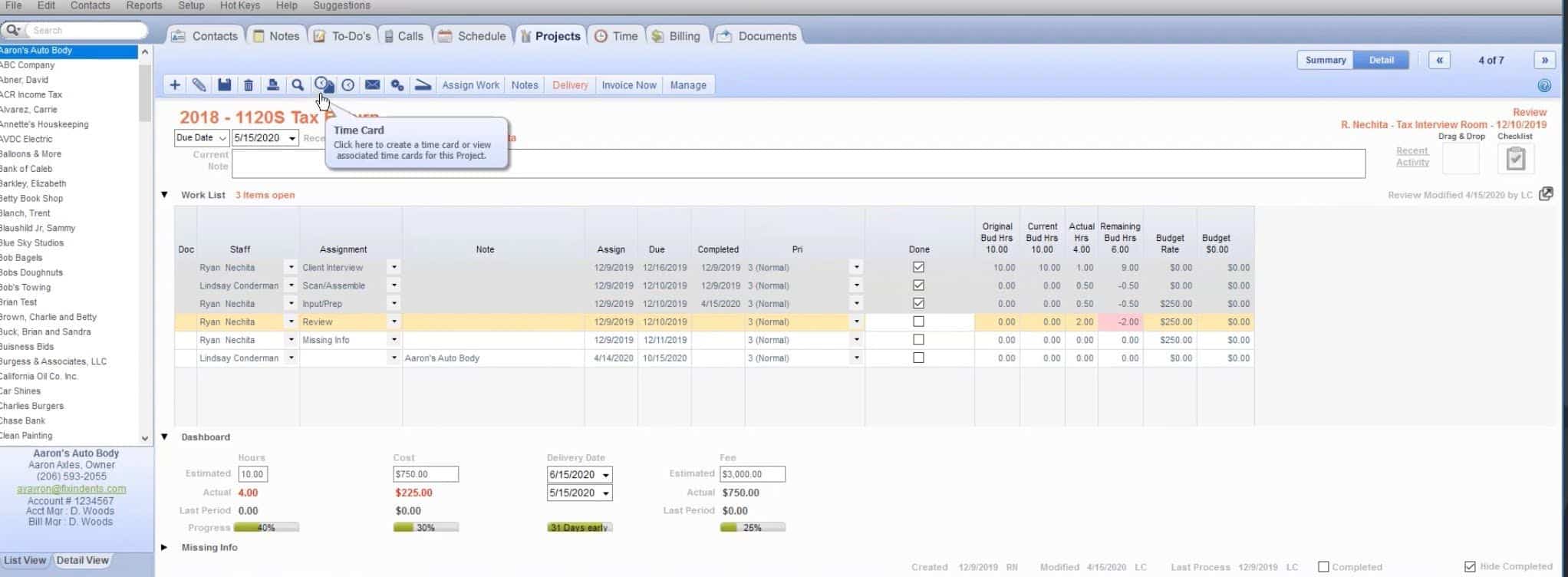
- Centralized Single-Screen Workspace: Consolidates core firm operations into a single interface.
- Workflow Tracking: Real-time milestone monitoring for tax return preparation that shows managers the status of each project.
- Capacity & Resource Allocation: Enables managers to reallocate tasks and adjust project assignments across team members to prevent bottlenecks.
- Priority Project Focus: Workspace flags high-priority deliverables and urgent client tasks to keep staff focused on critical deadlines.
- Integrated Time Tracking: Background timers and flexible timecard entry for the desktop system and mobile companion app.
- Centralized Client Document Hub: Directly links client files, past tax returns, and uploaded records to specific client CRM profiles.
Best For
Established accounting and professional services firms looking for desktop practice-management functionality spanning workflow, client management, time, billing, and administration.
| Pros | Cons |
|---|---|
| Scheduling capabilities | Implementation and migration require time and planning |
| Useful for firms that want more than standalone task management | Pricing is often quote-based and less transparent |
| Familiar option for firms coming from older PM suites | May be heavier than pure workflow needs for small bookkeeping teams |
Pricing
Custom pricing
Free Trial
OfficeTools does not offer a free trial.
Reviews
OfficeTools is rated:
11. Monday.com

Monday.com is a work-management platform that accounting firms can configure for client workflows, recurring work, task management, and team collaboration.
Like Asana and ClickUp, it provides flexibility rather than accounting-specific workflows, so firms are responsible for designing and maintaining their processes.
Monday.com’s Workflow Features Include
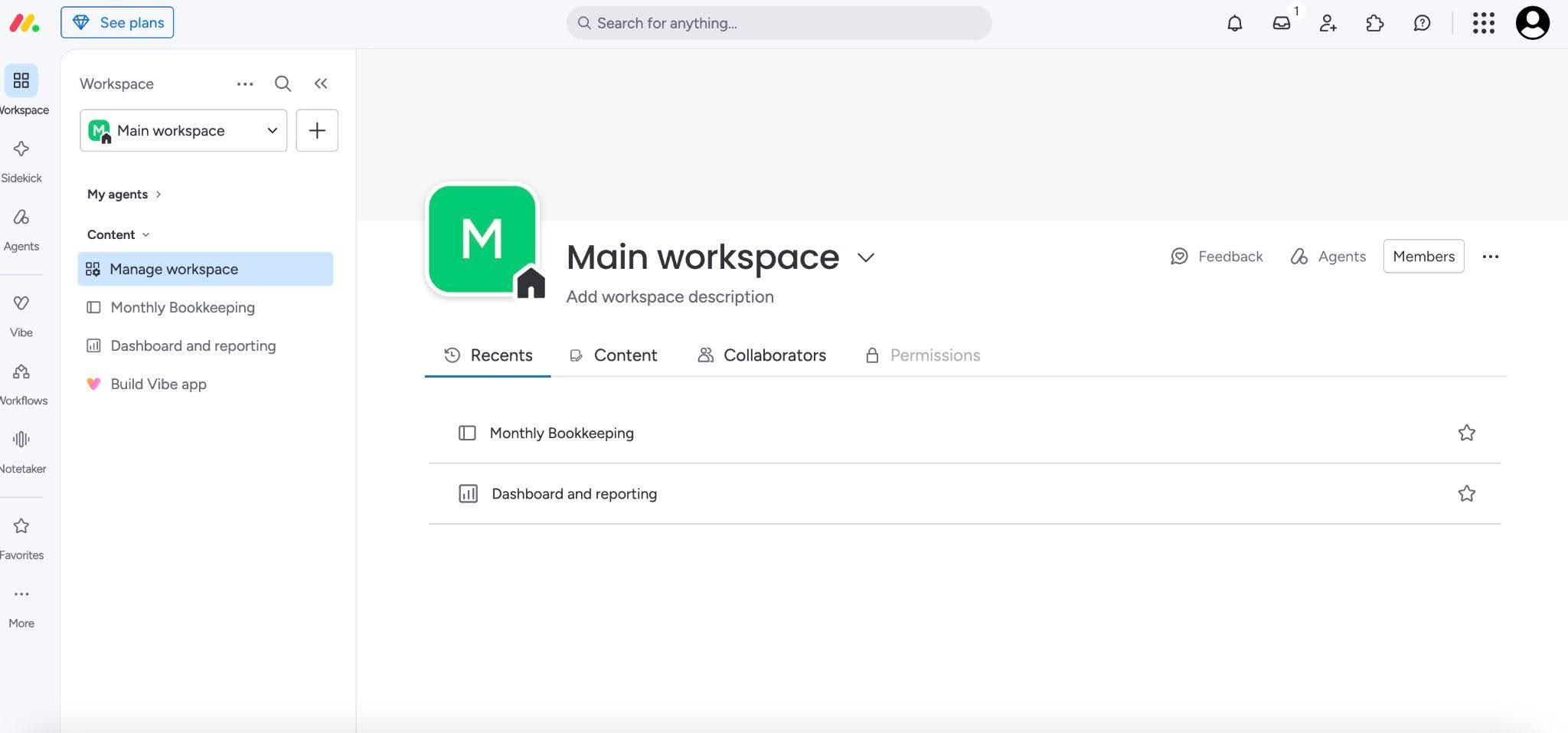
- Customizable Boards & Items: Workflows are organized into boards containing customizable rows and columns.
- Multi-View Dashboards: Allow teams to visualize the same workflow data in different formats depending on operational needs.
- Automation Builder: A drag-and-drop rule engine that automates routine admin work across connected processes.
- Cross-Board Workflows: Connects separate department boards so work moves seamlessly without manual handoffs or data re-entry.
- Approval & Escalation Routing: Automatically sends pending sign-offs to specific stakeholders, issues reminders, and escalates overdue items.
- Team Collaboration: Enables updates, mentions, and comment threads to keep discussion tied directly to specific tasks.
Best For
Small and mid-sized firms that want a highly visual, customizable work-management platform and are willing to build their own accounting workflows.
| Pros | Cons |
|---|---|
| Highly visual interface | Accounting-specific client workflows require workarounds |
| Flexible workflow customization | Ongoing customization can create an administrative burden |
| Useful workload and reporting features | Risk of recreating the same “patchwork” problem the firm is trying to leave |
Pricing
- Basic: $9/month per user
- Standard: $12/month per user
- Pro: $19/month per user
- Custom pricing
Free Trial
Monday.com offers a 14-day free trial.
Reviews
Monday.com is rated:
Related:
Is Monday.com right for accountants?
Features to Look out for in Accounting Workflow Management Software
No accounting workflow software is worth considering (Whatever your firm size and client needs) if these features are absent.
Workflow Management and Automation
The availability of customizable workflows, templates, recurring work, task dependencies, and other automation helps to move work forward and saves firms the stress of manually creating, assigning, or updating tasks.
Due-date and Deadline Tracking
The due date and deadline tracking feature makes deadlines easy to see across clients. It also surfaces overdue or upcoming deadlines before they slip through the cracks.
Capacity/Workload Visibility
The capacity management feature provides a real-time view of what tasks your team is working on and how much more work they can handle to maintain capacity targets.
Client Tasks & Document Collection
This tool enables firms to request receipts, information, or other files from clients. Its recurring auto-reminders eliminate manual follow-up and free teams to focus on the completion of billable tasks.
Built-in Client Portal
A client portal gives clients a secure place to exchange documents, complete requests, and communicate with the accounting firm, instead of scattering information across email threads or standalone document management systems for accounting firms.
Email Integration
An integrated email feature connects client communication to the relevant work and allows teams to turn emails into tasks, so important file or context is not buried in individual inboxes.
Time Tracking & Billing
This feature monitors time usage across the firm, automates invoicing, and, in many cases, combines with an inbuilt payment process to receive card and ACH payments from clients.
Reporting Dashboards
These dashboards turn workflow data into firm management information to enhance decision-making. The insights include completion rates, overdue work, employee workload, realization rate, and overall team performance data.
Integrations
Integrations with QuickBooks Online, Xero, tax software, Zapier, and the other systems your firm already uses ensure that the workflow software communicates and shares data with the rest of your tech stack.
For a more detailed coverage of these features, read our guide on the Essential Features to Look for in an Accounting Workflow Software.
How to Choose the Right Tool for Your Firm (Based on Firm Size & Tech Stack)
The workflow management needs of the average accounting firm are so peculiar that every firm must find a tool that’s not just built for the industry, but also designed for their specific operational rhythm.
The minute I saw Financial Cents, I said, this is actually the one for me.
And then I had Marissa, who works with me, play around in Financial Cents and she said, ‘This is the one for us.’”
Solo Bookkeeper
Solo firm owners have only themselves to manage, so they can do without features like capacity management and complex dependencies.
The goal is to eliminate the administrative work, so you can serve more clients without hiring anyone.
Your priority features would be workflow templates, recurring tasks, client reminders, document collection, and integrations with your core accounting software. Plus, a tool that takes hours to configure and maintain may create more work than it saves.
2–5 Person Firm
When you’re working with a team, it’s no longer enough to remember your tasks and where you left things off. You need a system that ensures everyone follows the same process of getting work done.
That makes a central view of task assignments, deadlines, dependencies, and recurring workflows most important.
Customizable templates will standardize your processes and improve consistency across team members, while automatic task assignment and updates will clarify task ownership and reduce time spent manually updating status.
Growing 6–30 Person Firm
At this stage, the added need to know how much work team members are handling and where work is getting stuck is critical to avoiding capacity challenges and missed deadlines.
Your workflow tool needs to provide workload and capacity dashboards, automated assignments, dependencies, reporting, standardized workflows, and relevant integrations to keep administrative work low and enable your team to focus on the work that matters most.
It is also important to consider how easily the platform can accommodate additional employees and clients without requiring you to break the bank or patch disconnected tools together.
Firms within this size typically have an admin or operations manager. This workflow software for accounting Admins & ops managers is a great guide if you manage a firm’s administrative or operational work.
Tax-heavy vs Bookkeeping-heavy Firms
Tax practices follow strict compliance deadlines and need their clients to provide the right information at the right time.
Your workflow software should make it easy to track filing deadlines, request and receive documents (through a client portal), send reminders, and manage review steps.
Prioritize high-volume pipeline management, e-signatures, secure bulk accounting document collection, and direct integrations with tax preparation tools (like Drake, UltraTax, etc.).
For a deeper look at what tax firms specifically need from a workflow platform, our guide to the best tax workflow software is a good starting point.
A Bookkeeping-heavy firm will do best to prioritize recurring workflows to ensure a repeatable system of tasks.
Look for a bookkeeping firm software that can automatically generate recurring work, assign tasks, track month-end progress, flag bottlenecks, and show managers what’s complete or overdue across the entire client base.
Five (5) Practical Selection Questions for Selecting Your Most Suitable Tool
- Does it automate our recurring workflow?
These processes consume the most administrative time and create the most opportunities for things to fall through the cracks. If the software can’t improve that process, its other features may not count so much.
- Does it collect client documents without constant chasing?
If your team has to spend significant time chasing bank statements, receipts, approvals, or other information, that will be more money left on the table and a constant race against time to meet deadlines.
- Will the team actually adopt it?
This question speaks to the interface. If it is simple enough, new and existing staff will be able to use it daily without lengthy training. A feature-packed tool is pointless if it frustrates your staff.
- Does it fit the existing tax/GL stack?
Native Integration with your other software (QuickBooks Online, Xero, tax software, email provider, etc) will ensure client and work data stay in sync. It saves you hours of double data entry.
- Is pricing predictable as we add staff?
Beyond the subscription price, flat fee, per-user, and per-client models pan out differently as firms scale. Some tools also lock certain features behind higher tiers, which can determine how well costs scale with your firm.
Calculate what you’ll pay as the firm grows (including additional users, integrations, automation, storage, or other features you will eventually need) to understand how well your choice will affect your growth goals.
Streamline Every Recurring Workflow in One Place
Financial Cents brings the core pieces of accounting firm workflow management into one accounting-specific platform, so you don’t have to stitch disconnected tools together to manage recurring client work.
This all-in-one approach has enabled firms like Safe Harbor to replace five tools with one, cut invoicing time from a full day to about 90 minutes, and increase per-bookkeeper capacity.
“The timekeeping feature of Financial Cents and how it ties into the billing has literally brought my billing down from an entire day to about an hour and a half,” says Terri Evans
At the center of Financial Cents is workflow management and automation. It enables firms to use templates and automation to generate and move repeatable work forward automatically.
Task dependencies ensure that one step doesn’t get missed before the next begins, and automated assignments and workflow statuses give teams, like Pedante and Company, a clearer picture of what’s happening across their client work.
Financial Cents also connects the work happening between the firm and its clients by sending requests and automated reminders to clients to collect client documents through the client portal.
The capacity and workload visibility tool makes it easier for firm owners and managers (like Shannon Ballman Theis) to see who is overloaded, where work is piling up, and when assignments need to be adjusted.
Plus, Financial Cents time tracking and billing connect the work being completed to the time and revenue associated with it, while proposals help firms manage the process of winning and starting new client engagements.
The platform also includes document management and accounting-specific tools, such as month-end close, that reduce reliance on spreadsheets and disconnected systems, and simplify the transaction review process .
Because all these features are designed around accounting deadlines, recurring client work, and team handoffs, Financial Cents gives users one source of truth instead of constantly switching between tools.
Three Ideas for a Scalable Accounting Workflow Software
It’s 2026. Running a successful accounting firm shouldn’t feel like a constant battle against forgotten handoffs, endless email chains, and missed deadlines.
Upgrading your firm from spreadsheets or generic project management tools to a purpose-built workflow platform is the single most impactful move you can make for your sanity, team retention, and bottom line.
These other tools (spreadsheets and generic tools) will force you to spend weeks building custom workarounds for basic accounting needs, while native workflow software solutions are pre-built with recurring schedules, client request auto-reminders, and third-party integrations tailor-made for accounting operations.
As you consider your options, keep these three things in mind:
- Prioritize automation and visibility
The biggest value of workflow software is reducing the amount of work that relies on memory and manual coordination. Tools with relevant automation, client reminders, workload visibility, and standardized workflows will keep work moving without your direct input.
- Match the software to your firm’s workflow
A solo bookkeeper, a six-person firm, and a growing 32-person practice have different needs in terms of collaboration, approvals, capacity management, etc. Understand your most recurring processes and choose a tool that improves them.
- Think beyond today’s needs
Your workflow software will be a core part of your firm’s tech stack. Consider integrations, team and client adoption, and how pricing and functionality will evolve as your firm grows.
For small and mid-sized firms looking for an all-in-one accounting workflow, project and practice management platform, Financial Cents is your champion.
Book a free demo today to see how Financial Cents fits into your firm’s workflows.
Or start building your own workflows using our 14-day Free Trial.
Frequently Asked Questions (FAQs)
Many modern accounting platforms, including Financial Cents, TaxDome, and Canopy, combine both.
Tax firms benefit more from compliance deadline management, client portals, secure e-signatures, and tax software integrations.
Expect costs to range from $30 to $100/month per user for practice-management platforms.
Larger firms or those migrating extensive client data and complex workflows may need several weeks.
For a step-by-step breakdown, our guide on how to migrate to a new practice management platform covers the process from data export to team adoption.
Generic tools such as Asana, ClickUp, and Monday.com may require third-party connectors such as Zapier or Make.
Confirm that you can export client files, workflow information, notes, and other important records in usable formats without losing access to critical data.
To get a quick estimate of what workflow software could save your firm, try this ROI calculator, it factors in your team size, hourly rates, and time spent on manual coordination.
Share this article:



